Help Center

How can we help with TheTruthSpy?

Step-by-step guides with real screens from the parent panel, the parent app and your child’s app. Search, or pick a topic.
20 results for “more time”

Screen time & appsAnswer requests for more timeHow children ask for more time, a new app or a website, and how to answer from the panel or the parent app.2 min readScreen time & appsSet a daily screen time budgetWeekday and weekend budgets, what counts towards them, Teen mode, and the warnings before time runs out.2 min readScreen time & appsSchedules: school time, homework and bedtimeCreate schedules that limit the phone to certain apps at set times, including overnight bedtimes and holiday breaks.2 min readScreen time & appsChores and earned screen timeSet chores worth extra minutes, approve them with a tap, and the minutes land on top of the day’s budget.2 min readFamily & accountRemote controls: lock, ring, locate and moreThe six remote controls, what your child sees when you use them, and what happens when the phone is offline.2 min readLive Trace & locationStart, extend or stop a Live TraceChoose 15, 30 or 60 minutes, set trip alerts, add time while it runs, and stop it early.2 min read · Panel and parent appTroubleshootingApp limits or blocks aren’t workingWhy an app keeps opening after its limit, and how to close the usual gaps: usage access, accessibility, time changes and second accounts.2 min readLive Trace & locationHow Live Trace worksLive Trace follows one trip in real time for a set length of time, with a notice on your child’s phone until it ends.2 min readLive Trace & locationRead location history and replay a dayThe day timeline shows stops and trips; replay any trip on the map and save new stops as places.2 min readFamily & accountSign in, sign-in links and resetting your passwordSign in to the panel and parent app, use a one-time link on a shared computer, and reset a forgotten password.2 min readPrivacy & your childWhat your child can seeThe What’s shared screen, parent activity, the Live Trace notice, and the controls your child has on their own phone.2 min readGetting startedUse the parent app on your own phoneThe optional parent app gives you the same account as the web panel, with Live Trace, requests and alerts in your pocket.2 min read · Parent appFamily & accountPricing: the free core, tasks and access daysWhat is always free, how access days work for the advanced tools, and what happens if they run out.2 min readTroubleshootingBattery use on your child’s phoneWhat normal battery use looks like, what uses the most, and settings that help.2 min readGetting startedAdd a child and pair their phoneHow children, phones and pairing codes fit together, and how to add a second phone or a tablet later.2 min readGetting startedTell your child: the first conversationA short script for setup day: what you will look at, what you won’t, and how the rules will change as they grow.2 min readLive Trace & locationSave places and get arrival alertsAdd Home, School or Grandma’s, choose arrive, leave and expected-by alerts, and pick the right radius.2 min readSafety alertsCall log, text log and contactsSee who your child calls and texts, when and how often, with names from their contacts. Message content stays off unless you turn it on.2 min read · Direct buildTroubleshootingThe map isn’t updatingFix a stale location: check Device health, the location permission, battery settings, and whether the phone is online.2 min readGetting startedSet up TheTruthSpy in ten minutesThe whole setup from a blank browser tab to a phone that reports: account, child, pairing code, permissions and the first check.2 min read
Start here

Set up in about ten minutes

Three steps, with your child next to you. The full guide has every screen.
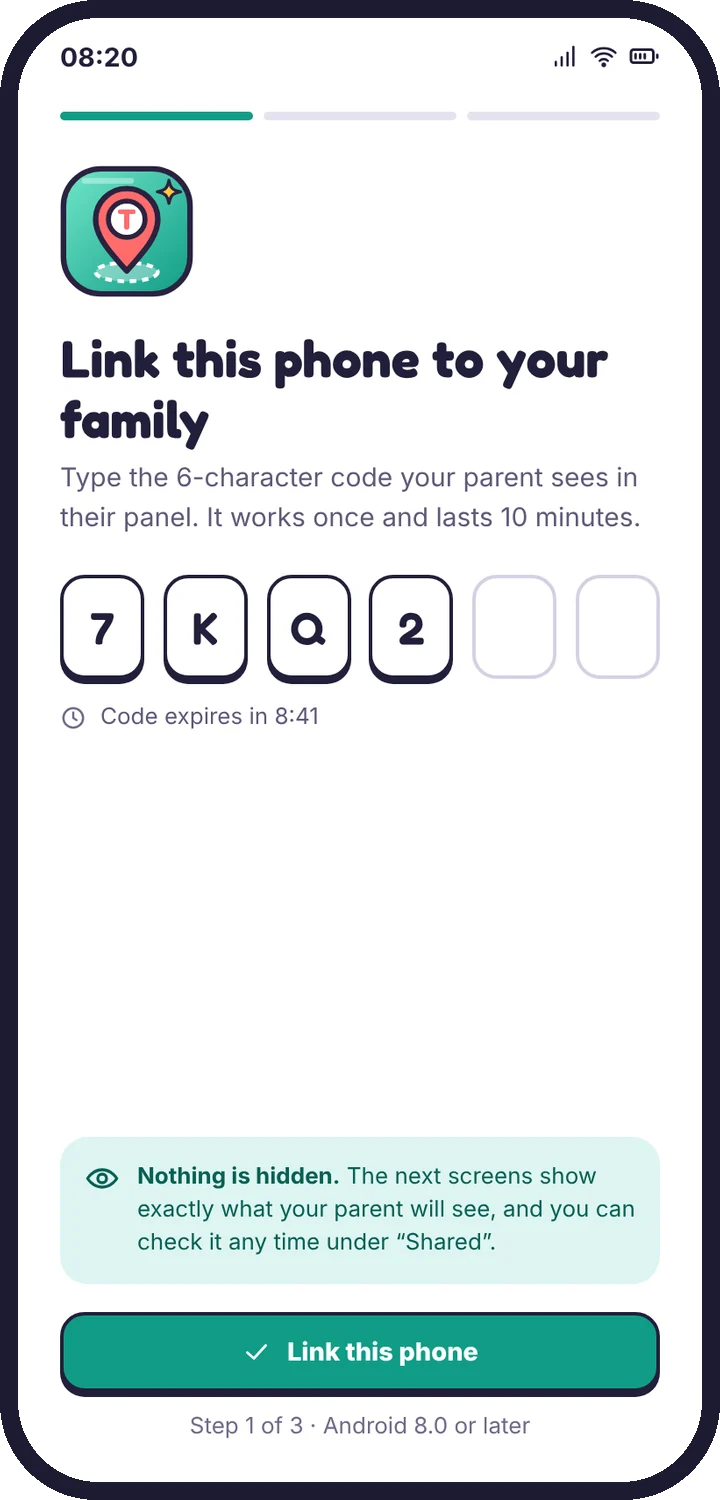
  1. The pairing code screen on the child’s phone
    Pair the phoneMake a code in the panel, type it on your child’s phone.
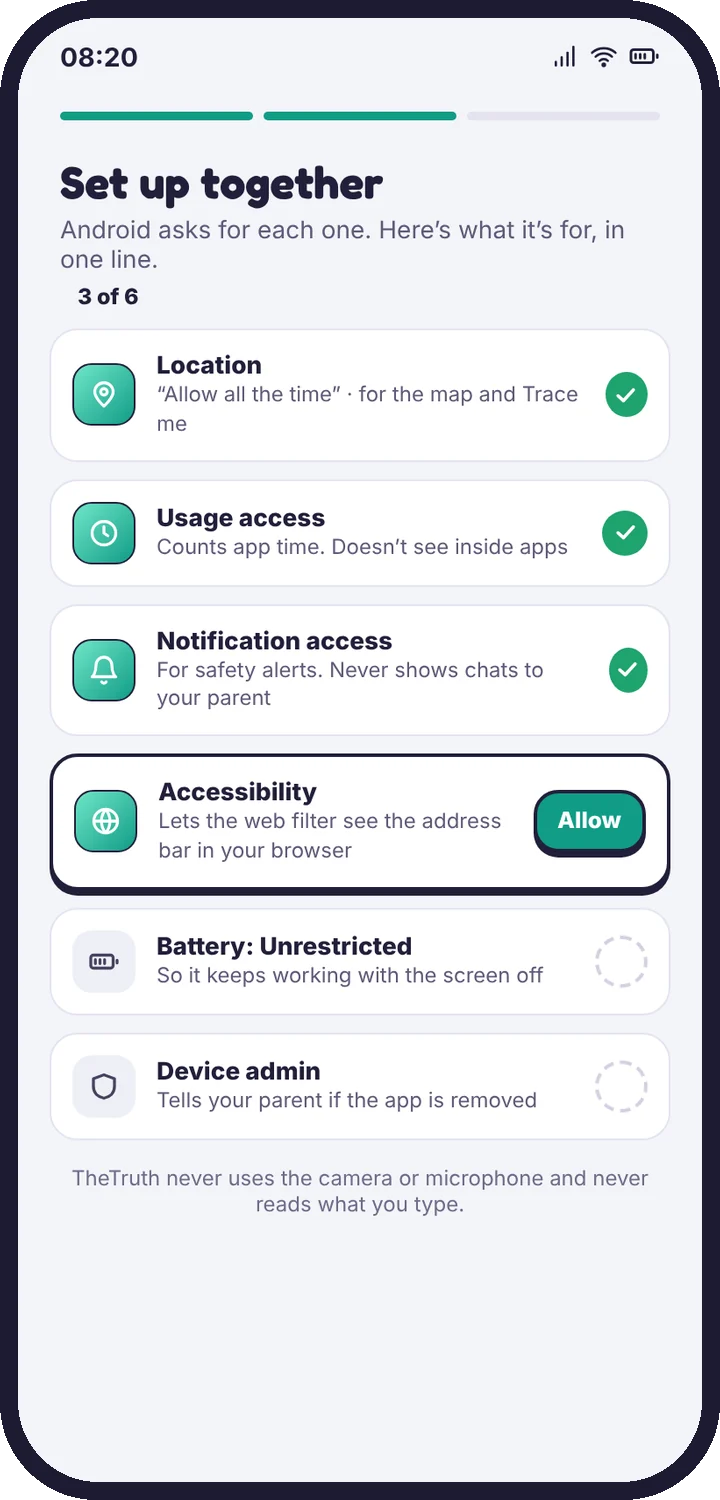
  2. The permission checklist on the child’s phone
    Grant permissions togetherEach one is explained in a sentence first.
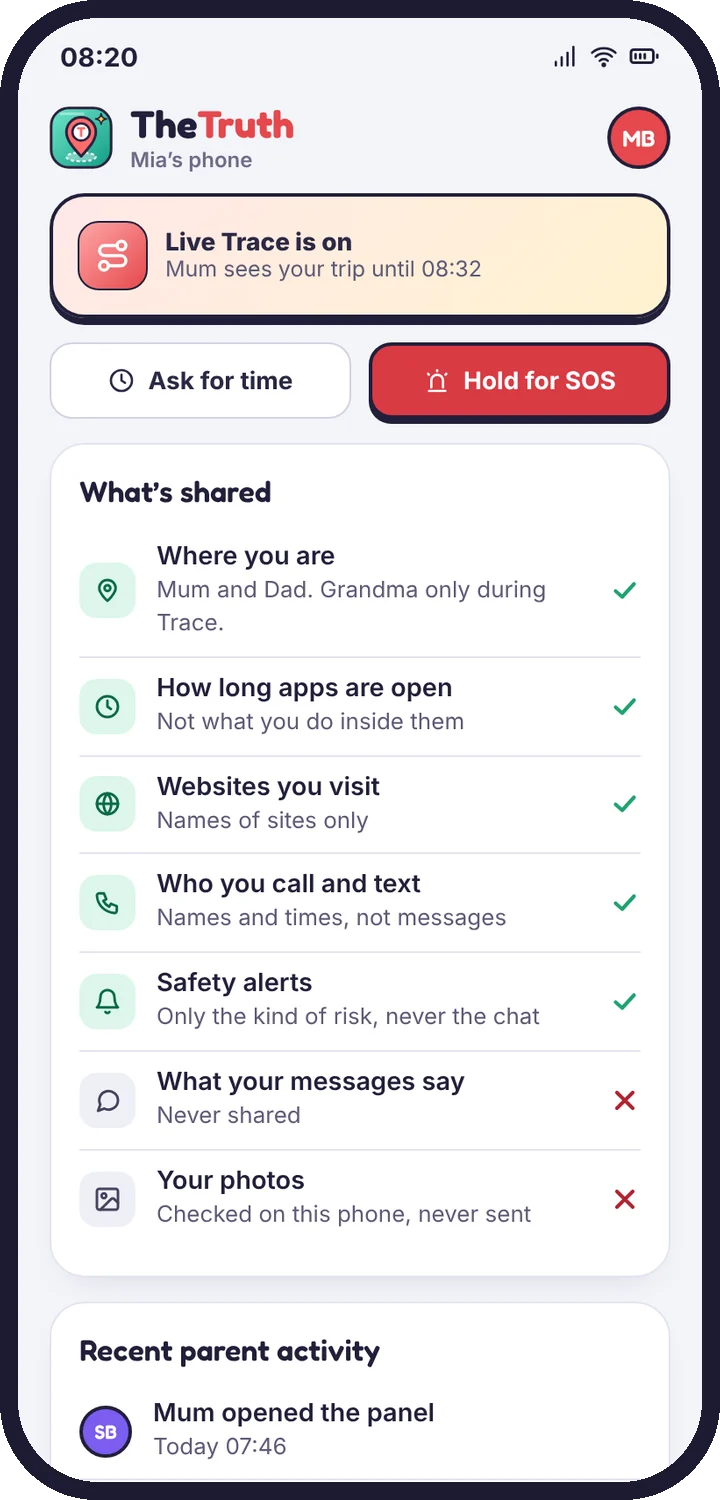
  3. The What’s shared screen
    Read “What’s shared” with themThe same list you see, in plain words.

Read the setup guide

Topics

Browse by topic

Getting started8 articles

Create your account, pair your child’s phone and finish setup in about ten minutes.

Web filter2 articles

Filter levels, blocked categories, Safe Search and single-site rules.

Safety alerts4 articles

Social alerts, photo alerts, calls, texts and what to do when one arrives.

Privacy & your child2 articles

What your child sees, what is never collected, and how long data is kept.

Troubleshooting9 articles

Fixes for a quiet map, late alerts, pairing errors and limits that don’t stick.

Live Trace

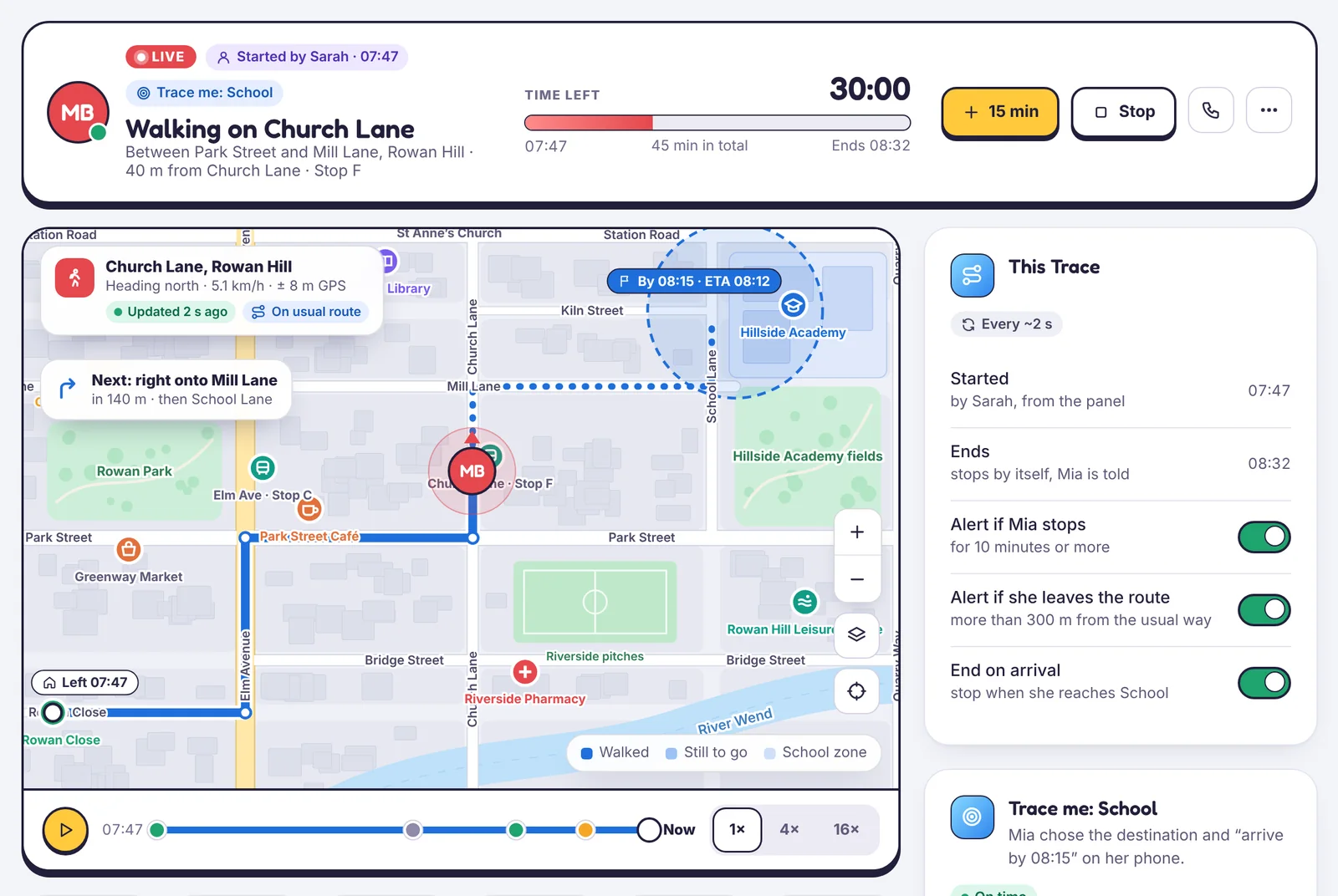
Follow one trip, street by street

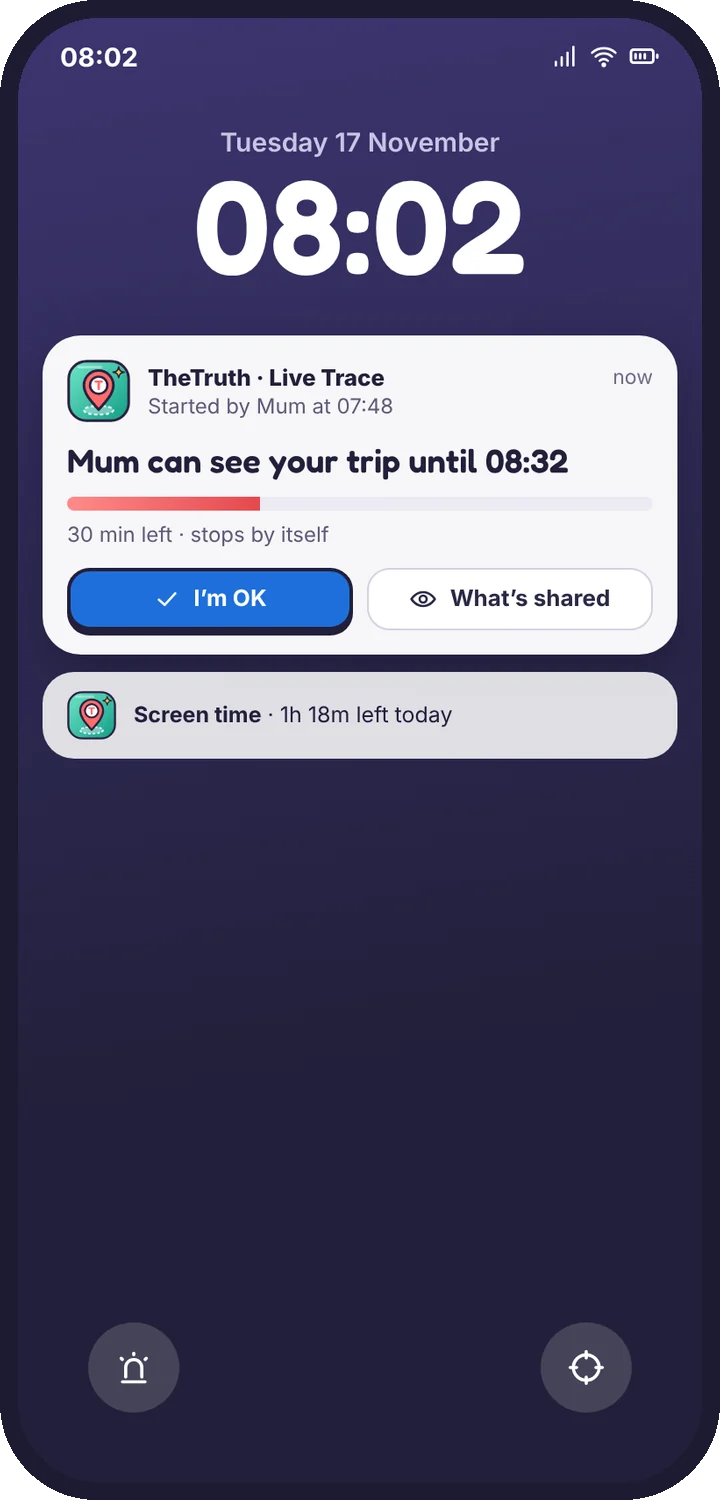
How Live Trace works, how to start, extend and stop it, and what your child sees on their lock screen the whole time.
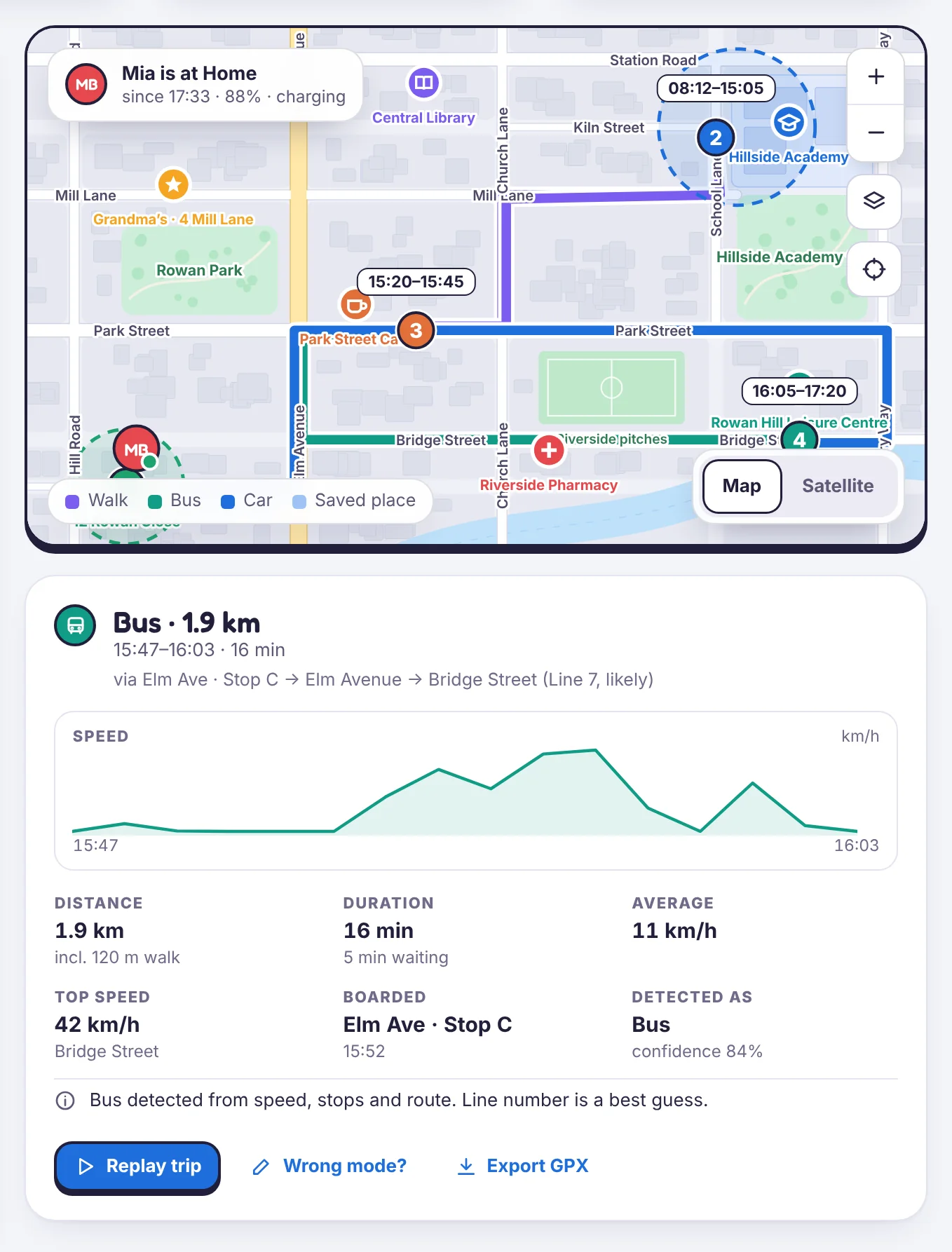
A bus trip in Location history with distance, speed and the streets it used

Still stuck?

Tell us what you tried and what you see. A person who knows the app reads support mail.

Android · Free to set up · Visible on your child's phone