Answer requests for more time
How children ask for more time, a new app or a website, and how to answer from the panel or the parent app.
Requests are how your child asks politely instead of looking for a way around the rules.
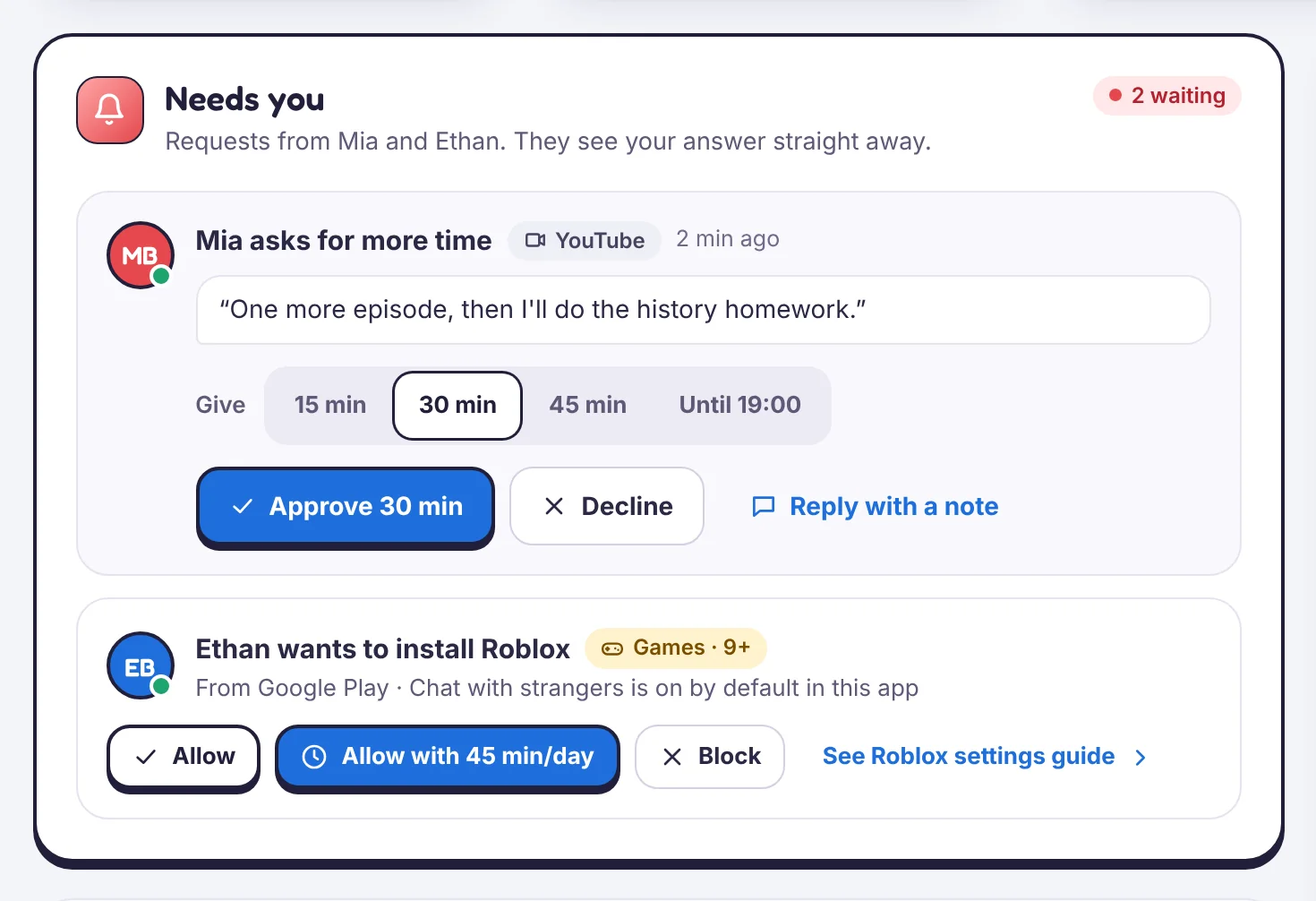
Kinds of request
- More time for one app or for the day, with a note.
- A new app waiting for approval.
- A website the filter blocked.
- A chore done, waiting for you to approve the minutes.
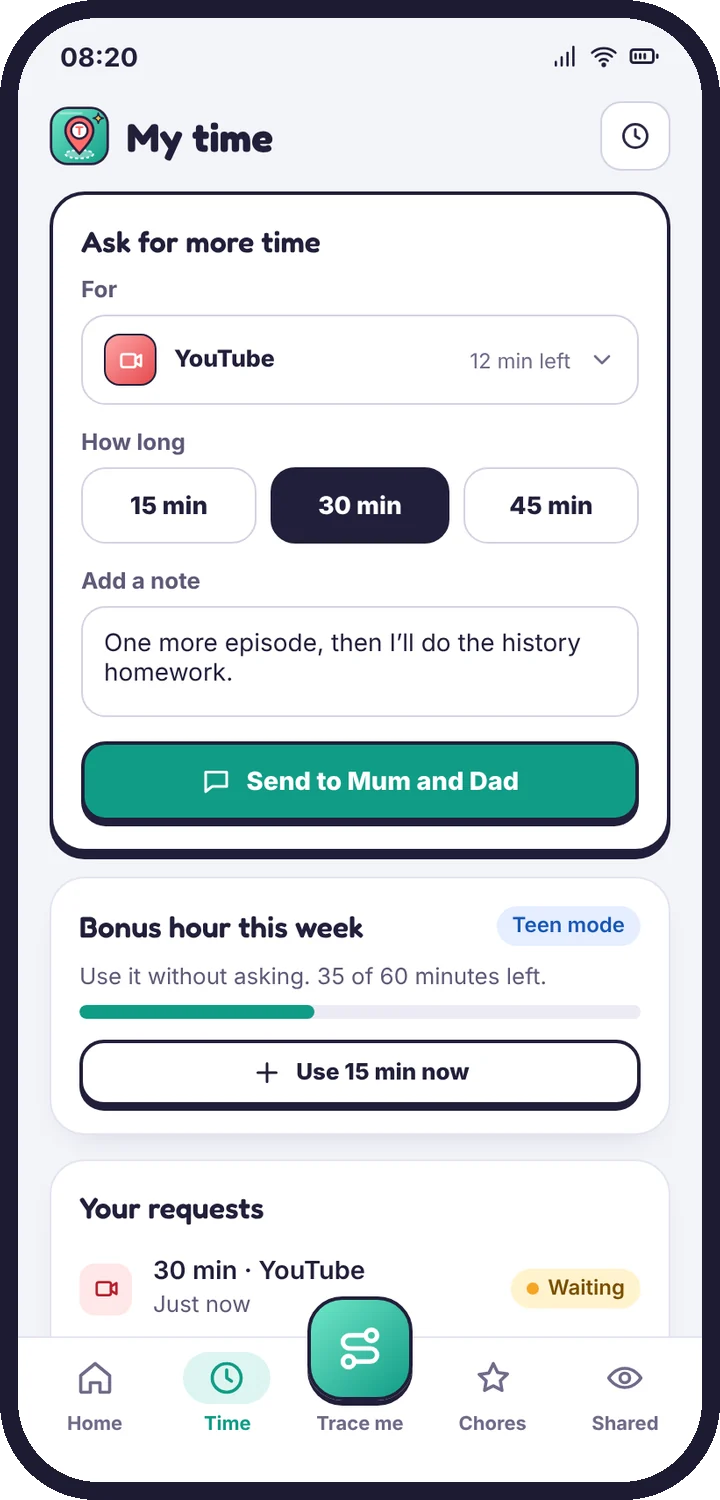
Answer
Requests appear on Today under Needs you, in Requests in the parent app, and as a notification if you turn it on. For more time, pick 15, 30 or 45 minutes, or until a time. You can also Decline or Reply with a note.
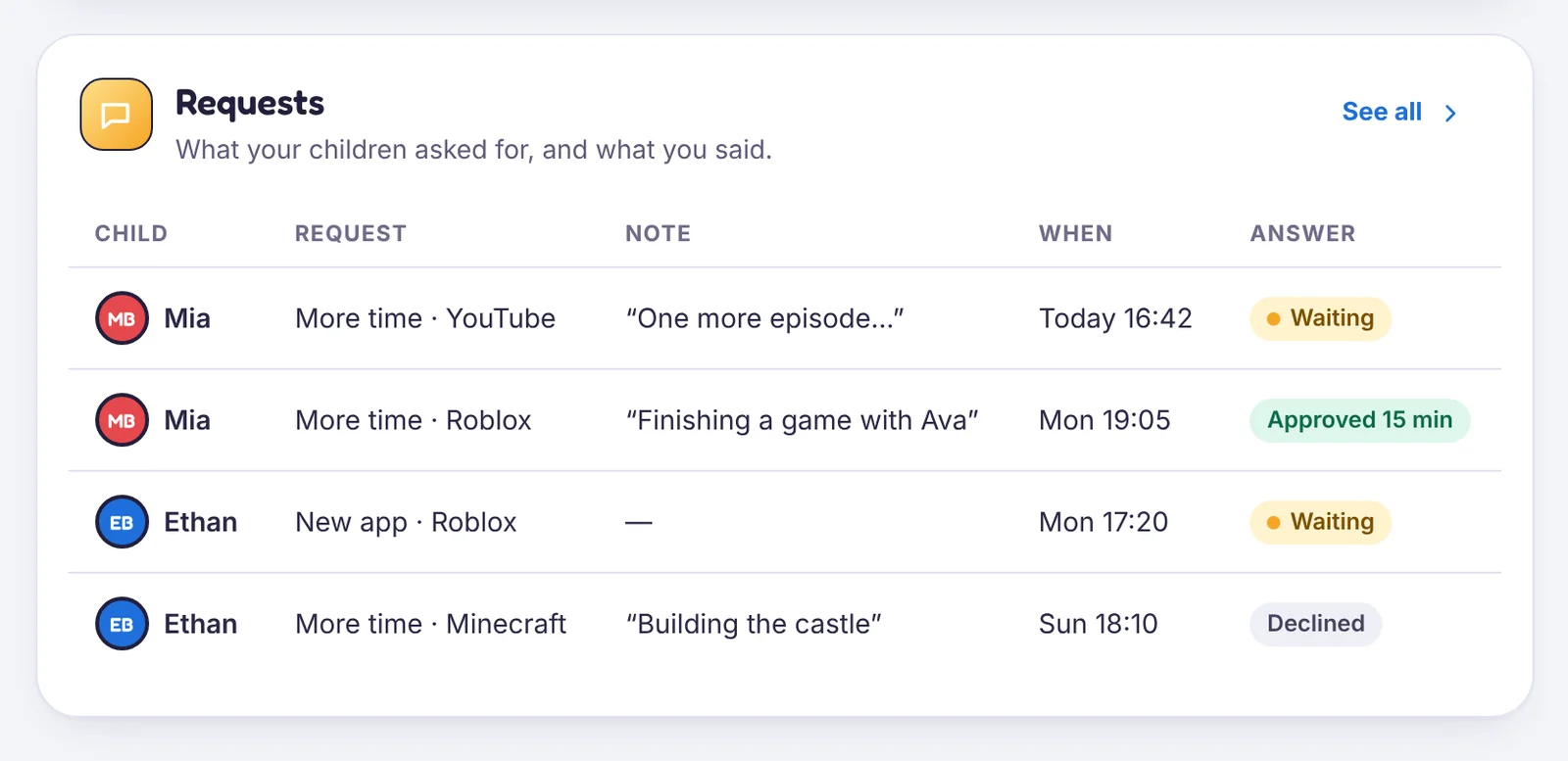
Unanswered requests
A request you don’t answer stays open until the end of the day, and your child sees “Waiting for Mum”. Nothing is approved automatically unless you set Teen mode’s weekly allowance.
Still stuck?
Contact support
Tell us which step you reached and what you see on screen. Screenshots help.