How photo alerts work
New photos are checked on the phone for nudity and gore. Your child is warned first, and you get the alert, never the photo.
Photo alerts are in the direct build and need the Photos and videos permission.
How it works
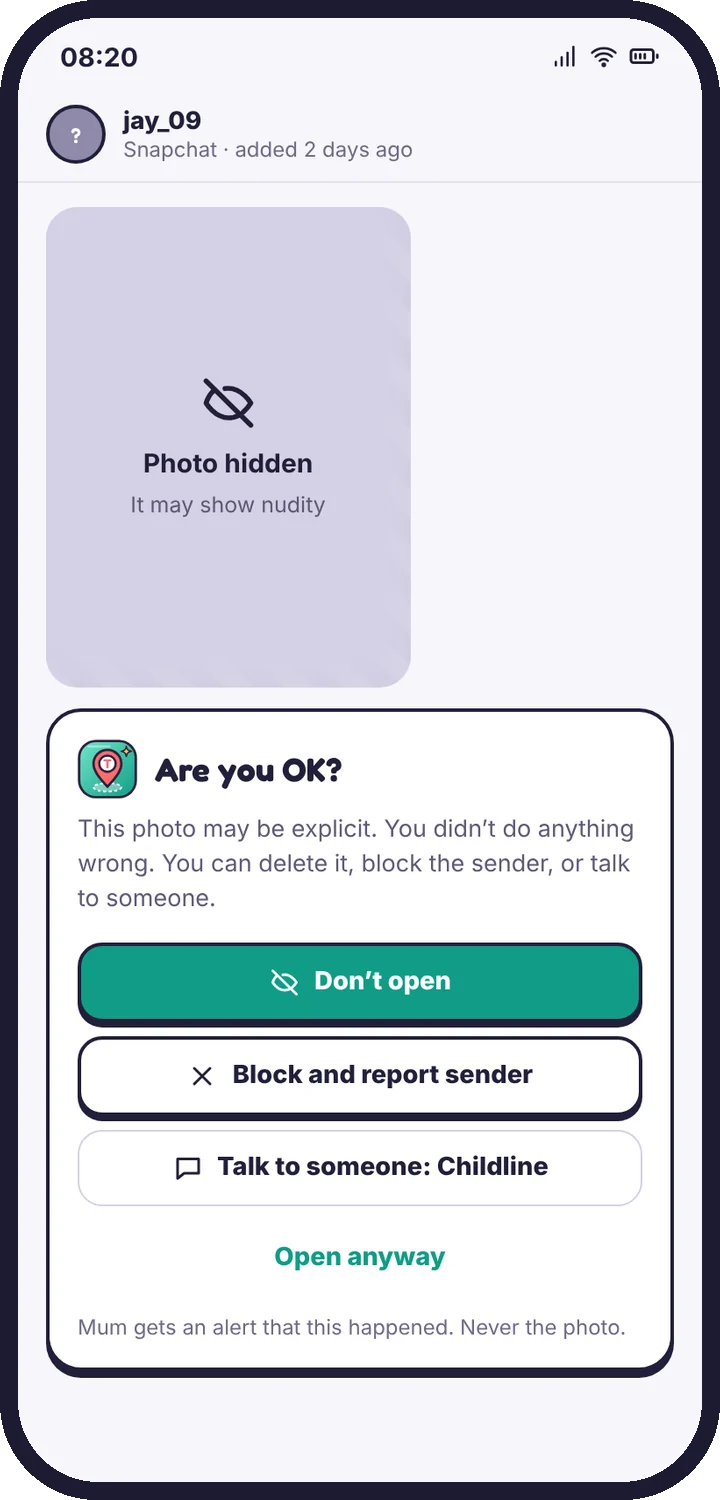
- A small model on your child’s phone checks new photos received in chat apps and downloads, and photos taken or about to be sent.
- If a photo is likely to be explicit, the phone blurs it and offers help options: open anyway, delete, or get help.
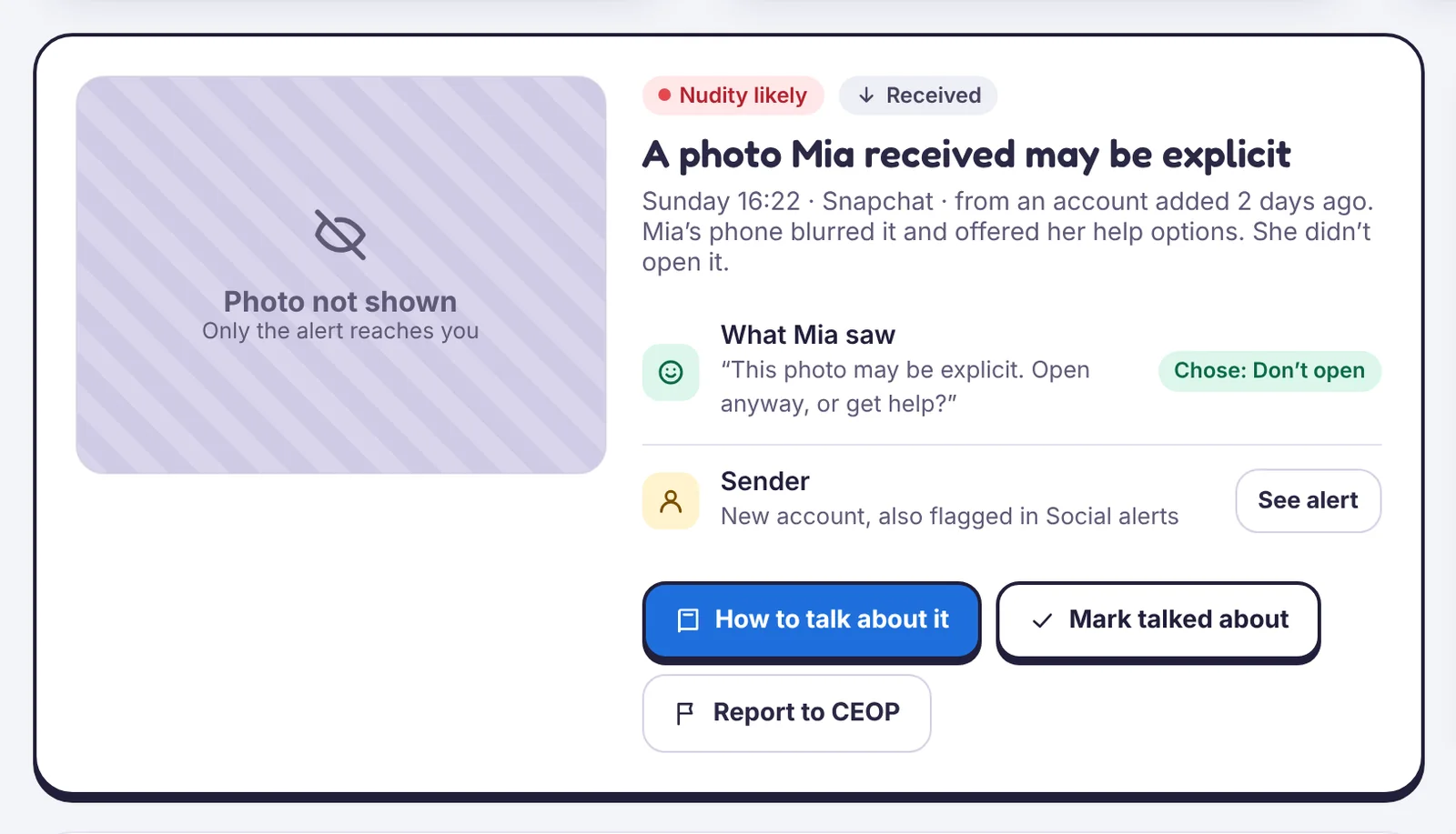
- You get an alert with the type, the app and the time, and what your child chose.
What you never get
The photo itself. Photos are never uploaded to TheTruthSpy and never sent to you.
Settings
In Photo alerts, choose whether to check received photos, photos taken or sent, and whether to blur on your child’s phone first.
After an alert
Treat it like any safety alert: a calm conversation first. If an adult sent or asked for images, report it to the police. In the UK, use CEOP.
Still stuck?
Contact support
Tell us which step you reached and what you see on screen. Screenshots help.