What each Android permission is for
Every permission TheTruthSpy asks for, the feature it powers, and where to find it in Android settings if it gets switched off.
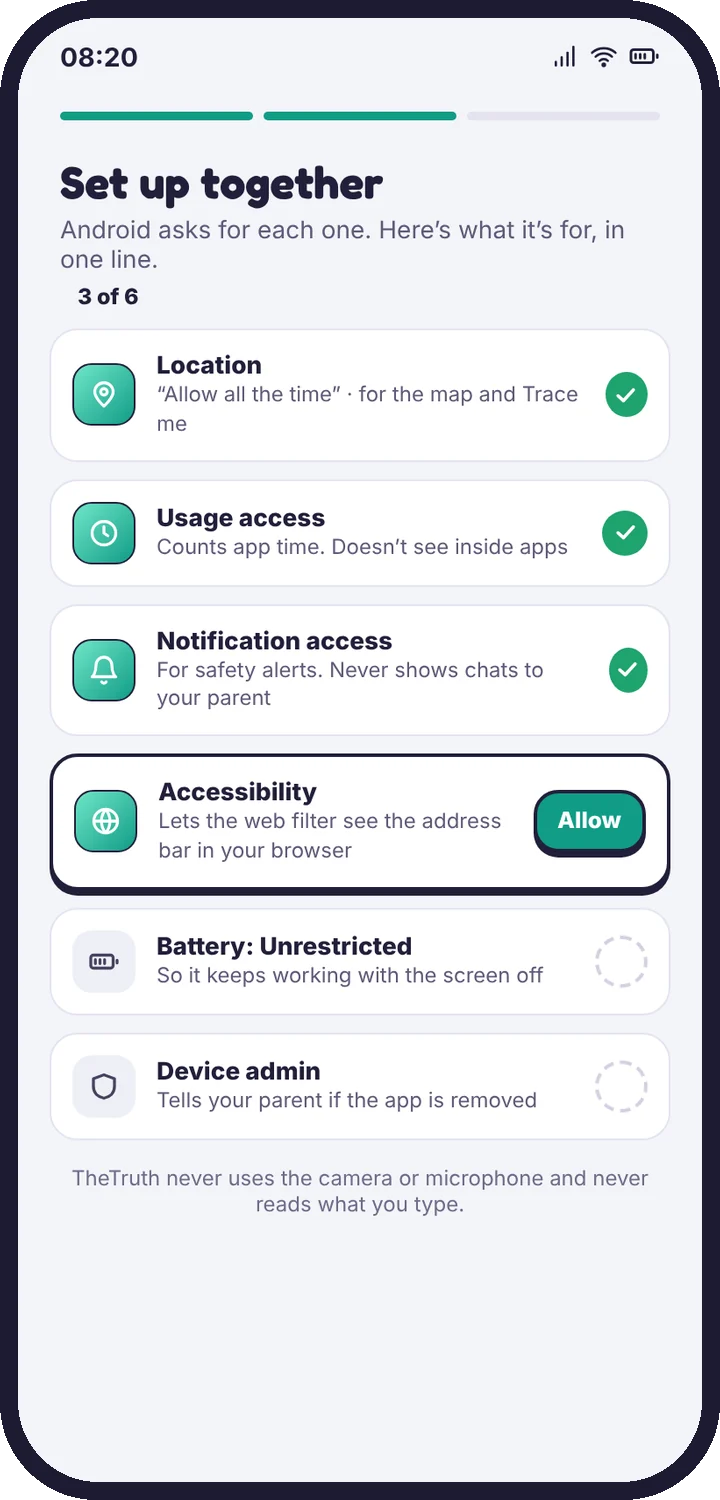
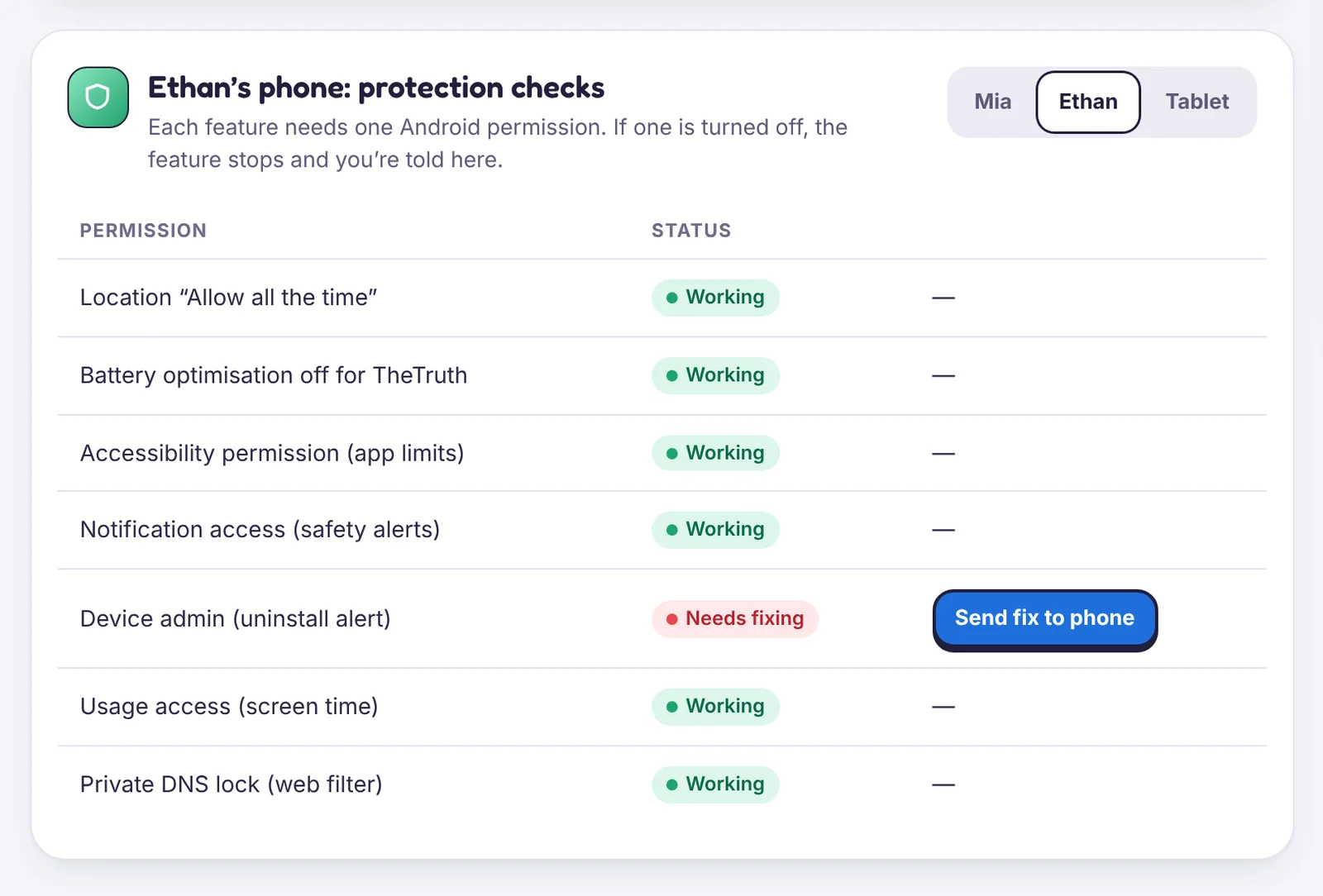
Android asks for each permission separately. Every one of them powers a specific feature, and none of them reads what your child types. The app explains each permission before Android’s own dialog appears, and Device health in your panel shows which are on.
| Permission | Powers | Where to find it |
|---|---|---|
| Location: Allow all the time | Map, Live Trace, places, location history, Wi-Fi history | Settings → Apps → TheTruthSpy → Permissions → Location |
| Usage access | Screen time totals, app limits, app blocker | Settings → Apps → Special app access → Usage access |
| Notification access | Social alerts and notification counts | Settings → Apps → Special app access → Notification access |
| Accessibility service | Web filter, Safe Search, site history, blocking unknown browsers | Settings → Accessibility → Installed apps → TheTruthSpy |
| Battery: Unrestricted | Keeps the app running overnight and when the screen is off | Settings → Apps → TheTruthSpy → Battery |
| Device admin | Tells you the same day if the app is removed | Settings → Security → Device admin apps |
| SMS, Call log, Contacts (direct build) | Text log, call log, contact names and new-contact alerts | Settings → Apps → TheTruthSpy → Permissions |
| Photos and videos (direct build) | Flagged-photo alerts, checked on the phone | Settings → Apps → TheTruthSpy → Permissions |
Menu names vary a little between phone makers and Android versions. If you can’t find one, search for it in the Settings search bar.
Things TheTruthSpy never asks for
TheTruthSpy does not use the camera or the microphone, does not record calls, and does not log keystrokes. If a permission prompt ever asks for those, it is not from TheTruthSpy.
If a permission gets switched off
The feature it powers stops, and Device health turns amber within a few minutes. Open the card and choose Send fix to phone: your child gets a notification that opens the right settings screen with one step to follow. See The app was removed or a permission was turned off.
Tell us which step you reached and what you see on screen. Screenshots help.