Contacts Monitoring
See who is saved on your child's phone and get an alert when a new contact is added. Names also make the call and text logs readable.
Direct-download build · Free · Permission: Contacts · Visible on your child's phone
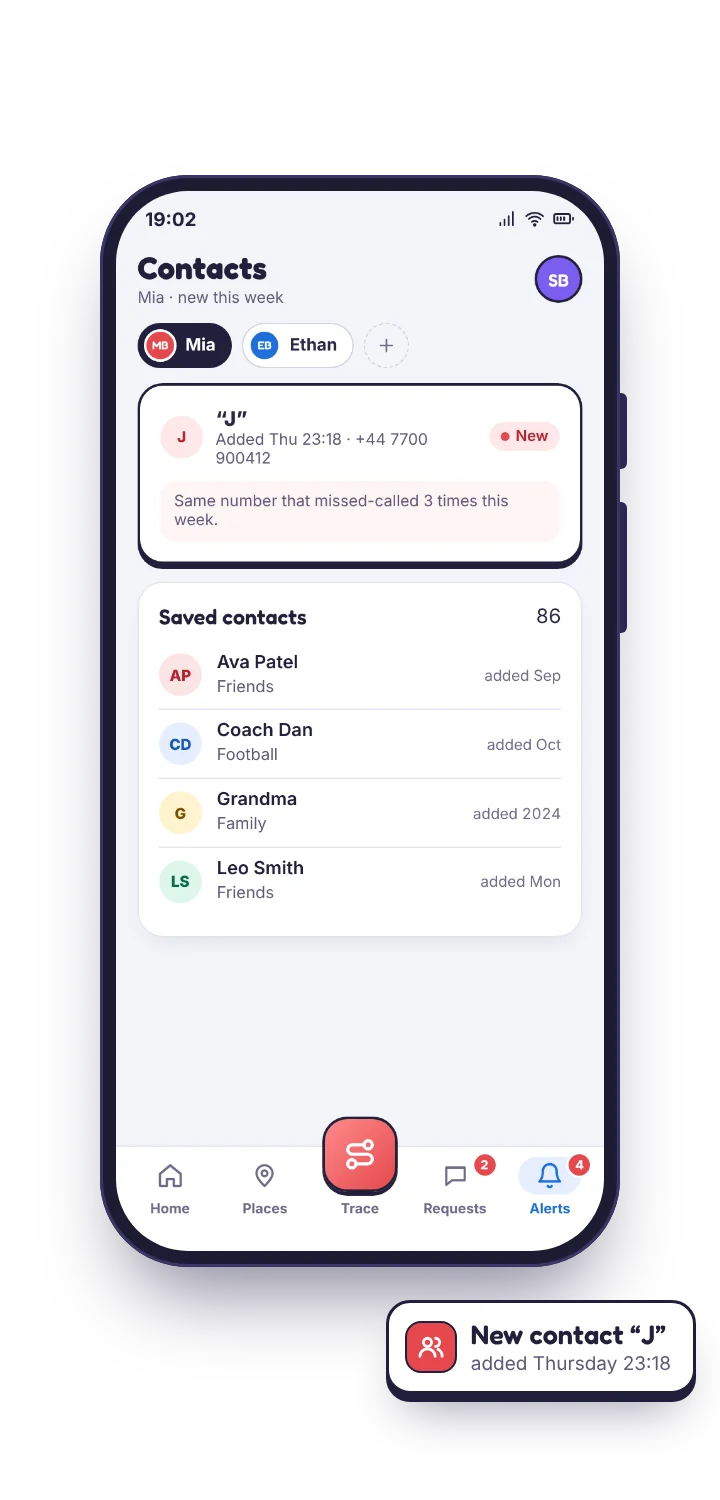
What contacts monitoring shows
- Who is saved, with the name your child gave them and the number attached.
- When a contact was added, so a name that appeared last Thursday stands out from one that has been there two years.
- Changes, including a contact renamed or deleted. A number saved under a nickname and then quietly removed is a small thing, but it is the kind of small thing worth noticing.
- Matching, which is the real payoff: every number in the call log and the text message log is labelled with its contact name wherever one exists.
Named contacts fade into the background. What is left over after matching is the interesting part: a number with no name, appearing repeatedly, late, and you only see it because everything else has a name. The contacts view also shows the one case that joins the two: a number that called several times unsaved and was then saved under a first name, which is the moment the “who's Jay?” question writes itself.
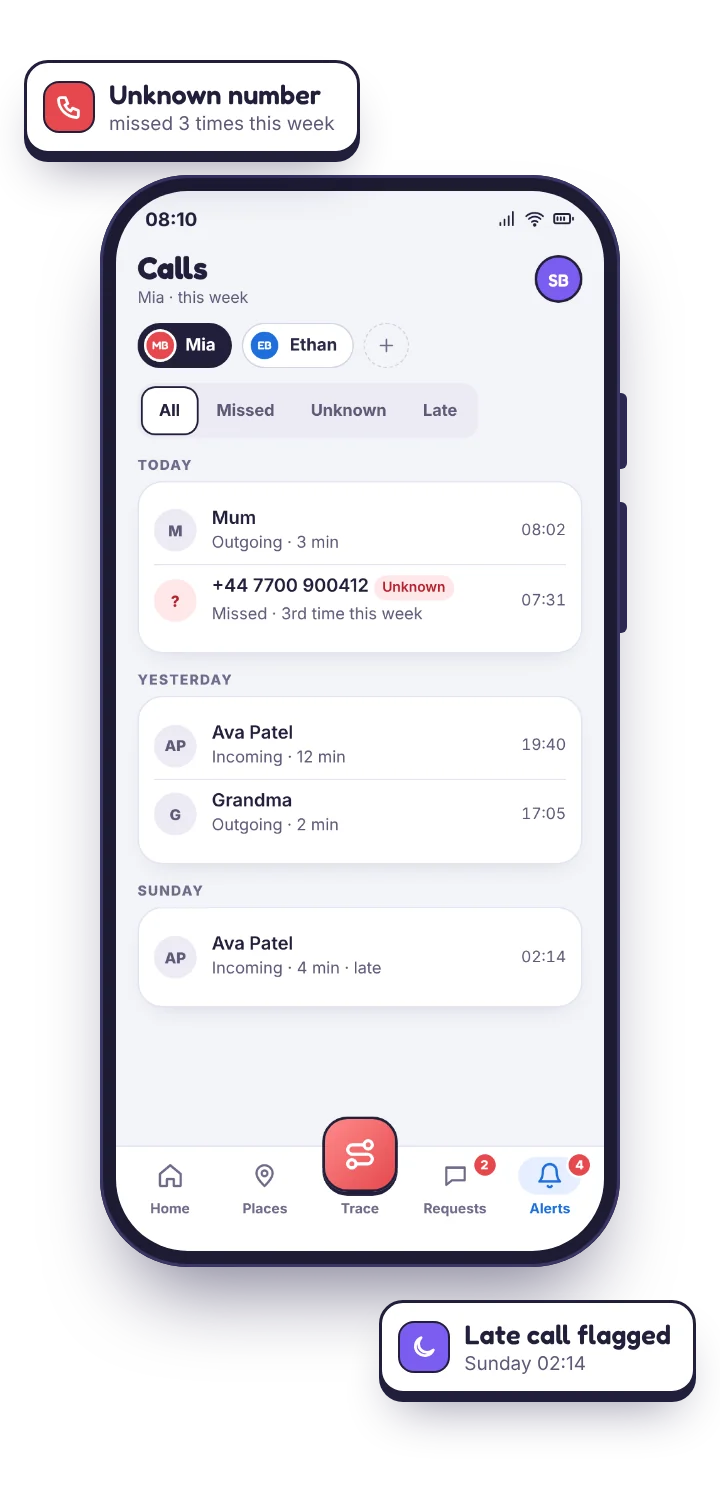
You are not meant to read the contact list. You are meant to be told when it changes.
When a new contact is saved, TheTruthSpy can notify you with the name and number. For most families that alert is noise, because school friends get added constantly, so it is worth switching on for a while when something has prompted it and off again when the picture is calm. An alert you always ignore is worse than no alert.
Where it earns its place: a child who has just started a new school, a period when unknown numbers have been calling, or the weeks after a conversation about someone you were not comfortable with. In those weeks the alert turns a change you would have found a month later into one you hear about the same evening.
| Alert | Default | Switch it on when |
|---|---|---|
| New contact saved | Off | A new school, unknown callers, or after a conversation about someone specific. |
| Unsaved number repeating | On | Always. A number with no name, calling or texting several times a week, is the signal this feature exists for. |
| Contact renamed or deleted | Off | Rarely. Useful only when something has already prompted a closer look. |
Grooming and scam contact follow a recognisable shape, and the contact list is often where the first trace appears.
Somebody is saved under a first name only, or a nickname, or initials. The number has an area code that does not match anyone else in the list. The contact appears shortly before a run of late messages from that same number. None of those things is proof of anything on its own, and reacting to a single one will cost you more trust than it gains.
A first name, a nickname, initials
Friends get full names or school tags. A contact saved as “Jay” or “J” with nothing else is not sinister, but it is a shape worth remembering.
An area code that matches nobody
Every other contact shares the family's codes. One from somewhere else, saved recently, is the second line of the shape.
Saved just before the late messages start
The contact appears on Thursday; the texts after midnight start on Friday. That is the third line, and the point at which a calm, specific question is due.
What they are is a reason to ask a specific question. “Who's Jay?” rather than a vague one, and specific questions get answers. The contact list is what makes the question specific.
What this feature does not do, and which build it needs.
Contacts monitoring reads the phone's address book. It does not reach into the contact lists held inside individual apps, because those live in accounts rather than on the device; a Snapchat friend or an Instagram follower is not a phone contact and will not appear here. For those, see social media monitoring. It also does not tell you anything about who those people are. A name and a number is all the phone knows, and it is all TheTruthSpy can pass on.
Contacts monitoring lives in the direct-download build, alongside the call and message logs, because Google does not approve contact access for parental-control apps on the Play Store. It needs the contacts permission granted on the phone, with your child present, and the TheTruthSpy app on their side lists contacts among the things it shares. If you only want the Play Store build, the call and message logs are unavailable anyway, so there is nothing for contact matching to attach itself to.
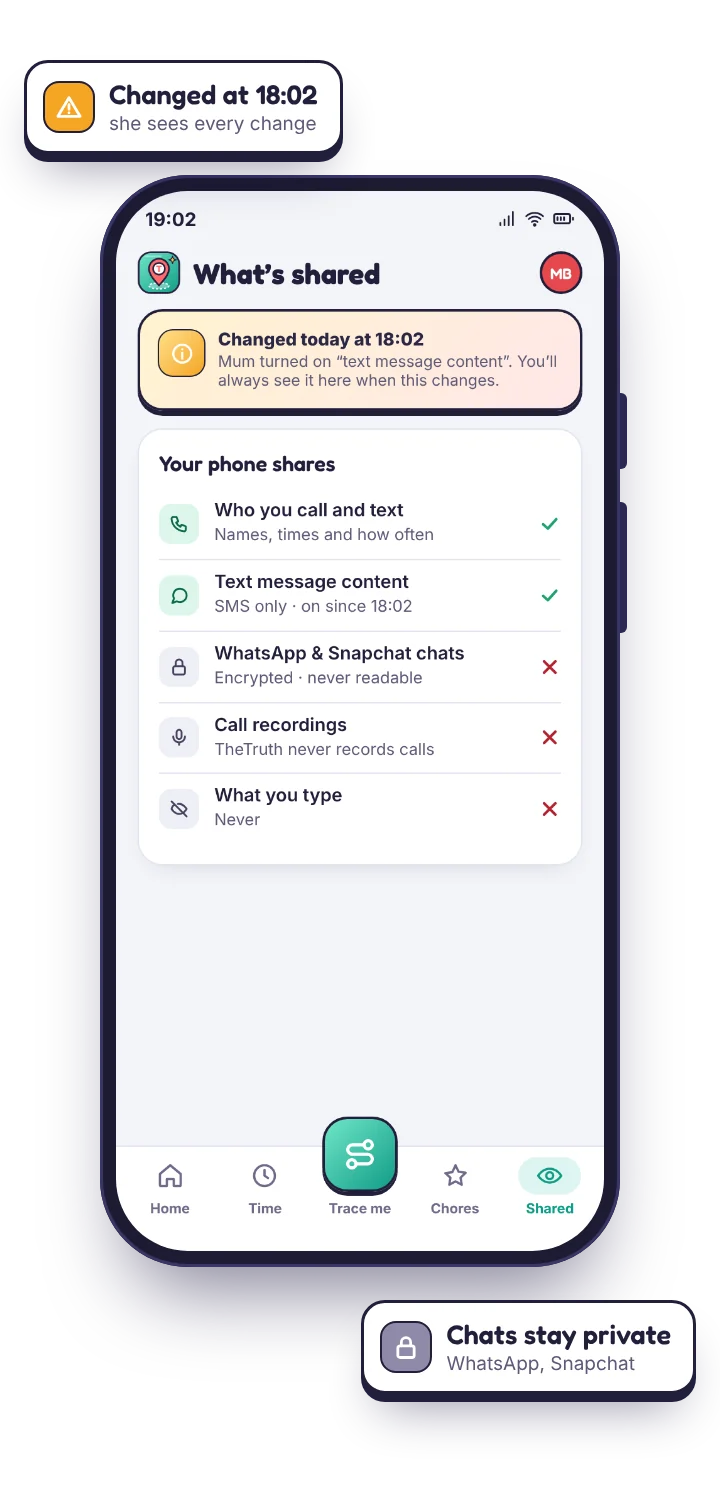
This is one of the easier features to explain, because the plain description is reassuring: you are not reading their messages, you are keeping the names attached to the numbers so the summary makes sense. Most teenagers find that a great deal less objectionable than the alternative, and saying it plainly is what buys you the room to keep everything else switched on.
Questions parents ask about seeing a child's contacts.
Can I see the contacts saved on my child's phone?
Yes, in the direct-download build with the contacts permission granted. The list shows in your panel with names, numbers and when each was added.
Will I be told when a new contact is saved?
If you switch the alert on. It is off by default, because in a busy year a teenager adds contacts constantly and a permanent alert becomes noise.
Does contacts monitoring work on the Google Play build?
No. Google does not permit contact access for this category, so it ships only in the direct download, alongside the call and message logs it exists to label.
Will my child know their contacts are visible?
Yes. Contacts appear on the app's “What's shared” list on their phone, like everything else TheTruthSpy collects.
What contacts monitoring sits beside
The contact list exists to make the logs readable. Names show up in the call log and the text message log; without the address book, both are just numbers. Chat apps such as WhatsApp or Snapchat keep their own contact lists, so a friend added there may never appear in the phone's address book.
Put names to the numbers.
Pair your child's phone with the direct-download build and let the names attach themselves to the numbers. The unnamed ones will find you.
Android · Free to set up · Visible on your child's phone