Messenger Safety Alerts
Get alerts when someone your child does not know sends a Messenger request, plus keyword alerts and late-night counts. Chats stay encrypted and unread. Below: the Meta settings and Messenger Kids options that matter most.
Either build · Free · Permission: Notification access · Visible on your child's phone
What the Messenger monitor can see
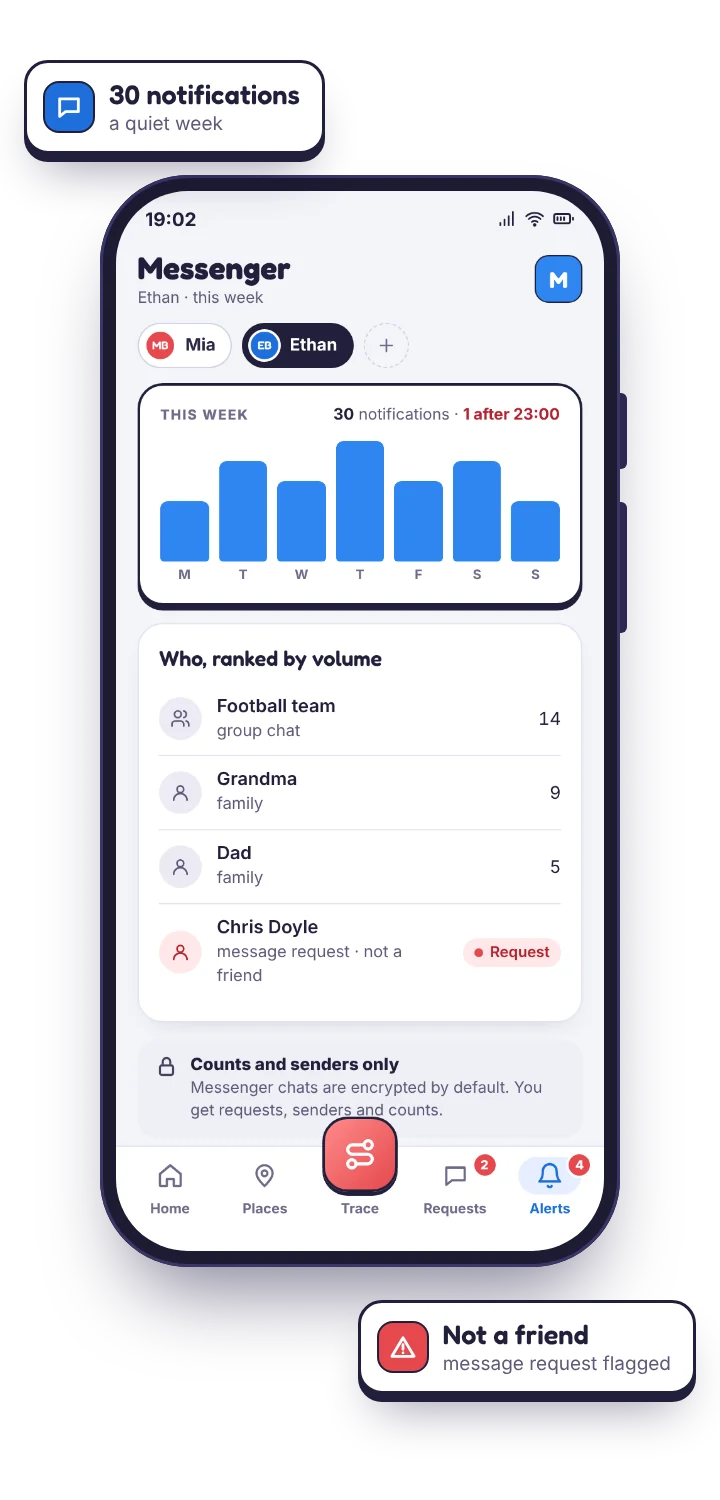
Messenger's notifications are the most informative of the major chat apps. They name the sender and, on most phones, show the first line of the message. TheTruthSpy reads them because your child's phone granted notification access on a screen they saw, and because Messenger is unusually consistent about what it posts, the weekly view is unusually complete.
- Who, and the preview line. “Maya Okafor: lol did you see the video”. With preview text on, you see that line. With it off, you see that Maya messaged and when.
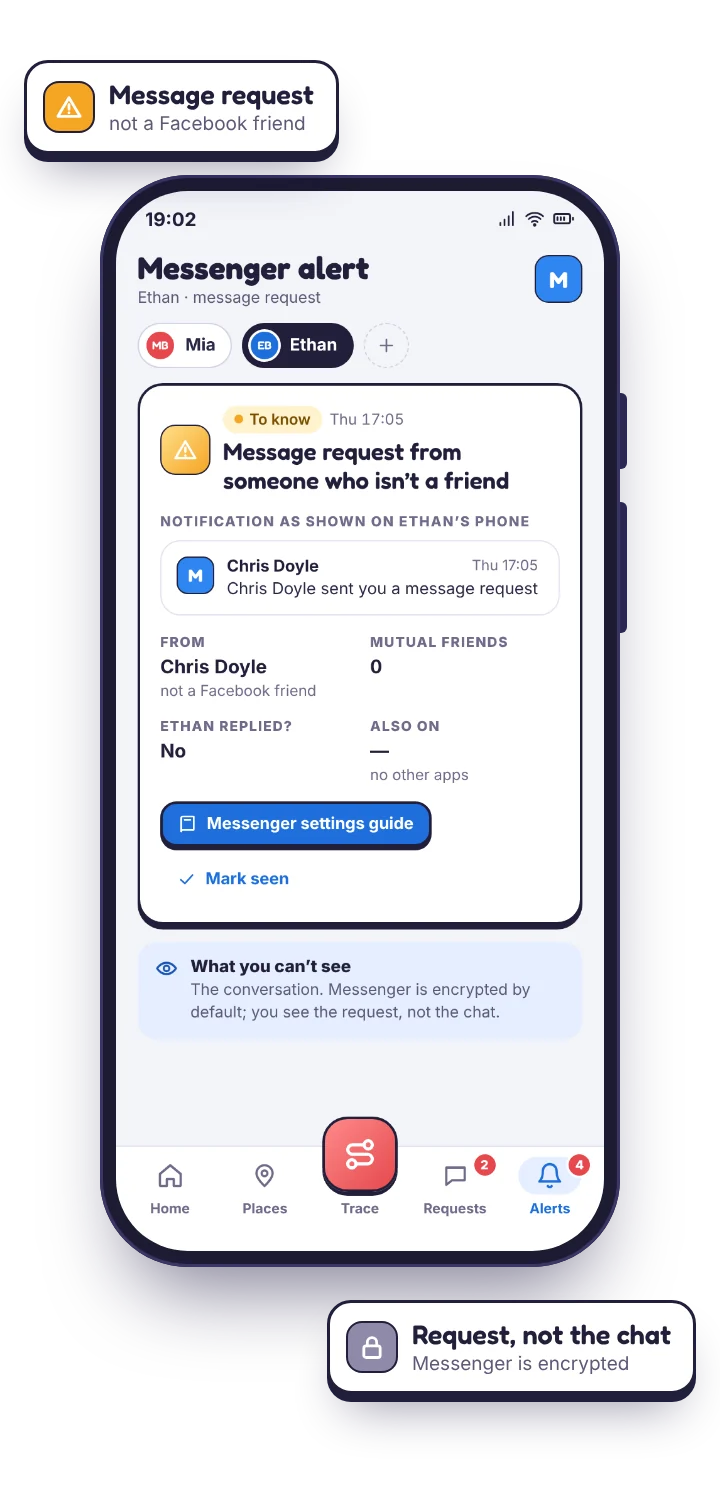
- Message requests. Messages from people who are not friends arrive as requests and are labelled that way in the notification: the single most useful Messenger signal, and TheTruthSpy flags them separately.
- Calls. Missed and incoming Messenger voice and video calls produce notifications, so late-night calls show up even without text.
- Volume and clock. A daily total for both apps combined, and how much of it landed after the hour you set.
What the Facebook monitor can see: requests, tags, comments and Marketplace.
Fewer teenagers post on Facebook than they used to, but the app still produces a steady stream of notifications of a different kind: friend requests, tags in photos and posts, comments on your child's posts, group activity, Marketplace replies and event invitations. TheTruthSpy counts them, shows their text if you have preview text on, and runs keyword alerts over them.
A friend request from an adult with no mutual friends, or a stream of Marketplace replies at fourteen, are both the sort of thing that shows up here first. Marketplace in particular is where scams aimed at teenagers tend to start, and the language is predictable enough that a short keyword list catches most of it.
| Facebook notification | What it tells you |
|---|---|
| Friend request | Who wants in. A cluster from accounts you do not recognise is a signal. |
| Tag in a photo or post | Who is posting about your child, and where their face is appearing. |
| Comment on their post | Who is talking to them in public, and whether it has turned cruel. |
| Group activity | Which groups they joined and how busy they are. |
| Marketplace reply | That they are buying or selling, and from whom. Scam language shows up here. |
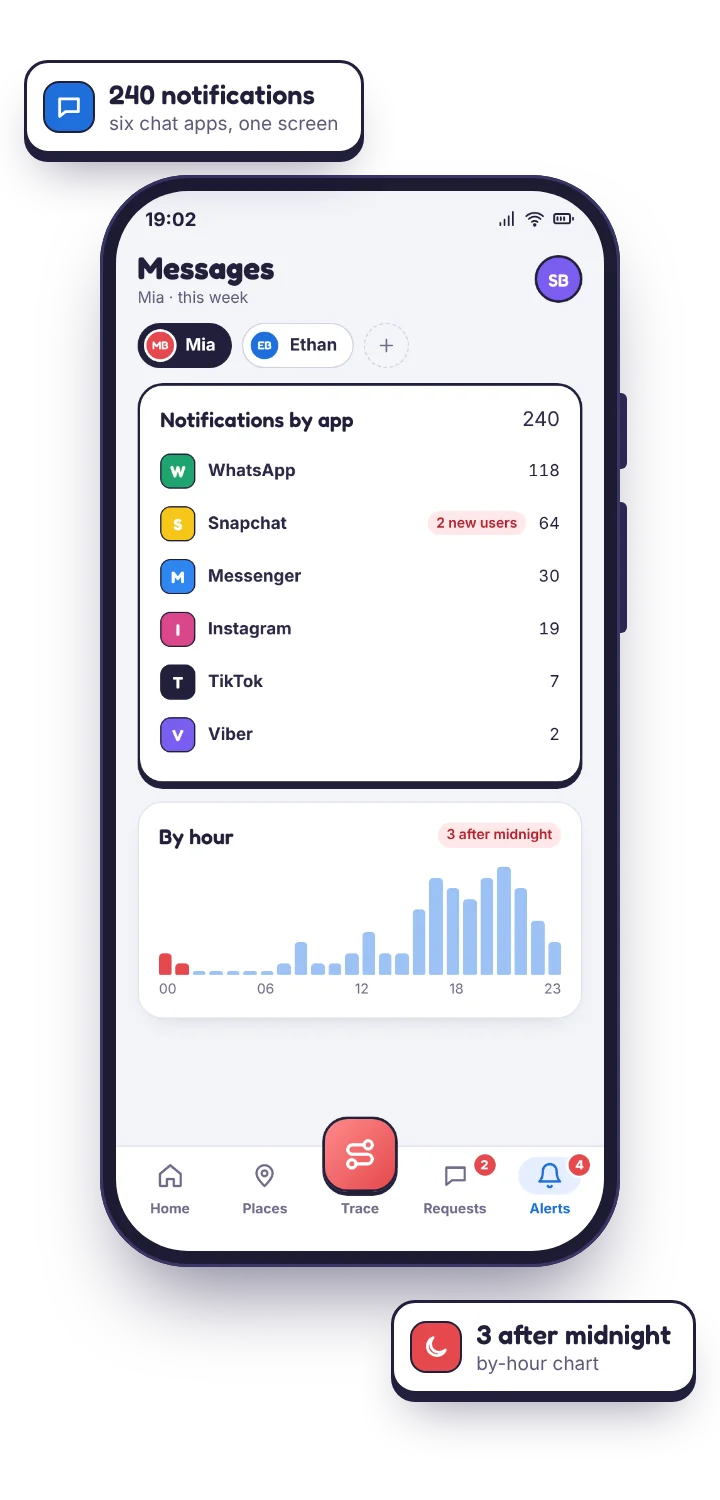
Meta switched Messenger to end-to-end encryption by default. The thread is out of reach.
Messenger chats are end-to-end encrypted, so the conversation itself is unreadable to anything outside the two phones, including TheTruthSpy, and including any tool that claims otherwise. TheTruthSpy sees what the phone shows as a notification: the preview line at most, never the thread. If a chat is muted, if your child is inside it when the message arrives, or if previews are hidden, TheTruthSpy sees the count and nothing more. Photos show as “sent a photo”. Vanish mode messages leave no trace on the phone and none in TheTruthSpy.
Facebook's feed and Reels are outside TheTruthSpy's view in the same way Instagram's feed is: you can see how long the app was open and cap it, not what was watched.
| You want to know | From notifications | Why |
|---|---|---|
| Who messages them, how often, how late | Yes | Every notification names the sender and carries a time. |
| A message request from a non-friend | Yes | Labelled as a request in the notification and flagged. |
| Missed or late-night calls | Yes | Call attempts produce notifications. |
| The first line of a message | If preview text is on | Messenger previews carry real text; it is a separate switch. |
| The full conversation | No | End-to-end encrypted by default. |
| The feed, Reels, Stories | No | No notification. Screen time shows how long. |
| Vanish mode or muted chats | No | No trace, or no notification. |
Meta's own tools: Facebook supervision and Messenger Kids
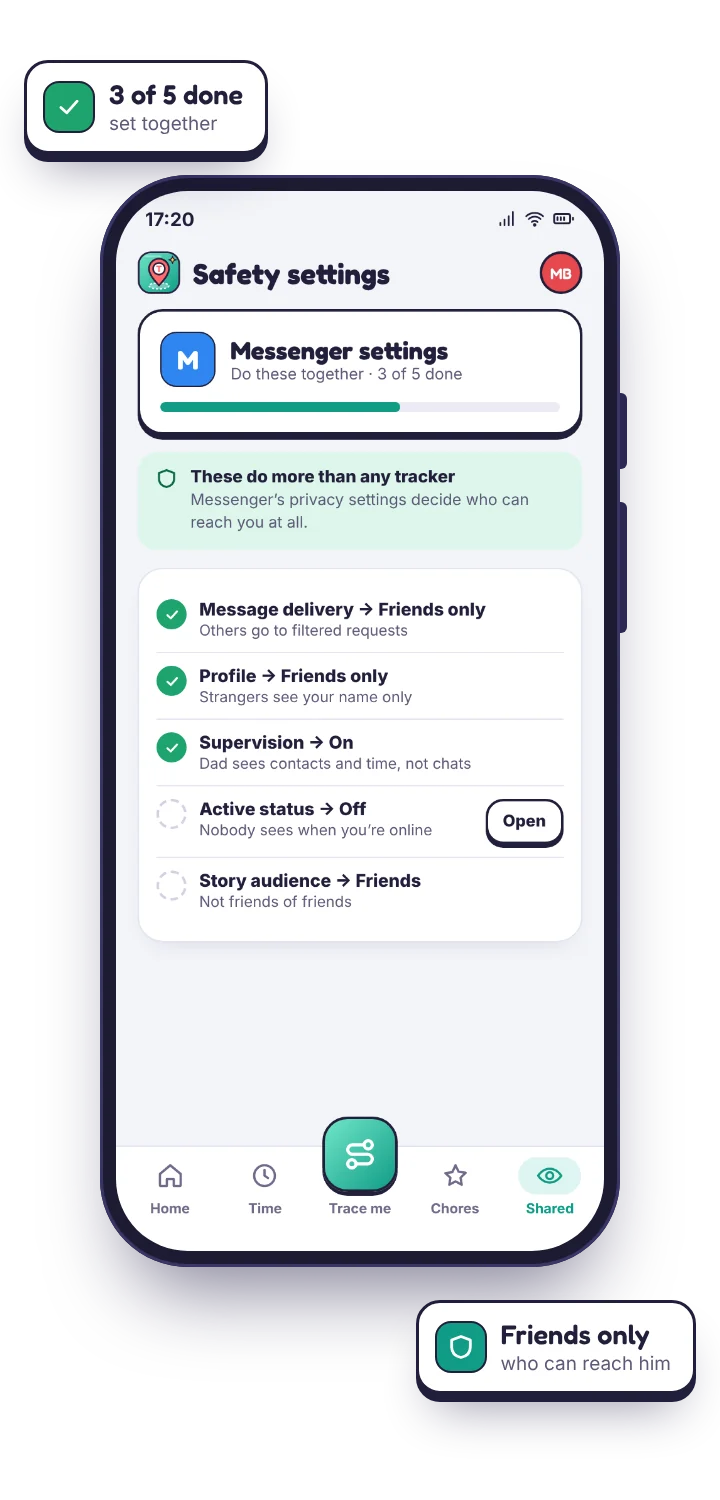
Meta's tools for families are worth setting up before you rely on alerts, and for younger children they change the picture entirely. The TheTruthSpy app on your child's phone carries this checklist so you can tick each one off together, and your panel shows which are still outstanding.
| Setting | What it does |
|---|---|
| Messenger Kids (under 13) | A separate app, run from the parent's Facebook account, where you approve every contact and can review activity from a parent dashboard. If your child is under 13, this is the right version of Messenger, and TheTruthSpy's counts sit comfortably alongside it. |
| Supervision (Family Center) for teens | With your teenager's agreement you link accounts and can see time spent, their contacts list on Messenger, and privacy settings, not messages. Check availability in your country. |
| Message delivery settings | Set who can reach your child's inbox directly and who lands in requests. “Friends only” for the main inbox, everything else to requests, is the sensible default. |
| Profile privacy | Friends list, photos and posts to Friends; friend requests from “friends of friends” only. |
| Blocking | Per-account, and applies across Facebook and Messenger at once. Worth showing them once so they use it without asking you first. |
Keyword alerts that fit Facebook and Messenger monitoring
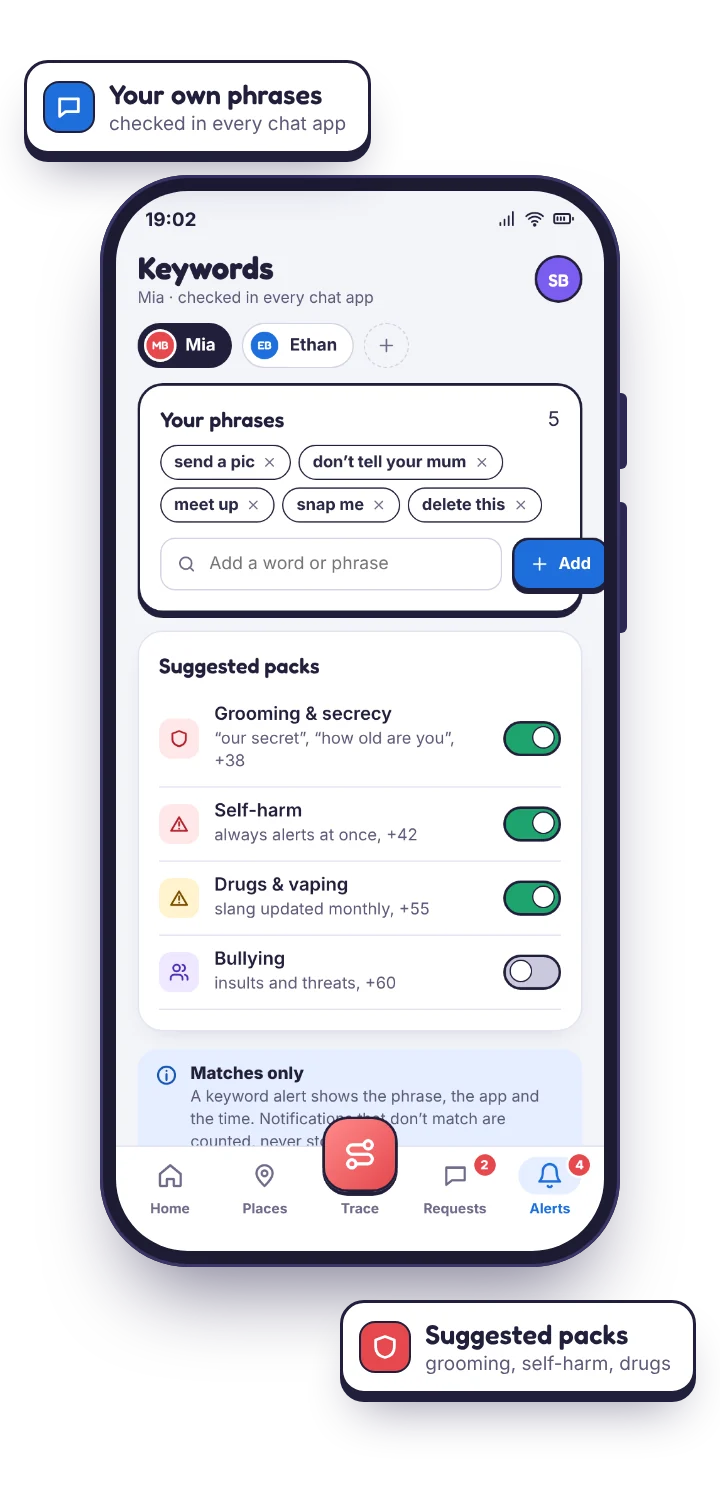
Because Messenger previews carry real text, keyword alerts work well here, better than on Snapchat or Instagram. That is also why preview text is worth switching on for Messenger more often than for WhatsApp: the opening line of a stranger's request is exactly the thing you want early warning of, and Messenger reliably puts it in the notification. Keep the list to the phrases that would matter, and mark the serious ones urgent.
- Openers from adults: “how old”, “you seem mature”, “can we talk privately”, “don't tell”.
- Pulling the chat off Meta: “what's your snap”, “find me on”, “DM me there”, “here's my number”.
- Marketplace and scams: “deposit”, “gift card”, “pay first”, “verification code”, “prize”. Marketplace scams aimed at teenagers are common and the language is predictable.
- Image pressure: “send a pic”, “just one”, “delete after”.
A match inside a message request from a non-friend is escalated automatically. A match in the family group is not, because Grandma writing “prize” about the raffle is not an emergency.
Questions parents ask about monitoring Facebook and Messenger.
Can the Messenger monitor read my child's conversations?
No. Meta switched Messenger to end-to-end encryption by default, which puts the conversation out of reach of the phone itself. What remains is the notification: who wrote, when, and the opening line if you allow preview text.
Does the monitor cover the Facebook app as well as Messenger?
Yes. Friend requests, tags, comments, group activity and Marketplace replies all produce notifications, and TheTruthSpy counts them and runs keyword alerts over them. One permission covers both apps.
Will my child know Messenger is being monitored?
Yes. Both apps are named separately on the app's “What's shared” list, with the preview-text state beside them, so a child who checks can see exactly which of the two is being counted.
Should I switch preview text on for Messenger?
More often than for WhatsApp, yes. Messenger previews reliably carry the first line, which is where a stranger's opener shows, and keyword alerts work well on them. Your child's phone says so when it is on.
Meta is not the only place your child gets messaged
Messenger and Instagram share one Meta account, so a stranger who reaches a child on one can often reach them on the other; the Instagram safety alerts page covers that side. For families who text mostly on WhatsApp, the WhatsApp safety alerts page is the closer match. The social media monitoring overview shows Messenger alongside the rest.
Know when someone new appears on Messenger.
Pair your child's phone, switch on notification access, set message delivery to friends only together, and let the counts show you who is new this week.
Android · Free to set up · Visible on your child's phone