Sign in, sign-in links and resetting your password
Sign in to the panel and parent app, use a one-time link on a shared computer, and reset a forgotten password.
Sign in
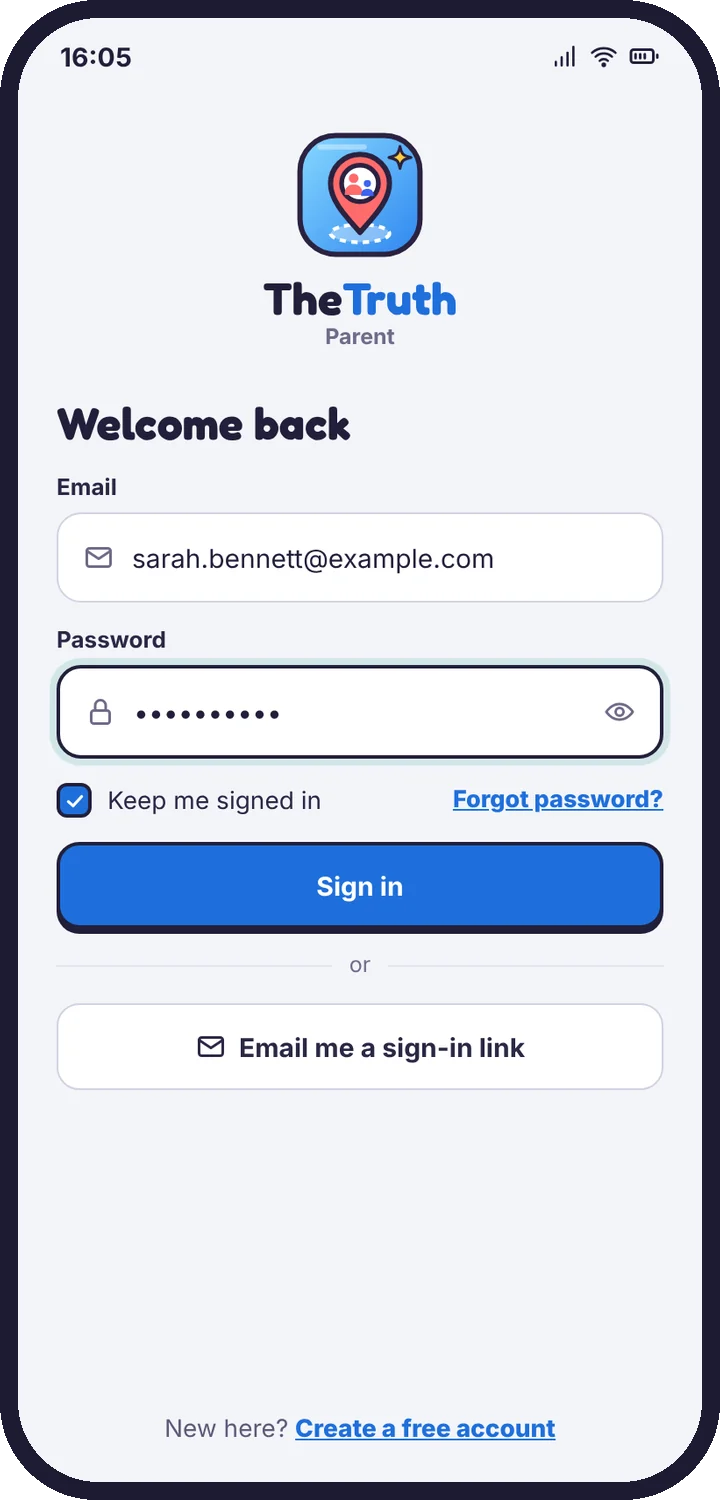
Use the email and password you created at setup, in any browser or in the parent app. There is one account for both.
One-time sign-in link
On a shared or work computer, choose Email me a sign-in link instead of typing your password. The link works once and expires after 15 minutes.
Forgotten password
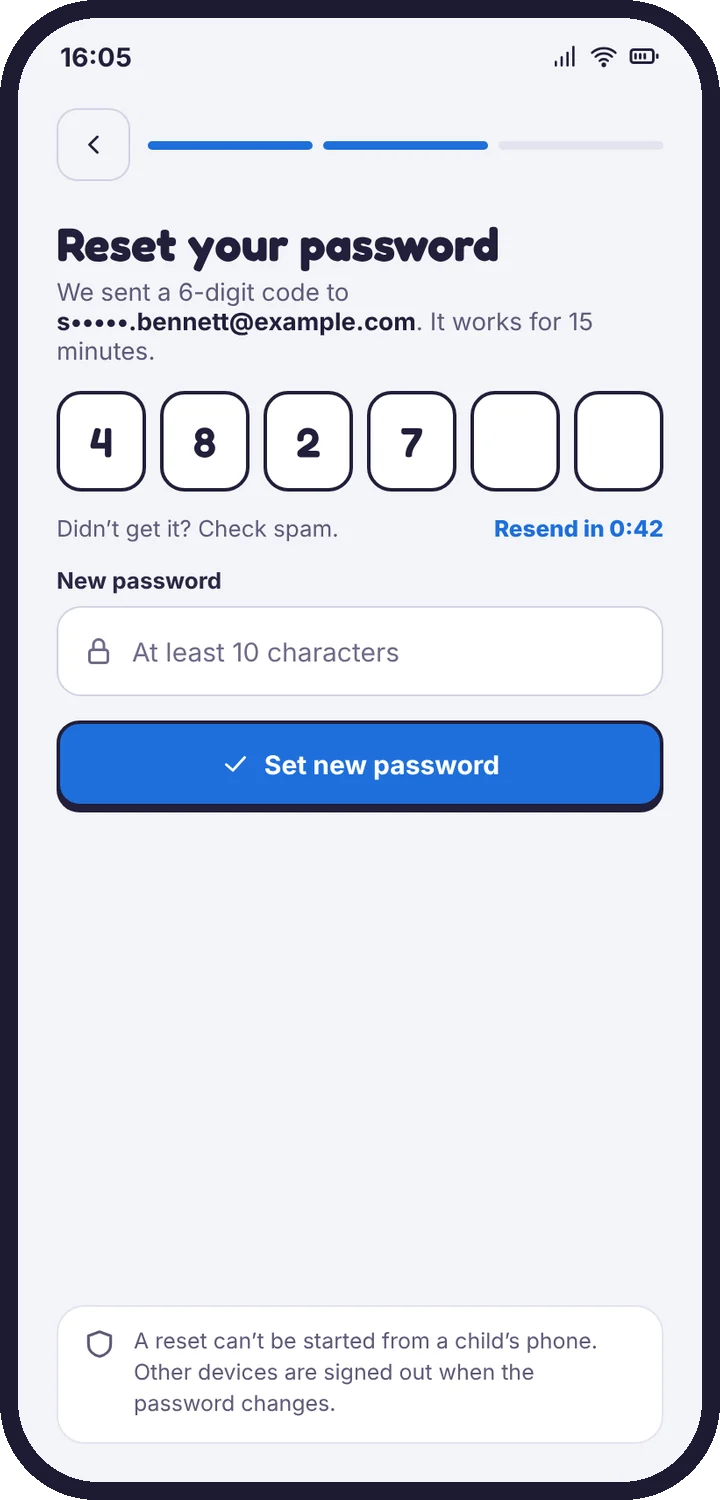
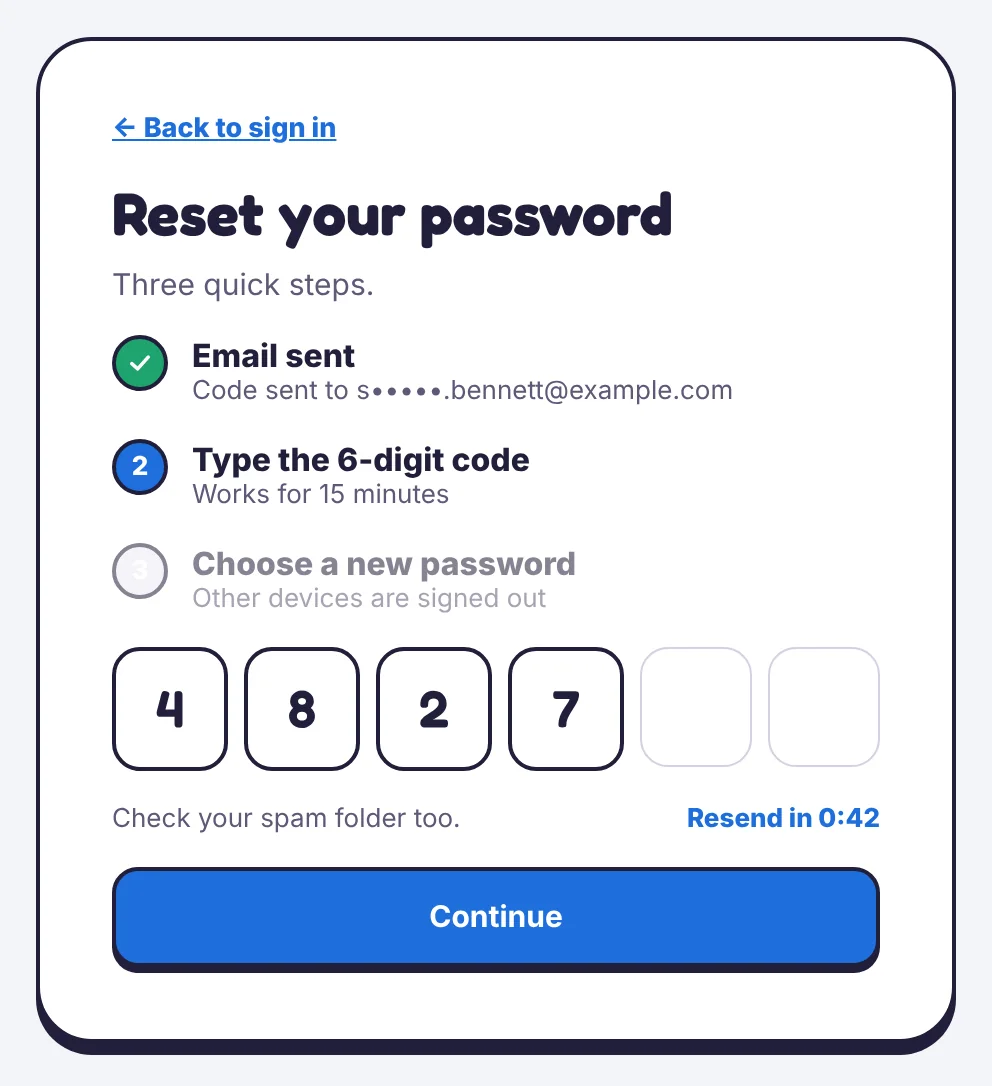
- On the sign-in page of the web panel or the parent app, choose Forgot password?
- Enter the 6-digit code we email you. It works for 15 minutes.
- Choose a new password. Every other device is signed out.
A reset can’t be started from your child’s phone. If the email doesn’t arrive, check your spam folder and choose Resend.
Create an account
Choose Create a free account on the sign-in page, in the parent app, or on your child’s phone when you link it. You need a name, an email and a password, and you confirm that you’ll only monitor a child you’re responsible for.
See where you’re signed in
Family & sharing → Sessions lists every browser and app signed in to your account, with a place and a last-used time. Sign any of them out with one tap.
Change your email
Open Family & sharing → Your profile. We send a confirmation to the new address before the change takes effect.
Tell us which step you reached and what you see on screen. Screenshots help.