Parental control & family tracking your child can see.
TheTruthSpy is a free parental control app for Android. Live location, screen time limits, a web filter, app rules and alerts from the notifications their apps post, all run from one parent panel in your browser. The app on your child's phone is visible on purpose, lists exactly what it shares, and lets them ask you for more time with a tap.
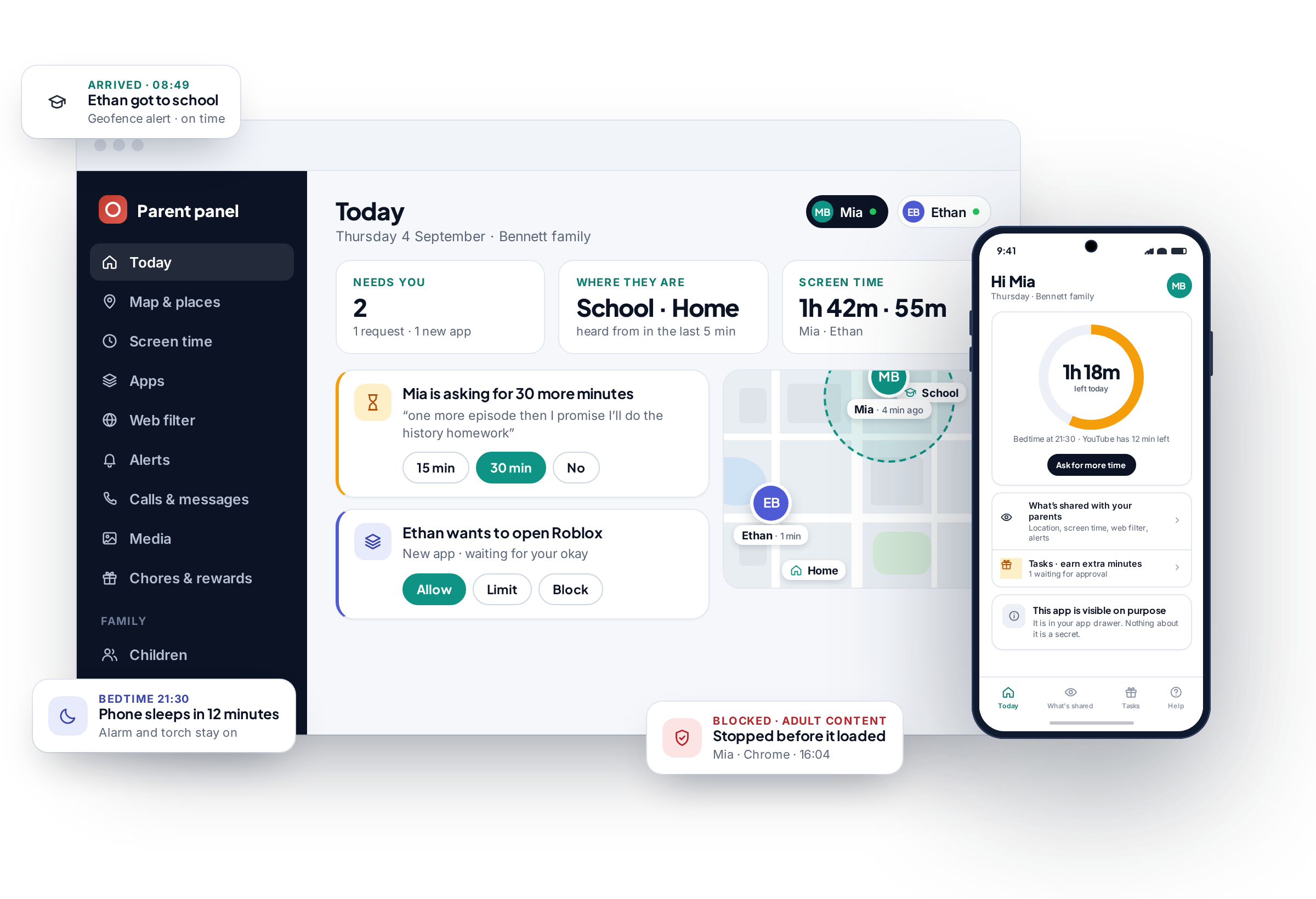
Three parts. Your browser, their phone, and a pairing code between them.
There is no software for your own device and no account for your child to manage. The whole system is a web panel on your side, one app on theirs, and a code that links the two once.
The parent panel runs in a browser
Create a free parent account on any laptop, tablet or phone. Every map, budget, log and alert lives in that web page. Two parents can share one family and every change is stamped with who made it.
One app on your child's Android
Install it from Google Play, type in a six-character code, and grant the permissions together. From then on the phone reports to your panel and your settings travel back to the phone.
Monitoring your child can inspect
The app sits in the app drawer under its own name. A “What's shared” screen lists everything collected and everything switched off. When they run out of time they ask you from their phone instead of arguing at the table.
Every tool a family actually uses, and none of the ones that only sound good in a comparison table.
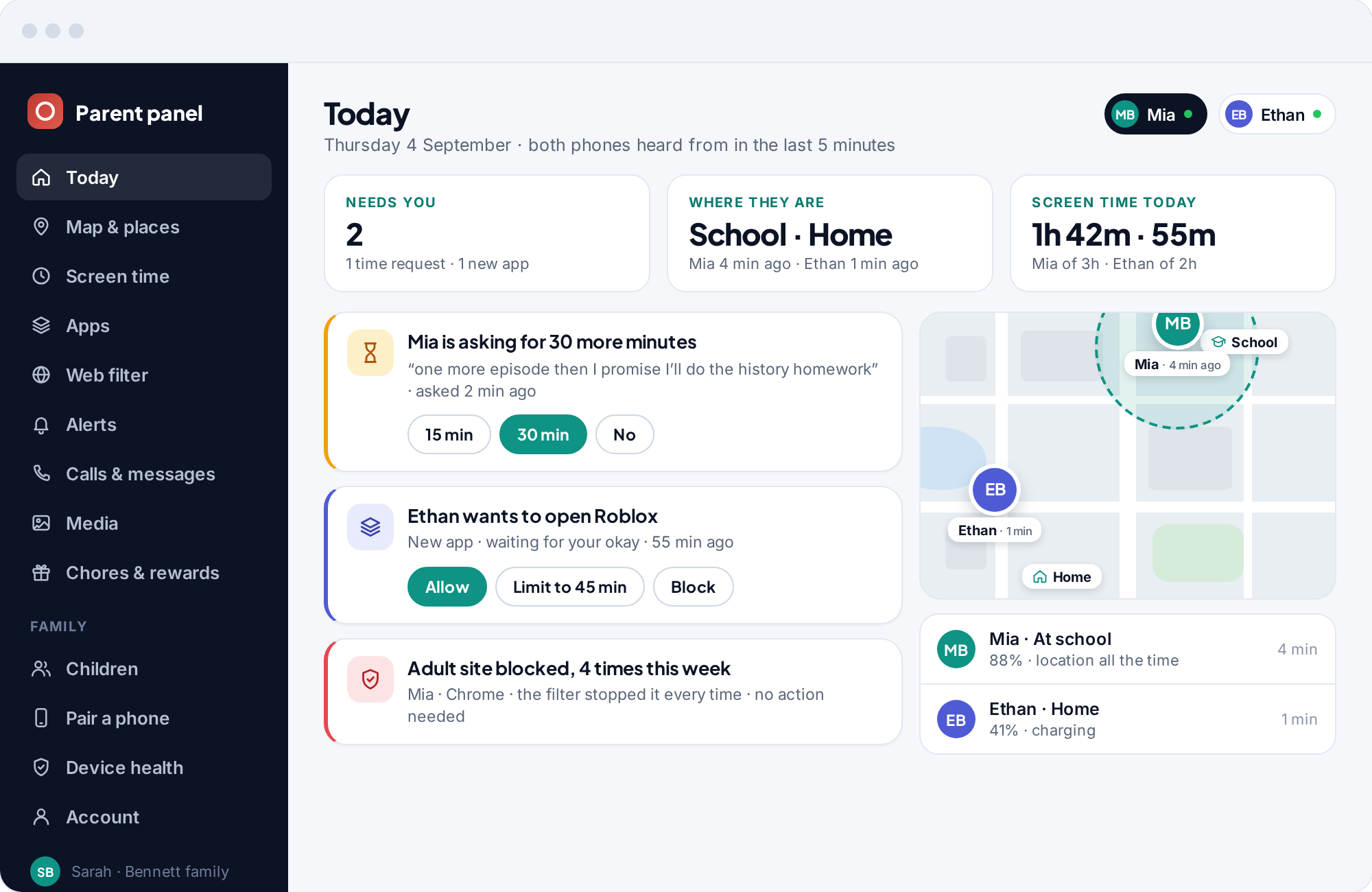
The parent panel leads with the two or three things that need you today and keeps the rest one tap away. Each tile below opens the feature's own page, with screenshots, the permission it depends on and where its limits are.
See where they are, where they have been, and when they got there.
Every paired phone is a pin on one family map with its battery level and the last time it reported. Save the places that matter and get a geofence alert the moment a child arrives at school or leaves home. Scroll back through a location history that makes a detour obvious and a normal afternoon look boring.
GPS location tracking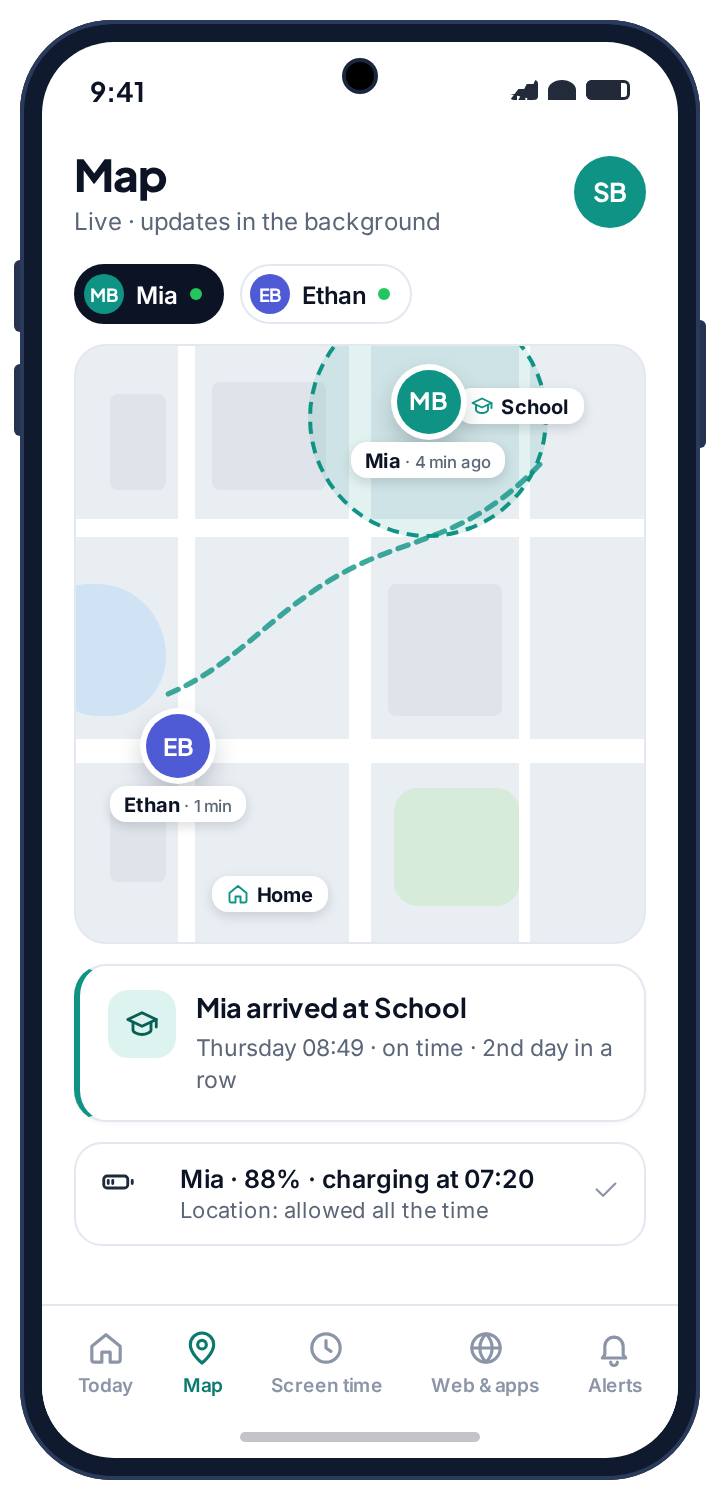
Daily budgets, bedtime, per-app limits, and a polite way to ask for more.
Weekday and weekend budgets, a school schedule, a limit on the one app that eats the evening. When time runs out, the request lands on your screen with their note attached.
Screen time controls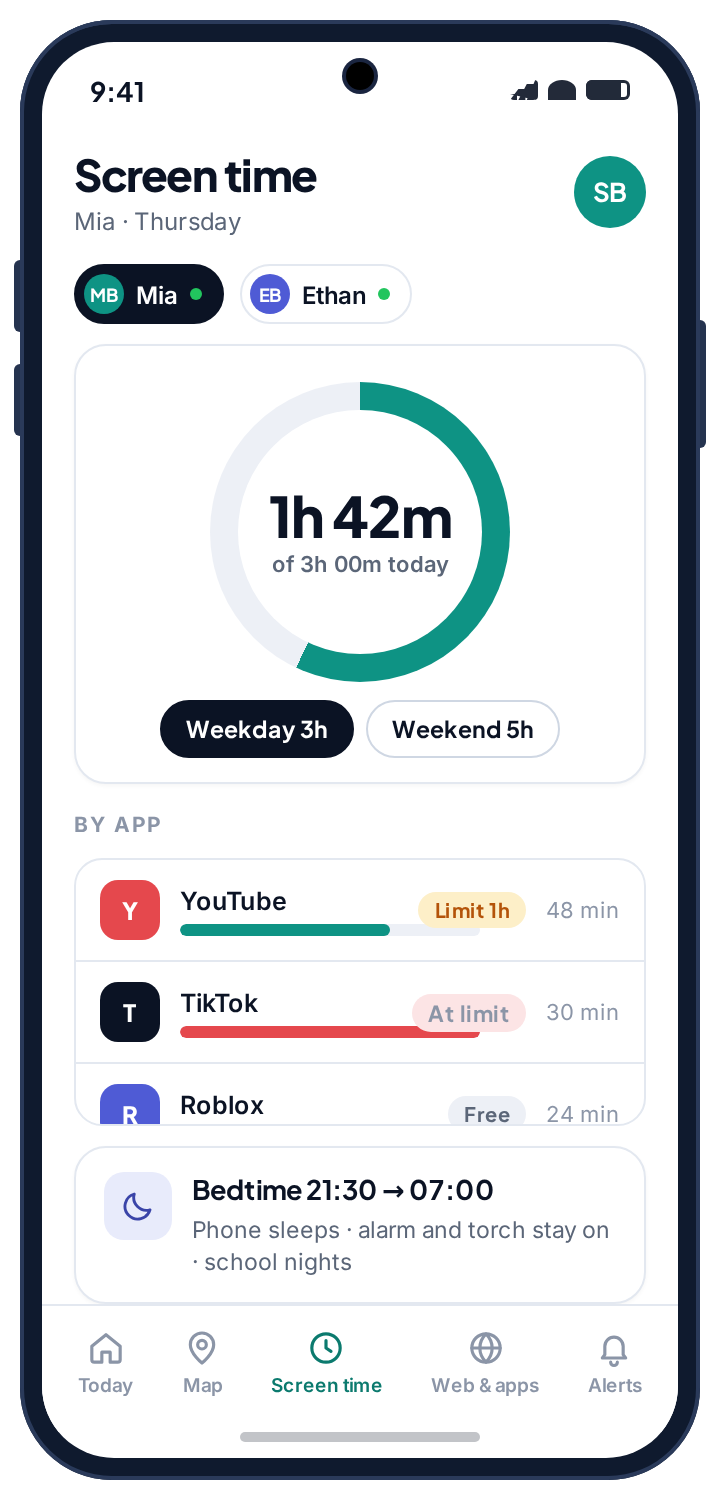
Block categories, force Safe Search, and stop unknown browsers.
Adult, gambling and violent content off with one switch each. A log of what the filter stopped, so you can see attempts without reading over a shoulder.
Web filtering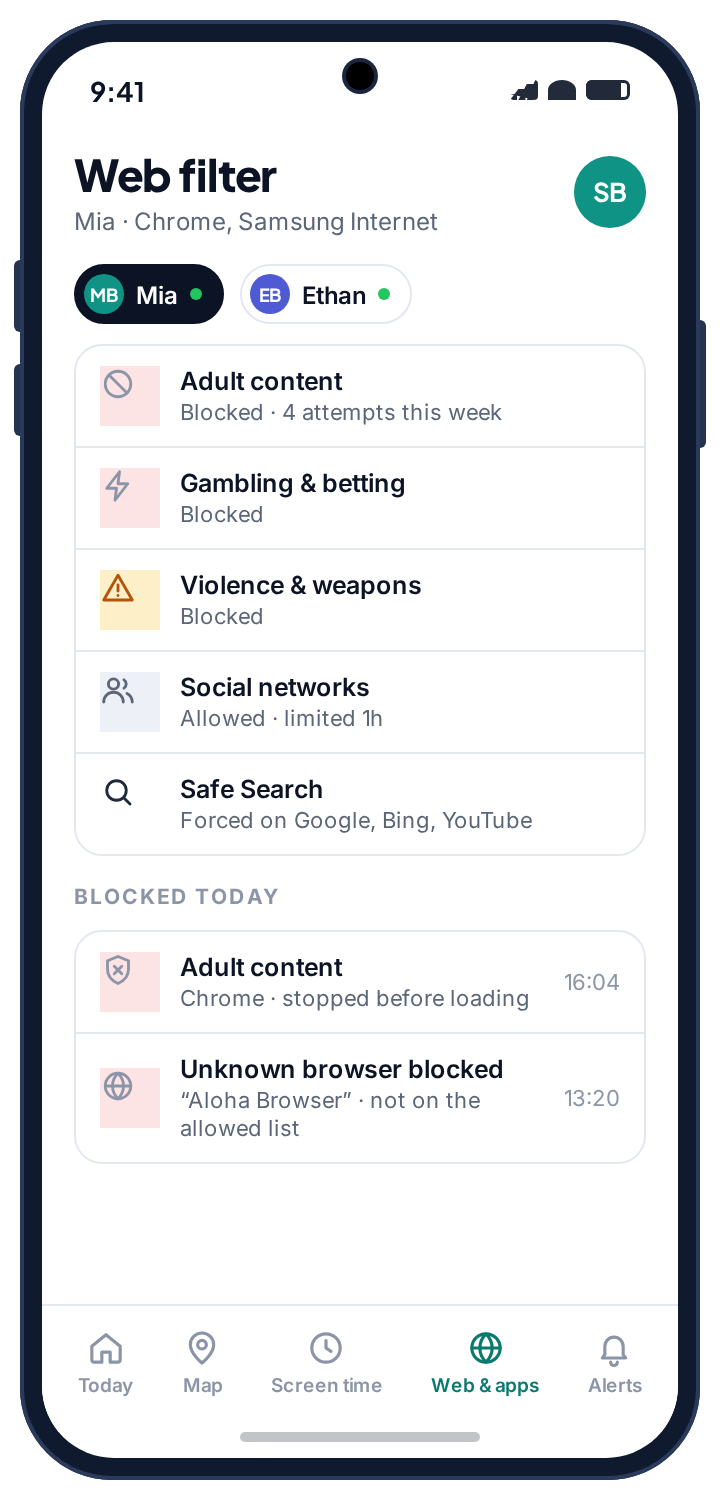
Keyword alerts from WhatsApp, Instagram, Snapchat, Messenger and Viber.
Counts, senders and timing from notifications, plus an alert when a message matches a word on your list or comes from a sender the app has not seen before.
Social media alerts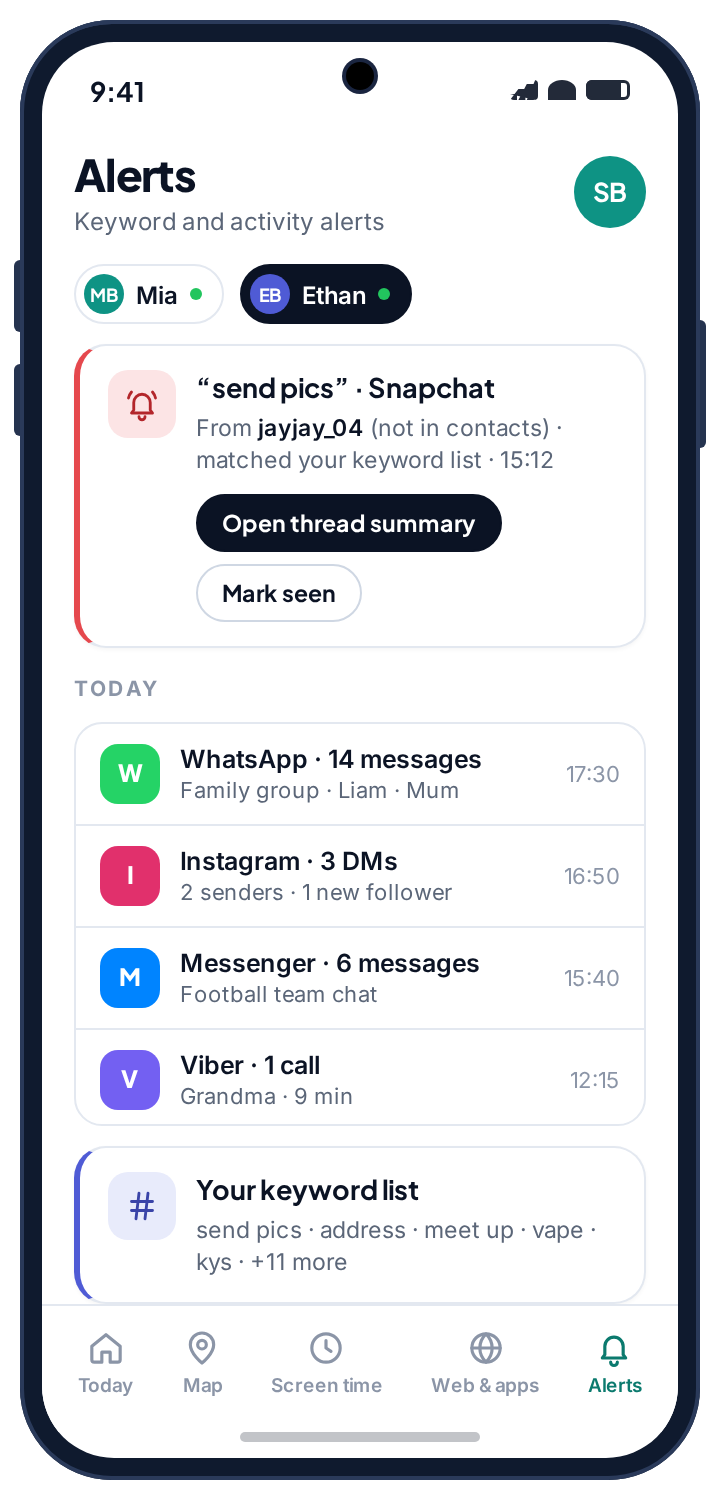
Every app allowed, limited or blocked, and new installs wait for you.
A new game appears on the phone and sits there until you tap Allow, Limit or Block from wherever you are. Blocked apps show a plain message, not a crash, and the phone, camera and settings can never be blocked by accident.
App rules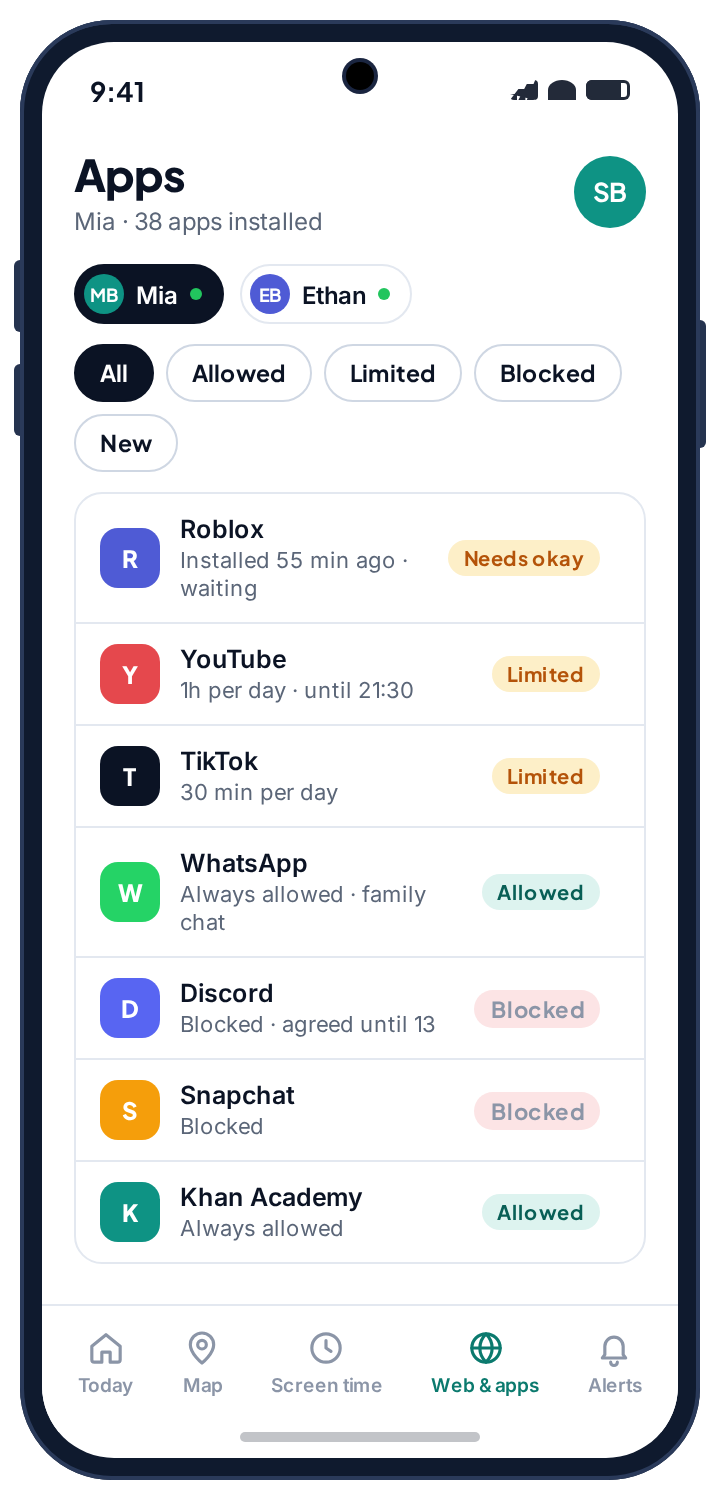
They earn extra minutes by finishing tasks you set.
Empty the dishwasher, read twenty minutes, feed the cat every day for a week. Your child marks the task done from their phone, you approve it with a tap, and the minutes are added on top of the day's budget. It turns screen time from a thing you take away into a thing they can earn, which changes the tone of every conversation about it.
Chores and rewards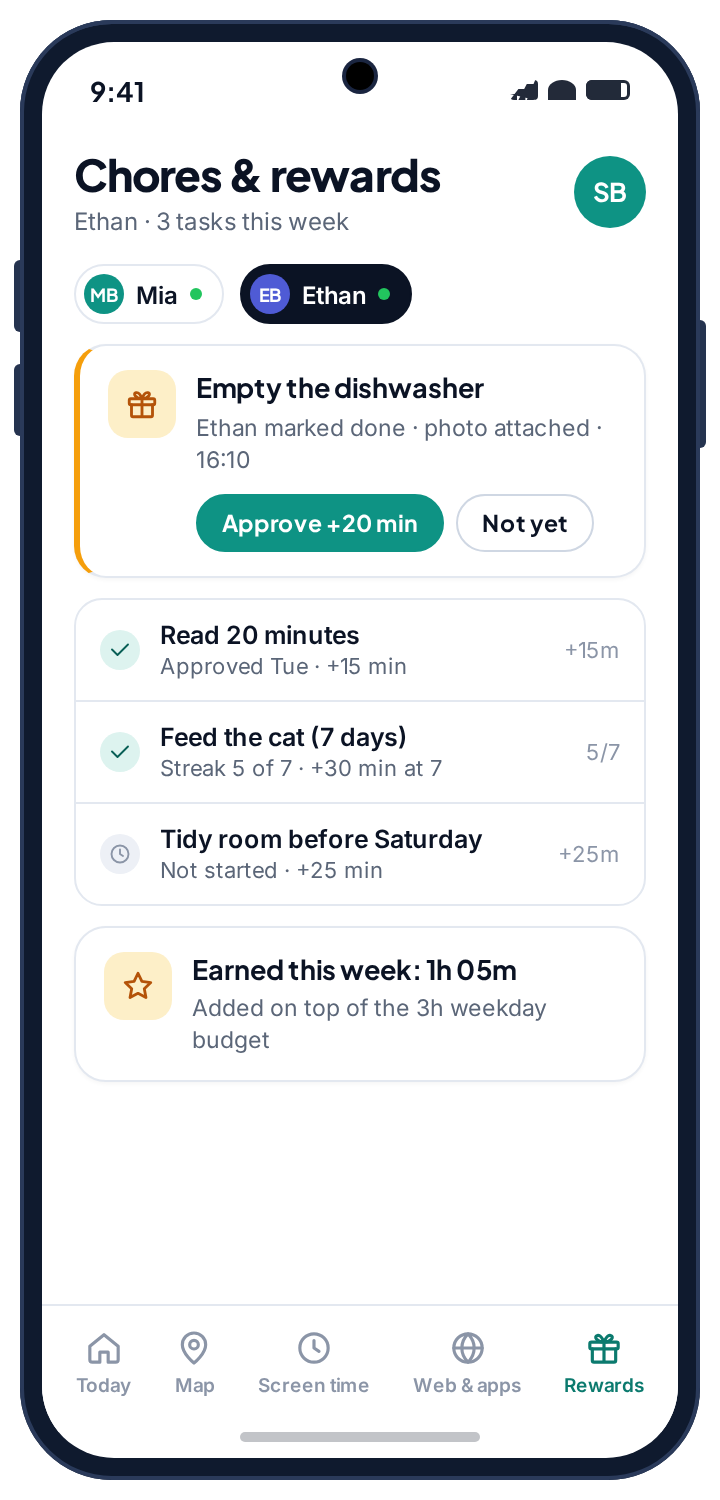
What a normal school day looks like from the parent panel.
This is the kind of day most families have with TheTruthSpy: a handful of notifications, one decision, and a lot of nothing. The panel is built to make the nothing easy to ignore and the one decision easy to take.
The map notices before you do.
Mia leaves for school. The location tracker records the departure, the trail starts drawing, and nothing is sent to you because leaving home on a school morning is not news. Geofence alerts fire on arrivals and departures you asked about, not on every movement.
“Mia got to school. Arrived at 08:49.”
The one message you wanted, without asking a thirteen-year-old to text. The alert carries the time, the saved place and a link to the map. If it never arrives, the Device health page will already be telling you which permission slipped, usually location dropping to “While using the app” after a system update.
A workaround, stopped without a conversation.
A newly installed browser that is not on the allowed list is blocked, because a web filter that only covers Chrome is a filter in name only. The event is logged, not escalated. You will see it in the evening if you look; you do not need to act.
A message from a sender the app has not seen before.
Ethan gets a Snapchat message from an account that has never messaged him before, and it matches a phrase on your keyword list. This is the alert the app exists for. It shows the sender, the app and the matching notification text, and it is the only thing on the list today that deserves a conversation tonight.
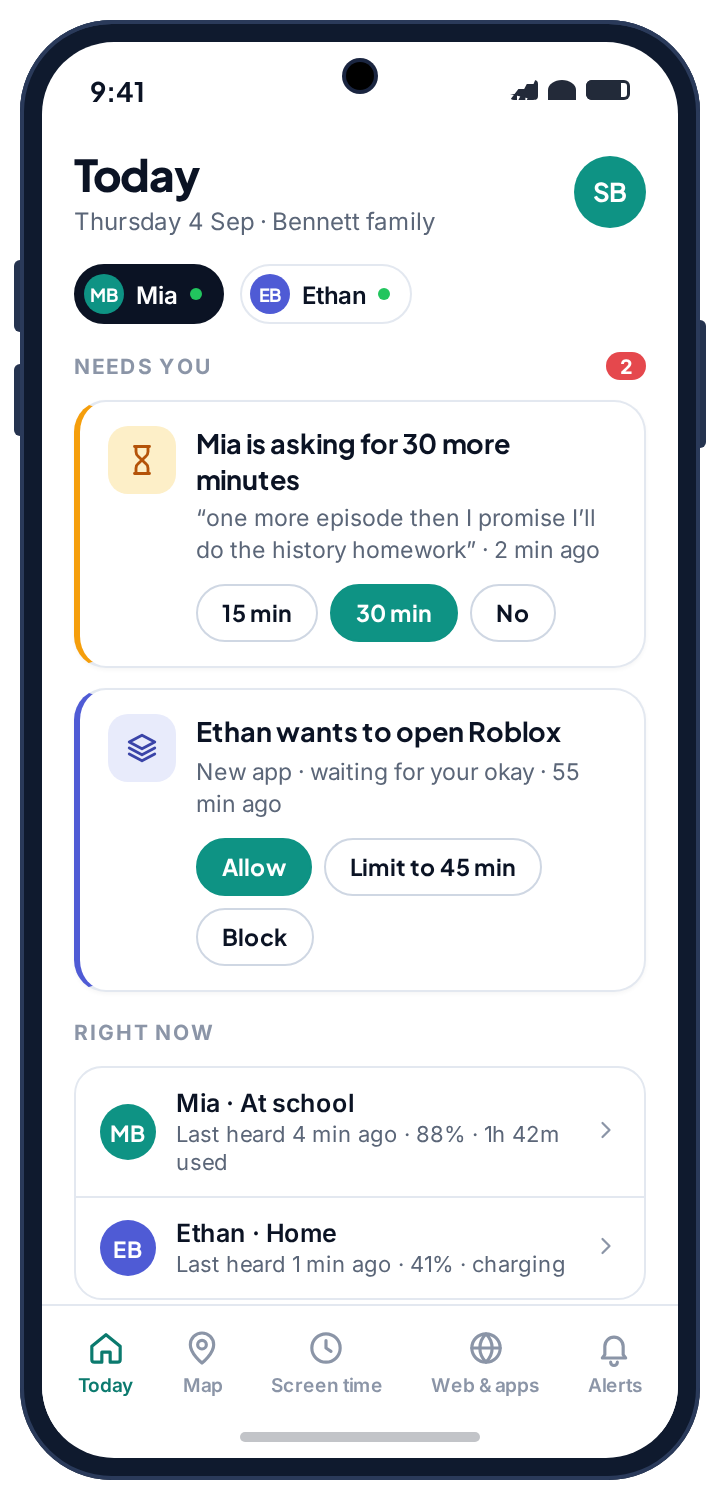
Thirty minutes, with a note attached.
Mia hits her weekday budget and asks for thirty more minutes from her own phone: “one more episode then I promise I'll do the history homework.” You tap 30 min. The extra time reaches her phone within seconds and the argument at the dinner table becomes a notification you answered on the bus.
The phone sleeps. The alarm and the torch stay on.
The bedtime schedule closes every app except the ones you allowed overnight. No countdown, no lecture. In the morning the panel shows a quiet night, which is the most common entry in the log and the whole point of having one.
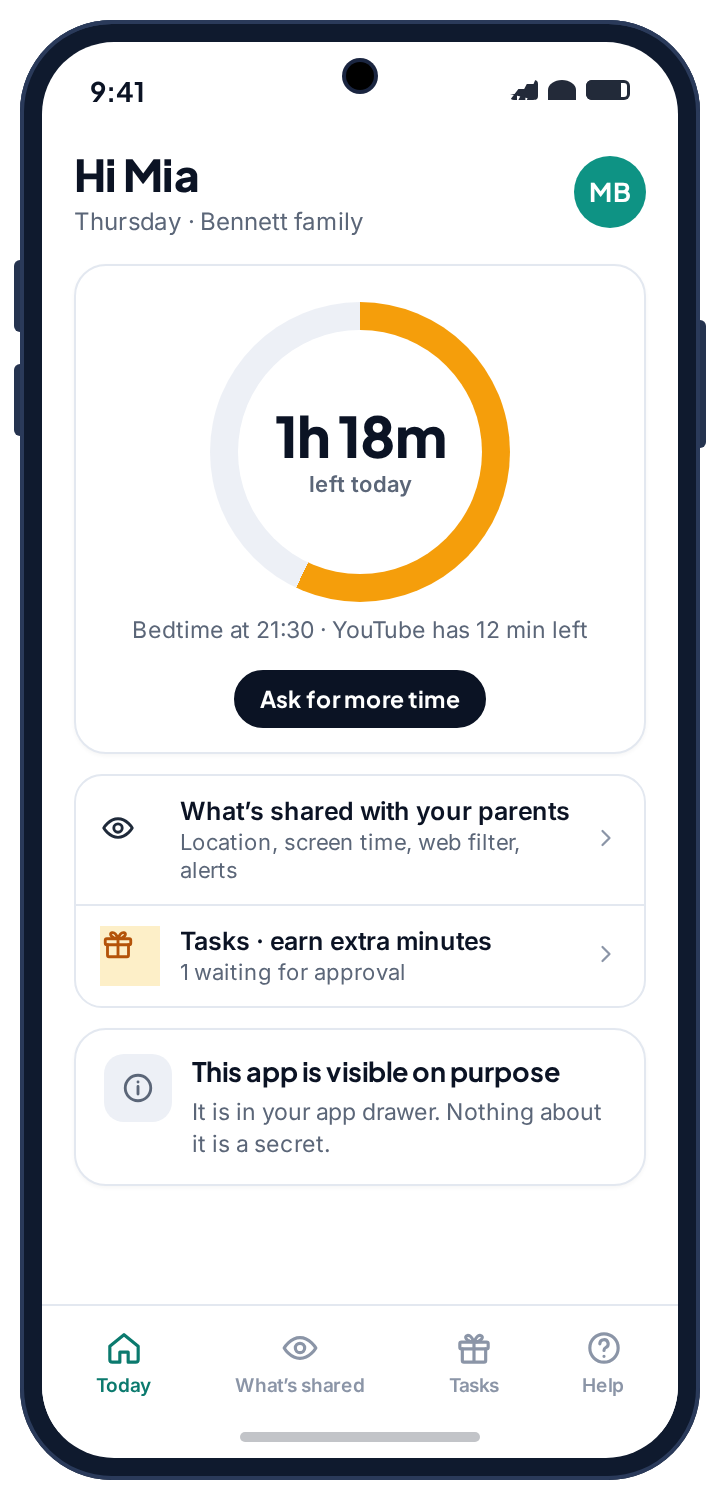
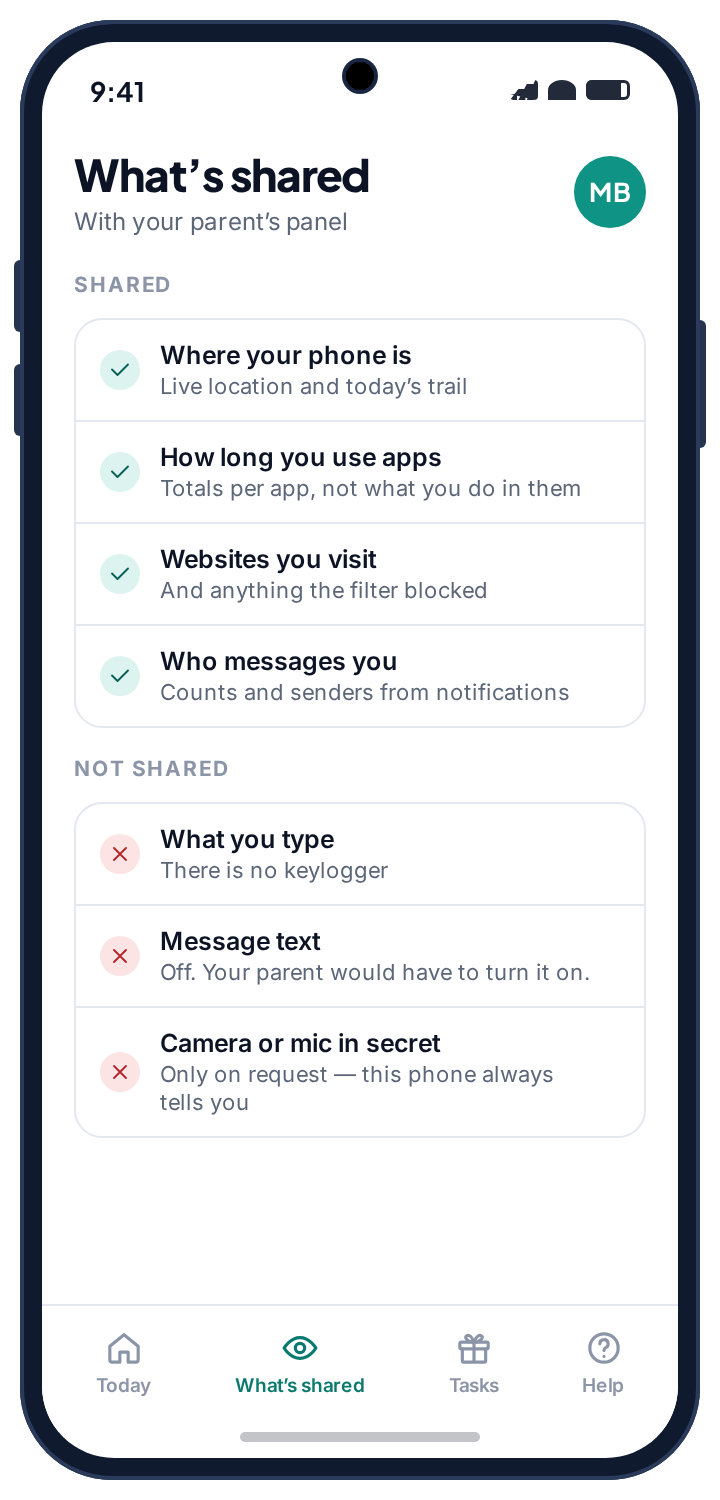
The app on their phone is not a secret, and that is the whole design.
Most phone monitoring apps compete on how well they hide. TheTruthSpy does the opposite. It sits in the app drawer under its own name, it opens to a screen your child can read, and it says in plain language what is collected and what is not. There is no stealth mode, no disguised icon and no way to run it without the person holding the phone knowing.
- They can ask for more time. A tap sends the request with a note. You answer 15 min, 30 min or No.
- They can see what is shared. Location, app totals, sites visited and message senders on one list. What they type, message text, photos, the camera and the microphone on the “never” list.
- They can see when you looked. Their phone shows that a parent opened the panel today, not which screens.
- Nothing runs silently. The app does not ask for the camera, microphone, SMS, call log or contacts permissions, so there is nothing it could do without the phone showing it.
Pair their Android phone with a six-character code.
Your panel generates a code that lasts ten minutes and works once. You type it into the app on their phone, walk through the permissions together, and you are done. The whole thing takes about as long as making a cup of tea and drinking it.
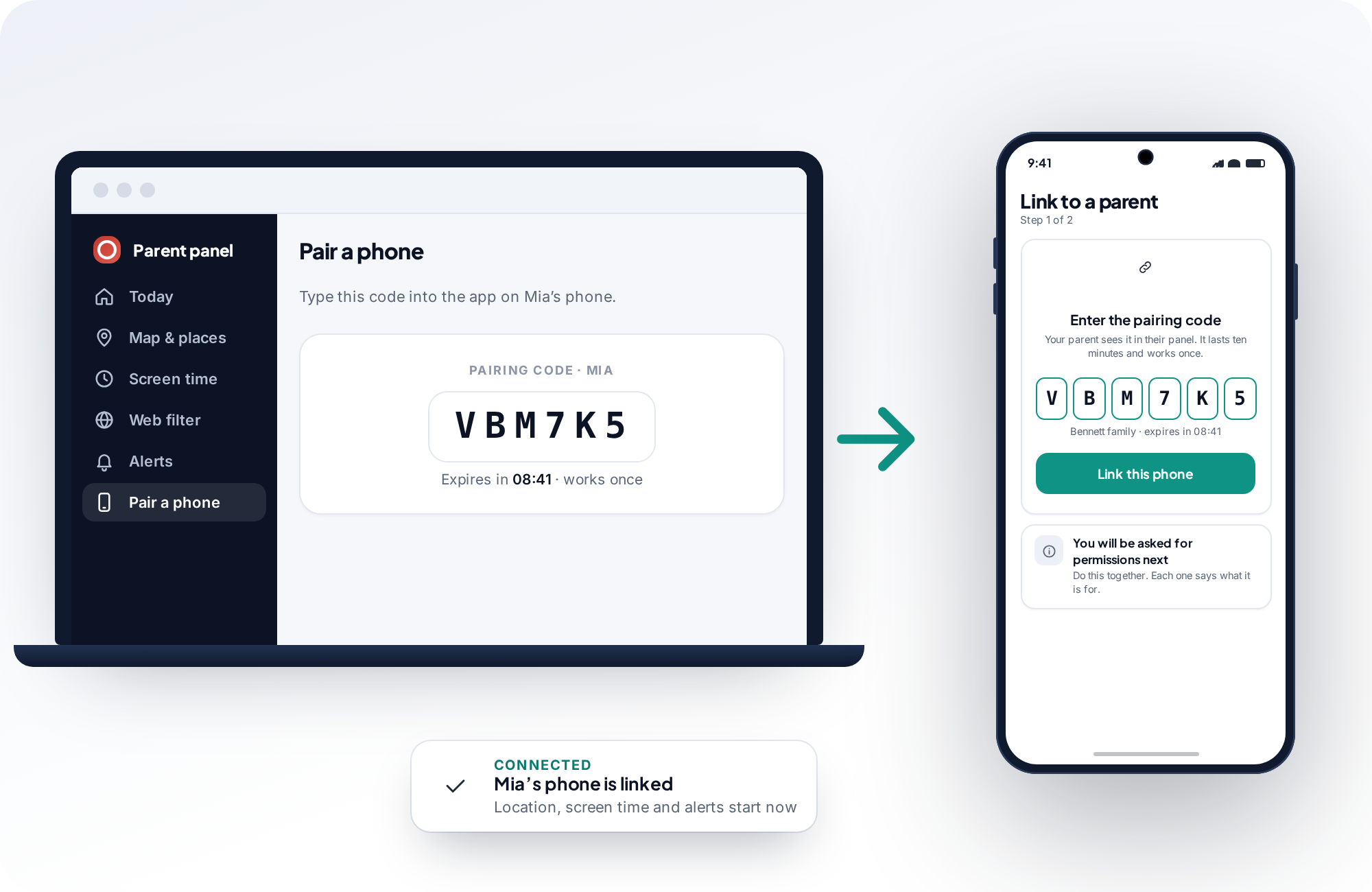
Create a code
In your browser, on any device. Say whose phone it is, or decide afterwards.
Enter the code
In the app on their phone, with your child next to you, then grant permissions one by one.
You're linked
The map goes live, screen time starts counting, and your settings reach the phone.
A read-only parent panel with a full week of family data.
Sign into a demo family and click through every screen: the map, the screen time budgets, the app rules, the blocked-site log, the call and message logs, the keyword alerts and the chores board. Nothing in the demo can be changed and nothing in it is real, which makes it the honest way to decide whether this fits how your family runs.
If you want to know what a feature looks like on a bad day rather than a good one, the demo family has both. There is a stale-location week, a declined request, a blocked browser and an unread alert waiting for you.
Real names on everything, including the parts that do not flatter us.
We are a small team building a parental monitoring app for Android and writing guides for the parents who use one. That is a conflict of interest, so we name it rather than hide it, and then we do something about it.
Every guide on this site carries the name of the person who wrote it, their background and the date it was last checked. Where the right answer is a free tool already on the phone, such as Android's Family Link, Apple's Screen Time or a platform's own family centre, the guide says so and explains it properly. Several of our guides conclude that the best move for a particular family is to install nothing at all.
We are equally plain about our own limits. End-to-end encrypted messages cannot be read, by us or by anyone selling you otherwise, and our feature pages say so on the very page that is meant to be selling you that feature. The editorial standards page sets out what we test, how we handle sources, where AI is and is not used in our writing, and how to tell us we got something wrong.

What a parental control app can and cannot do, and how to pick one without regretting it.
Before you install anything on a child's phone, it helps to know what the category is good at, where every product in it hits the same wall, and which trade-offs you are actually choosing between. This section is the honest version of the pitch.
The three jobs a parental control app should do well
Strip away the feature lists and a parental control app has three jobs. It should tell you where your child is when you need to know. It should keep screen time within limits you set, without turning you into the person who counts minutes. And it should warn you when something on the phone deserves a conversation, so that you are not reading everything in the hope of catching the one thing that matters.
TheTruthSpy is built around those three jobs. The GPS location tracker plots every paired phone on one family map with battery level and last-seen time, keeps a location history you can scroll back through, and fires a geofence alert when a child arrives at or leaves a saved place. Screen time works from a daily budget, a bedtime and school schedule, and per-app limits, with a request button on the child's phone instead of a hard wall. Alerts come from notifications: message counts, senders, and keyword matches across WhatsApp, Instagram, Snapchat, Messenger, Viber and TikTok.
Everything else on the features page exists to support one of those three jobs, or for the rare week when something is seriously wrong. If a feature does neither, we did not build it.
Where every parental control app hits the same wall
There are three limits that apply to every product in this category, whatever its marketing says, and you should know them before you compare anything.
Encrypted messages cannot be read. WhatsApp, Signal, iMessage and Snapchat encrypt message content end to end. No app installed on the phone can decrypt that traffic, and no app can read it off the server. What an Android app can do is read what those apps choose to show as a notification: the sender, the timing and usually a preview. That is where TheTruthSpy's social media monitoring comes from, and it is where every competitor's comes from too, whether they say so or not. Notification-based monitoring is enough for counts, contacts and keyword alerts. It is not a transcript.
Android decides what runs in the background. A location tracker only stays live from a pocket if the location permission is set to “Allow all the time”. A phone in battery-saver mode will pause reporting. A system update can quietly reset a permission. These are properties of Android, not of any particular app, which is why TheTruthSpy's Device health page exists: it tells you which permission changed instead of letting the map go stale in silence.
A determined teenager can remove any app. Stealth products promise otherwise, but a factory reset defeats all of them and a curious child finds most of them. What a well-designed app can do is tell you the moment it stops reporting, so that the conversation happens the same day rather than weeks later. TheTruthSpy does that. It does not fight to stay installed, because an app that fights its user has already lost the relationship it was meant to protect.
Free versus paid parental controls
Most parental control apps sell a subscription, typically somewhere between four and fifteen dollars a month, with the “free” tier being a trial or a demo with the useful features locked. TheTruthSpy is free in the plain sense: location and geofencing, screen time limits, app limits, the web filter, browsing history, Wi-Fi history, social alerts and chores are all free on Android with no card and no trial clock.
The honest question is how that is paid for, and the pricing page page answers it in full. The short version is that the guides on this website carry advertising, and that advertising pays for the app. There is no locked tier, no “pro” features and nothing to unlock. Ads never appear in the parent panel or on your child's phone, and your family's data is never sold or used to target them.
There is one more thing worth saying about free. The first parental control tool you should look at is the one already on the phone. Google's Family Link is free, made by the company that makes Android, and for a younger child it may be all you need. Several of our guides say exactly that. TheTruthSpy earns its place when you want a live family map with geofences, a request-based approach to screen time, keyword alerts from messaging-app notifications, or chores that earn screen time, none of which Family Link provides.
Chores instead of a bill
Children earn extra minutes by finishing tasks you set. Parents pay nothing, complete nothing and unlock nothing: every feature is on from the first day.
Judge an app by its permissions, not its feature list
A feature list tells you what an app claims. The permission list tells you what it can do. Reading it is the fastest way to tell a transparent product from one that is quietly collecting more than it shows you.
TheTruthSpy asks for five things on the child's phone, and each one maps to a feature you can see in the panel and your child can see on the phone: location for the map and geofences, usage access for screen time and app rules, notification access for the alerts, the accessibility service for the web filter, and an exemption from battery optimisation so Android does not kill the app overnight. It does not ask for SMS, call log, contacts, camera, microphone or storage, and there is no permission for reading keystrokes, because there is no keylogger. If you want to know what a keylogger on a phone looks like and how to find one, we wrote a guide on Android keyloggers.
Almost every “it stopped working” report in this category traces back to a permission that was revoked, reset by a system update or never granted properly in the first place. The one that matters most is location. “While using the app” looks granted, collects nothing once the app is closed, and is the single most common reason a family map goes stale. Only “Allow all the time” keeps it live, and TheTruthSpy says so during setup rather than a week later.
Visible monitoring or a hidden spy app
This is the choice that defines the category, and we made it on purpose. A hidden app promises that your child will never know. A visible one promises that they always will. We think the second promise is worth more, for a practical reason and a family one.
The practical reason is that hidden apps only work until they are found, and they are found. A teenager who discovers a secret tracker learns two things: that they are being watched, and that they were not trusted enough to be told. From that day on the tool is an adversary. A visible app has nothing to be discovered. It still works the day after your child reads every line of the “What's shared” screen, because there was never anything to find.
The family reason is simpler. Monitoring a child's phone is a decision you are entitled to make, and one they are entitled to know about. Doing it in the open turns a surveillance tool into a house rule, and house rules can be renegotiated as they grow up. Loosening a limit on a visible app is a milestone. Loosening one on a hidden app is a secret you keep from yourself.
What to switch on, by age
Eight features is still a list, and a list invites you to switch everything on. That is the wrong instinct. In practice families live in three or four features, and which ones depends on the child's age more than anything else.
For a child under about twelve, screen time limits and the web filter carry nearly all the weight. The location map is reassuring but rarely surprising, because you already know where they are. Message monitoring matters less because most of their messaging is with you. Set a budget, set a bedtime, switch on the filter, and leave everything else off.
For an early teenager the balance shifts. Where they are and who is messaging them start to matter more than how long the screen is on. The location map and geofences earn their keep, keyword alerts across social apps become the feature you are glad you set up, and the app blocker's approval step for new installs is worth its weight. Screen time becomes a negotiation, and the request button is what keeps it civil.
For an older teenager, the honest answer is often less. A visible location share they have agreed to, an alert on unknown senders, and a bedtime schedule are usually the whole set-up. If you find yourself wanting more than that every week, the thing that is missing is usually a conversation rather than a feature, and no app on this site or any other will stand in for it.
What we do with your family's data
Your family's data is tied to your account and visible to you and any co-parent you invite. It is not sold, not shared with advertisers, and not used to train anything. The privacy policy is written in plain language and lists exactly which data each feature collects, how long it is kept and how to delete it.
You can export everything and delete your account at any time, which removes the family's records. Unpairing a phone stops collection immediately and the app on the child's phone confirms it. If you are ever unsure whether something is still being collected, the same “What's shared” screen your child can open is the authoritative answer, because it is generated from the phone's actual permission state rather than from a marketing page.
We publish about this subject, not just software for it.
Practical, independent guides for parents working out phones, written by named people, dated, and corrected when they go out of date. Several of them recommend a free tool built into the phone rather than anything of ours.
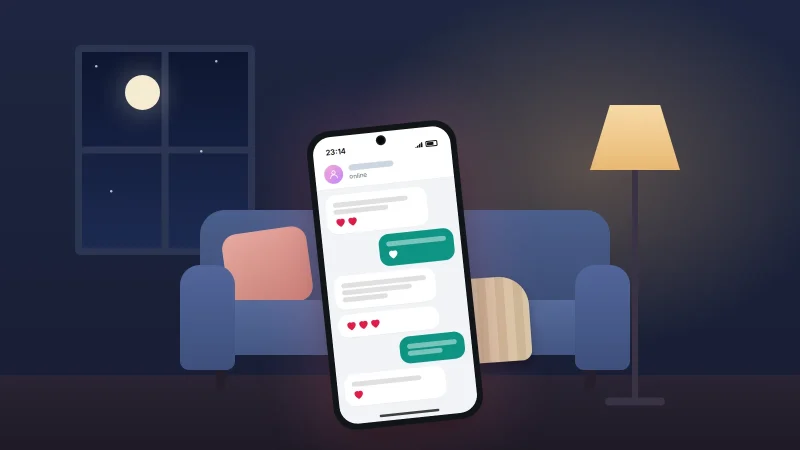
How to Spot a Romance Scam
The patterns romance scammers follow, what their lines really mean, checks that don't accuse anyone, what to do if you…
TheTruthSpy Editor · November 7, 2026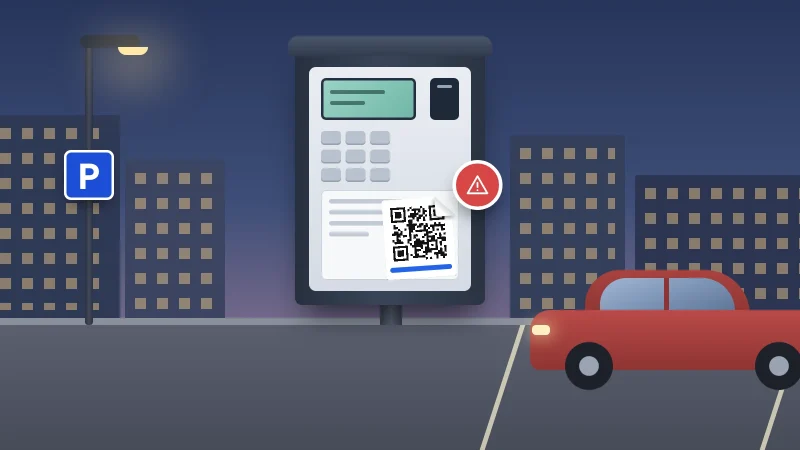
How to Spot a QR Code Scam
Fake QR stickers on parking meters and EV chargers, codes in emails and parcels: how to check a code before…
TheTruthSpy Editor · November 7, 2026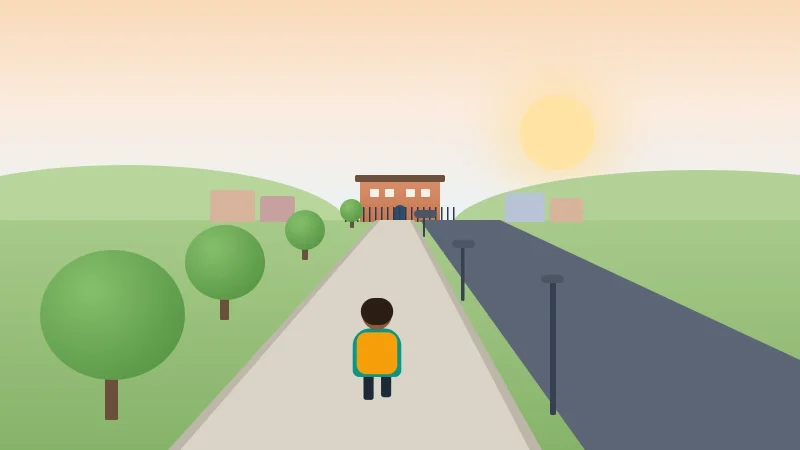
Your Child’s First Solo Journey: A Phone Checklist
A first solo walk or bus ride: a practice run, phone setup, emergency contacts, tickets, agreed check-ins, and a paper…
TheTruthSpy Editor · November 6, 2026Parental control app questions, answered plainly.
The short answers. The full FAQ covers setup, permissions, the law and what happens to your data in more detail.
Is TheTruthSpy really free?
Yes. Location and geofencing, screen time limits, app rules, the web filter, browsing history, social alerts and chores are all free, with no card, no trial clock and no locked tier. The guides on this website carry advertising, and that is what pays for the app.
Which phones does it work on?
The child’s phone needs Android 8.0 or later. Your side is a web page, so you can check in from an iPhone, a laptop or any browser.
Can I see where my child is?
Yes. Every paired phone is a pin on one family map with its battery level and last-seen time. The map keeps a history you can scroll back through and sends an alert when a child arrives at or leaves a place you have saved. Background location needs the Android permission set to “Allow all the time”.
Can it read my child’s messages?
No. TheTruthSpy does not read texts, call logs or chat content, and it does not ask for the permissions that would allow it. Social alerts come from the notifications apps post: how many messages arrived, from whom, when, and whether one matched a keyword on your list.
Will my child know the app is installed?
Yes, by design. It has a visible icon, a screen that lists exactly what is shared, and a button to ask you for more time. It is a parental control app the child can inspect, not a hidden one.
How long does setup take?
About ten minutes. Create a free parent account, add a child, install the app on their Android phone from Google Play, type in the pairing code, and grant the permissions together.
Set up the free parental control app tonight.
Create a free parent account, pair their Android phone with a six-character code, and by bedtime the map, the screen time limits and the alerts are running. No card, and no confirmation email to wait for.
Android · Free to set up · Visible on your child's phone