Use the parent app on your own phone
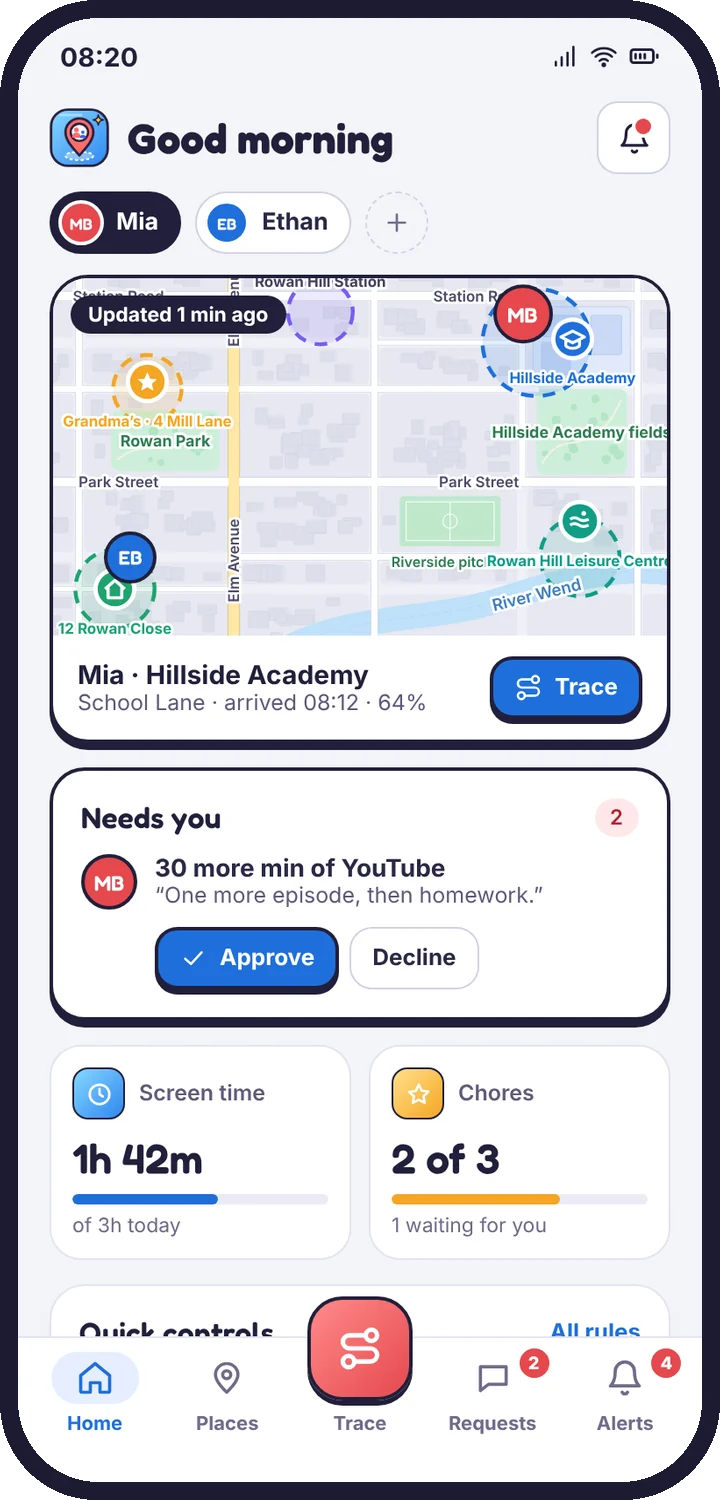
The optional parent app gives you the same account as the web panel, with Live Trace, requests and alerts in your pocket.
You don’t have to install anything on your own phone. The web panel works in any browser on any device. The parent app is an optional extra for Android that puts the parts you use most on your home screen.
What the parent app does
- Home: where each child is, screen time used today, chores, and anything waiting for you.
- Live Trace: start, extend or stop a Trace, and watch the trip on the map.
- Places: saved places and today’s timeline.
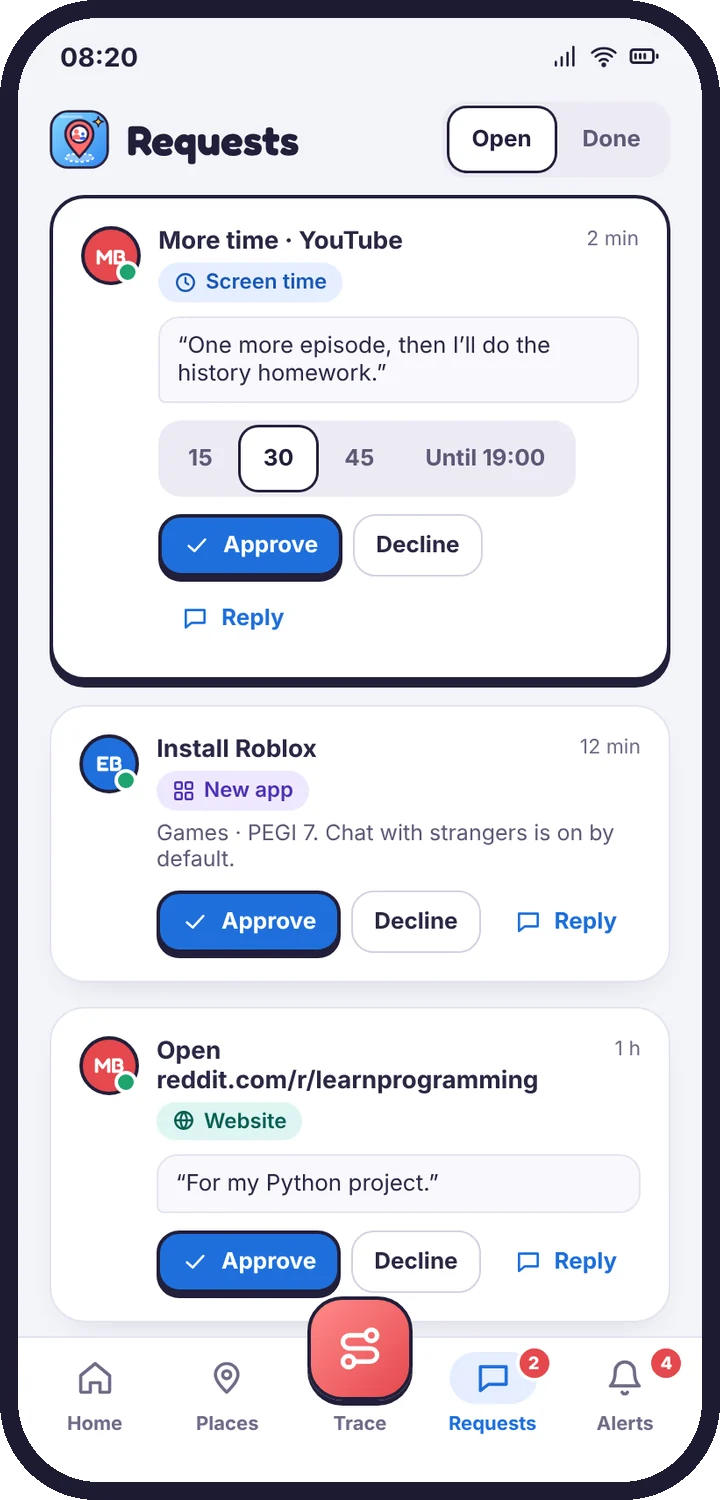
- Requests: answer “more time”, new-app and website requests with one tap.
- Alerts: safety and place alerts, with the guide for each alert type.
- Rules: budgets, schedules, app limits and safety switches for each child.
Sign in
Install the parent app from Google Play and sign in with the same email and password you use for the panel. The app and the panel are two windows onto one account. A change made in one appears in the other straight away.
Notifications
The parent app can send alerts as push notifications. In the app open Alerts → settings to choose which ones: for example urgent safety alerts and late arrivals only.
Forgot your password? Tap Forgot password? on the sign-in screen and enter the 6-digit code we email you. A reset can’t be started from a child’s phone.
Tell us which step you reached and what you see on screen. Screenshots help.