How Live Trace works
Live Trace follows one trip in real time for a set length of time, with a notice on your child’s phone until it ends.
Live Trace is for the moments that matter: the walk to school, the first bus ride alone, the trip home after a late practice. It updates the map every couple of seconds for a time you choose, then stops by itself.
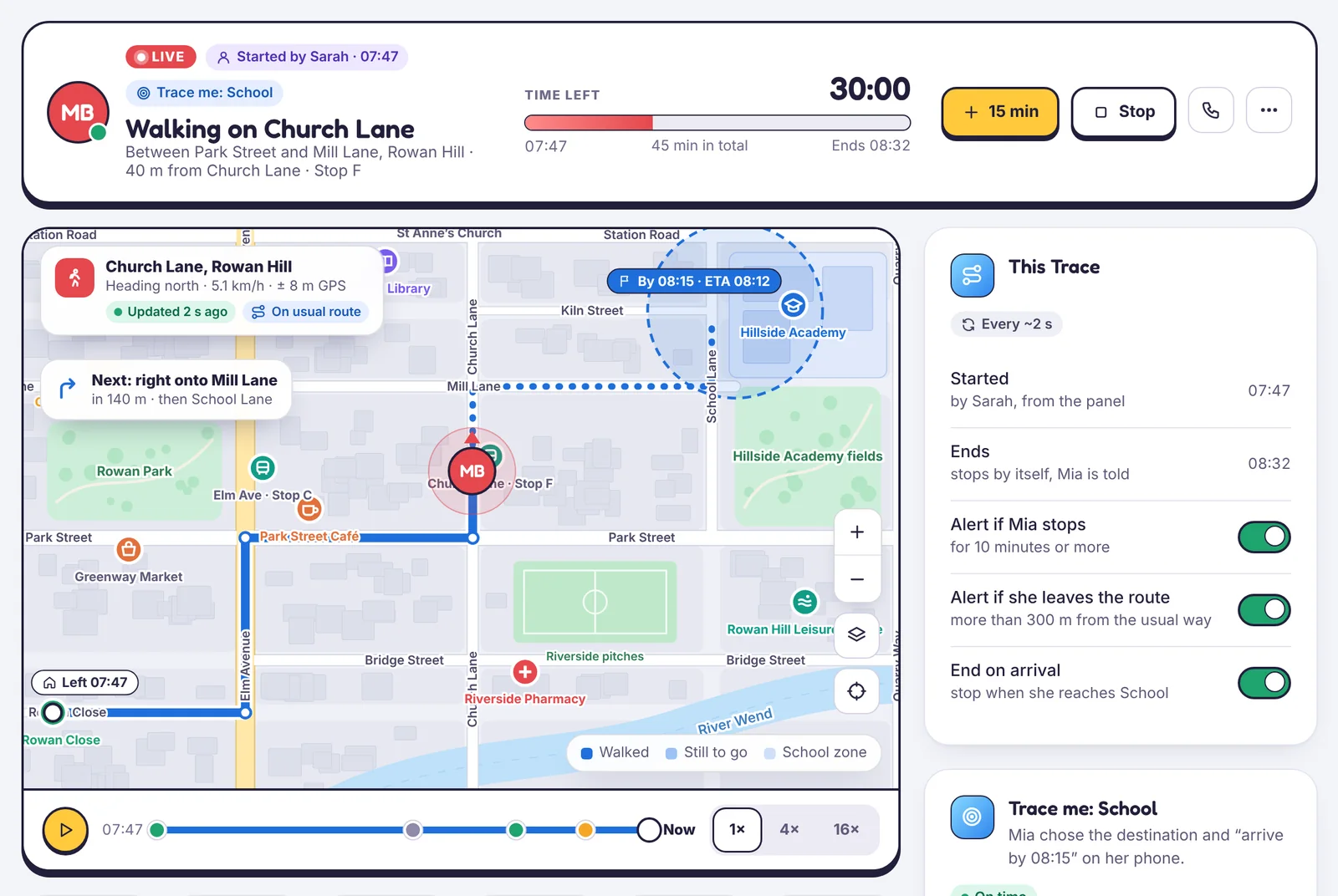
What you see
- A live map with the route so far, a moving pin and the place they are heading to.
- A countdown with the end time, and controls to add 15 minutes or stop.
- Trip stats: distance, time moving, average speed, estimated arrival and battery.
- A trip feed: when they left, stops, check-ins, and any changes you made.
- A replay bar to scrub back through the trip.
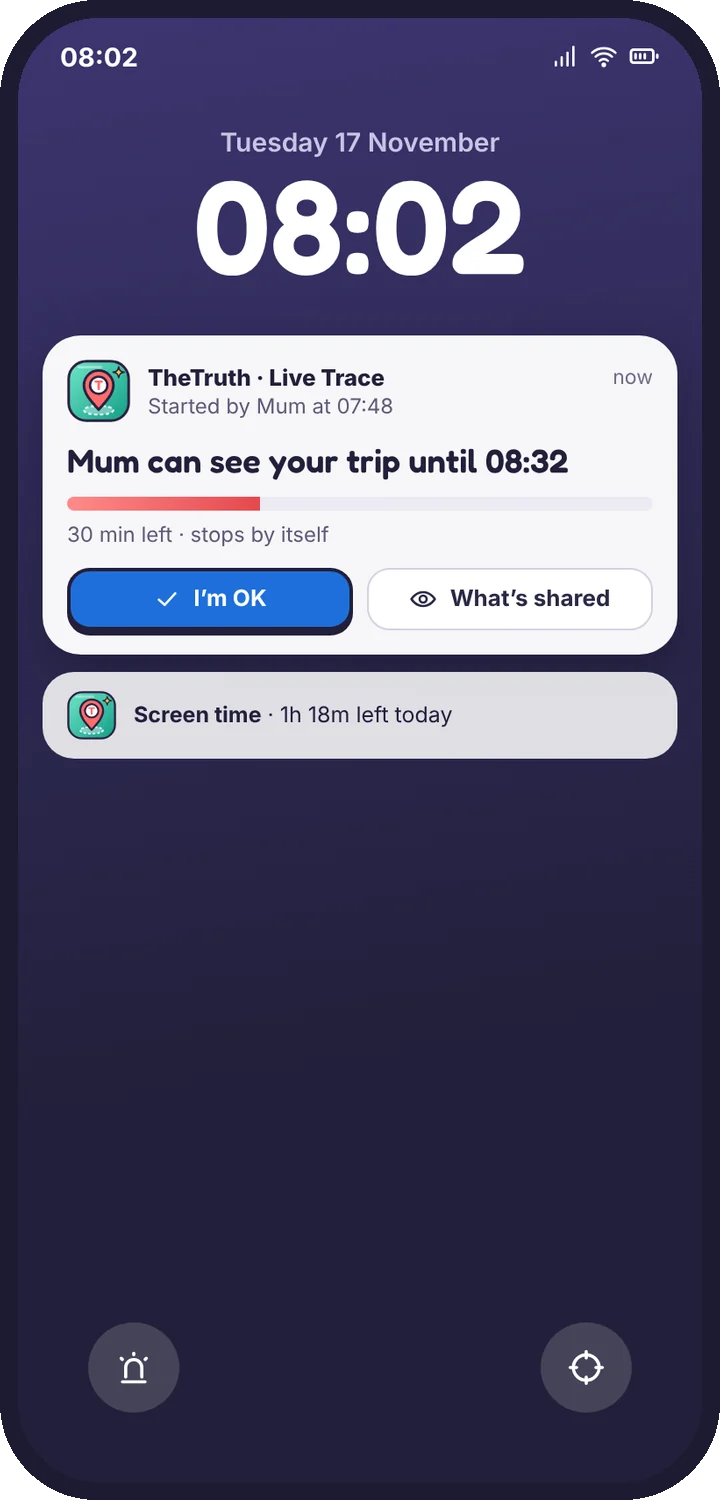
What your child sees
For the whole Trace, their phone shows a notice on the lock screen and in the app: who started it and when it ends. It cannot be hidden, and a Trace never runs silently. They can tap the notice to see what’s shared, or send I’m OK.
Live Trace and normal location
Outside a Trace, the map still shows where the phone is, but it updates less often to save battery: usually every few minutes, and straight away when they arrive at or leave a saved place. Live Trace switches to fast updates for its length only.
Battery use
A 30-minute Trace typically uses a few percent of battery. When the battery is low, updates slow down, and you see a note on the map.
Next: Start, extend or stop a Trace. For the full picture, see the Live Trace feature page.
Tell us which step you reached and what you see on screen. Screenshots help.