Save places and get arrival alerts
Add Home, School or Grandma’s, choose arrive, leave and expected-by alerts, and pick the right radius.
A saved place is a circle on the map. When a phone crosses its edge, you can get an alert.
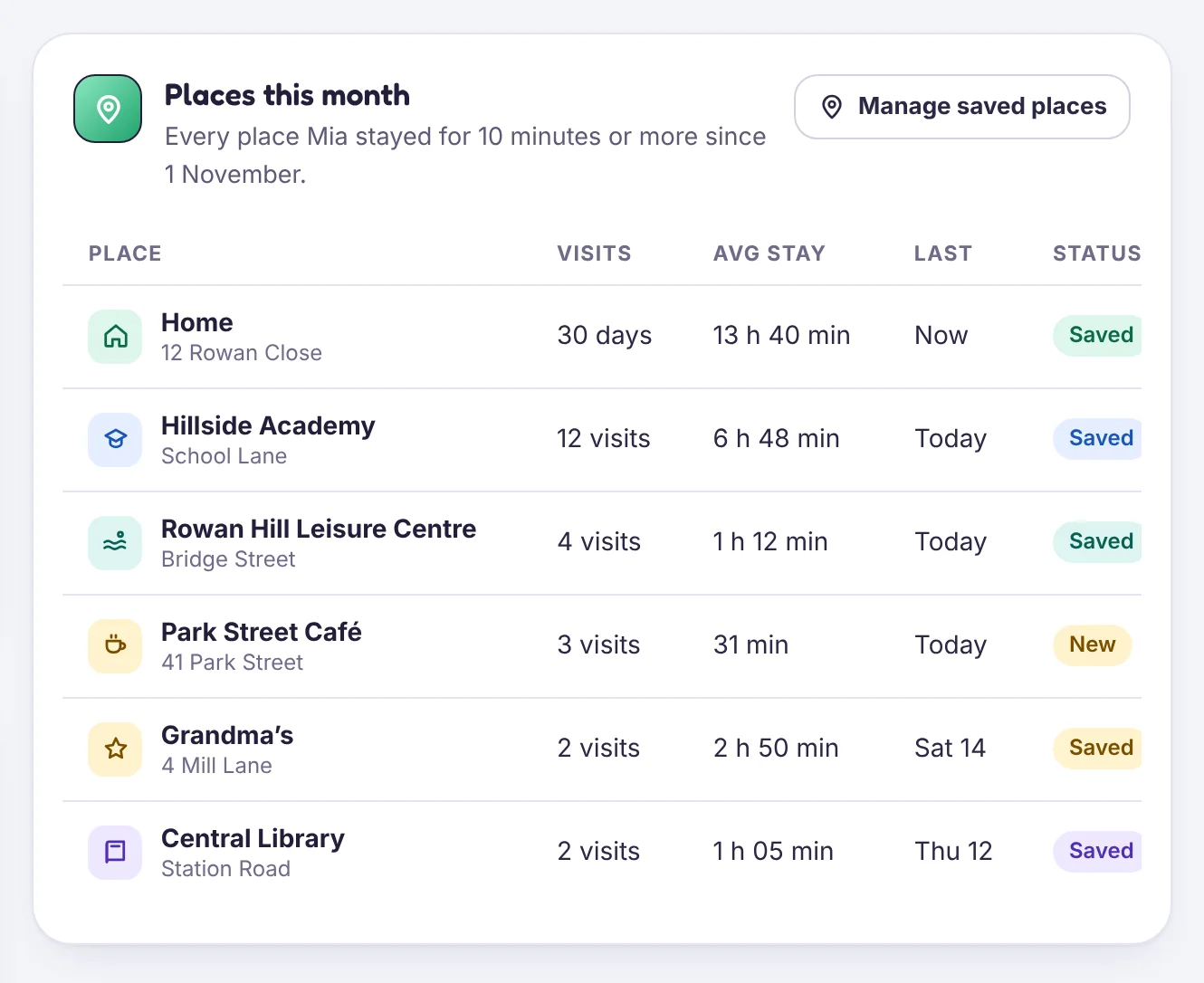
Add a place
- Open Location history → Saved places and choose Add place, or tap a stop on today’s timeline and choose Save as place.
- Type a name and an address, or drag the pin.
- Pick a radius. 150 metres suits most homes; 200 metres suits a school with several entrances.
- Choose who it applies to and which alerts you want:
- Arrives
- Leaves
- Isn’t there by a time you set, on the days you choose
- Tap Save place.
Choosing a radius
GPS inside buildings can drift by 50 metres or more. A radius that is too small gives false “left” alerts while your child is sitting in a classroom. If you see that, make the circle bigger.
How alerts are confirmed
An alert fires only when two location readings agree, so one jumpy reading doesn’t set one off. That can add up to a minute of delay, which is normal.
Expected-by alerts
“School by 08:15, Monday to Friday” sends one alert if your child isn’t inside the circle by 08:15, with their last known location. Holidays switch these off when you turn on Holiday mode.
Problems? See Place alerts are late or wrong.
Tell us which step you reached and what you see on screen. Screenshots help.