Help Center

How can we help with TheTruthSpy?

Step-by-step guides with real screens from the parent panel, the parent app and your child’s app. Search, or pick a topic.
9 results for “battery”

TroubleshootingBattery use on your child’s phoneWhat normal battery use looks like, what uses the most, and settings that help.2 min readTroubleshootingThe map isn’t updatingFix a stale location: check Device health, the location permission, battery settings, and whether the phone is online.2 min readTroubleshootingThe phone stops reporting overnightBattery savers on Samsung, Xiaomi, OPPO, OnePlus, Huawei and others can pause the app. Here is where to turn them off.2 min readLive Trace & locationHow Live Trace worksLive Trace follows one trip in real time for a set length of time, with a notice on your child’s phone until it ends.2 min readGetting startedWhat each Android permission is forEvery permission TheTruthSpy asks for, the feature it powers, and where to find it in Android settings if it gets switched off.2 min readGetting startedSet up TheTruthSpy in ten minutesThe whole setup from a blank browser tab to a phone that reports: account, child, pairing code, permissions and the first check.2 min readLive Trace & locationRead location history and replay a dayThe day timeline shows stops and trips; replay any trip on the map and save new stops as places.2 min readTroubleshootingThe app was removed or a permission was turned offWhat you see when your child turns something off, how to send the fix, and how to talk about it.2 min readTroubleshootingPlace alerts are late or wrongWhy an arrival alert can take a minute, why you might get a false “left” alert, and how to tune the radius.2 min read
Start here

Set up in about ten minutes

Three steps, with your child next to you. The full guide has every screen.
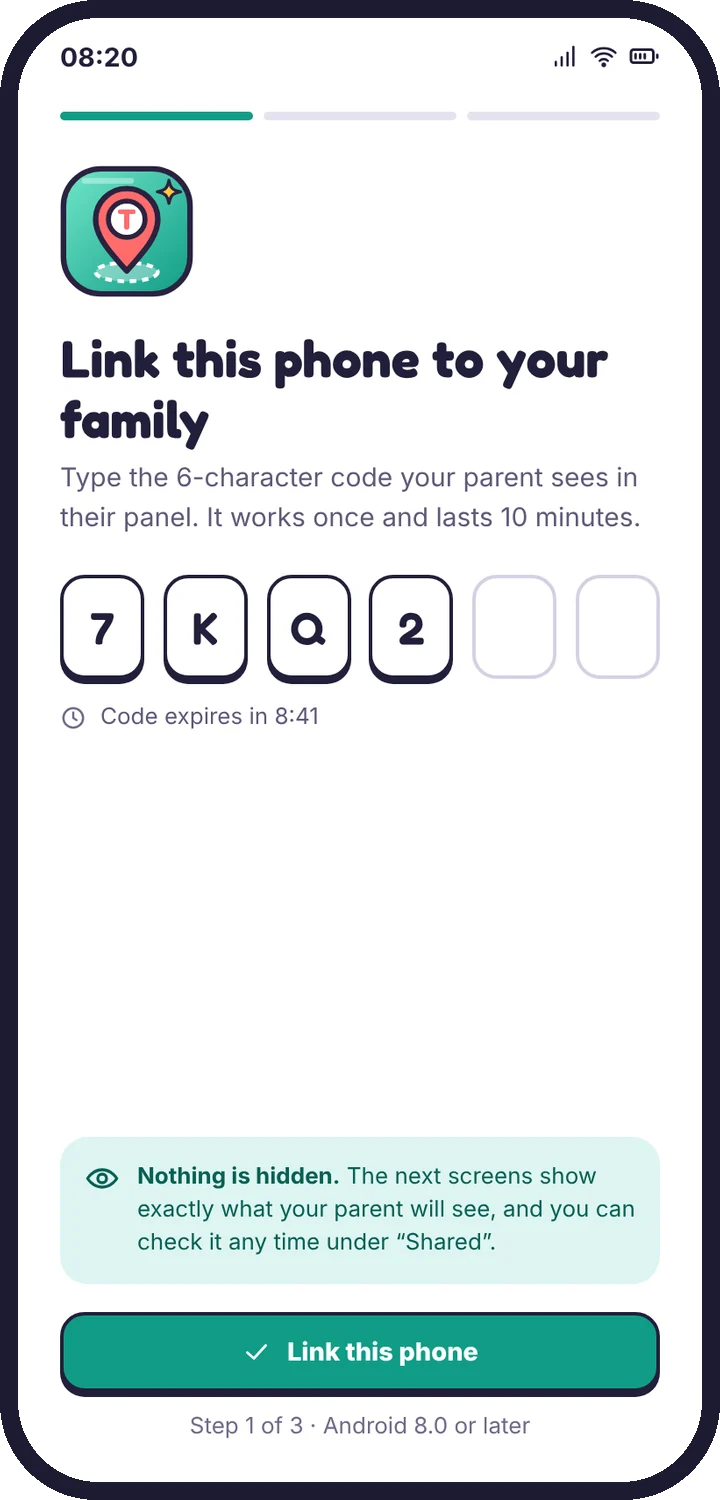
  1. The pairing code screen on the child’s phone
    Pair the phoneMake a code in the panel, type it on your child’s phone.
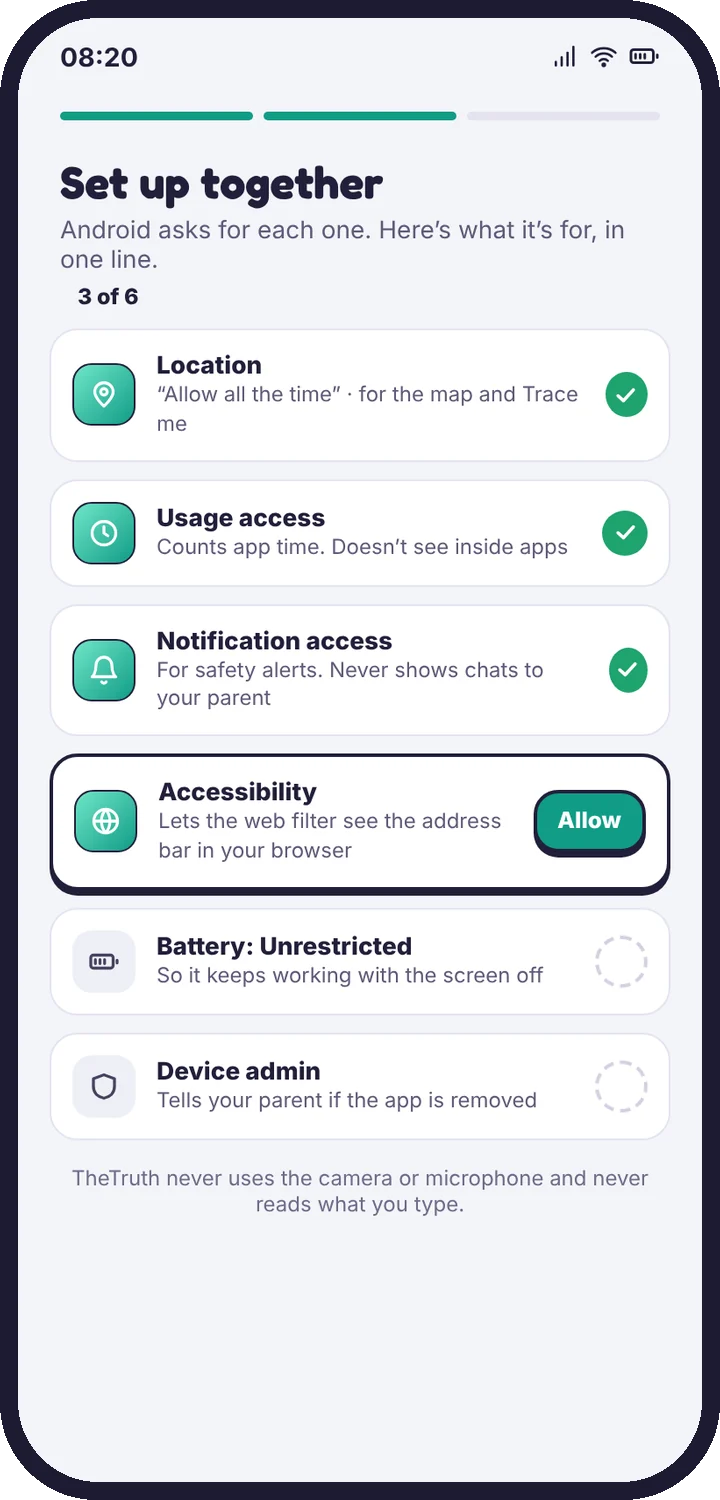
  2. The permission checklist on the child’s phone
    Grant permissions togetherEach one is explained in a sentence first.
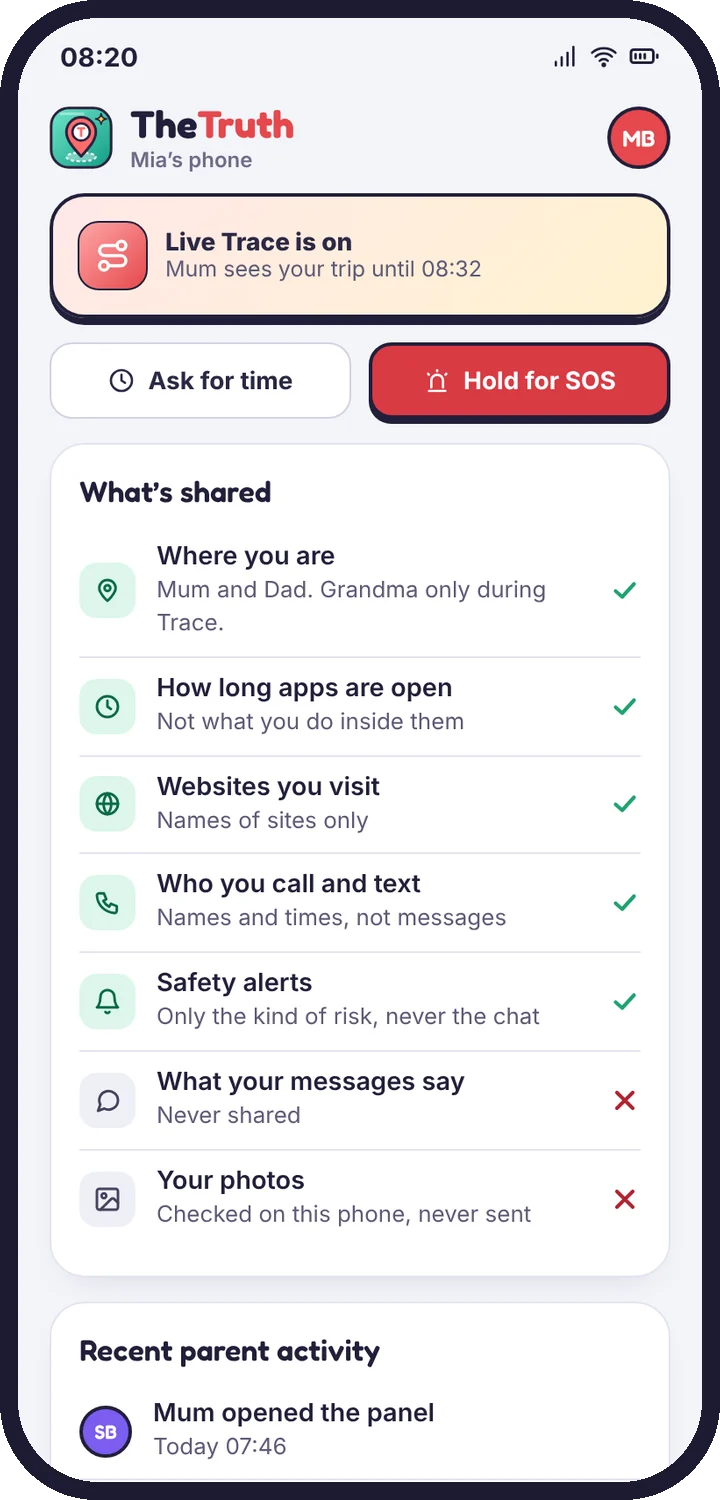
  3. The What’s shared screen
    Read “What’s shared” with themThe same list you see, in plain words.

Read the setup guide

Topics

Browse by topic

Getting started8 articles

Create your account, pair your child’s phone and finish setup in about ten minutes.

Web filter2 articles

Filter levels, blocked categories, Safe Search and single-site rules.

Safety alerts4 articles

Social alerts, photo alerts, calls, texts and what to do when one arrives.

Privacy & your child2 articles

What your child sees, what is never collected, and how long data is kept.

Troubleshooting9 articles

Fixes for a quiet map, late alerts, pairing errors and limits that don’t stick.

Live Trace

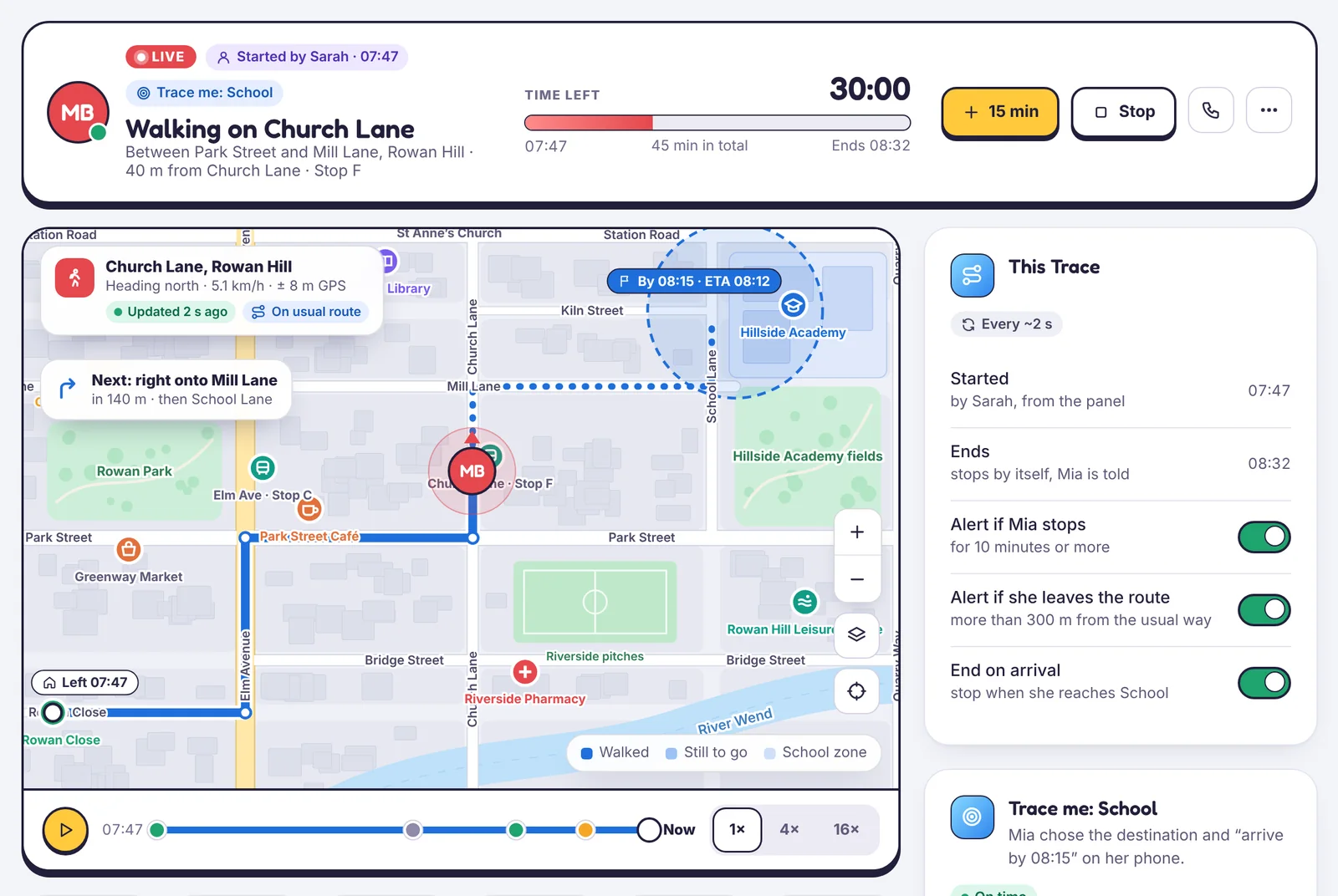
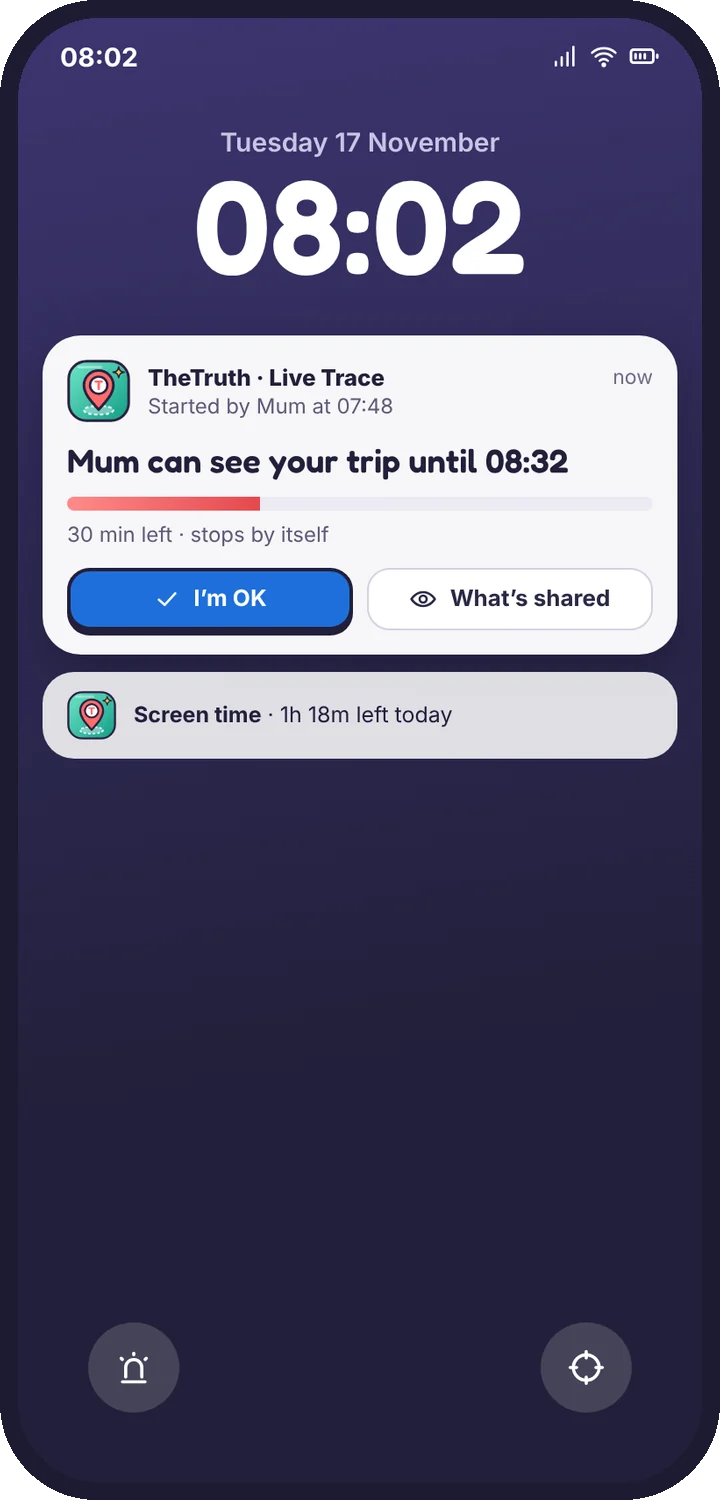
Follow one trip, street by street

How Live Trace works, how to start, extend and stop it, and what your child sees on their lock screen the whole time.
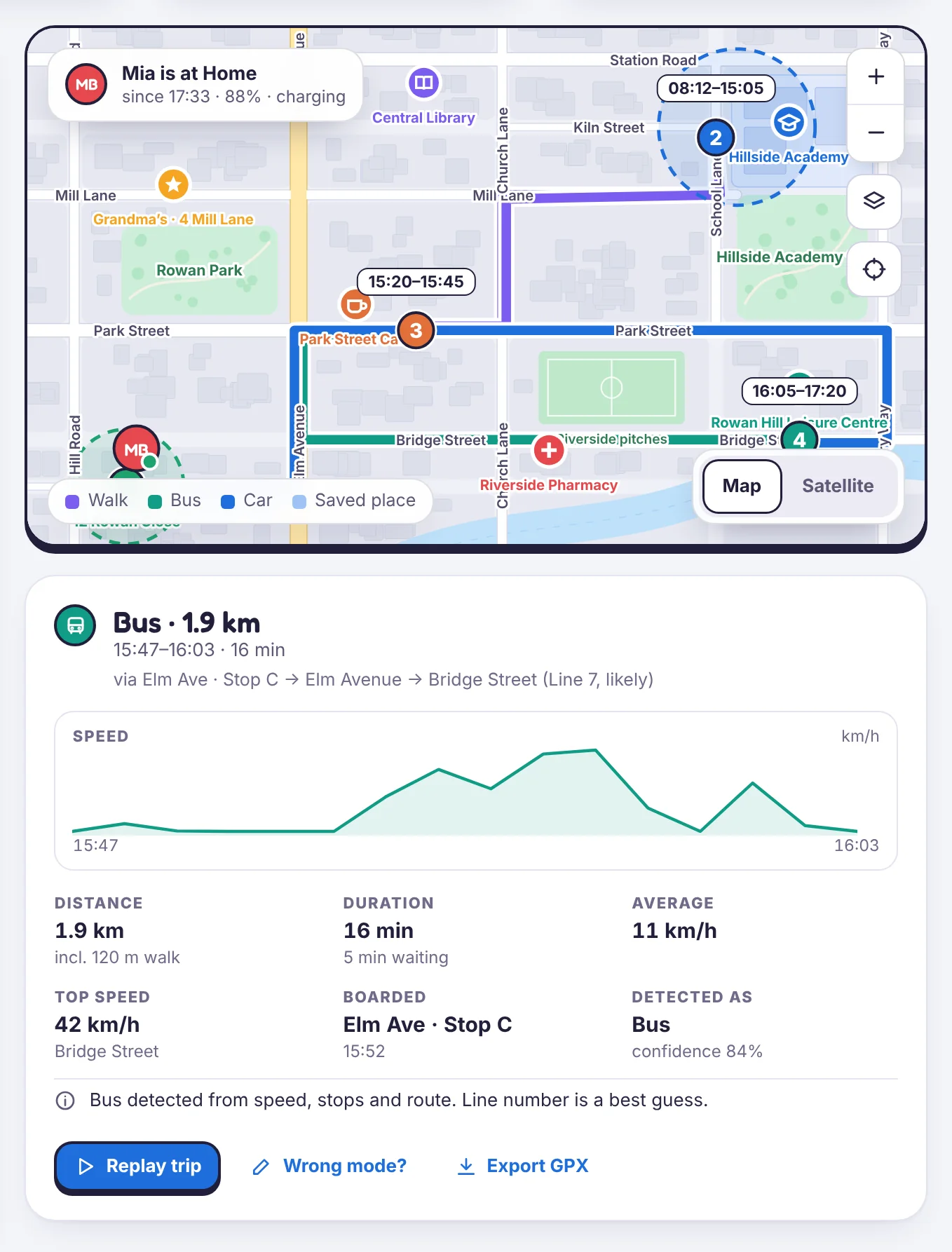
A bus trip in Location history with distance, speed and the streets it used

Still stuck?

Tell us what you tried and what you see. A person who knows the app reads support mail.

Android · Free to set up · Visible on your child's phone