Choose a web filter level
Pick a starting level by age, then switch individual categories on or off.
The web filter works in the browsers on your child’s phone. Changes reach the phone within seconds.
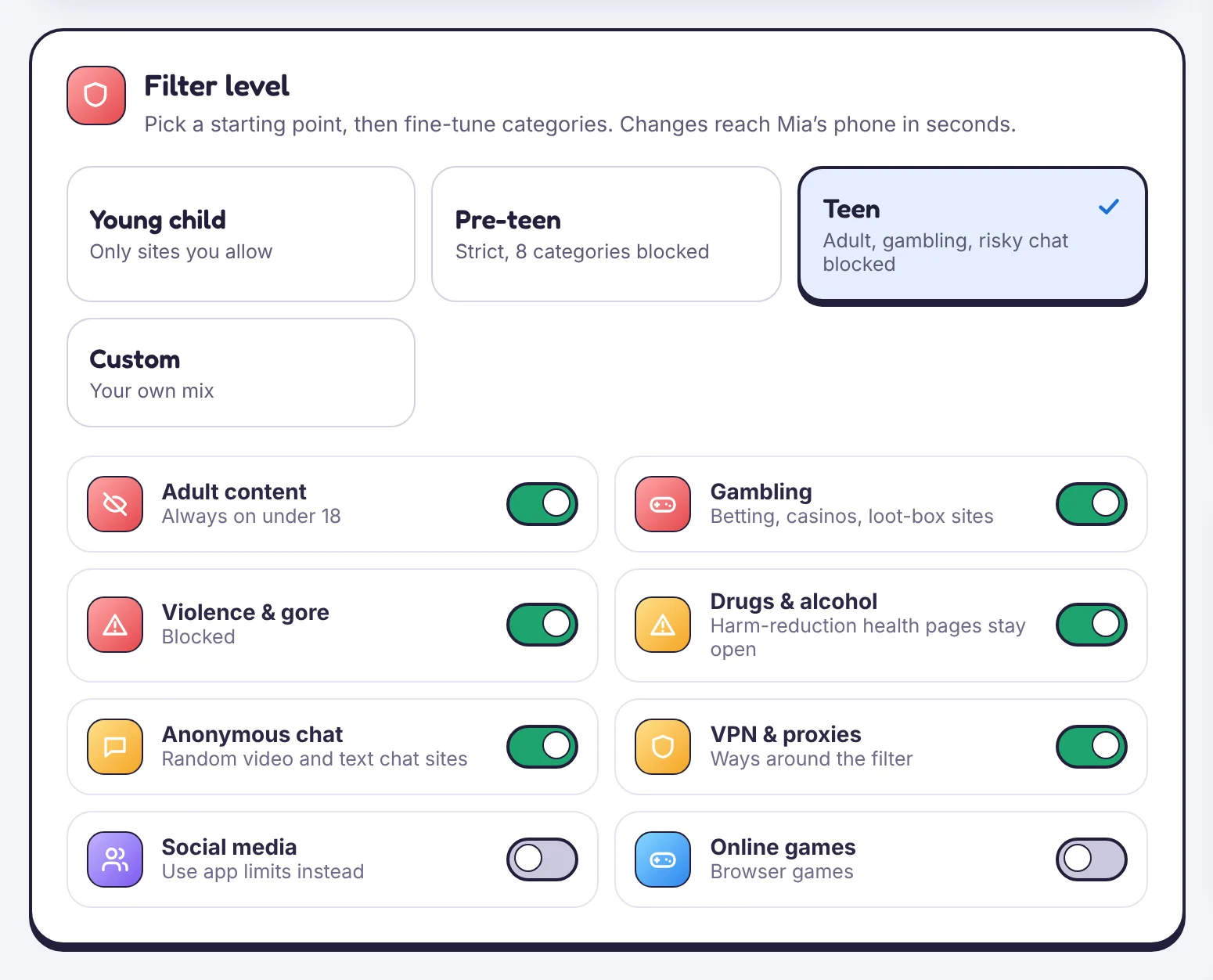
Levels
- Young child: only sites on your allow list open.
- Pre-teen: eight categories blocked, including adult content, gambling, violence, anonymous chat and VPNs.
- Teen: adult content, gambling and risky chat blocked; social media and games allowed.
- Custom: your own mix.
Categories
Under the level, switch categories on or off: adult content, gambling, violence, drugs and alcohol, anonymous chat, VPNs and proxies, social media, online games. Adult content always stays blocked for under-18s.
Browsers
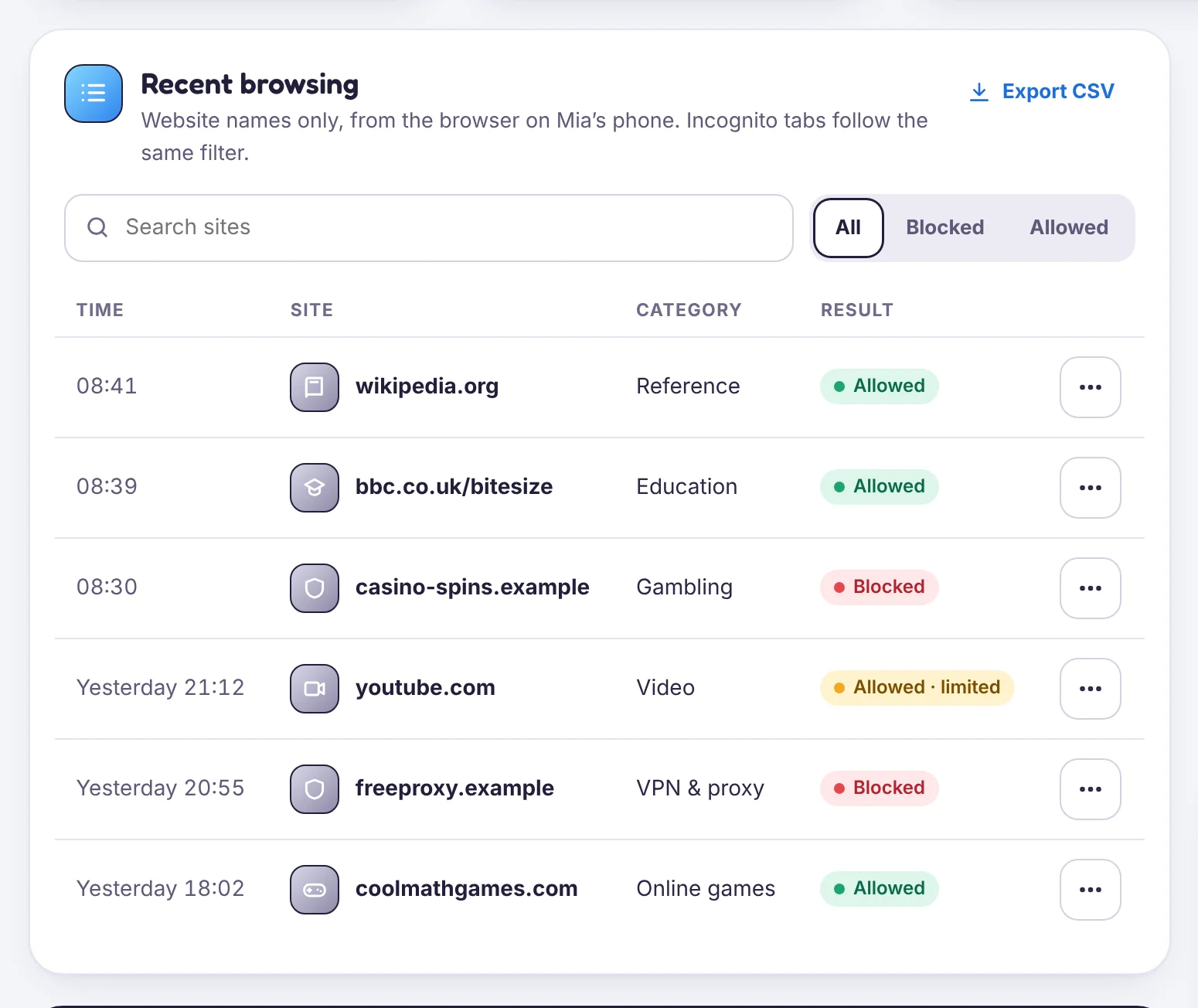
The filter covers the browsers you allow. Unknown browsers are blocked from opening, so your child can’t install a different browser to get around it. Incognito tabs follow the same rules.
Browsing history
Recent browsing lists the website names visited and what was blocked. It shows site names only, not the pages’ contents.
Tell us which step you reached and what you see on screen. Screenshots help.