Start, extend or stop a Live Trace
Choose 15, 30 or 60 minutes, set trip alerts, add time while it runs, and stop it early.
Start a Trace
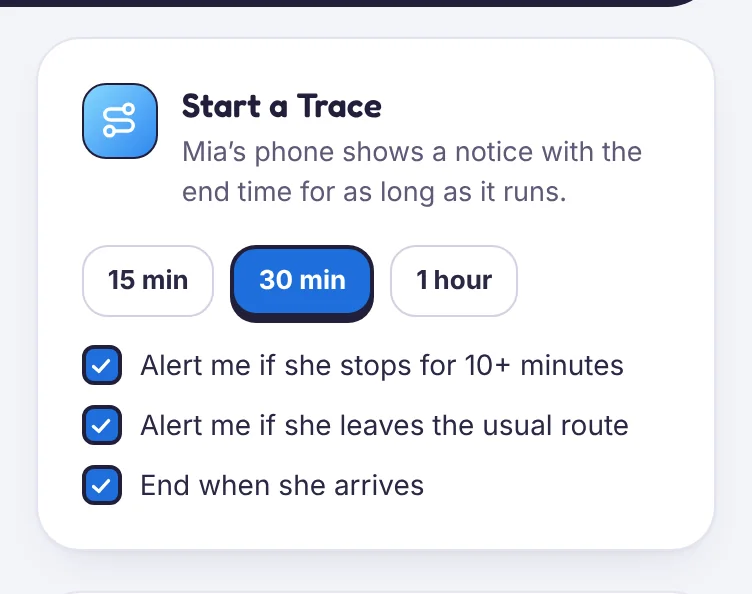
- In the panel, open Live Trace, or tap the red Trace button in the parent app.
- Pick the child, then choose 15 min, 30 min or 1 hour.
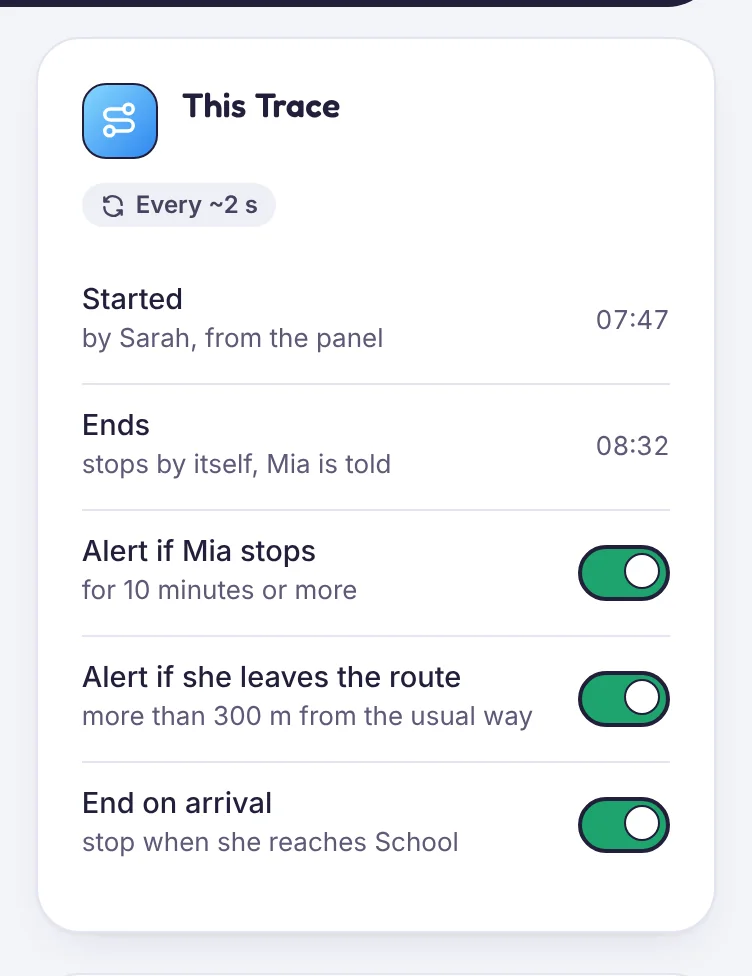
- Choose the alerts you want for this trip:
- Alert me if they stop for 10 minutes or more.
- Alert me if they leave the usual route by more than 300 metres.
- End when they arrive at a saved place.
- Tap Start. Your child’s phone shows the Live Trace notice within a few seconds.
Add time
Tap +15 min while it runs. The new end time appears on your child’s phone straight away. You can extend as often as you need.
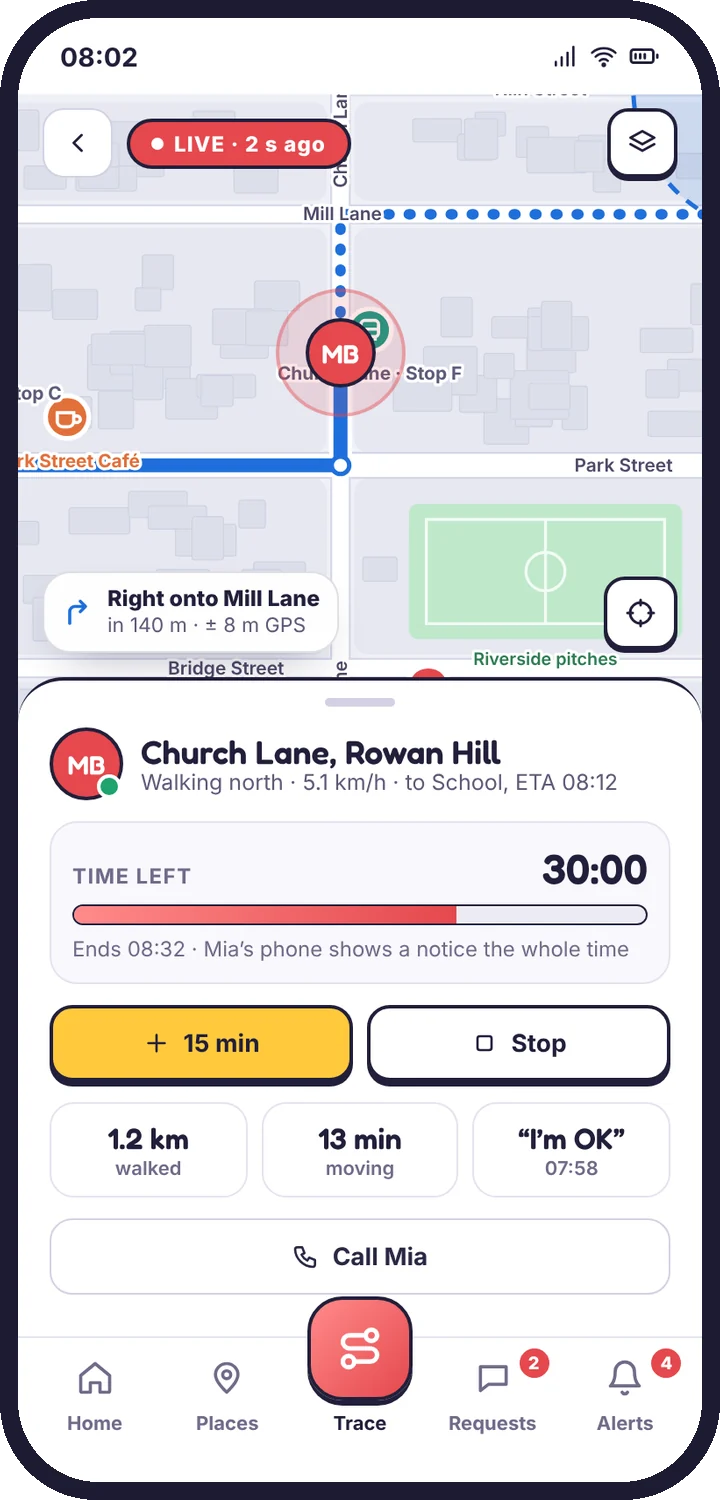
Stop early
Tap Stop Trace. Fast updates stop at once and your child’s phone shows that the Trace ended.
After the trip
The trip stays in the feed and in Location history for the day. Choose Replay to watch it again at 1×, 4× or 16× speed.
Note
A Trace can be started by any adult with Can see and act or Location only access. Your child’s notice names the adult who started it.
Still stuck?
Contact support
Tell us which step you reached and what you see on screen. Screenshots help.