Read location history and replay a day
The day timeline shows stops and trips; replay any trip on the map and save new stops as places.
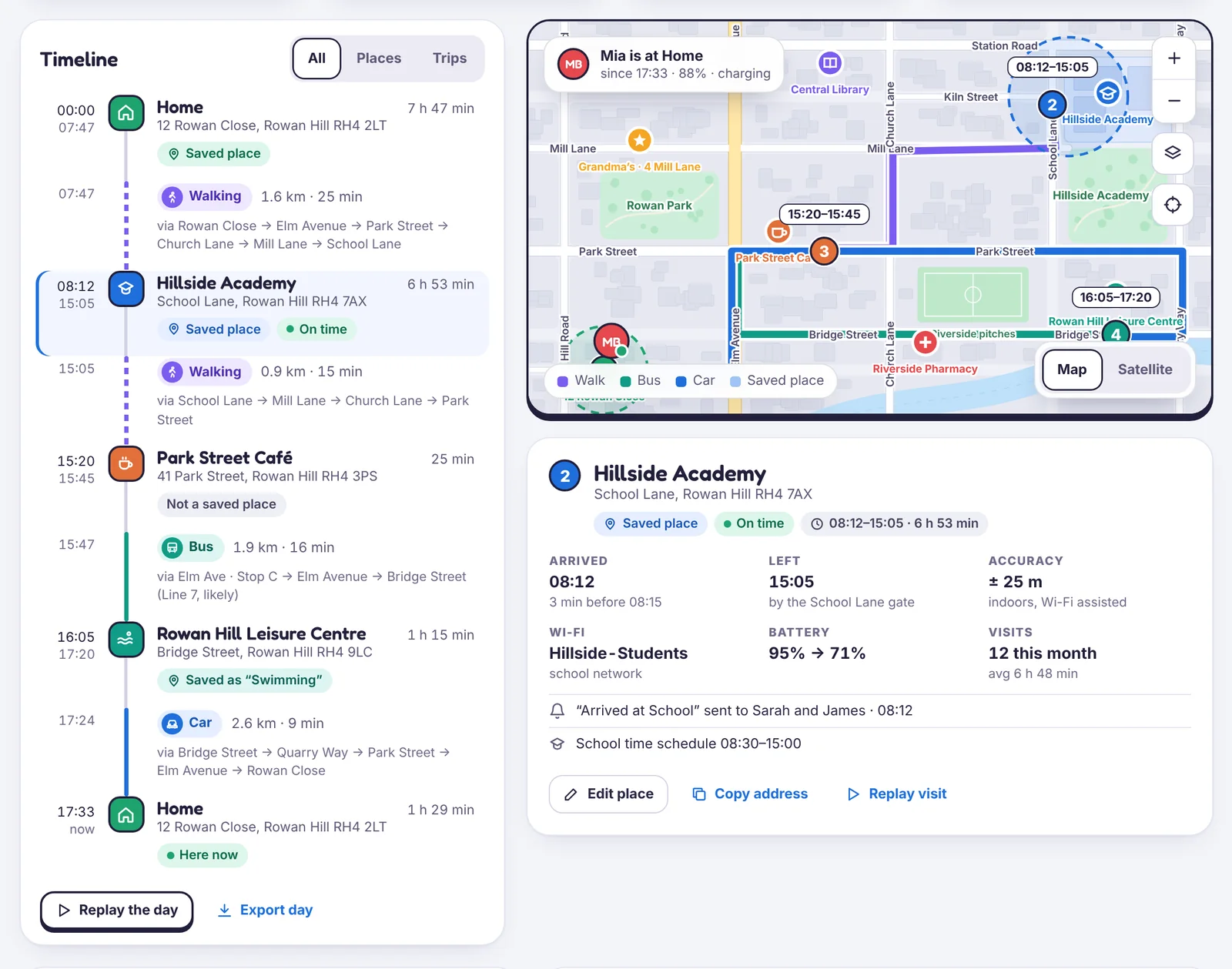
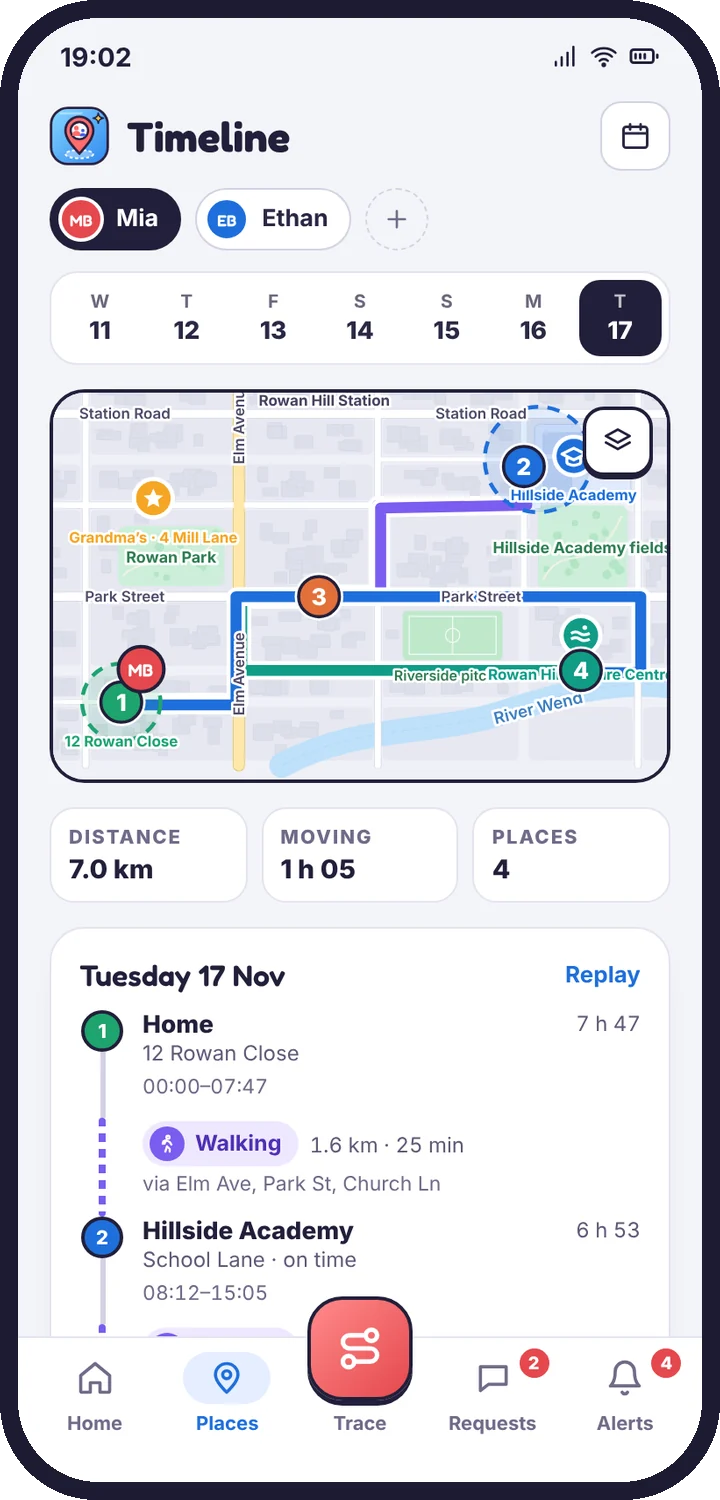
Location history shows each day as a timeline of stops and trips.
Reading the timeline
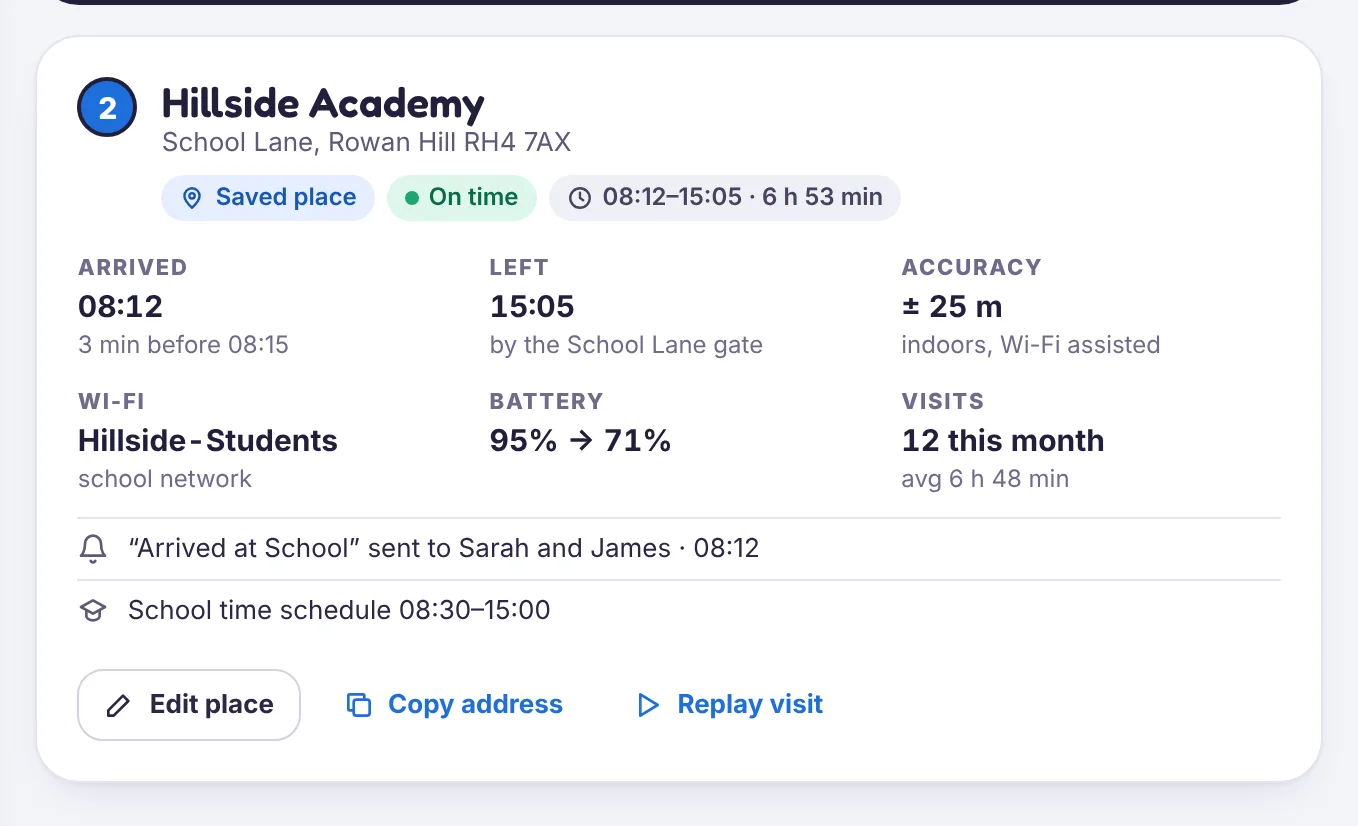
- Stops show a place name (or an address if it isn’t saved), when they arrived and how long they stayed.
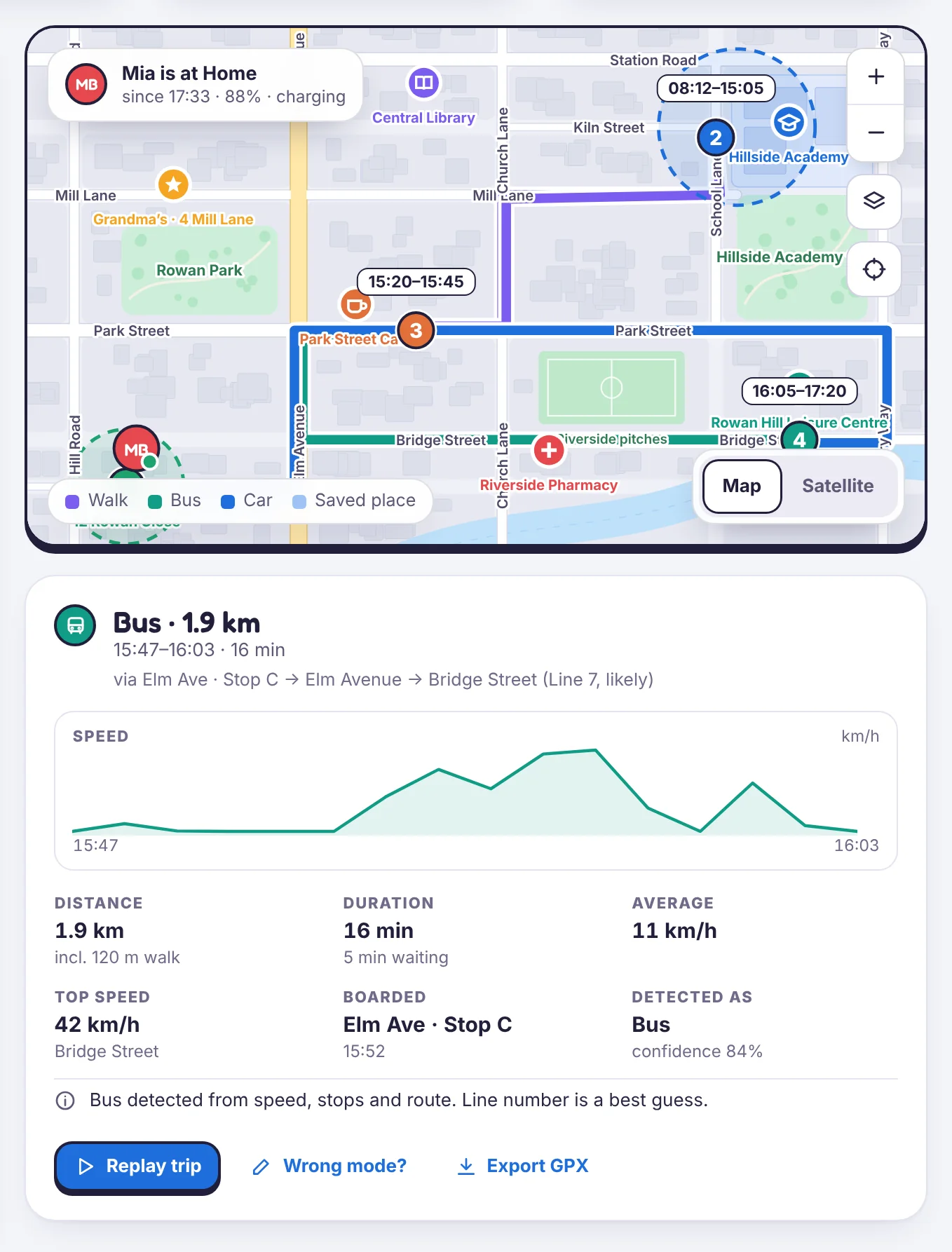
- Trips show distance, time and how they moved: walking, cycling, or a vehicle.
- A stop that isn’t a saved place has a Save as place button.
Use the day picker to go back. History is kept for 90 days by default; you can change that in Family & sharing → Your data.
Replay
Tap a trip, or Replay day, to watch the route on the map. The replay bar has 1×, 4× and 16× speeds and shows check-ins and stops along the way.
Gaps in the history
A gap usually means the phone was off, had no signal, or Android paused the app to save battery. If gaps happen every night, see The phone stops reporting overnight.
Still stuck?
Contact support
Tell us which step you reached and what you see on screen. Screenshots help.