How social alerts work
TheTruthSpy checks notifications on the phone for signs of bullying, self-harm, strangers and adult content, and tells you the kind of risk.
Social alerts look for signs of danger in the notifications that chat and social apps show on your child’s phone: WhatsApp, Instagram, TikTok, Snapchat, Discord, text messages and others.
What is checked
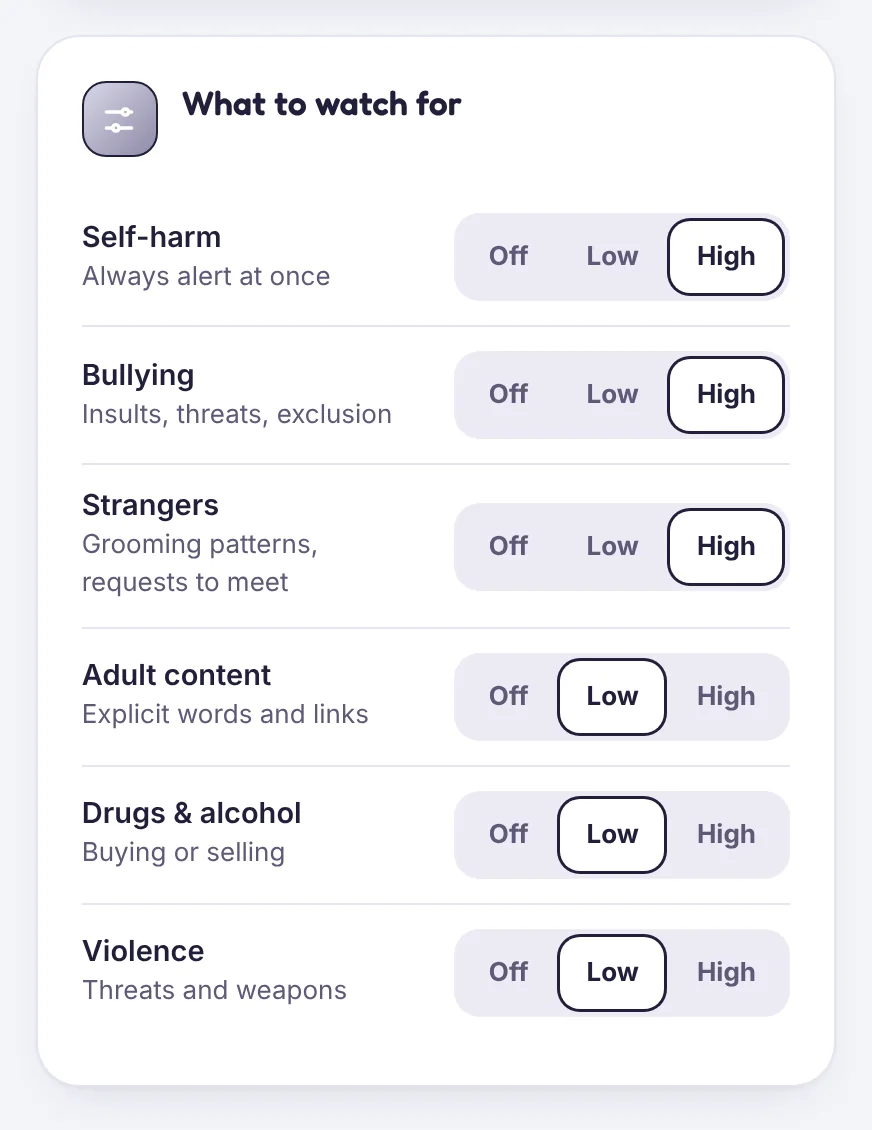
The check runs on your child’s phone using notification access. It looks for patterns linked to:
- Self-harm and suicide
- Bullying: insults, threats, exclusion
- Strangers: grooming patterns, requests to meet or to move to a private app
- Adult content, drugs and alcohol and violence
What you get
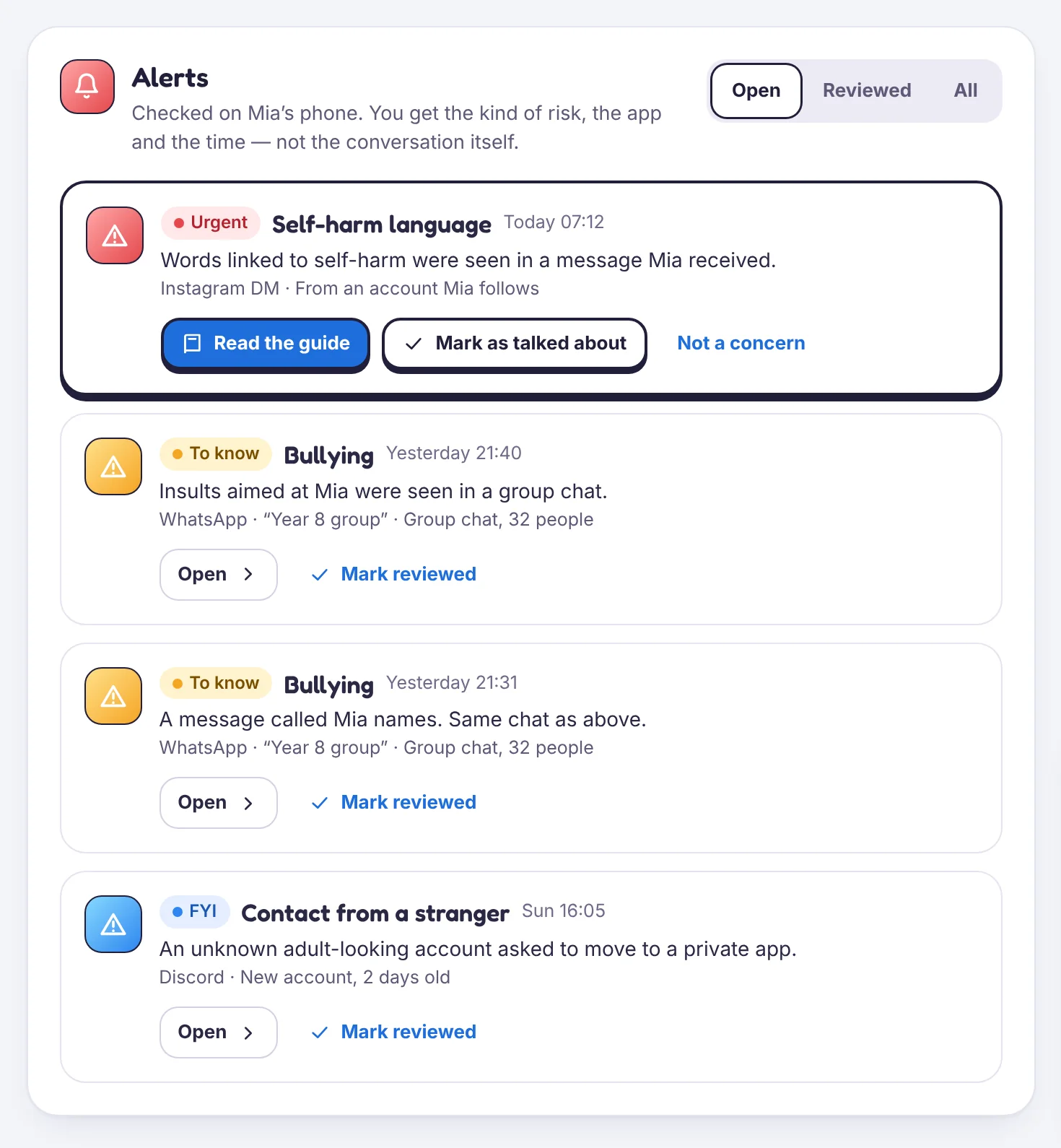
An alert shows the kind of risk, the app, whether it was a group or a private chat, and the time. It does not show you the conversation. That is deliberate: you learn that something needs a conversation, and your child keeps their privacy for everything else.
What it can’t see
Only what appears in notifications. If a chat is muted, or the app is open while the message arrives, nothing is checked. TheTruthSpy can’t read inside encrypted chats.
Sensitivity
In Social alerts → What to watch for, set each category to Off, Low or High. Self-harm alerts are always sent straight away.
Tell us which step you reached and what you see on screen. Screenshots help.