Help Center

How can we help with TheTruthSpy?

Step-by-step guides with real screens from the parent panel, the parent app and your child’s app. Search, or pick a topic.
16 results for “blocked site”

Web filterAllow or block a site, and lock Safe Search onAdd sites to your always-allow or always-block lists, and answer a request to open a blocked page.2 min readTroubleshootingThe web filter isn’t blocking a siteCheck the accessibility service, the browser, VPN apps and private DNS, and add the site to your block list.2 min readWeb filterChoose a web filter levelPick a starting level by age, then switch individual categories on or off.2 min readGetting startedHow to install the direct build safelyDownload the direct build only from the official site, allow one install from your browser, then switch that setting back off.2 min read · Direct buildScreen time & appsAnswer requests for more timeHow children ask for more time, a new app or a website, and how to answer from the panel or the parent app.2 min readPrivacy & your childWhat your child can seeThe What’s shared screen, parent activity, the Live Trace notice, and the controls your child has on their own phone.2 min readScreen time & appsLimit, block or approve appsSet each app to allowed, limited or blocked, use category limits, and add a note your child sees.2 min readTroubleshootingApp limits or blocks aren’t workingWhy an app keeps opening after its limit, and how to close the usual gaps: usage access, accessibility, time changes and second accounts.2 min readGetting startedSet up TheTruthSpy in ten minutesThe whole setup from a blank browser tab to a phone that reports: account, child, pairing code, permissions and the first check.2 min readGetting startedWhat each Android permission is forEvery permission TheTruthSpy asks for, the feature it powers, and where to find it in Android settings if it gets switched off.2 min readGetting startedUse the parent app on your own phoneThe optional parent app gives you the same account as the web panel, with Live Trace, requests and alerts in your pocket.2 min read · Parent appGetting startedTell your child: the first conversationA short script for setup day: what you will look at, what you won’t, and how the rules will change as they grow.2 min readGetting startedTry the read-only demo firstOpen a made-up family with a week of data to see every screen before you install anything.2 min readScreen time & appsSet a daily screen time budgetWeekday and weekend budgets, what counts towards them, Teen mode, and the warnings before time runs out.2 min readSafety alertsCall log, text log and contactsSee who your child calls and texts, when and how often, with names from their contacts. Message content stays off unless you turn it on.2 min read · Direct buildTroubleshootingThe pairing code doesn’t workExpired, already used or mistyped codes, and what to do when the app can’t reach TheTruthSpy.2 min read
Start here

Set up in about ten minutes

Three steps, with your child next to you. The full guide has every screen.
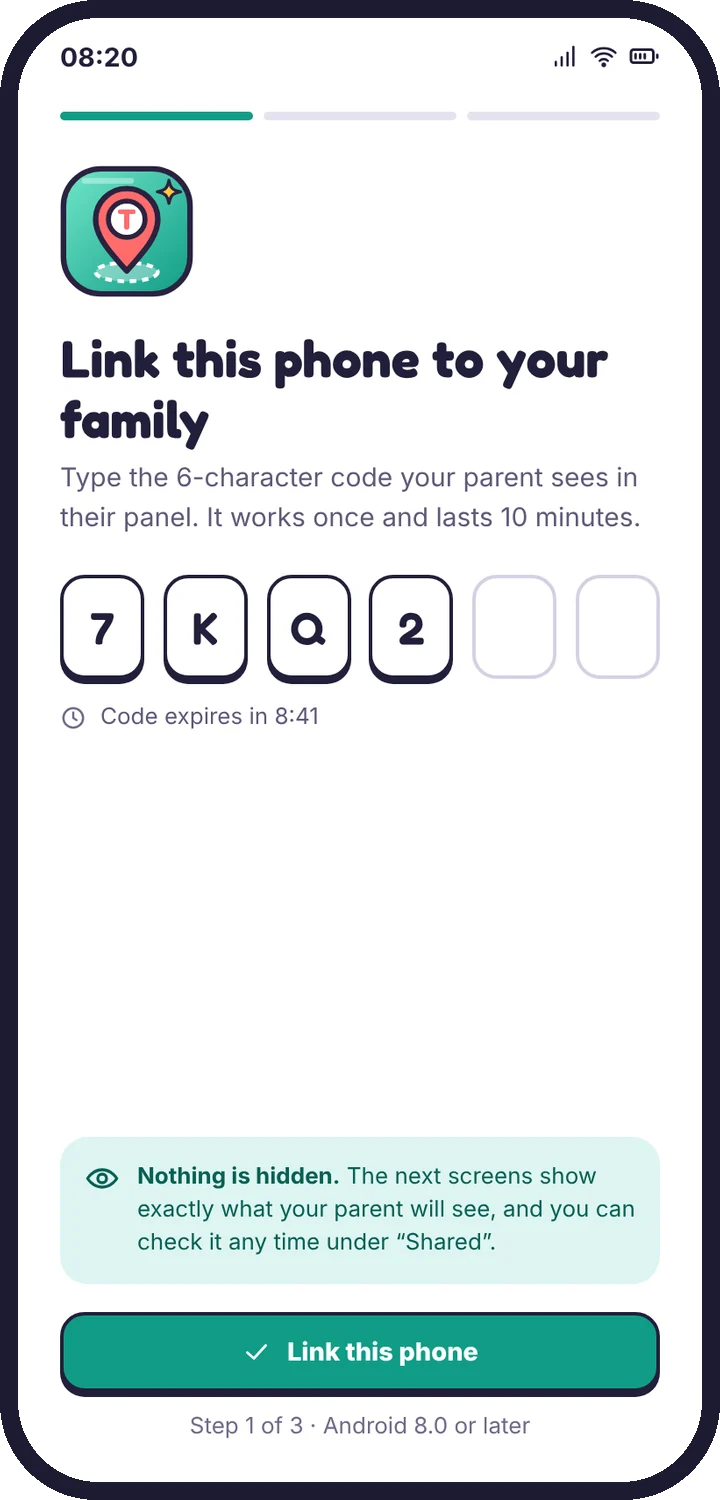
  1. The pairing code screen on the child’s phone
    Pair the phoneMake a code in the panel, type it on your child’s phone.
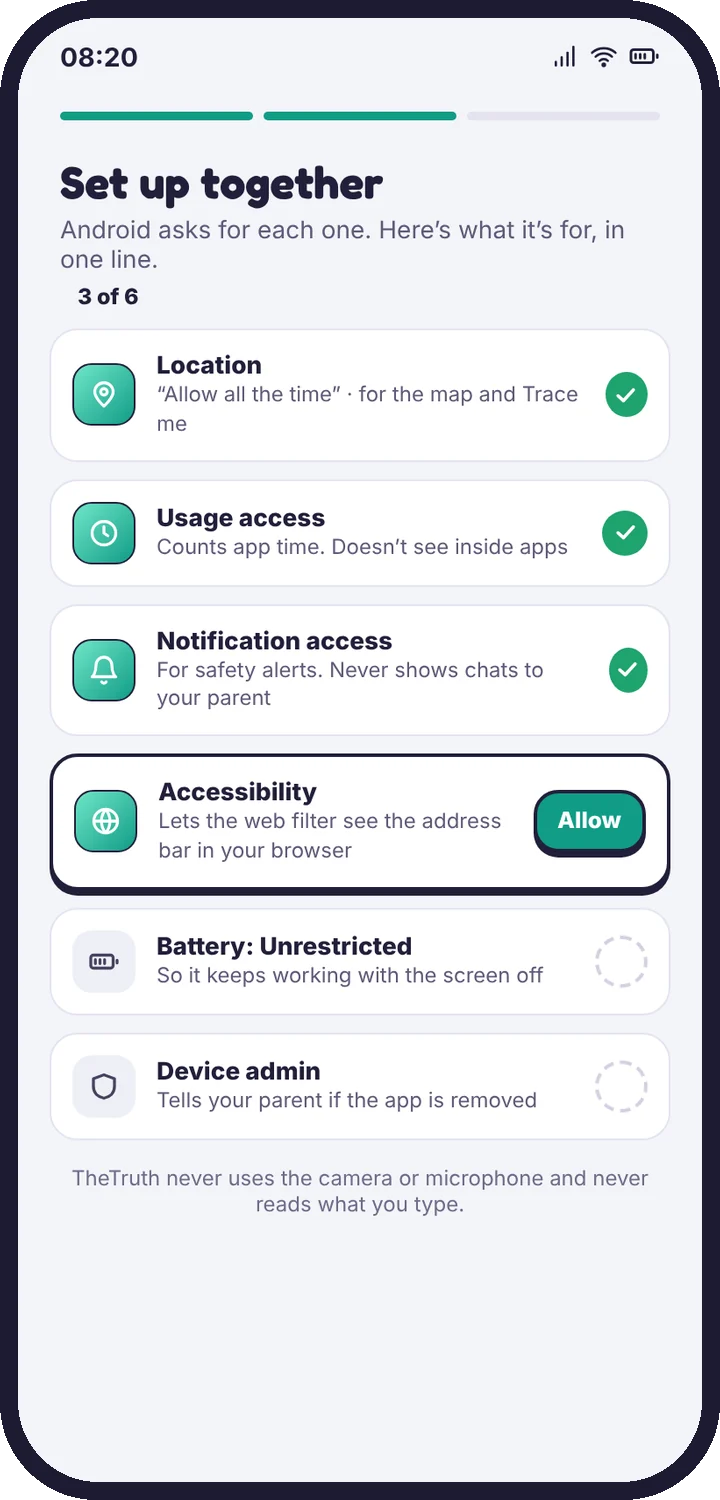
  2. The permission checklist on the child’s phone
    Grant permissions togetherEach one is explained in a sentence first.
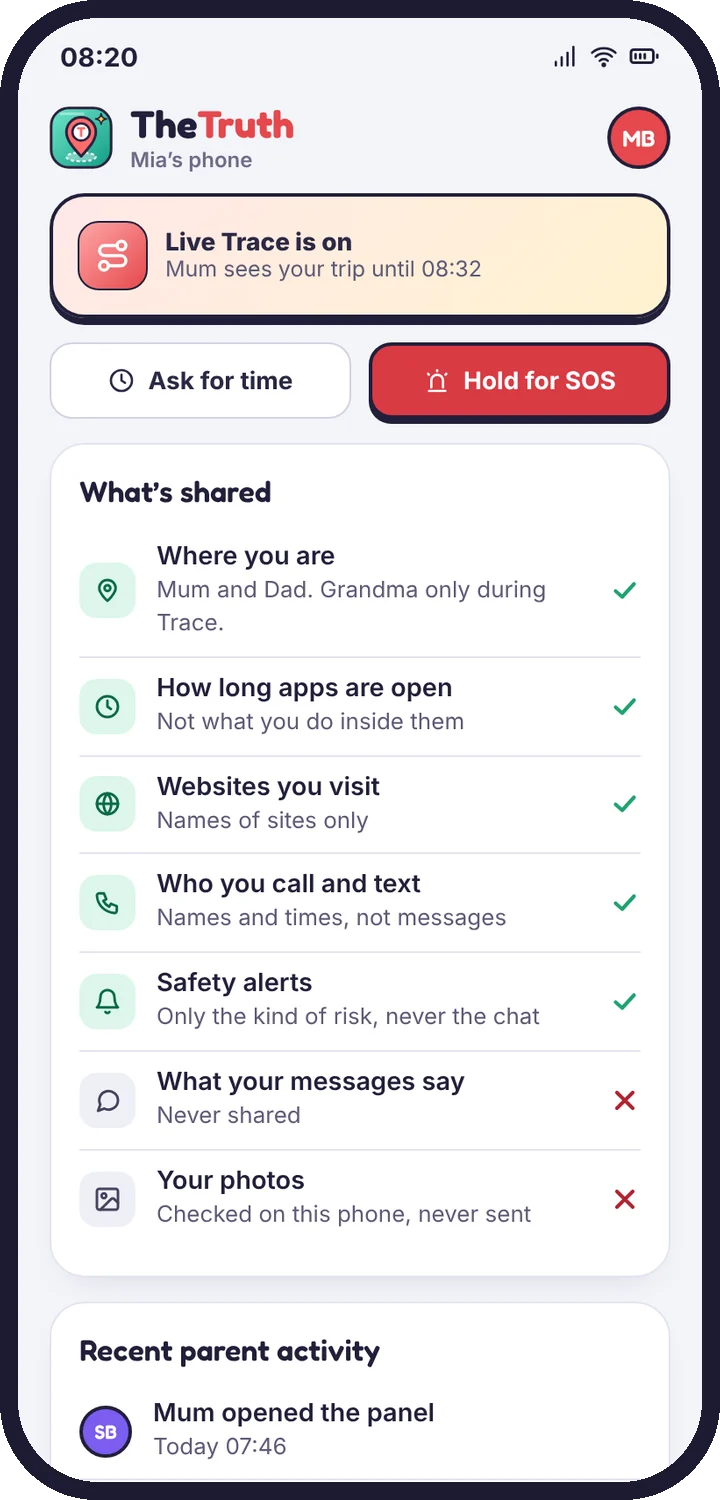
  3. The What’s shared screen
    Read “What’s shared” with themThe same list you see, in plain words.

Read the setup guide

Topics

Browse by topic

Getting started8 articles

Create your account, pair your child’s phone and finish setup in about ten minutes.

Web filter2 articles

Filter levels, blocked categories, Safe Search and single-site rules.

Safety alerts4 articles

Social alerts, photo alerts, calls, texts and what to do when one arrives.

Privacy & your child2 articles

What your child sees, what is never collected, and how long data is kept.

Troubleshooting9 articles

Fixes for a quiet map, late alerts, pairing errors and limits that don’t stick.

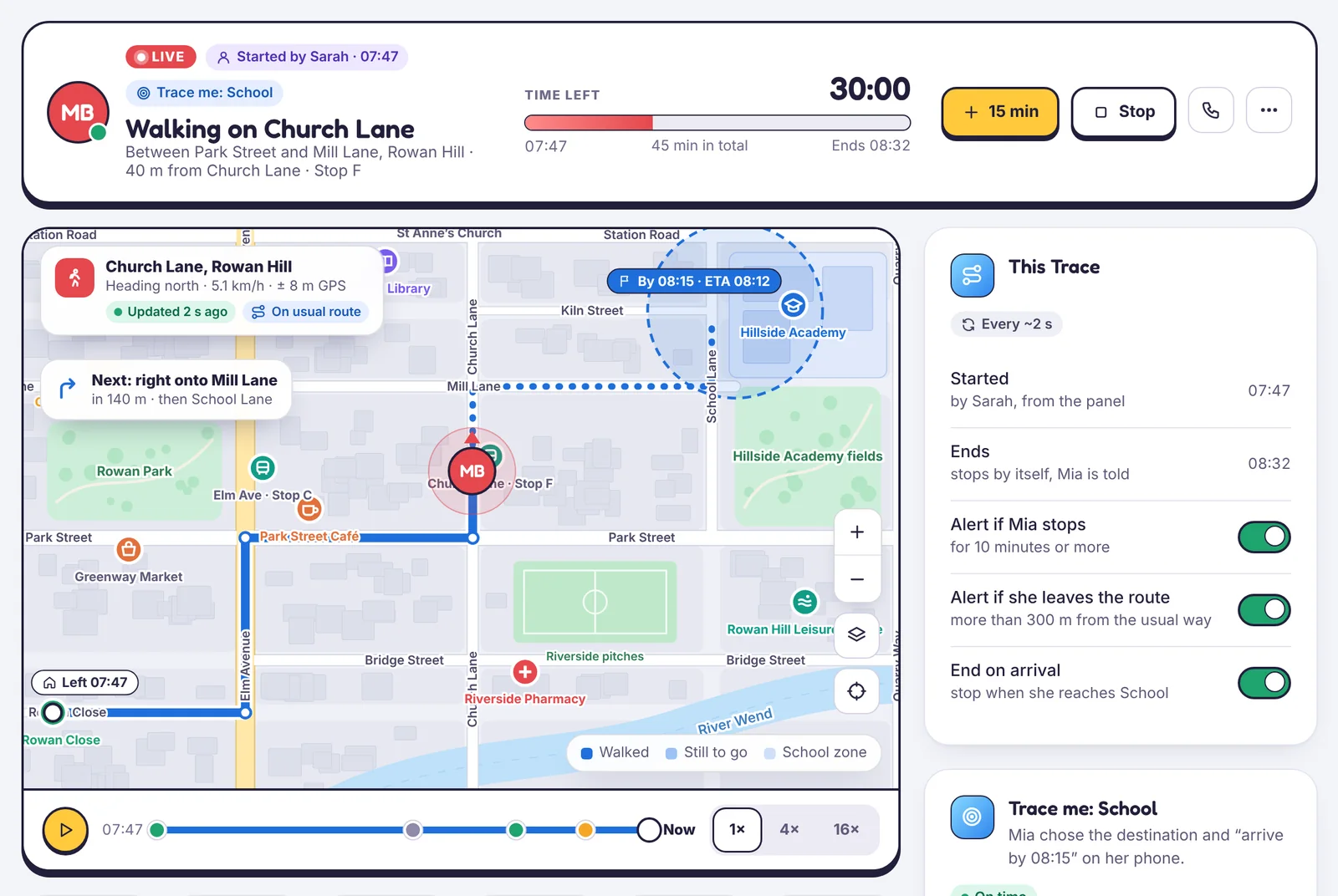
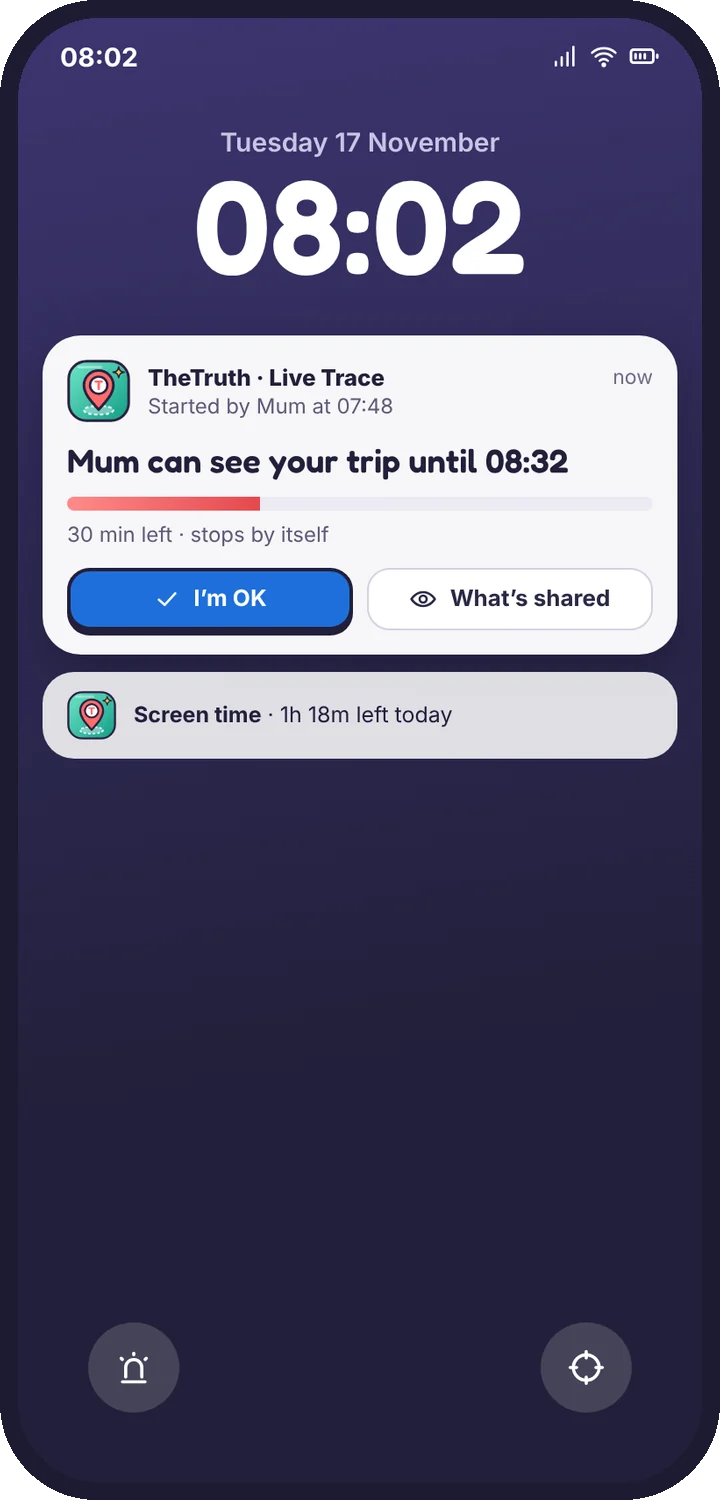
Live Trace

Follow one trip, street by street

How Live Trace works, how to start, extend and stop it, and what your child sees on their lock screen the whole time.
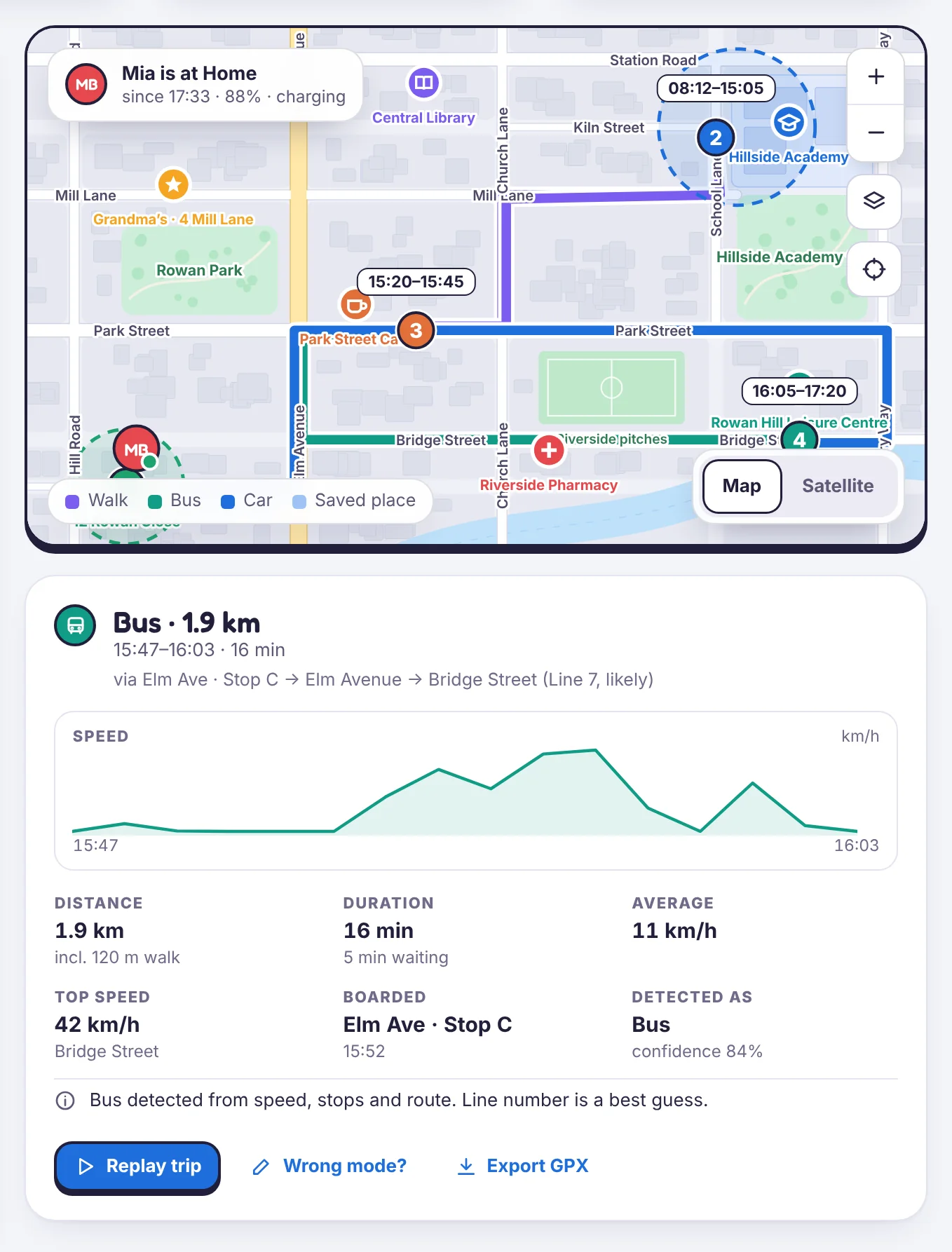
A bus trip in Location history with distance, speed and the streets it used

Still stuck?

Tell us what you tried and what you see. A person who knows the app reads support mail.

Android · Free to set up · Visible on your child's phone