Try the read-only demo first
Open a made-up family with a week of data to see every screen before you install anything.
The demo signs you in to the Bennett family’s panel as a read-only parent. Every screen opens, nothing can be changed, and none of the data is real.
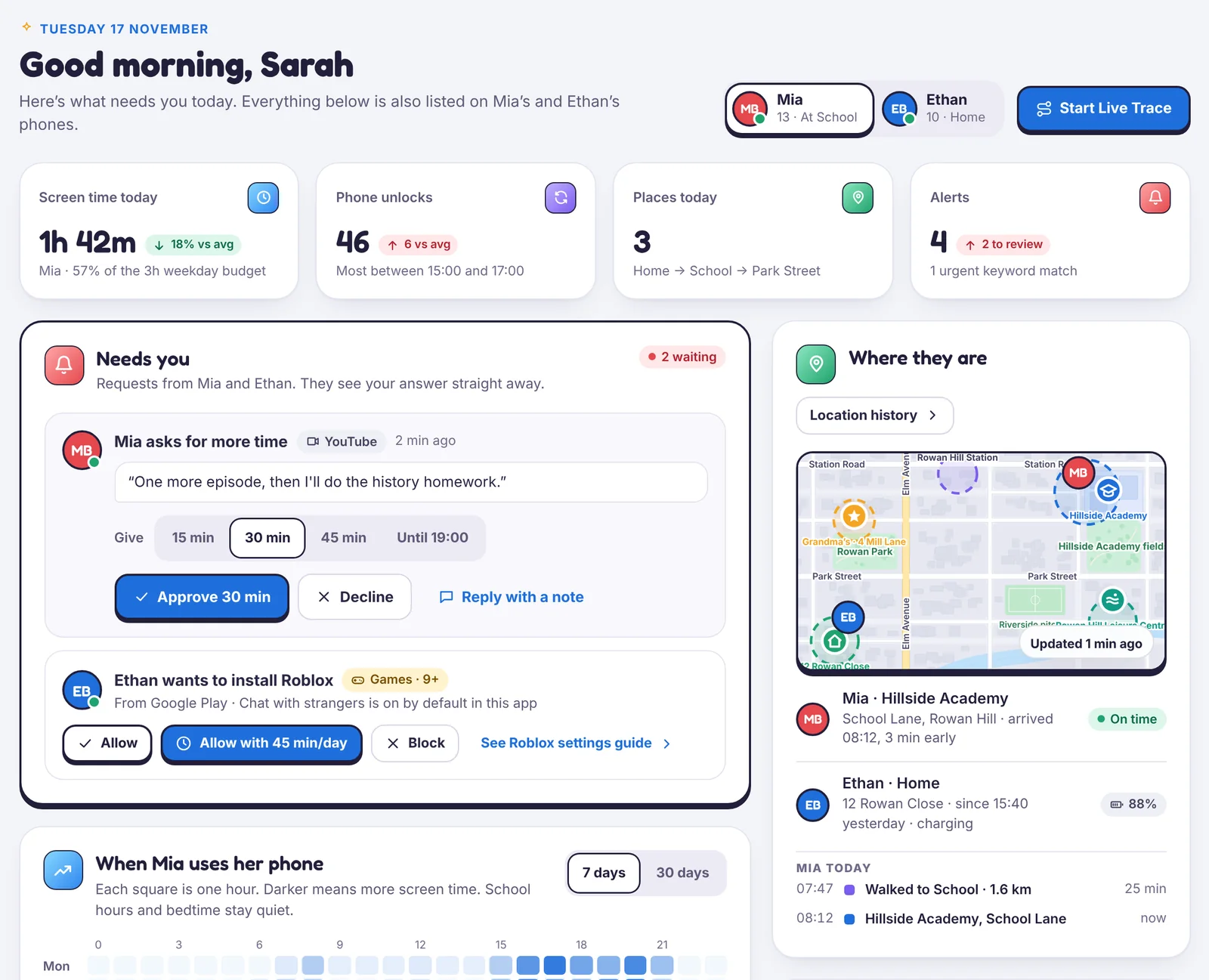
What to look at
- Today: the overview you would open each morning.
- Live Trace: a trip in progress, with the countdown and the notice the child sees.
- Screen time and Apps: budgets, schedules, limits and a request waiting for an answer.
- Device health: a phone with one permission switched off, to see how a problem looks.
Bad days are included
The demo family has a stale-location week, a declined request, a blocked browser and an unread alert. That is deliberate: it shows what the panel looks like when something goes wrong, not just when everything is green.
When you’re ready, set up your own family. Demo data is never copied into your account.
Still stuck?
Contact support
Tell us which step you reached and what you see on screen. Screenshots help.