Choosing a Kids’ GPS Watch: Features That Matter and Traps to Avoid

Before you choose a kids’ GPS watch, know that the category has a patchy record. In 2017 Germany’s telecoms regulator banned children’s smartwatches that let parents listen in unnoticed, and researchers have since found flaws that exposed children’s locations. A good watch is still a useful halfway point before a phone. Choose it on network compatibility, honest accuracy, a tested SOS button, a strict contact list and a maker with a real security record.
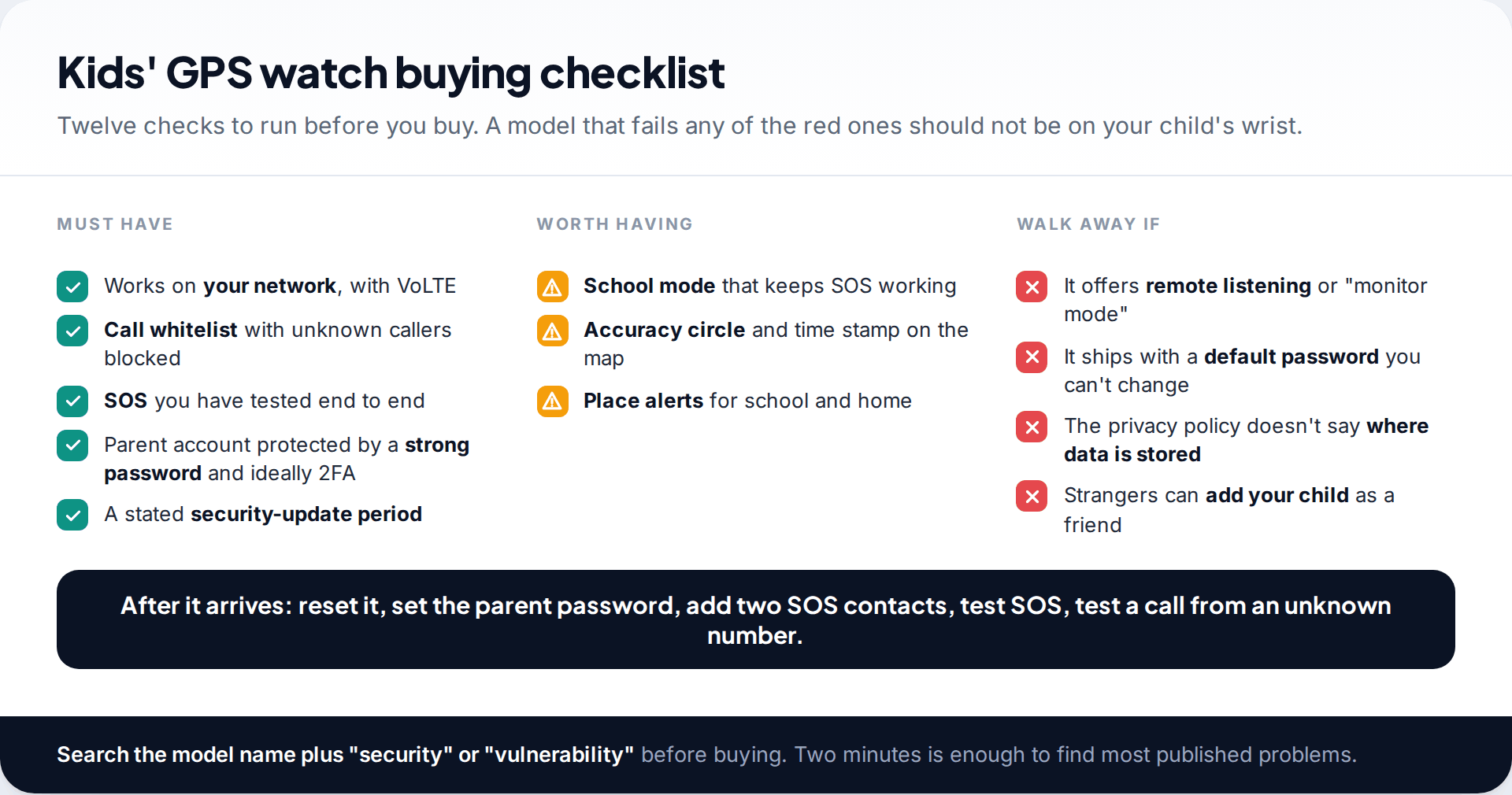
- Check the network first. A 4G watch with VoLTE on a voice-and-data SIM your carrier supports. Most returns are network problems.
- Accuracy is a circle, not a dot. GPS outdoors, Wi-Fi indoors, mobile masts as a fallback.
- SOS and the call whitelist are the safety features. Test SOS on day one. Block unknown callers.
- Refuse any “listening” or “monitor” function. Germany banned them, and they are a privacy problem everywhere.
First, decide whether a watch is the right tool
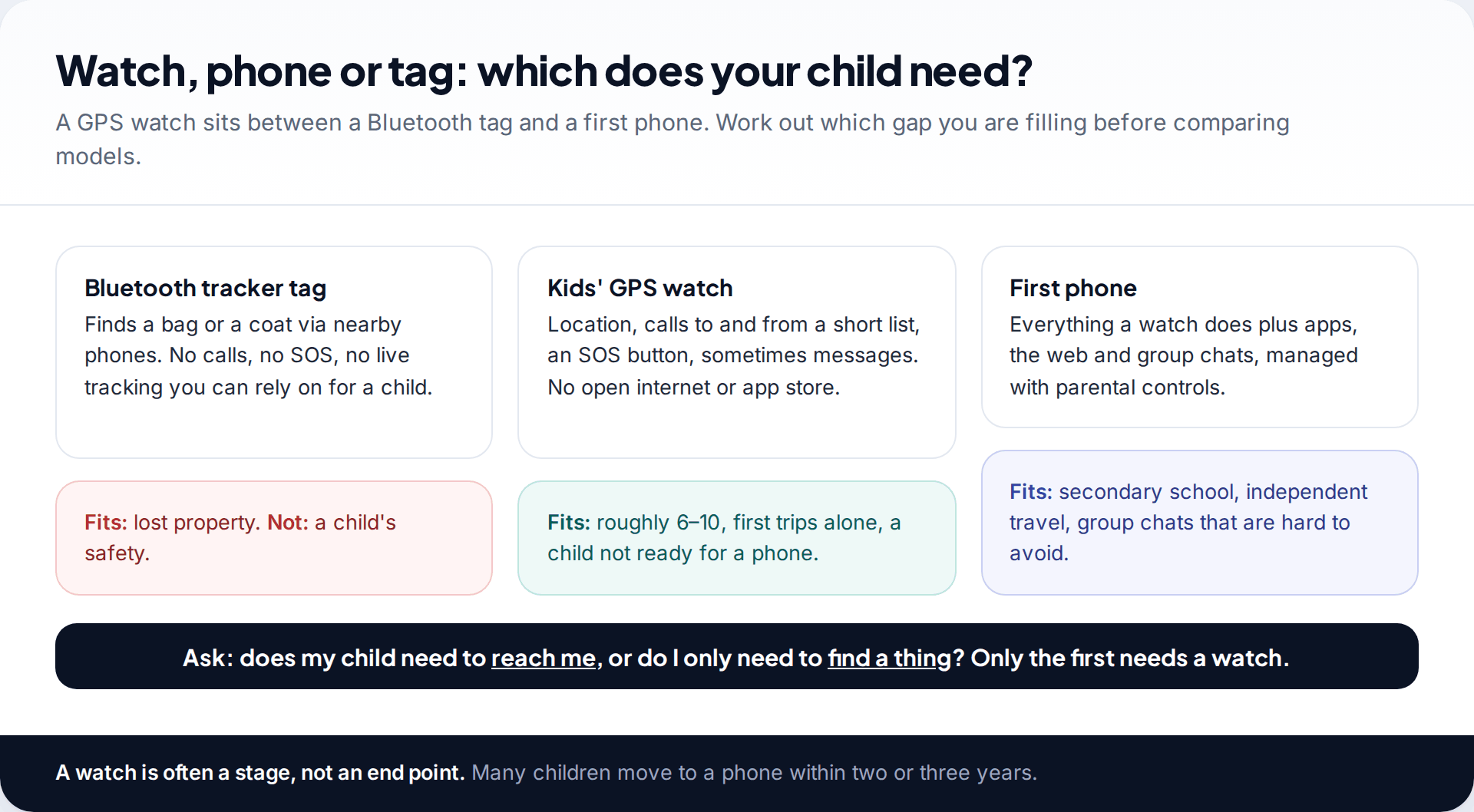
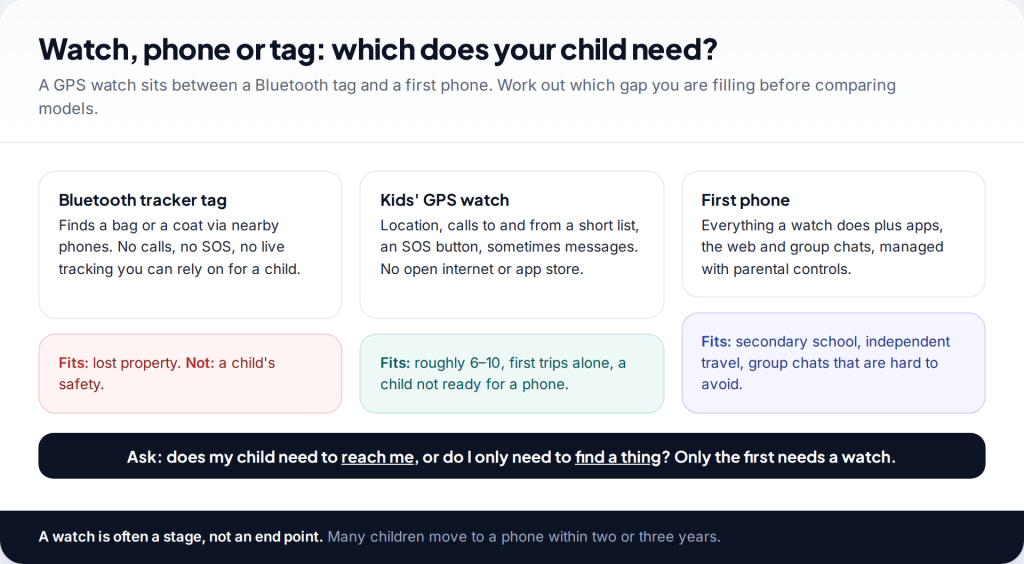
A kids’ GPS watch does three things a Bluetooth tag can’t: it makes calls, it has an SOS button, and it reports its own location over a mobile network. It also avoids most of what makes a phone hard to manage at seven or eight, such as an app store, an open browser and group chats. That makes it a good fit for children roughly six to ten who are starting short trips alone, or for families who have decided to hold off on a phone.
A tracker tag is the wrong tool for a child. It works by being near other people’s phones, it can’t call anyone, and tag makers build in alerts so strangers can find a tag that’s following them. If your child is already at secondary school and in group chats, a watch may just delay the conversation about a first phone.
Connectivity and the SIM: the check most buyers skip
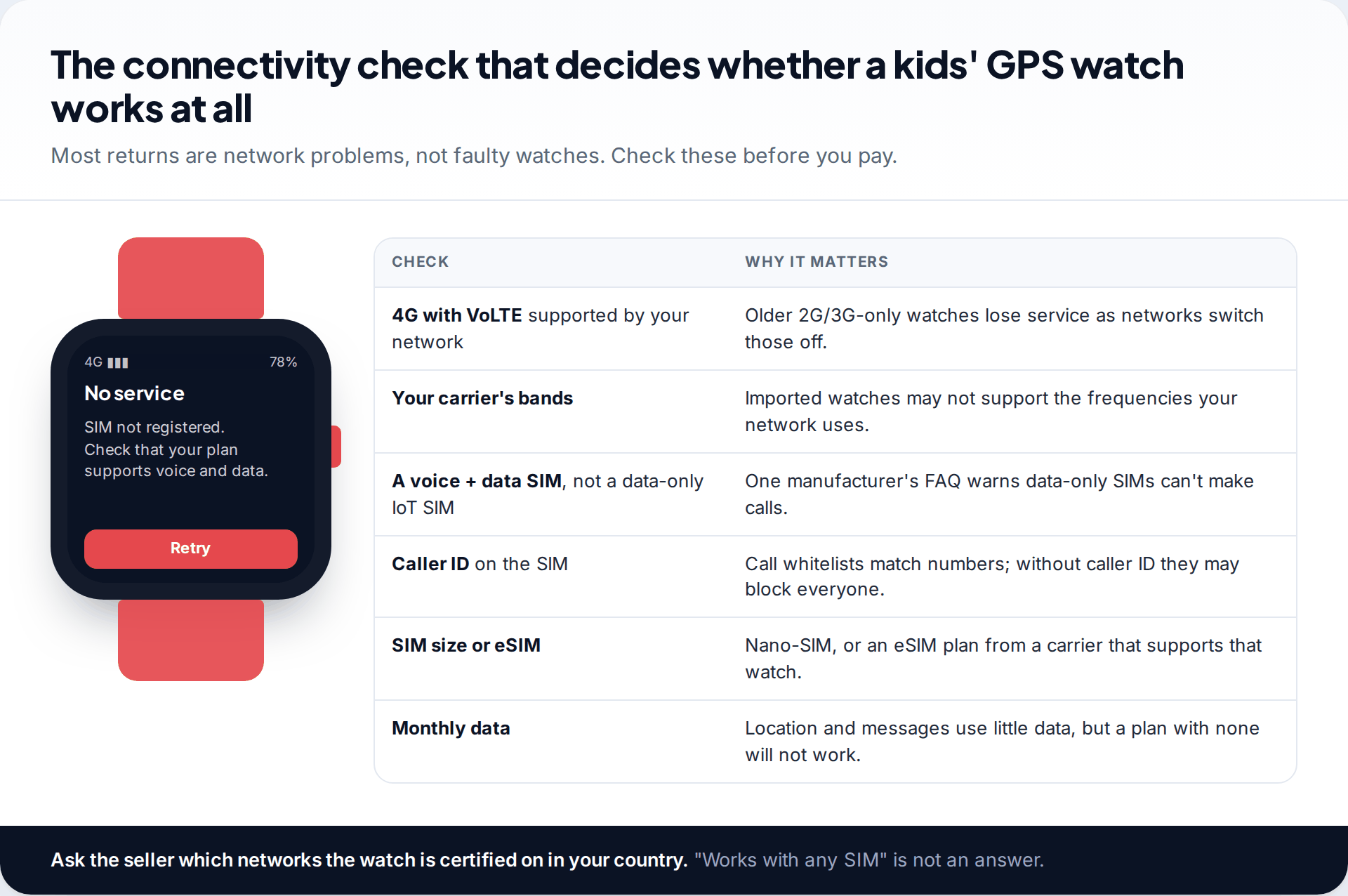
A GPS watch is a small phone, and it needs a network that supports it. Mobile networks in many countries have switched off 3G and are planning to switch off 2G, so a watch that relies on either may lose service. Look for 4G with VoLTE (calls over 4G) and ask whether the watch works on your carrier’s network in your country. Imported models can miss the frequency bands your network uses.
The SIM matters too. Xiaomi’s support FAQ for its kids’ watch is a useful example. It says the SIM needs both voice and data, warns against data-only “IoT” SIMs, and notes that the call whitelist needs caller ID on the SIM. Other makers sell their own plan or use an eSIM, which is simpler but ties you to that carrier. Apple’s family setup for Apple Watch needs a cellular model, and Apple says a cellular plan isn’t needed to set it up but is for some features.
Location accuracy: what the dot on the map means
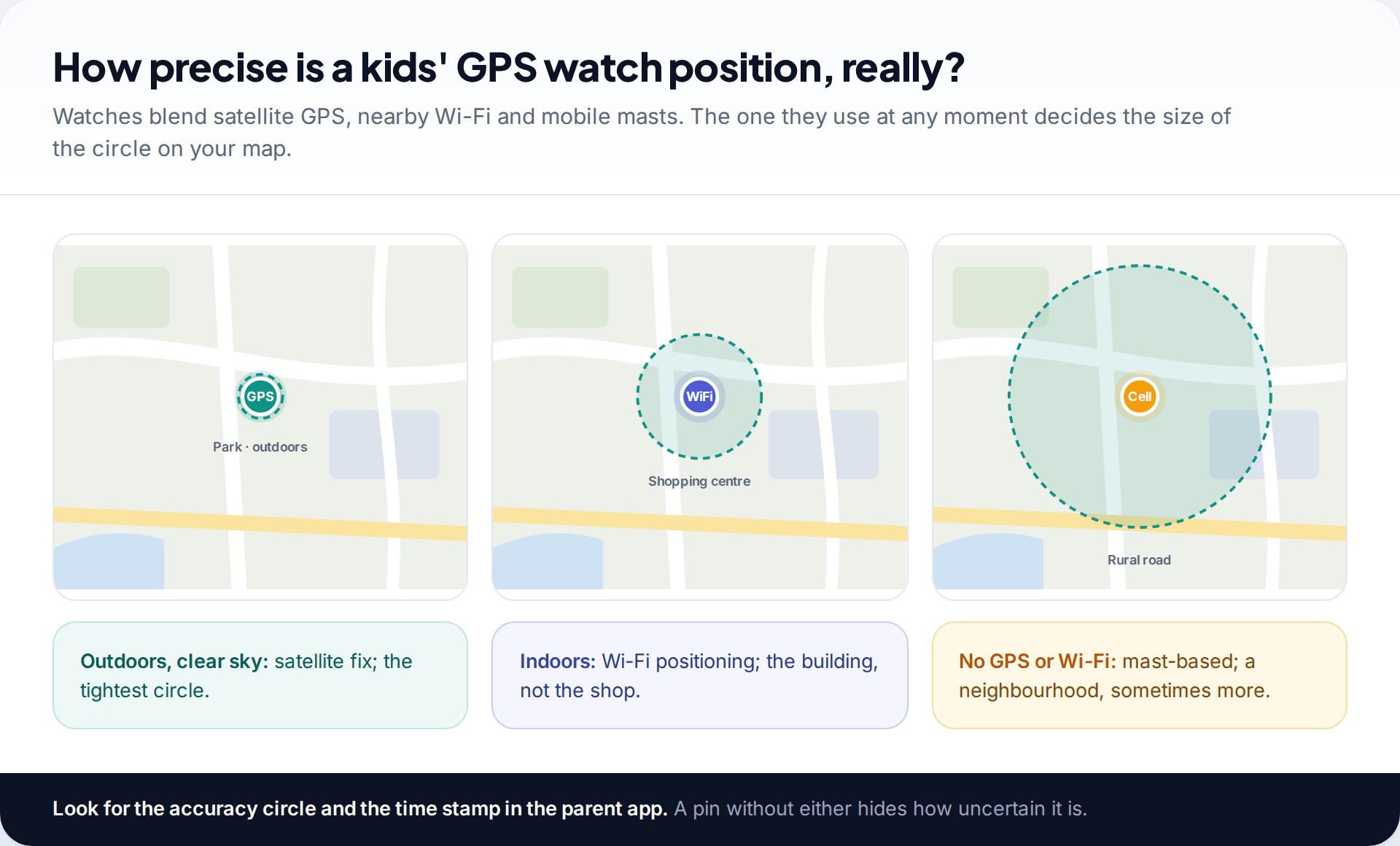
Watches work out their position in whichever way is available. Satellite GPS gives the best fix outdoors with a clear view of the sky. Indoors, most watches fall back to nearby Wi-Fi networks, which usually places them in the right building but not the right room. Where neither works, they use mobile masts, which can put a child anywhere in a neighbourhood. Makers who advertise several positioning methods are describing this blend, not a guarantee.
Two things in the parent app help you read the result: an accuracy circle and a time stamp. A pin without either hides how uncertain it is. Update frequency matters as well. Many watches report every few minutes to save battery, so the position may be out of date. For more on why phones and watches disagree about location, see our explainer on how accurate location tracking is.
The SOS button and the contact whitelist
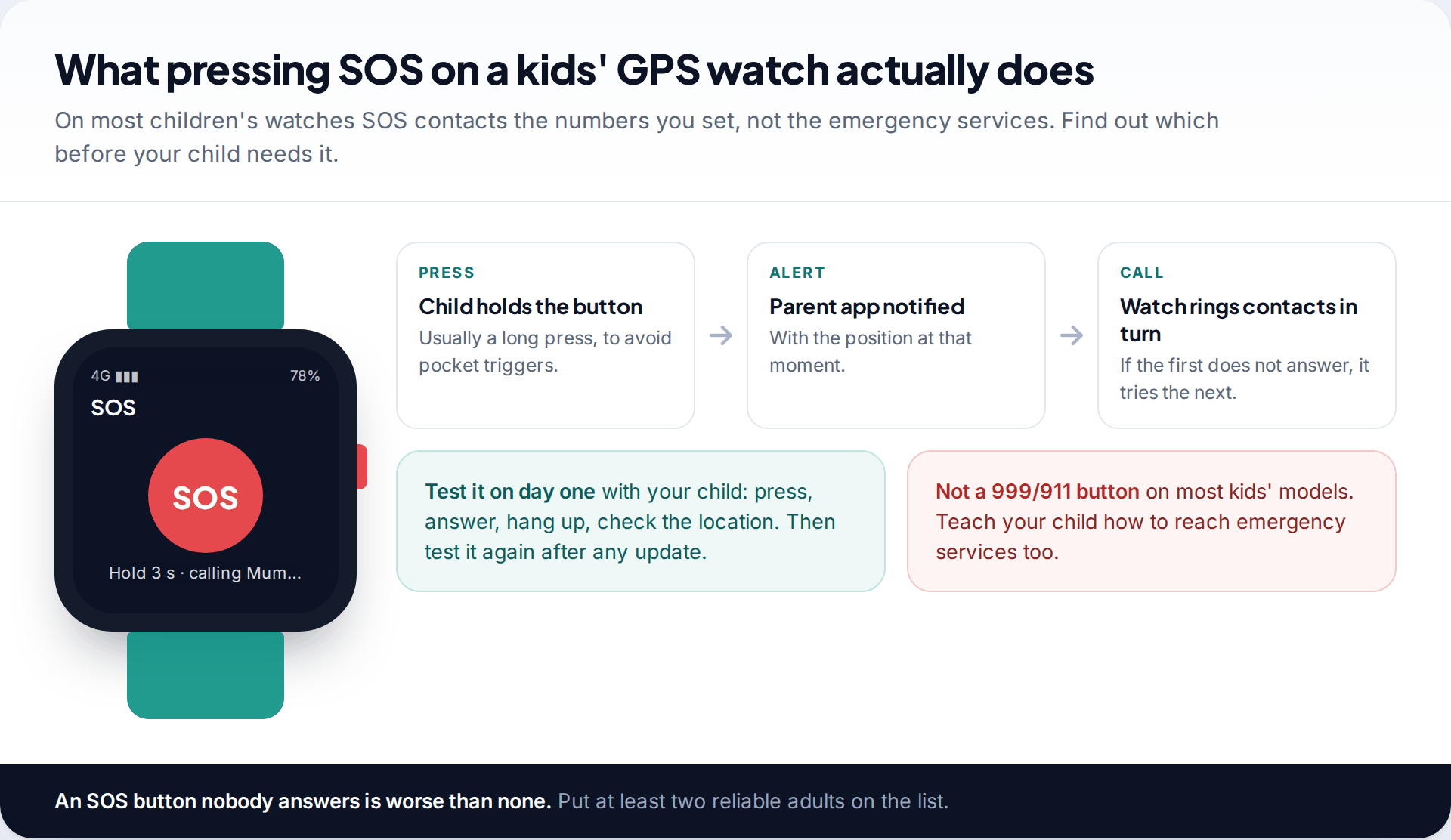
SOS is the feature parents buy a watch for, and the one they least often test. On most children’s watches it doesn’t contact the emergency services. It alerts the parent app with a location and calls a short list of numbers in turn. Set at least two adults who reliably answer. Test it with your child on the first day, and again after any software update. And teach your child how to reach the emergency services directly, because a watch that rings a parent in a meeting won’t help in every situation.
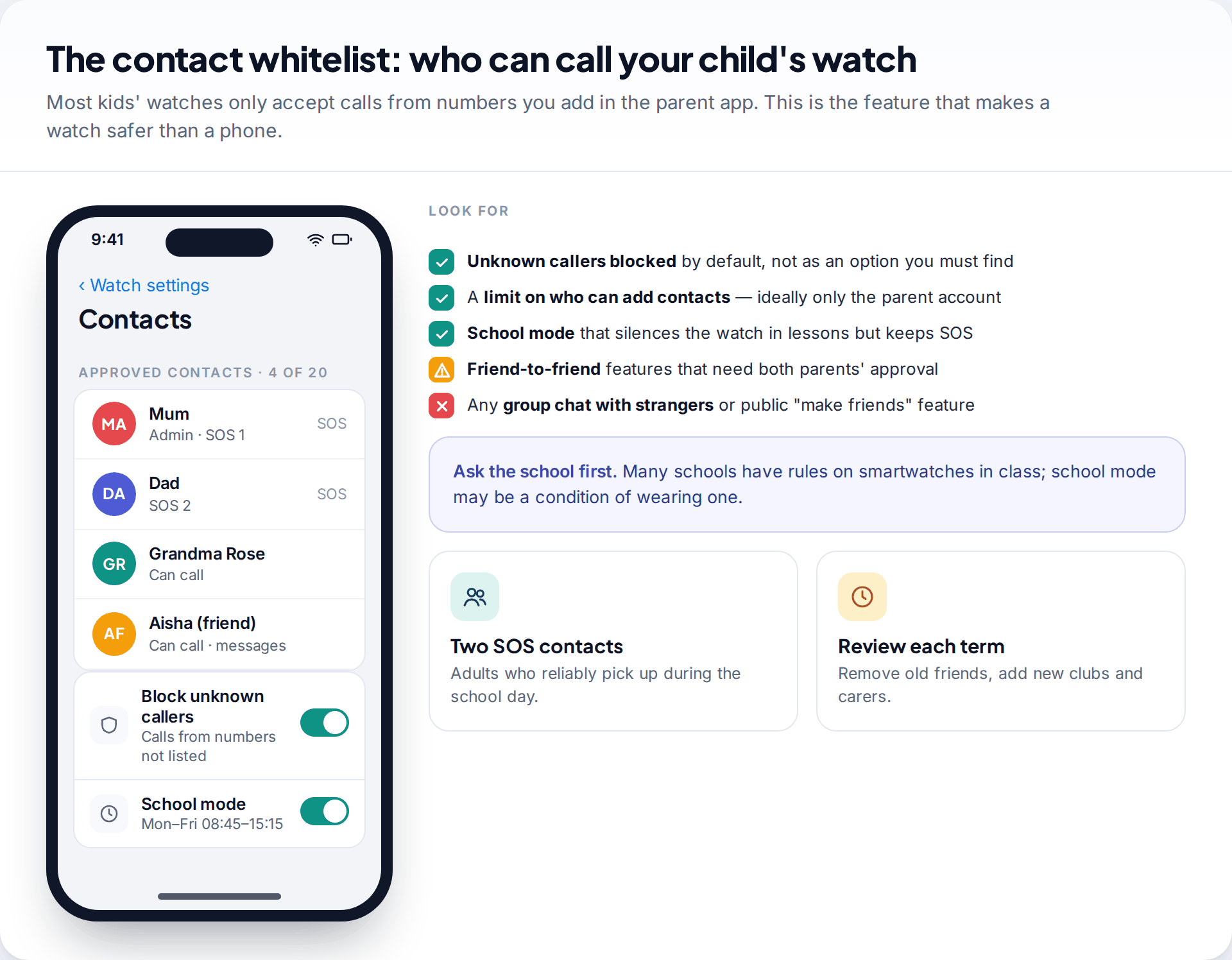
The contact whitelist is what makes a watch safer than a phone at this age. Only numbers you add in the parent app can call the watch, and unknown callers are blocked. Check that this is the default rather than a setting you have to find, and that only the parent account can add contacts. Be cautious with watch-to-watch “friend” features. The safer versions need both families’ parents to approve. Avoid anything that lets strangers find or add your child.
A school mode that silences the watch during lessons, while keeping SOS working, is close to essential. Many schools set their own rules on smartwatches, so ask before your child wears one to class.
Battery life you can plan around
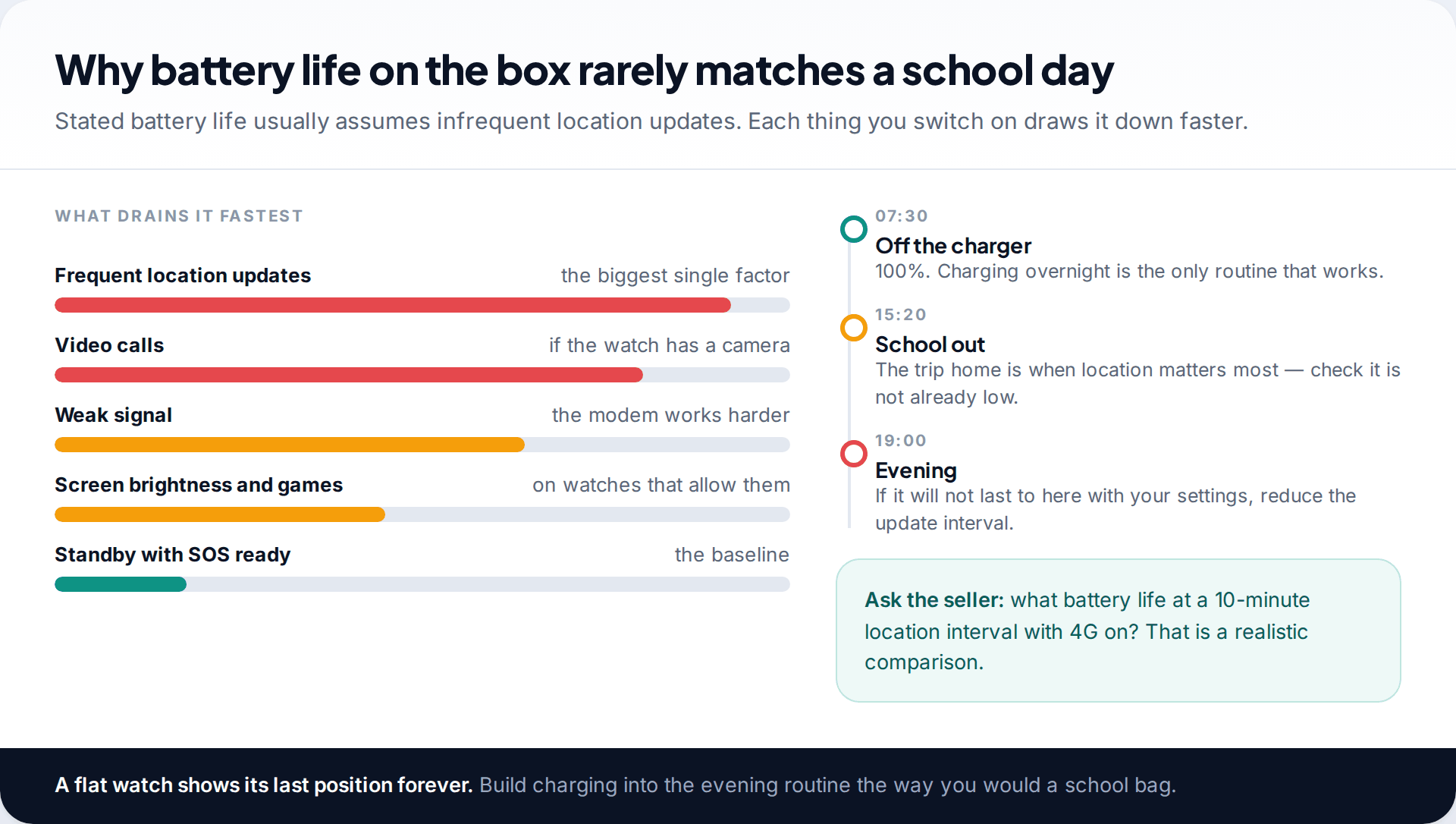
Battery figures on the box usually assume light use and infrequent location updates. The biggest drain is how often the watch reports its position. Video calling, weak signal and a bright screen follow. A useful question for any seller is: how long does it last at a ten-minute location interval with 4G on? Plan to charge it every night. A watch that dies at 3 pm fails at the one time you need it, and a flat watch keeps showing its last position.
Privacy and security: what regulators have warned about
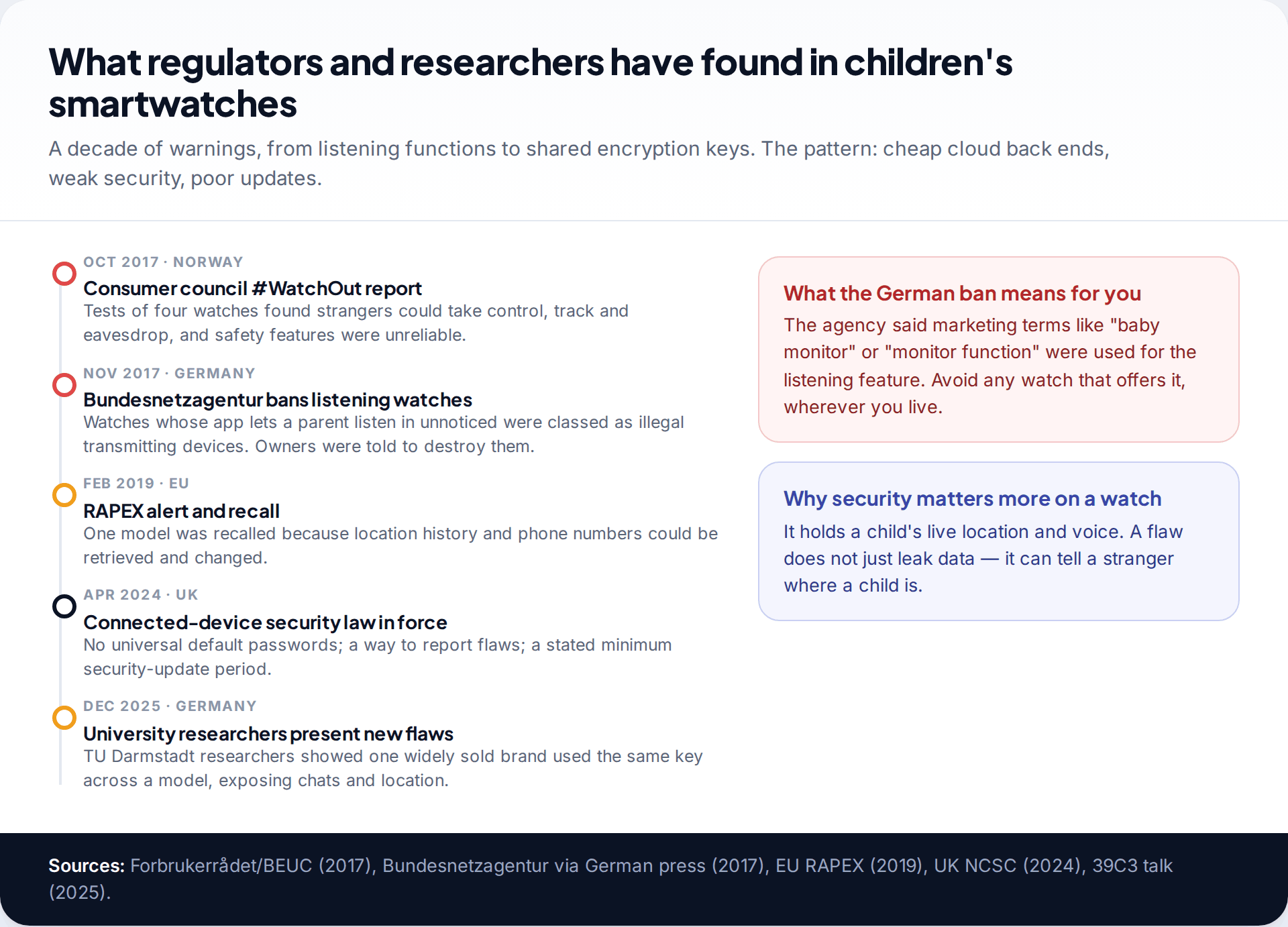
Children’s smartwatches have attracted more regulator attention than almost any other consumer gadget, and the history is worth knowing before you buy.
- October 2017: the Norwegian Consumer Council’s #WatchOut report, run with security firm Mnemonic, tested four children’s watches. According to BEUC, strangers could take control of them, track and eavesdrop on children, and some safety features were unreliable.
- November 2017: Germany’s Bundesnetzagentur banned the sale of children’s smartwatches with a listening function. Through these watches’ apps, parents could listen to a child’s surroundings without anyone noticing. The agency classed them as unauthorised transmitting equipment, noted parents had used them to listen to teachers, told owners to destroy them and keep proof, and pointed out that the function was sometimes sold as a “baby monitor” or “monitor” feature.
- February 2019: an EU RAPEX alert led to the recall of the ENOX Safe-Kid-One watch, because location history and phone numbers could be retrieved and changed through its unencrypted back end.
- April 2024: the UK’s product security law came into force. The National Cyber Security Centre says connected devices can’t ship with default passwords that are easily discovered, makers must provide a way to report security problems, and they must state how long the device will get security updates.
- December 2025: researchers from TU Darmstadt presented flaws in watches from one widely sold European kids’ brand, including an encryption key shared across a model that could expose chats and location. They said a full fix was still pending at the time.
Two practical conclusions follow. Never buy a watch with a remote listening function. Whatever it’s called, it lets someone hear a child and everyone near them without their knowledge. And prefer makers that publish a security contact and a support period, and whose parent app offers a strong password and two-step sign-in.
A second-hand watch may still be linked to the previous owner’s parent account. Make sure it has been removed from their app and reset before your child wears it.
Platform watches versus independent brands
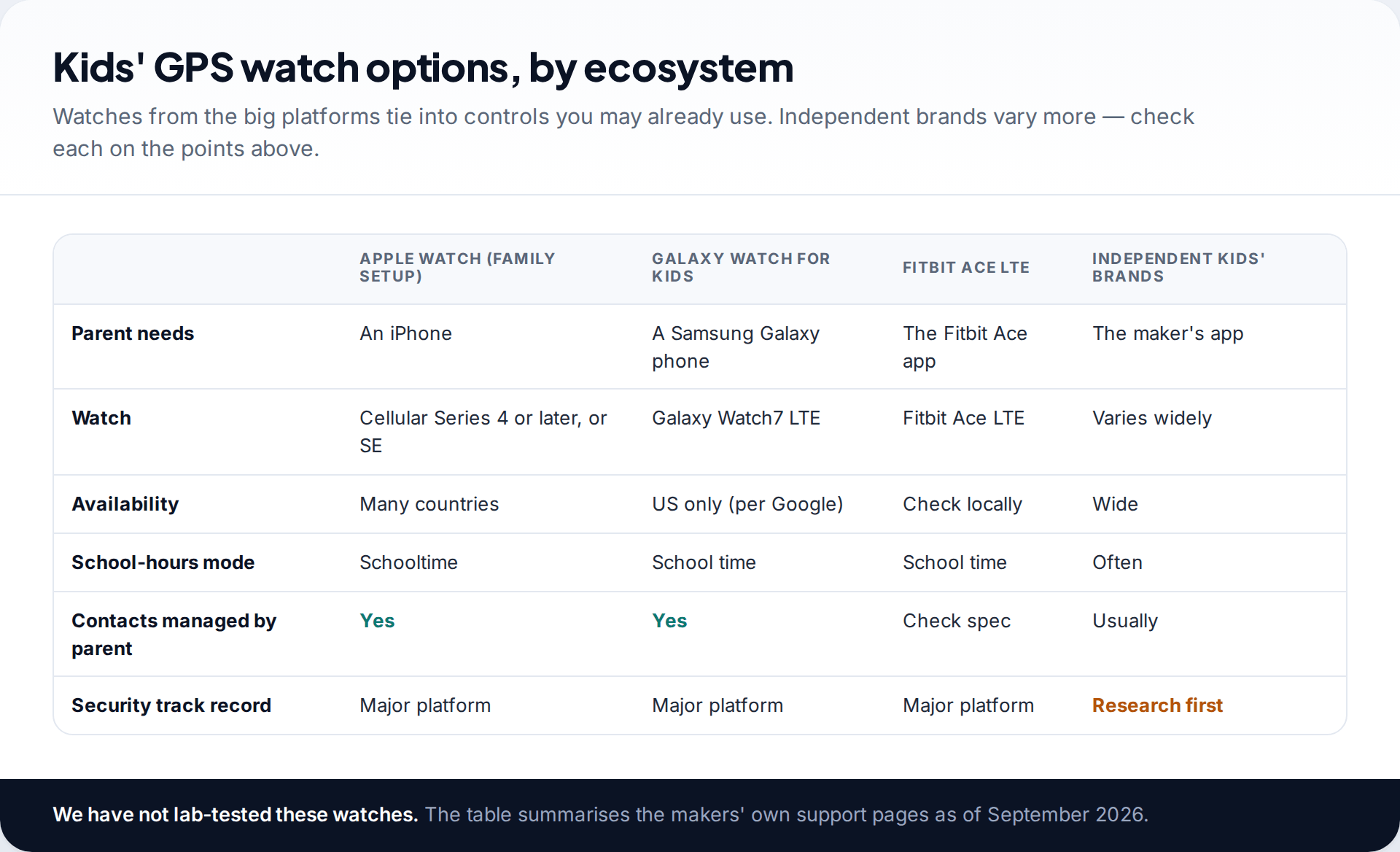
Watches from the big platforms tie into controls you may already use. Apple’s family setup needs a cellular Apple Watch Series 4 or later, or an SE, managed from a parent’s iPhone. Apple lists Schooltime, contacts through Screen Time, and location in Find My. Google’s help centre says Galaxy Watch for Kids needs a Galaxy Watch7 LTE and a Samsung Galaxy phone, and is currently only available in the US. It also documents the Fitbit Ace LTE, managed in the Fitbit Ace app, with School time and location. Independent kids’ brands are often cheaper and more widely available. Their security record varies, so check them against every point in this guide.
A buying checklist
An online bargain that fails the checklist
A parent finds a well-reviewed watch at half the price of the platform models. The listing mentions “2G/4G”, a “monitor mode” and “works with any SIM”. Checking the list, they find that monitor mode is remote listening, the network support isn’t stated for their country, and the app’s privacy policy doesn’t say where data is stored.
Once the watch arrives, set it up with your child. Show them the SOS button and explain who it calls. Agree when it’s worn and when it’s charged. For how location sharing fits in once your child moves on to a phone, see our guide to real-time location on a child’s phone.
How this page was put together
We checked the regulatory history against the Bundesnetzagentur announcement as reported in German technology press, BEUC’s summary of the Norwegian #WatchOut report, the 2019 RAPEX recall notice as reported by security press, and the UK NCSC’s guidance on the 2024 smart devices law. Platform details come from Apple’s and Google’s support pages and a manufacturer FAQ, all read in September 2026.
We haven’t lab-tested any watch and don’t recommend specific independent brands. Details of individual models change quickly. Read more about how we source and review our guides.
Common questions
What age is a kids’ GPS watch for?
Most are aimed at children roughly six to ten. From about eleven, when group chats and independent travel start, many families move to a phone with parental controls instead.
Do kids’ GPS watches need a SIM card?
Yes, for calls and live location away from Wi-Fi. That can be a physical nano-SIM with voice and data, or an eSIM plan from a carrier that supports the watch. Data-only IoT SIMs usually can’t make calls.
Are kids’ smartwatches safe?
Some are and some aren’t. Regulators and researchers have found models that leaked location or allowed eavesdropping. Choose a maker with a published security contact and update period, avoid listening features, and protect the parent account with a strong password.
Can a GPS watch call emergency services?
Most children’s watches send SOS to the contacts you set, not to emergency services. Check the model’s documentation, and teach your child how to call for help directly.
Why are smartwatches with listening functions banned in Germany?
In 2017 the Bundesnetzagentur classed children’s watches that let a parent listen to the surroundings without anyone noticing as unauthorised transmitting equipment. It told owners to destroy them.
How accurate is a kids’ GPS watch?
Outdoors with a clear sky, usually precise enough to find a child in a park. Indoors or in dense areas it may only show the building or the neighbourhood. Look at the accuracy circle and time stamp in the app.
The tools behind this guide. TheTruthSpy is a free parental control app for Android: GPS location tracker with geofencing, a screen time app with app limits, a website blocker and web filter, an SMS tracker and call tracker, and social media monitoring for the WhatsApp tracker, Instagram tracker, Snapchat tracker, Facebook Messenger tracker and Viber tracker. See the full parental control feature list, the free parental control pricing, or the download and setup guide.
Related guides
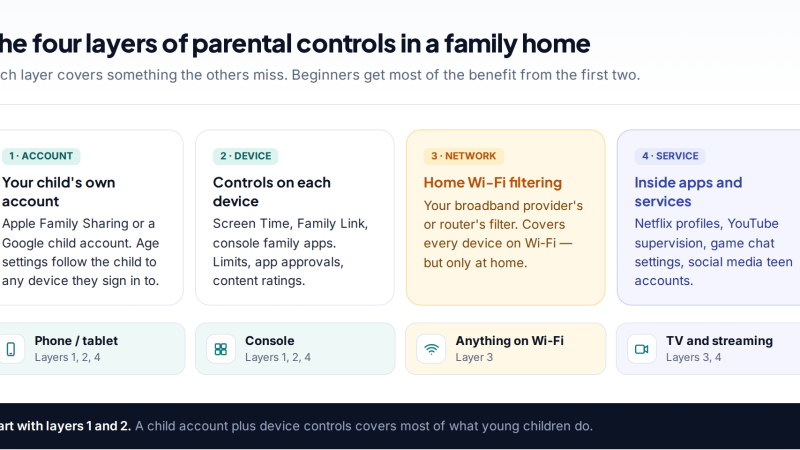
Parental Controls for Beginners: Where to Start on Every Device
A plain-English starting point for parental controls: the four layers that matter, a first-30-minutes setup, where the settings live on…
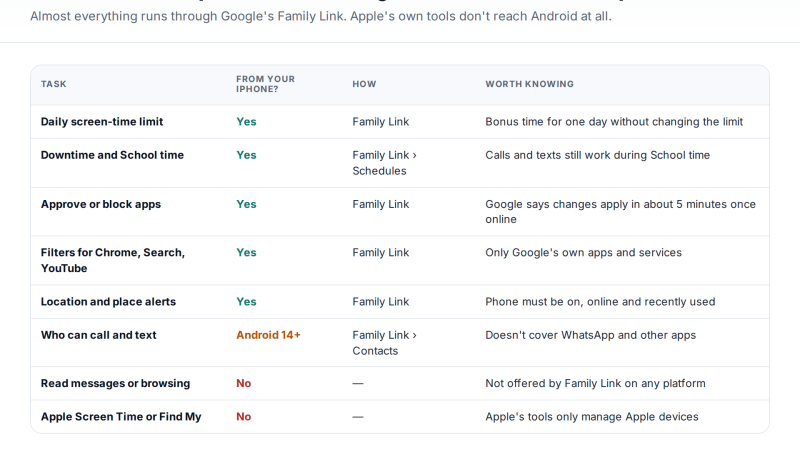
Managing a Child’s Android From Your iPhone: What Works Cross-Platform
Yes, you can manage a child's Android phone from an iPhone. Google's Family Link parent app runs on iOS and…
Instagram Supervision: Setting Up Parental Controls on a Teen Account
Instagram's parental controls come in two layers: Teen Account protections that switch on automatically, and Supervision, which you link through…
Free parental control app for Android
GPS tracking, screen time limits, web filtering, SMS and call monitoring — visible on your child's phone. Pair a phone in about ten minutes.
Android · Free to set up · Visible on your child's phone