Call Tracker Detection: Call Logs, Call Forwarding and Call Recording, and How to Stop Each One
 By TheTruthSpy Editor · Founder and editorPublished October 9, 2026Updated October 12, 202614 min read
“Call tracker” is one phrase covering three quite different things, and people searching for it usually have one in mind without realising the other two exist. A call log tracker records who you called, who called you, when, and for how long. A call forwarder sends your calls, or a copy of them, somewhere else at the network level, so that someone can answer or collect them. A call recorder captures the audio of the conversation itself. They work in different places, they are detected on different screens, and they are removed in different ways. So this guide takes them one at a time, with the detection steps for an Android phone and a note on iPhone at the end, and finishes with the question that comes up as soon as people understand recording, which is whether any of it is legal.
Call log trackers
Android has a permission group called Phone, and inside it a permission called Call logs, which lets an app read the history of calls on the device: the number, the contact name if it is saved, the direction, the time and the duration. It cannot hear anything. An app with the permission can upload that history to a server, and that is the whole of what most commercial “call monitoring” does. The dashboard on the other end shows a timeline of calls, usually with a flag for numbers that are not in the contacts, and sometimes a chart of who is called most. It is a pattern, not a recording, and it is enough to tell someone a great deal.
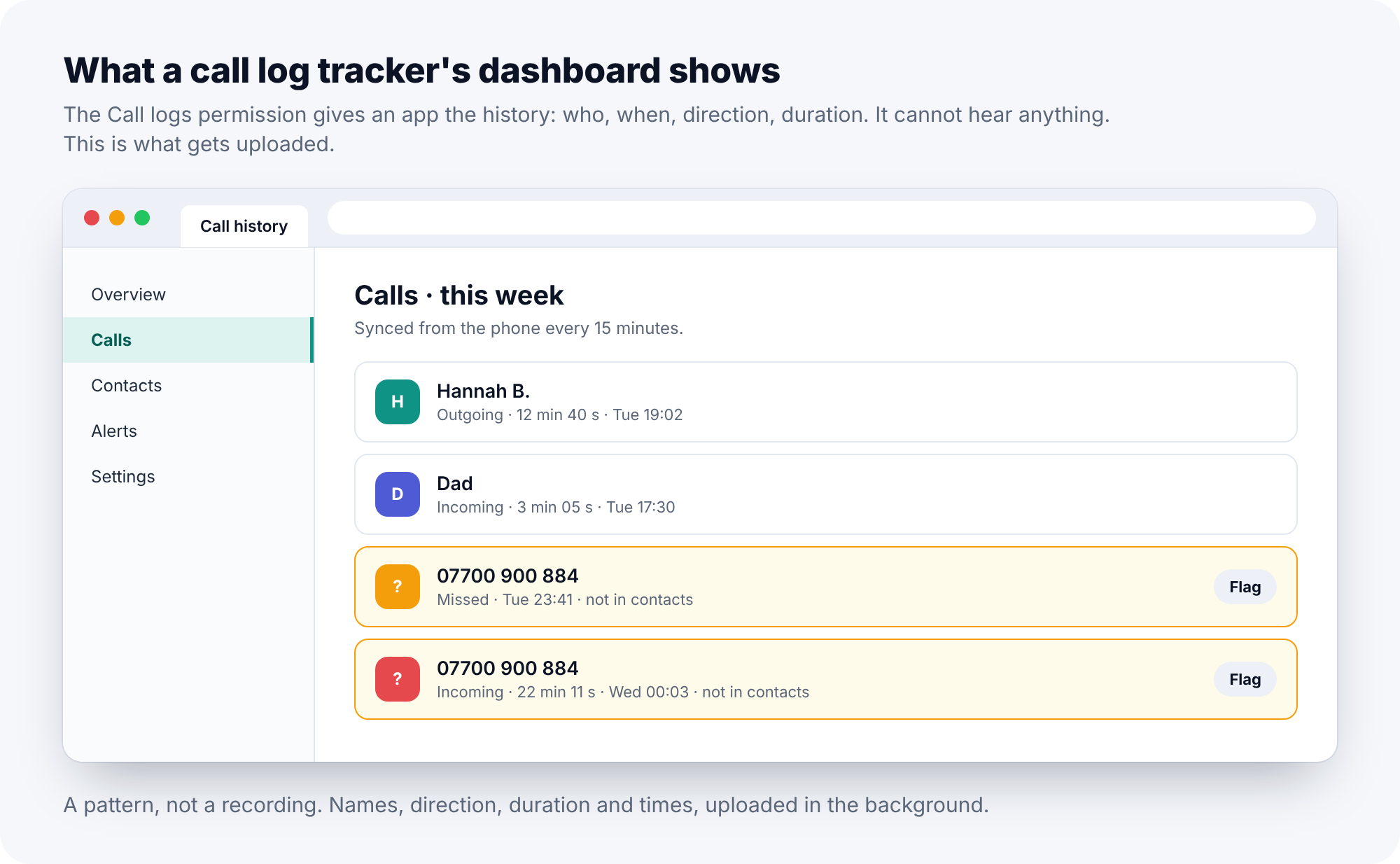
Google Play has restricted the Call logs permission since 2019 to apps whose core purpose genuinely needs it, which in practice means dialler apps, a few call-blocking apps, and not much else. A call log tracker therefore almost always arrives as a downloaded file rather than from the store, and has no Play Store listing, which makes it one of the easiest things in this guide to check.
How to detect a call log tracker
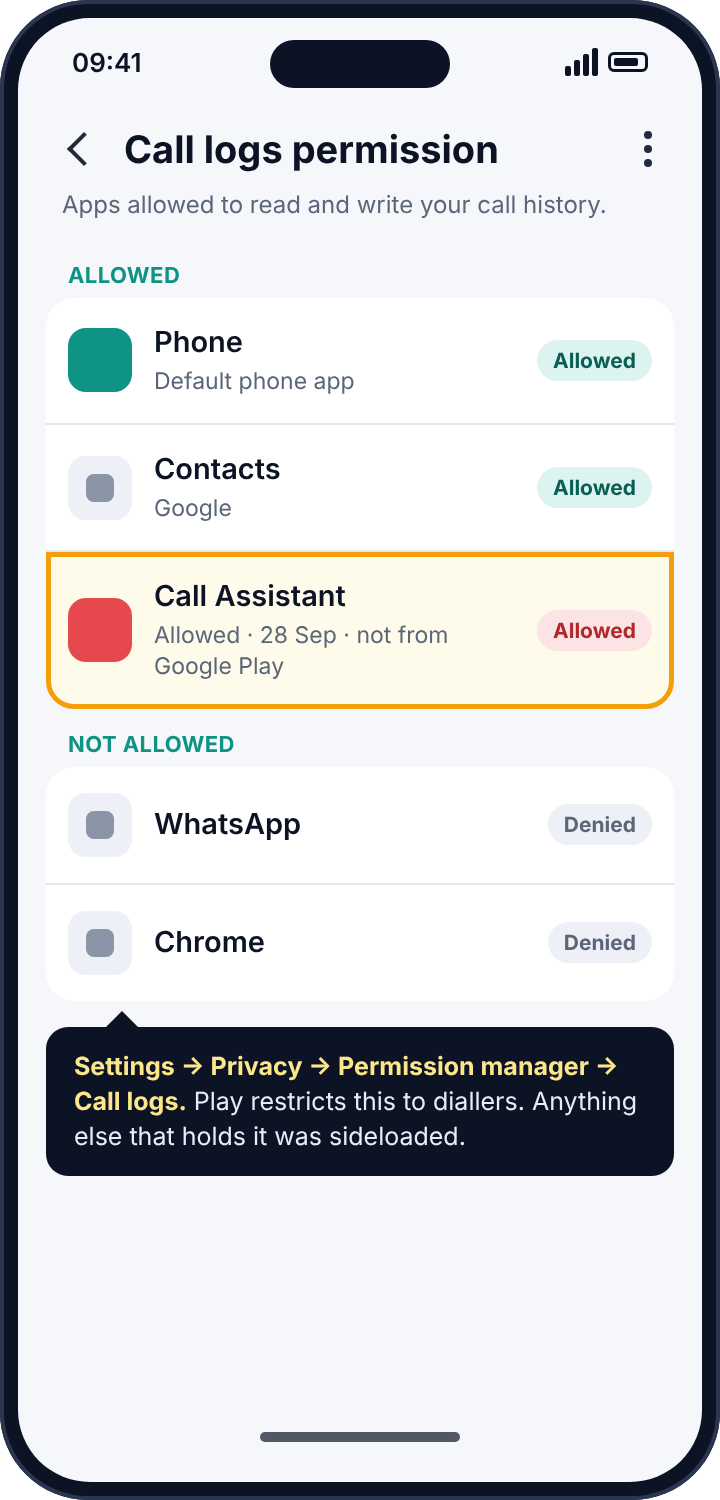
Open Settings, Privacy, Permission manager, then Call logs (on some phones it sits inside Phone). Each app allowed to read the call history is listed. Your dialler belongs there. A contacts backup app might. A call-screening app might. Anything you cannot name the purpose of, tap through to App info, and look at the install date and whether there is a “View in Play Store” option. Its absence means the app was sideloaded, and an app that needed to be sideloaded to get the call log is an app the Play Store would not carry.
How to remove it
Revoke the permission on that screen, then uninstall the app from Settings, Apps. If the uninstall button is disabled, go to Settings, Security, Device admin apps, deactivate it there, and try again. Then run Play Protect (Play Store, profile picture, Play Protect, Scan), which recognises most known stalkerware and will offer to remove anything it finds.
Call forwarding at the network
Mobile networks let a line forward calls: always, when busy, when unanswered, or when unreachable. The rule lives on the network rather than the phone. Set to “always”, your phone never rings and the other number takes the call. Set to “when unreachable”, another number takes calls whenever your phone is off or out of signal, which is normally your voicemail but can be anything, and it is a quiet way to collect calls overnight while the phone charges. Someone who had your phone for a minute, or who controls the carrier account the phone is on, can set these rules without installing a thing.
How to detect call forwarding
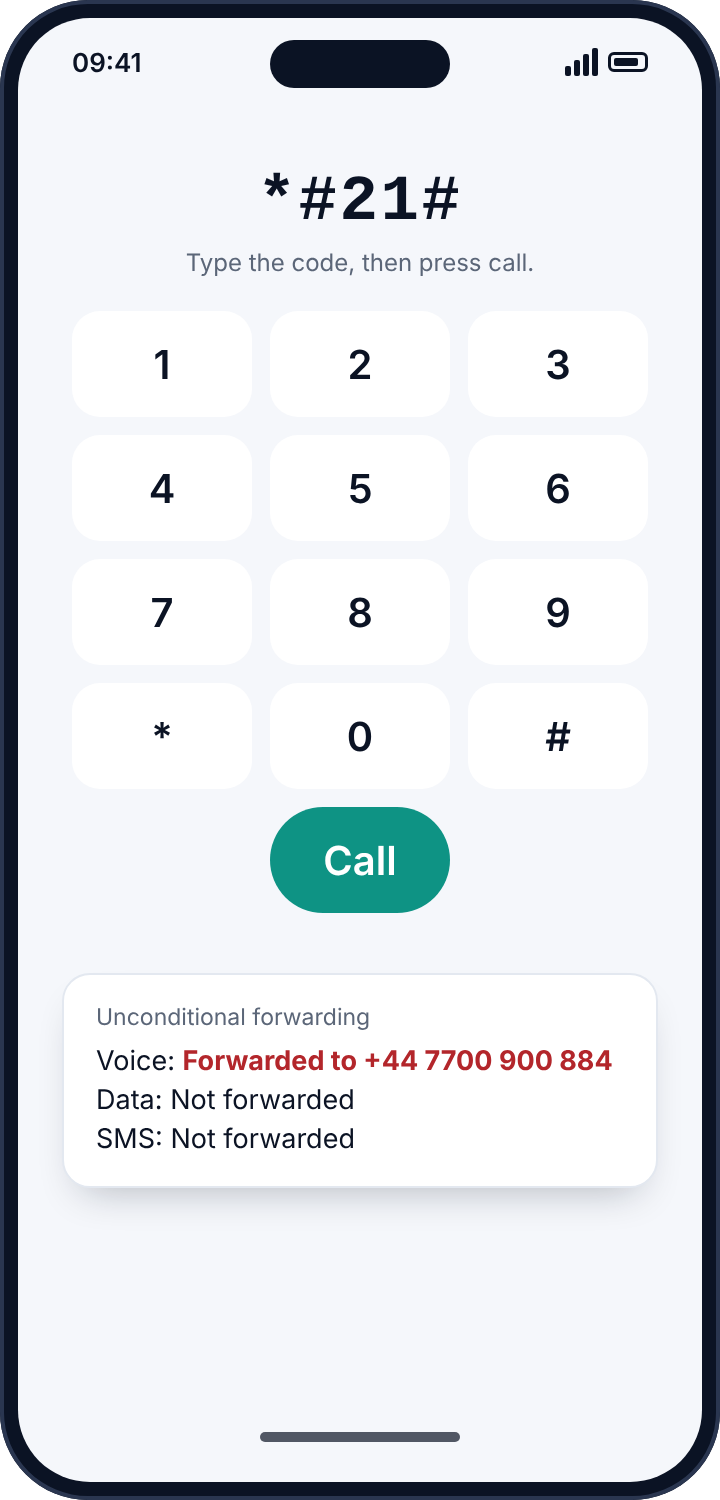
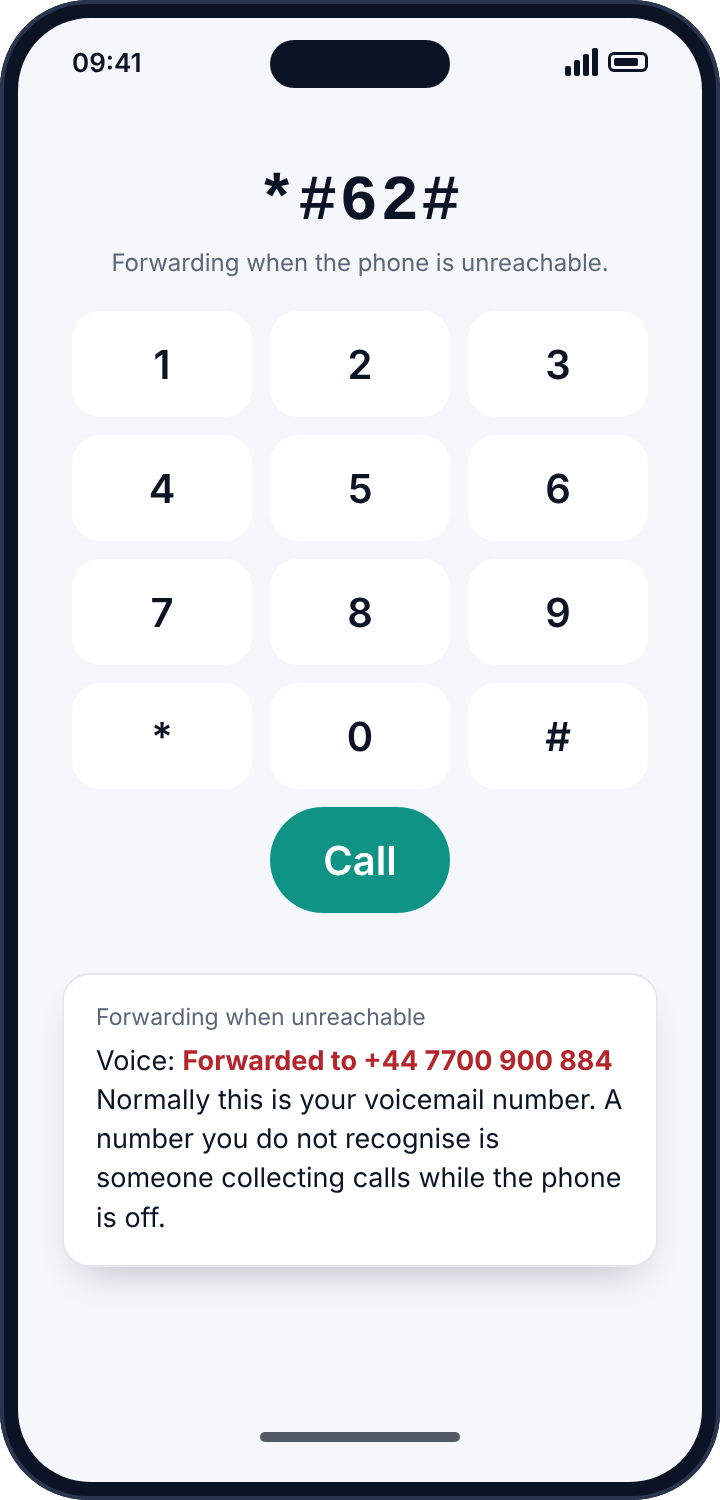
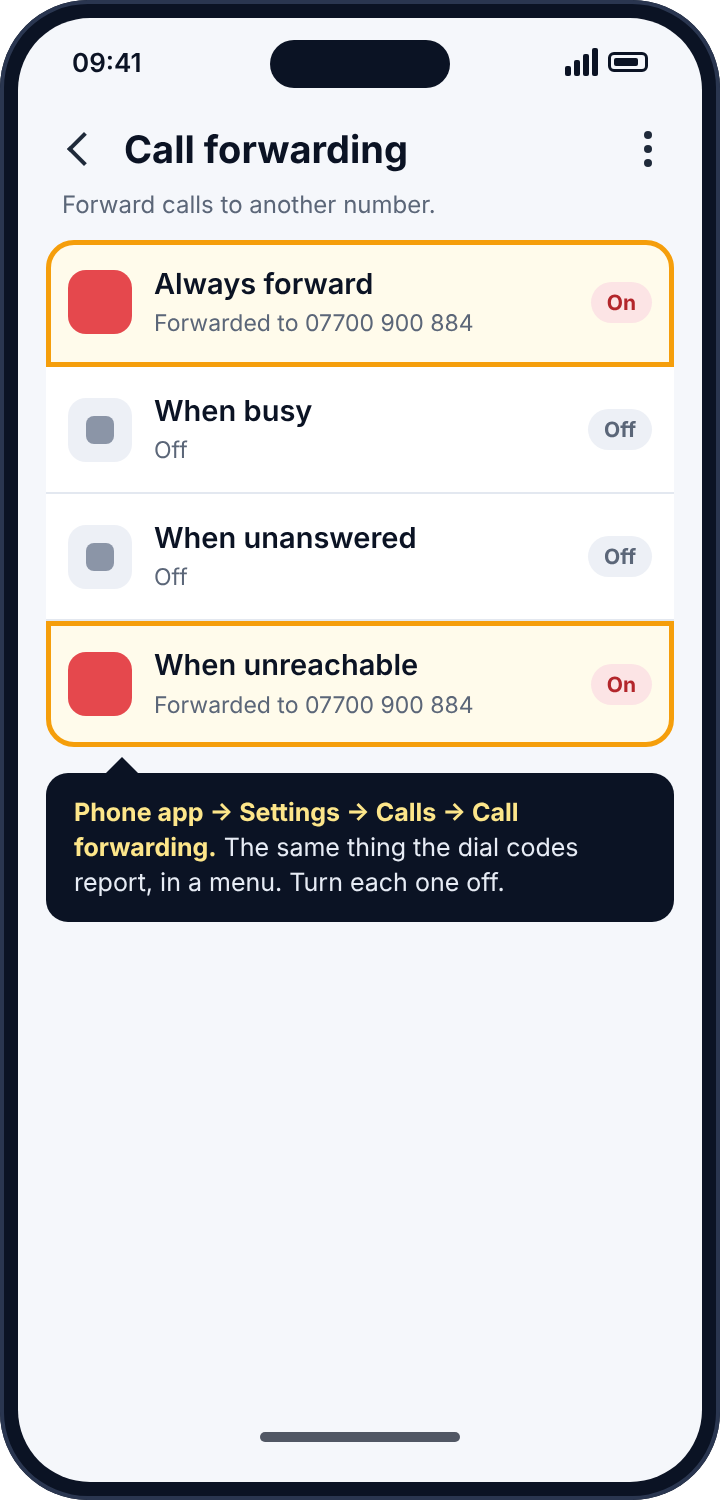
Open the dialler and type *#21#, then press call. Instead of ringing, the network replies on screen with the status of unconditional forwarding for voice, data and SMS. Then try *#61#, which reports forwarding when unanswered; *#62#, when unreachable; and *#67#, when busy. These are GSM codes that work on most networks worldwide. The “when unreachable” one deserves a careful look, because it normally points at your own voicemail number, and most people do not know what their voicemail number looks like; a number that does not match the pattern of your carrier’s voicemail is somebody collecting calls while the phone is off.
If your carrier blocks the codes, the phone’s own settings show the same information for voice: open the Phone app, Settings, Calls (or Supplementary services), Call forwarding. And if the line is on a plan you do not control, the account holder’s portal may show forwarding and “simultaneous ring” features that were added from there.
How to remove it
Dial ##002# and press call to cancel every forwarding rule on the line at once; the network confirms on screen. Or switch each rule off in the phone’s call-forwarding settings. If forwarding returns after you cancel it, someone with access to the handset or the account is re-enabling it, and the lock screen code or the carrier account password is the thing to change next.
Call recorders
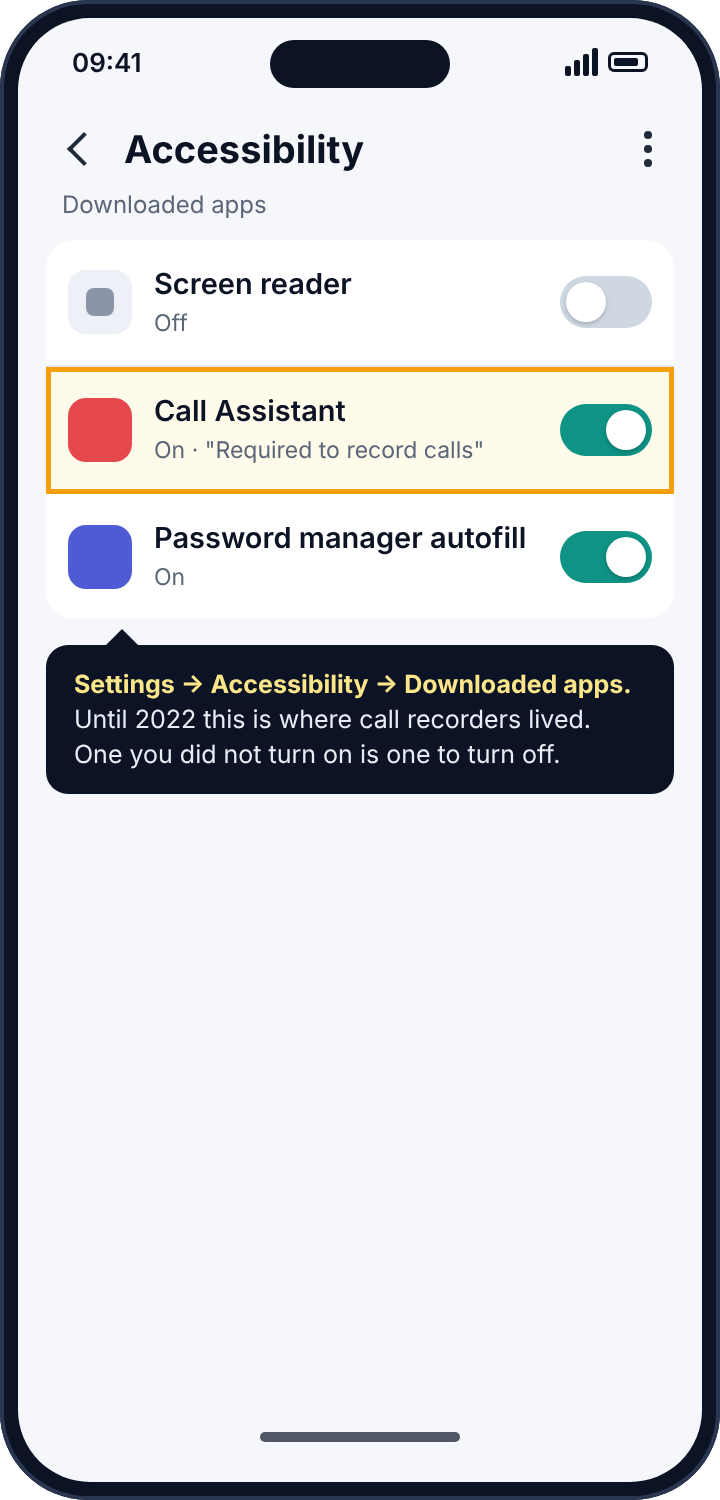
This is the part Android has changed most, and the part where the old advice is most out of date. Up to Android 9, an app could record calls through the microphone. Android 10 blocked that. For a couple of years apps worked around the block through the accessibility service, which can capture audio as a side effect of its screen-reading powers, and in May 2022 Google banned that use in Play Store apps outright. Today, on a current phone, third-party call recording from an app installed in the ordinary way largely does not work, and the apps still advertising it are mostly broken, sideloaded, or both.
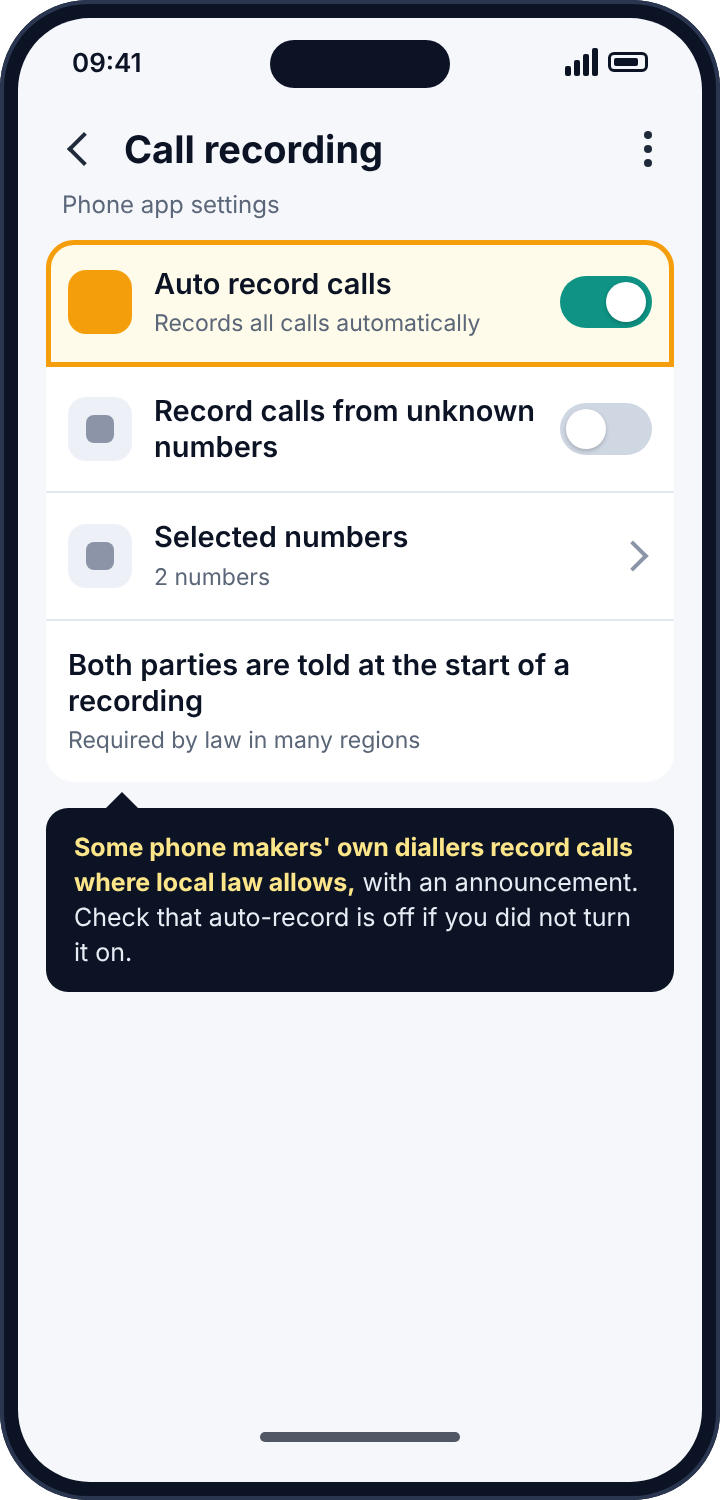
What still records calls: the phone maker’s own dialler in some countries and on some models, where local law allows it and with an announcement to both parties; speakerphone and a second device, which is not a tracker but is how most “recordings” of calls actually get made; and, on a rooted phone, anything at all. If a recording of your call exists and you are on a normal, unrooted, current phone, it is far more likely to have been made at the other end of the call than on your phone.
How to detect a call recorder
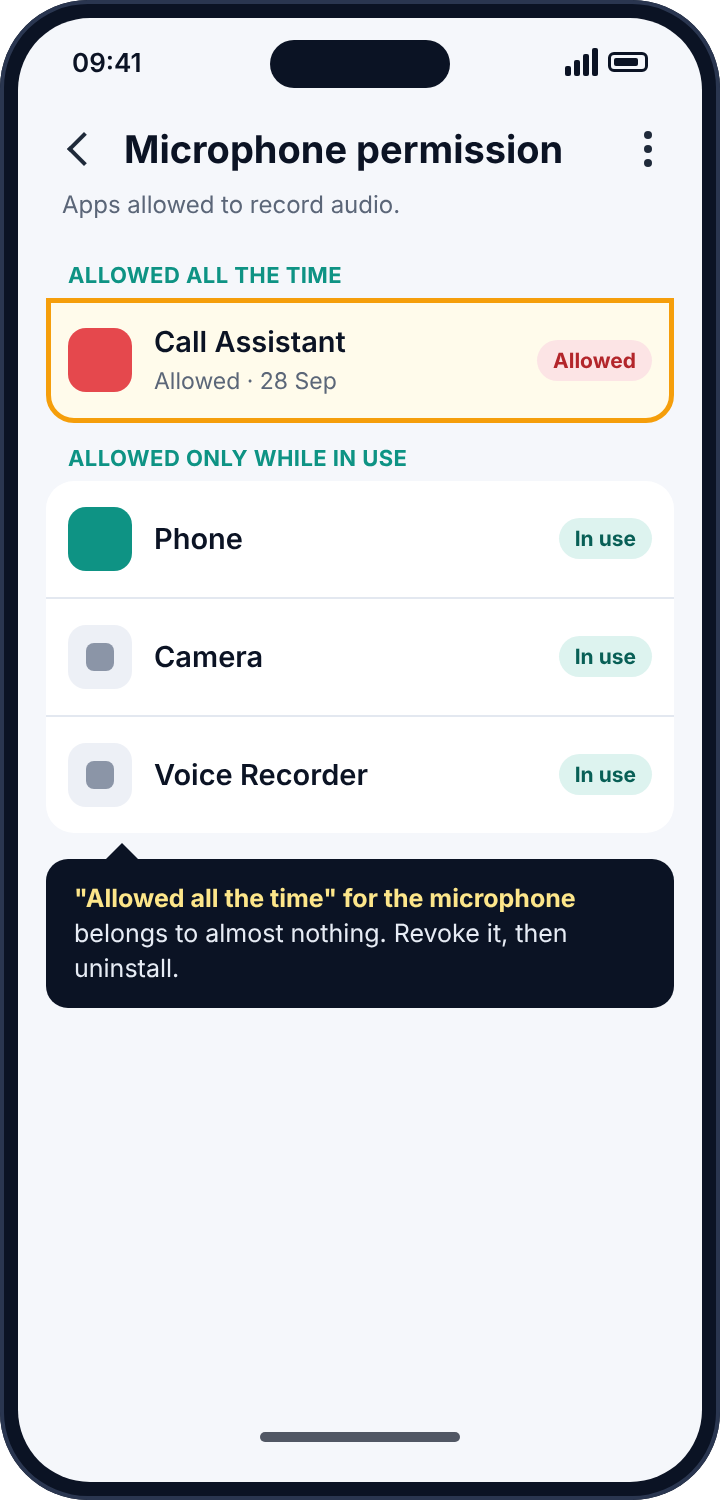
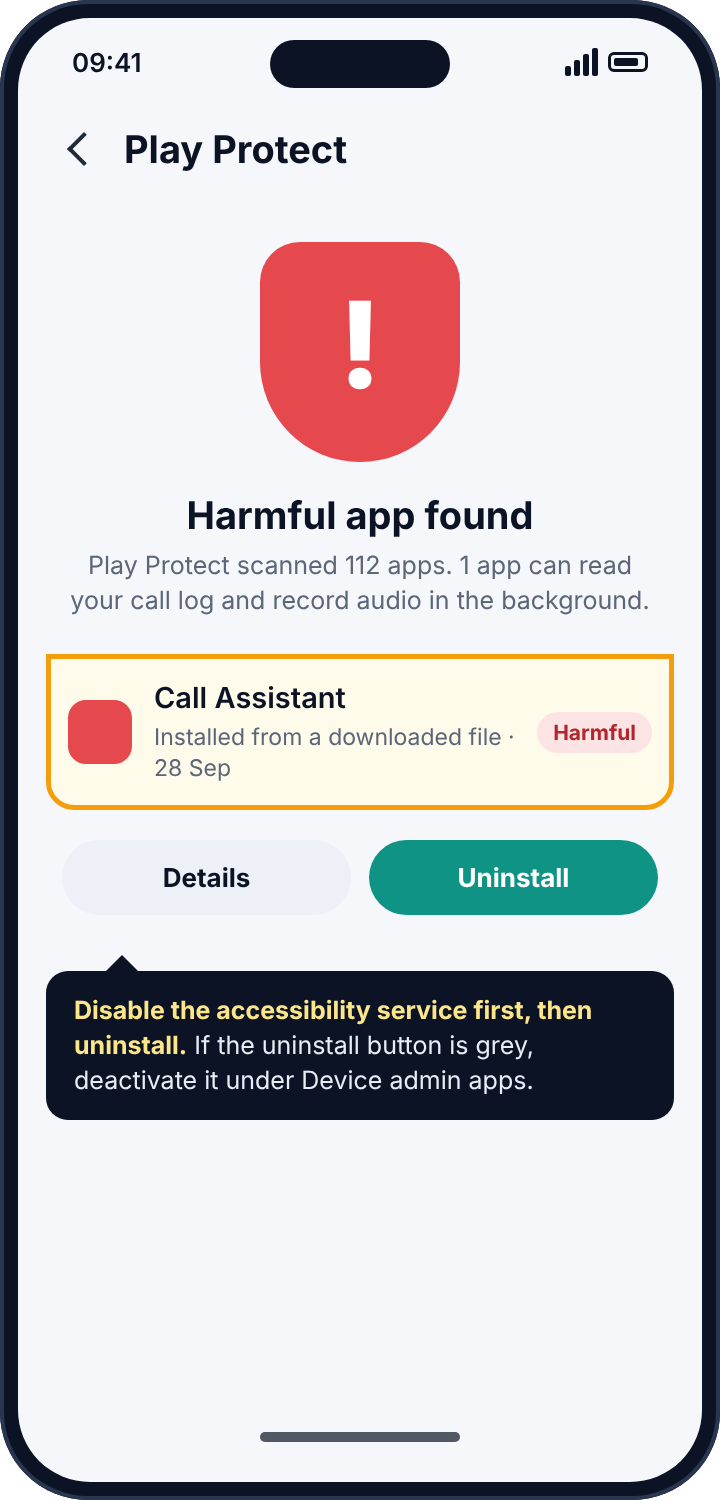
Three screens. Settings, Accessibility, and look under Installed or Downloaded apps for any accessibility service you did not knowingly enable; this is where the pre-2022 recorders lived and where sideloaded ones still try to. Settings, Privacy, Permission manager, Microphone, which shows every app allowed to record audio and whether it is allowed all the time or only while in use; “allowed all the time” for the microphone belongs to almost nothing. And your own dialler’s settings, to check whether auto-recording is on; on Samsung phones it is under Phone, Settings, Record calls, and on Google’s Phone app it appears only in regions where it is permitted.
How to remove it
Disable the accessibility service first; some of these apps use that service to click away attempts to uninstall them. Revoke the microphone permission. Then uninstall the app, deactivating it under Device admin apps first if the uninstall button is grey. Turn off auto-recording in the dialler. If you have reason to think the phone may be rooted, which an ordinary user does not do by accident, a factory reset is the only reliable answer, after backing up photos.
The screens in order, and what each one rules out
Because there are three kinds of call tracker and five or six screens between them, it helps to think of the check as a sequence where each screen rules something out. The Call logs permission list rules out a log tracker on the phone: if only the dialler is there, nothing on the handset is reading the history. The four dial codes rule out network forwarding: if every reply says not forwarded, or names only the carrier’s own voicemail, no calls are going elsewhere. The accessibility list and the microphone permission list rule out a recorder on the phone: if nothing you did not enable is there, nothing on the handset can hear a call. And the dialler’s own settings rule out the one legitimate recorder, the manufacturer’s. On an iPhone, the Apple ID device list replaces the first of those and the rest are the same.
Done in that order, the whole pass takes about ten minutes and ends with a clean sheet or a specific finding. The clean sheet is worth having, because the alternative explanation for someone knowing about a call is usually the simplest one: the person at the other end of it told them.
Is any of this legal?
Reading the call log on your own phone is obviously fine. Reading someone else’s without their knowledge is unlawful in most places, with the usual exception of a parent and their own minor child. Forwarding another adult’s calls without consent is interception, and interception is a crime almost everywhere. Call recording has its own rules, and they vary: many US states and most of Europe require everyone on the call to consent, some US states require only one party, and recording a call you are not a party to is unlawful in essentially every jurisdiction. This is general information rather than legal advice, but the direction is not hard to read. A tool that records other people’s calls is a tool for breaking the law, whatever the box says, and the law tends to reach the person who installed it rather than the company that sold it.
The iPhone note
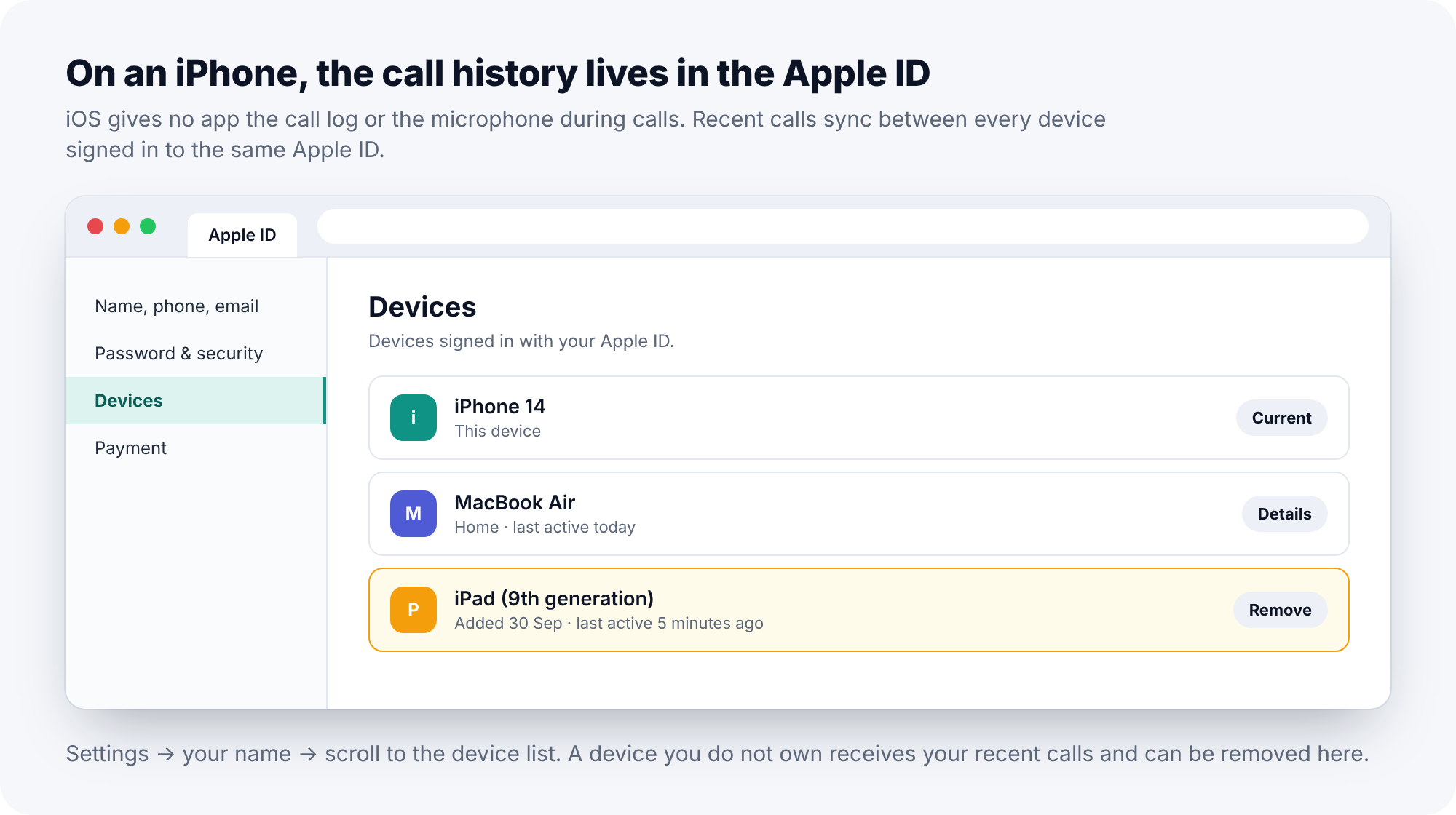
iOS does not let apps read the call log or record calls. There is no permission for either, and no accessibility route around it. A “call tracker” for an unjailbroken iPhone works through the Apple ID, which syncs recent calls between every device signed in to it, so an iPad or a Mac signed in with your Apple ID sees your recent calls as a matter of course. The check on iPhone is Settings, your name, and the device list at the bottom, where a device you do not own can be removed. Carrier forwarding applies to iPhones exactly as above, and the same dial codes work in the Phone app.
Reading a forwarding reply in practice
The dial codes are reliable, but their replies take a little reading. The clean result from *#21# is “Voice: Not forwarded. Data: Not forwarded. SMS: Not forwarded”, and most people get exactly that. The reply that needs thought is the one from *#62#, because it is normally not blank: unreachable calls go to voicemail, so the reply names a number, and the question is whether it is the right one. Carrier voicemail numbers tend to be short codes or numbers in a distinctive pattern; ringing the carrier and asking “what is your voicemail access number” settles it in a minute. If the reply names an ordinary mobile number instead, every call that arrived while the phone was off, flat or out of signal has been ringing there, and the voicemail greeting callers heard was not the carrier’s.
Concretely, that means the night-time calls, the ones that came while the phone charged, went to a mailbox the owner has never seen. Nobody installed anything, and no app on the phone would show it. ##002# cancels it, and the carrier can confirm on the call that the “when unreachable” rule now points back at their own voicemail. The whole check takes about ten minutes, most of them on hold.
What the carrier can and cannot tell you
Carriers are more useful here than people expect, and less useful in one specific way. They can read out every feature active on the line: forwarding rules, simultaneous ring, message copy, voicemail settings, and usually the date each one was changed. They can cancel any of them while you are on the phone. What most carriers will not tell you is who made the change, largely because they do not know; a rule set by dial code from the handset leaves no name behind, and a rule set from the account portal is attributed to the account holder. If the line is on an account you do not control, the practical advice stands: the durable fix is a line of your own.
Reading the symptoms
If someone knew who you called, think log tracker or, on iPhone, a device on the Apple ID. If callers tell you the phone rang out or went to voicemail when it was in your hand, or you receive calls late, think forwarding; “always forward” means your phone never rings at all. If your voicemail has been emptied or messages are missing, think “when unreachable” forwarding to a number that is not your voicemail. If someone quoted the content of a call, think speakerphone and a second device at the other end before you think of your own phone, unless the accessibility list shows something. And if the battery or data usage shows an app you do not recognise working in the background, look at the permission screens.
Parents, and what honest call monitoring looks like
For parents, the practical reality in 2026 is that call log monitoring needs an app installed outside Google Play, and call recording is not something a parental control app can do on a current phone, or should. A tool that offers either is working around rules that exist for good reasons. The questions that decide whether a call tracker is a parenting tool or a spying tool are whether the child can see it on the phone, whether the phone says what it reads, and whether you would accept your own calls being logged the same way by a company you had never heard of.
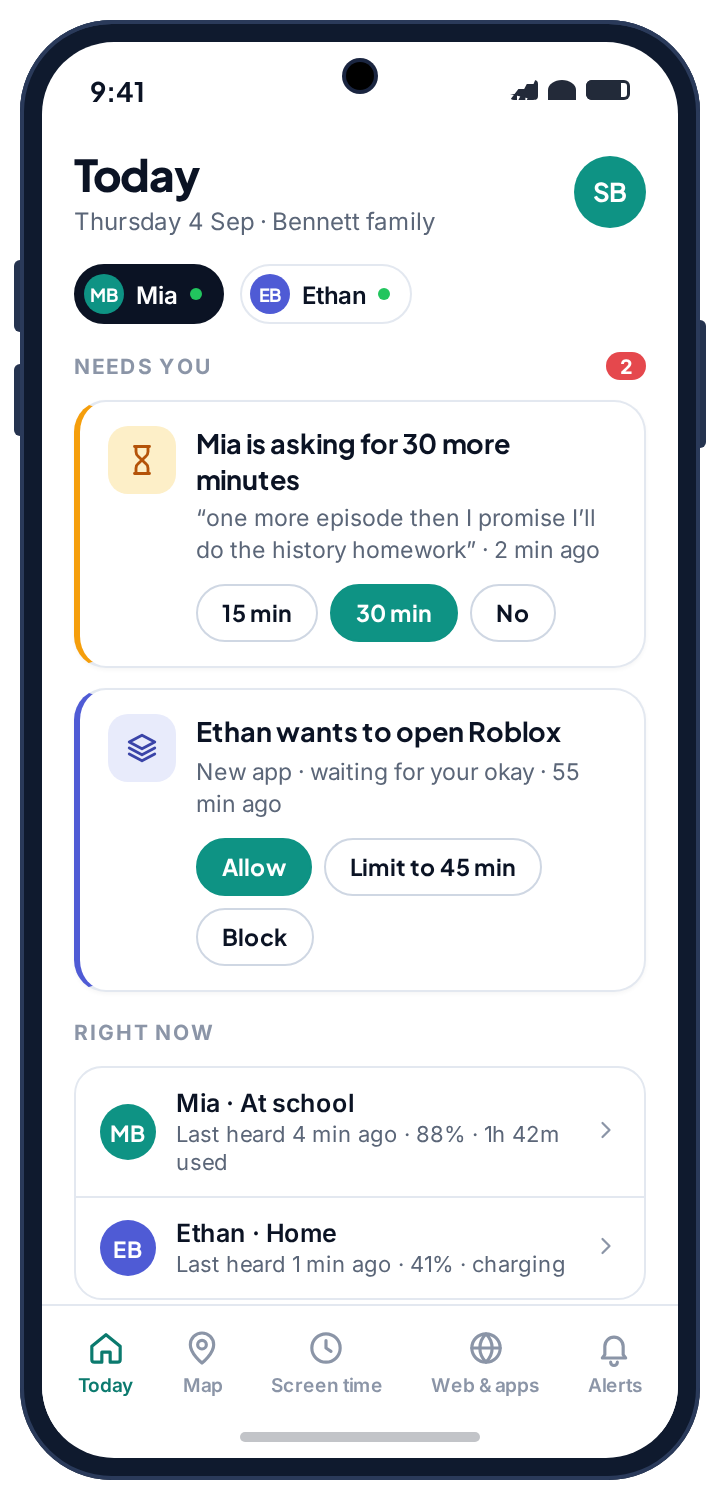
It is also worth being honest about what a call log gives you. The thing a parent actually wants to know, who the new number is, is usually a conversation rather than a log. We decided not to touch calls at all in our own app; it does not ask for the Phone or Call logs permissions, and the child’s phone says so under “never shared”. What it does instead, for the same underlying worry, is on the social alerts page, where a sender that is new to the phone is flagged from notifications without anyone reading a conversation, and on the location page, where a late-night call matters less when you already know the phone is at home. Neither involves a call log, and both are easier to explain to a teenager.
If the person behind it is someone close to you
Cancelling forwarding or removing an app will tell the person who set it up that you know, often within the day. If that person is a partner or an ex and you have any concern about how they will react, record what you found first: a photo of the dialler’s forwarding reply, screenshots of the permission lists. Then talk to a domestic abuse service with technology-safety advisers before you change anything; the Coalition Against Stalkerware keeps a list of such services by country. When you do act, do all three layers in one sitting.
Frequently asked questions
Can someone listen to my calls with an app?
On a current, unrooted Android phone, not through any app installed in the ordinary way. Android 10 blocked microphone recording during calls and Google banned the accessibility workaround in 2022. Recordings of your calls are almost always made at the other end.
Can a call tracker see my WhatsApp or Messenger calls?
No. Those are encrypted app calls, not phone calls, and they do not appear in the phone’s call log. A notification reader sees “Missed call” at most.
What is my voicemail forwarding number supposed to look like?
It varies by carrier, usually a short code or a number that resembles your own with a different prefix. If *#62# shows an ordinary mobile number, ring your carrier and ask what their voicemail number is.
Does ##002# cancel voicemail too?
It cancels all forwarding, including the rule that sends unanswered calls to voicemail. Re-enable voicemail afterwards from the phone’s call settings, or ask the carrier.
Can a parent legally log a child’s calls?
For their own minor child, on a phone they provide, in most places yes. That does not make a hidden log a good idea, and it does not make recording a child’s calls with a third party lawful.
Will a factory reset remove a call tracker?
It removes apps on the phone. It does not cancel forwarding, which lives at the network, and it does not remove devices from an Apple ID. Do those by hand.
The ten-minute version
Settings, Privacy, Permission manager, Call logs: revoke and uninstall anything you cannot account for. Dial *#21#, *#61#, *#62# and *#67# to read forwarding, and ##002# to cancel all of it. Settings, Accessibility: disable any service you did not knowingly turn on. Permission manager, Microphone: revoke “all the time” from anything that does not need to hear you. Your dialler’s settings: auto-record off. Device admin apps: deactivate anything you do not recognise, then uninstall it. Play Protect scan, a new lock screen code, and a new carrier account password if the account is yours. Three kinds of call tracker, three places to look, and none of them survives the list.
Related guides
Android Keylogger Detection: The Two Settings Lists Where One Has to Hide, and How to Remove It
Android keylogger guide: a phone keylogger is an accessibility service or a keyboard. Where each hides, the symptoms, removal steps,…
Who Can See Your Phone Contacts? Shared Accounts, Sync and the Apps That Upload Your Address Book
Who can see your phone contacts: shared Google accounts, forgotten sync, and apps that upload your address book. Where to…
SMS Tracker Detection: How to Find One on the Phone, at the Network or in a Paired Web Client, and Remove It
SMS tracker guide: how texts get read by an app, a forwarding rule or a paired web client, the screens…
Parental controls your child can see
Location, screen time limits, a web filter and alerts from notifications — free, and visible on your child's phone. Pair a phone in about ten minutes.
Android · Free to set up · Visible on your child's phone