Most parents do not want to scroll their child's entire camera roll. They want a nudge when something is actually off. That gap is what flagged photos is built to close. This page explains how the view works, what a flag does and does not tell you, and where the honest limits sit.
What photo monitoring flags, and what it does not
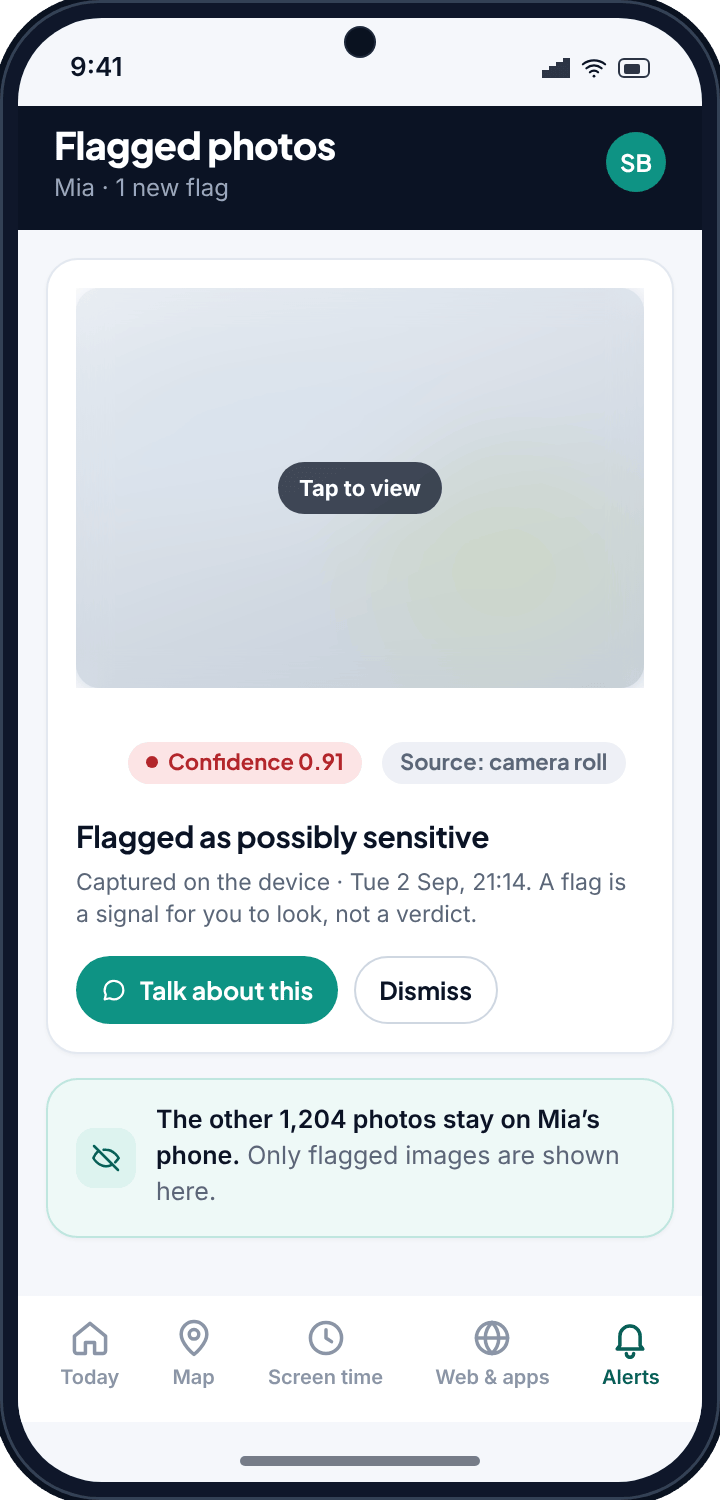
A flag is a signal. TheTruthSpy's scanner looks at the photos stored on the child's phone and picks out images that match patterns it is trained to treat as sensitive. When it finds one, it creates a flag in your panel: the image, a confidence score, and the source, such as the camera roll.
A flag is deliberately not a verdict. The scanner is software making a probability call, not a person who understands context. A high score means “this is worth your eyes”, not “your child has done something wrong”. Sometimes the concerning-looking image is a screenshot from a film, a meme, a medical photo or an art project. The tool's job is to route your attention. Yours is to decide what it means.
A typical flag reads: Flagged as possibly sensitive · confidence 0.91 · source: camera roll · captured on the device, Tuesday 21:14. The score tells you the scanner is fairly sure the image belongs in the sensitive category. It does not tell you who sent it, why it is there, or whether your child even knows it exists. Those answers come from talking, which is the point.
How the photo monitoring confidence score works
Every flag carries a number between 0 and 1. The closer to 1, the more strongly the scanner believes the image matches what it flags. As a rough guide:
- A score around 0.9 and above is a strong signal. These are the flags worth opening first.
- A score in the middle range is a maybe. Glance at it; it may be nothing.
- Lower-scoring images generally do not surface at all, which keeps your panel from filling with noise.
Scores exist so you can triage. If three photos get flagged in a week, you look at the 0.91 before the 0.62. It is the same instinct a smoke alarm relies on: the loud, confident alert gets your attention first, and you check whether there is actually a fire.
No scanner scores perfectly. Every image-detection tool you will read about makes bold accuracy claims, and you should treat all of them, including ours, with healthy doubt. False positives happen. So do misses. The score is a helpful way to sort, not a guarantee.
Why you see flagged photos, not the whole gallery
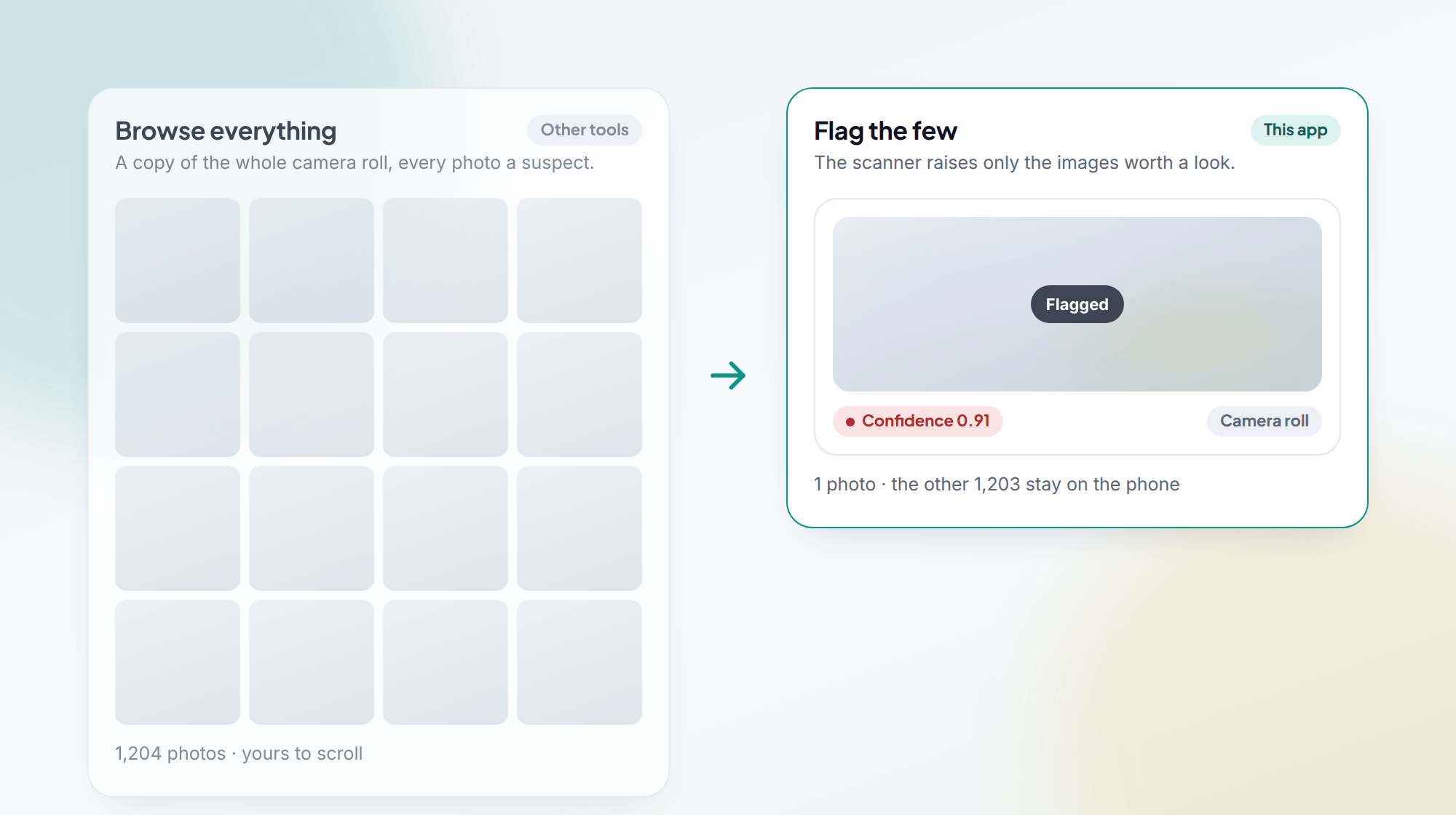
This is the design decision that shapes everything else. TheTruthSpy could, technically, mirror the entire camera roll into your panel. It does not, on purpose.
When you open flagged photos, you see the images the scanner raised and nothing more. The ordinary photos — the dog, the lunch, the friends at the park — stay on the phone where they belong. Your child keeps a private life. You keep a way to catch the rare thing that matters.
That balance is the whole argument for this feature. A tool that copies everything treats every child as a suspect and every photo as evidence. A tool that surfaces only the flagged few respects the relationship while still watching the edges. It is the difference between reading a diary and being told “there is a page you should probably see”.
It also happens to be more useful. Nobody has time to scroll a thousand images looking for a problem. Being handed the three that a scanner thought were worth flagging is a far better use of a busy parent's evening.
What the photo monitoring app needs on Android
- The direct download rather than the Play Store version — the scanner is not shipped through Google Play for this category.
- The photos and media permission granted on the child's device. Without it, the scanner cannot see any images to check.
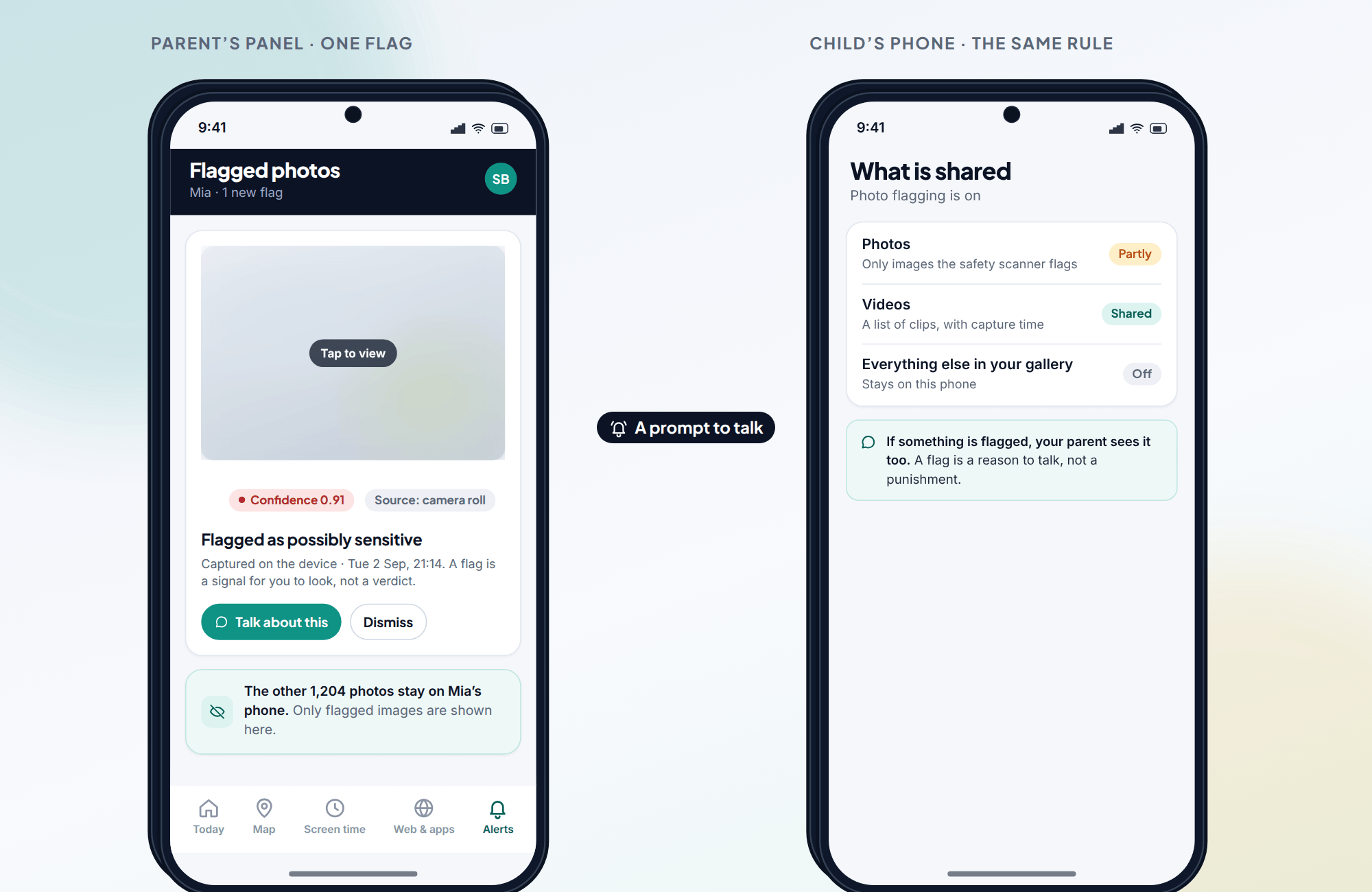
- The app stays visible. Your child can open it and see that photo flagging is on and what is shared.
- Setting it up is free.
The visibility matters more than it might seem. When a scanner runs out in the open, the whole thing becomes a shared agreement rather than a secret. That is easier to defend to your child, and it is the version of monitoring that tends to survive the teenage years intact.
What to do when the app flags a photo
A flag lands. Before anything else, take a breath. The score is high, the image looks concerning, and your instinct is to react. Slow down, because your first move sets the tone for everything after.
- Open the flag and look properly. Confirm what you are actually seeing rather than what you assumed from the alert.
- Check the source. A camera-roll image your child took or saved reads differently from one that arrived some other way.
- Assume there is an explanation you do not have yet. There usually is.
- Start a conversation, not an interrogation. “I saw something come up and I want to understand it” opens a door. “What is this?” slams one.
- If it turns out to be nothing, say so plainly. Trust is built by being fair when the alarm was false, not only when it was real.
The feature earns its keep in that conversation. A flag is a prompt to talk. It gives you a reason and a starting point; the rest is parenting, which no scanner can do for you.
The features you will actually open every week
Photo flagging is a safety net. It can sit quiet for months and matter once. The features most parents open week to week are location and screen time.
Its closest sibling is the video index, which lists saved clips without scanning them. Remote photo requests work differently: nothing is taken until you ask, and the child's phone shows the request.
Photo monitoring: common questions
Does TheTruthSpy copy all my child's photos to my panel?
No. You see flagged images only. Ordinary photos stay on the child's device. The feature is built to surface the few images worth a look, not to mirror the gallery.
What does the confidence score mean?
It is the scanner's estimate, from 0 to 1, of how strongly an image matches what it flags. A 0.91 is a strong signal worth opening first. It is a sort order for your attention, not a measure of guilt.
Can the scanner be wrong?
Yes. No automated image scanner is perfect. It will occasionally flag something harmless, like a screenshot or an art project, and it can miss things too. Treat every flag as a reason to look and talk, never as a final verdict.
Where does the scanning happen?
On the phone. Only images that score above the cut-off are uploaded to your panel; everything else never leaves the device.
Will my child know photo flagging is on?
Yes. TheTruthSpy is visible on the phone and lists what it shares. Your child can open the app and see that flagged photos is active.