Recording Phone Calls on Android: Built-In Options and the Law

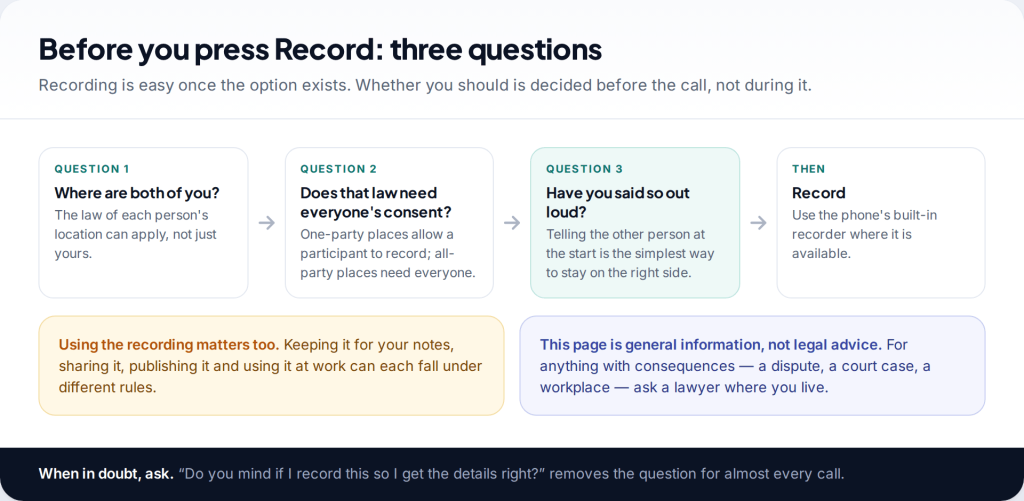
Two opposite myths surround call recording: that it’s always illegal, and that recording your own call is always fine. Neither is true everywhere. To record a phone call on Android, use the built-in recorder in the Google Phone app or Samsung’s Phone app, where your phone, carrier and country support it. Whether you may do it depends on consent law where each of you is.
- Google Phone app: tap Record during a call (on Pixel, Call Assist › Call recording). Google says both people hear that the call is being recorded.
- Samsung Phone app: Settings › Record calls, and a record option during the call, in regions where Samsung includes it.
- The law comes first. Some places let any participant record; others need everyone’s consent. Telling the other person at the start covers you almost everywhere.
- No Record button? Usually your region, carrier or phone doesn’t support it. Third-party recorder apps rarely work on current Android.
Before you press Record
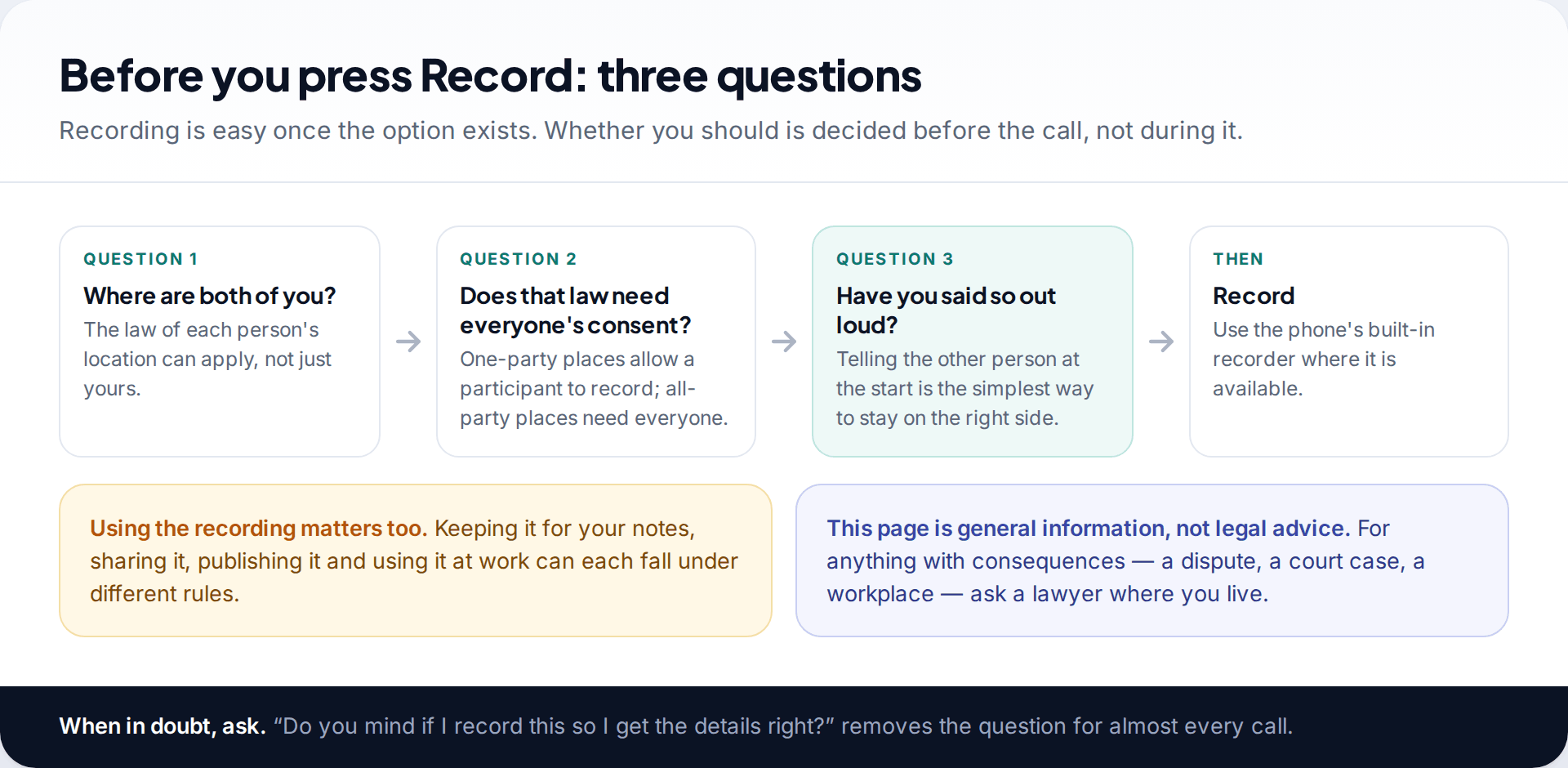
Recording a call takes one tap once the option is there. The part that needs thought is whether you’re allowed to, and that depends on where you and the other person are, not on which phone you use. It also depends on what you do with the recording afterwards: keeping notes for yourself, sharing it with others, posting it online and using it at work are treated differently in many places.
This page describes the rules in general terms, with examples. It isn’t legal advice. If a recording might end up in a dispute, a court or a workplace process, ask a lawyer in your country first.
One-party and all-party consent
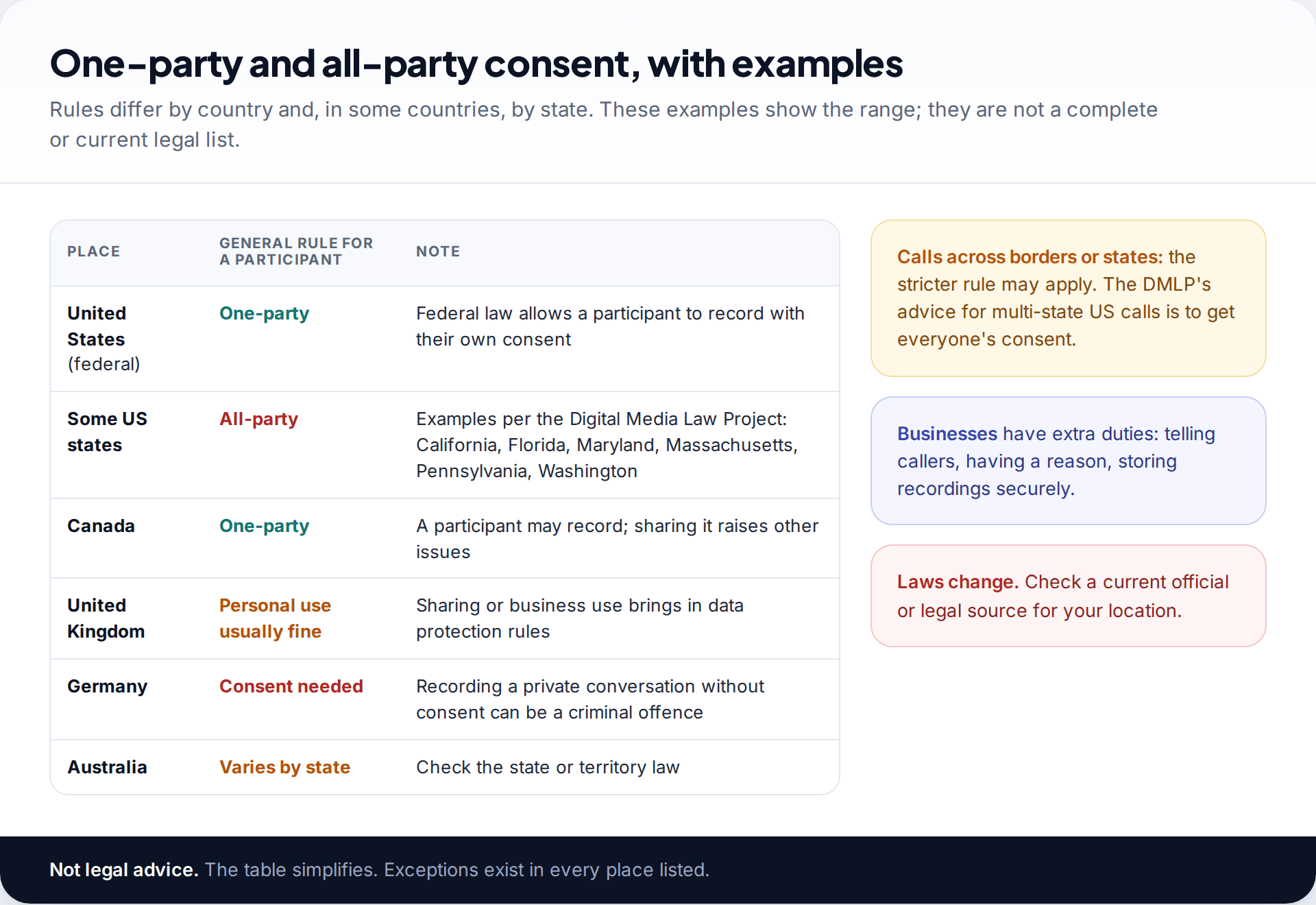
Most laws fall into one of two camps. Under one-party consent, a person taking part in a call can record it without telling the others, because their own consent is enough. Under all-party (sometimes called two-party) consent, everyone on the call must agree.
The United States shows how mixed this gets. Federal law is one-party, but a number of states require all parties’ consent. The Digital Media Law Project’s guide lists states including California, Florida, Maryland, Massachusetts, Pennsylvania and Washington. For calls between states, it suggests the safest course is to get everyone’s consent, because it’s hard to know in advance which law applies. Elsewhere, Canada generally lets a participant record. In Germany, recording a private conversation without consent can be a criminal offence. Australia’s rules differ by state and territory. In the UK, recording your own call for personal use is generally allowed, but sharing it or using it in a business brings in other rules, including data protection.
These examples are simplified and every one has exceptions. The practical rule that works nearly everywhere is simple: tell the other person you are recording, and get a yes.
How to record a phone call on Android with the Google Phone app
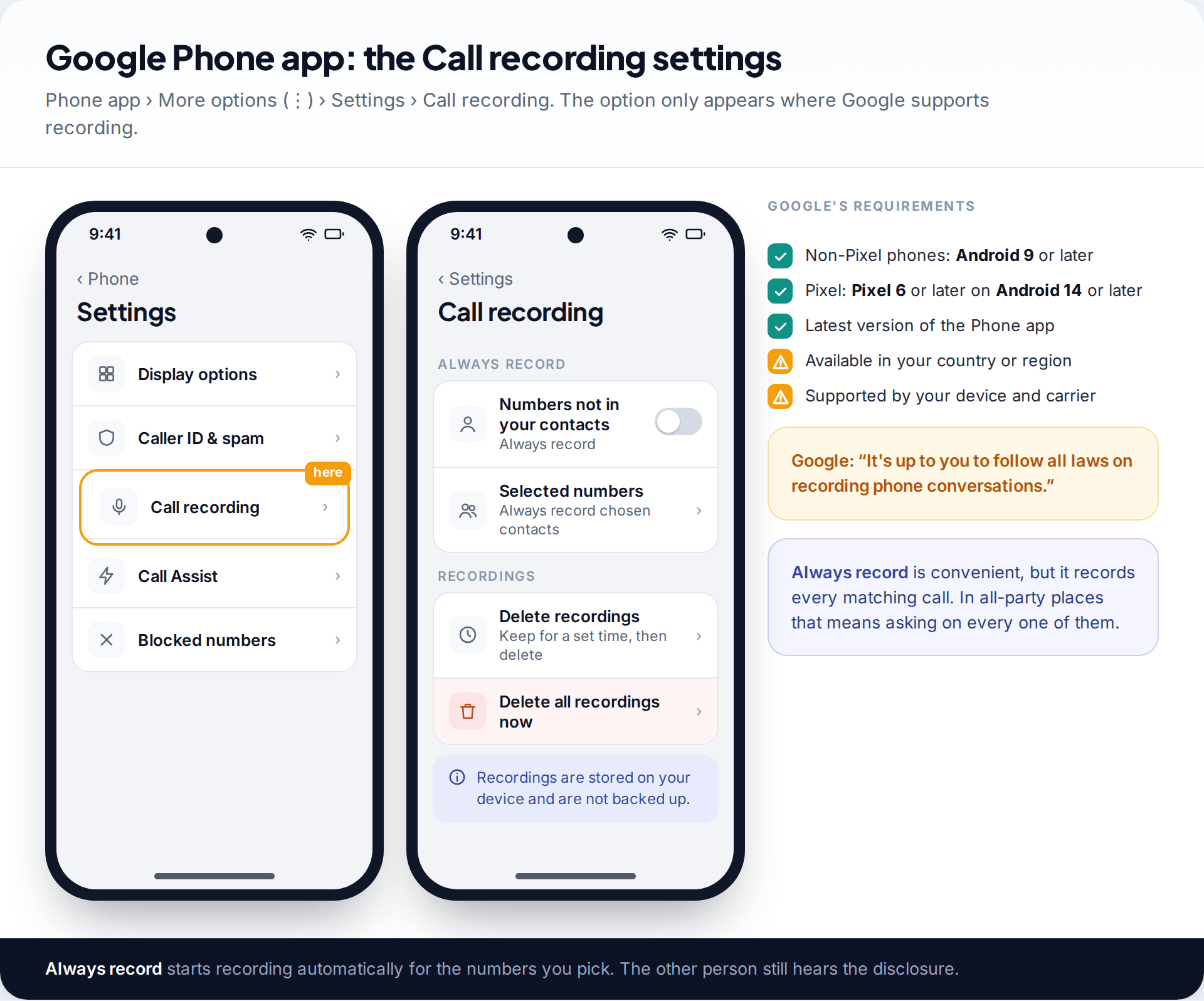
The Google Phone app is the dialler on Pixel phones and many other Android handsets. Google’s help lists the requirements: non-Pixel phones need Android 9 or later; Pixel phones need a Pixel 6 or later on Android 14 or later; the Phone app must be up to date; and recording is “widely available, but not in all countries or regions”. Only certain devices and carriers support it.
Where it’s available, the settings are at Phone app › More options (⋮) › Settings › Call recording. Here you can set Always record for numbers not in your contacts, or for selected contacts, and choose how long recordings are kept before they’re deleted automatically.
Recording during a call, and the announcement
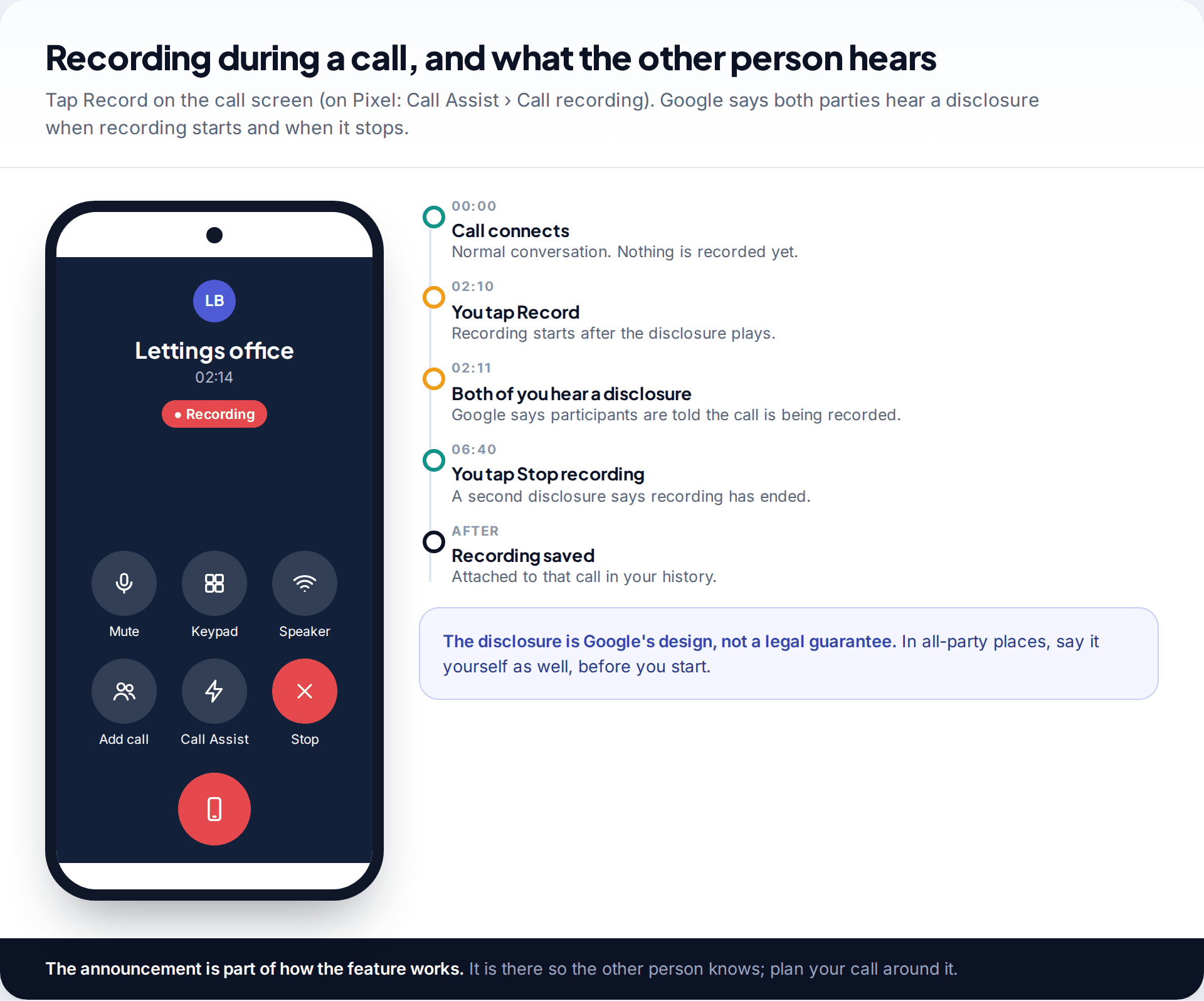
- Make or answer the call in the Phone app.
- On most phones, tap Record on the call screen. On a Pixel, tap Call Assist, then Call recording.
- To stop, tap Stop recording (on Pixel, Call Assist › Stop).
Google says both parties hear a disclosure that the call is being recorded when recording begins, and another when it ends. That’s by design: the feature is built so the other person knows. It helps, but it doesn’t settle every legal question. In an all-party place, or where you’re unsure, say it yourself at the start of the call as well, and wait for agreement before you tap Record.
Finding and managing your recordings
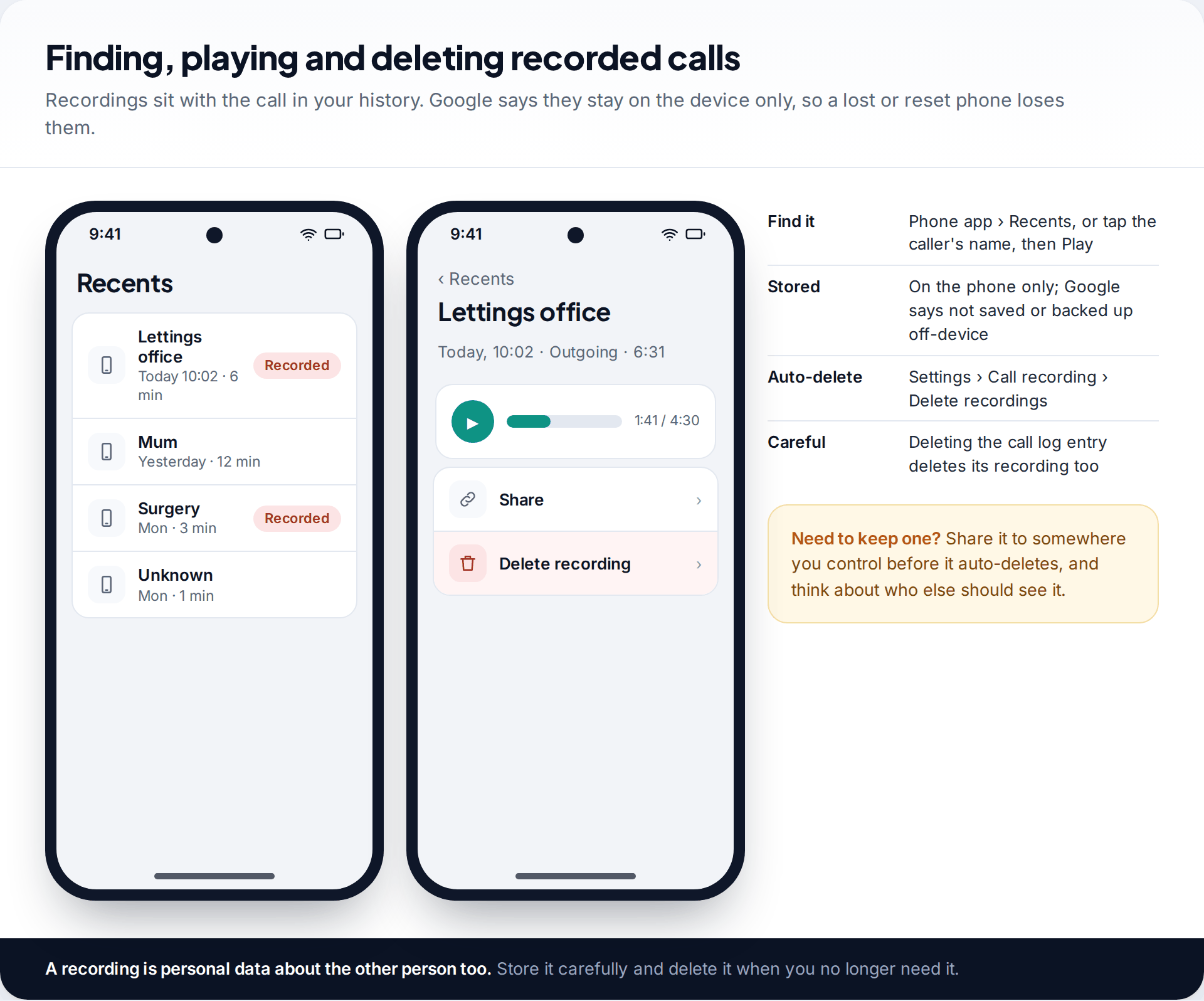
In the Google Phone app, recordings sit with the call itself. Open Recents, or tap the caller’s name, and play the recording from there. Google says recordings are stored on the device to keep them private, and aren’t saved or backed up off the phone. That means losing, resetting or replacing the phone loses them too.
Two settings matter. The auto-delete period, under Settings › Call recording › Delete recordings, removes recordings after the time you choose. And, according to Google, deleting a call from your call log also deletes its recording. If you need to keep one, share it to storage you control before either of those happens.
A recording also contains someone else’s voice and words. Store it carefully, share it only with people who need it, and delete it when you’re done.
Samsung’s built-in call recorder
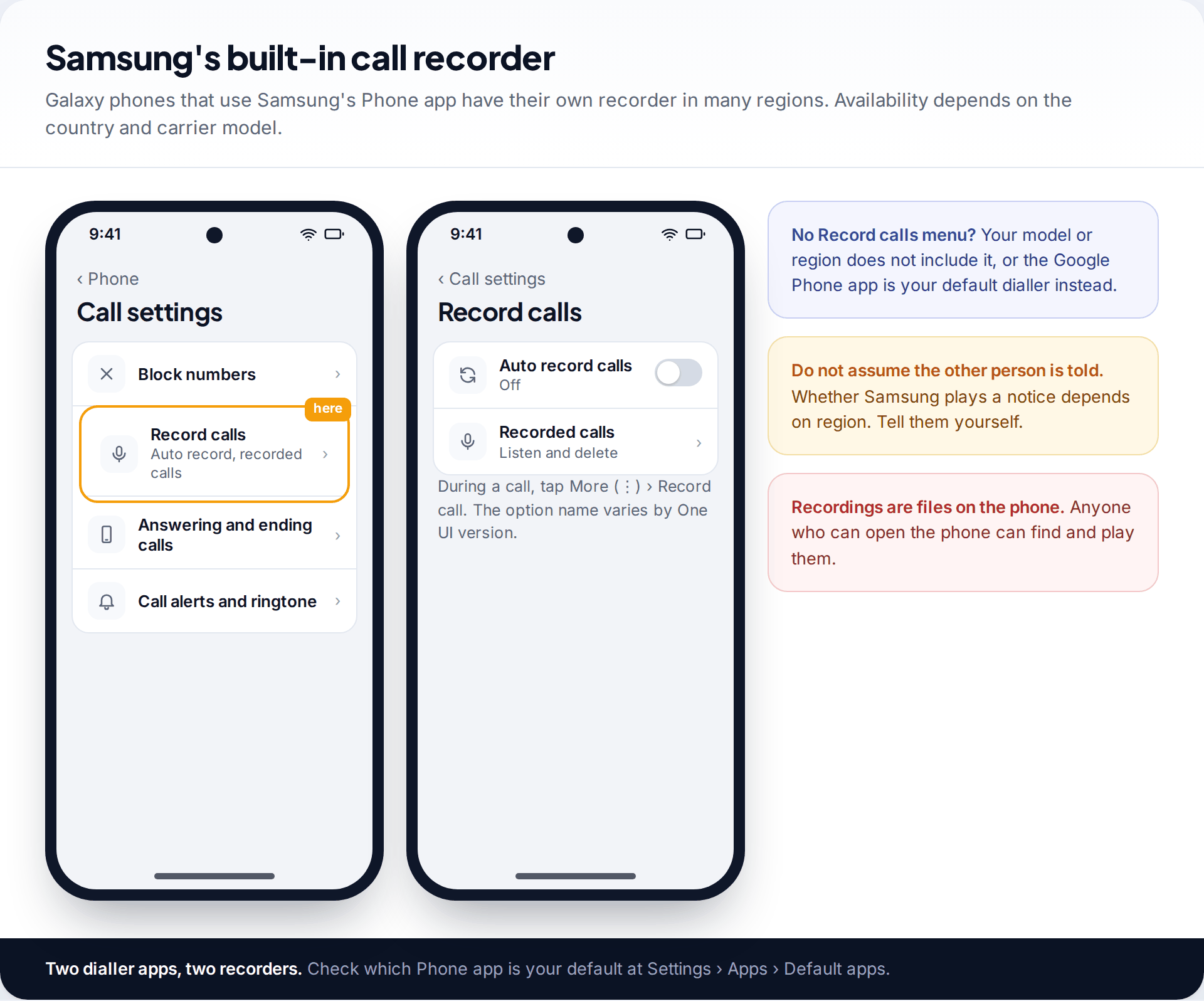
Galaxy phones that use Samsung’s own Phone app have a recorder in many regions. Look under the Phone app’s menu › Settings › Record calls, where you’ll find auto-recording and a list of recorded calls. During a call, the record option is on the call screen or under More (⋮). Samsung includes the feature in some markets and not others, and the labels vary with One UI versions.
Don’t assume Samsung’s recorder tells the other person. Whether it plays a notice varies by region, so make the announcement yourself. And remember which dialler you’re using: if Google’s Phone app is your default, Samsung’s recorder isn’t in play, and vice versa. Check at Settings › Apps › Default apps.
Why there’s no Record button
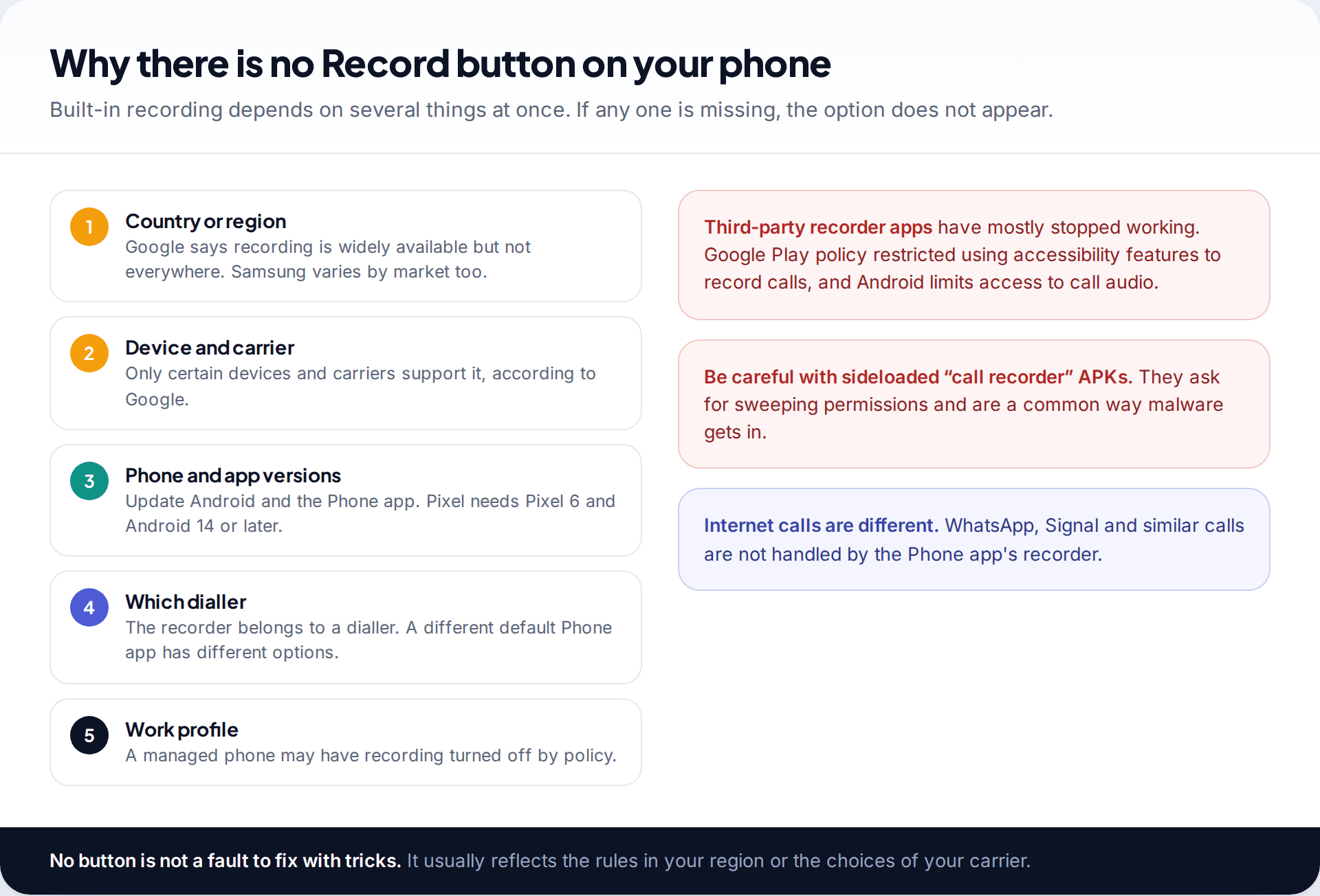
If you can’t find the option, work through the likely causes. Recording may not be offered in your country or on your carrier. Your phone may be too old for Google’s requirements, or not updated. You may be using a different default dialler from the one you’re reading about. On a work phone, an administrator can switch recording off.
Third-party “call recorder” apps used to fill the gap. Most no longer work on current Android, because Android restricts access to call audio and Google Play’s policies stopped apps using accessibility features to record calls. Be especially wary of recorder apps installed from outside the Play Store. They ask for sweeping permissions and are a common route for malware.
Don’t look for ways round the disclosure. The announcement is there so the other person knows they’re being recorded, which is exactly what consent laws care about. If a recording would only work if the other person didn’t know, that’s a strong sign you shouldn’t be making it.
Asking to record
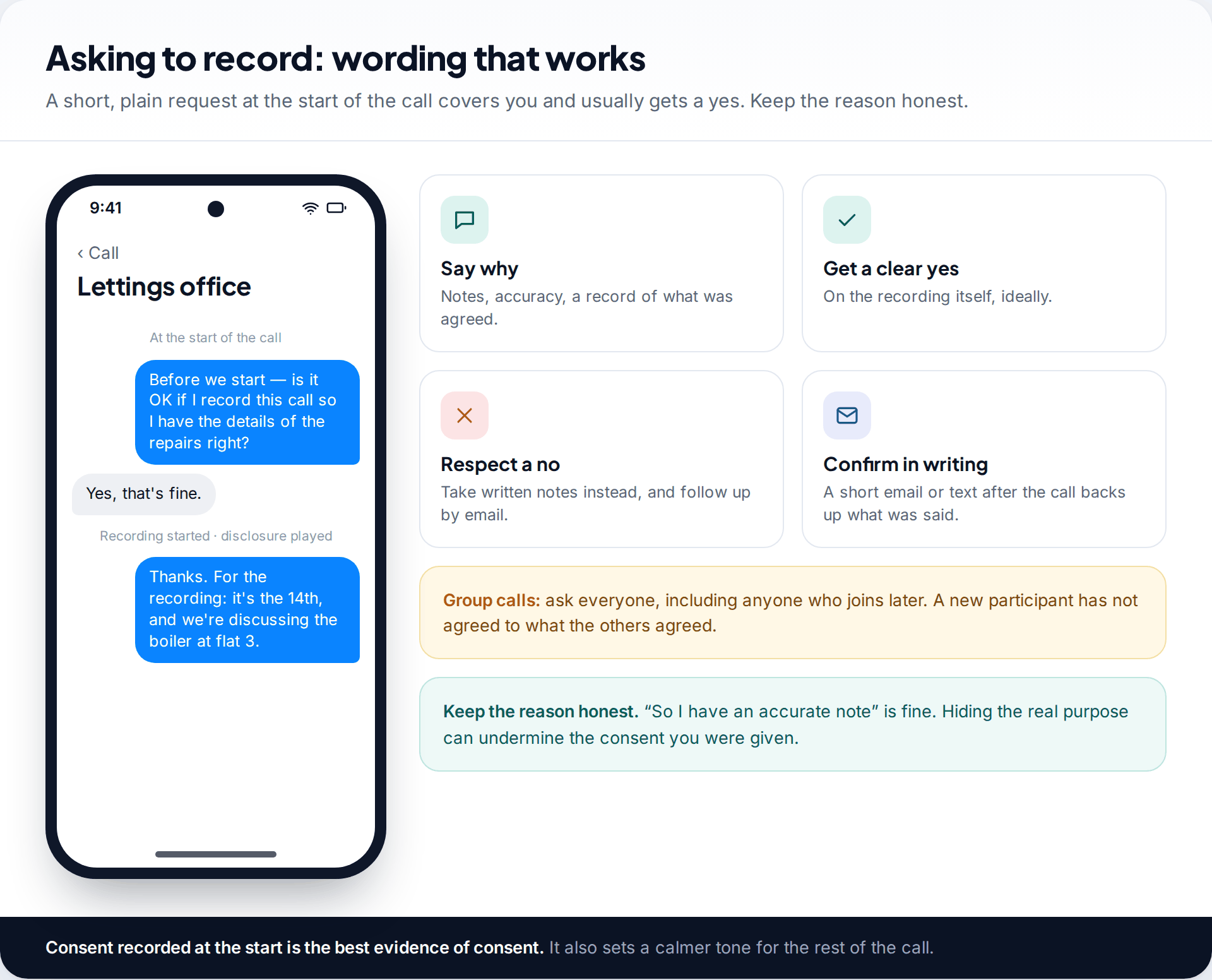
Asking is easier than people expect, and most people agree when the reason is ordinary. Say it at the start: “Is it OK if I record this so I get the details right?” Once they agree and you’ve started recording, repeat it briefly so the consent is on the recording itself.
If they say no, respect it. Take notes, then send a short follow-up by email or text: “To confirm what we agreed on the phone today…”. A written summary the other side can correct is often more useful than audio anyway, and it’s easy to find later. Our guide to searching your text message history shows how to pull those confirmations back up when you need them.
When recording isn’t an option
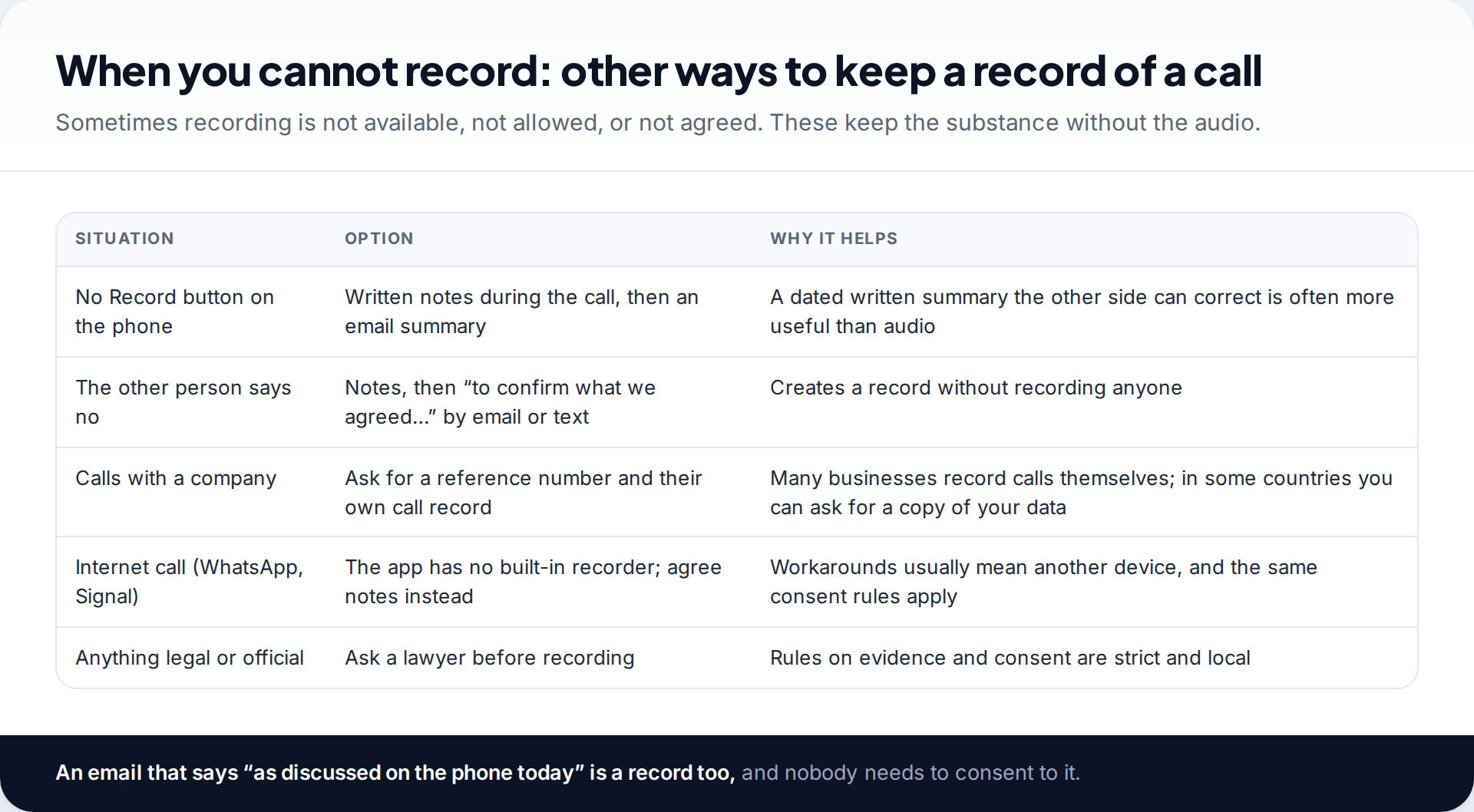
Internet calls on WhatsApp, Signal and similar apps don’t go through the Phone app, so its recorder doesn’t cover them, and those apps don’t include one. Workarounds usually involve a second device on speakerphone, and the same consent rules apply to them as to any other recording.
For calls with companies, ask for a reference number and note the name of the person you spoke to. Many businesses record their own calls, and in some countries data protection law lets you request a copy of your personal data. For anything legal or official, ask a lawyer before you record; rules about evidence can be stricter than rules about recording.
Myths about recording calls, checked
| Myth | What’s actually true |
|---|---|
| “The announcement makes any recording legal.” | Not necessarily. It gives notice, but whether that counts as consent depends on the law where you are. Ask as well. |
| “One-party consent means I can share it with anyone.” | No. Rules on recording and rules on sharing or publishing are often separate, and privacy or data protection law can still apply. |
| “My recordings are safe in my Google account.” | No. Google says Phone app recordings stay on the device and aren’t backed up. |
| “Clearing call history keeps the recordings.” | No. Google says deleting a call log entry deletes its recording too. |
| “Any recorder app from the web will work.” | Rarely, and risky. Android restricts call audio, and sideloaded recorders are a common malware route. |
A call about a deposit dispute
Dan is calling a letting agent in another state about a deposit he believes was withheld unfairly. His own state allows one-party recording; he doesn’t know the agent’s. Rather than guess, he opens with: “I’d like to record this call so I have an accurate note — is that OK?” The agent agrees, Dan taps Record, both hear the disclosure, and he repeats the date and the agent’s agreement on the recording. Afterwards he shares the file to his own storage, because recordings stay on the phone, and emails the agent a short summary of what was agreed.
How this page was put together
We checked the Google Phone app’s requirements, steps, disclosure behaviour and storage in September 2026 against Google’s Phone app help page on call recording. The US consent examples come from the Digital Media Law Project’s guide to recording phone calls. Other country examples are stated in general terms because laws change and have exceptions.
Samsung’s recorder differs by region and One UI version, and we haven’t checked every model. This isn’t legal advice. Read our editorial standards for how we research and update guides.
Common questions
Is it legal to record a phone call on Android?
It depends on the law where you and the other person are, not on the phone. In one-party consent places a participant may record; in all-party places everyone must agree. Telling the other person and getting a yes is the safe approach almost everywhere.
Does the other person know I’m recording?
With the Google Phone app, yes: Google says both parties hear a disclosure when recording starts and stops. Samsung’s behaviour varies by region, so tell them yourself.
Why don’t I have a call recording option?
Recording depends on your country or region, carrier, phone model, software version and default dialler. If any of these doesn’t support it, the option doesn’t appear.
Where are recorded calls saved?
In the Google Phone app, with the call in your history; Google says they stay on the device and aren’t backed up. On Samsung, under the Phone app’s Record calls settings.
Can I record WhatsApp calls with the phone’s recorder?
No. The Phone app’s recorder handles ordinary phone calls only. WhatsApp and similar apps don’t include a recorder, and consent rules apply to any workaround.
Can I use a call recording as evidence?
Sometimes, but rules on evidence vary widely and a recording made without the required consent can cause you legal problems. Ask a lawyer where you live before relying on one.
The tools behind this guide. TheTruthSpy is a free parental control app for Android: GPS location tracker with geofencing, a screen time app with app limits, a website blocker and web filter, an SMS tracker and call tracker, and social media monitoring for the WhatsApp tracker, Instagram tracker, Snapchat tracker, Facebook Messenger tracker and Viber tracker. See the full parental control feature list, the free parental control pricing, or the download and setup guide.
Related guides
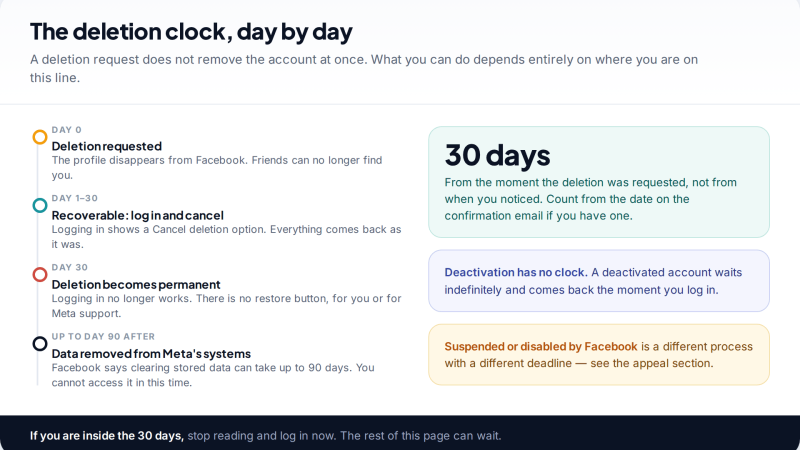
Recovering a Deleted Facebook Account Before It Is Gone for Good
You can recover a deleted Facebook account only within 30 days of the deletion request, by logging in and choosing…
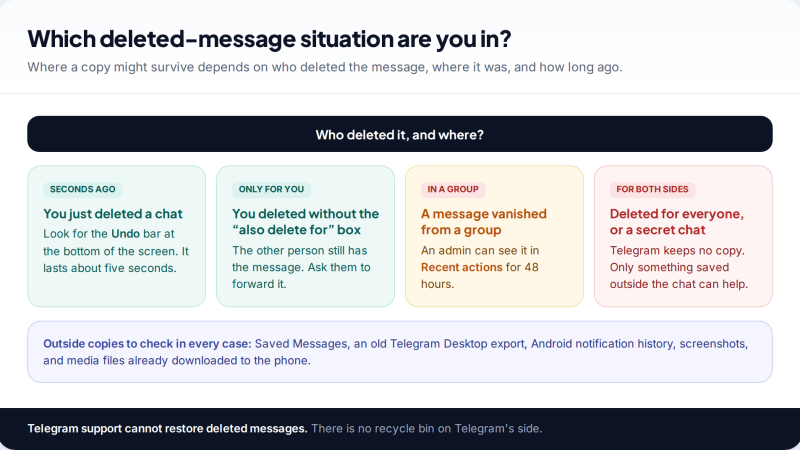
Deleted Telegram Messages: Why Most Are Gone, and the Exceptions
Telegram has no recycle bin, so most deleted messages cannot be recovered. The exceptions: a 5-second undo, the other person's…
Deleted WhatsApp Account: What Comes Back When You Re-Register
A deleted WhatsApp account can't be restored, but you can register the same number again and start a new one.…
Free parental control app for Android
GPS tracking, screen time limits, web filtering, SMS and call monitoring — visible on your child's phone. Pair a phone in about ten minutes.
Android · Free to set up · Visible on your child's phone