Deleted Telegram Messages: Why Most Are Gone, and the Exceptions

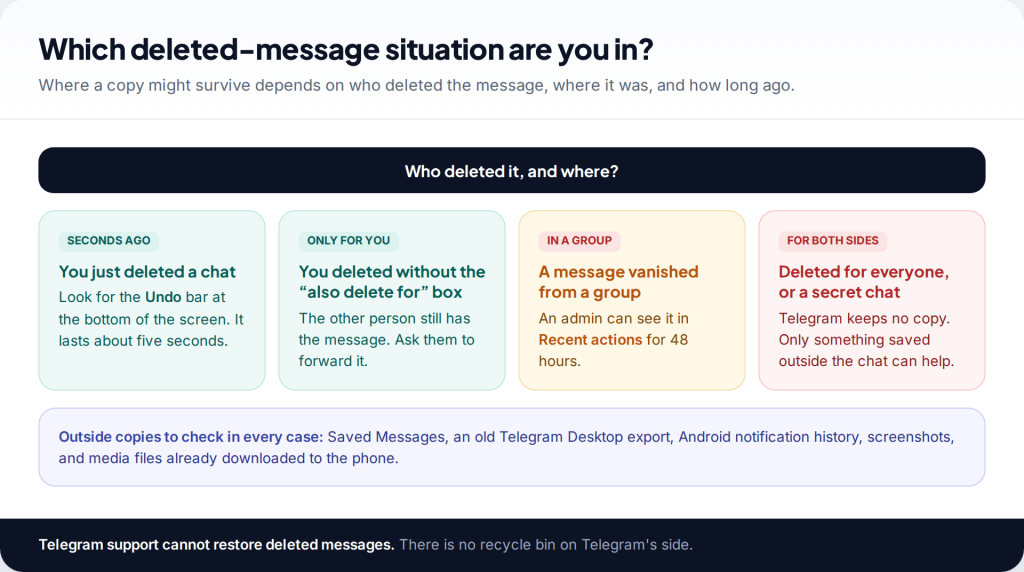
Before you install anything that promises to recover deleted Telegram messages, know this: Telegram has no recycle bin. When a message is deleted for both sides, it’s deleted, and Telegram support can’t bring it back. There are exceptions, though. A five-second undo, the other person’s copy, a group’s 48-hour admin log, Saved Messages, an old export and Android’s notification history can each hold what you lost. This guide covers them in the order worth trying.
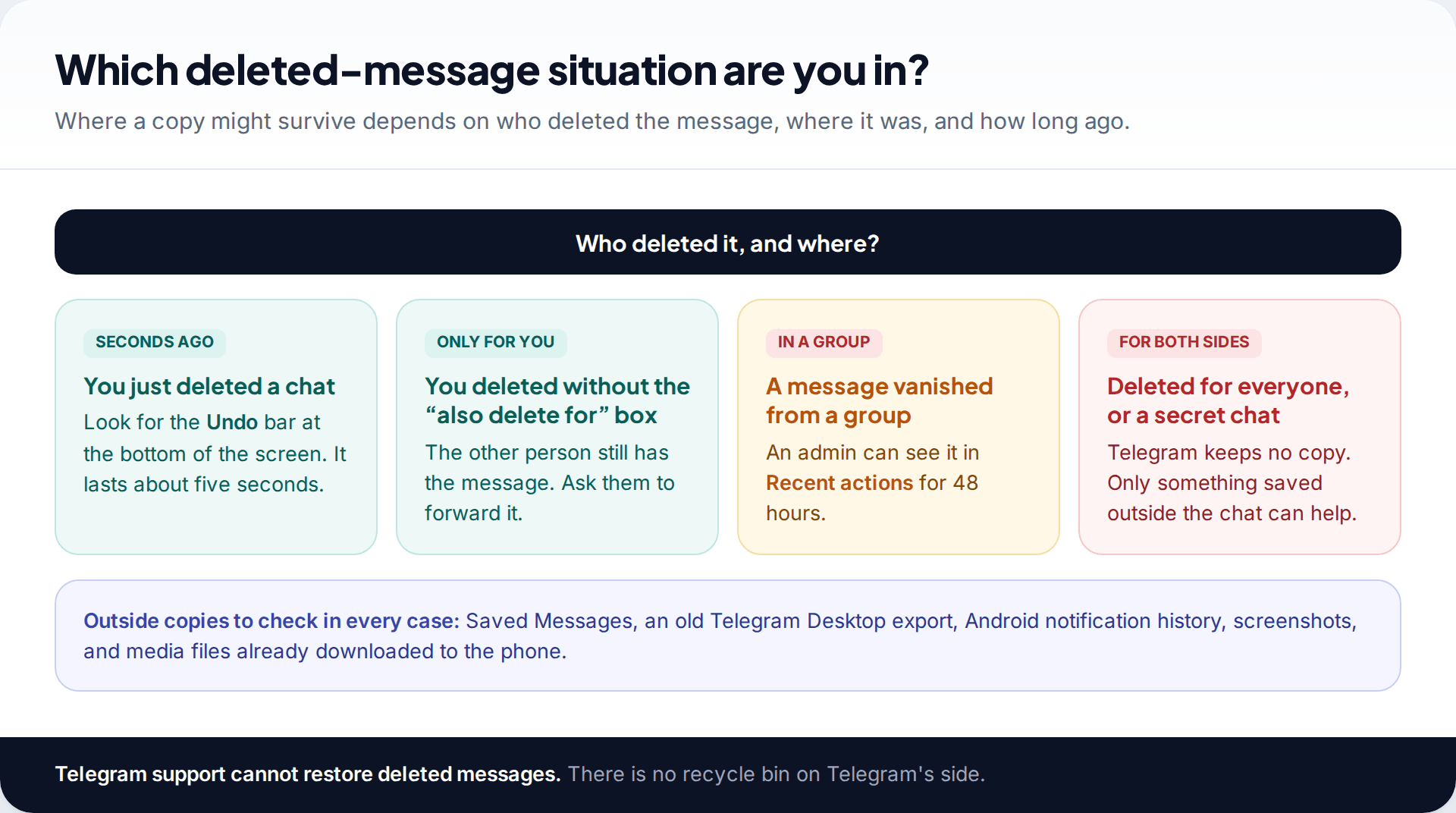
- Deleted only for you? The other person still has it. Ask them to forward it.
- Deleted in a group? Admins can see it in Recent actions for 48 hours.
- Deleted for both sides, or in a secret chat? Only a copy made outside the chat can help.
- Nobody can pull deleted messages from Telegram’s servers. Apps and services that claim to are selling something.
Why most deleted Telegram messages are gone for good
WhatsApp users are used to chat backups that can be restored. Telegram works differently. Ordinary chats live in Telegram’s cloud and sync to every device you use, and there’s no separate backup file for you to roll back to. When a message is deleted from the cloud, every device follows.
Telegram also makes deletion more thorough than most messengers. In a one-to-one chat, its FAQ says you can delete any message, sent or received, for both sides, and deleted messages don’t leave a mark in the chat. So a message can vanish from your conversation without any “this message was deleted” placeholder, which is why people often notice days later.
That leaves one question that matters: did any copy survive outside the deleted message itself? Everything below is a place such a copy might be.
Messages that vanished without anyone deleting them
Sometimes nobody pressed delete, yet messages are missing. Before you look for copies, rule out these causes, because some have simple explanations and one has a real fix.
- An auto-delete timer is on. Either person in a private chat, or an admin in a group, can set messages to delete automatically after a period. Open the chat’s info and look for the auto-delete setting. Turning it off protects new messages. It doesn’t bring back ones already removed.
- You left or were removed from a group. Messages from a group you’re no longer in aren’t in your chat list. If you rejoin a public group, its history may be visible again, depending on the group’s settings.
- The chat is archived or in another folder. Search for the person or group by name before assuming the chat was deleted. Archived chats sit in their own section at the top of the chat list.
- You’re logged into a different account. Telegram supports several accounts in one app. Check which one is active.
- An account was deleted. Telegram’s FAQ says an account that doesn’t come online for the self-destruct period (18 months unless changed) is deleted with all its messages. The same happens if someone deletes their account deliberately.
Just now? Use the undo bar
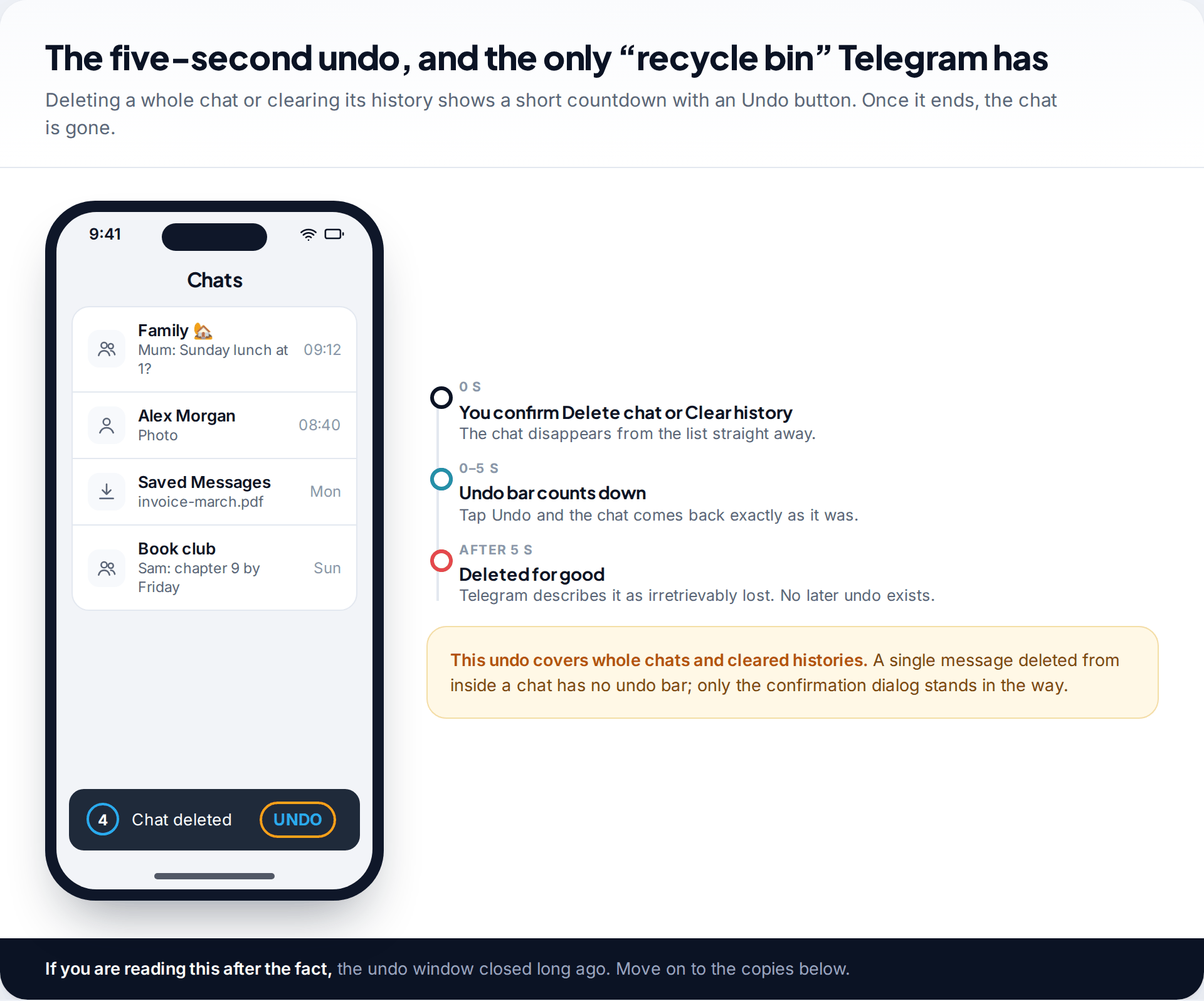
Deleting a whole chat, or clearing its history, puts a short countdown at the bottom of the screen with an Undo button. Telegram introduced it as a five-second window. Tap it and the chat returns as it was. When the countdown ends, Telegram’s own announcement described the chat as irretrievably lost.
The undo applies to whole chats and cleared histories. Deleting a single message inside a chat is governed by the confirmation dialog instead. That dialog is also where the most important choice gets made.
Deleted only for you? The other person still has it
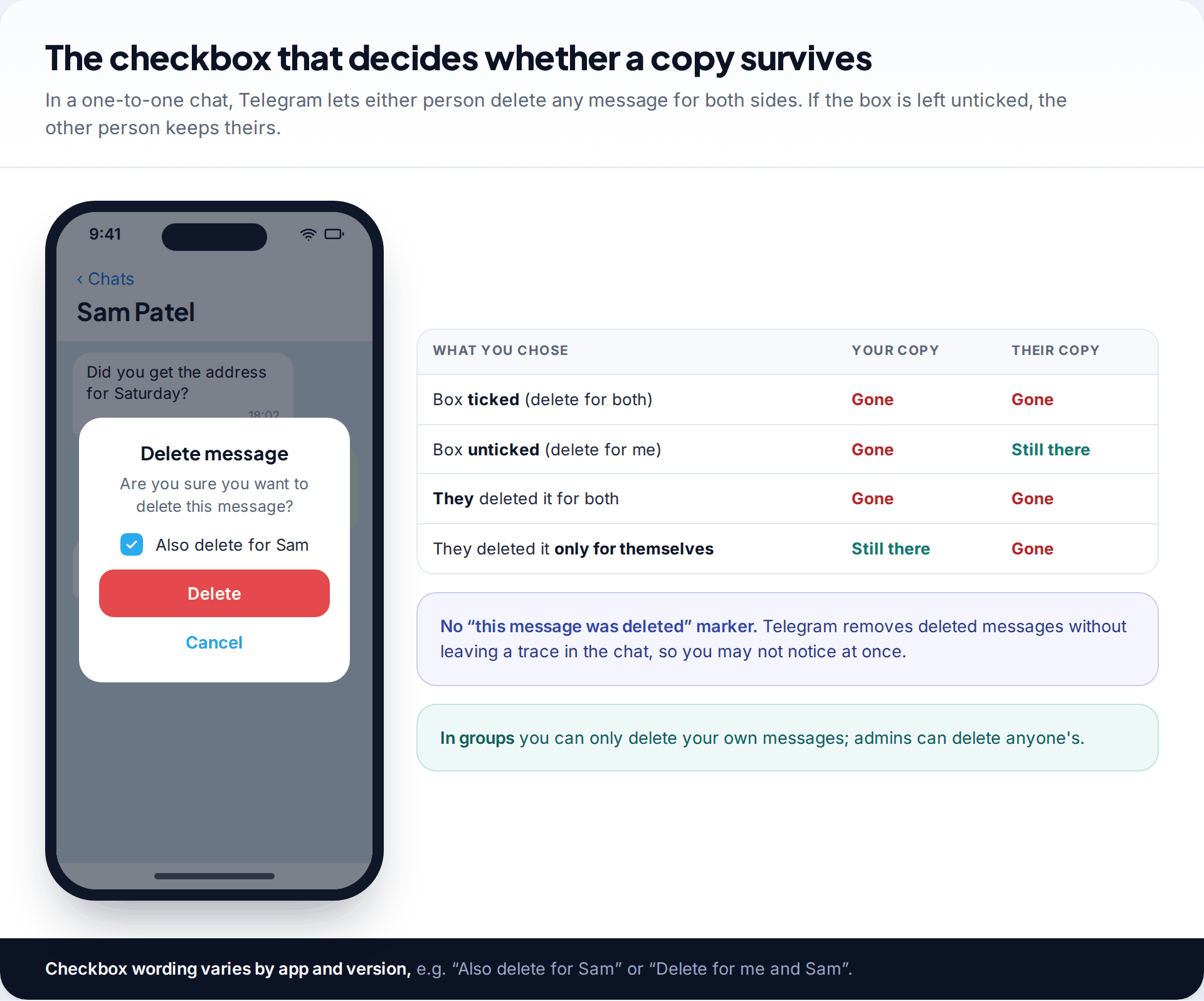
When you delete a message in a private chat, Telegram asks whether to delete it for the other person too. The wording varies by app, for example “Also delete for Sam”. If the box was unticked, only your copy went. The other person still has the message in their chat, and they can forward it back to you or send you a screenshot.
This works the other way around too. If someone deleted a message only on their side, you still have it. But if either of you deleted it for both sides, both copies are gone. Asking the other person is always worth a message. It’s also the only route that respects them: going through someone else’s phone to find a message isn’t a recovery method.
The address that disappeared
Kate cleared a long chat with her landlord to free up space, then realised the deposit reference was in it. The history was cleared only on her side. She asked the landlord to forward the message with the reference. It arrived within the hour, and this time she forwarded it to Saved Messages as well.
Deleted in a group: the 48-hour admin log
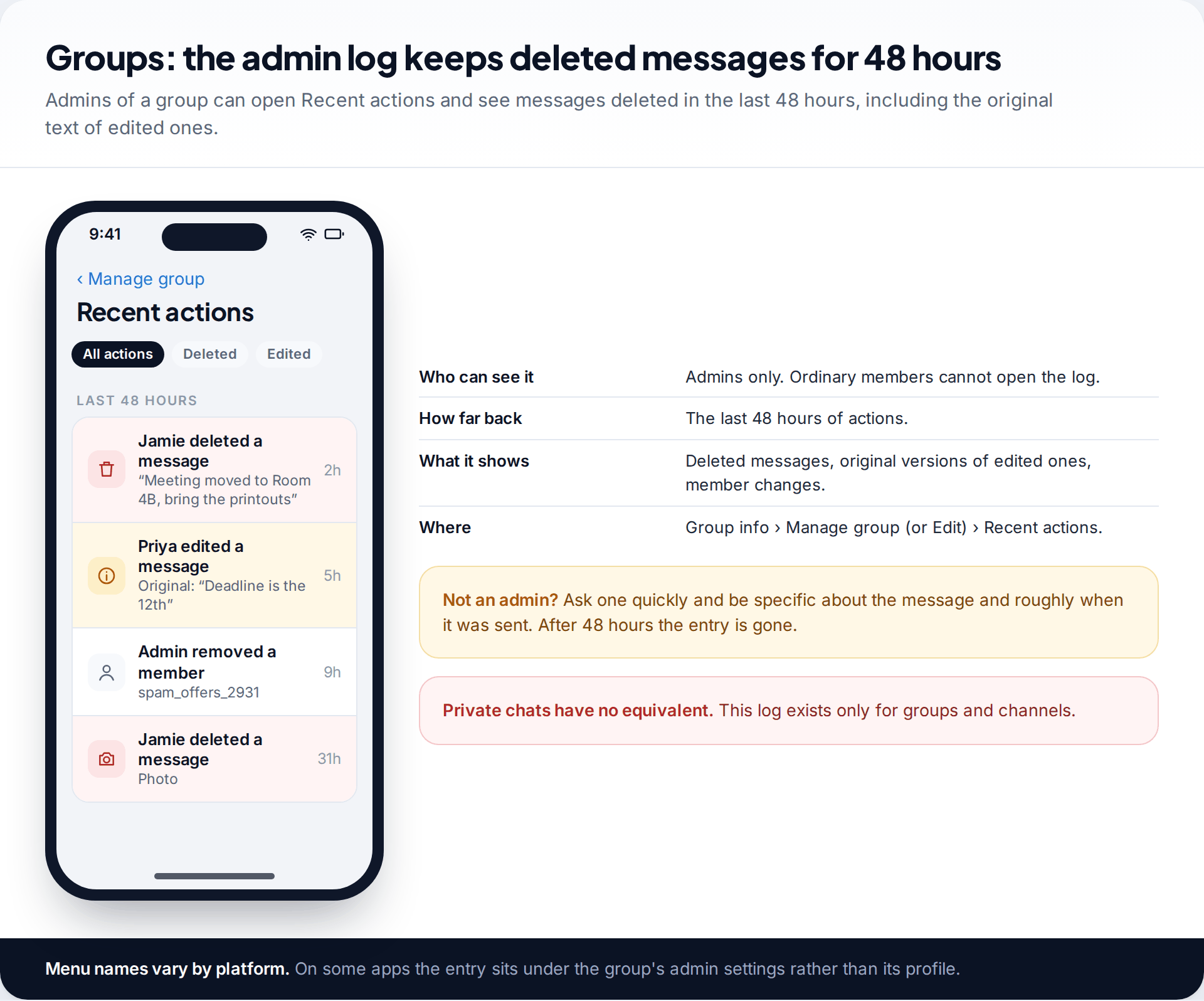
Groups and channels have something private chats don’t: an admin log called Recent actions. Telegram describes it as a log of all service actions taken in the group in the last 48 hours, including deleted messages and the original versions of edited ones. It’s visible to admins only.
If you’re an admin, open the group’s info, go to its management or edit screen and choose Recent actions. You can filter to deleted messages. If you’re not an admin, message one straight away and describe the message and roughly when it was posted. After 48 hours, the entry drops out of the log and there’s nothing left to find.
Check Saved Messages and anywhere you forwarded it

Forwarding a message creates a new message. If you ever forwarded the lost message to Saved Messages, your personal cloud chat, or to another chat or group, that copy is still there even after the original was deleted for both sides. Open Saved Messages and use search for a word, a name or a file type. Then think about where else you might have passed it on.
Channels you follow work the same way from the other direction. If a channel deleted a post, any copy that someone forwarded to a chat you’re in is still there. Searching your chats for a distinctive phrase from the post can turn it up.
The same logic applies to anything you shared outside Telegram. That includes a screenshot in your photos, a code you copied into a notes app, or a file you saved to your downloads.
Look for an old Telegram Desktop export

Telegram Desktop can export a single chat, or all your data, to HTML or JSON files on your computer. Telegram’s mobile apps can’t create these exports. If anyone did this before the message was deleted, whether you or someone else in the chat, the export still contains it. Search the computer for folders named ChatExport or DataExport, which Telegram Desktop creates by default, then open messages.html in a browser.
A fresh export made today won’t help, because it only captures what’s still in the chat. It is, however, the best protection against the next loss. Our guide to backing up Telegram chats explains how to set one up, including the 24-hour security wait on new devices.
Android only: notification history and downloaded files
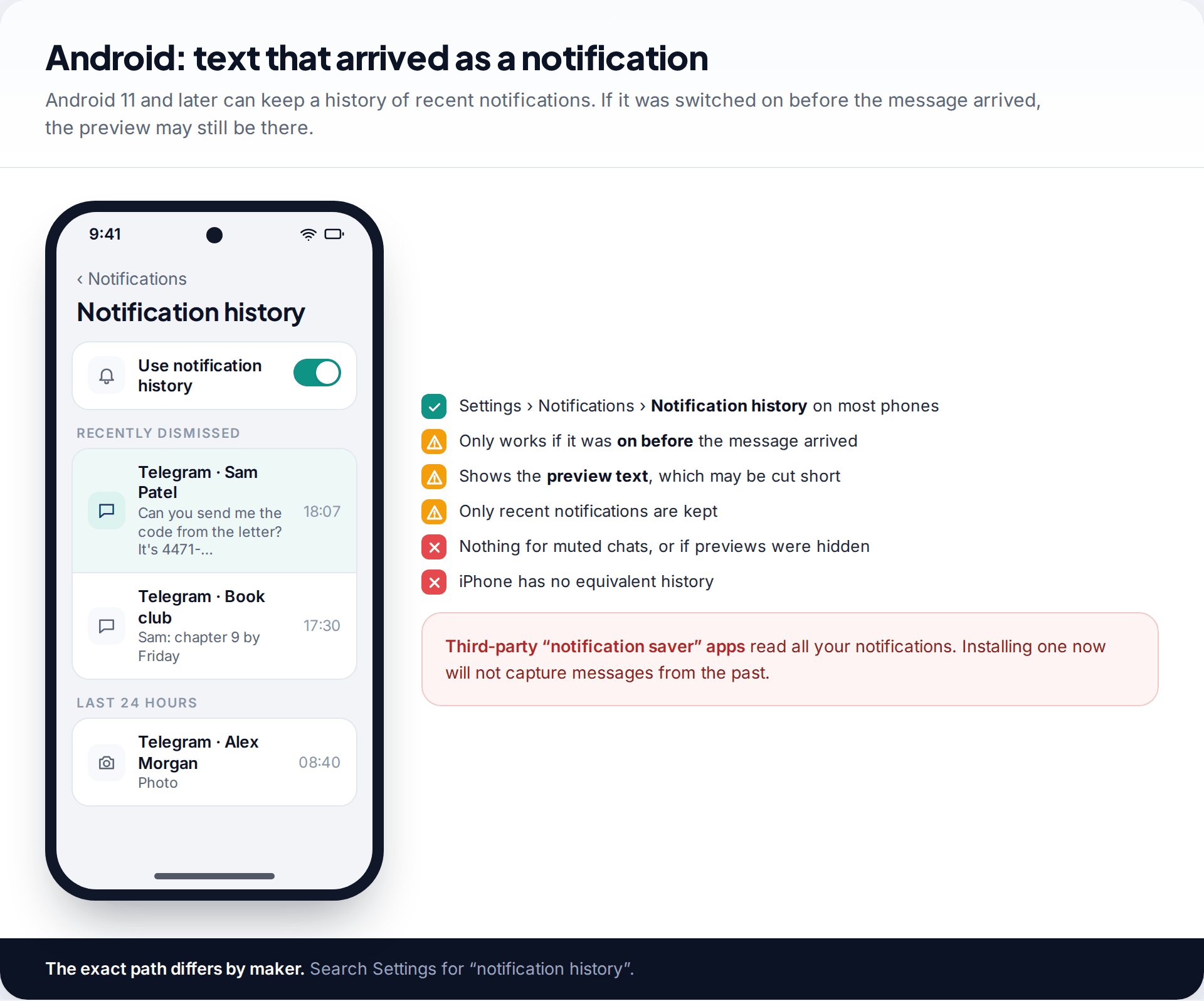
Android 11 and later can keep a history of recent notifications. On most phones it’s under Settings › Notifications › Notification history, though makers move it. If it was switched on before the message arrived, you may see the notification preview there, including text the sender later deleted. Previews can be truncated, only recent notifications are kept, and muted chats won’t appear. iPhone has no equivalent. Installing a “notification saver” app now won’t capture anything from the past.
Photos, videos and files may also survive in a different way. If your phone downloaded them before the message was deleted, a copy may still be in Telegram’s storage on the device, or in your gallery if saving to the gallery was on. Newer Android versions restrict access to app folders, so you may need a computer to browse them. This recovers files, never the message text.
Secret chats and auto-delete: nothing to recover by design
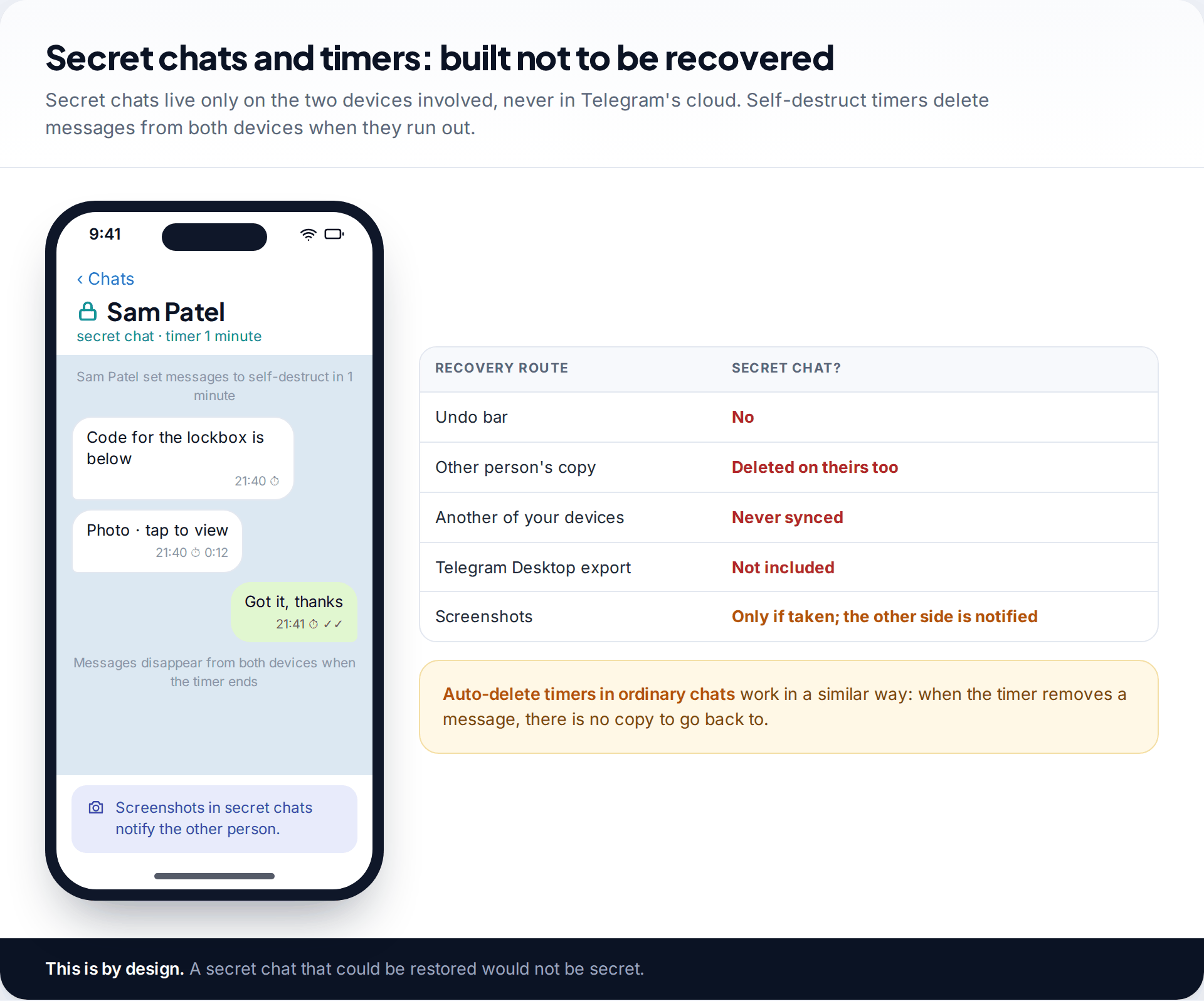
Secret chats are end-to-end encrypted and, according to Telegram’s FAQ, device-specific. They aren’t part of the cloud, so they don’t sync to your other devices and aren’t included in Desktop exports. When a self-destruct timer runs out, the message disappears from both devices. Ordinary chats with an auto-delete timer behave similarly: when the timer removes a message, there’s no earlier copy to go back to.
That isn’t a gap waiting for a clever tool to fill. It’s the feature working as designed.
What won’t work, whatever the advert says
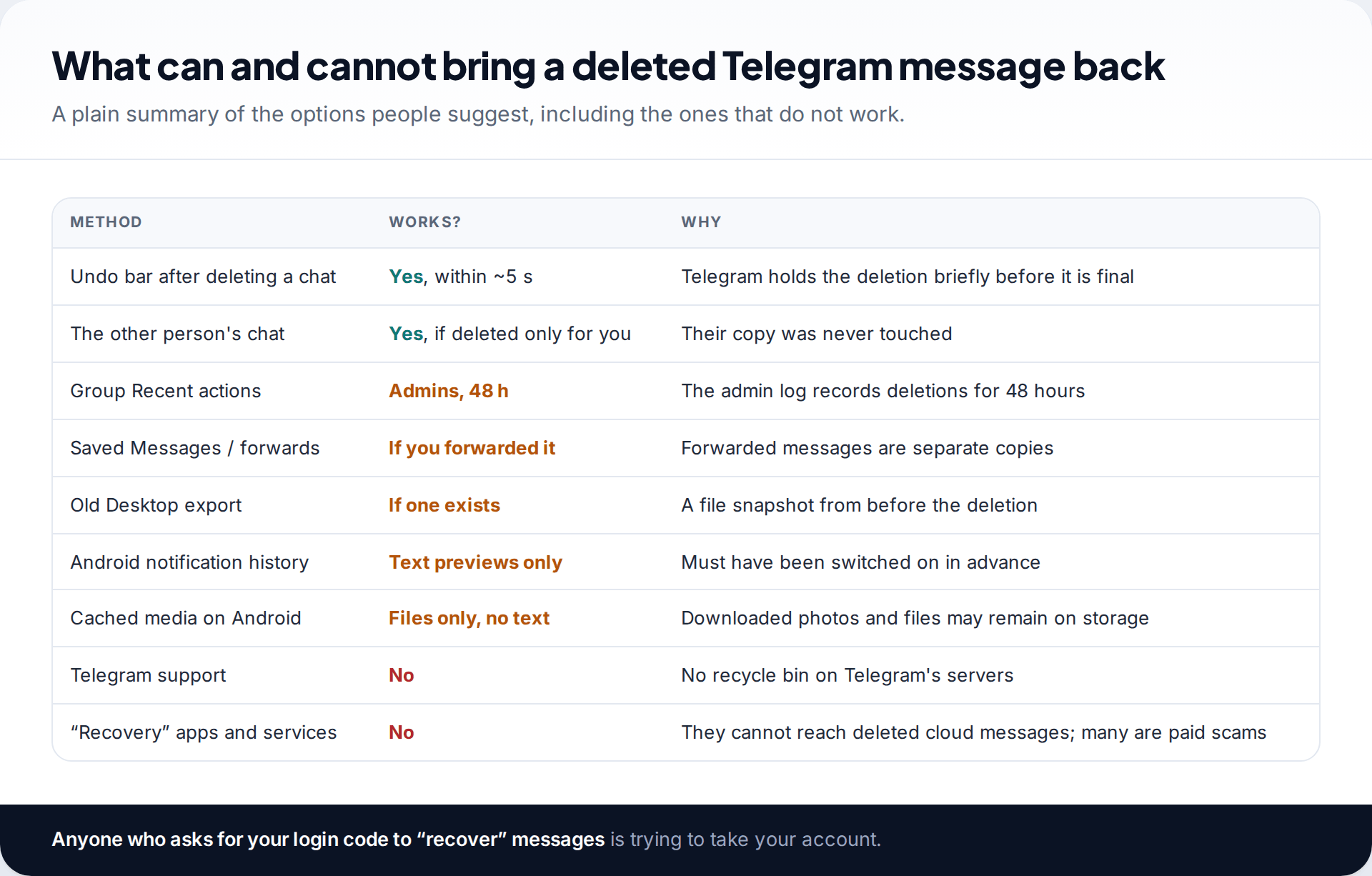
Search results for this topic are crowded with “recovery” software. Here’s the reality. None of these tools can reach messages deleted from Telegram’s servers. Some scan your phone for cached media, which you can check yourself for free. Others restore an old phone backup over your current data, which risks losing newer things and isn’t a route Telegram documents for cloud chats. And some are simply scams. A service that asks for your phone number and the login code Telegram sends you is trying to take over your account.
Telegram support can’t help either. The platform doesn’t keep deleted messages for you to request. If you’ve lost messages from WhatsApp rather than Telegram, the picture is very different, because WhatsApp uses restorable backups. See our guide to recovering deleted WhatsApp messages.
How this page was put together
Telegram’s rules on deleting messages for both sides, secret chats and account self-destruction come from its FAQ. The five-second undo, the 48-hour Recent actions log and the Desktop export come from Telegram’s own announcements. Both were checked in September 2026, and labels vary between Telegram’s apps. Android notification history paths vary by phone maker.
We didn’t test any recovery software and we don’t recommend any. Details of our research and correction process are on a separate page.
Common questions
Can Telegram support recover my deleted messages?
No. Telegram doesn’t keep deleted messages in a form you can request. Once a message is deleted from the cloud, it’s gone from every device.
Can I see messages someone deleted in a chat with me?
Not if they deleted them for both sides. Telegram doesn’t leave a marker, and your copy is removed too. If they deleted only their own copy, yours is unaffected.
How long do I have to undo a deleted Telegram chat?
About five seconds, using the Undo bar that appears after you delete a chat or clear its history.
Can group admins see deleted messages?
Yes, for 48 hours, in the group’s Recent actions log. Ordinary members can’t see it.
Are deleted secret chat messages recoverable?
No. Secret chats exist only on the two devices involved and aren’t stored in Telegram’s cloud. Self-destructing messages are removed from both.
Is there an app that recovers deleted Telegram messages?
No app can retrieve messages deleted from Telegram’s cloud. Tools that scan a phone can sometimes find downloaded media files, which you can look for yourself. Treat any app or service that asks for your Telegram login code as a scam.
Why did my Telegram messages disappear on their own?
Usually because an auto-delete timer was set in that chat, the chat was archived, or you left the group. Check the chat’s info for an auto-delete setting and search the chat list by name.
Does a new phone or reinstall bring deleted messages back?
No. Reinstalling downloads your current cloud chats. Deleted messages aren’t part of them, and secret chats from the old device don’t transfer at all.
Looking for a tool to go with this? TheTruthSpy is a free parental control app for Android that stays visible on the child's phone. If it fits your family, see the Social media alerts feature.
Related guides

How to Fix a Phone That Keeps Freezing or Restarting
Fixes for a frozen or rebooting iPhone or Android phone, from a one-minute force restart to recovery mode, with a…

What to Do If Your Phone Gets Wet
Dropped your phone in water? What to do in the first five minutes, hour and day, what IP68 really means,…

Phone Not Charging? How to Find the Cause and Fix It
A ten-minute elimination test for a phone that won't charge: cable, adapter, port, software and battery, plus what liquid, heat…
Parental controls your child can see
Location, screen time limits, a web filter and alerts from notifications — free, and visible on your child's phone. Pair a phone in about ten minutes.
Android · Free to set up · Visible on your child's phone