Seeing Your Child’s Snapchat Chats: What Family Center Shows and Doesn’t

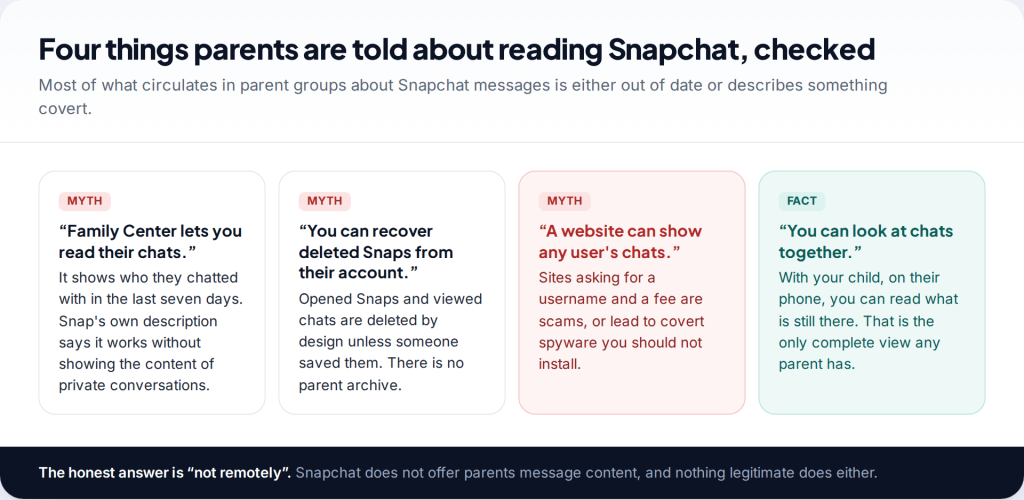
You can’t see your child’s Snapchat messages through Family Center or any other official Snapchat tool. Family Center shows who your teen has chatted with in the last seven days and who their friends are, but not what anyone said. The only way to see Snapchat messages is on your child’s phone, with them, and much of what was sent has already been deleted by design.
- Family Center shows names, not messages. Friends, recent conversations, group members, time spent.
- Most chats delete themselves. The default is after both people have viewed them.
- Looking together is the only full view. Agree when, how and until what age.
- “Snapchat viewer” sites are scams. No website can read chats from a username.
Can parents see Snapchat messages at all?
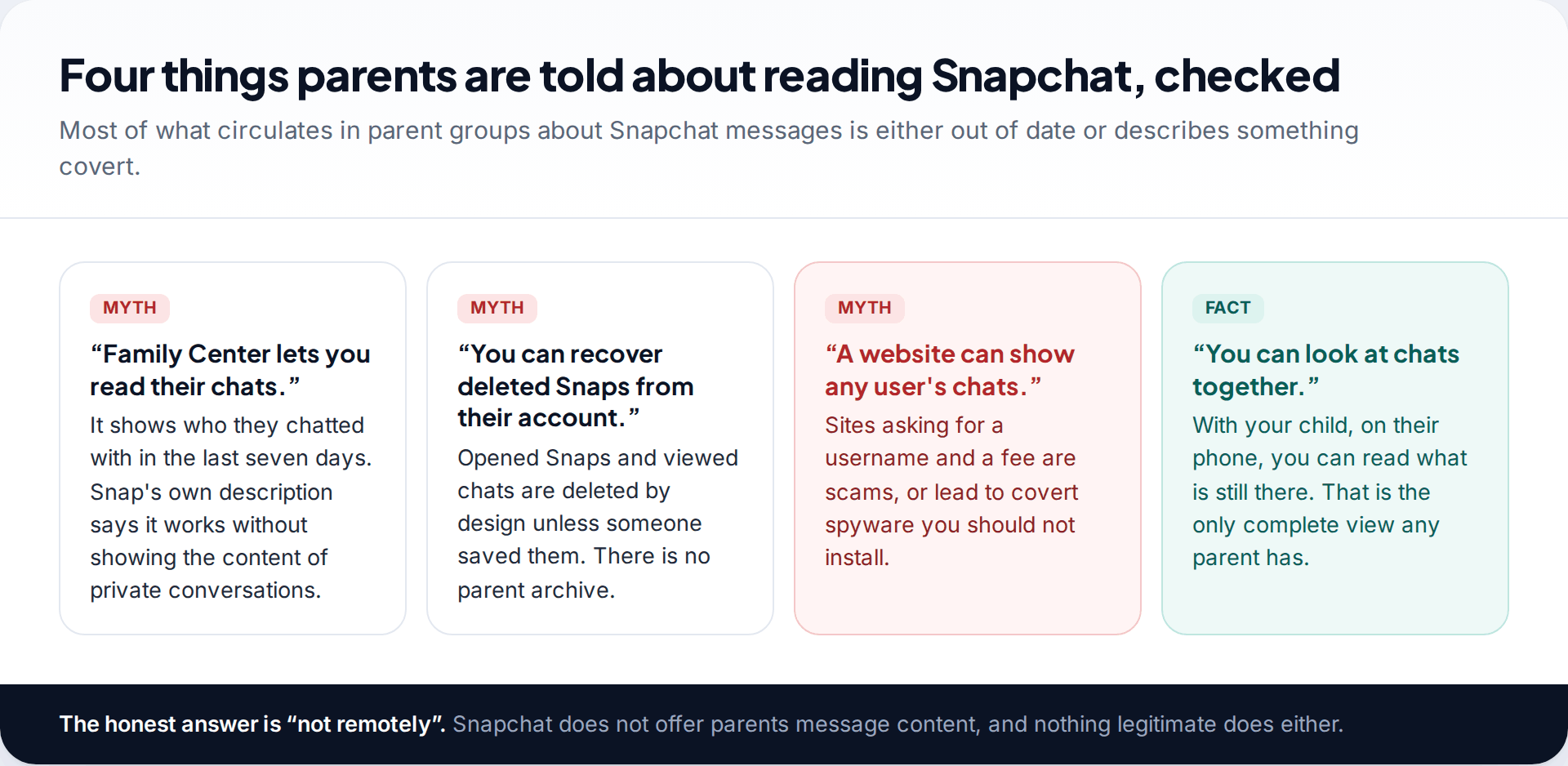
Not remotely, and not through anything Snapchat provides. Snap built Family Center to give parents what it calls insight into who their teen is talking to, while keeping the conversations themselves private. That is a design decision, and Snap has kept it through every update, including the January 2026 one that added screen time and friend context.
That leaves three honest routes: what Family Center shows, what you see when you look at the phone together, and what a device-level app can pick up from notifications. Each covers a different part of the picture, and none of them shows everything.
Why many chats are gone before anyone reads them
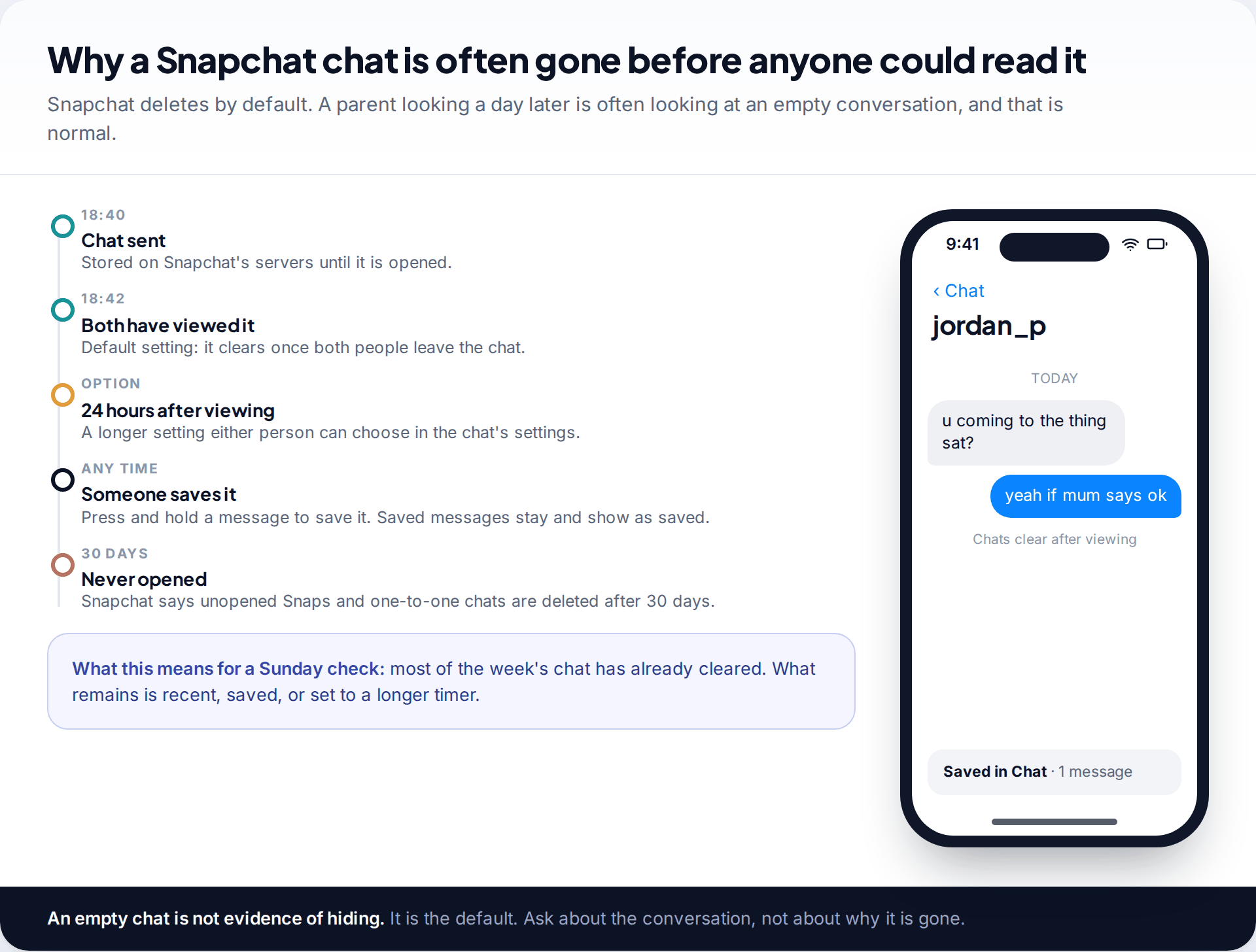
Snapchat began as an app for messages that disappear, and it still works that way by default. A chat clears once both people have viewed it and left the conversation. Either person can switch the chat to a longer setting, such as 24 hours after viewing. Anyone in the chat can save an individual message by pressing and holding it, and saved messages stay visible with a marker.
Snaps, the photos and videos, delete once opened. Snapchat says unopened Snaps and unopened one-to-one chats are deleted from its servers after 30 days.
In practice, if you sit down with your teen on a Sunday, much of the week’s chatting won’t be there, even if nothing was hidden. Don’t read an empty conversation as a cover-up. The better question is what the conversation was about, and most teens will tell you if the relationship allows it.
What Family Center shows you instead
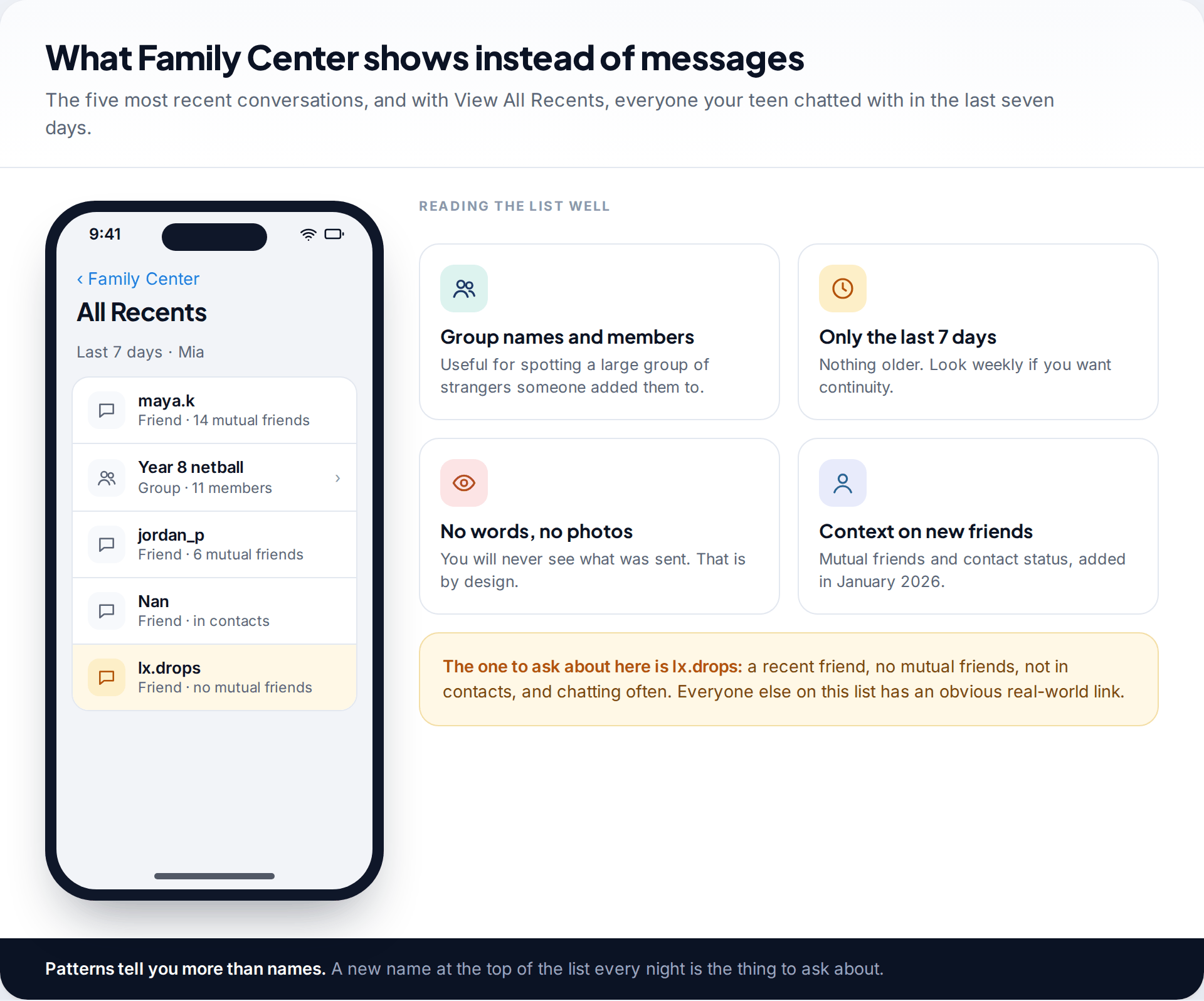
Once your teen accepts your Family Center invitation, the parent view shows their five most recent conversations, and “View All Recents” opens everyone they chatted with in the last seven days. Group chats show their members. Since January 2026, new friends also carry context: mutual friends, whether they are saved as a phone contact, and shared communities.
That is enough to spot most problems parents worry about. A stranger rarely stays anonymous in this view. They appear as a new friend with no mutual friends, climb to the top of recent conversations, and stay there. If you haven’t set Family Center up yet, our guide to monitoring your child’s Snapchat covers the setup and the settings to change.
Check it on a regular day each week. Because the list covers only seven days, a weekly look gives you continuity. A monthly one leaves gaps.
How to see your child’s Snapchat messages openly, together
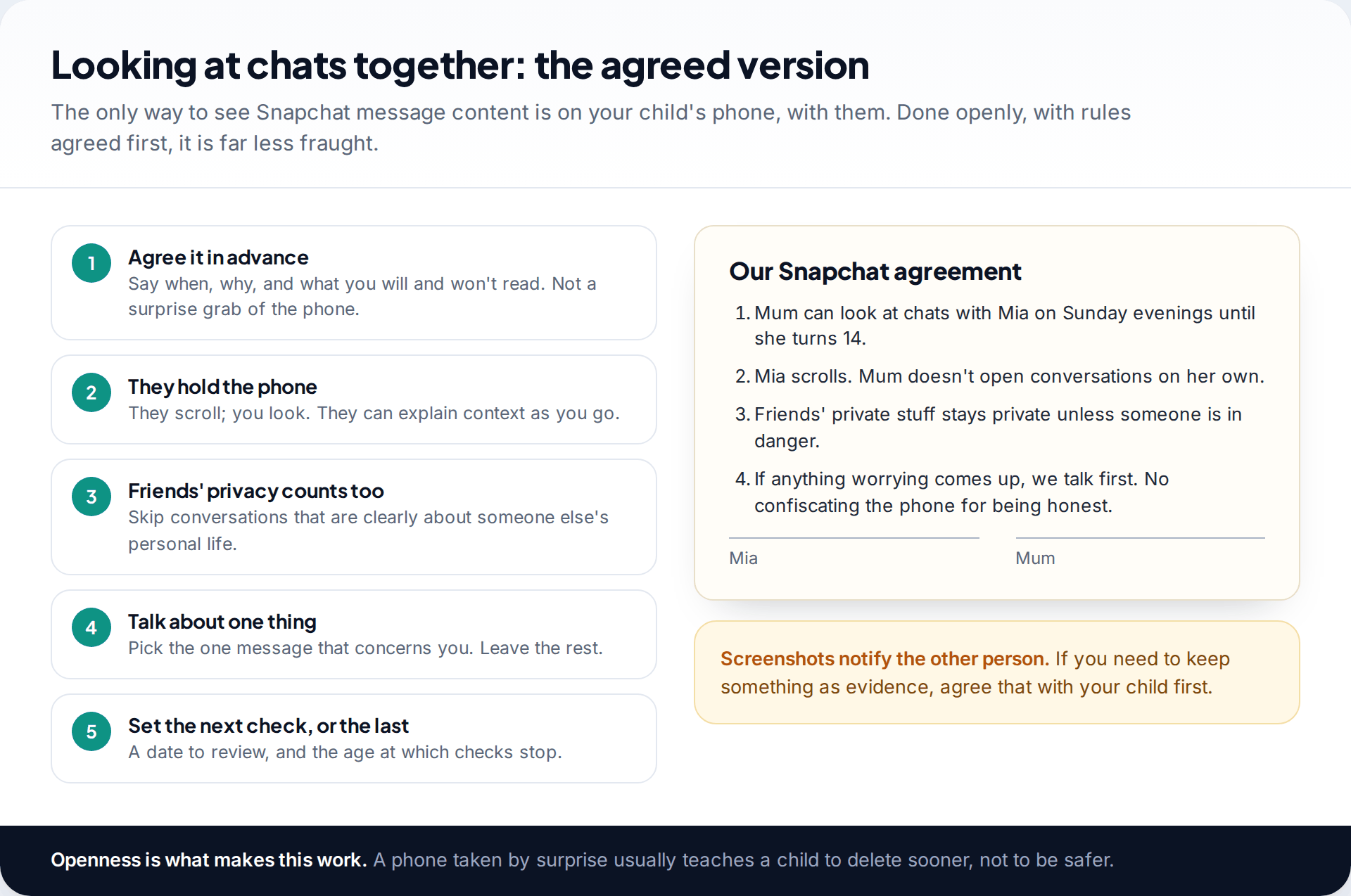
If you want to see your child’s Snapchat messages, the only complete view is their phone, with them. How you do it matters more than how often.
- Agree it before you need it. “On Sunday evenings until you’re 14, we’ll look through your chats together” is very different from a surprise demand for the phone.
- Let them hold the phone. They scroll, you look, and they can explain context. A joke that looks alarming out of context usually isn’t.
- Respect their friends’ privacy. Conversations are two-sided. Skip ones that are clearly about another child’s private life, unless someone is at risk.
- Pick one thing to talk about. Not a list. If nothing concerns you, say so.
- Set a review date and an end age. Checks that stop at a known point are easier to accept.
One practical point: screenshots in Snapchat notify the other person. If you need to keep a message as evidence, agree with your child how to do that. Don’t quietly screenshot it yourself.
The chat is empty, and your son is annoyed
Your 13-year-old agreed to Sunday checks. This week the conversation with a friend from football is empty, and when you ask why, he gets defensive. You know that clearing after viewing is the default.
What to do about a conversation that worries you
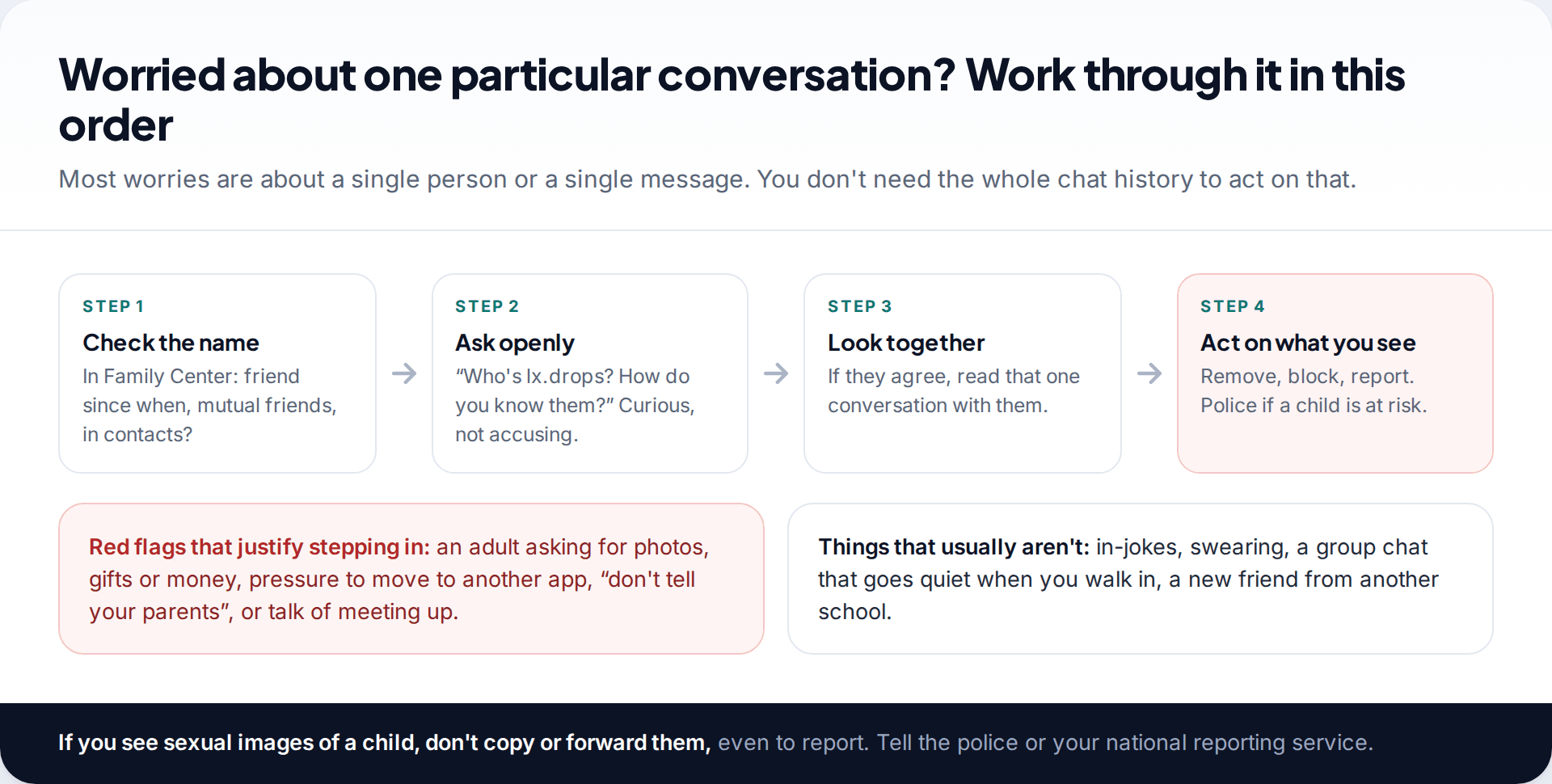
Most worries are about one person, not the whole account. Start in Family Center. How long has this person been a friend, do they share mutual friends, are they in your child’s contacts? Then ask, in a curious rather than accusing tone. If your child agrees, read that one conversation together.
Some things justify stepping in straight away: an adult asking for photos, offering gifts or money, pushing to move the conversation to another app, asking your child to keep it secret, or suggesting a meeting. Block and report the account in Snapchat, and parents can also report from Family Center. If a child may be at risk, contact the police.
Never copy, save or forward a sexual image of a child, even to report it or show the school. Doing so can itself be an offence. Tell the police what you saw and where it is. Many countries also have a national service that helps under-18s get such images removed.
Why “Snapchat message viewer” sites and apps don’t work
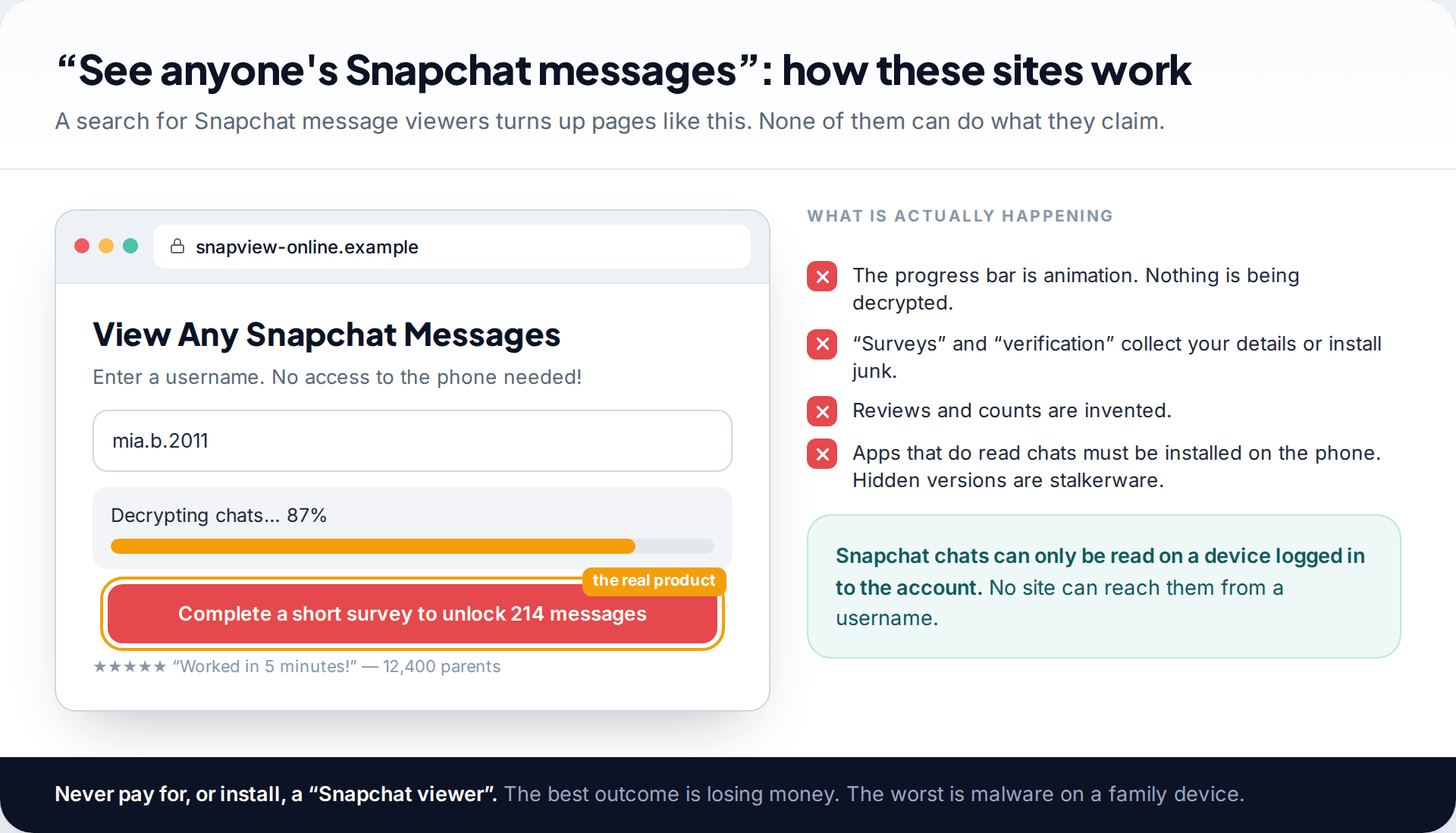
Search for ways to see a child’s Snapchat messages and you will find sites promising to show any account’s chats from a username. They follow a pattern: a fake decryption bar, invented reviews, then a survey, a “verification” step or a payment. Nothing is decrypted. Snapchat chats can only be read on a device logged in to the account.
The other category is apps that must be installed on the child’s phone and then hide themselves. That is covert stalkerware. It puts a family device at risk, is illegal in many places when used on someone without their knowledge, and damages trust if it’s found. Anything you use should be visible on the child’s phone and agreed with them.
Talking about messages without shutting it down
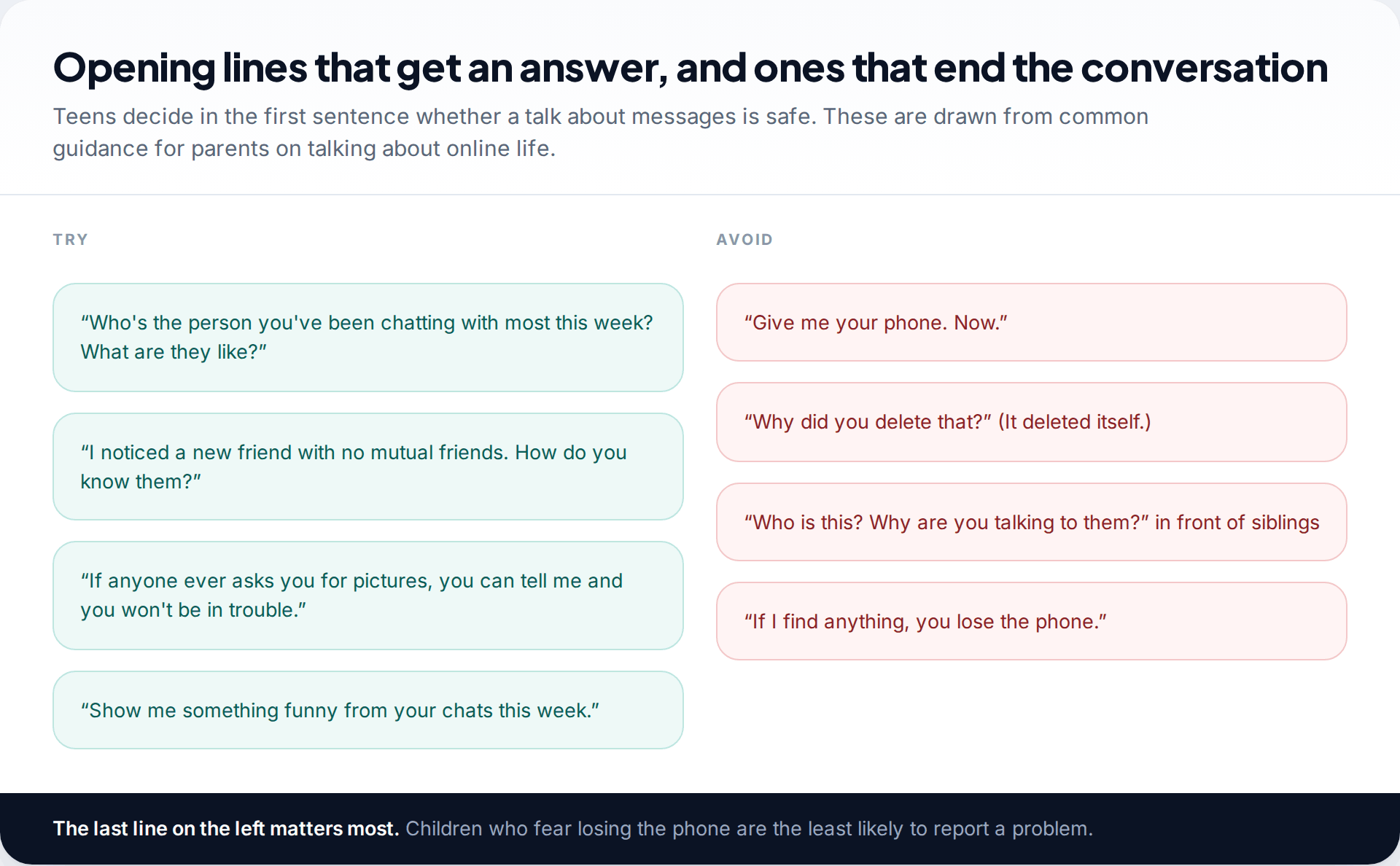
What your child tells you will always cover more than any tool. A teen who expects a calm reaction will mention the stranger who asked for a photo. A teen who expects the phone to be taken away will delete the chat and say nothing. Child-safety organisations make the same point often: children who think they’ll be punished are less likely to report being targeted.
Ask about people, not permissions: who they talk to most, what that person is like, what made them laugh this week. When you do spot something from Family Center, name what you saw and ask. “I saw a new friend with no mutual friends” is easier to answer than “Who is this and why are you talking to them?”
Say one sentence clearly and more than once: if anyone asks you for pictures or to keep a secret, you can tell me and you won’t be in trouble. Then keep that promise when it’s tested.
When things don’t go to plan
The Family Center invitation disappeared
Invitations are chat messages, so they follow the chat’s delete setting. One that was viewed and ignored can clear.
Fix: Send it again with your teen next to you, and have them accept it straight away.
Recent conversations looks almost empty
The list only covers seven days, and a teen who mostly uses another app will show little here.
Fix: Ask where they actually chat. Snapchat may not be the main app any more.
Your teen left Family Center
They can leave at any time. It is often a sign the checks felt too frequent or too personal.
Fix: Ask what would make it acceptable again, such as monthly instead of weekly, and rewrite the agreement.
You suspect a second account
Family Center covers only the account that accepted the invitation.
Fix: Ask directly and calmly. Many teens keep a second account for close friends. Agree which one Family Center covers and why.
How much visibility makes sense at each age
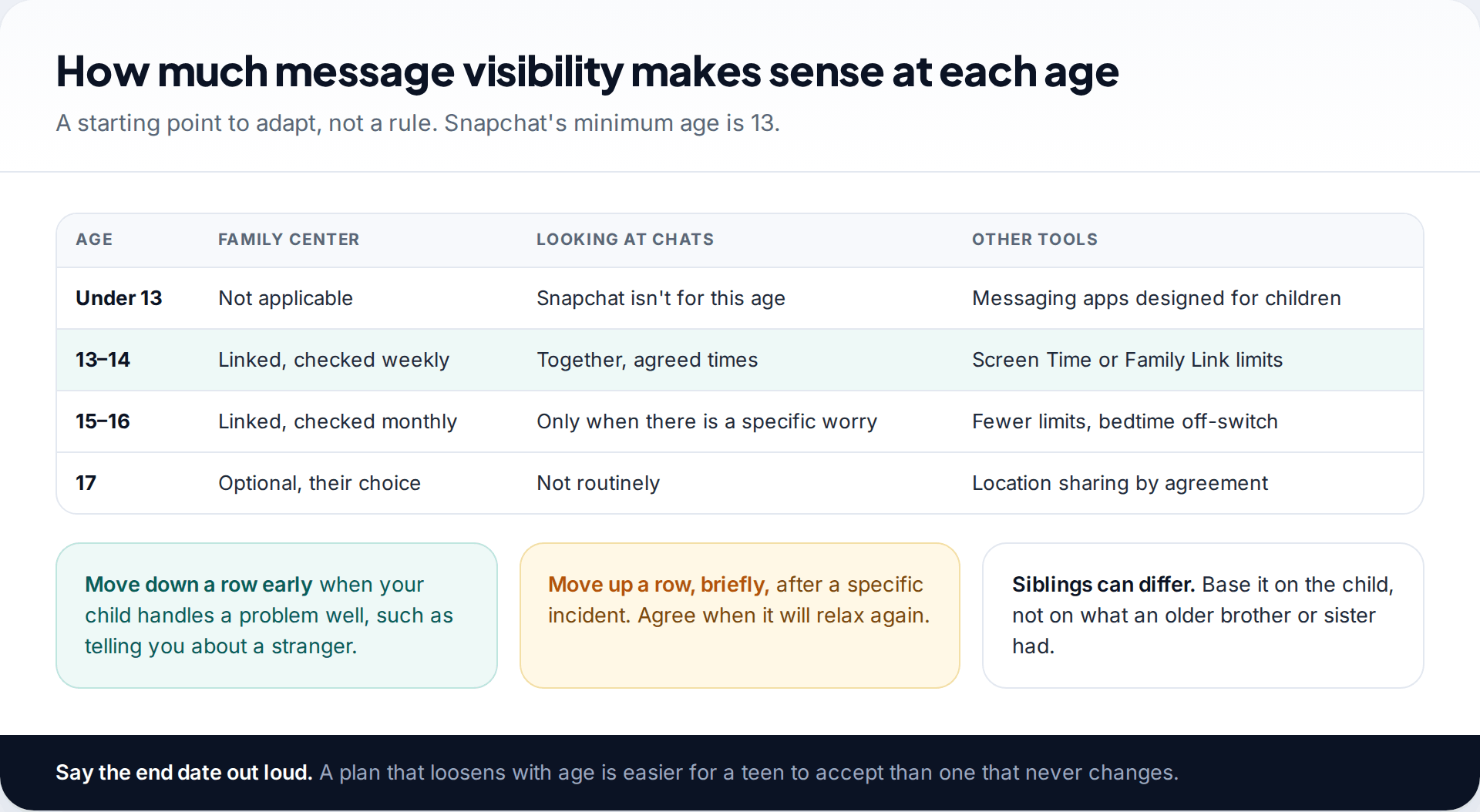
Snapchat’s terms require users to be at least 13, so there is no version of this for younger children. For 13 and 14-year-olds, linking Family Center, checking weekly and occasionally looking at chats together is reasonable. By 15 or 16, most families move to monthly Family Center checks and only look at chats when there is a specific worry. At 17, it is largely their call.
Whatever you choose, say out loud when it will change. A teen who knows checks end at 15 has a reason to keep to the arrangement until then.
Where a device-level app fits, and where it doesn’t
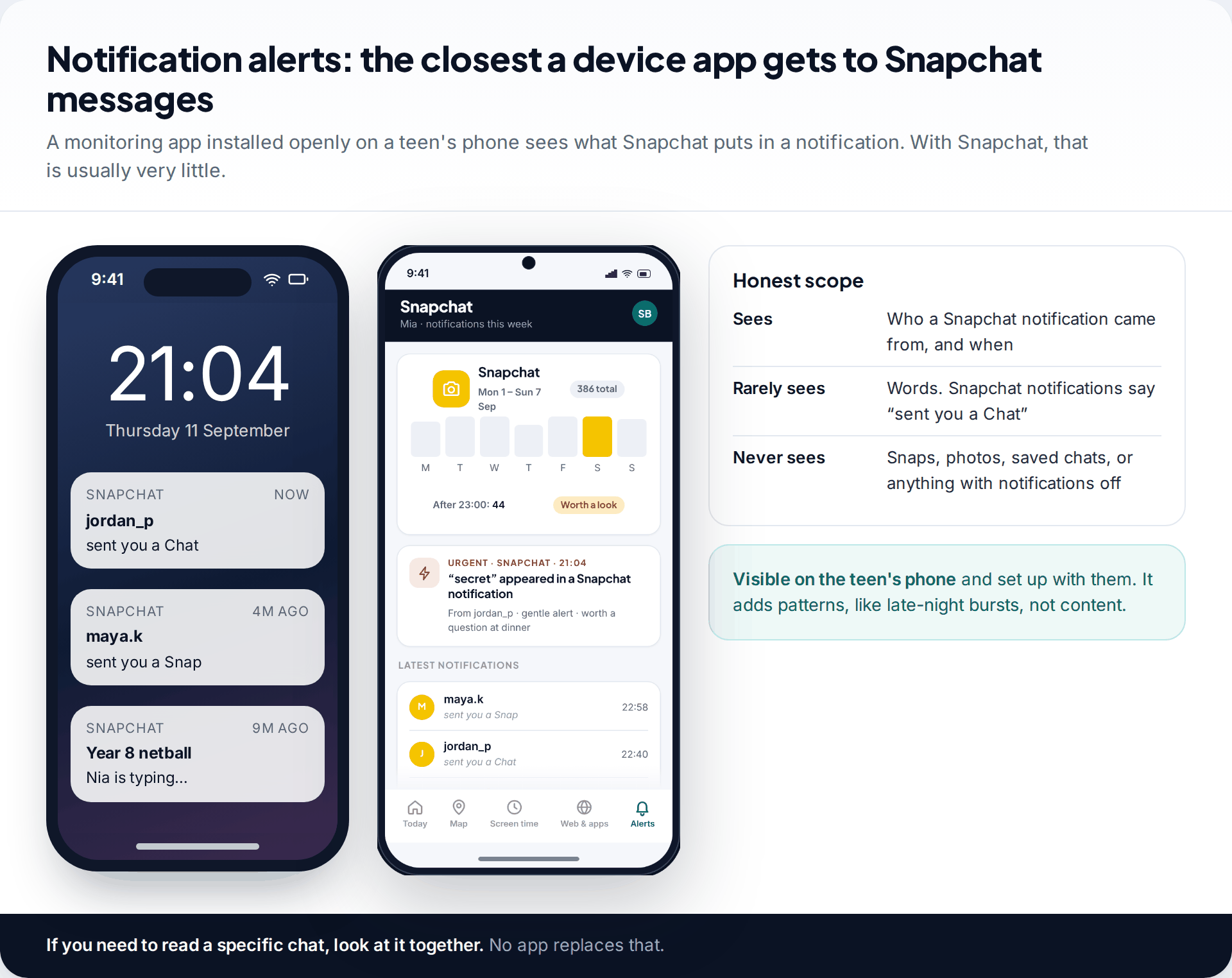
Some families add a monitoring app to the phone for limits and alerts across all apps. Ours is installed with the teen’s knowledge and stays visible on their phone. With Snapchat, it can only see what appears in a notification. That is usually the sender’s name and “sent you a Chat”, not the words. It is useful for patterns, like a burst of messages from one account at 1am, but it is not a way to read Snapchat messages. More on how it handles messaging apps is on our social messages page.
How this page was put together
We checked what Family Center shows against Snapchat’s Support articles and parents’ site, and Snap’s January 2026 newsroom post on new Family Center insights. Chat deletion behaviour comes from Snapchat’s help pages. All of this was reviewed in September 2026. Snapchat changes chat settings from time to time, so check the options in your child’s app.
We did not test “message viewer” sites. The pattern described is common to such pages, and none can access Snapchat’s servers. How we research and correct pages is explained in how we work.
Common questions
Can Family Center see my child’s Snapchat messages?
No. It shows your teen’s friends, who they chatted with in the last seven days, group members and time spent, but no message content.
Can I see deleted Snapchat messages?
Not as a parent. Chats delete after viewing by default and Snaps delete once opened. Only messages someone saved stay in the conversation.
Will my child know if I look at their Snapchat on their phone?
They should, because you should do it together. Snapchat also tells the other person when a chat is screenshotted.
Can I log in to my child’s Snapchat on my own phone?
Snapchat is designed to be logged in on one phone at a time, so logging in elsewhere usually signs your child out. It is not a workable way to follow their chats, and it undermines trust.
Are Snapchat message viewer apps real?
No website can show chats from a username. Apps that read chats have to be installed on the phone, and hidden versions are stalkerware.
Does Family Center tell my child what I’m looking at?
Your teen knows they are in Family Center because they accepted the invitation, and they can leave it. Snap describes the tool as designed to be transparent to both sides.
The tools behind this guide. TheTruthSpy is a free parental control app for Android: GPS location tracker with geofencing, a screen time app with app limits, a website blocker and web filter, an SMS tracker and call tracker, and social media monitoring for the WhatsApp tracker, Instagram tracker, Snapchat tracker, Facebook Messenger tracker and Viber tracker. See the full parental control feature list, the free parental control pricing, or the download and setup guide.
Related guides
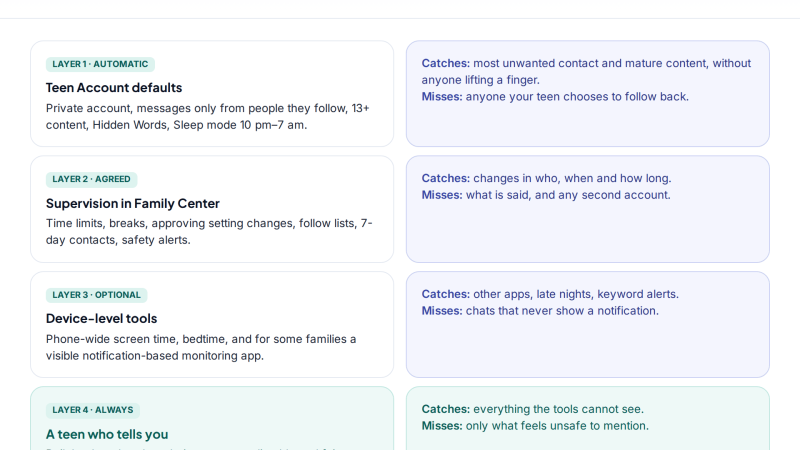
Monitoring Your Child’s Instagram Without Breaking Their Trust
A practical plan to monitor your child's Instagram openly: which protections are automatic, what Supervision adds, a family agreement, a…
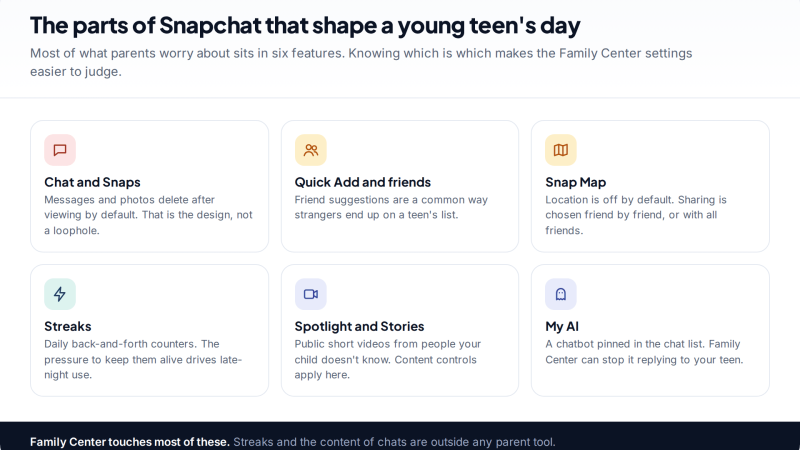
Snapchat Family Center and Beyond: Monitoring a Child’s Snapchat Safely
How to monitor your child's Snapchat openly: setting up Family Center, what the parent view shows (friends, recent chats, screen…
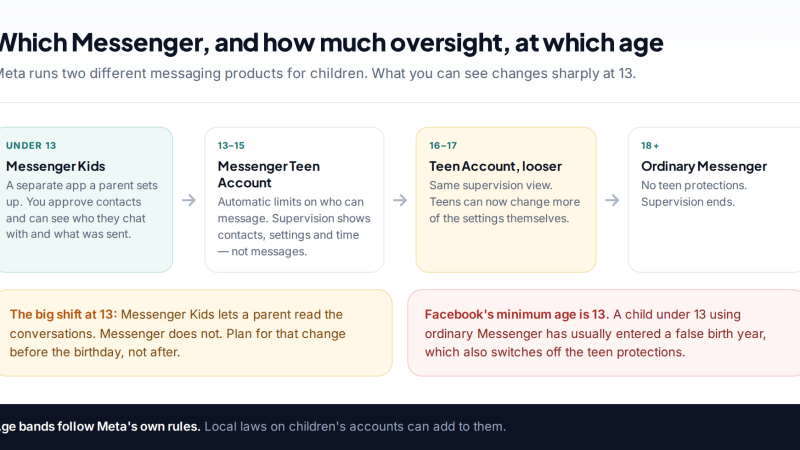
Messenger and Messenger Kids: Keeping Watch Over a Child’s Chats
How to monitor your child's Messenger safely at every age: the Messenger Kids parent dashboard for under-13s, Teen Account limits…
Free parental control app for Android
GPS tracking, screen time limits, web filtering, SMS and call monitoring — visible on your child's phone. Pair a phone in about ten minutes.
Android · Free to set up · Visible on your child's phone