Messenger and Messenger Kids: Keeping Watch Over a Child’s Chats

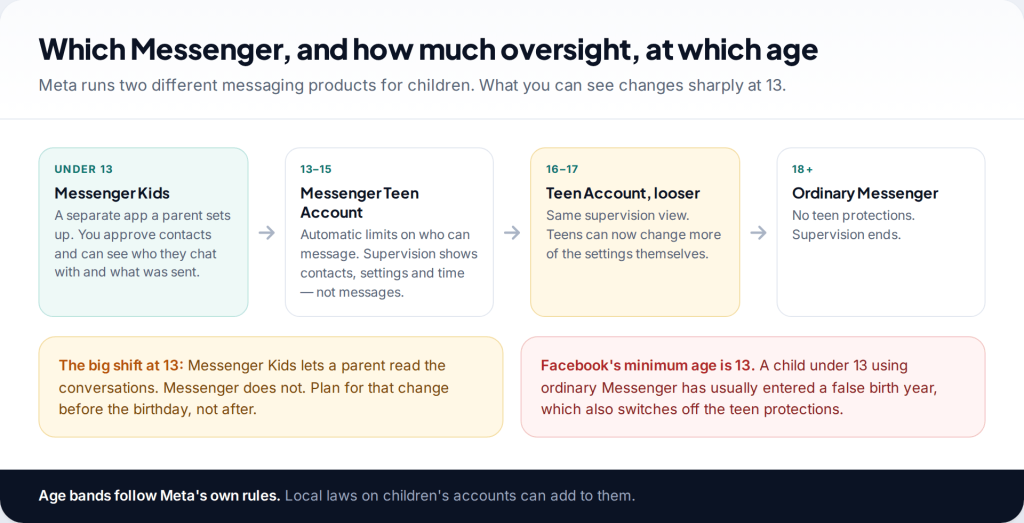
Many parents assume they can read their child’s Messenger chats from their own account. For under-13s using Messenger Kids, you largely can. For teenagers on Messenger, you can’t. To monitor your child’s Messenger safely, match the tool to their age: the Messenger Kids parent dashboard up to 12, then a Teen Account with Family Center supervision from 13, with an agreement that your teen shows you anything that worries them.
Two products, two very different levels of oversight
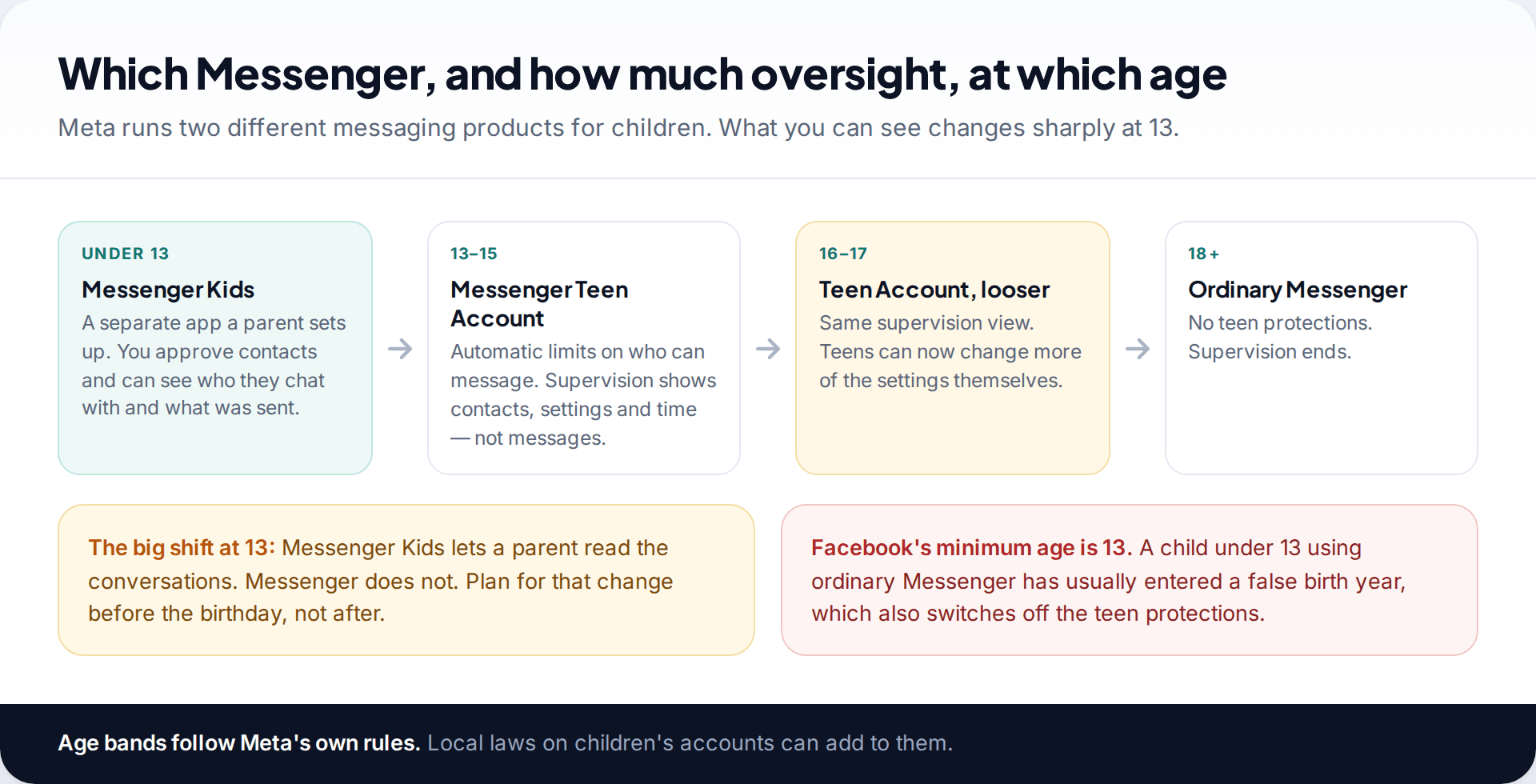
Meta runs two separate messaging products for children, and the difference between them is bigger than the names suggest.
Messenger Kids is its own app for children under 13. A parent creates the child’s account from their own Facebook account, and the child doesn’t get a Facebook profile. The parent decides who the child can talk to and can see what has been sent and received.
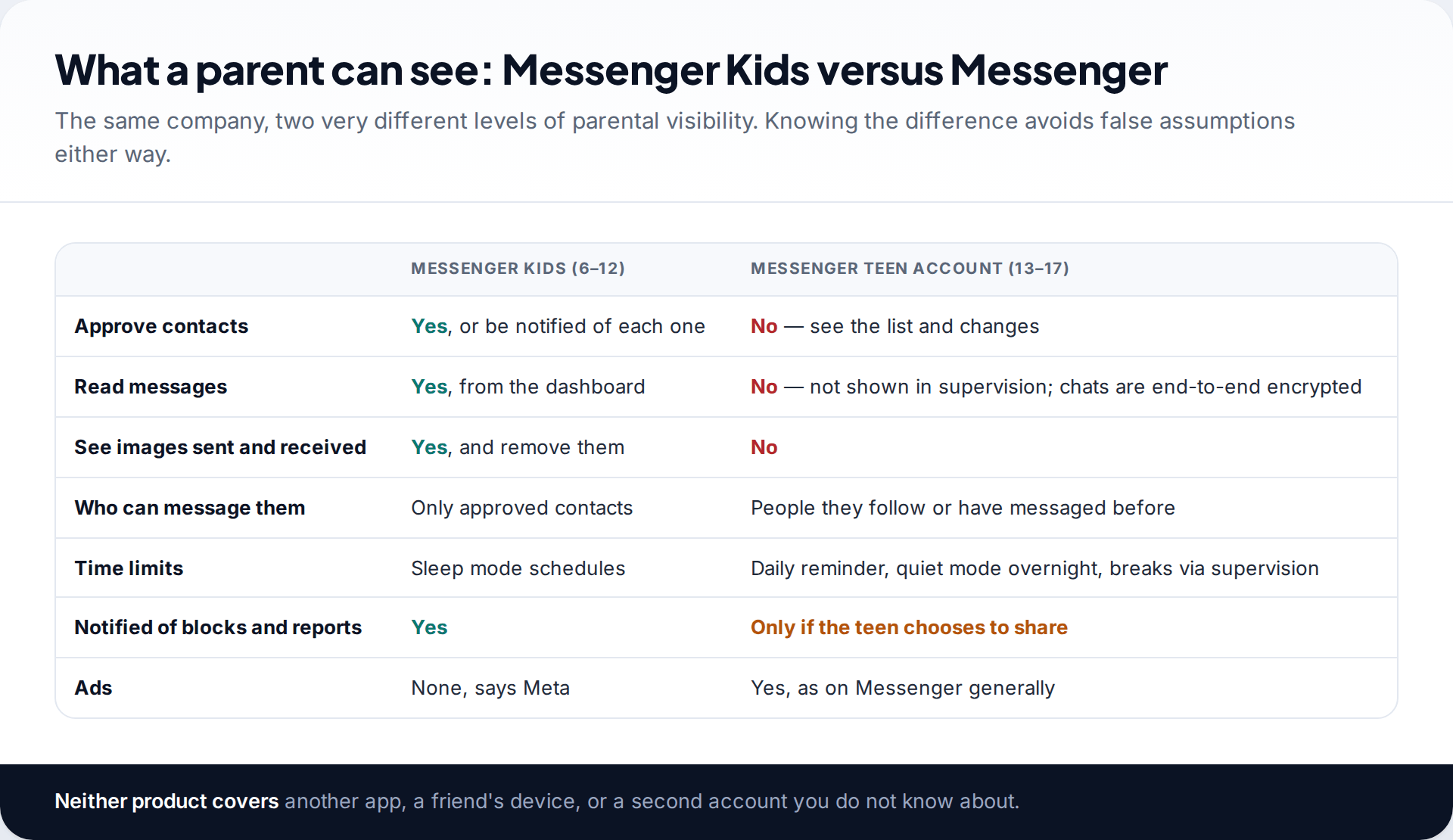
Messenger itself needs a Facebook or Meta account, so the minimum age is 13. Since 2025, everyone aged 13 to 17 is placed into a Teen Account with built-in limits. Parents can add supervision, but supervision shows settings, contacts and time, never the messages themselves.
So the move from one to the other at 13 is a real change in what you can see. Talk about it before the birthday. A child who knows in advance that you’ll stop reading their chats, and why, is more likely to keep coming to you when something goes wrong.
Messenger Kids: setting up the parent dashboard
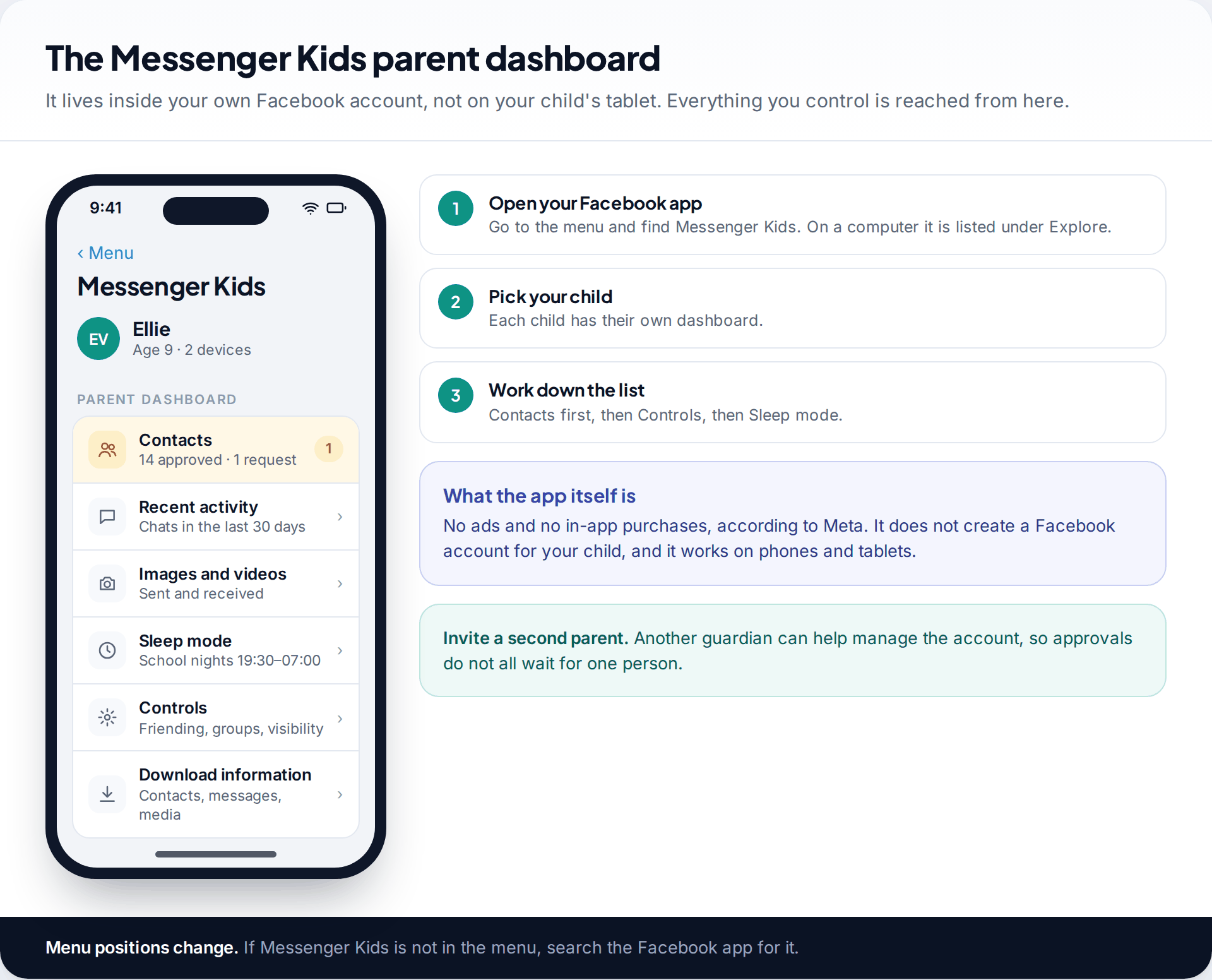
Messenger Kids is managed from the parent dashboard in your own Facebook app: open the menu, find Messenger Kids, and select your child. Setting up the account takes a few minutes. You install the app on your child’s phone or tablet, confirm with your own Facebook login, and add your child’s name.
From the dashboard you control who they can talk to, see their recent activity and the images they’ve sent and received, set sleep mode, and download a copy of their contacts, messages and media. Meta says the app has no ads and no in-app purchases. You can also invite another parent or guardian to help manage it, which helps when contact requests arrive while one of you is at work.
- Decide who approves contacts (see below). Do this before your child starts adding friends.
- Set sleep mode for school nights and weekends.
- Check the activity view weekly, ideally with your child beside you.
- Agree what happens if something upsetting arrives: they show you, and they don’t lose the tablet for it.
Supervised friending: the setting that matters most
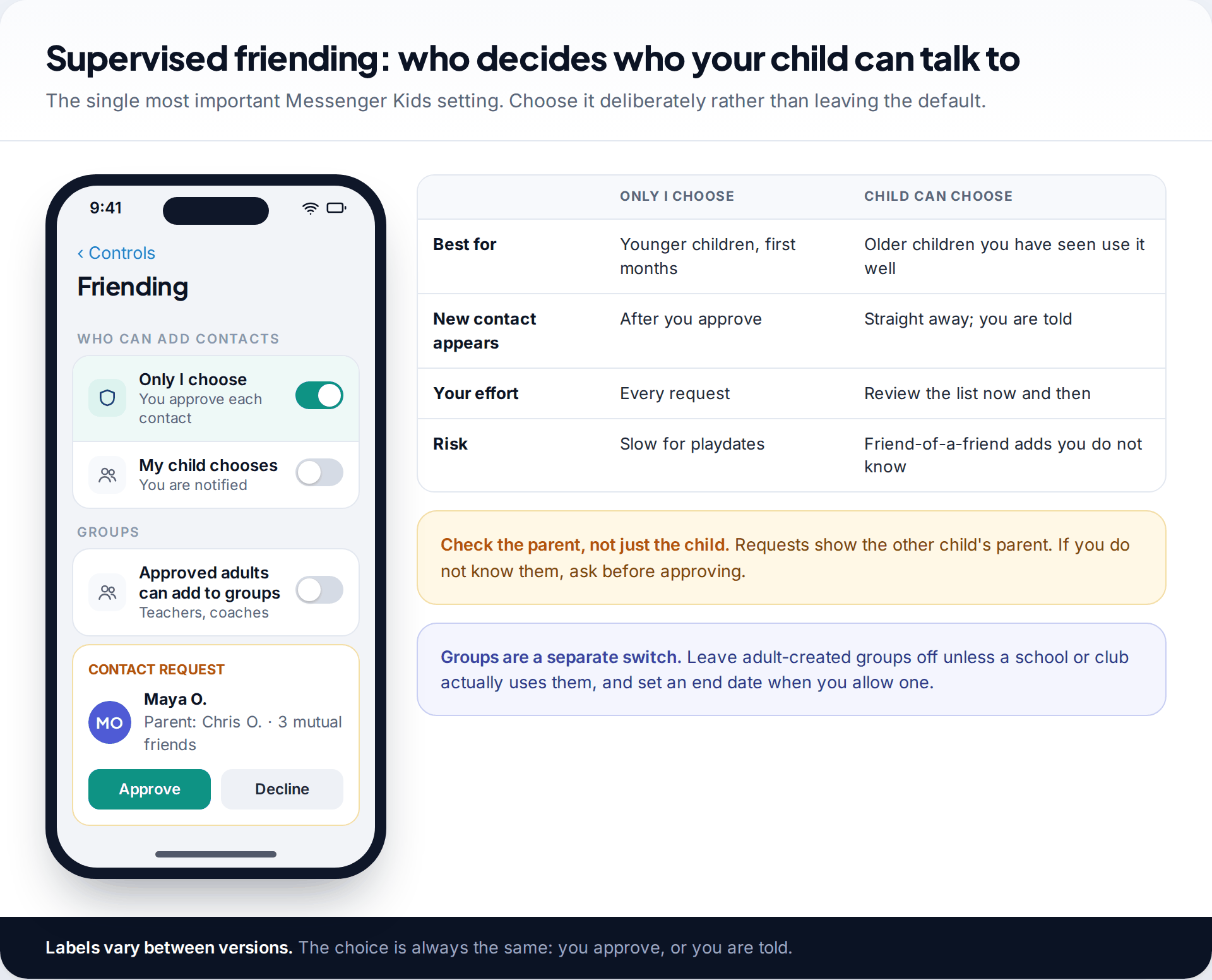
Messenger Kids offers two ways to add contacts. You can approve every new contact yourself, or you can let your child choose contacts, with you notified and able to remove anyone. For younger children and the first months of use, parent approval is the safer default. Relax it later if your child has used the app well.
There’s also a separate setting for groups. It lets adults you’ve approved, such as a teacher or coach, add your child to a group with vetted contacts. Leave it off unless you need it.
The controls have failed before. In July 2019 Meta told parents that a design flaw had let some children join group chats with users their parents hadn’t approved. It was fixed, but it’s a reminder that the dashboard is a safeguard, not a guarantee. In 2023 the US Federal Trade Commission alleged that Meta had misled parents about these controls; Meta disputed the allegation. A weekly look at who your child actually talks to catches problems that settings miss.
Checking activity without reading everything
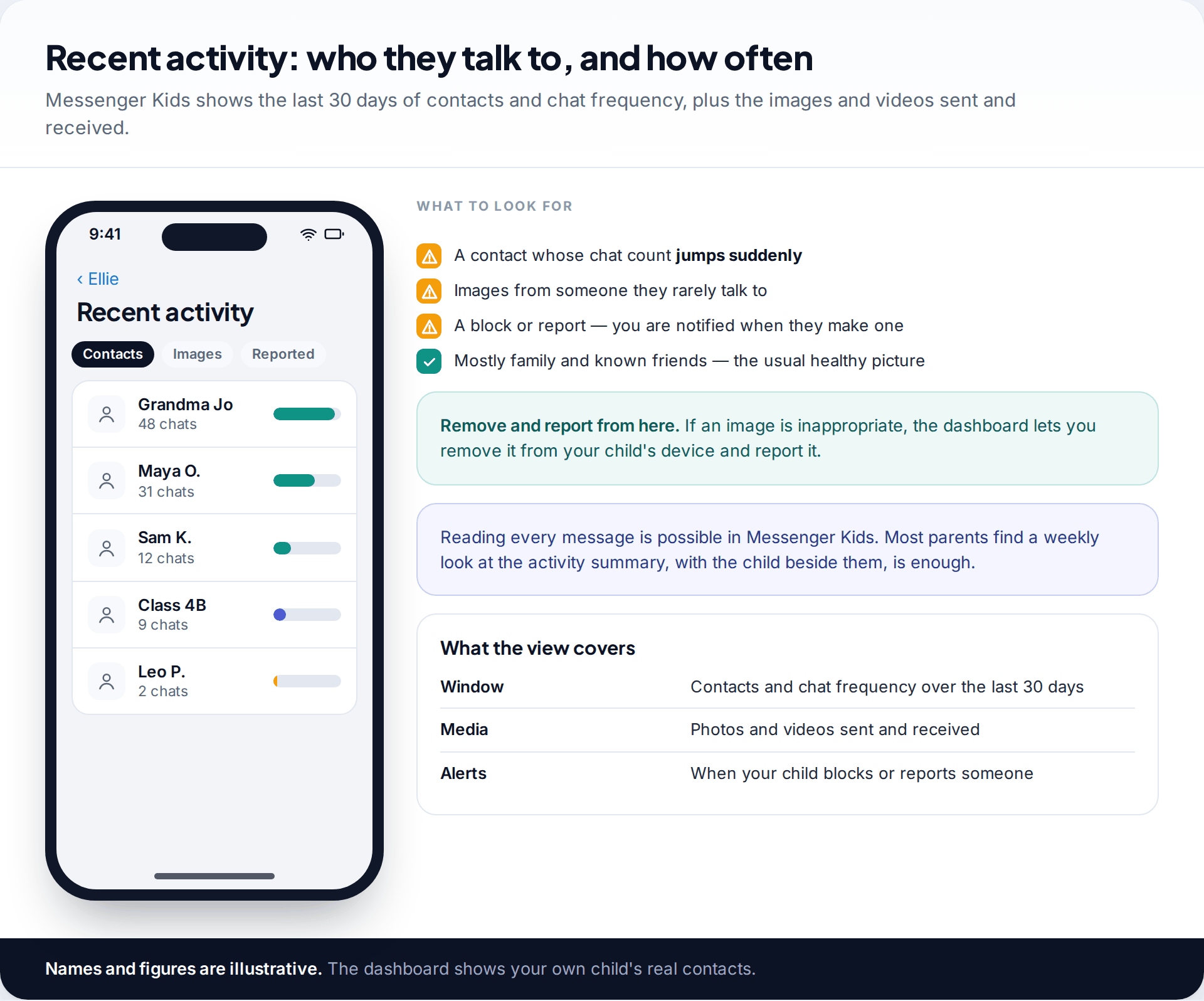
The activity view shows who your child has chatted with over the last 30 days and how often, plus the photos and videos sent and received. You’re notified when your child blocks or reports someone. If an image is inappropriate, you can remove it from your child’s device and report it from the dashboard.
You can read every message in Messenger Kids, but you don’t need to. The contact summary tells you most of what matters: a new name with a sudden spike in messages, or images from someone they rarely talk to. Looking at it together once a week also gets children used to showing you their messages, which is the habit you’ll rely on after 13.
Sleep mode and screen time
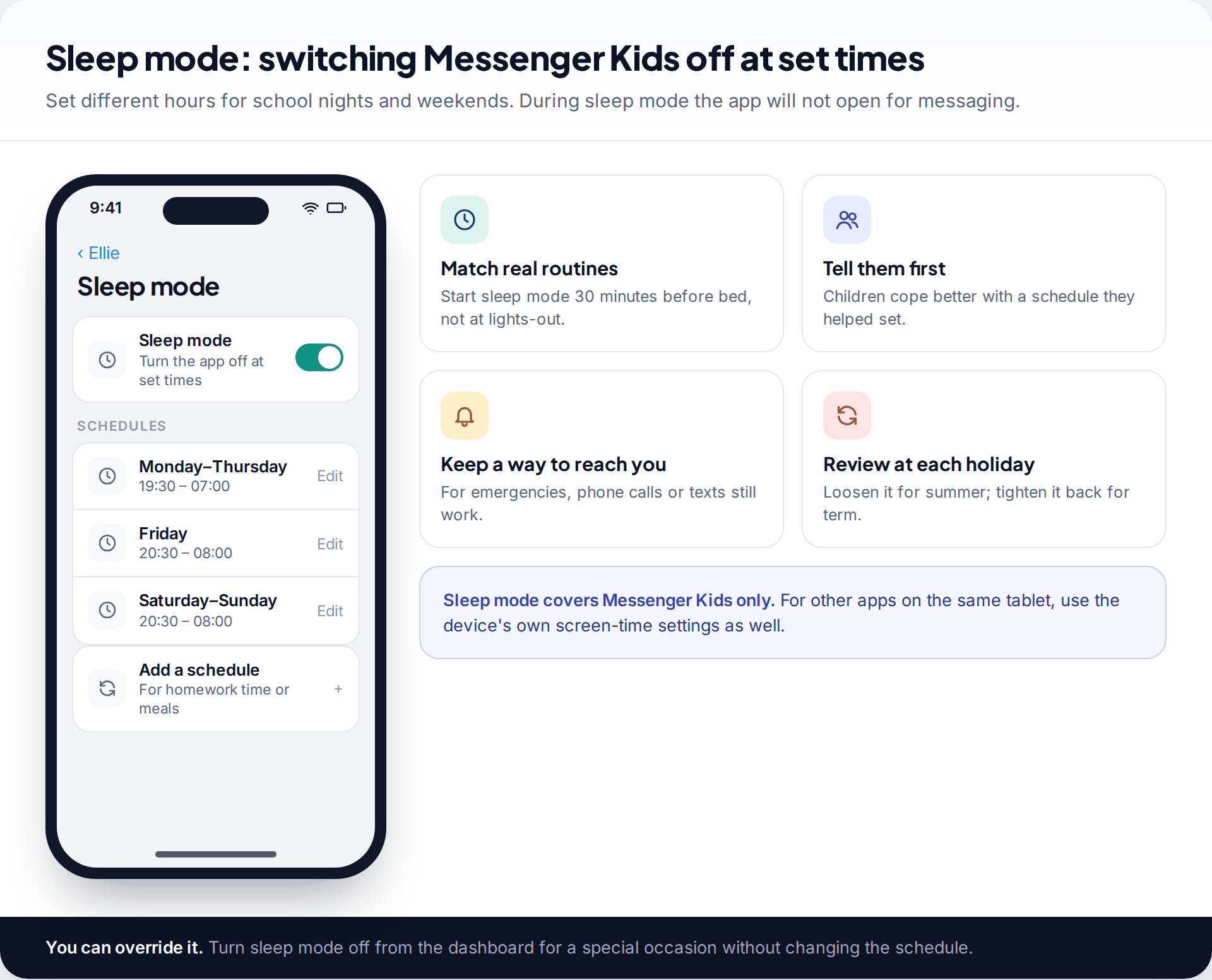
Sleep mode turns Messenger Kids off at times you choose, with separate schedules for different days. Start it half an hour before bed rather than at lights-out, and set it with your child so the schedule doesn’t feel like a punishment. If there’s a special occasion, you can switch sleep mode off from the dashboard without changing the schedule.
From 13: how to monitor your child’s Messenger as a teen
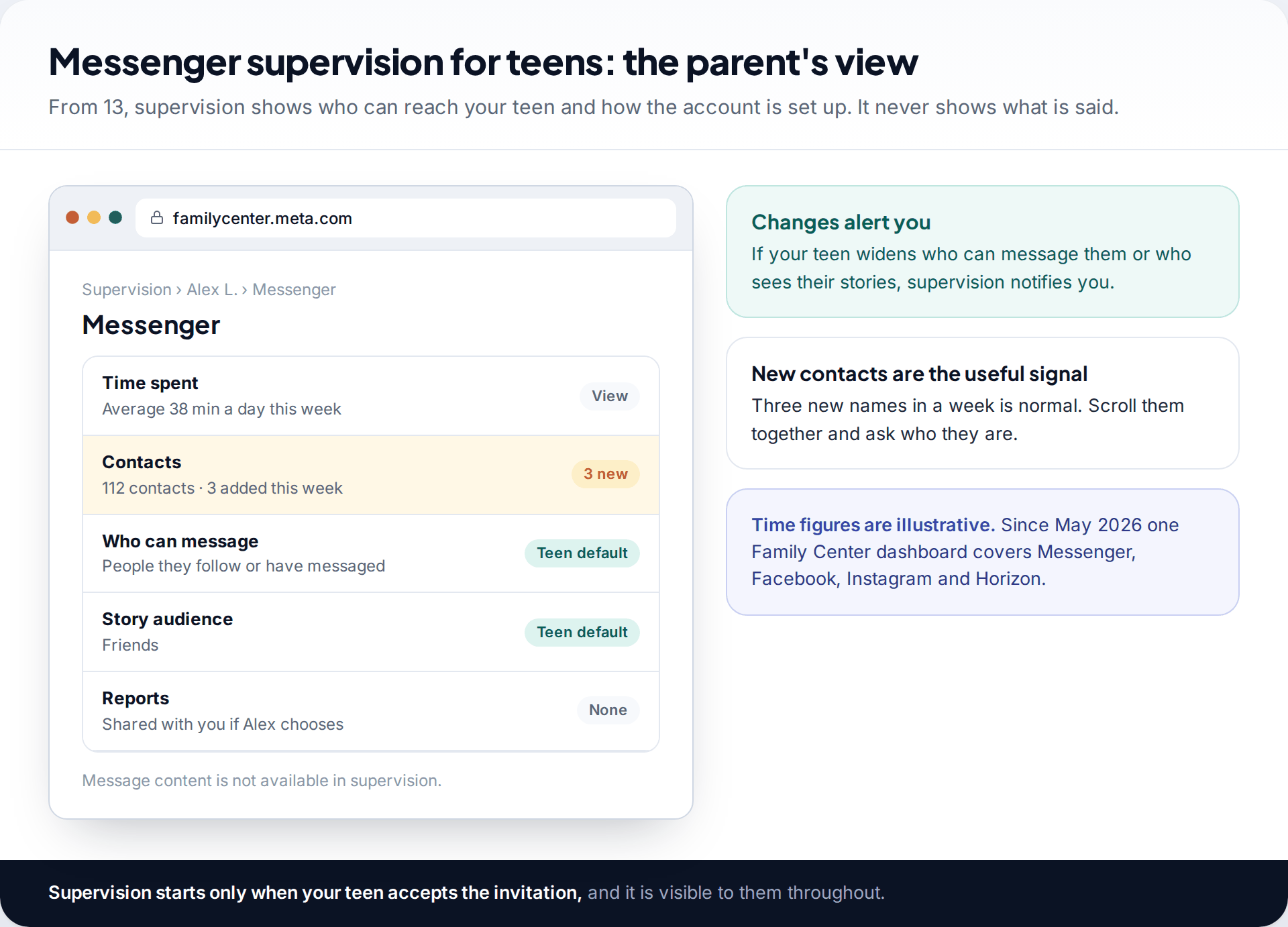
A teen’s Messenger account is a Teen Account automatically. According to Meta, teens only receive messages from people they follow or have messaged before, stories are visible to friends, they get a reminder after an hour a day, and quiet mode holds back notifications overnight. Changing any of these before 16 needs a parent to agree.
Supervision, set up through Family Center and accepted by your teen, adds a parent’s view. You see time spent, their Messenger contact list and changes to it, who can message them, and who can see their stories. You’re alerted if those settings change, and told about reports your teen makes if they choose to share them. Meta is explicit that these tools don’t let parents read messages. Our guide to supervising a teen’s Facebook covers setting up the invitation and the Facebook side of the same dashboard.
The contact list is the most useful part of teen supervision. A few new names in a week is normal. Scroll through them together now and then and ask who people are, the same way you might ask about a new friend at school.
Why encrypted chats change the picture
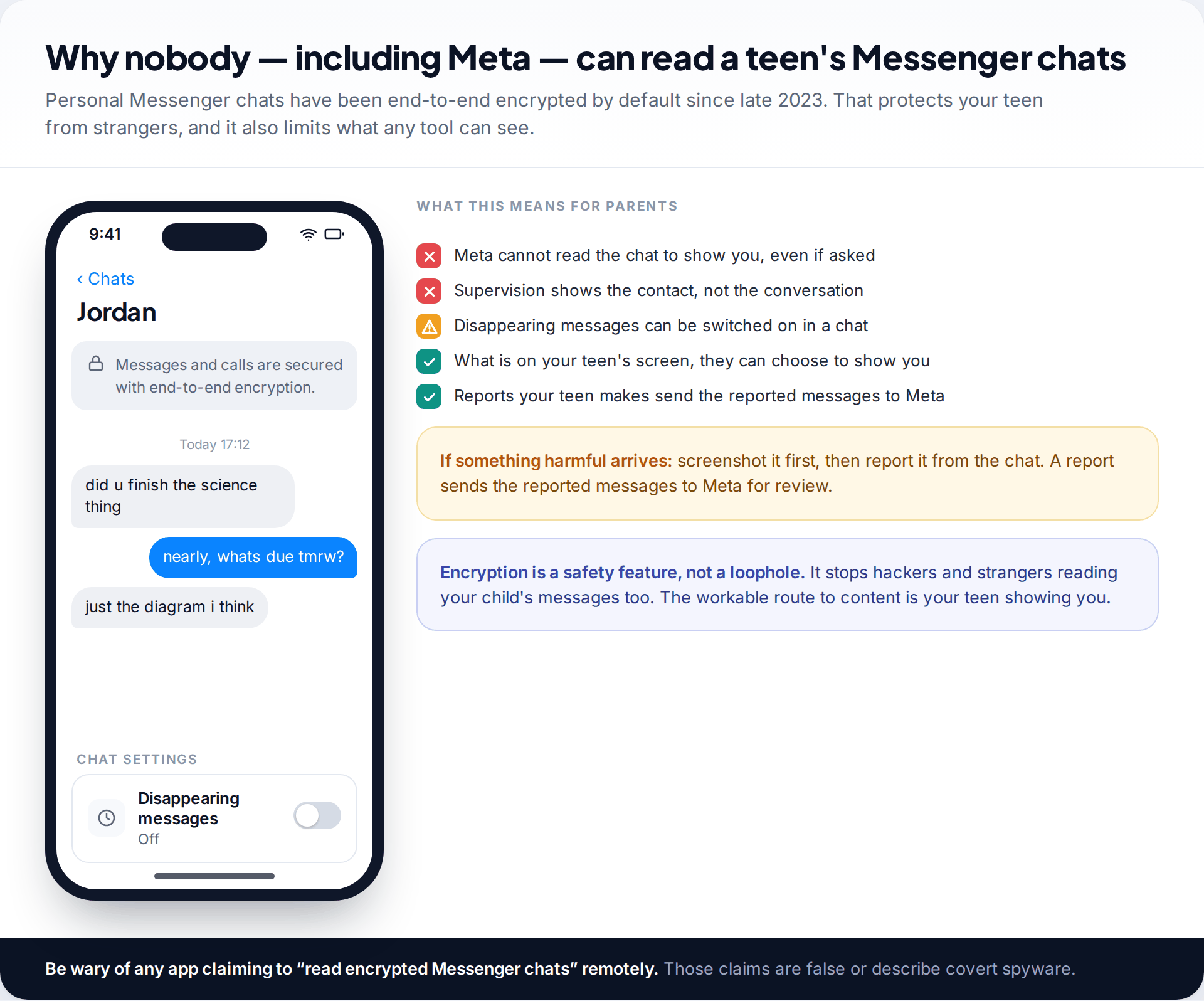
Meta made end-to-end encryption the default for personal Messenger chats in late 2023. Only the people in a conversation can read it; Meta can’t. That’s why supervision can’t show messages, and why any website or app claiming to “read someone’s Messenger remotely” is either lying or selling covert spyware. Neither belongs in a family.
Encrypted chats can also be set to disappear. That isn’t a sign of wrongdoing, but it’s worth knowing about, and worth mentioning when you talk about what to keep if something goes wrong. The practical route to message content for a teen is simple: they show you. Make that easy by agreeing in advance that showing you a worrying message never gets them into trouble.
When something goes wrong in a chat
Whatever the age, the steps are similar, and agreeing them in advance makes it far more likely your child tells you quickly.
A contact your child doesn’t know appears in Messenger Kids
Usually a friend’s sibling or a group add, but it’s worth checking every time.
Fix: remove the contact from the dashboard, check the approving parent, and switch friending back to “Only I can choose contacts” for a while.
Your teen gets messages that make them uncomfortable
Teen Account limits stop strangers, but not people they already accepted.
Fix: screenshot the chat, then block and report the person from the conversation. Reporting sends the reported messages to Meta, even in an encrypted chat.
Someone asks for images, or threatens to share one
This is a recognised pattern of exploitation that targets young teens.
Fix: don’t pay and don’t send anything more. Keep the evidence, report and block, and contact the police or your national child-protection reporting service.
Your teen ends supervision without saying why
Often embarrassment or a wish for privacy, sometimes a sign that something is being hidden.
Fix: ask calmly, without accusing. Agree what it would take to turn it back on, or when it would naturally end.
In every case, react to the problem, not to your child. A child who is punished for telling you something is unlikely to tell you the next time.
Three assumptions worth dropping
- “Supervision means I can see their chats.” Not from 13. It shows contacts, settings and time. Knowing this stops you relying on a view you don’t have.
- “Messenger Kids makes strangers impossible.” It makes them much less likely, but the 2019 flaw shows controls can fail, and approved parents’ accounts can be misused. Keep checking the contact list.
- “If I can’t read it, I can’t help.” Most children who get help online get it because they chose to show a parent. That choice depends on how the last conversation went, not on software.
If you use a monitoring app as well
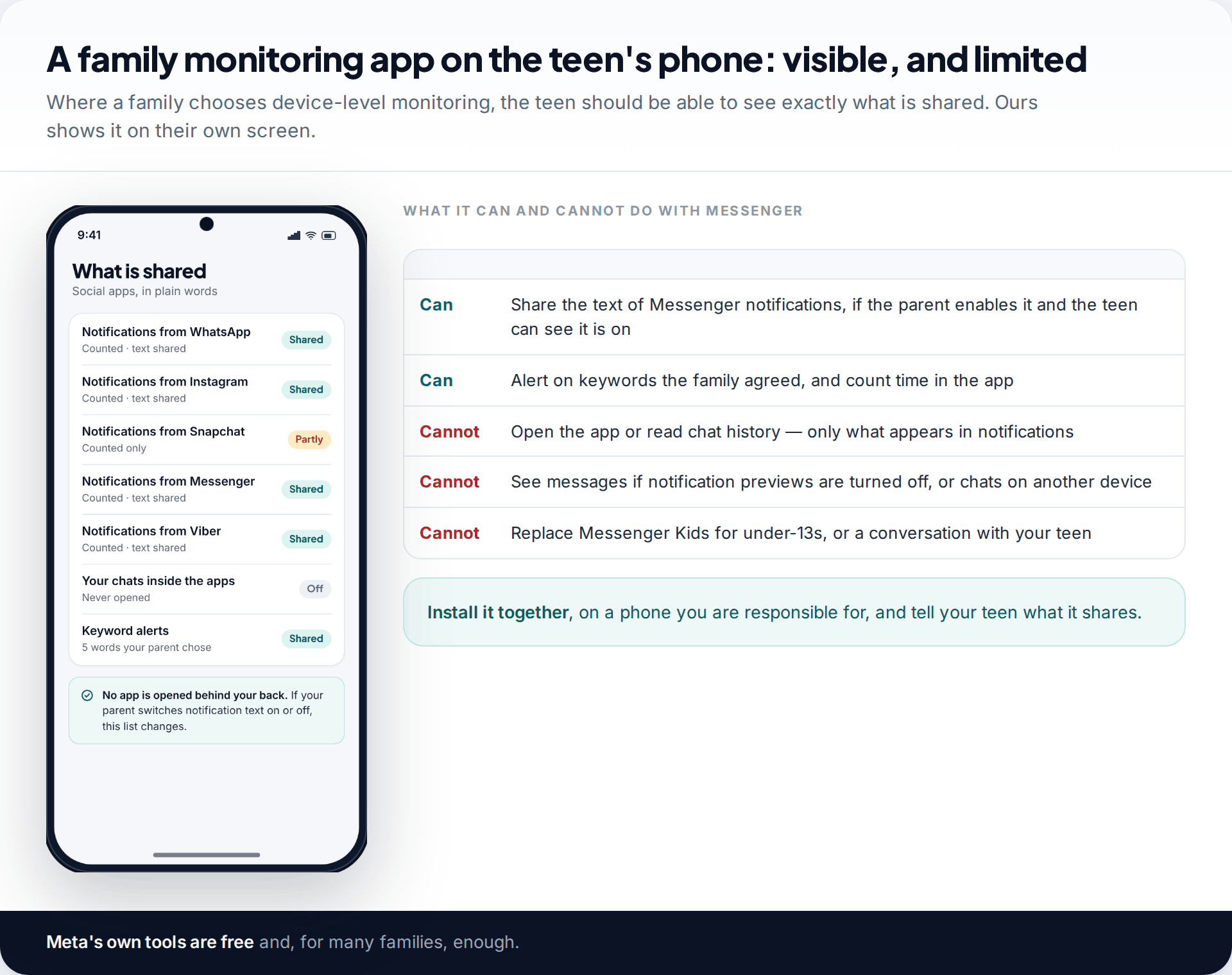
Some families add a device-level app for time limits across all apps. Ours can also share the text of Messenger notifications with a parent, if you switch that on. The teen can see what’s shared on their own phone, and the app never opens their chats. It only sees what appears in a notification, so nothing is shared if previews are off or the chat happens on another device. For under-13s, Messenger Kids’ own dashboard is the better tool. Details are on our social messages page.
How this page was put together
We checked Messenger Kids’ parent controls against Meta’s Messenger Kids site and independent parent guides. Teen Account protections and supervision features were checked against Meta’s announcements from 2023 to 2026 and independent reporting, all in September 2026. The 2019 group-chat flaw and the FTC’s 2023 allegation are as reported at the time.
Menus and labels change often, and some features vary by country; your own dashboard is the final word. Read how we check and update guides for our approach.
Common questions
Can I read my child’s Messenger messages?
In Messenger Kids, yes. The parent dashboard shows who they chat with and what was sent and received. In Messenger for teens, no. Supervision shows contacts and settings, and chats are end-to-end encrypted by default.
What age is Messenger Kids for?
It’s designed for children under 13, commonly described as ages 6 to 12. It doesn’t need the child to have a Facebook account; a parent creates and manages it from their own.
Does my child know I can see their Messenger Kids chats?
They should. Tell them what you can see and why, and look at the activity together. Children who know the rules tend to raise problems sooner.
Can strangers message my teen on Messenger?
Teen Accounts only let teens receive messages from people they follow or have messaged before. Someone who becomes a friend or contact can message them, which is why reviewing new contacts together matters.
What happens to Messenger Kids when my child turns 13?
They become old enough for Messenger itself, with a Teen Account and the option of supervision. Plan the move with them, including the fact that you’ll no longer see their messages, rather than letting it happen by default.
Can I use Messenger Kids if I don’t have Facebook?
Messenger Kids is managed through a parent’s account, and Meta’s own site describes it as run from a parent’s or guardian’s Facebook account. If you don’t want Facebook yourself, check the current sign-up options in the app before you install it for your child.
Is there a way to see deleted or disappearing messages?
Not through any legitimate tool. Disappearing messages in encrypted chats are removed from both sides after the set time. If something harmful arrives, the advice is to screenshot it before it goes and report it.
Looking for a tool to go with this? TheTruthSpy is a free parental control app for Android that stays visible on the child's phone. If it fits your family, see the Social media alerts feature.
Related guides
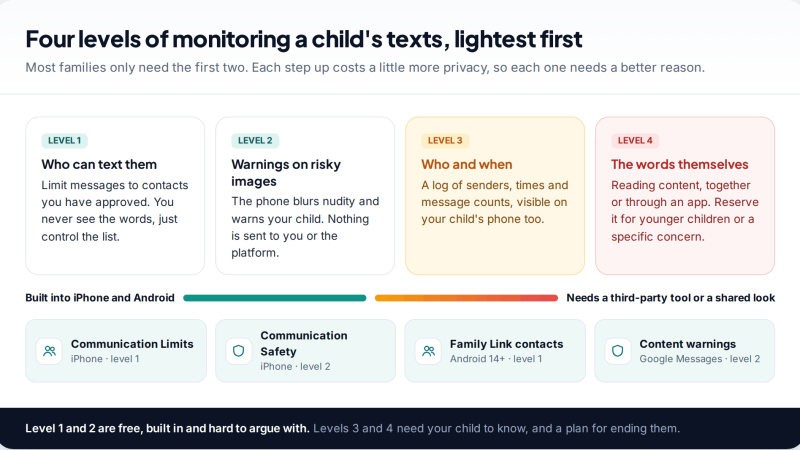
Monitoring Your Child’s Text Messages Safely: Options by Age
What parents can really see of a child's texts on iPhone and Android: Communication Limits, Communication Safety, Family Link contacts…
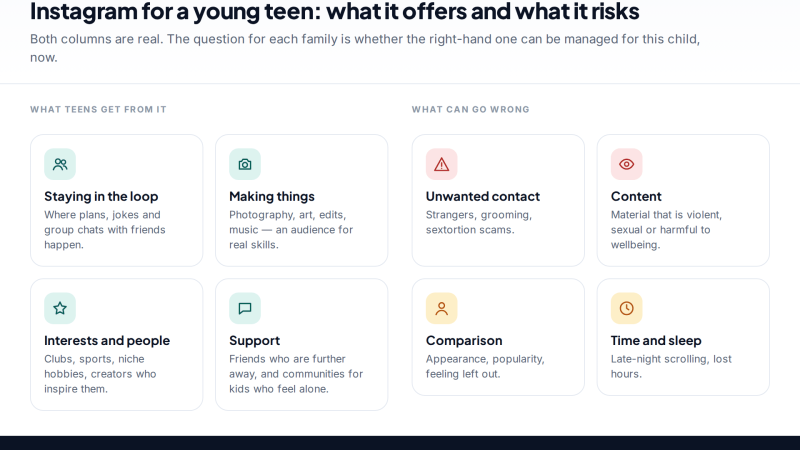
Is Instagram Safe for My Child? A Parent’s Guide
Is Instagram safe for kids? Not under 13, and not automatically after. Teen Accounts now remove many risks by default;…
Vault Apps and Hidden Apps on a Child’s Phone: How to Spot Them
How to find hidden or vault apps on your child's phone: calculator vaults, iPhone hidden and locked apps, Android private…
Parental controls your child can see
Location, screen time limits, a web filter and alerts from notifications — free, and visible on your child's phone. Pair a phone in about ten minutes.
Android · Free to set up · Visible on your child's phone