Monitoring Your Child’s Instagram Without Breaking Their Trust

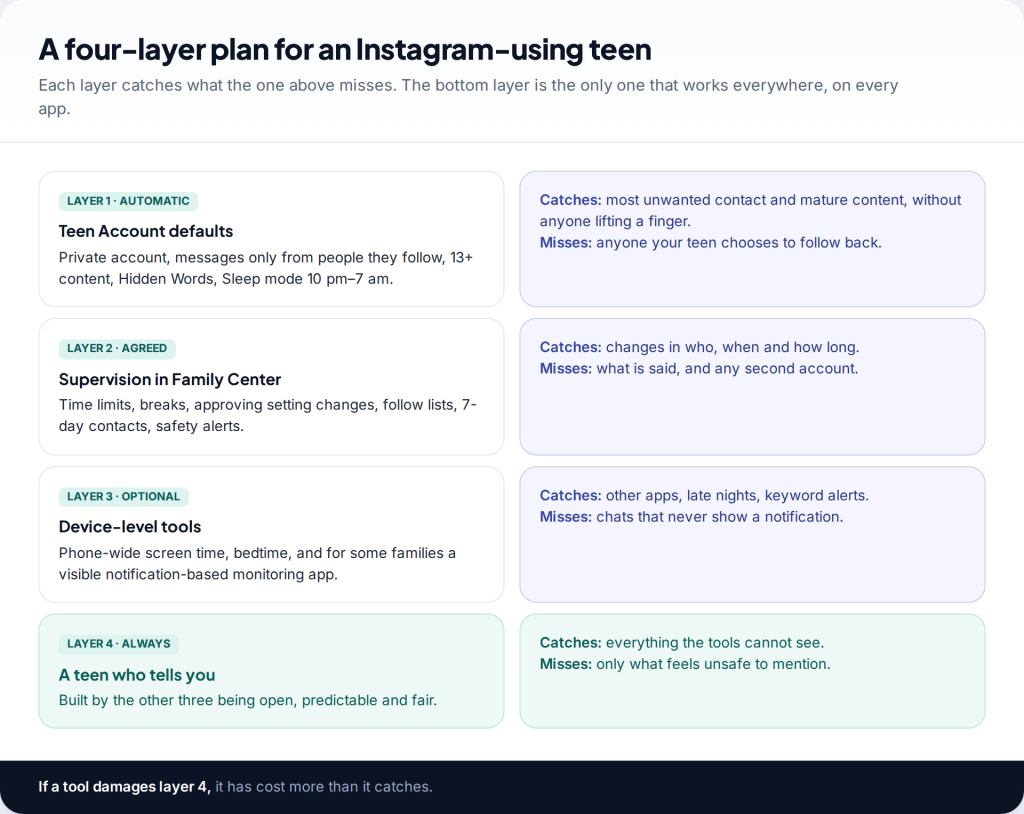
There’s a common assumption that to monitor a child’s Instagram properly you need to read their messages. You don’t, and on Instagram you can’t. What works is a layered plan: the Teen Account protections that switch on automatically, Supervision agreed with your teen, a short weekly check-in, and a clear line on what you’ll never do. This guide sets out that plan, from age 13 to 18.
The four layers of monitoring a child’s Instagram
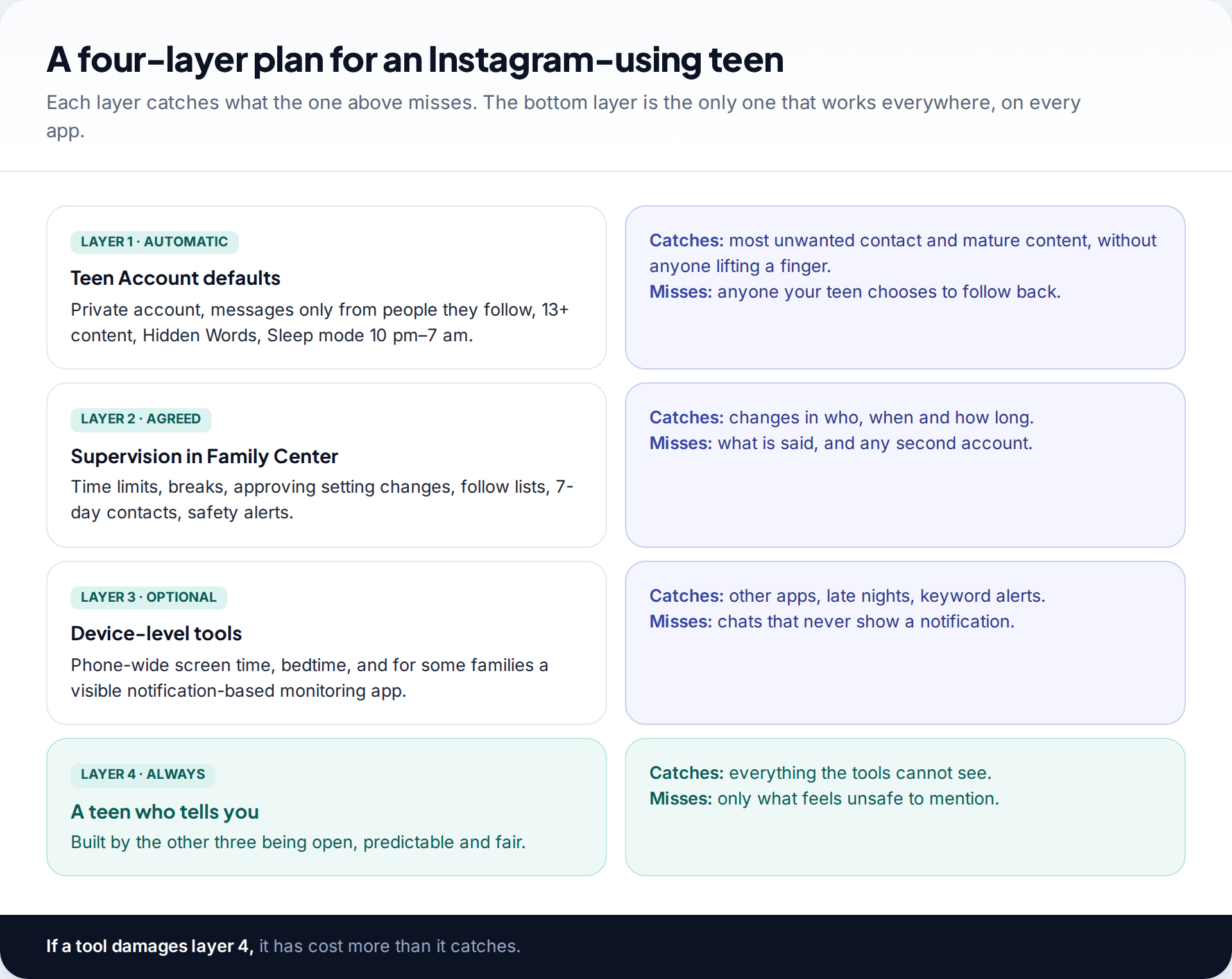
The first layer needs nothing from you. Everyone under 18 on Instagram is placed in a Teen Account, which is private by default, only accepts messages from people your teen follows or is already connected to, filters offensive comments and message requests, reminds them after an hour a day, and mutes notifications from 10 pm to 7 am. Since October 2025 it also applies a 13+ content standard, modelled on PG-13 film ratings. Under-16s need a parent’s permission to loosen any of this.
The second layer is Supervision, set up through Family Center with your teen’s agreement. It lets you set daily limits and break times, approve setting changes, and see time spent, who they follow and who follows them, accounts they’ve blocked, and the names of people they’ve messaged in the past week. It also sends safety alerts, including one when a teen repeatedly searches for suicide or self-harm terms. Our Supervision setup walkthrough covers the steps.
The third layer is optional: tools on the phone itself, from its built-in screen-time controls to a visible monitoring app. The fourth is the one every other layer should protect: a teen who tells you when something goes wrong. None of the tools can see an adult’s message asking for photos. Your teen can, and whether they mention it depends on how the first three layers have felt.
How much monitoring suits each age
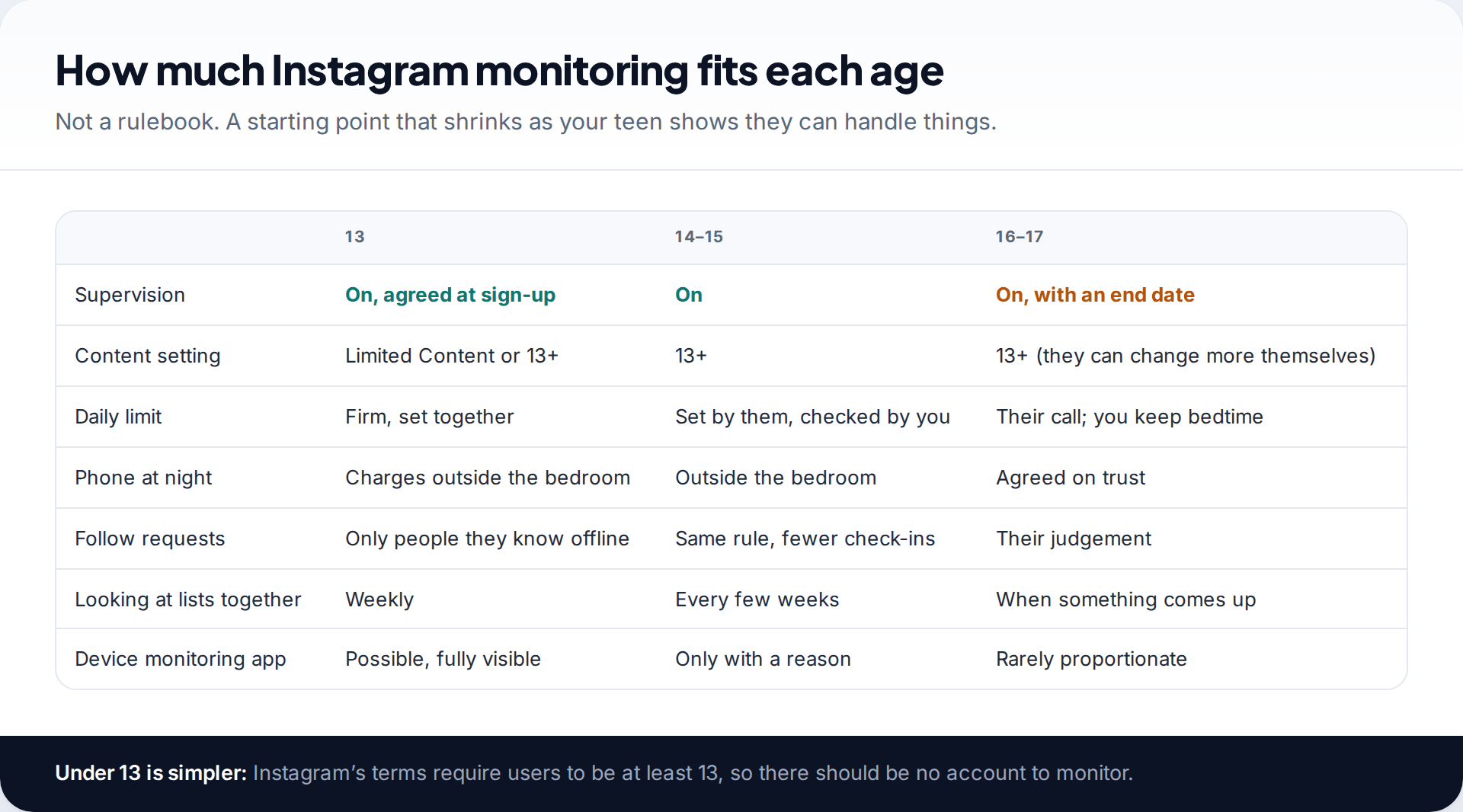
Instagram’s minimum age is 13, and a younger child shouldn’t have an account to monitor. In Australia, the minimum age for Instagram and other major social platforms has been 16 since December 2025, and the penalties fall on the platforms, not on families.
At 13, close monitoring is reasonable and most children expect it. Supervision should be part of the deal for getting the account. The phone charges outside the bedroom, and follow requests are approved only from people they know offline. Consider the stricter Limited Content setting, which also turns comments off.
From 14 to 15, hand over the daily limit. Let your teen set it and watch how they get on, and check in every couple of weeks rather than every week.
At 16 and 17, Instagram lets teens change most defaults themselves. Supervision can stay on, but you’ll mostly leave it alone. Keep what protects sleep, and agree when Supervision will end.
Start with a family agreement, not a setting
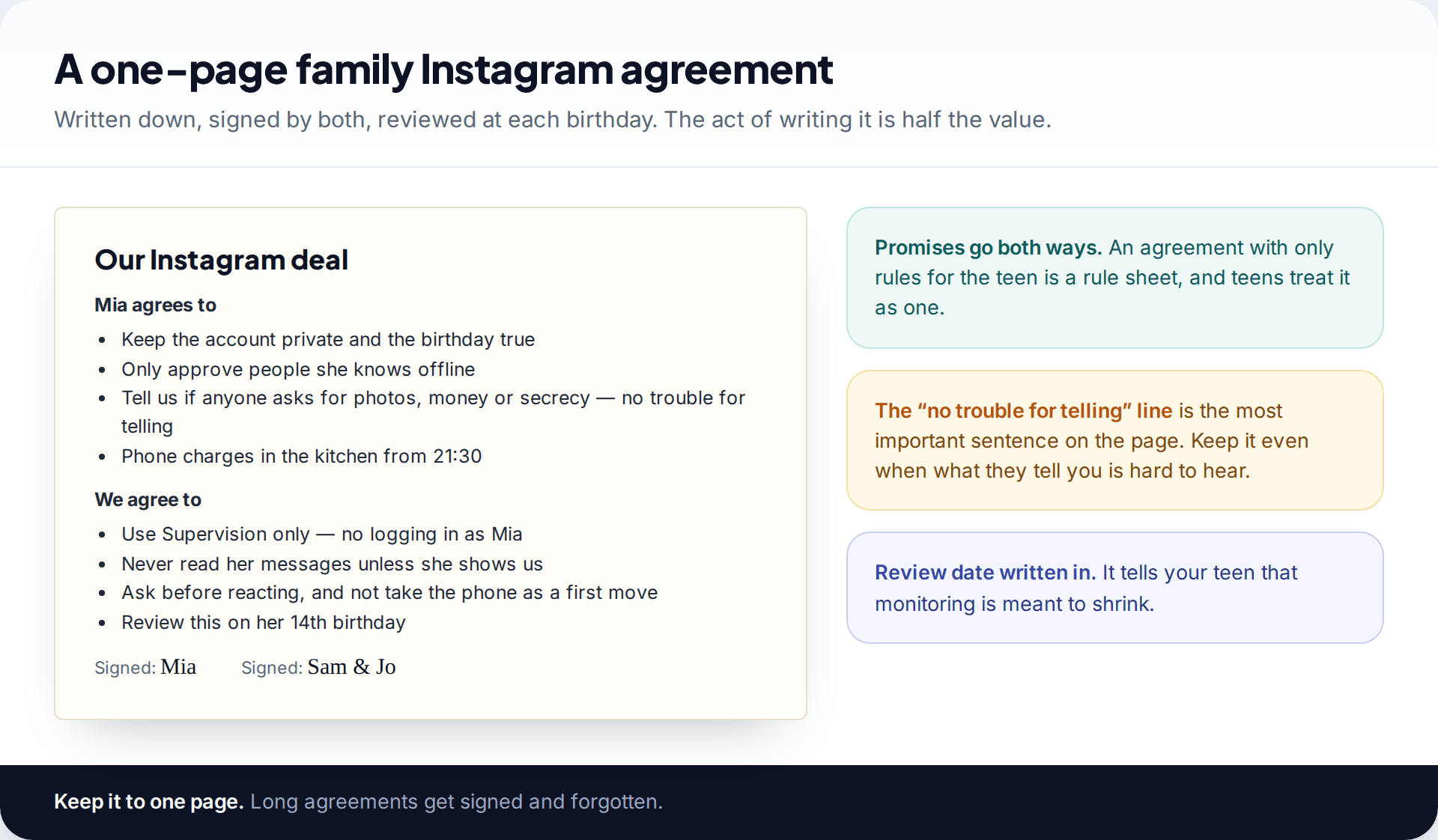
Before you open Family Center, write down what you’re agreeing to. One page is enough. The teen’s side is familiar: a private account with a true birthday, approving only people they know, and phones out of the bedroom at night. The parent’s side matters more. Say you’ll use Supervision and not log in as them, that you won’t read messages unless they show you, and that you’ll ask before you react.
Include one sentence and keep it no matter what: telling you about something that went wrong online will never get them in trouble. Nearly every serious situation parents discover, they discover because a child decided it was safe to say. The agreement is where you make that true.
Add a review date, usually the next birthday. It tells your teen that monitoring is designed to shrink, which makes it much easier to accept now.
Keep everything visible to your teen
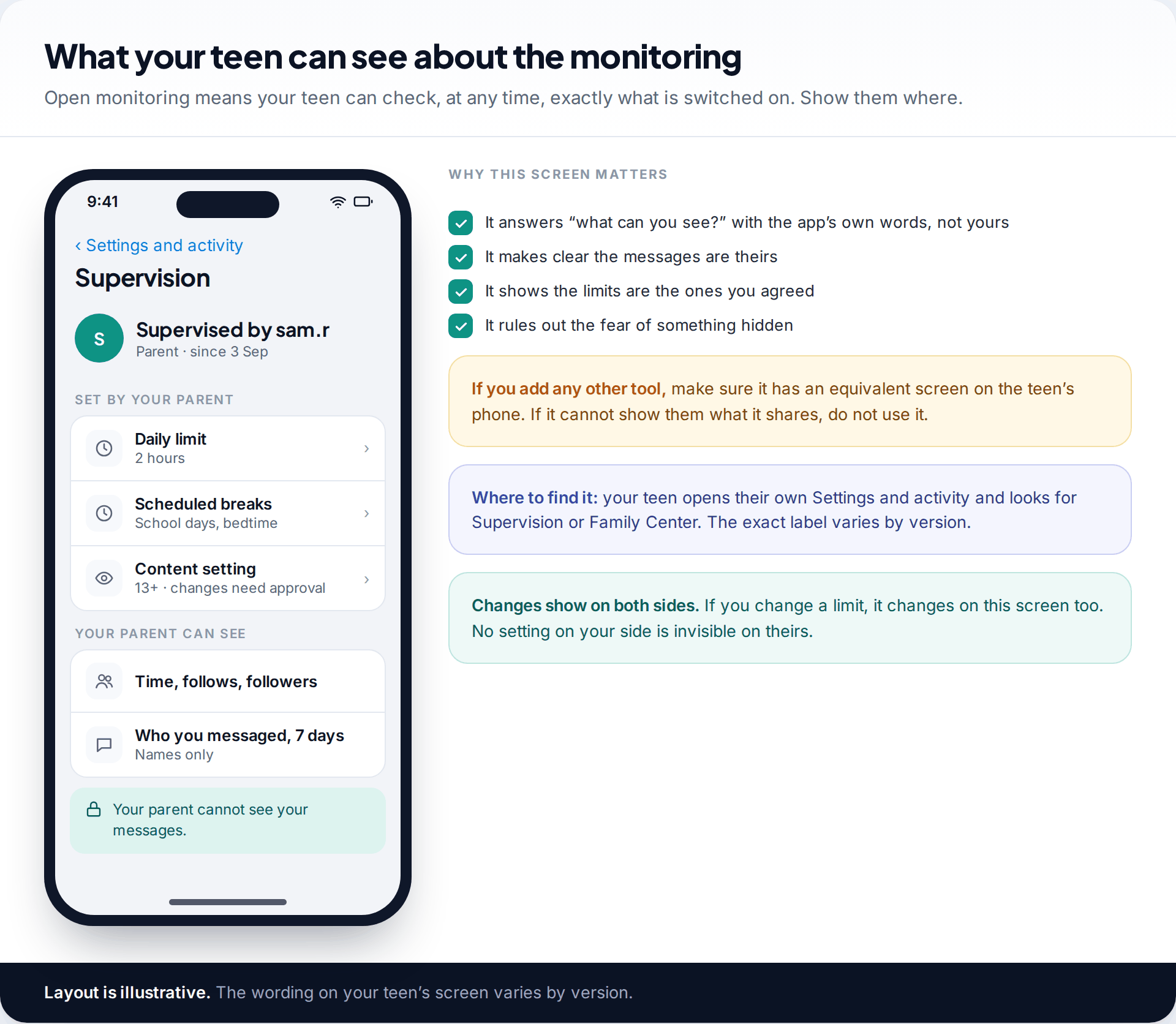
Supervision is built to be visible. Your teen can see from their own settings that it’s on, what limits apply and what you can see. Show them the screen. It answers “what can you see?” in Instagram’s own words, which is more convincing than yours.
Apply the same test to anything else you add. If a tool can’t show your teen, on their own phone, what it shares with you, it isn’t open monitoring, and it will cost you more trust than it’s worth when they find it. Teens do find these things, usually at the worst moment.
A weekly check-in that takes ten minutes
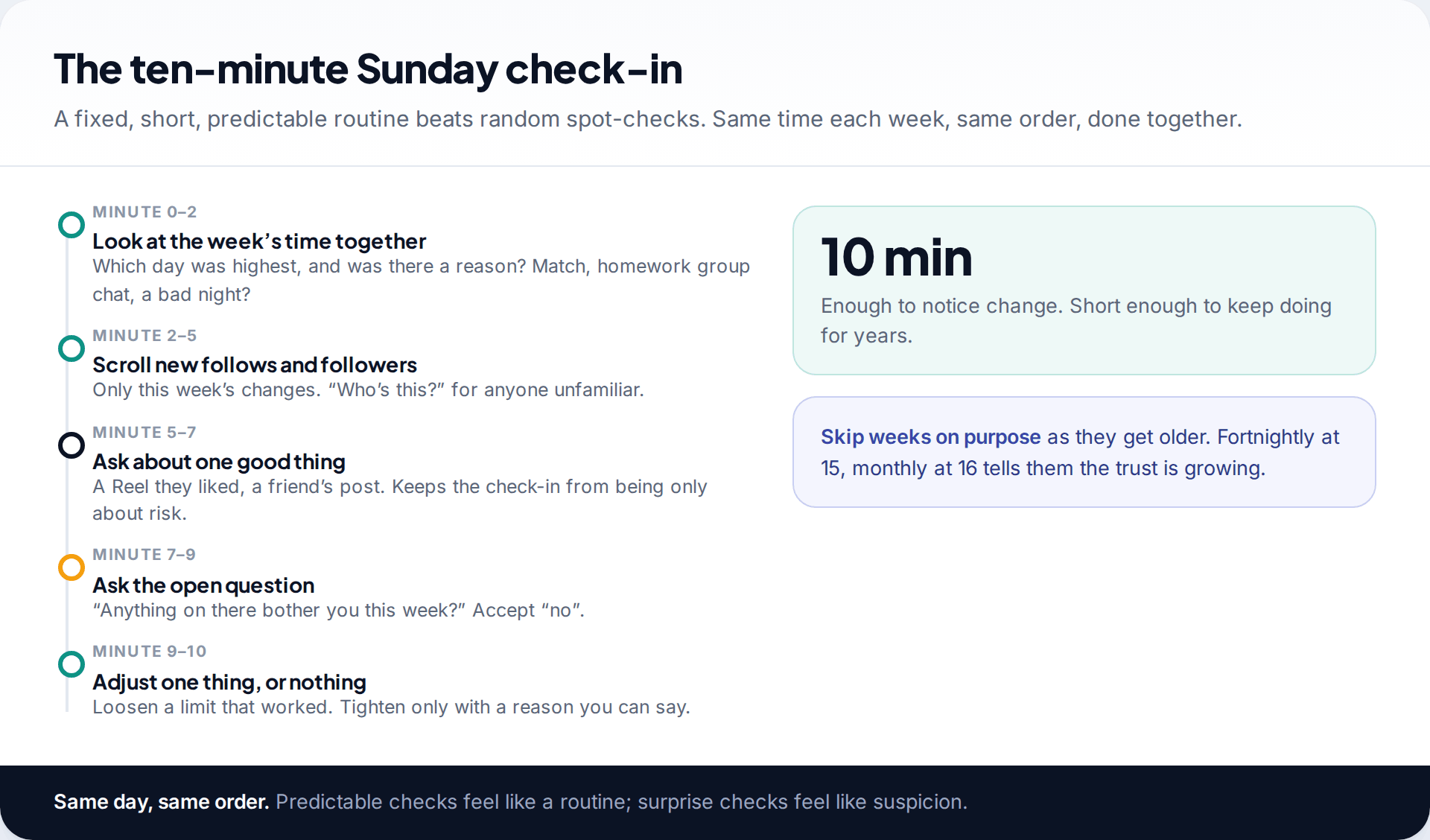
A fixed routine does two jobs. It gives you a regular look at the account, and it removes the feeling of being watched at random. Pick a time, such as Sunday after dinner, and keep to the same order each week: the week’s time, new follows and followers, one thing they enjoyed, one open question, then one small adjustment or none.
The “one good thing” step is not optional. If every check-in is about risk, your teen learns that Instagram is something to defend, and the check-ins get shorter and more guarded. A Reel they loved, a friend’s post, a creator they’ve found keeps it a conversation.
As they get older, skip weeks deliberately and say so. Moving to fortnightly because they’ve handled things well is a reward they’ll notice.
Signals worth acting on, and what’s just noise
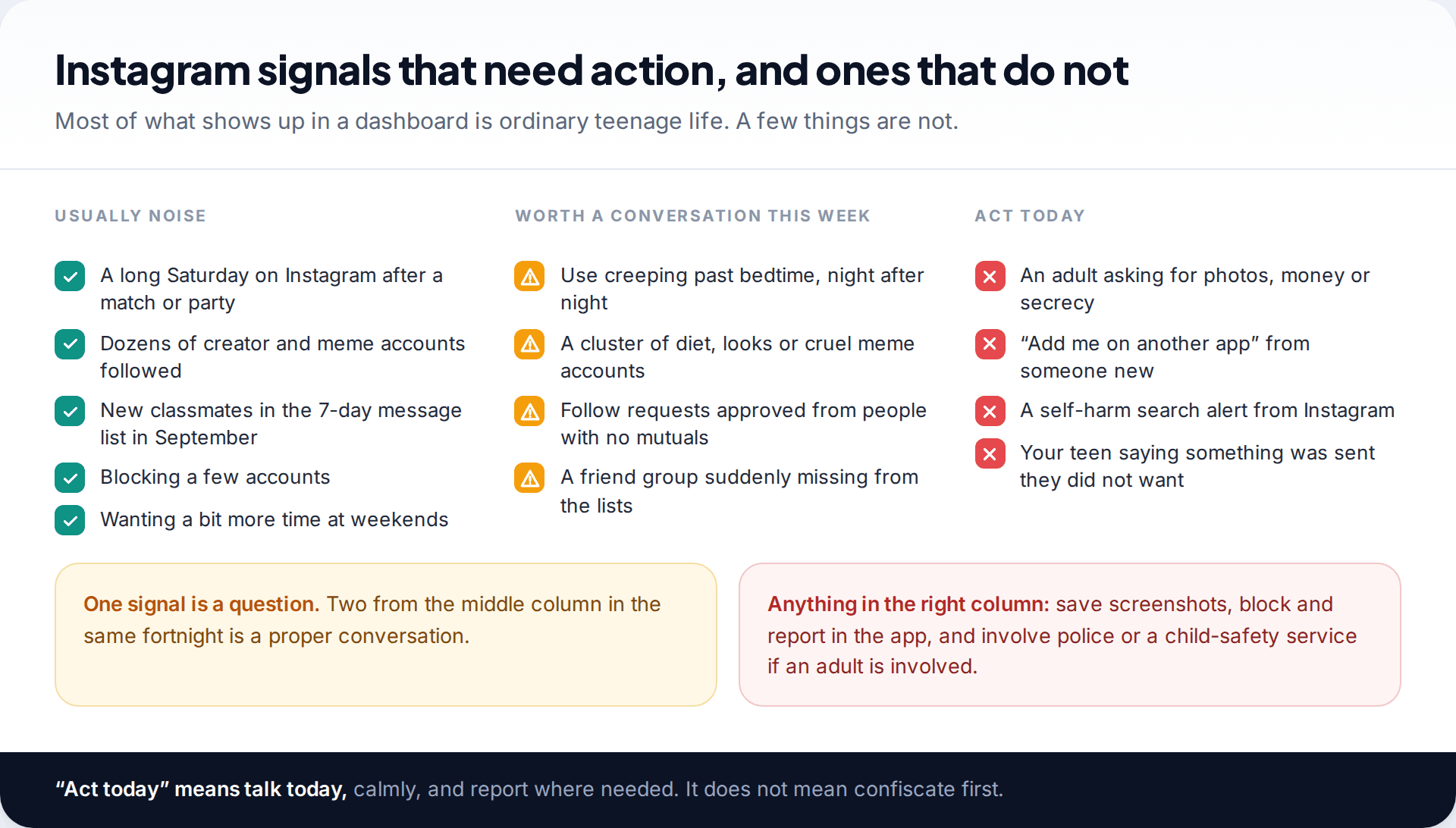
Much of what you’ll see is ordinary. A long Saturday, a hundred meme accounts and new classmates in the message list in September are simply teenage life. Resist commenting on all of it, or the comments that matter will be lost among the rest.
Some things deserve a conversation within the week: Instagram use drifting later into the night, a cluster of diet or appearance accounts, strangers approved as followers, or a friendship group suddenly vanishing from the lists. Ask with curiosity, not a conclusion.
A few deserve action the same day. These include an adult asking for images, money or secrecy; someone new pushing to “add me on another app”; a self-harm search alert from Instagram; or your teen telling you something arrived that they didn’t want. Talk that evening, save evidence, block and report. If an adult is involved, contact the police or a child-protection service. What you’re aiming for is calm speed, not confiscation.
Where a device-level app fits
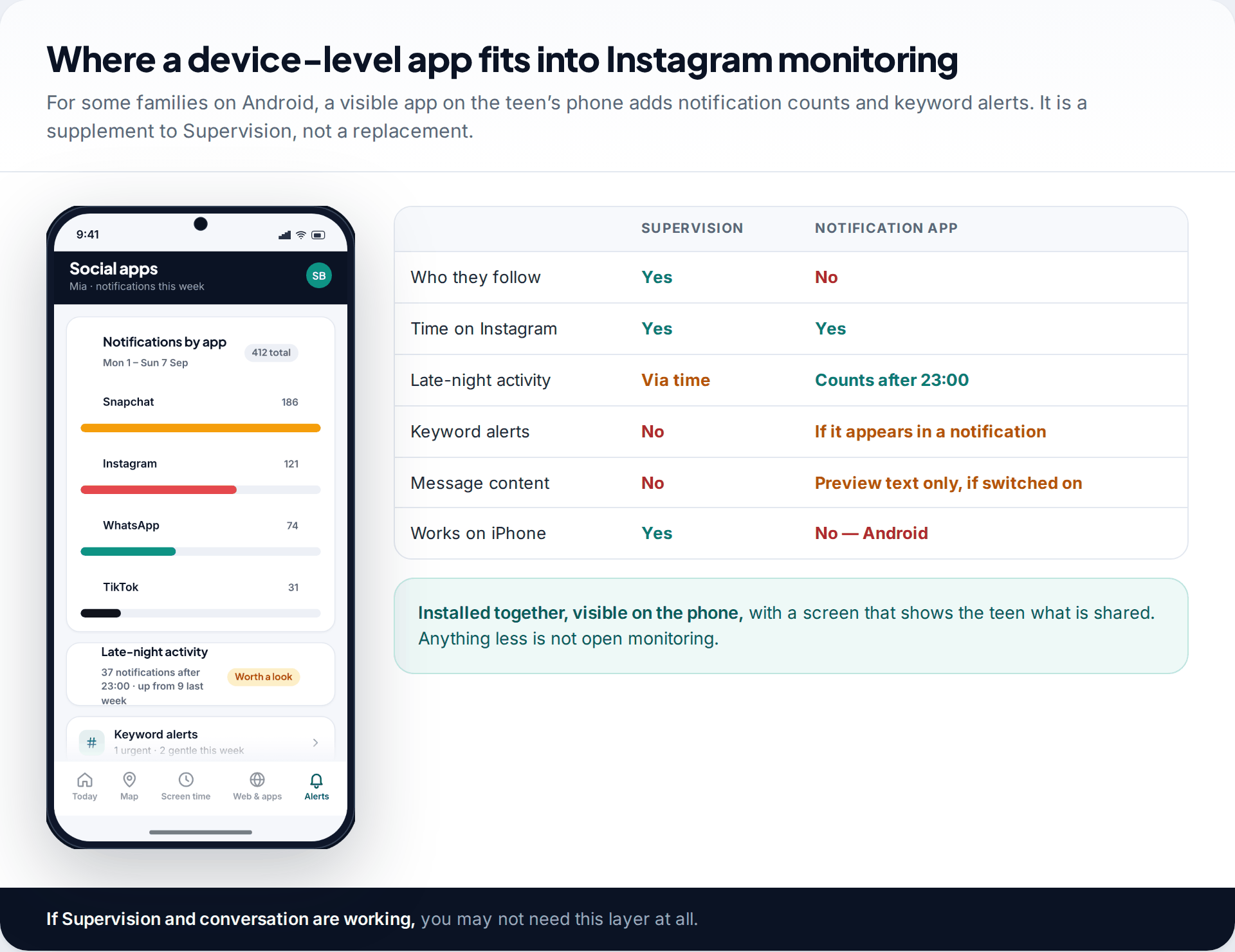
Some families add a monitoring app on the teen’s phone, usually for time limits across all apps or because a particular worry needs closer attention for a while. Ours works on Android, is installed with your teen and stays visible on their phone, with a screen that shows them what’s shared. It counts Instagram notifications and flags late-night activity. It can also alert you to keywords you choose in notification text, and share preview text if you switch that on. It doesn’t open Instagram or read chats, it can’t see who they follow, and it misses anything that never produces a notification. It doesn’t run on iPhone. Our social apps overview explains the details. For many families, Supervision plus the weekly check-in is enough.
Stepping back as they get older
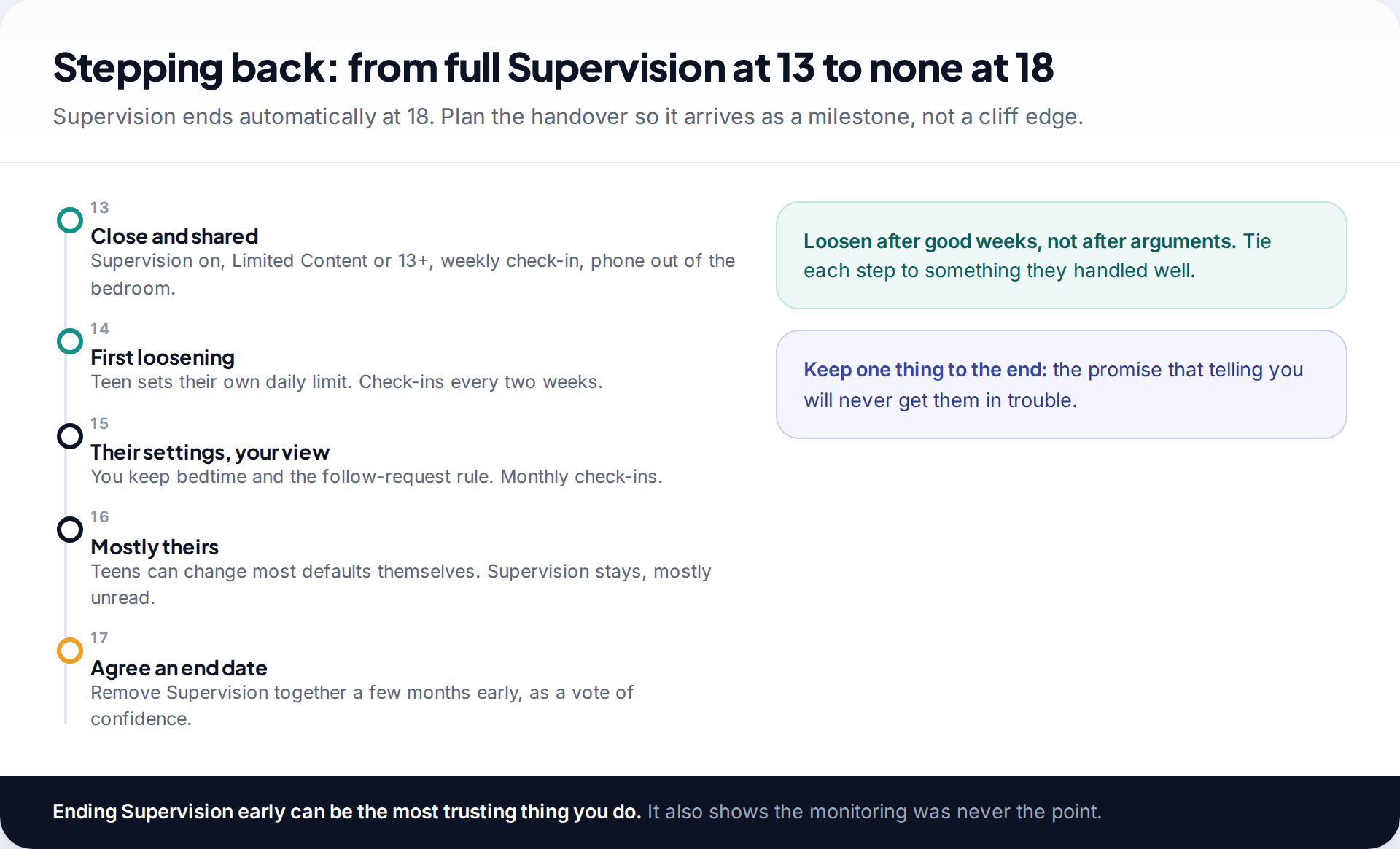
Supervision ends automatically at 18. If nothing has changed before then, your teen goes from full oversight to none overnight, just as they’re likely to leave home. Plan the handover. Loosen one thing each year, tied to something they handled well, and at 17 agree a date to remove Supervision together, a few months early.
That last step often does more for the relationship than all the monitoring before it. It shows that the monitoring was there to keep them safe, not to control them.
Second accounts, and what to do about them
Sooner or later many teens open a second account, often a small, private one for close friends. It’s rarely sinister. Usually it’s a place to post without an audience of relatives. But it sits outside Supervision, and a second account set up to avoid monitoring is a sign the monitoring has become too heavy.
Don’t treat discovering one as a betrayal. Ask what it’s for and who’s on it. Then choose one of two fair outcomes: the second account joins Supervision on the same terms, or you both agree it’s a friends-only space with the same rules on privacy and follow requests. Either works. What doesn’t work is shutting it down without a conversation, because the third account will be better hidden.
If something has already gone wrong
If your teen tells you about something on Instagram, the first hour sets the tone for every future disclosure. Thank them for telling you before asking anything else. Then work through the practical steps together: screenshot the profile and messages, block and report the account from inside the chat, and check whether anything was sent that could be misused.
If an adult has asked for or received intimate images, or is demanding money, don’t pay and don’t reply as your child. Keep the evidence and report it to the police. For under-18s, the Take It Down service can help get images removed from participating platforms. Above all, make it clear your child isn’t in trouble. People who run these schemes rely on shame to keep children quiet.
Myths about monitoring a teen’s Instagram
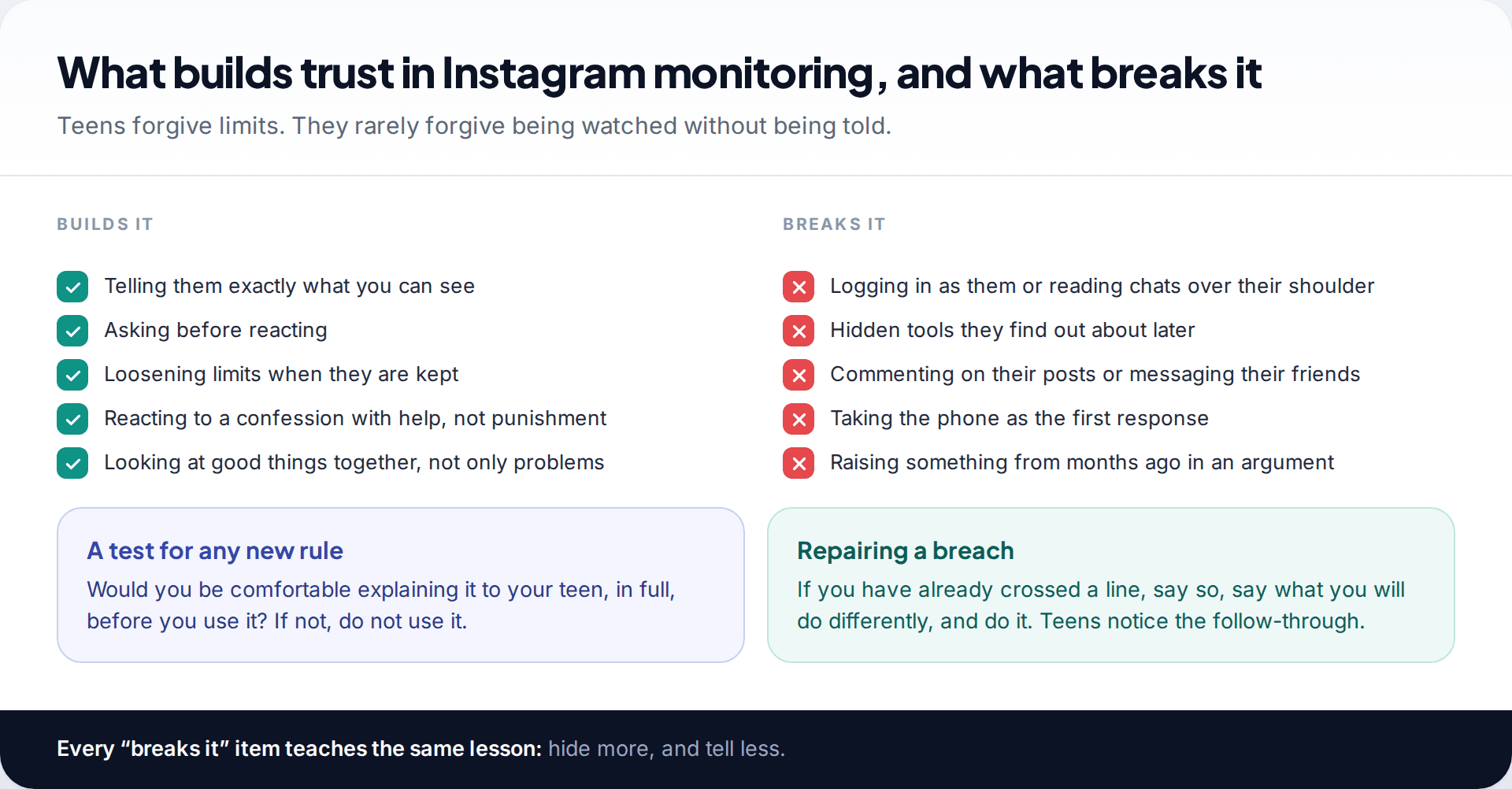
- “If I can’t read their messages, I’m not really monitoring.” No parent tool on Instagram shows message content. The risks mostly show up in who, when and how, which Supervision does show.
- “Logging in as them is fine, it’s my phone contract.” It teaches them to use a second account, and it’s the fastest way to lose layer four.
- “Strict settings mean I can relax.” Defaults don’t apply to people your teen chooses to follow back. The follow-request rule matters more than any toggle.
- “Taking the phone shows I’m serious.” It shows that telling you has a cost. The next problem goes unmentioned.
How this page was put together
We based the plan on Meta’s own descriptions of Teen Accounts, the 13+ content setting, Family Center and the 2026 parent alerts, checked in September 2026, together with Australia’s under-16 rules as legislated. The age table, agreement and routine are our own suggestions, not Instagram features, and every family will adjust them.
We haven’t tested these routines with real families, and the names in the images are invented. You can read about how our guides are sourced and kept current.
Common questions
What is the safest way to monitor my child’s Instagram?
Keep the Teen Account defaults, add Supervision with your child’s agreement, and hold a short weekly check-in. Add device tools only if a specific need arises, and only openly.
Should I have my child’s Instagram password?
Many families do at 13 as a safety backstop, with a promise not to log in unless there’s an emergency. If you do log in, tell them. Using it routinely does more harm than good.
Is it OK to follow my teen on Instagram?
Yes, if they approve it. Agree not to comment on or like their posts unless they’re happy for you to. Many teens find public parent comments embarrassing, which leads to second accounts.
My teen refuses Supervision. What now?
Ask what worries them. Usually it’s the belief that you’ll read their messages. Show them what Supervision actually shows. If they still refuse at 13, it’s reasonable to make it a condition of having the account.
How much Instagram time is too much?
There’s no single number. Look at sleep, schoolwork, mood and offline friendships. If those are fine, the total matters less than when the time is spent.
Can Instagram alert me if my teen is at risk?
If you supervise, Instagram alerts you when your teen repeatedly searches for suicide or self-harm terms, and in some countries when their Meta AI conversations suggest a risk of self-harm. These alerts support you, but they don’t replace talking to your teen.
Looking for a tool to go with this? TheTruthSpy is a free parental control app for Android that stays visible on the child's phone. If it fits your family, see the Social media alerts feature.
Related guides
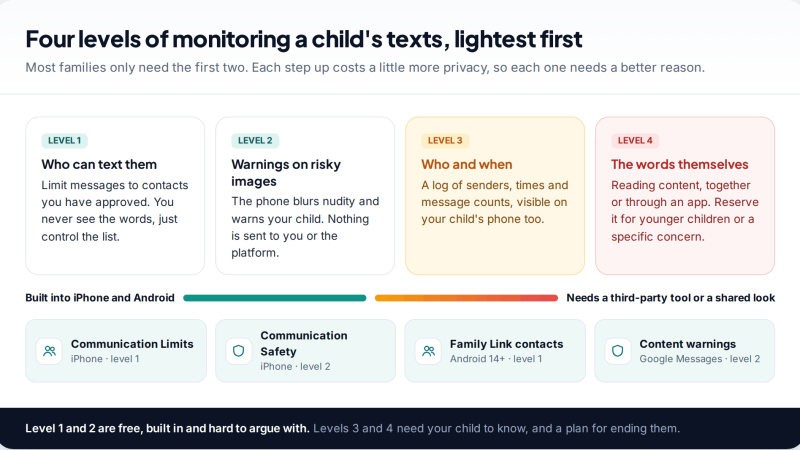
Monitoring Your Child’s Text Messages Safely: Options by Age
What parents can really see of a child's texts on iPhone and Android: Communication Limits, Communication Safety, Family Link contacts…
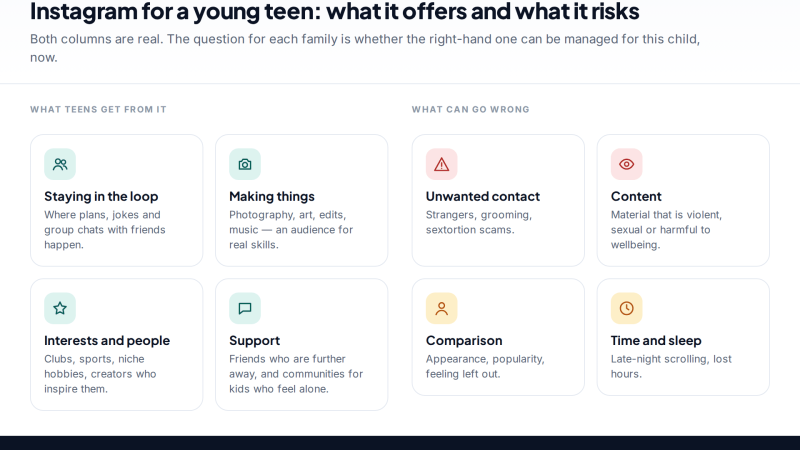
Is Instagram Safe for My Child? A Parent’s Guide
Is Instagram safe for kids? Not under 13, and not automatically after. Teen Accounts now remove many risks by default;…
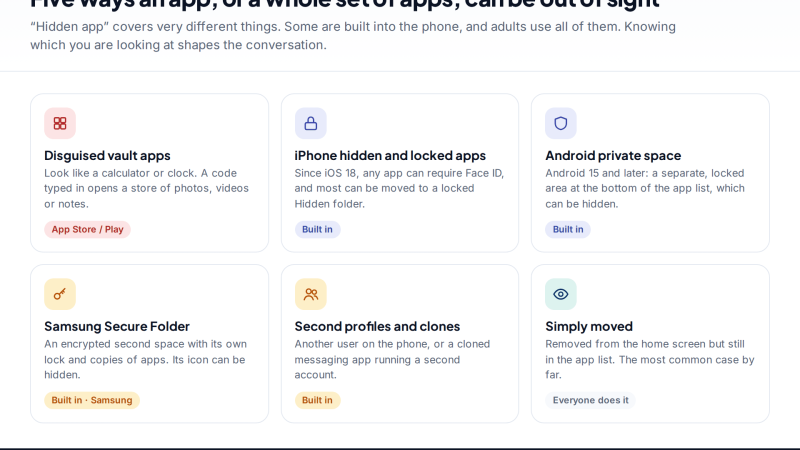
Vault Apps and Hidden Apps on a Child’s Phone: How to Spot Them
How to find hidden or vault apps on your child's phone: calculator vaults, iPhone hidden and locked apps, Android private…
Parental controls your child can see
Location, screen time limits, a web filter and alerts from notifications — free, and visible on your child's phone. Pair a phone in about ten minutes.
Android · Free to set up · Visible on your child's phone