Reading a Child’s WhatsApp Openly: Shared Checks That Actually Work

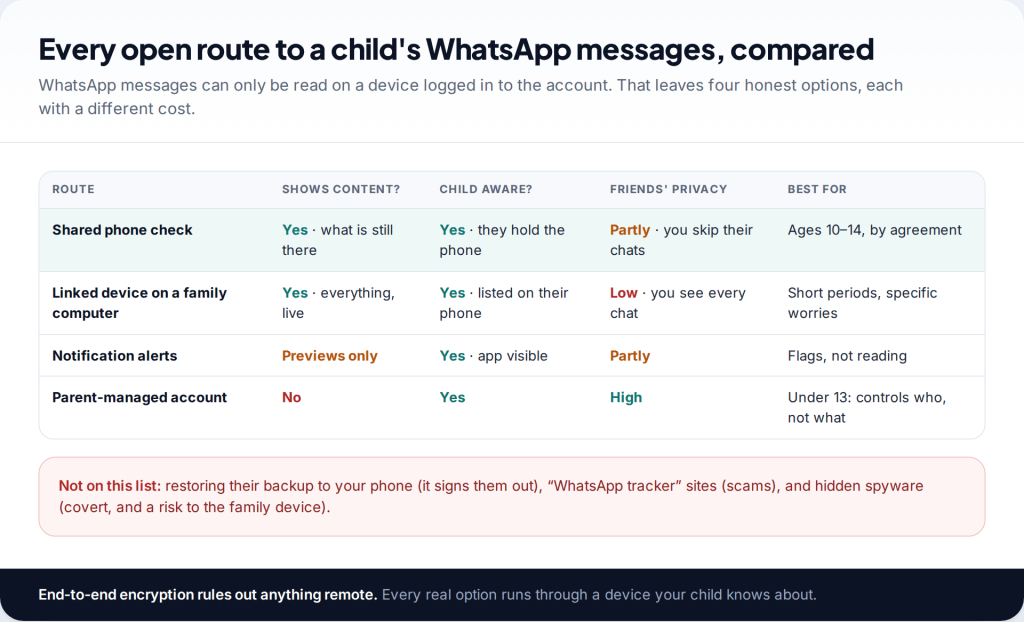
Can you see your child’s WhatsApp messages? Only on a device that is logged in to their account: their phone, or a computer linked to it. WhatsApp’s encryption means there is no remote way and no parent dashboard with message content. The workable options are a shared check on the phone, a linked device your child knows about, or notification alerts. Each works best with an agreement.
Four open ways to see your child’s WhatsApp messages
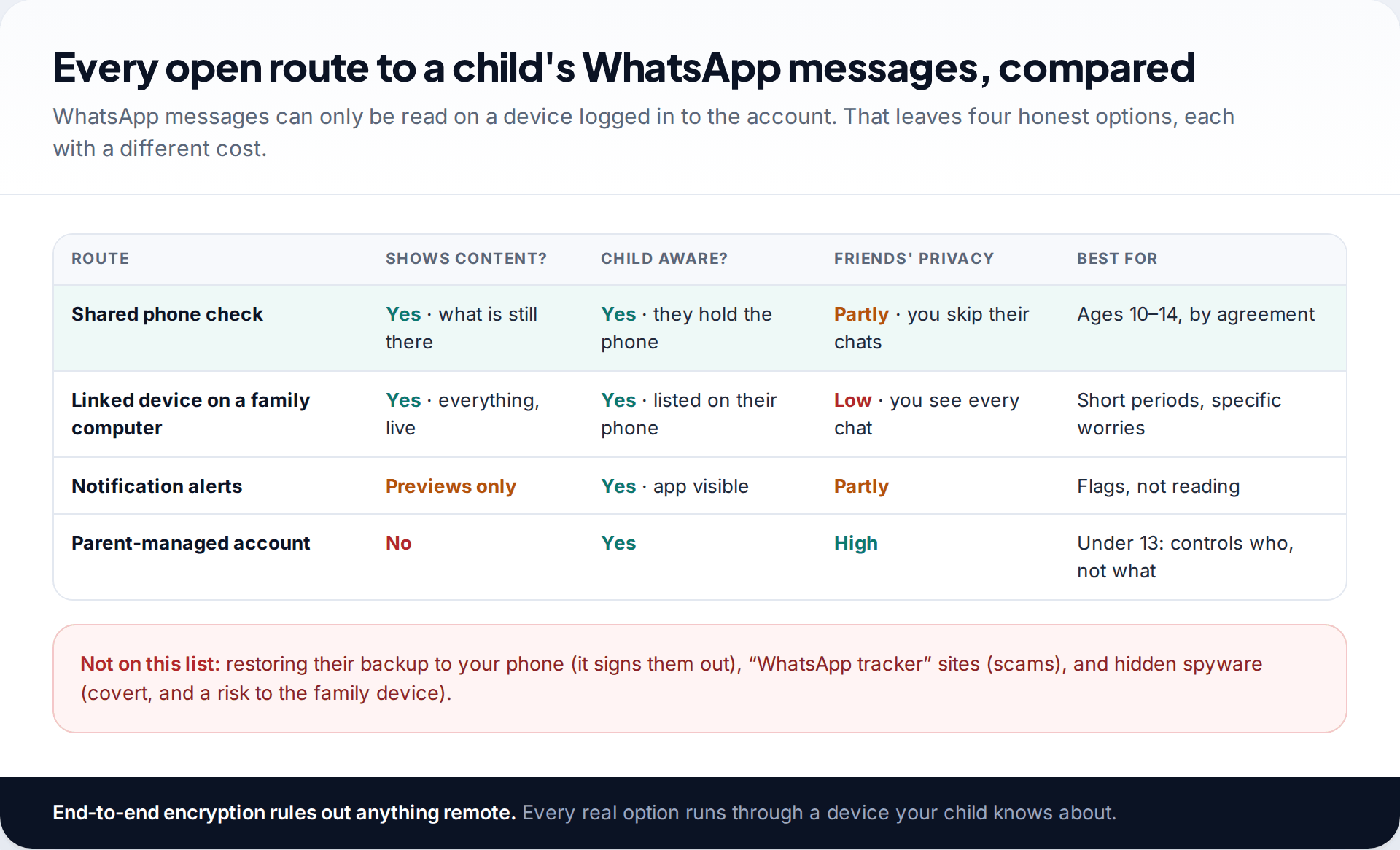
WhatsApp encrypts every personal chat end to end. Messages are readable only on the devices logged in to an account. That rules out anything that works from a phone number, a website or a server.
What remains is short. You can look at chats on your child’s phone together. You can link a computer to their account, which shows every chat live and is listed on their phone. You can use a monitoring app that reads WhatsApp notification previews on the phone. For under-13s, WhatsApp’s parent-managed accounts, rolling out since March 2026, let you control contacts and groups, but not read messages.
Restoring your child’s backup to your own phone isn’t a monitoring method either. Registering their number on your phone signs their phone out of WhatsApp, and encrypted backups need their password or key.
The shared phone check
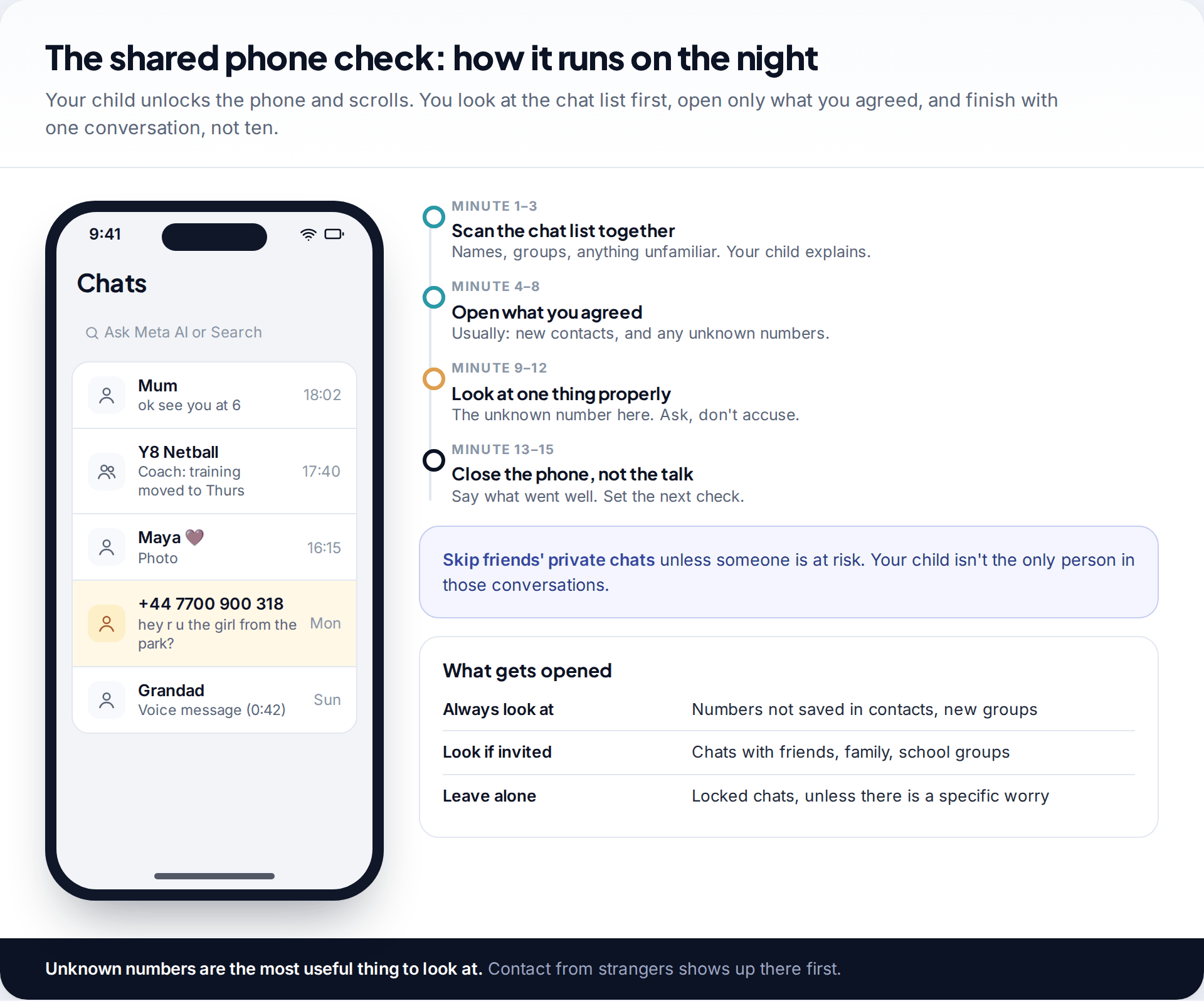
For most families with children aged about 10 to 14, this is the right tool. It shows real messages and involves no software. It is also something your child takes part in rather than something done to them.
- Agree the when and the what beforehand. For example: every other Sunday, fifteen minutes, chat list plus any unknown numbers.
- Your child unlocks the phone and scrolls. You look. They explain names and context as they go.
- Start with the chat list. It shows who, how recently, and whether any unsaved numbers are messaging. Unknown numbers are the most useful thing to check.
- Open only what you agreed. Skip friends’ private conversations unless someone is at risk.
- Talk about one thing, then stop. End on something positive and set the next date.
An unknown number in the chat list
During a fortnightly check, your 12-year-old scrolls past a number that isn’t saved. The chat opens with “hey r u the girl from the park?” and she looks embarrassed. She says she replied twice and then stopped because it felt weird.
The quality of this check depends on what happens when you find something. If an unknown number gets a calm “who’s this, and how did they get your number?”, your child will keep showing you things. If it gets the phone confiscated, the next unknown number will be deleted before Sunday.
Linking a device: visible, but think hard first
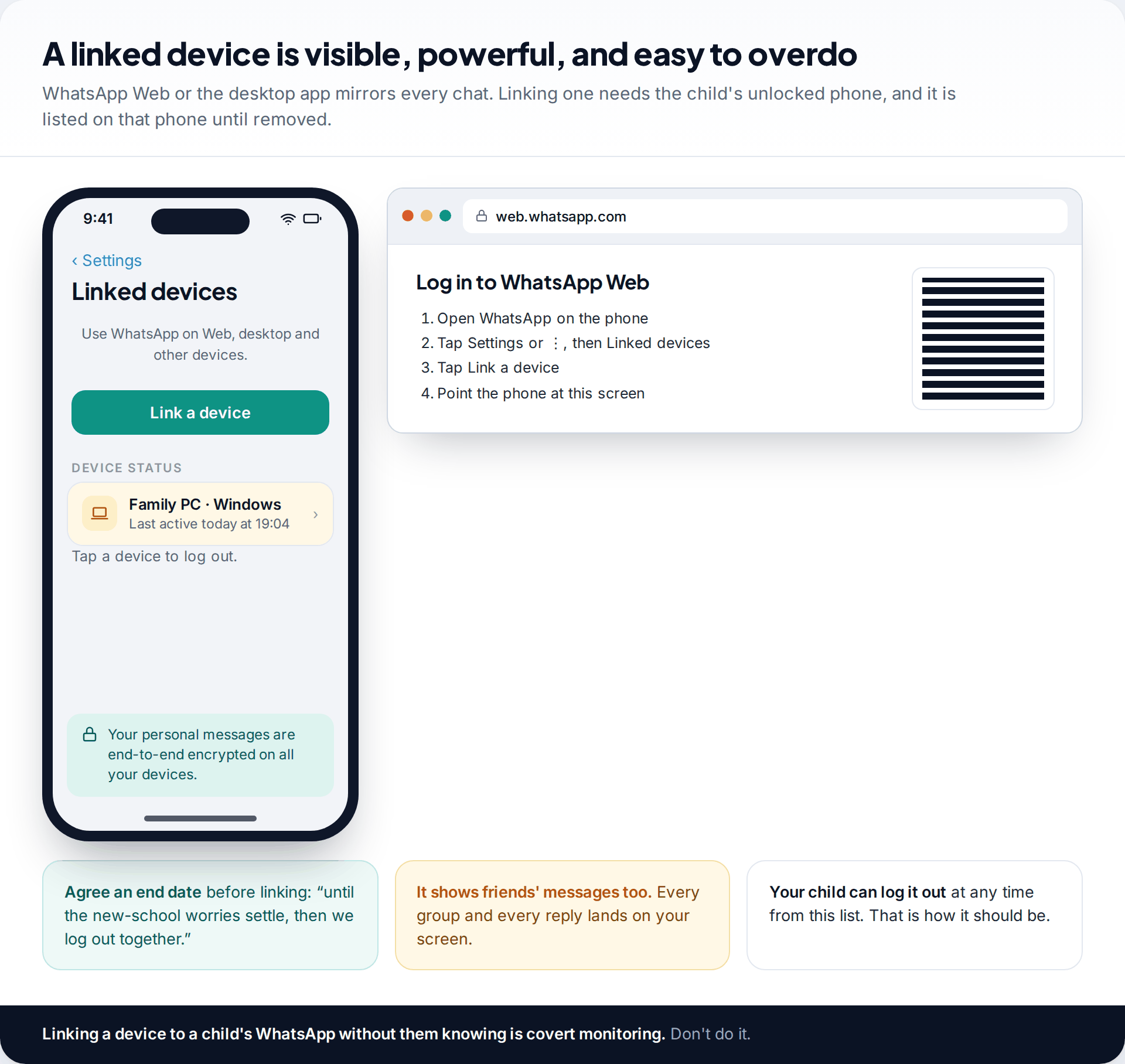
WhatsApp lets an account run on up to four linked devices alongside the phone, through WhatsApp Web or the desktop app. To link one, you open Settings › Linked devices › Link a device on the child’s unlocked phone and scan a QR code on the computer. The computer then shows every chat, live.
This is open, because the computer appears in your child’s Linked devices list with its last active time, and they can log it out. But it is also the most intrusive option there is. You see every message from every friend and every group, not only your child’s. Parents who try it often find that a lot of normal teenage chatter makes them anxious without making anyone safer.
If you use it, keep it for a specific, time-limited worry, such as the first term at a new school or after an incident. Agree the end date before you link it, and log out together when that date comes. Linking a device to a child’s WhatsApp without their knowledge is covert monitoring. Don’t do it, whatever age they are.
Locked chats, and why the list may look short
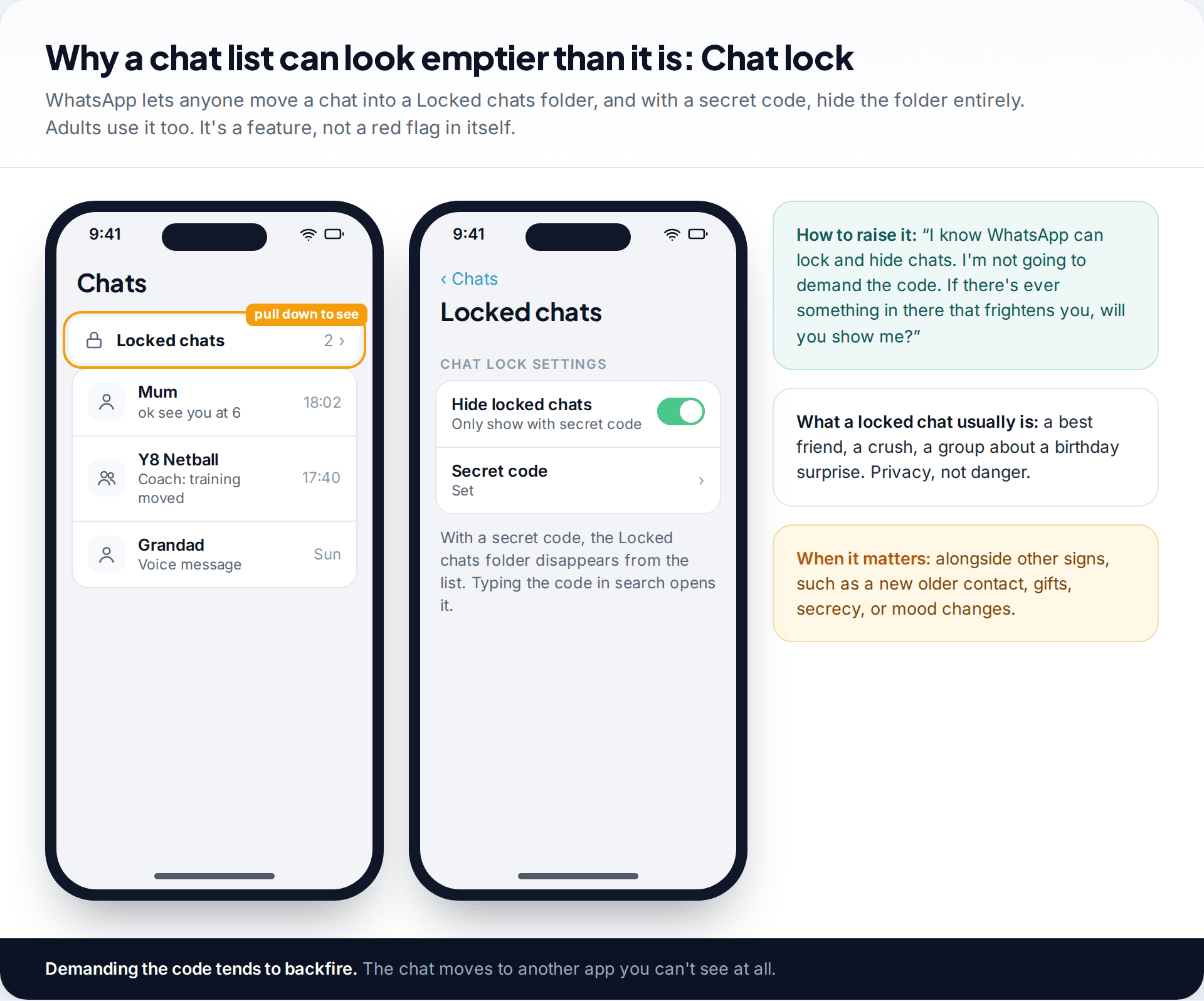
WhatsApp’s Chat lock moves chosen conversations into a separate Locked chats folder, which opens with the phone’s passcode or biometrics. Since late 2023 users can also set a secret code and hide the folder. The locked chats then don’t appear in the list at all, and typing the code into search opens them.
Plenty of teenagers lock a chat with a best friend or a crush, for the same reasons adults do. Treat a locked chat as privacy, not evidence. It becomes relevant only alongside other signs, such as a new older contact, gifts, secrecy or a change in mood. Demanding the code tends to backfire. A child who feels cornered moves the conversation to an app you have never heard of.
What will already be gone
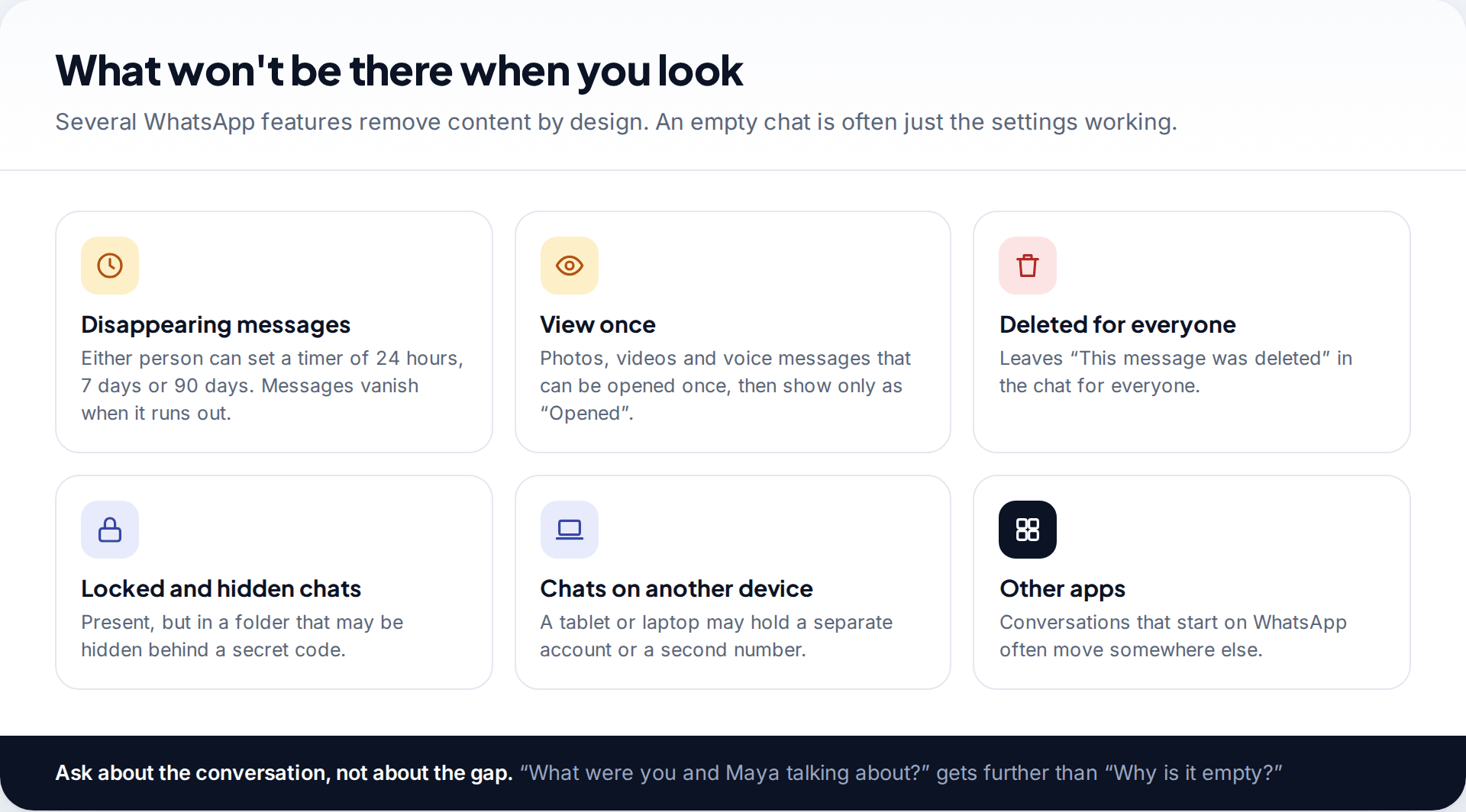
Even with full cooperation, some content is gone before you look. Either person in a chat can turn on disappearing messages with a timer of 24 hours, 7 days or 90 days. View-once photos, videos and voice messages can be opened once and then show only as opened. “Delete for everyone” leaves a short note in the chat. None of these is suspicious in itself. They are ordinary features that many adults use as well.
So ask about the conversation, not the gap. “What were you and Maya talking about this week?” gets an answer. “Why is this chat empty?” gets a defensive child.
What to look for when you do look
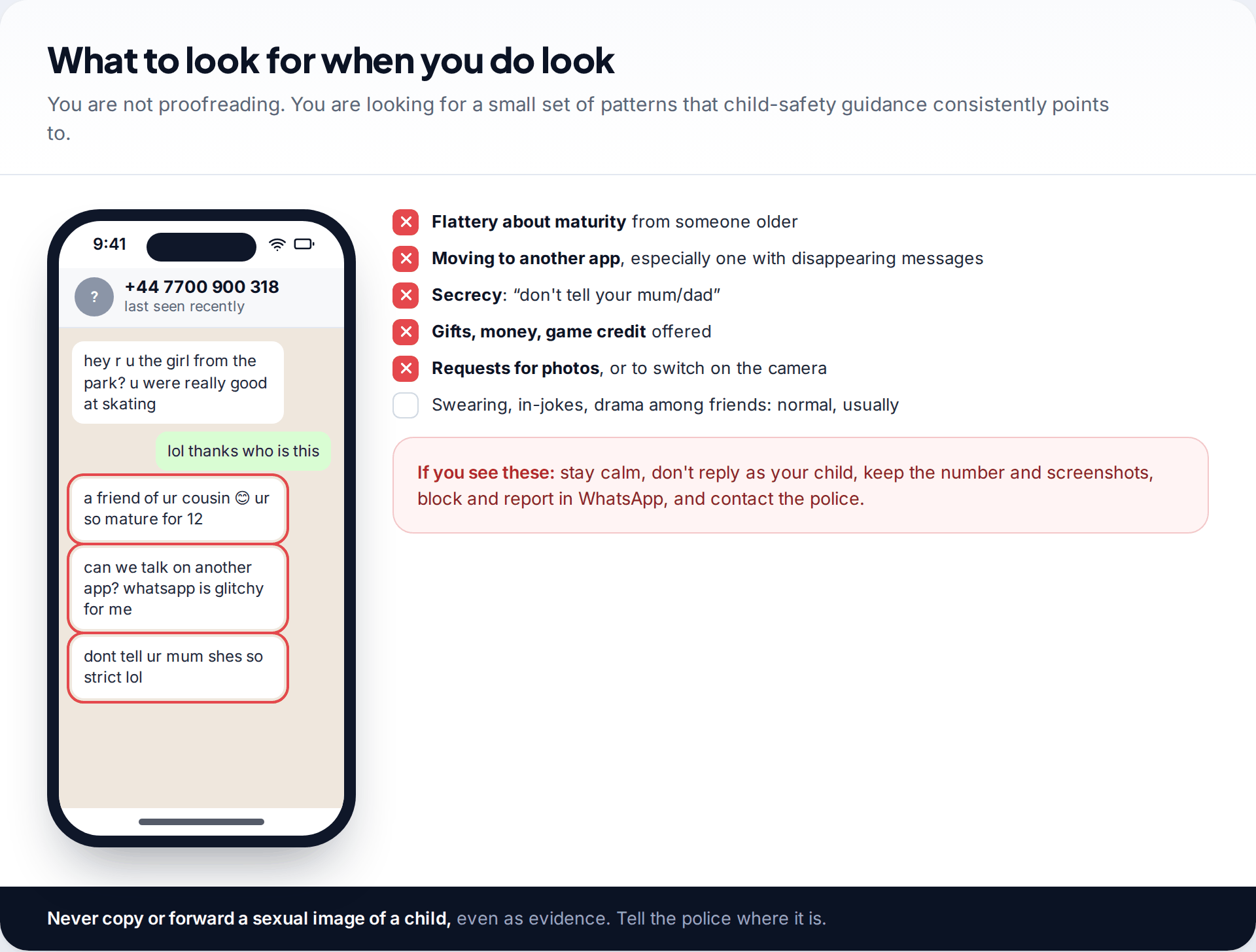
You’re not reading for grammar or checking every joke. A short list of patterns deserves attention: an older person flattering your child about being mature, pressure to move to another app, requests for secrecy, offers of gifts, money or game credit, and requests for photos or video calls. One on its own may be innocent. Several together, from someone your child hasn’t met, need action.
If you see that pattern, stay calm and don’t reply as your child. Keep the number and take screenshots of the messages. Leave out any sexual images of a child, which you must never copy or forward. Block and report the number in WhatsApp, and contact the police. Then tell your child clearly that they did the right thing by letting you see it.
When the check doesn’t go smoothly
Your child refuses to show you
Refusal usually means the arrangement feels unfair, or they’re worried about one specific thing, often something a friend said.
Fix: Don’t force it on the night. Ask what would make it acceptable, such as the chat list only or fewer checks, and whether there’s something they’re worried you’ll see. Rewrite the agreement if needed.
You see something worrying about another child
Group chats show other children’s messages too, including self-harm talk or signs of abuse.
Fix: Don’t screenshot it around the parent group. Tell the school’s safeguarding lead or that child’s parent privately. If a child is in immediate danger, call the emergency services.
The phone is shared with a sibling or lives on a tablet
WhatsApp is tied to one number. A tablet may be running a linked device, or a second account on another number.
Fix: Check Linked devices on the phone that holds the number. Agree which device is your child’s WhatsApp device, and keep the check on that one.
Chats are nearly empty every time
Disappearing messages may be on by default for new chats, or the real conversation has moved to another app.
Fix: Check Settings › Privacy › Default message timer together. Then ask which app friends actually use.
Write the arrangement down
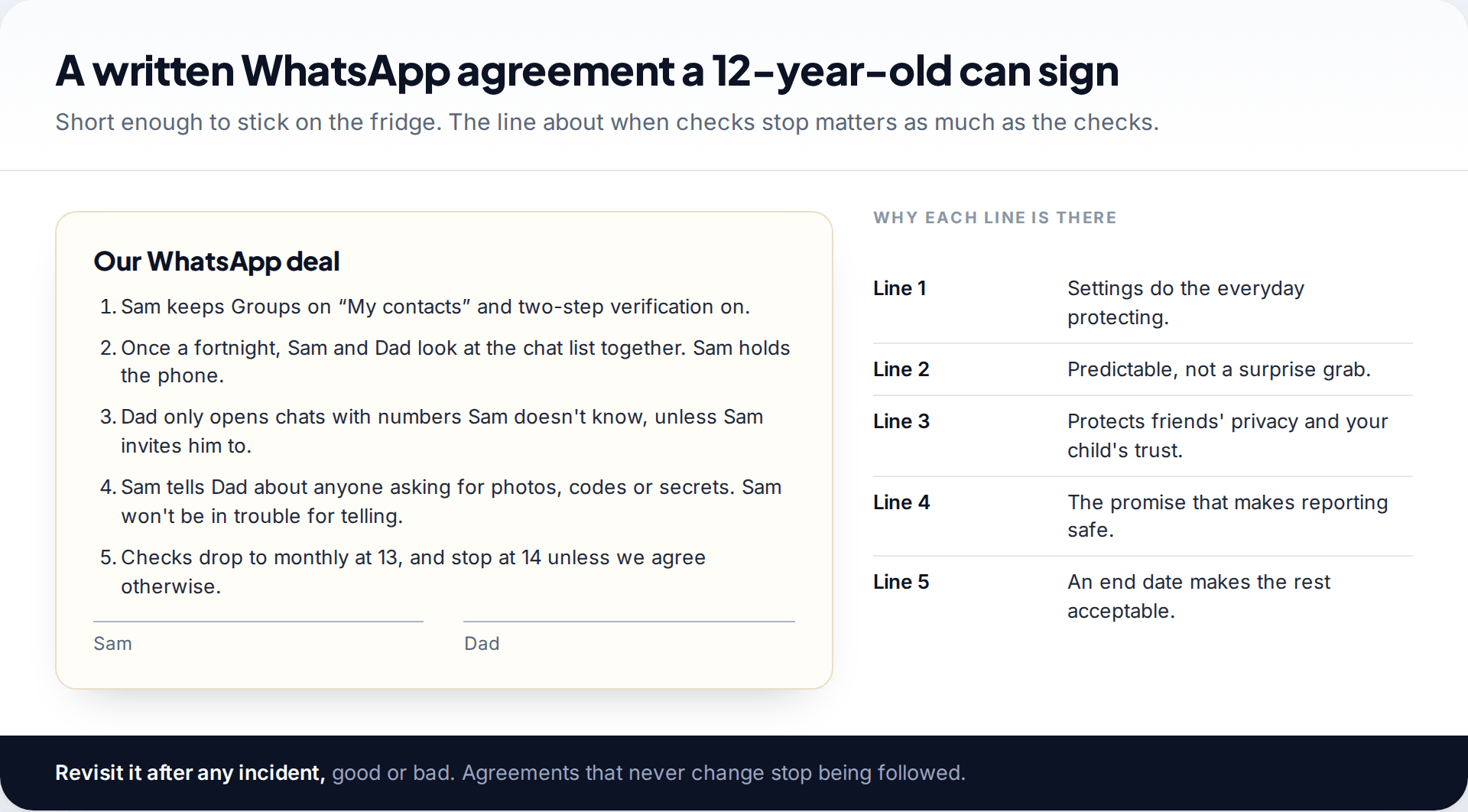
A written agreement turns a check from something you impose into something you both signed. Keep it short. Settings stay as agreed. Checks happen at set times, with the child holding the phone. Only certain chats get opened. Telling you about a problem never leads to punishment. Checks reduce and end at a stated age.
Review it after anything notable, including good judgement. If your child blocked and reported a stranger by themselves, that is a reason to move to monthly checks early. The settings side of the arrangement is covered step by step in our parent’s plan for WhatsApp.
A lighter option: notification alerts
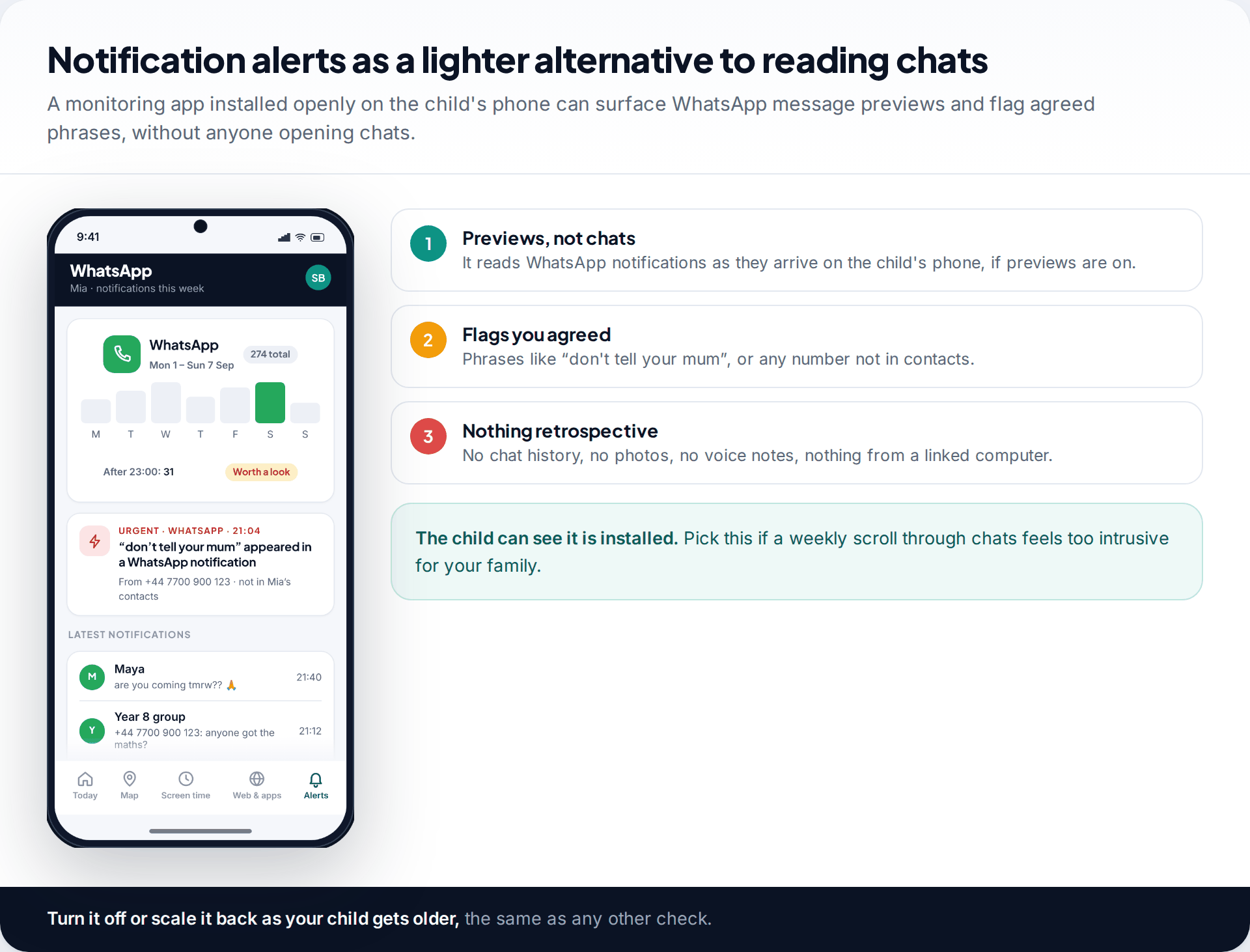
Some parents would rather not read chats at all but still want to know if something specific happens. A monitoring app installed openly on the child’s phone can read WhatsApp notification previews as they arrive and flag phrases you agreed on together, or messages from numbers not in contacts. Ours works this way. It can’t open WhatsApp, read chat history or see photos. If previews are off, or the chat happens on a linked computer, it sees nothing. More detail is on our social messages page.
Sites that claim to read WhatsApp from a number
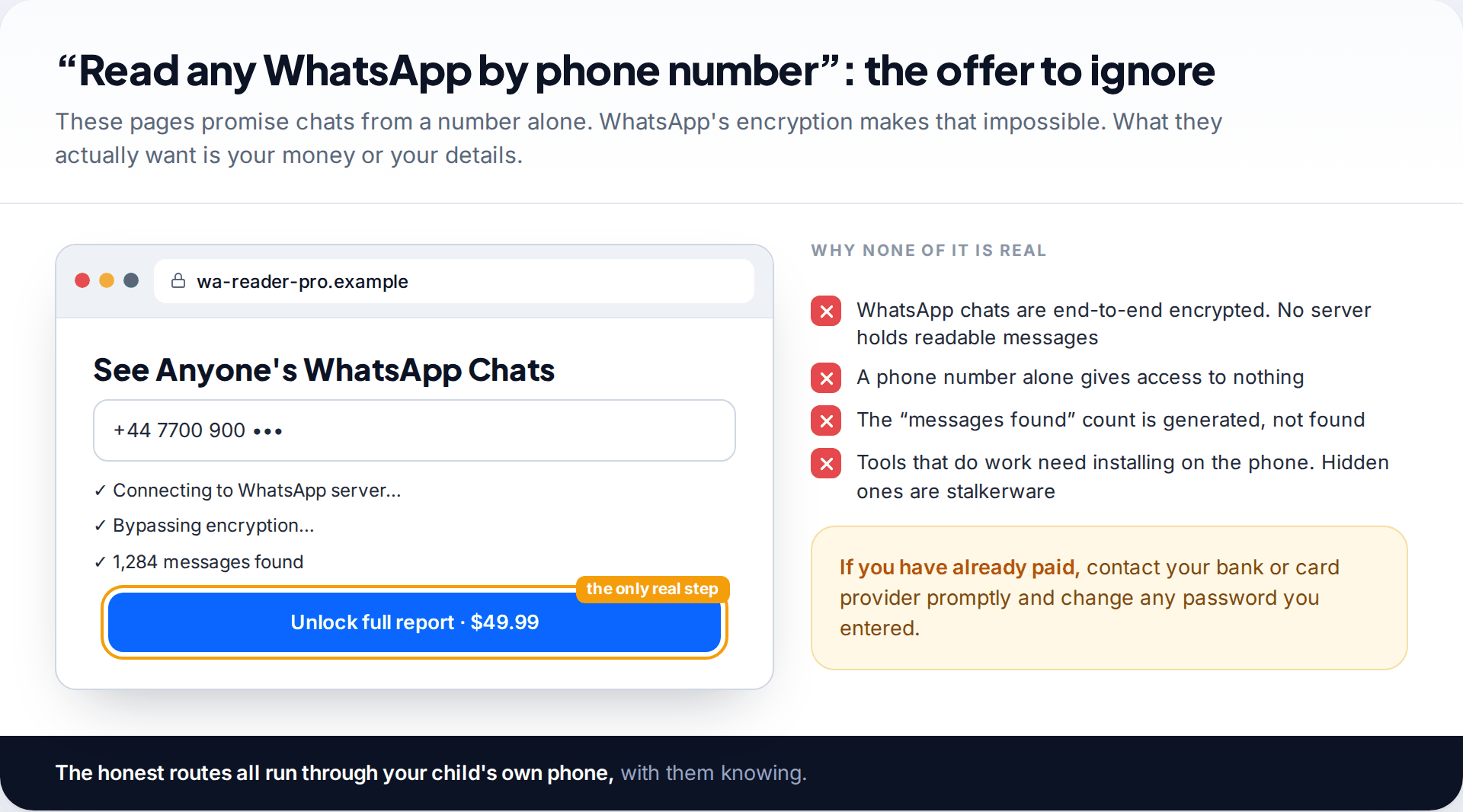
Search for ways to see a child’s WhatsApp messages and you will find sites promising chats from a phone number, with animated “bypassing encryption” steps and a payment button at the end. There is nothing behind them. WhatsApp’s servers don’t hold readable messages. Apps that genuinely read WhatsApp have to be installed on the phone, and versions that hide themselves are stalkerware. If you have paid one of these sites, contact your bank or card provider and change any password you typed in.
How this page was put together
We checked WhatsApp’s features against WhatsApp’s own announcements and public safety pages, and its terms of service, in September 2026. That covers linked devices, Chat lock with a secret code, disappearing messages, view once and parent-managed accounts. WhatsApp’s help centre could not be read by our tools, so where menu wording could not be confirmed we described the feature instead of quoting a label.
The warning signs listed reflect common child-safety guidance, not our own research. For how we check facts and handle corrections, see our standards page.
Common questions
Can I see my child’s WhatsApp messages from my own phone?
Not by any remote method. You can read them on their phone together, or on a computer linked to their account with their knowledge.
Will my child know if I use WhatsApp Web on their account?
Yes. Linking needs their unlocked phone, and the computer appears under Linked devices on their phone until it is logged out.
Can I read my child’s deleted WhatsApp messages?
Generally no. Disappearing and deleted messages are removed from the chat. Restoring a backup on another phone signs your child out and still requires their backup password or key if it is encrypted.
Does a parent-managed WhatsApp account let me read messages?
No. It lets parents approve contacts and groups and lock settings for under-13s. Conversations stay end-to-end encrypted.
What does it mean if my child has locked chats?
Usually just privacy with a close friend. It matters only alongside other warning signs, such as a new older contact or secrecy.
At what age should I stop checking my child’s WhatsApp?
There is no fixed age, but most families taper checks from about 13 and stop by 15 or 16 unless there is a specific concern. Agree the end point in advance.
Looking for a tool to go with this? TheTruthSpy is a free parental control app for Android that stays visible on the child's phone. If it fits your family, see the Social media alerts feature.
Related guides
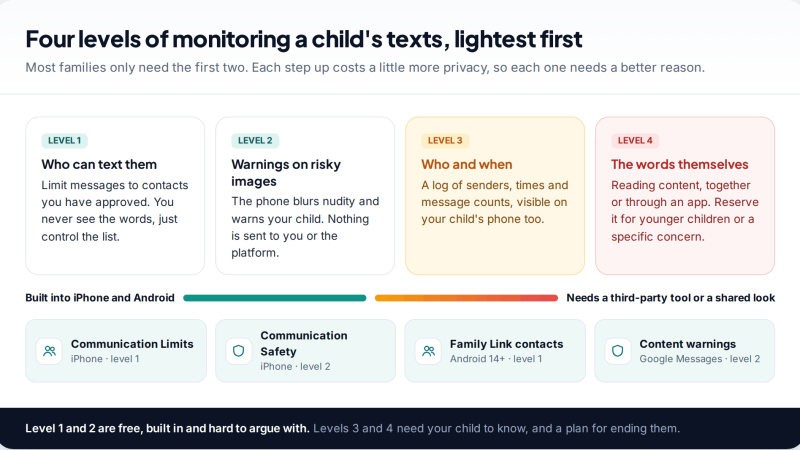
Monitoring Your Child’s Text Messages Safely: Options by Age
What parents can really see of a child's texts on iPhone and Android: Communication Limits, Communication Safety, Family Link contacts…
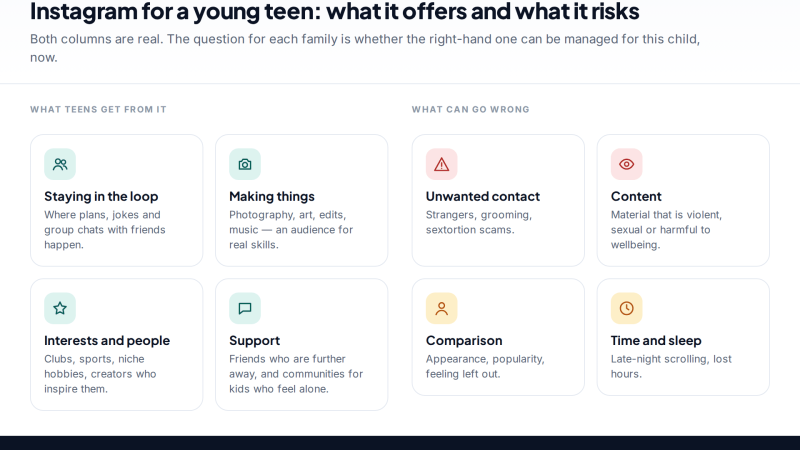
Is Instagram Safe for My Child? A Parent’s Guide
Is Instagram safe for kids? Not under 13, and not automatically after. Teen Accounts now remove many risks by default;…
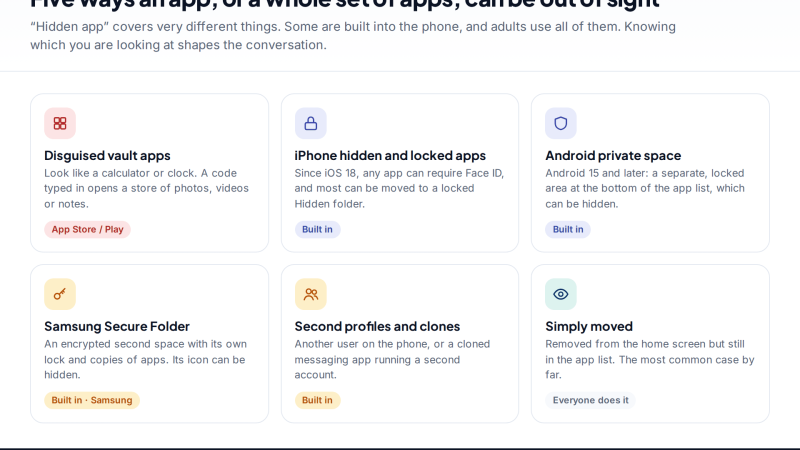
Vault Apps and Hidden Apps on a Child’s Phone: How to Spot Them
How to find hidden or vault apps on your child's phone: calculator vaults, iPhone hidden and locked apps, Android private…
Parental controls your child can see
Location, screen time limits, a web filter and alerts from notifications — free, and visible on your child's phone. Pair a phone in about ten minutes.
Android · Free to set up · Visible on your child's phone