WhatsApp and Kids: A Parent’s Plan for Keeping an Eye on It

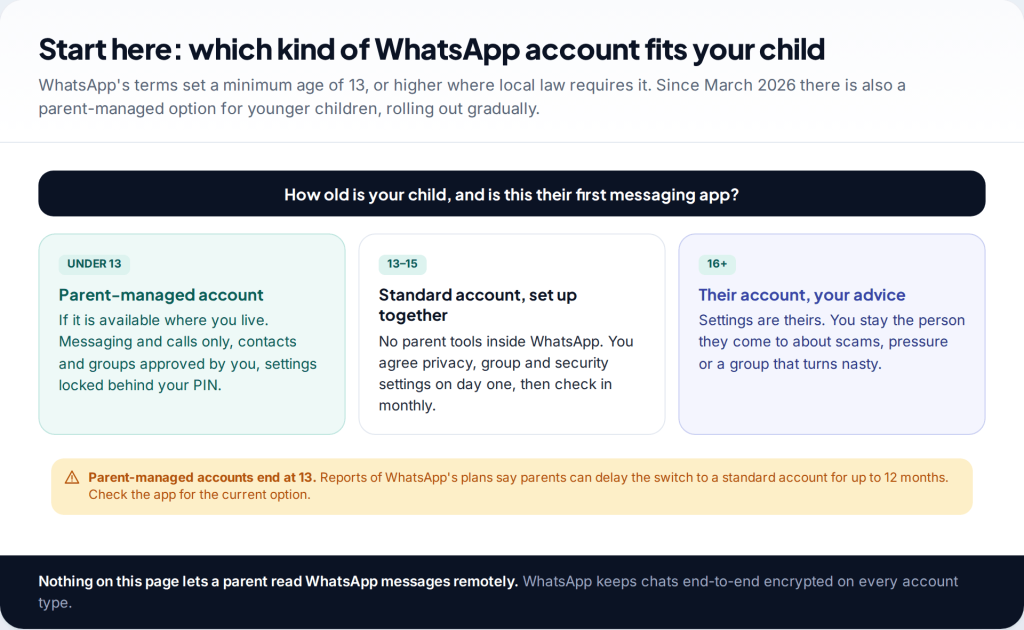
WhatsApp has no parental dashboard for teenagers, so you monitor your child’s WhatsApp mainly through settings you agree together, a regular check-in, and the phone’s own controls. For children under 13, WhatsApp began rolling out parent-managed accounts in March 2026, with contacts, groups and settings controlled by you. On no account type can a parent read the messages.
How WhatsApp is different from Snapchat and Instagram
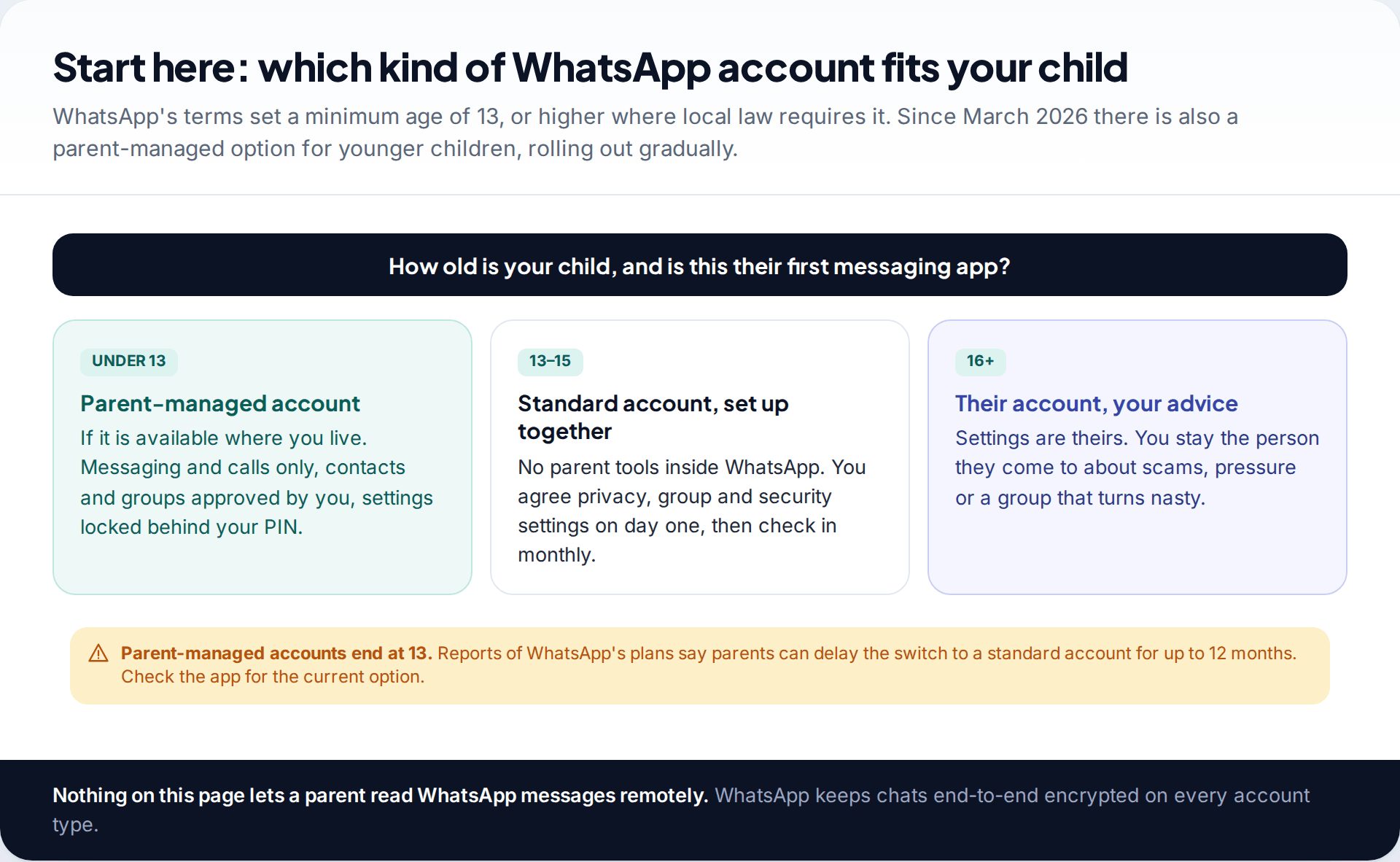
Snapchat has Family Center and Instagram has supervision, but WhatsApp has never offered anything similar for teenagers. It is a messaging app tied to a phone number, and every chat is end-to-end encrypted. Nobody, including WhatsApp, can read the messages in transit.
The minimum age matters too. WhatsApp’s terms require users to be at least 13, or older where local law says so. In the UK and EU the minimum was 16 until April 2024, when it dropped to 13. Many parents still quote the old figure. For younger children, WhatsApp now offers a separate route: parent-managed accounts, announced on 11 March 2026 and rolling out gradually.
So the plan depends on your child’s age. Under 13, you use the parent-managed account if it’s available where you live. From 13, you set up a standard account together and rely on settings, rules and conversation.
Under 13: parent-managed accounts
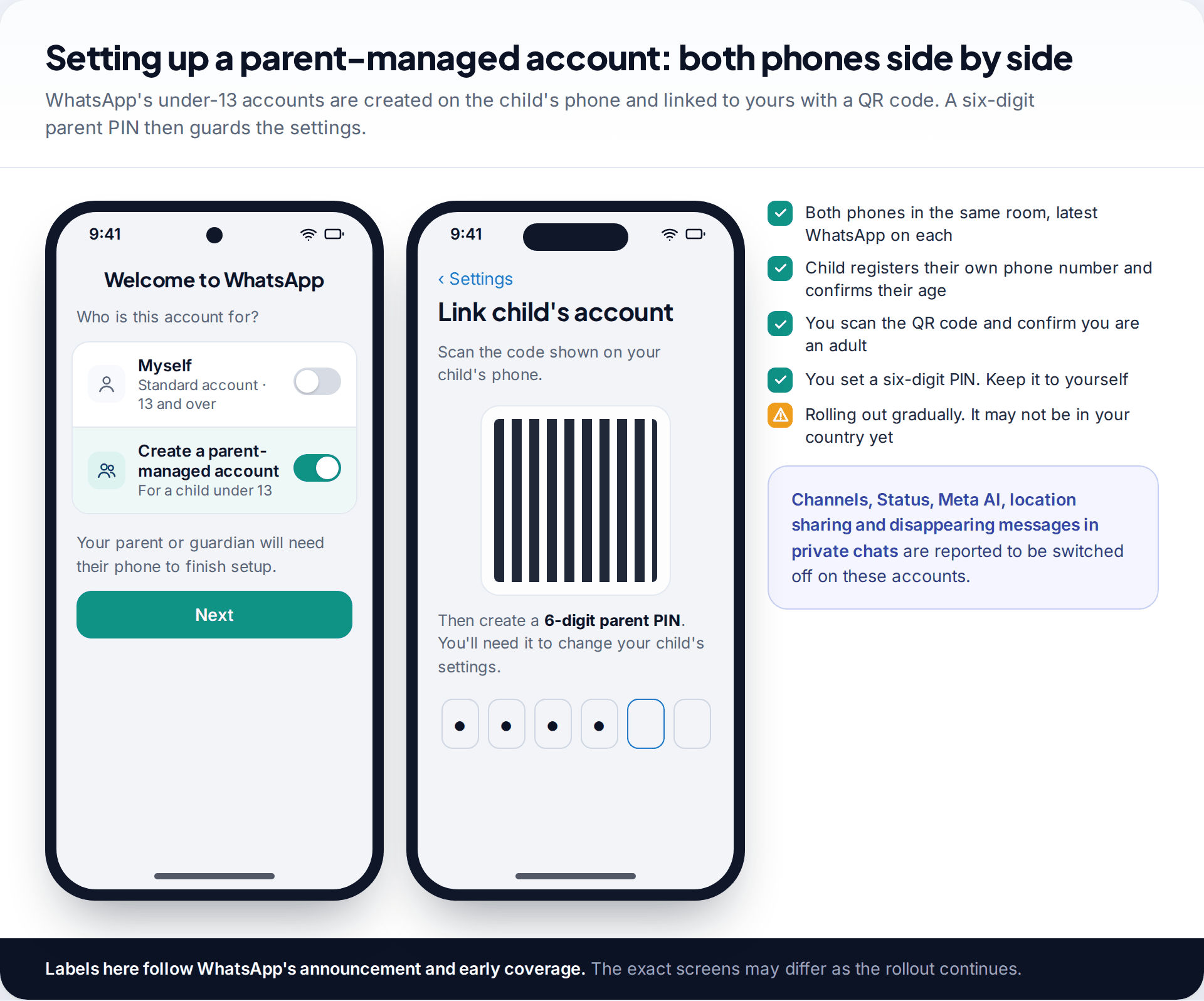
WhatsApp describes these accounts as being for pre-teens, and they are limited to messaging and calls. Setup happens with both phones together. On the child’s phone, you choose to create a parent-managed account, register their number and confirm their age. On your phone, you scan a QR code, confirm you are an adult, and set a six-digit parent PIN.
After that, the parent decides who can contact the account and which groups it joins. Message requests from unknown people come to you for review before your child sees them. Privacy settings can only be changed with your PIN. Coverage of the launch reports that Channels, Status, Meta AI, location sharing and disappearing messages in private chats are switched off.
What you don’t get is the messages. WhatsApp states that personal conversations on these accounts stay end-to-end encrypted, so parents can’t read them. It is a tool for controlling who your child talks to, not for watching what they say.
Availability varies. The rollout is gradual. If the option doesn’t appear when you set up WhatsApp on your child’s phone, it hasn’t reached your region or app version yet. That is not a reason to create a standard account with a false birth year.
How to monitor your child’s WhatsApp from 13: settings first
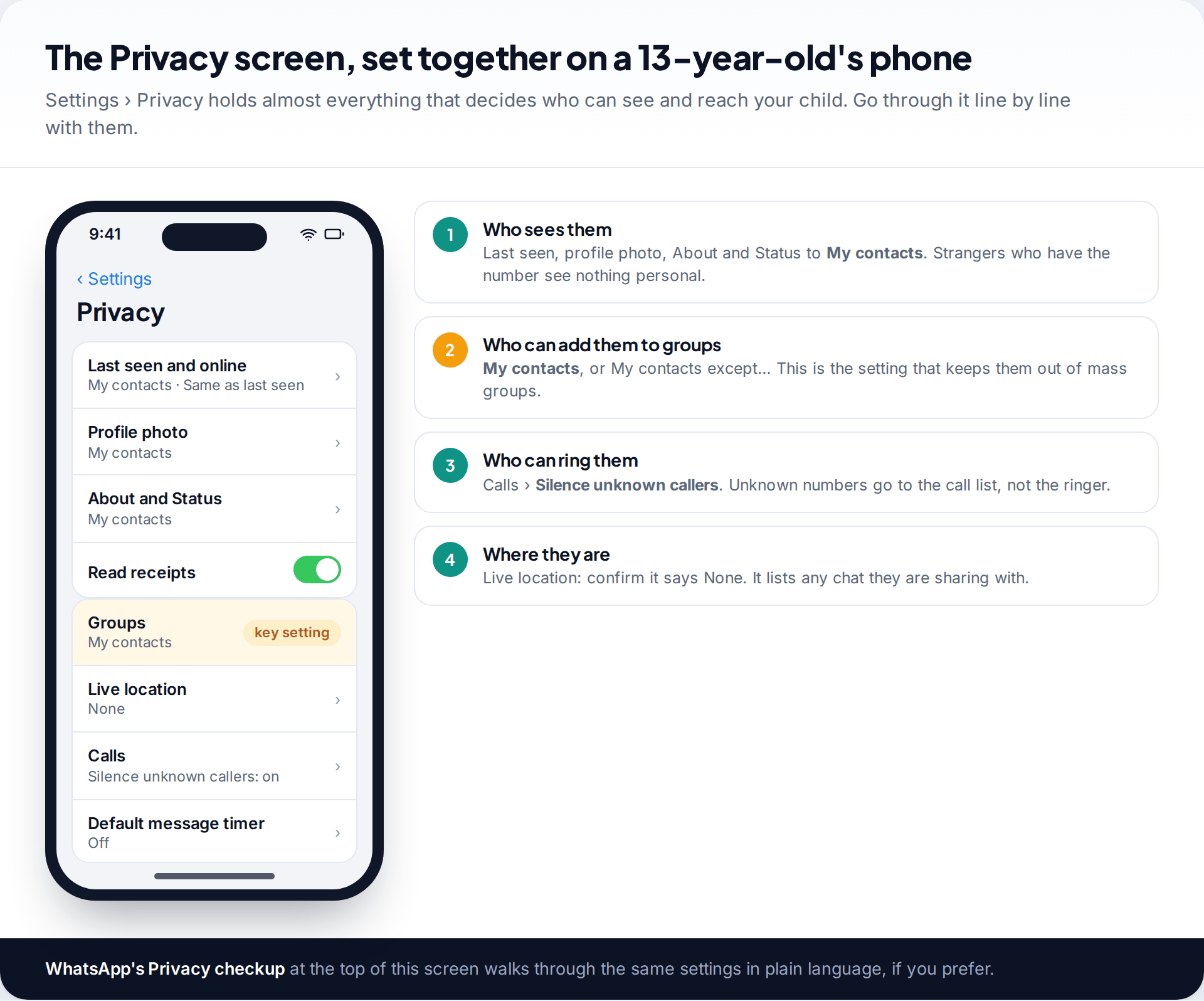
From 13, there is no parent tool inside WhatsApp. The best way to monitor your child’s WhatsApp is to set it up well on the first day and review it regularly. Sit down with the phone and open Settings › Privacy. Go through it in this order, explaining each choice as you go.
- Who sees them. Last seen and online, profile photo, About and Status set to My contacts. Anyone who gets hold of the number then sees a blank profile.
- Who can add them to groups. Set Groups to My contacts. This one setting prevents most unwanted group additions.
- Who can call them. Under Calls, turn on Silence unknown callers. Calls from unknown numbers still appear in the call list but don’t ring.
- Where they are. Live location should say None. If it lists a chat, that chat can see where they are.
WhatsApp’s Privacy checkup, at the top of the same screen, covers these in a guided format that some teens find easier to follow.
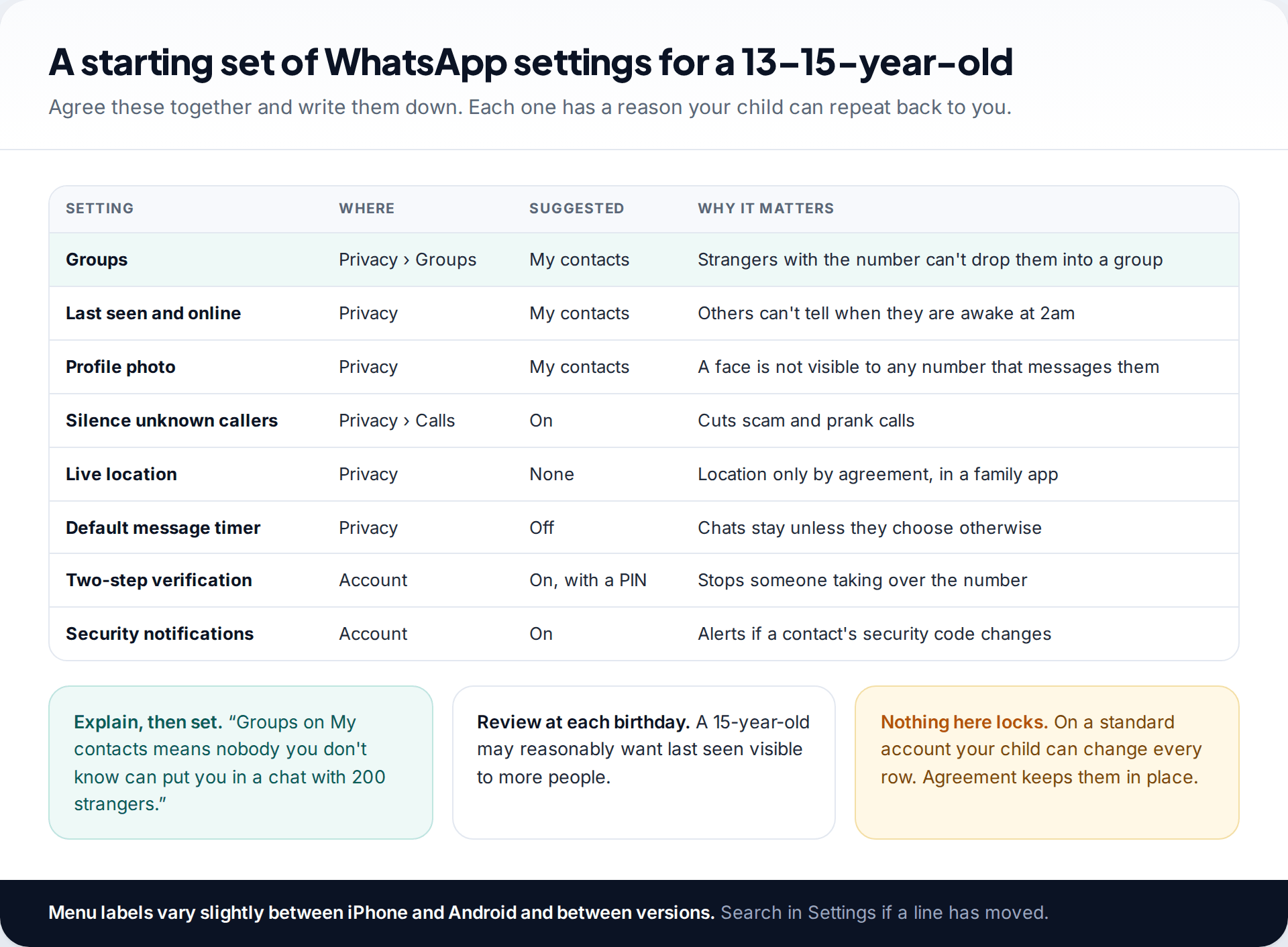
Write the agreed settings down. A teen can change any of them, and there’s no way to lock them on a standard account. What keeps them in place is that your child understands why they are there.
Groups need the most attention
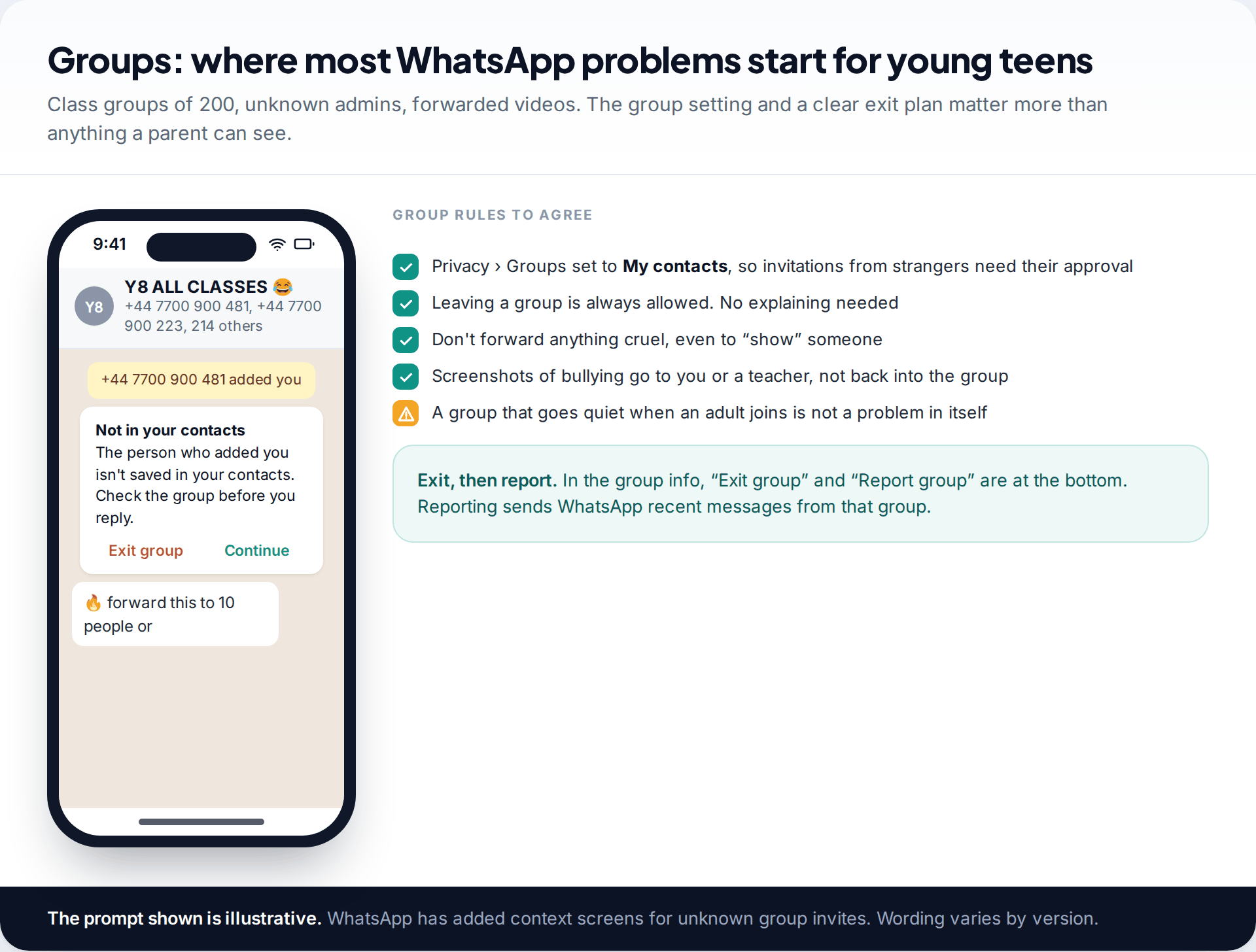
For most 11 to 14-year-olds, the difficult parts of WhatsApp are in groups, not one-to-one chats. A class group can have hundreds of members, some from other schools and some unknown to anyone. Forwarded videos, pile-ons and chain messages spread there first.
The Groups privacy setting stops strangers adding your child directly. Beyond that, agree a few rules. Leaving a group is always allowed and needs no explanation. Nothing cruel gets forwarded, even to show someone how bad it is. Screenshots of bullying go to you or a teacher, not back into the group. WhatsApp has also added warnings when someone who isn’t in your contacts adds you to a group, which makes leaving easier.
To leave and report, open the group info and scroll to the bottom for Exit group and Report group. A report sends WhatsApp the most recent messages from that group, so reporting is possible despite encryption.
Protect the account before anything else
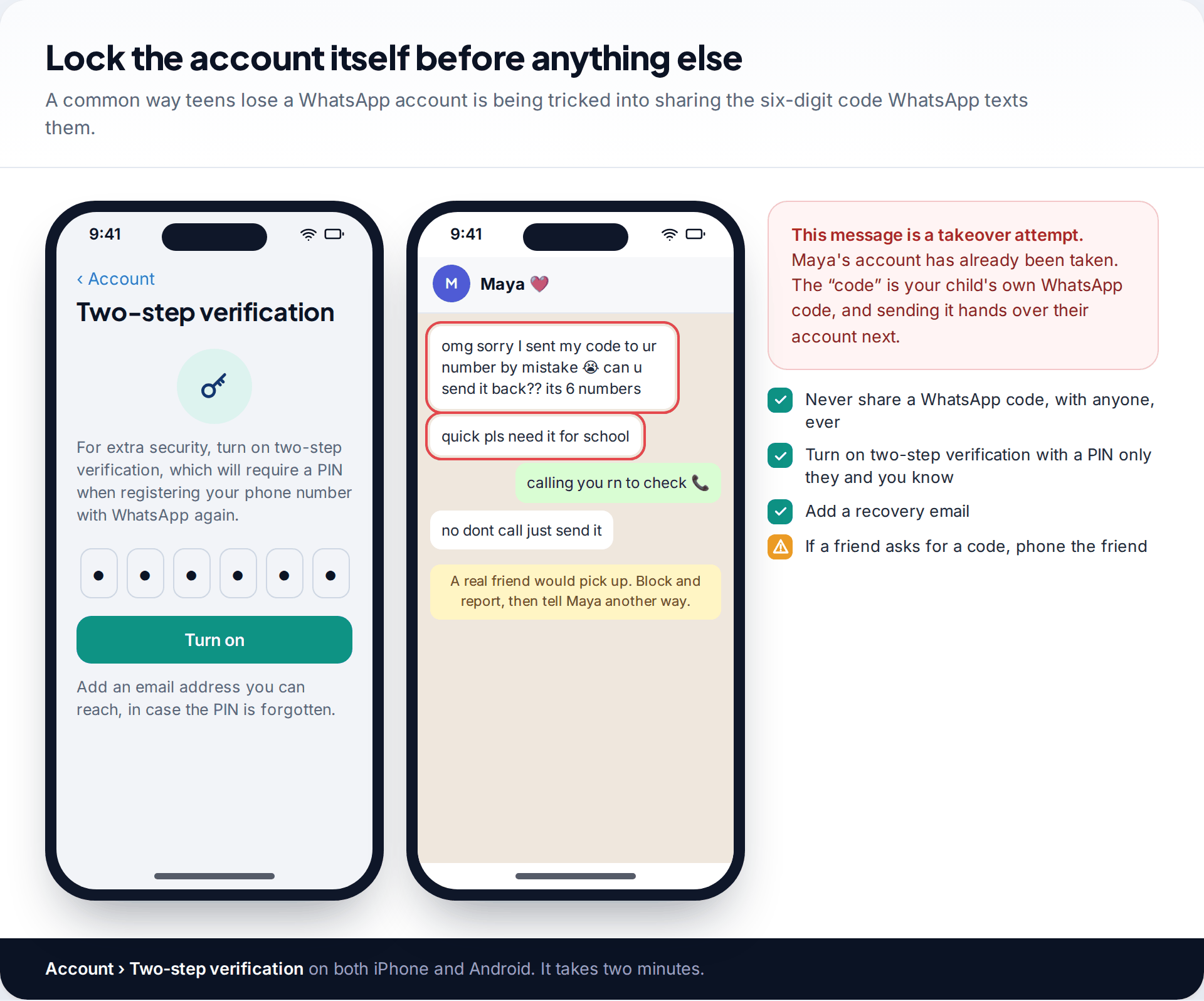
A WhatsApp account belongs to whoever registers the phone number, and registration needs a six-digit code sent by SMS. A common scam aimed at teenagers is a message from a friend’s already-hijacked account saying they sent their code to your child “by mistake”. The code is actually for your child’s own account.
Turn on two-step verification under Settings › Account › Two-step verification. It adds a PIN that is needed whenever the number is registered again, and lets you add a recovery email. Then make one rule absolute: never share a WhatsApp code with anyone. If a friend asks, phone the friend.
What to teach, not just what to set
Settings keep strangers out of most places. They don’t cover a friend-of-a-friend who already has the number, or a school group where everyone can message everyone. For those, your child needs a few habits, and it helps to practise them rather than just list them.
A number they don’t know messages them
Someone in a big group can see their number and message them directly. Group settings don’t stop that.
Fix: No reply needed. Open the chat, tap the number at the top, and use Block, or Report if it’s pushy or sexual. Show them where these are on day one.
Someone asks for a photo, or sends a view-once one
View-once photos can’t be reopened, which makes them feel low-risk. Photos sent to someone else are out of your child’s control for good.
Fix: The rule is simple: no photos to anyone they haven’t met in person, and tell you about anyone who asks. Promise, and mean it, that telling you won’t get them in trouble.
A “friend” wants to move to a different app
Moving a chat to a less visible app is a common step in grooming and in scams.
Fix: Treat the request itself as the warning sign. Your child can say no without giving a reason.
They want to turn on disappearing messages
On a standard account either person can set a timer of 24 hours, 7 days or 90 days, and many friends’ chats already use one.
Fix: Talk about why rather than forbidding it. A disappearing chat is fine for plans with friends. It’s a red flag when an adult or a new contact suggests it.
A monthly check-in that doesn’t turn into surveillance
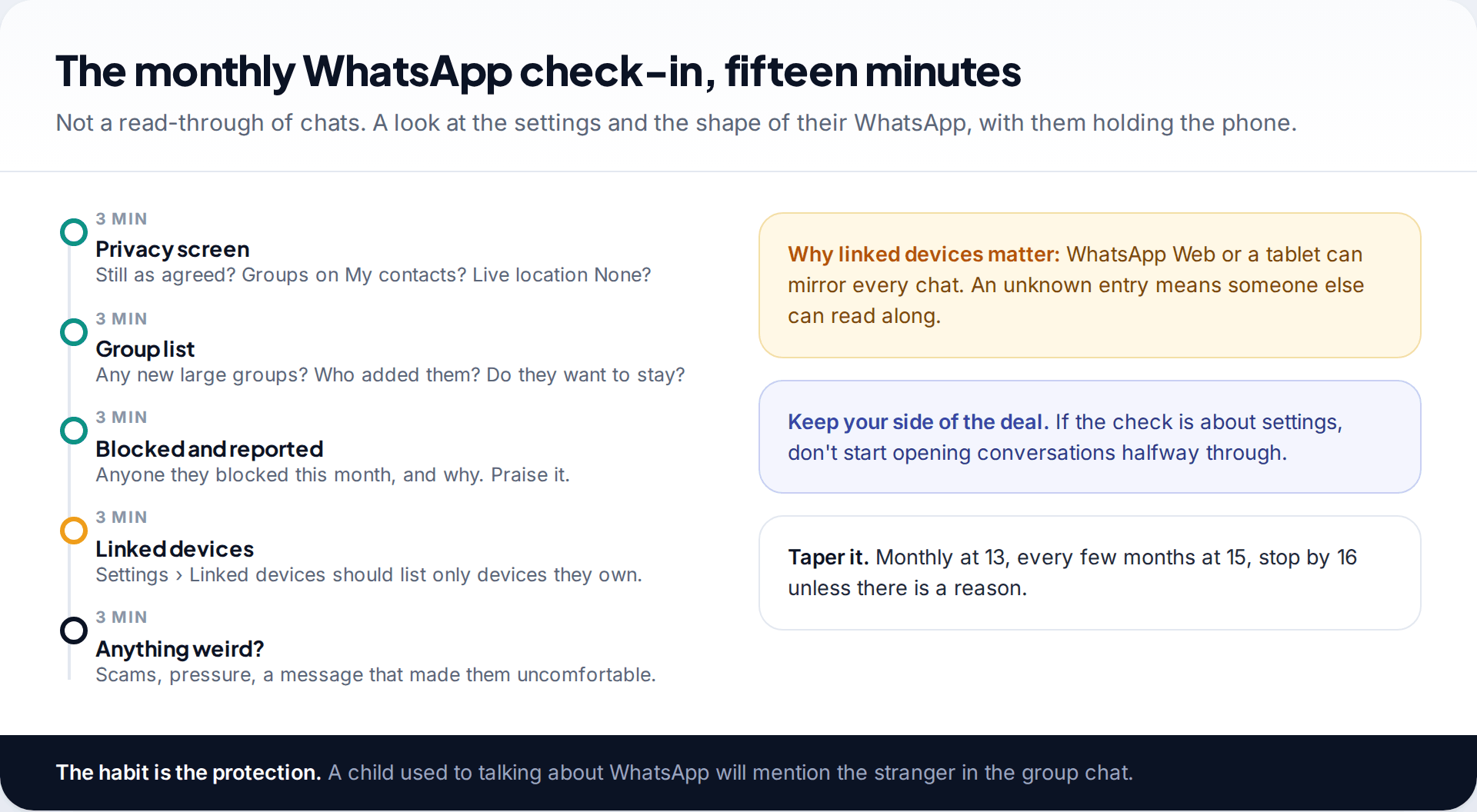
Once a month, with your child holding the phone, run through five things: the Privacy screen, their groups, anyone they blocked or reported, Linked devices, and a simple “anything weird this month?” The Linked devices list matters because WhatsApp Web or a tablet can mirror every chat. It should show only devices your child owns.
Keep to what you agreed. If the check-in is about settings, don’t start reading conversations halfway through. If you think you do need to look at messages, our guide to seeing your child’s WhatsApp messages openly sets out the ways families do that with consent.
A 300-person group appears overnight
Your 12-year-old started secondary school with a standard account set up before you knew about the new options. During the check-in you find “Y7 ALL FORMS”, with 300 members, created by a number nobody recognises. Chain messages and a video of a fight have already gone round.
What no setting or tool can do
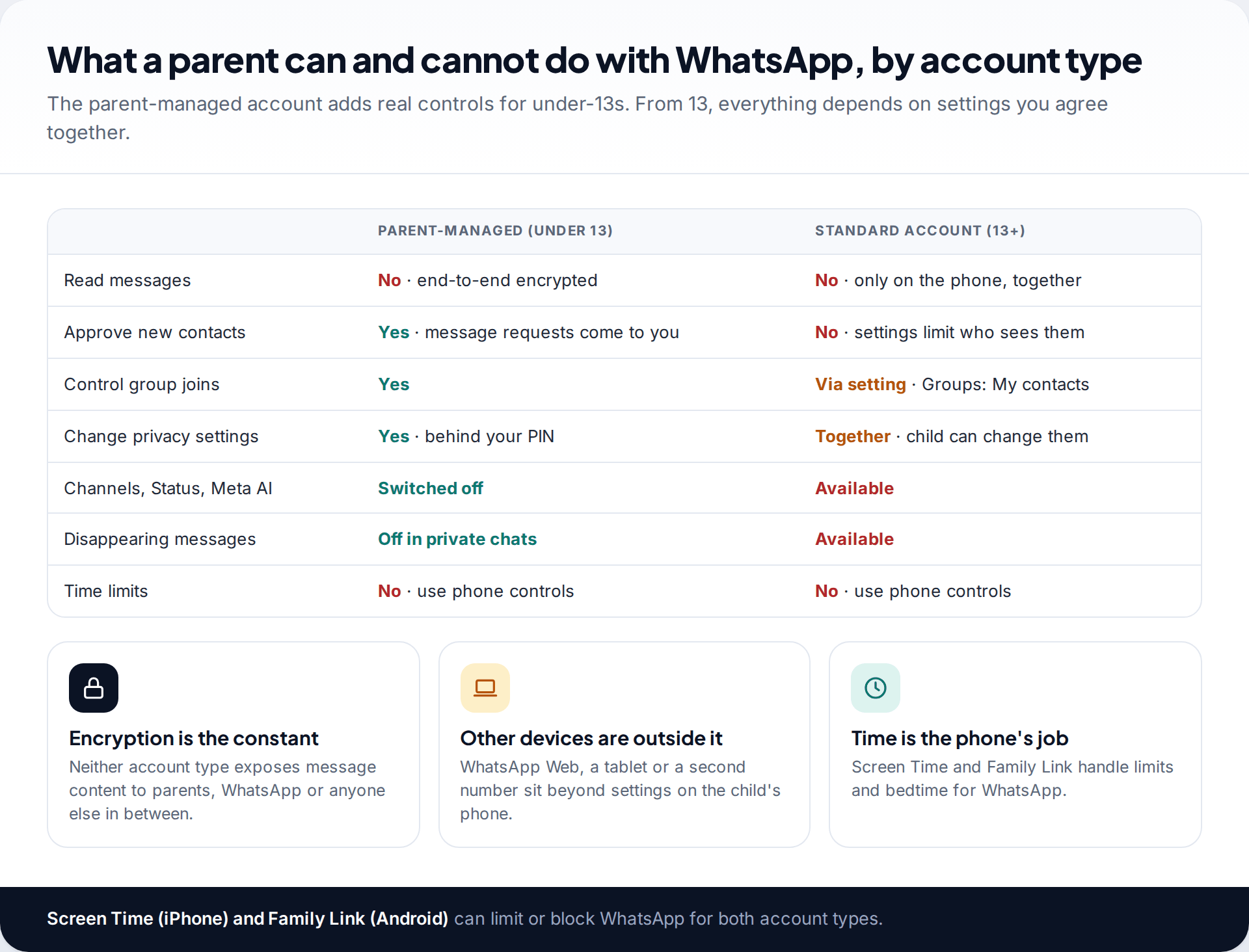
Be clear with yourself about the limits. You can’t read WhatsApp messages remotely on any account type. You can’t lock privacy settings on a standard account. WhatsApp has no time limits of its own, so use Screen Time on iPhone or Family Link on Android to cap it or switch it off at night. Chats on a linked computer, or on a second phone number, are outside anything you set on your child’s phone.
Disappearing messages and view-once photos also mean some content is gone by design. On parent-managed accounts disappearing messages are off in private chats, but on a standard account either person in a chat can turn them on.
Adding a device-level app
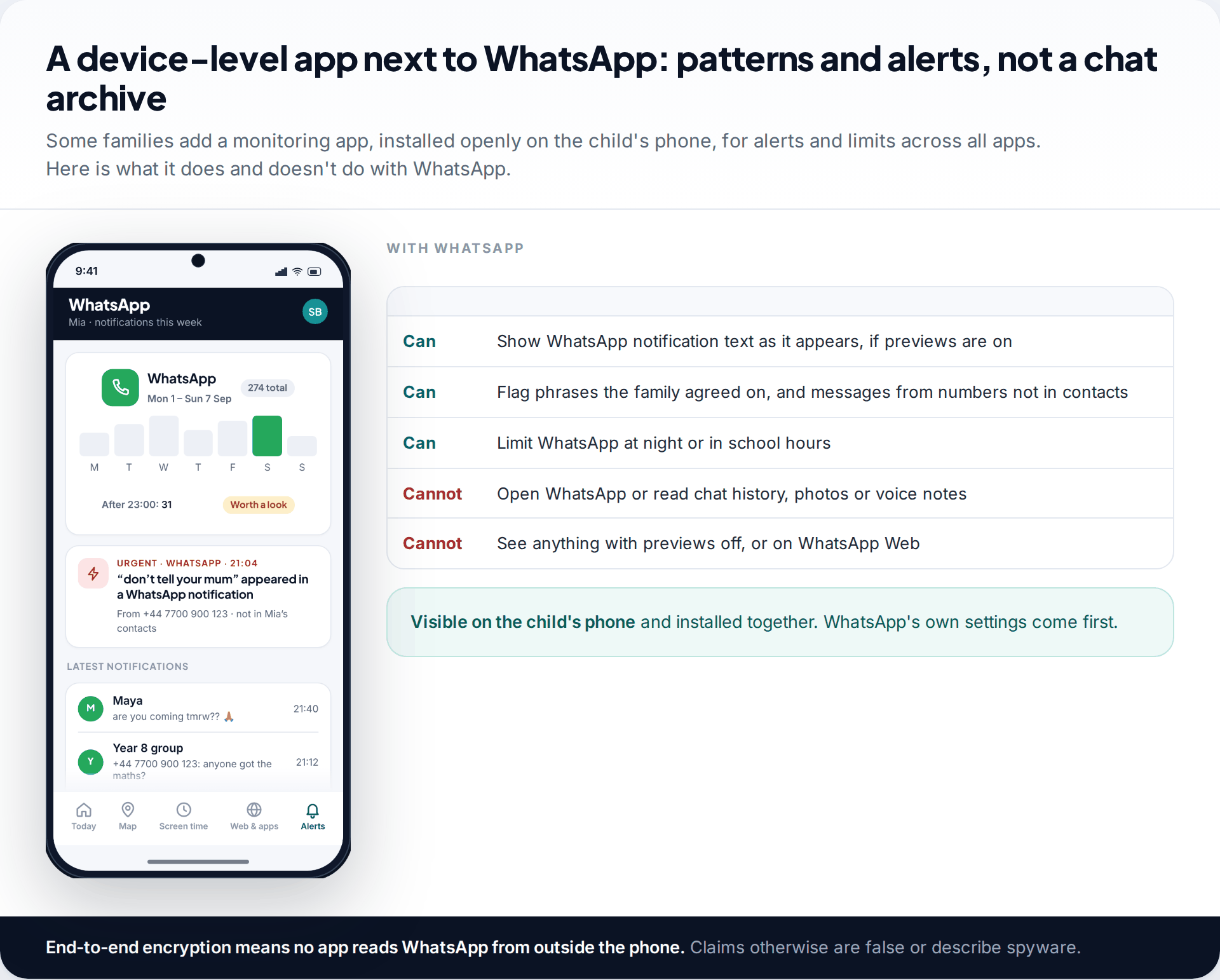
Some families add a monitoring app for alerts and limits across all apps. Ours is installed on the child’s phone with their knowledge and stays visible there. With WhatsApp it reads notifications as they appear, so it can flag a message from a number that isn’t in contacts, or a phrase the family agreed to watch for. It can also limit WhatsApp at night. It can’t open WhatsApp, read chat history, or see anything if previews are off. Details are on our WhatsApp monitoring page. Get WhatsApp’s own settings right first.
How this page was put together
We checked the minimum age in WhatsApp’s EEA terms of service, and parent-managed accounts against WhatsApp’s announcement of 11 March 2026 and news coverage of the launch, in September 2026. WhatsApp’s help centre blocked our automated checks, so privacy menu labels were confirmed against WhatsApp’s public safety pages and current app layouts. Labels shift between versions.
Details of parent-managed accounts may change during the rollout. Where reports disagreed, we described the feature in general terms. How we source and correct pages is covered by our editorial standards.
Common questions
Does WhatsApp have parental controls?
For under-13s, yes: parent-managed accounts, rolling out since March 2026, let parents approve contacts and groups and lock settings with a PIN. For teens aged 13 and over there are no parental controls inside WhatsApp.
What age can my child use WhatsApp?
WhatsApp’s terms set the minimum at 13, or older where local law requires it. The UK and EU minimum was lowered from 16 to 13 in April 2024. Younger children can use a parent-managed account where available.
Can I read my child’s WhatsApp messages with a parent-managed account?
No. WhatsApp says conversations stay end-to-end encrypted, so parents control who the child talks to, not what they read.
How do I stop strangers adding my child to WhatsApp groups?
Open Settings, then Privacy, then Groups, and choose My contacts. People outside their contacts then can’t add them directly.
Can I limit how long my child spends on WhatsApp?
Not in WhatsApp. Use Screen Time on iPhone or Family Link on Android to set limits or downtime.
Should I use WhatsApp Web to see my child’s chats?
Only openly, and think carefully first. A linked device shows every chat, including friends’ messages, and appears in your child’s Linked devices list. Most families find a regular check-in less intrusive.
Looking for a tool to go with this? TheTruthSpy is a free parental control app for Android that stays visible on the child's phone. If it fits your family, see the Social media alerts feature.
Related guides
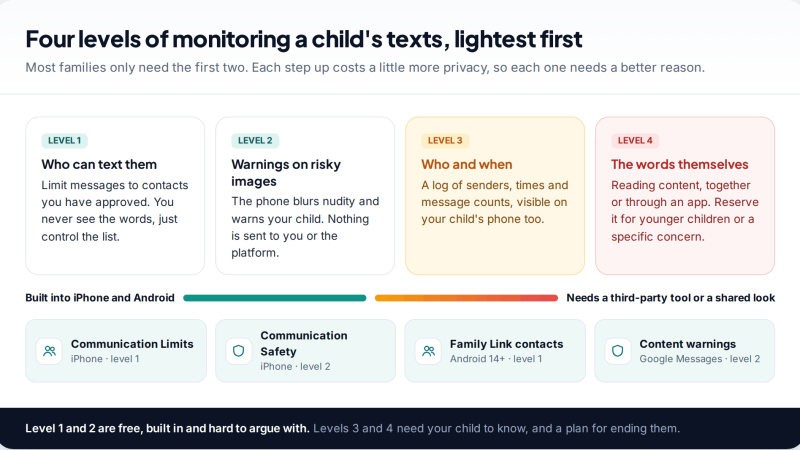
Monitoring Your Child’s Text Messages Safely: Options by Age
What parents can really see of a child's texts on iPhone and Android: Communication Limits, Communication Safety, Family Link contacts…
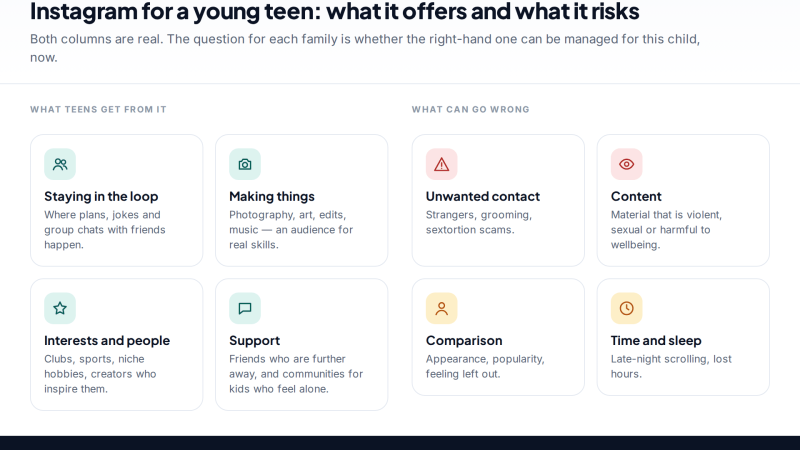
Is Instagram Safe for My Child? A Parent’s Guide
Is Instagram safe for kids? Not under 13, and not automatically after. Teen Accounts now remove many risks by default;…
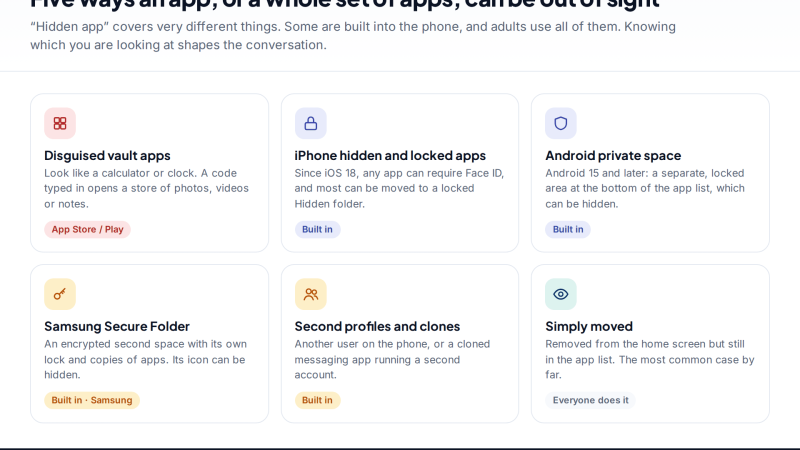
Vault Apps and Hidden Apps on a Child’s Phone: How to Spot Them
How to find hidden or vault apps on your child's phone: calculator vaults, iPhone hidden and locked apps, Android private…
Parental controls your child can see
Location, screen time limits, a web filter and alerts from notifications — free, and visible on your child's phone. Pair a phone in about ten minutes.
Android · Free to set up · Visible on your child's phone