Facebook for Teens: Supervision Tools and Safe Monitoring Habits

Your 13-year-old wants a Facebook account, or already has one, and you want to keep an eye on it without reading their life over their shoulder. The good news: to monitor your child’s Facebook safely you don’t need much. A Teen Account’s built-in limits, Meta’s supervision tools set up together, and a few agreed rules cover most of the risk. None of them shows you private messages, and that’s by design.
- Teen Accounts are automatic for 13–17s on Facebook and Messenger, worldwide since September 2025.
- Supervision shows time and settings, including who can message them. It never shows message content.
- It only works with your teen’s agreement. They accept the invitation, and either of you can end it.
- The biggest risk is a person, not a setting. Teach them to question friend requests, and keep “tell me, no punishment” as the rule.
What Facebook already does for a teen account
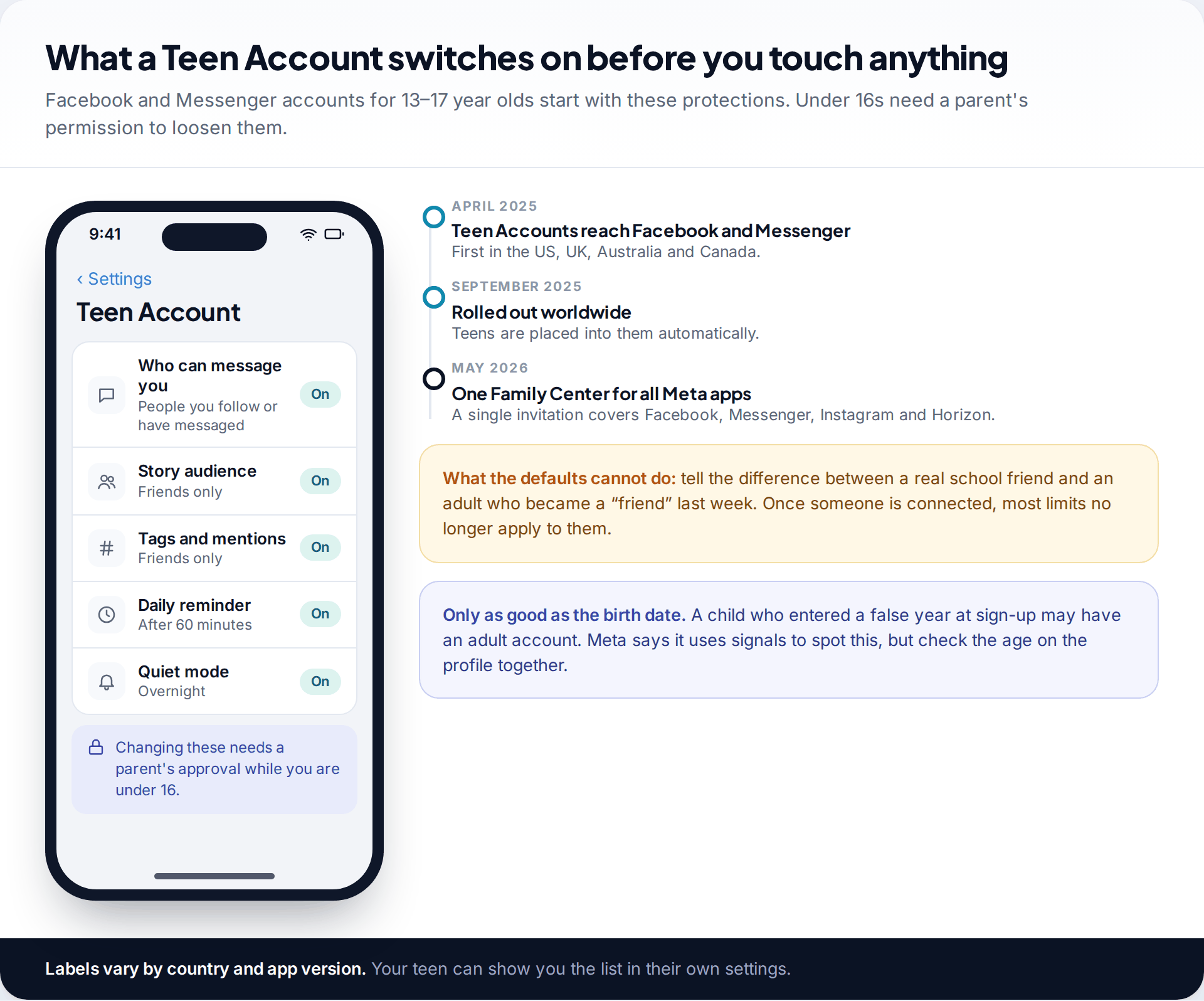
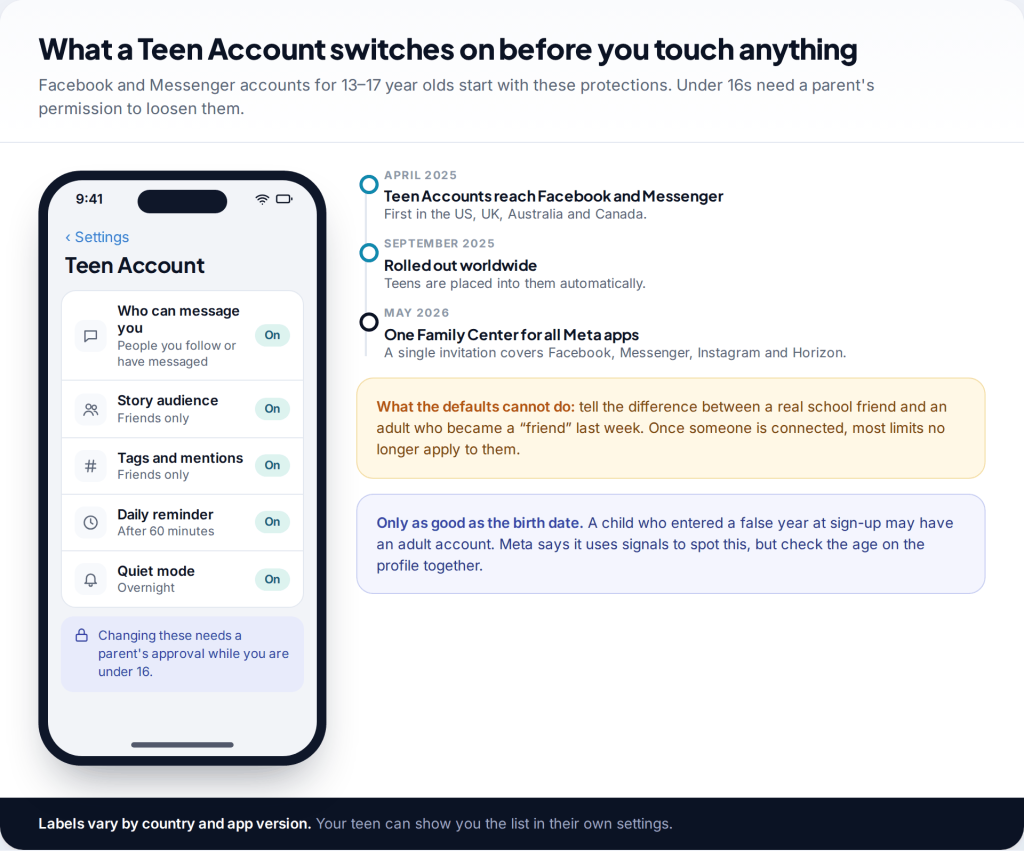
Since Meta extended Teen Accounts to Facebook and Messenger in 2025, first in the US, UK, Australia and Canada in April and worldwide from September, anyone aged 13 to 17 is placed into one automatically. According to Meta, a Teen Account means:
- Messages only from people they follow or have messaged before, so strangers can’t open a chat out of nowhere.
- Stories visible to friends only, with tags, mentions and comments limited to friends and people they follow.
- A reminder to leave after an hour of use each day, and quiet mode overnight, which holds back notifications.
- Under-16s need a parent’s permission to change these settings.
That’s a reasonable floor. But it’s worth knowing where it stops. Once your teen accepts someone as a friend, most contact limits no longer apply to that person. Teen Accounts can’t tell a classmate from an adult who built a convincing profile last month. The age is also only as accurate as what was entered at sign-up. A child who gave a false birth year gets an adult account, although Meta says it uses signals to catch this.
How to monitor your child’s Facebook with supervision: what you can and can’t see
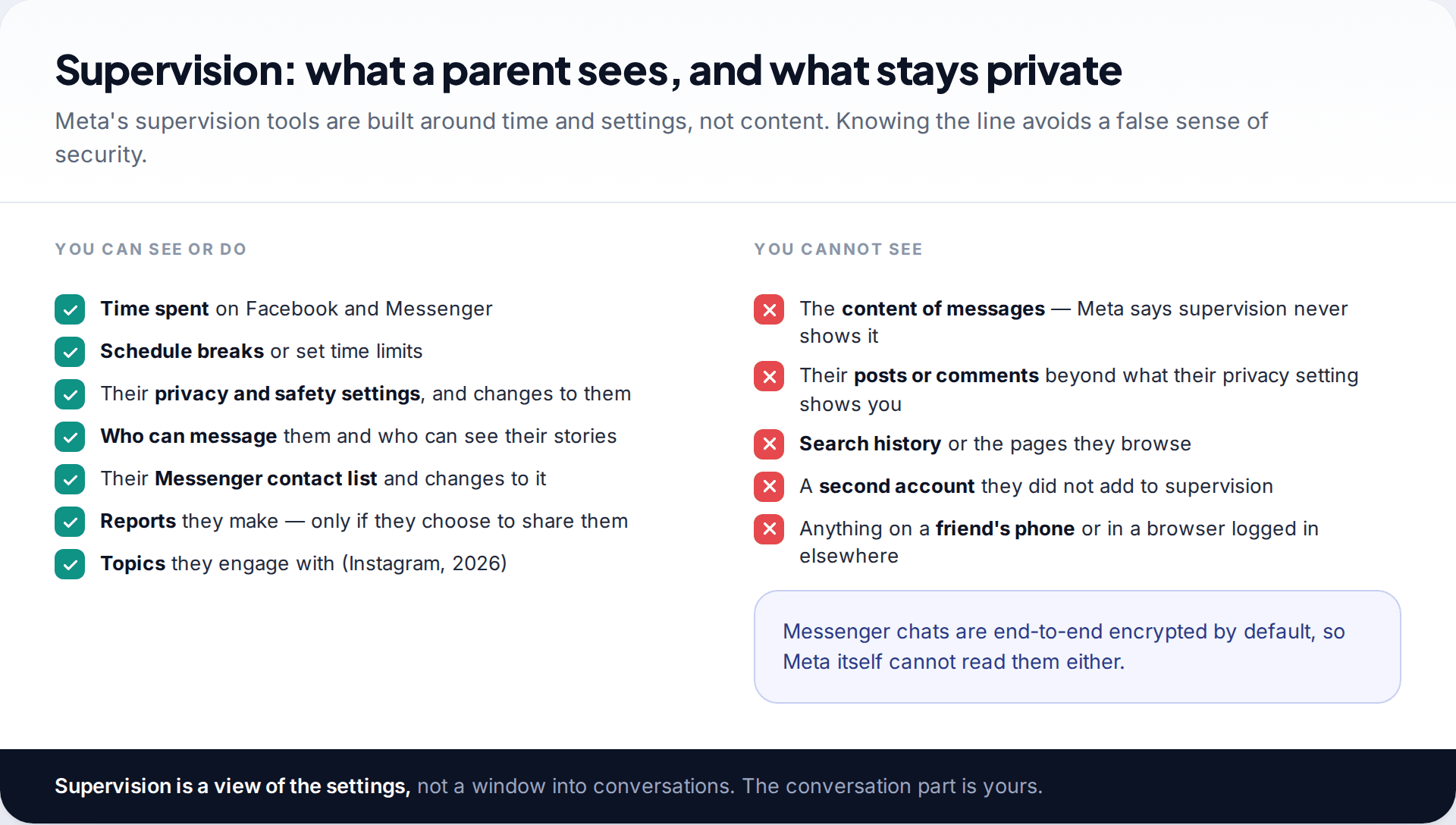
Meta’s supervision tools, managed from Family Center, give you a view of the account’s settings and habits rather than its content. On Facebook you see how much time your teen spends and can schedule breaks. On Messenger you see their contact list and changes to it, who can message them, who can see their stories, and their privacy settings. If your teen reports someone and chooses to share that report, you’re notified.
What you won’t see is any message. Meta states plainly that its supervision tools don’t let parents read their teen’s messages, and Messenger chats are end-to-end encrypted by default, so Meta can’t read them either. You also won’t see a second account your teen hasn’t added to supervision, or Facebook used in a web browser on a friend’s phone.
This is less of a gap than it sounds. For most families the point of monitoring isn’t to read every message. It’s to know that the settings are sensible, the time is reasonable, and that your teen will come to you when something goes wrong. The last part depends on trust that routine message-reading tends to erode.
Setting up supervision, step by step
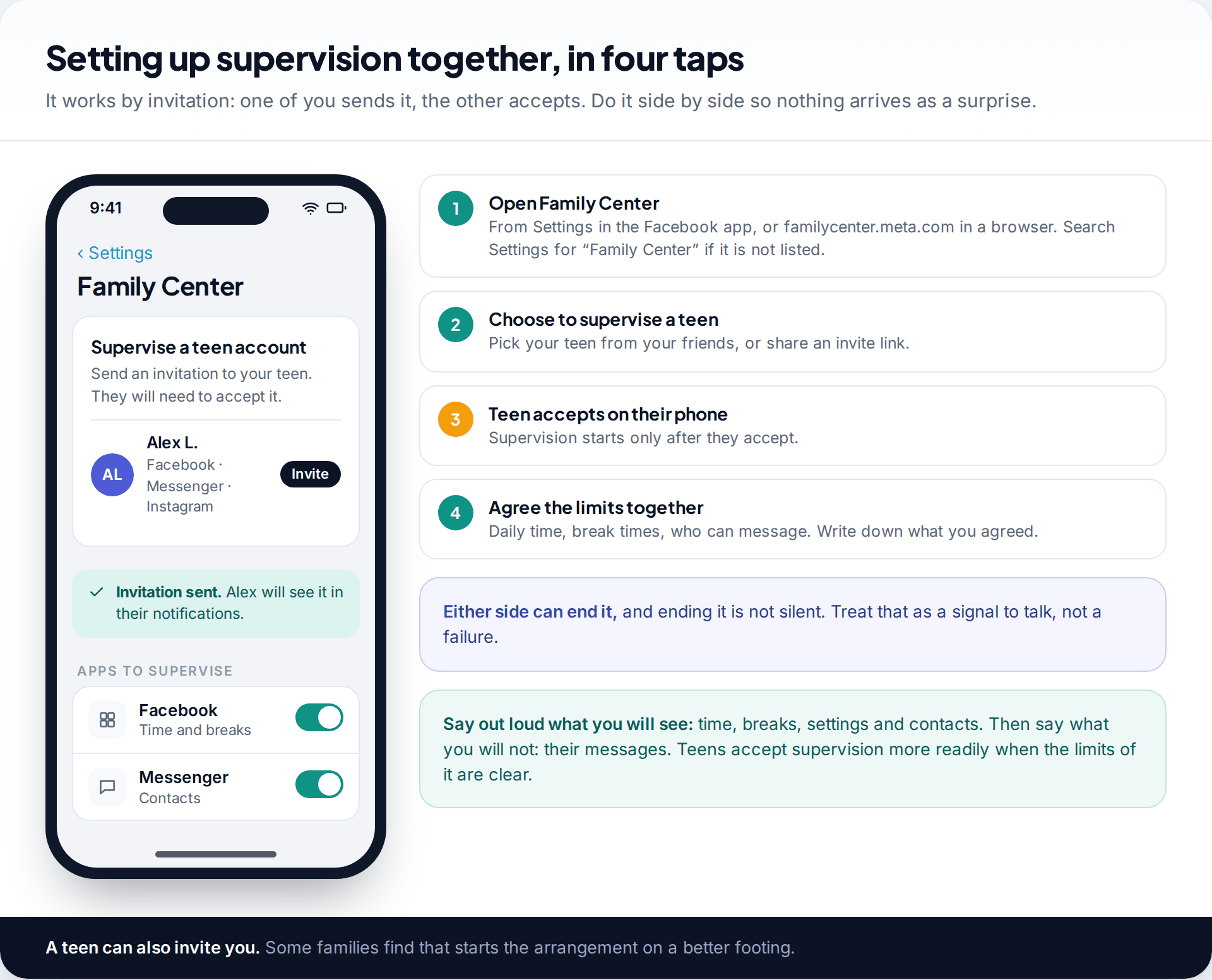
Supervision works by invitation, and your teen has to accept, so there’s no version of it that happens behind their back. Since May 2026 one invitation covers Facebook, Messenger, Instagram and Meta Horizon from a single Family Center dashboard.
- Open Family Center from Settings in the Facebook app, or go to familycenter.meta.com. Labels move between versions; search Settings for “Family Center” or “Supervision” if you can’t see it.
- Choose to supervise a teen and select your teen’s account, or send an invitation link.
- Your teen accepts on their own phone. Do this in the same room, so you can explain what you’ll see and what you won’t.
- Agree the settings together: a daily time limit if you want one, break times on school nights, and who can message them.
Teens can also send the invitation to a parent. Either of you can end supervision later, and it is not designed to end silently. If your teen ends it, don’t treat it as a betrayal. Treat it as a sign that the arrangement needs another conversation.
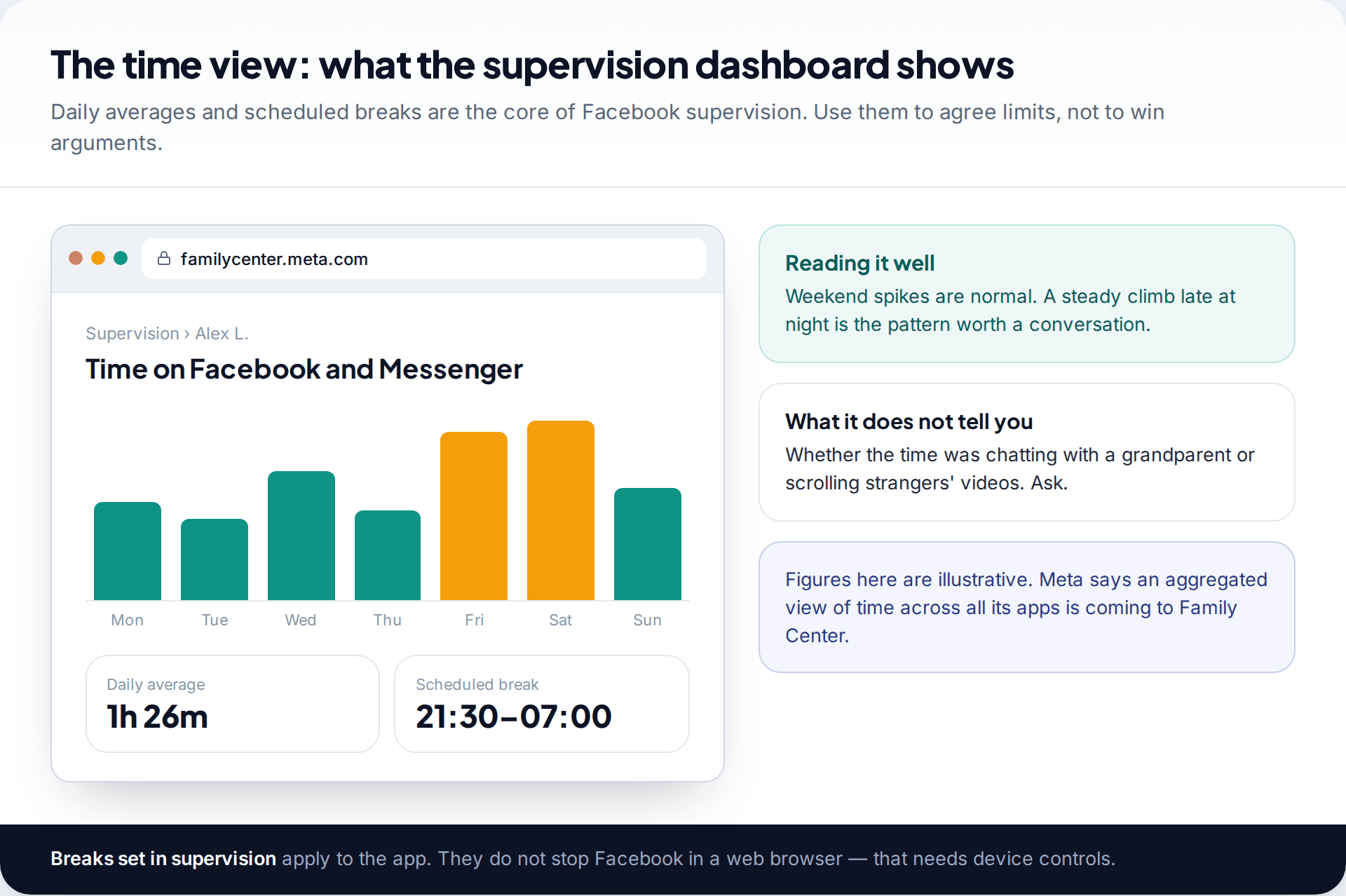
Once it’s running, the time view is where you’ll spend most of your attention. Weekend peaks are normal. A steady rise in late-night use is the pattern worth raising, gently and with curiosity: “you’ve been on later than usual this week, what’s going on?” goes further than a new limit set in silence.
The settings Teen Accounts don’t cover
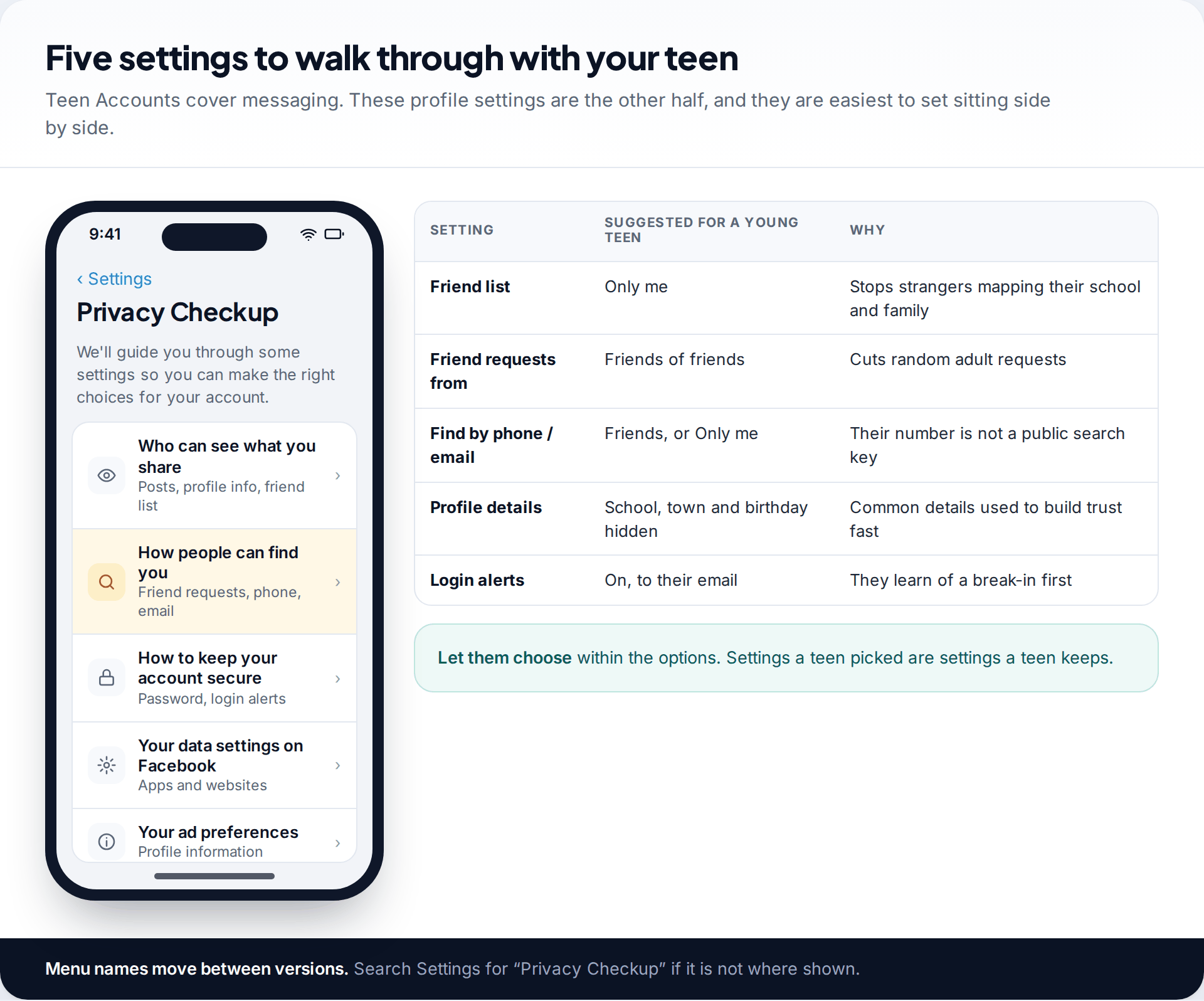
Teen Accounts focus on messaging and time. Profile privacy is still worth half an hour at the kitchen table. Open Privacy Checkup in Settings and go through it with your teen, letting them make the choices within sensible options.
The most useful single change is making the friend list visible to “Only me”. A public friend list shows a stranger your child’s school, year group and family in one screen, which is exactly what someone needs to appear as a plausible “friend of friends”. After that, limit friend requests to friends of friends. Stop people finding them by phone number or email. Hide school, town and birthday from the public profile. Turn on login alerts so your teen hears first if someone else gets into the account.
Teach the friend request, not just the setting
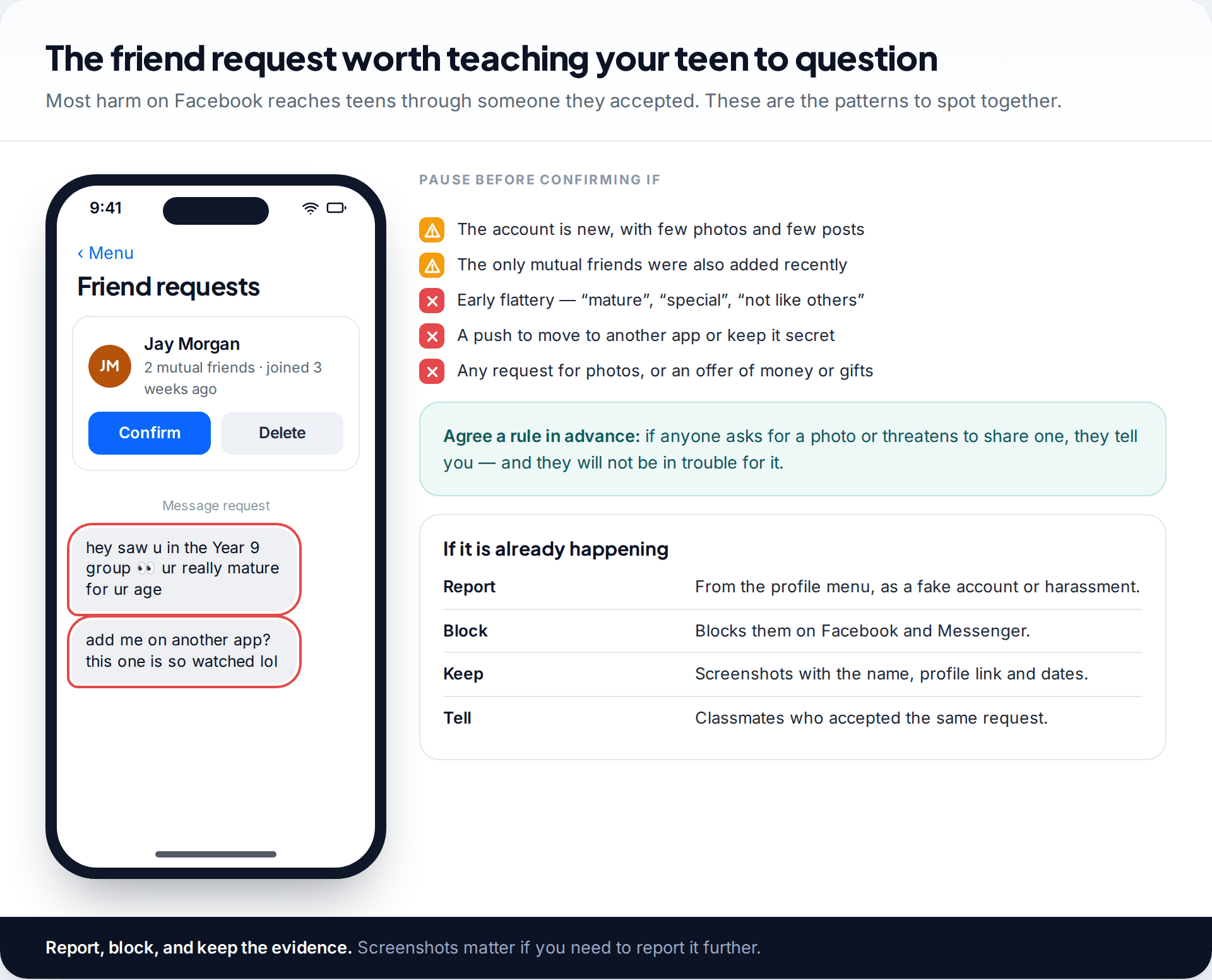
Every protection above assumes your teen accepts only people they know. So the most valuable monitoring habit isn’t a setting at all: it’s teaching them what a risky request looks like. A new account with few photos. Mutual friends who were themselves added recently. Early flattery (“you’re so mature”). A quick push to move the conversation to another app or keep it secret. Any mention of photos, money or gifts.
A request from someone “in the Year 9 group”
Maya, 14, gets a friend request from an account with two mutual friends from school. Within a day he’s messaging about how mature she is and suggesting they talk “somewhere less watched”. She remembers the rule she and her dad agreed: anything that makes her uneasy, she shows him, and she won’t be in trouble for it. Together they check the profile, which was created three weeks ago with borrowed photos. They report it, block it and tell the two classmates who accepted it.
If anyone asks your child for images or threatens to share one, the advice from child-protection organisations is consistent: don’t pay, don’t send more, keep the evidence, report and block, and tell a trusted adult. Make sure your teen hears that from you before they ever need it.
Adjust monitoring as your child gets older
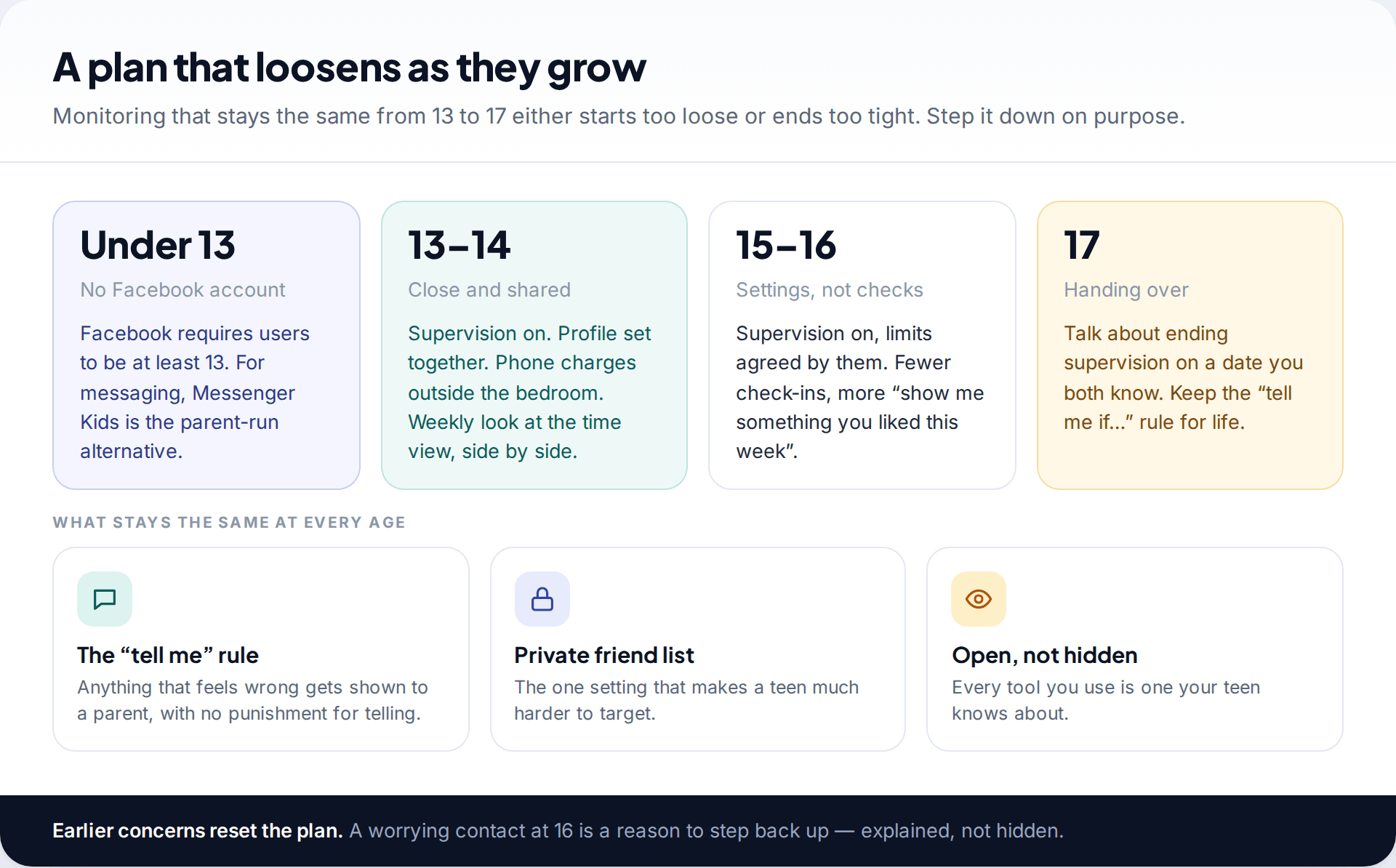
Facebook’s minimum age is 13. For younger children who want to message family and friends, Messenger Kids is the parent-run alternative. Our guide to Messenger and Messenger Kids covers it in detail. From 13, plan for monitoring to shrink. Start close at 13 and 14, with supervision on, the profile set together and phones charging outside the bedroom. By 15 and 16, keep the settings but check in less. At 17, agree a date to end supervision, so the handover is something you both see coming.
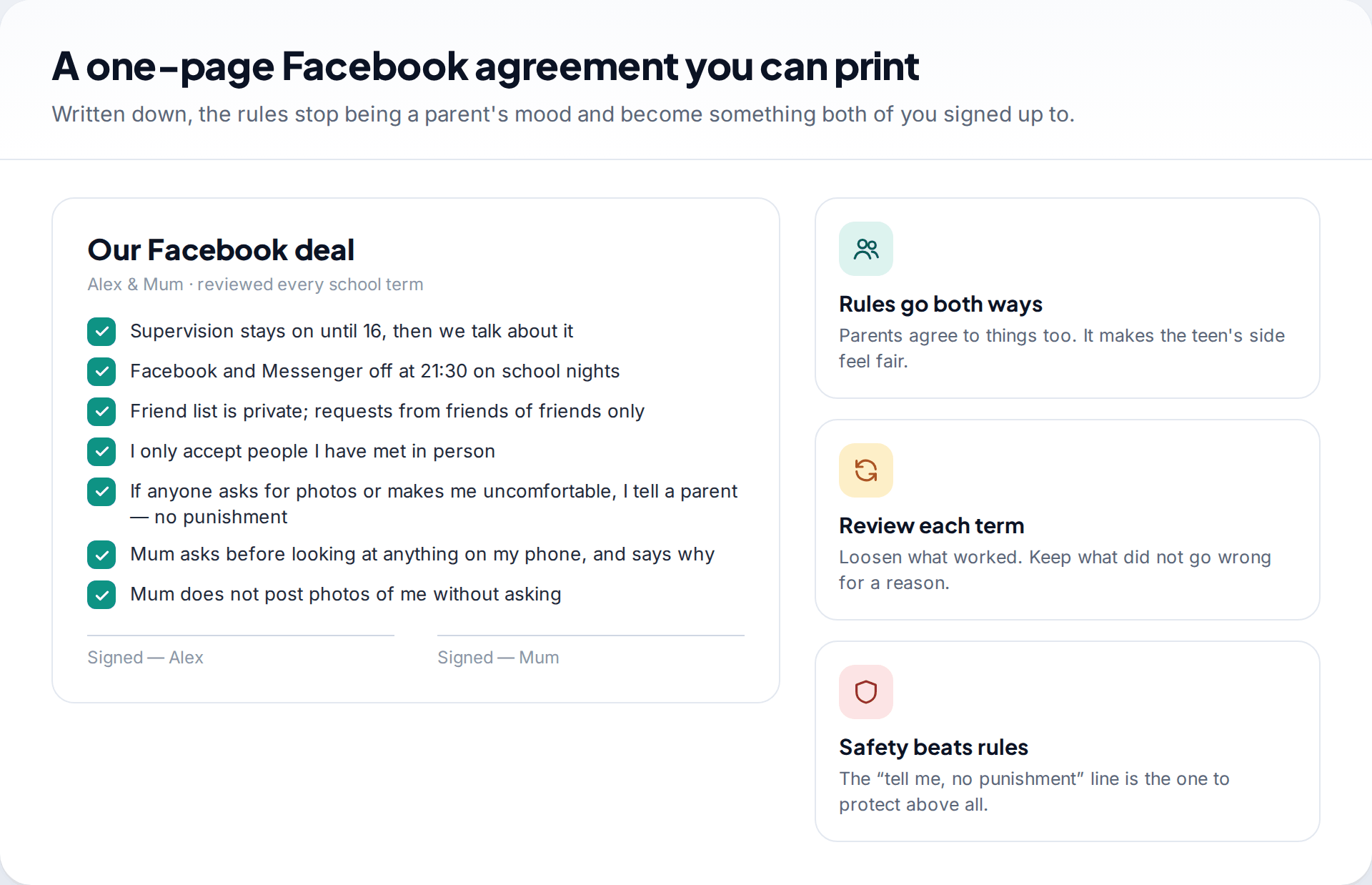
Written rules help, especially ones that bind the parent too. A one-page agreement, reviewed each school term, turns limits into a shared deal rather than a running negotiation.
Signs to notice that no dashboard will show
The most reliable warning signs of trouble on Facebook don’t appear in Family Center. They show up at home. None of these proves anything on its own, but together, or appearing suddenly, they’re worth a calm question:
- Sudden secrecy with the phone: screens turned away, the phone taken to the bathroom, a new passcode shortly after meeting someone online.
- A new “friend” you’ve never heard of who seems to know a lot about them, or gifts and top-up cards with no clear source.
- Mood changes around the phone: anxiety when a notification arrives, or distress after being online late.
- Dropping the supervision or deleting the app soon after a new contact appears.
- Mentions of a second app they’ve been asked to move to, especially one with disappearing messages.
When you ask, lead with concern rather than evidence: “you’ve seemed worried after being online, is someone bothering you?” A teen who expects to lose their phone for telling you tends to keep quiet. A teen who expects help is far more likely to show you the messages themselves.
Where a monitoring app fits, used openly
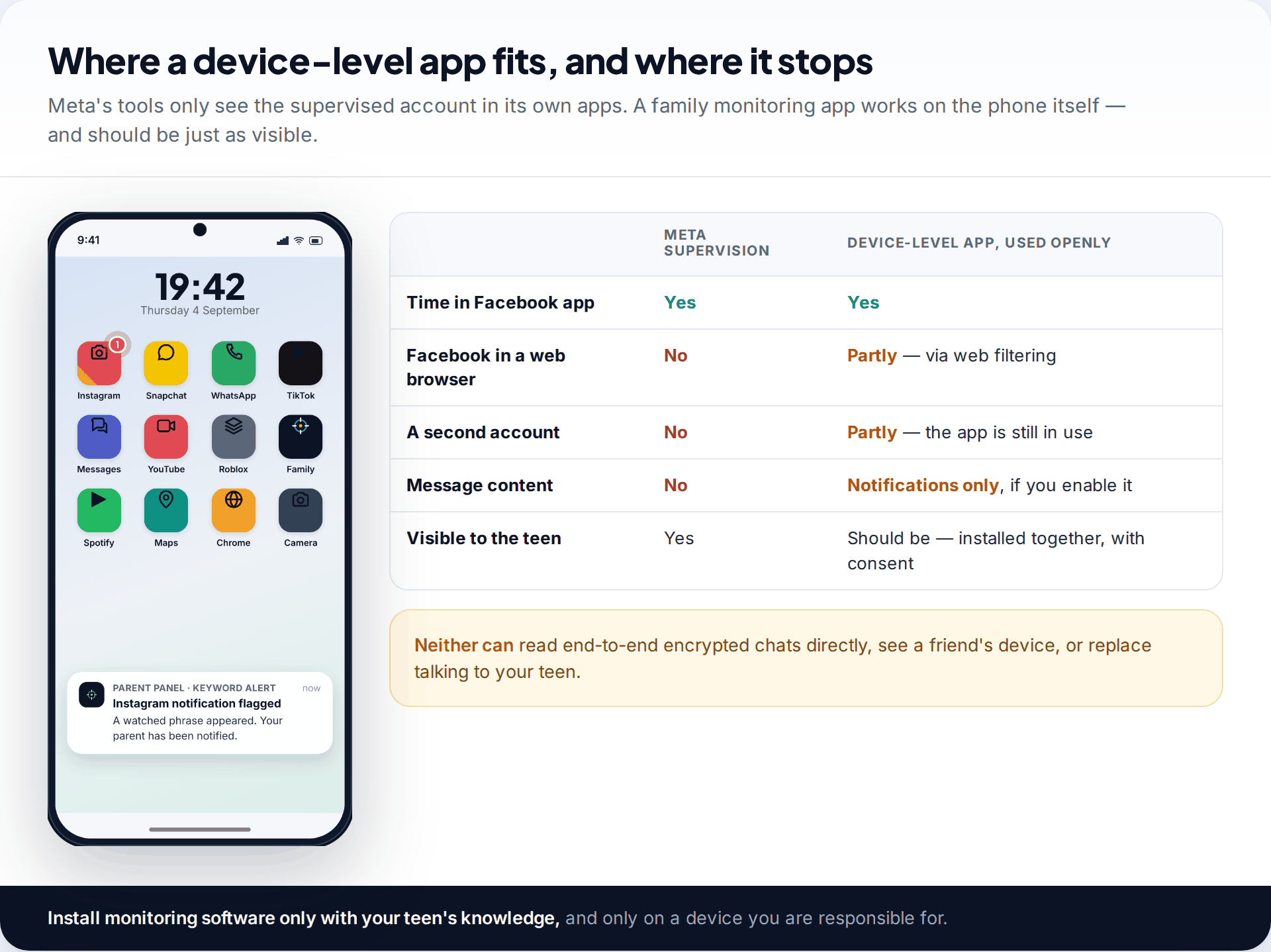
Meta’s tools only see the supervised account inside Meta’s apps. They don’t cover Facebook in a web browser or a second account. If you need device-wide time limits and web filtering, our app does that on a phone your family has set it up on together. It’s visible on the teen’s device, and it can share Facebook and Messenger notification previews if you switch that on. It can’t open end-to-end encrypted chats, see other devices, or tell you what a conversation meant. You can see how it handles Facebook specifically. For many families, Meta’s free supervision plus good conversations is enough.
How this page was put together
We checked the Teen Account protections, their rollout dates and the supervision features against Meta’s own announcements and Family Center pages, and against independent reporting, in September 2026. Meta changes these tools often. The settings screens on your teen’s phone are the final word on what’s available where you live.
We haven’t tested every feature on every device, and figures in the images are illustrative. For more on how we source and correct guides, see our editorial process.
Common questions
Can I see my child’s Facebook messages?
Not through Meta’s supervision tools; Meta says they don’t show message content, and Messenger chats are end-to-end encrypted. Some families agree that a teen will show a parent a conversation when something worries either of them. That works better than trying to read everything.
What age can a child have a Facebook account?
13 is the minimum. Accounts for 13 to 17 year olds are placed into Teen Accounts automatically. Under-13s can use Messenger Kids, which a parent sets up and manages.
Does my teen know they are being supervised?
Yes. Supervision needs your teen to accept an invitation, and either of you can end it. It isn’t designed to be hidden, and we’d advise against any approach that is.
Can my teen turn off the Teen Account protections?
Teens under 16 need a parent’s permission to change the built-in settings. At 16 and 17 they can adjust more of them themselves, which is a good reason to agree the settings together rather than rely on the lock.
What if my child has a second Facebook account?
Supervision only covers the account that accepted the invitation. If you think there’s a second account, ask about it directly and calmly. Teens often set one up to avoid being watched, and a harsher response usually means a better-hidden third one.
Is Facebook safe for a 13-year-old?
With Teen Account defaults, a private friend list and a teen who knows how to handle strange requests, the risks are manageable. They aren’t zero: most harm comes through people a teen accepts, which is why the conversation matters more than any tool.
Looking for a tool to go with this? TheTruthSpy is a free parental control app for Android that stays visible on the child's phone. If it fits your family, see the Social media alerts feature.
Related guides
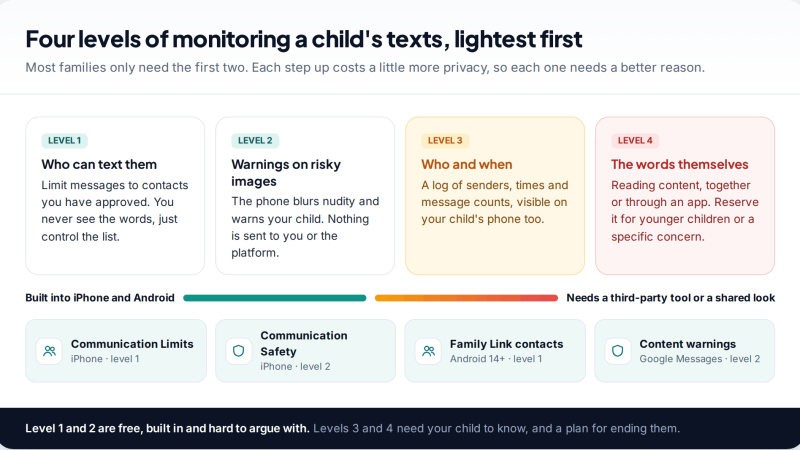
Monitoring Your Child’s Text Messages Safely: Options by Age
What parents can really see of a child's texts on iPhone and Android: Communication Limits, Communication Safety, Family Link contacts…
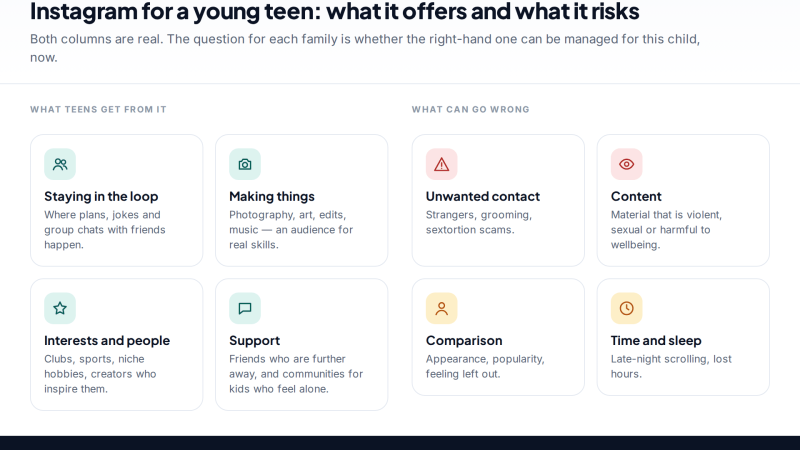
Is Instagram Safe for My Child? A Parent’s Guide
Is Instagram safe for kids? Not under 13, and not automatically after. Teen Accounts now remove many risks by default;…
Vault Apps and Hidden Apps on a Child’s Phone: How to Spot Them
How to find hidden or vault apps on your child's phone: calculator vaults, iPhone hidden and locked apps, Android private…
Parental controls your child can see
Location, screen time limits, a web filter and alerts from notifications — free, and visible on your child's phone. Pair a phone in about ten minutes.
Android · Free to set up · Visible on your child's phone