Messenger Tracker Detection After Encryption: What a Spy App Can Still See, and How to Check Your Account
 By TheTruthSpy Editor · Founder and editorPublished October 6, 2026Updated October 12, 202614 min read
For most of Messenger’s life, the “Facebook Messenger spy” apps had a grain of truth behind them. Messenger conversations were stored on Facebook’s servers in readable form, and anyone who could sign in to the Facebook account, on any device, could scroll through every chat ever sent. That is no longer how Messenger works. Meta spent 2023 and 2024 moving every personal Messenger chat to end-to-end encryption by default, and finished the job. The messages are now readable only on devices that are part of the conversation. A Messenger tracker today has to work with what is left, and this guide is about exactly what that is.
There are four realistic routes. A Facebook login that someone else holds, which still gets them more than you would like. A device that has been quietly added to your encrypted-chat key list, which is the new version of the old problem. An app on the phone that reads notifications, which encryption does nothing to stop. And Messenger Kids, the under-13 version, which is supervised by design and worth understanding before you compare it with anything else. There is also a fifth thing that is not a tracker at all but is mistaken for one so often that it earns its own section.
Route one: the Facebook login
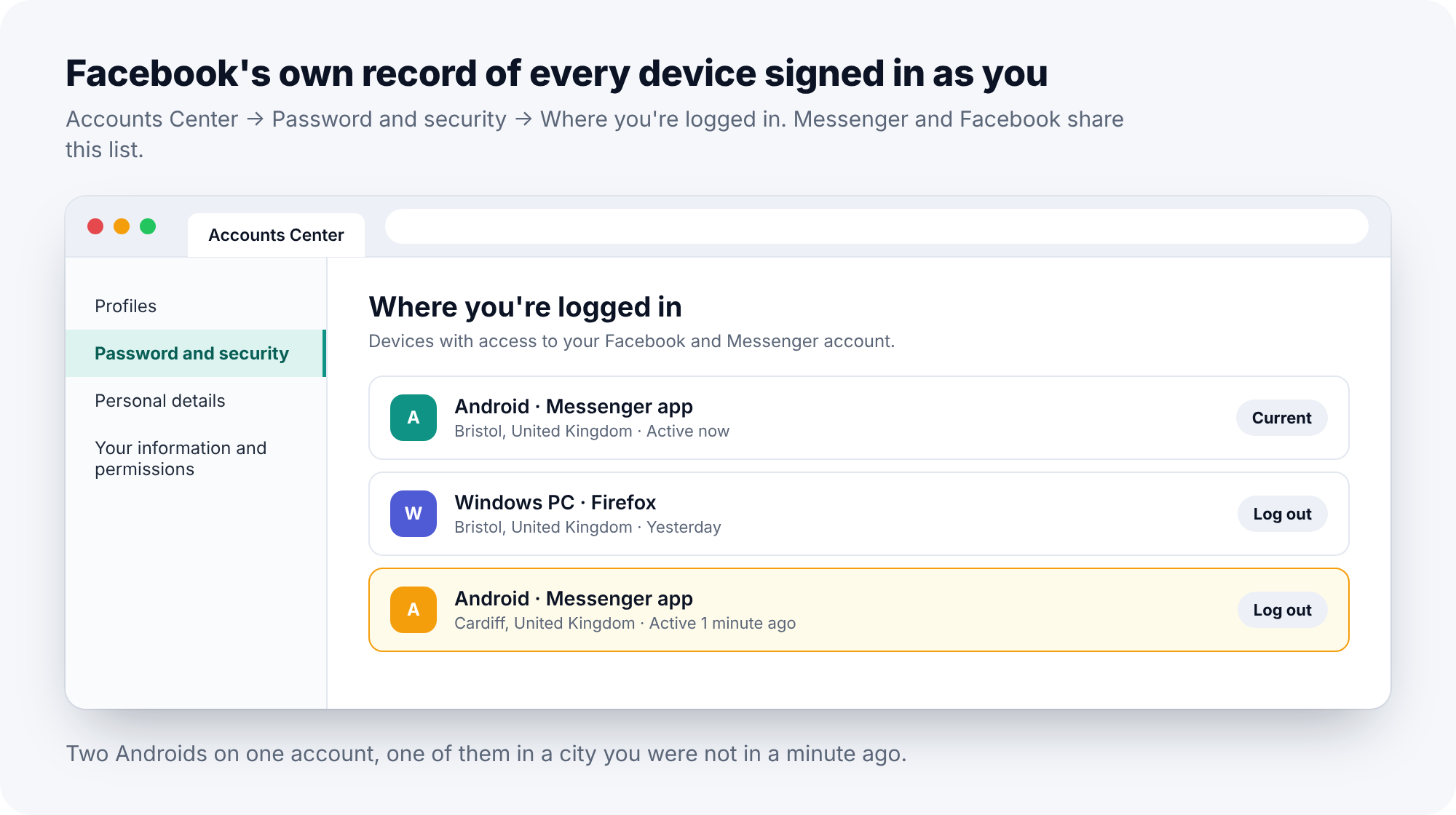
Messenger and Facebook share one account, and anyone who can sign in to Facebook can open Messenger as you. Since encryption, a freshly signed-in device no longer sees old conversations automatically; they are locked to the devices that were part of them. But a new device does receive every new message from the moment it joins, and Meta offers “secure storage”, protected by a PIN, which restores the full history to a new device on request. If that PIN is something a person close to you could guess, a birthday, the same four digits as the phone’s lock screen, the history comes with it.
How to detect it
In the Facebook app, open Settings and privacy, Settings, then Accounts Center. Under Password and security, tap “Where you’re logged in”. Each session is listed with a device, an approximate location and when it was last active. Your own phone is marked as current. Everything else needs a reason to be there. A second phone of the same type as yours is the classic entry; people assume it must be their old handset, and sometimes it is, but an old handset is not “active 1 minute ago” from a different city.
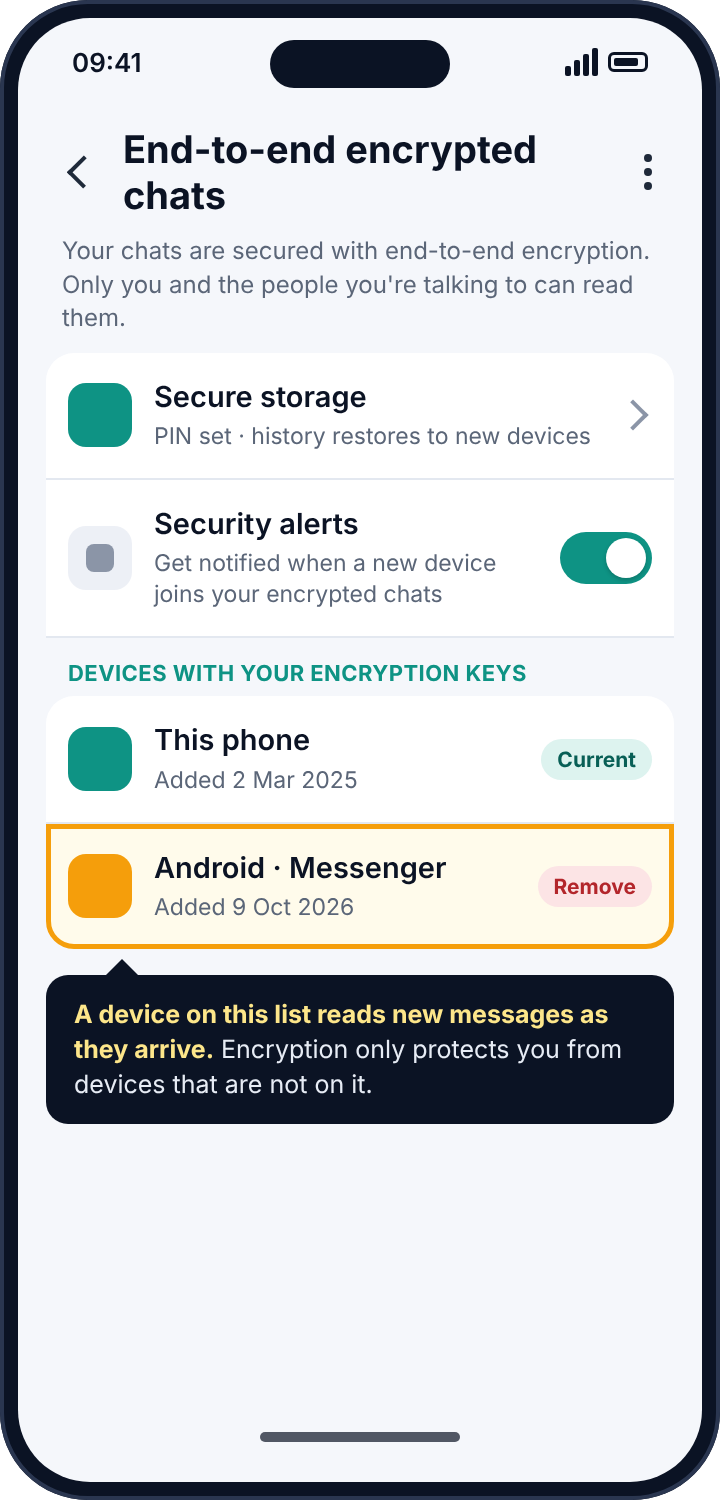
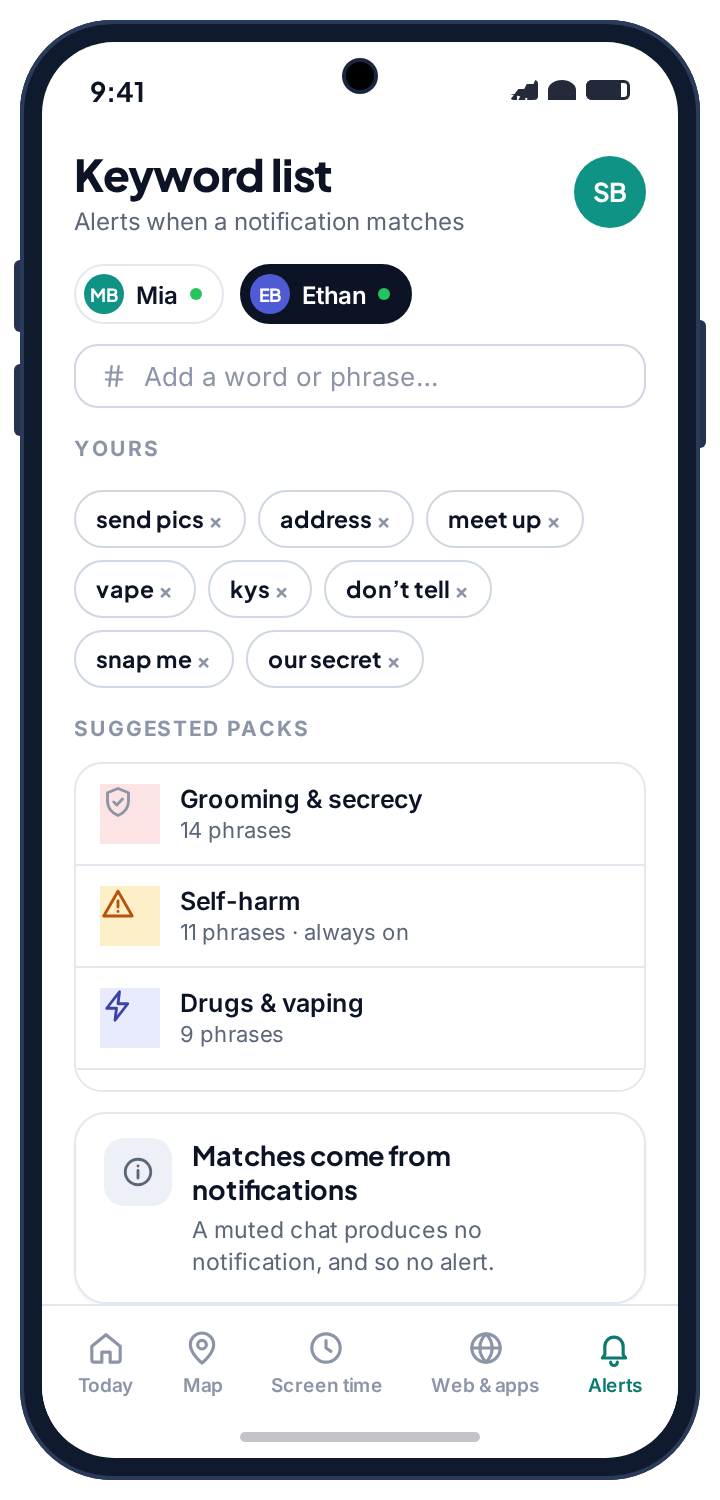
Then look at the list that encryption added. Open Messenger, tap your profile picture, then Privacy and safety, then End-to-end encrypted chats. Under Security alerts, Messenger lists the devices that hold your encryption keys. Every device on that list can read new messages as they arrive. A device you do not own on that list means someone is reading along, and encryption is not protecting you from them, because they are inside it.
How to remove it
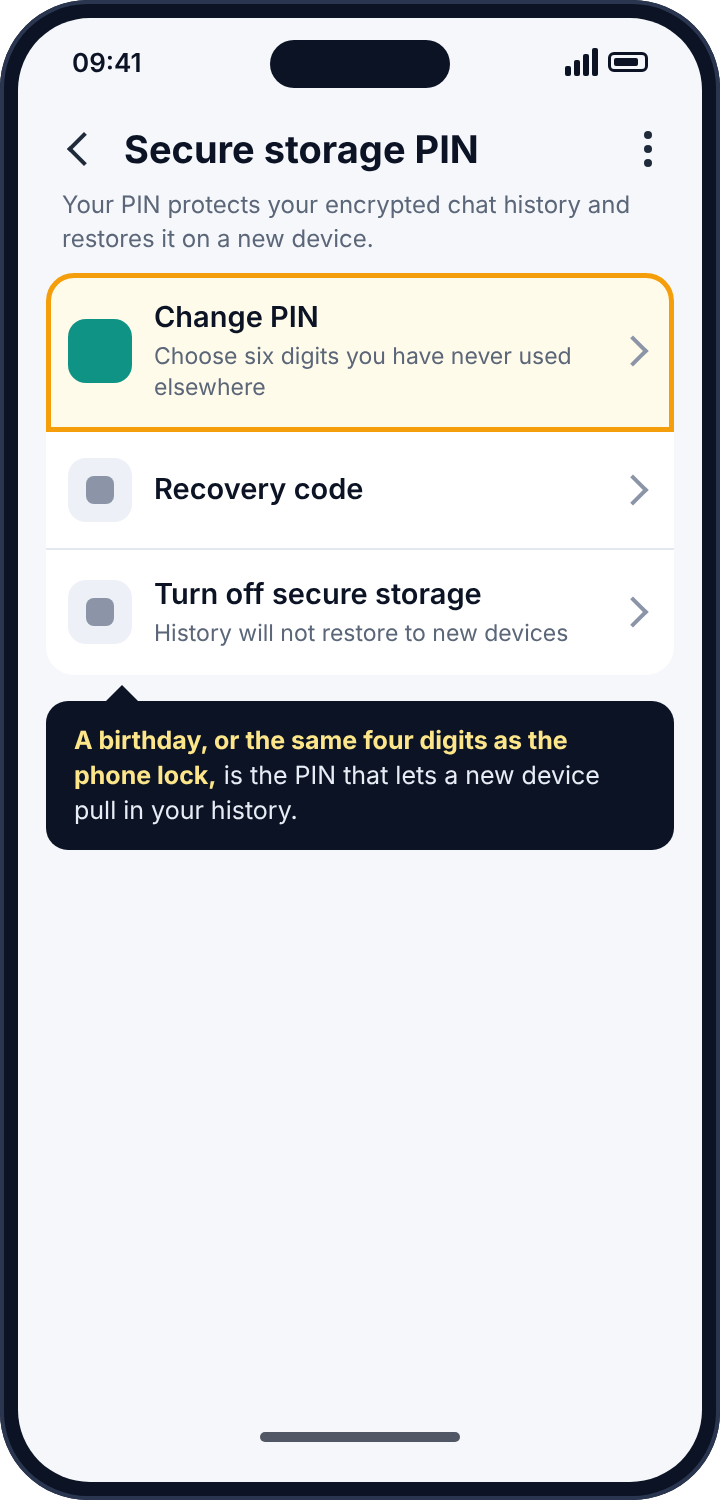
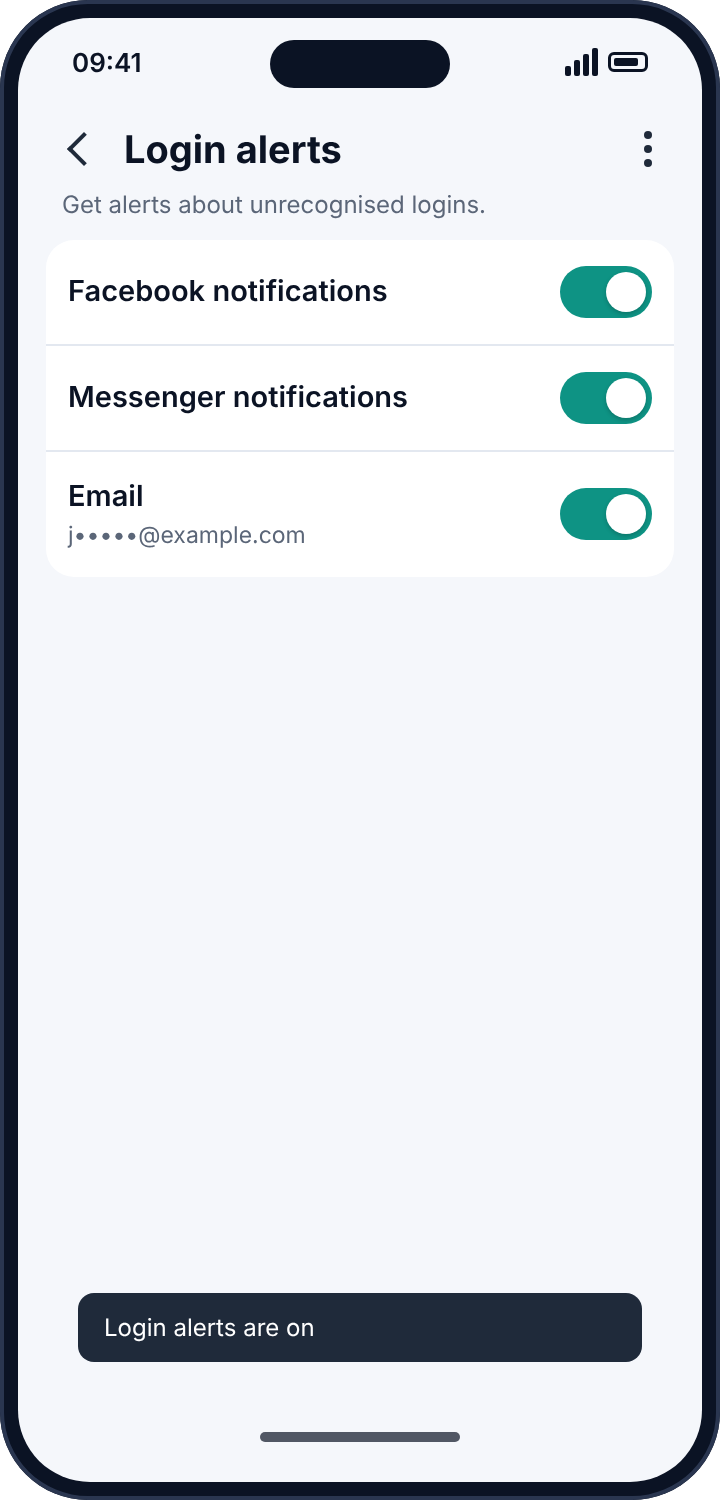
Log out of every session that is not yours from “Where you’re logged in”. Remove any unrecognised device from the encrypted-chat list. Change the Facebook password to something you have never used anywhere else. Turn on two-factor authentication with an authentication app, not SMS, because the person you are worried about may be able to see your texts. Change your secure-storage PIN to six digits you have never used for anything, so that history cannot be restored elsewhere even if the password leaks again. Then turn on login alerts, so that the next unknown sign-in reaches you before it reaches your messages.
Route two: notification reading on the phone
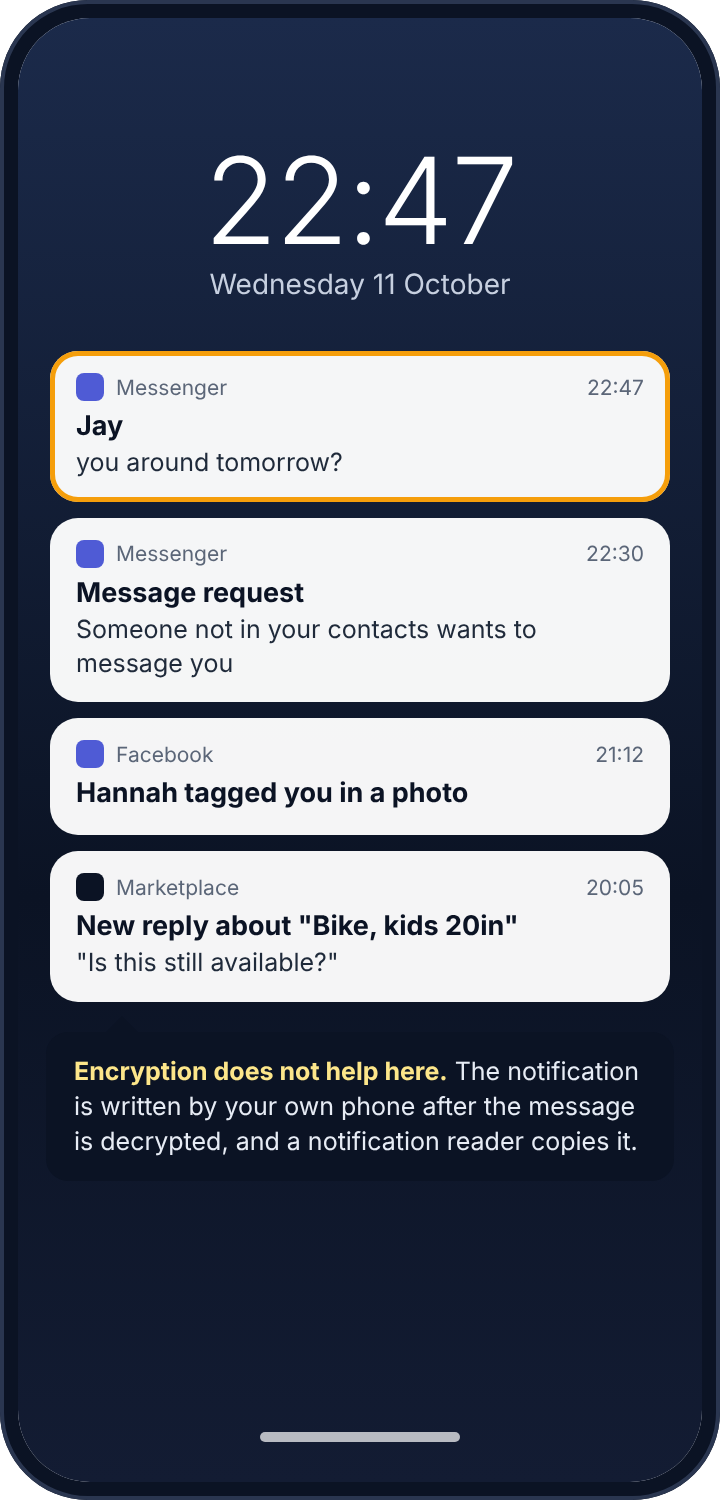
Android lets an app ask for “notification access”, a permission that lets it read every notification other apps post. A smartwatch app uses it to put your messages on your wrist. A parental control app uses it to tell a parent that a message arrived. Stalkerware uses it to tell someone else. An app with this permission reads every notification Messenger posts: the sender’s name, the time, and the message preview if previews are on. Encryption does nothing here, because the notification is written by your own phone after the message has been decrypted for you. It is also how every parental control app’s “Messenger monitoring” works, and every stalkerware app’s too. The app sees a line per incoming message and never the thread, never your replies, never a message that arrived while the chat was open on screen.
How to detect it
Open the phone’s Settings and search for “notification access”. Everything with the permission is listed. Expect your watch, perhaps your car. Anything else needs explaining, and in particular anything with a name that imitates the operating system: “Sync Services”, “System Service”, “Device Health”, “Android Update”. The real system does not appear on this list, because it does not have to ask. Tap the name, open App info, and read two things: the install date, which you can set against who had the phone that day, and the install source. An app installed from a downloaded file rather than the Play Store is an app that the Play Store would not carry.
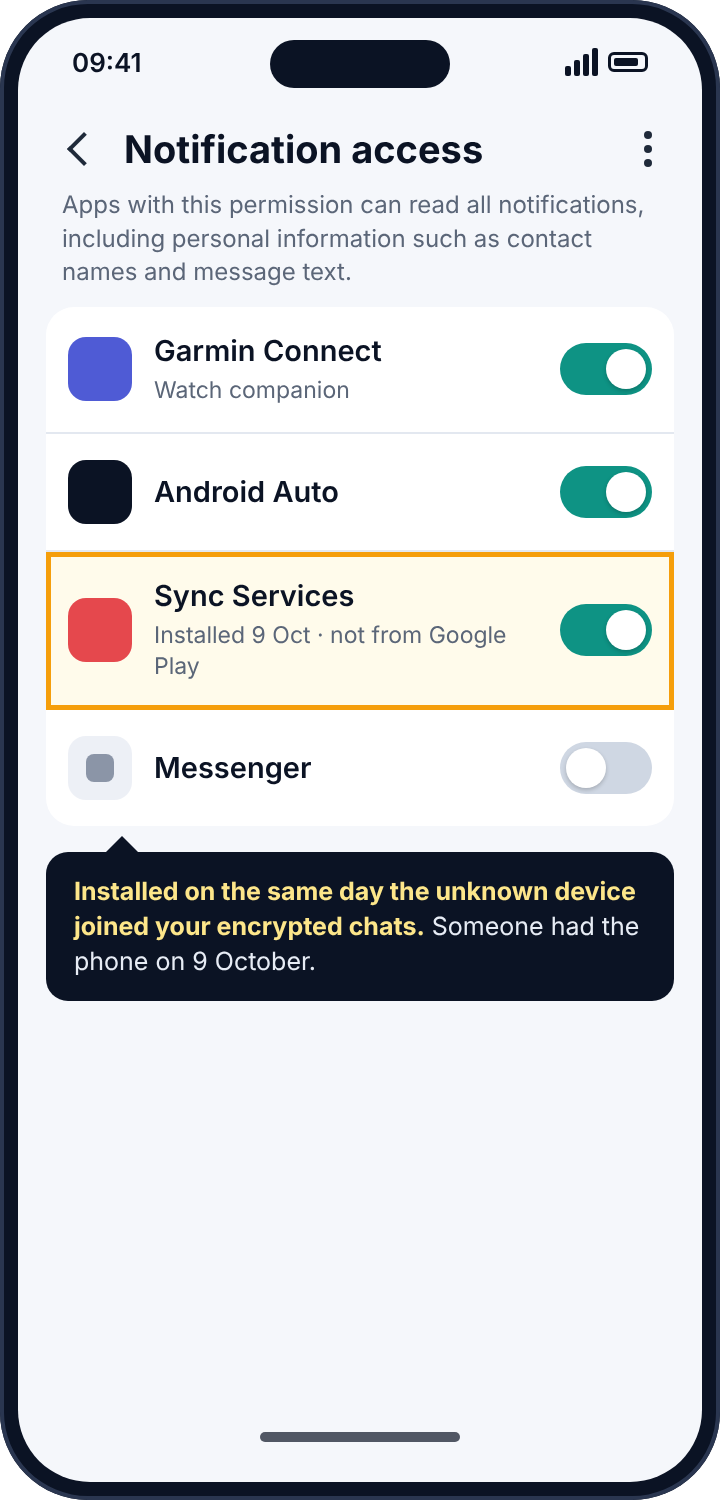
Dates are worth paying attention to in this particular case. If the unknown device on your encrypted-chat list was added on the ninth, and an app you do not recognise was installed on the ninth, you know the day someone had your unlocked phone, and that usually tells you who.
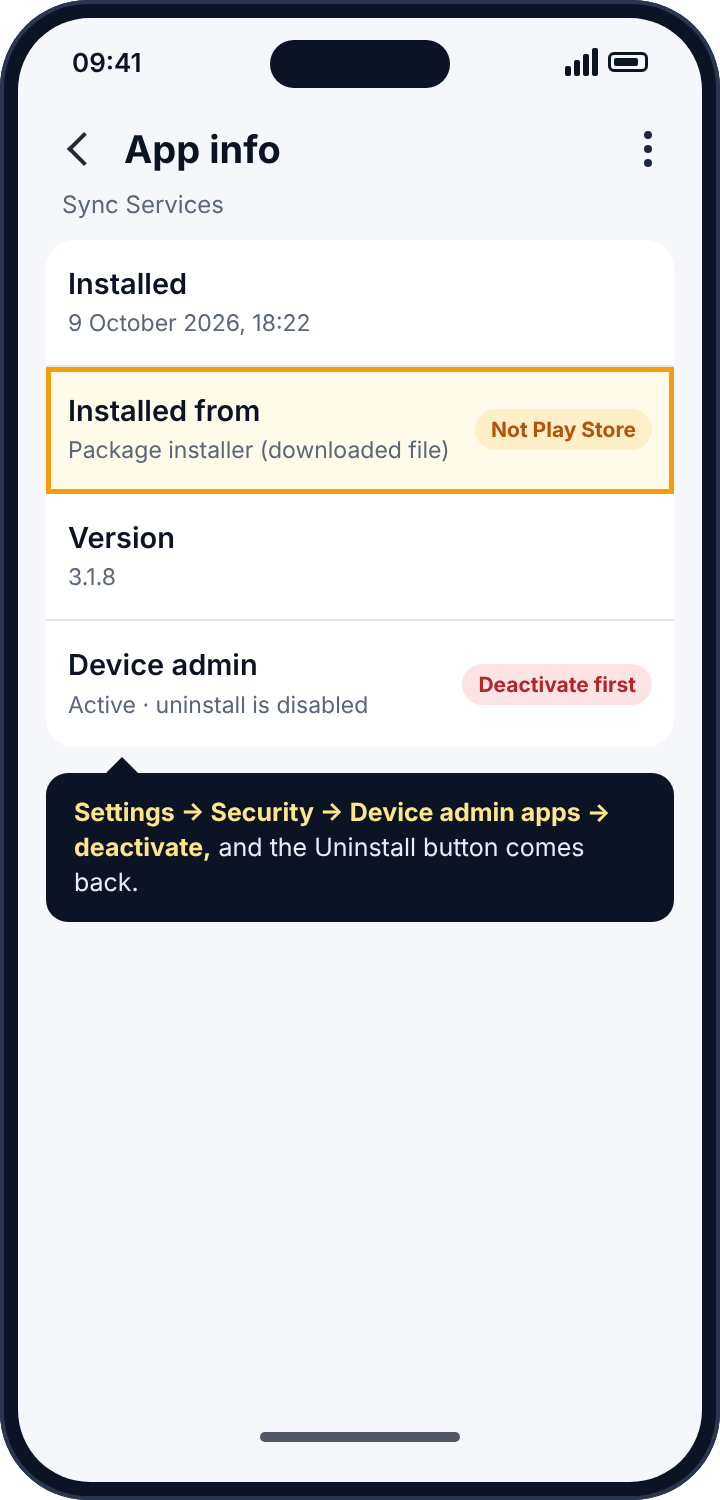
How to remove it
Turn the toggle off on the Notification access screen, then go to Settings, Apps, find it and tap Uninstall. If the button is disabled, the app has made itself a device administrator: Settings, Security, Device admin apps, deactivate it there, and the uninstall works. Run Play Protect afterwards (Play Store, profile picture, Play Protect, Scan). In Messenger’s own settings, under Notifications, turn off message previews, so that a future app with this permission would see only “New message” and the sender.
Route three: Messenger Kids
Messenger Kids is a separate app for children under 13, and supervision is the entire point of it. A parent sets it up from their own Facebook account, approves every contact before the child can message them, and can see from the Parent Dashboard who the child has been in touch with recently, which contact requests are waiting, and the images and videos the child has sent and received. The child can see that the account is managed and who manages it; the parent’s name is attached to it. Nothing about it is hidden, and nothing about it needs a notification reader or a copied password.
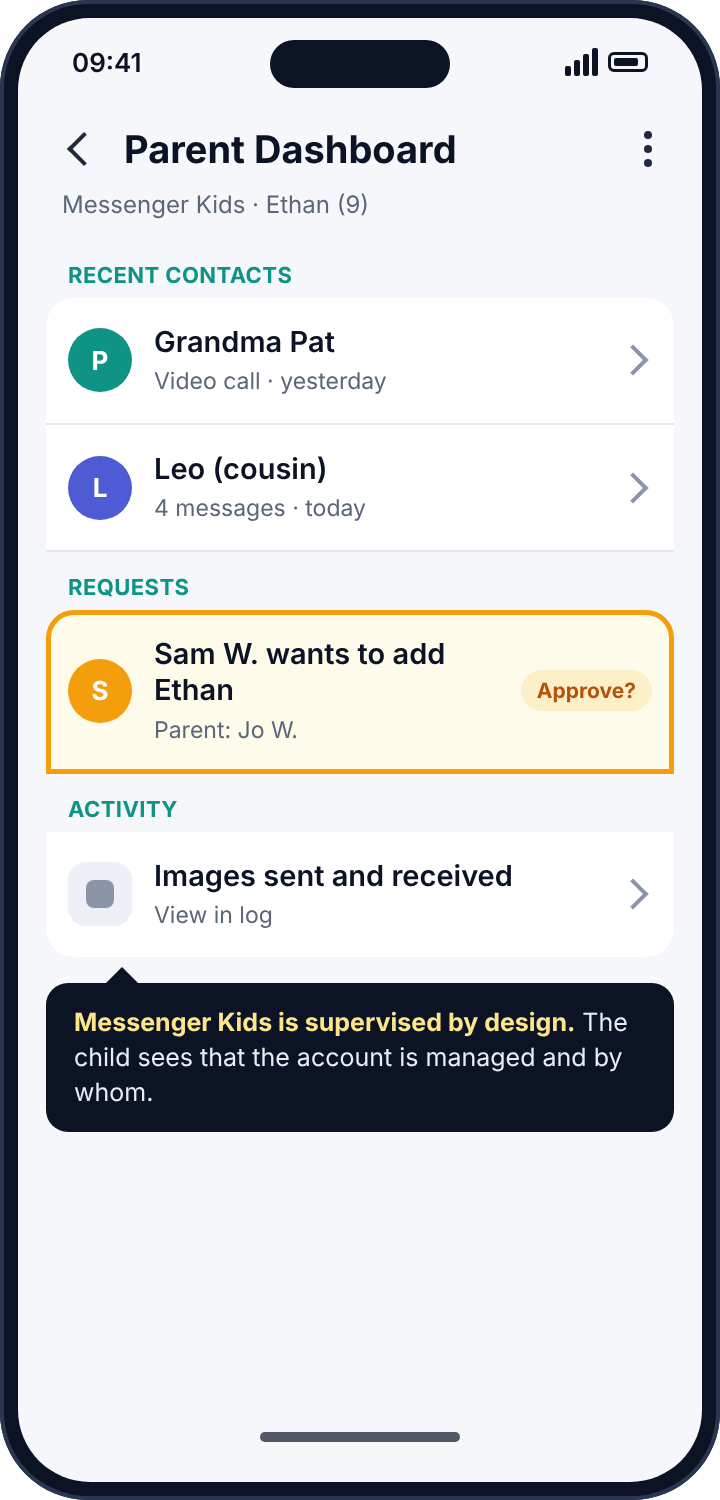
This matters in two directions. For parents of younger children it is the tool to use, full stop; nothing in routes one or two adds anything a parent should want. For older children who have moved on to full Messenger, it is important to know that none of it carries over. Ordinary Messenger has no parent dashboard. Meta’s Family Center supervision for teenagers on Facebook and Instagram shows time spent and some account settings, and does not show messages. A product that claims to give a parent a teenager’s Messenger conversations is describing route one or route two with a parenting label on it.
The thing that is not a tracker: “Active now”
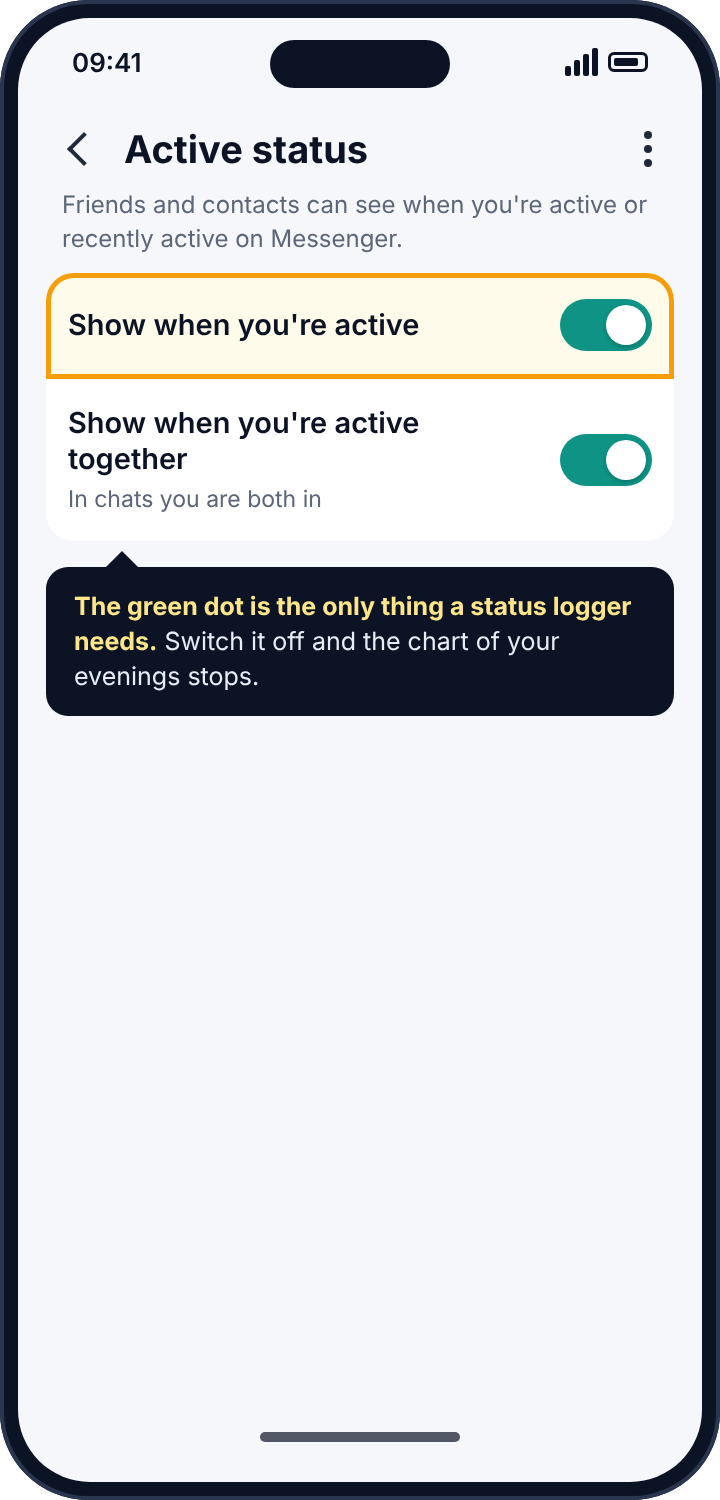
Messenger shows your contacts a green dot when you are active and a note like “Active 12m ago” when you are not. People read that dot as evidence: of being ignored, of being up late, of talking to someone else. And there are services that do nothing except log a contact’s active status over time and draw it as a chart. From the dot alone they produce “online 01:12 to 01:20”, and from two dots, “both online at 01:12”. Nothing is installed on your phone. There is nothing to detect.
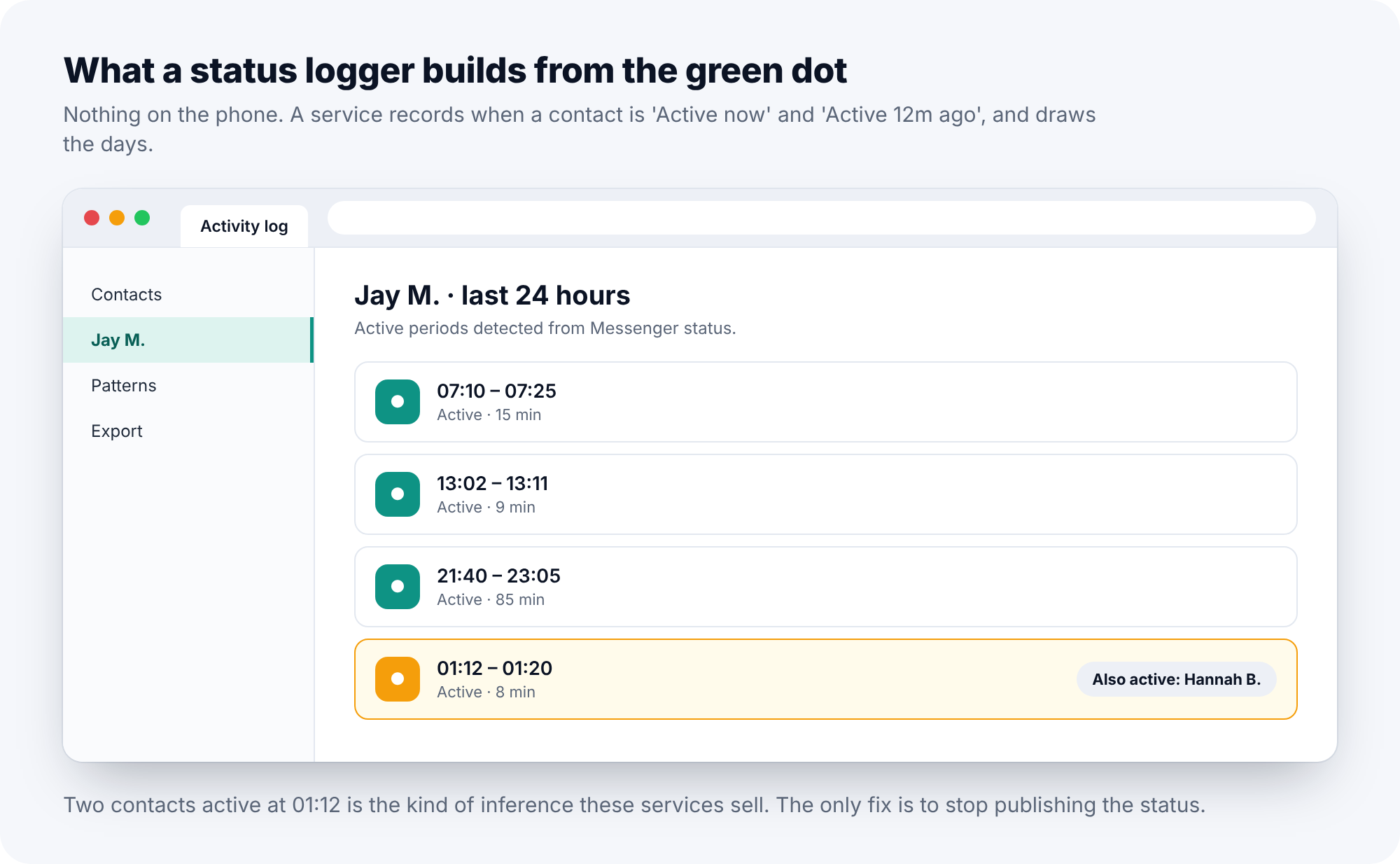
The only fix is to stop publishing the dot. In Messenger, tap your profile picture, then Active status, and switch off “Show when you’re active”. You lose the ability to see other people’s status at the same moment, which Meta enforces deliberately so that nobody can hide and watch at once.
What a “Messenger spy app” can and cannot do, plainly
| Claim | What is actually true in 2026 |
|---|---|
| Read all Messenger chats remotely | Not possible with default encryption. It needs the account login and the secure-storage PIN, which is route one, not software. |
| See incoming messages as they arrive | Possible through notification access on the phone: sender, time and the preview line of incoming messages only. |
| See photos and videos sent in chats | Not through notifications. Only on a device that holds the encryption keys for that chat. |
| Track location through Messenger | Only if the user shares live location inside a chat, which is explicit, timed and shown while it runs. |
| Recover deleted messages | Not possible. Deleted means deleted on the device; Meta’s servers hold sealed data at most. |
| Listen to Messenger calls | Not possible. Calls are encrypted end to end and carry no notification content. |
Secure storage, in a little more detail
Because it is new and because it changes what a password gives an intruder, secure storage deserves a paragraph of its own. When Messenger moved to default encryption, it faced a problem: encrypted chats live on devices, and people lose devices. Meta’s answer was to keep an encrypted copy of your history on its servers, locked with a PIN that only you know. Sign in on a new phone, enter the PIN, and the history comes down. Meta cannot read that copy, which is the point. But the PIN is six digits, and people choose six digits the way they choose four: a birthday, a year, the same code as the phone’s lock screen. Anyone who knows you well enough to be signing in as you can often guess it in three tries.
So route one has two locks, and most people have left the second one open. The password lets someone in to see new messages. The PIN lets them pull in everything that came before. Changing the password closes the first; changing the PIN, to six digits with no meaning, closes the second. Both live under Messenger, Privacy and safety, End-to-end encrypted chats, and both belong in the same sitting.
The other surfaces: Marketplace, groups and tags
Messenger is one window on a Facebook account, and a notification reader on the phone sees the others too. Facebook posts a notification when you are tagged in a photo, when someone replies to a Marketplace listing, when a group you belong to is busy, and when a friend request arrives. None of those is a message, but together they say a good deal: what you are selling and therefore roughly where you live, which groups you are in, who is tagging you and where you were when they did. Someone holding the Facebook login sees all of that directly, plus the things that never post a notification at all: saved items, search history, location history if it was ever switched on, and the “Off-Facebook activity” list of sites and apps that report to Facebook.
The lockdown for route one covers all of this, because it is the same login. For a child’s account it is worth one more pass through Settings, Privacy: who can see posts, who can send friend requests, and whether the profile appears in search engines, each set to friends or off. Those settings do not stop a tracker, but they shrink what a tracker would find.
One login, three apps
A point that catches people out: the Accounts Center login list covers Facebook, Messenger and, if they are linked, Instagram, because Meta treats them as one account. A session you log out of there is logged out of all three. The reverse is also true, and it is the part to remember. Someone who holds the Facebook password may never open Facebook at all; they open Messenger, or they open Instagram with the same login, and the session appears in the same list under a different app name. When you read “Where you’re logged in”, read every entry, not just the Messenger ones, and when you change the password, understand that you have changed it for all three. Two-factor set up once in Accounts Center protects all of them too, which is the one piece of good news in the arrangement.
Reading the symptoms
If someone knew the content of a conversation, including your side of it, think route one: only a signed-in device with your keys sees both sides. If someone knew what an incoming message said but not what you replied, think notification reader. If a friend saw you “active” at an hour you were asleep, someone was signed in as you at that hour, which is route one again. If Messenger has shown you a security alert about a new device joining your encrypted chats, that is the system telling you plainly, and it is worth believing. If your phone’s battery or data usage shows an unfamiliar app working in the background, look at notification access.
Where parental monitoring apps fit in
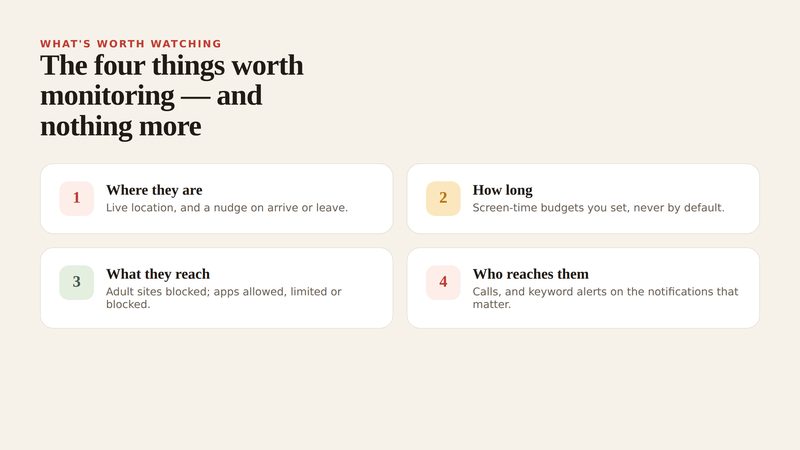
Parents will have recognised route two as the mechanism behind every parental control app that claims to monitor Messenger. The honest description of what that gives you is short. A parent sees who messaged, when, how many times, which message requests arrived from people outside the child’s contacts, and whether an incoming preview line matched a word they asked to be told about. They do not see conversations, and a product that says otherwise is describing previews ambitiously. For most families the pattern is the useful part: a stranger’s request at 22:30 is a conversation to have, and a transcript would not make it clearer.
The line between a monitoring tool and a spy tool is not the permission, which is identical, but whether the child knows. Our own alerts use this permission, and the reason we are comfortable describing them in an article about detecting trackers is that they live in the app drawer under their own name, list what they read on the child’s phone, and show the child when a parent has looked. The social alerts page shows what a parent sees from Messenger notifications in practice. For a child under 13, Messenger Kids above is the better answer than any of it, and for a teenager whose Messenger is simply a year too early, the app rules page covers approving new installs before they open.
If the person behind it is someone close to you
Logging out their session, removing their device and changing the password will tell the person watching that you know. If that person is a partner, an ex or a family member and you have any concern about their reaction, keep the record first: screenshot “Where you’re logged in”, the encrypted-chat device list, and the notification-access list. Then talk to a domestic abuse service with technology-safety advisers before you change anything; the Coalition Against Stalkerware keeps a list of such services by country. When you do act, do all of it in one sitting, so that nothing you close is reopened by something you had not closed yet.
Frequently asked questions
Can someone read my Messenger messages if they know my password?
New messages, yes, from the moment their device signs in. Old messages only if they also know your secure-storage PIN. Both are closed by logging out their session, changing the password and changing the PIN.
Does Messenger tell me when a new device joins my chats?
Yes, if Security alerts are on under End-to-end encrypted chats, which they are by default. The alert names the device. Take it seriously.
Can a Messenger tracker see my calls?
No. Messenger calls are encrypted end to end, and a missed-call notification is the most any notification reader sees of them.
Can a parent see my Messenger through Family Center?
No. Family Center for teens shows time spent and account settings, not messages. Messenger Kids, for under-13s, is a different app and is supervised by design.
Will deleting Messenger from my phone stop someone reading my messages?
Not if they are signed in elsewhere. The account lives on Meta’s servers; the phone is one window onto it. Log out other sessions and change the password instead.
Is the green dot really a risk?
It is information, and information is what these services collect. If nobody needs to know when you are online, there is no reason to publish it.
The ten-minute version
Open Accounts Center and log out of every session that is not yours. In Messenger’s encrypted-chat settings, remove any device you do not own and change the secure-storage PIN. Set a new, unique password, turn on two-factor through an authentication app, and turn on login alerts. Search the phone’s settings for notification access and remove anything you cannot account for. Switch off Active status if nobody needs it. For a child under 13, use Messenger Kids and nothing else. Encryption took the easy route away from Messenger trackers; what remains is a login list nobody checks and a permission nobody audits, and both are five minutes’ work.
Related guides
Android Keylogger Detection: The Two Settings Lists Where One Has to Hide, and How to Remove It
Android keylogger guide: a phone keylogger is an accessibility service or a keyboard. Where each hides, the symptoms, removal steps,…
Call Tracker Detection: Call Logs, Call Forwarding and Call Recording, and How to Stop Each One
Call tracker guide: how call logs, call forwarding and call recording work on Android, the screens and dial codes that…
Who Can See Your Phone Contacts? Shared Accounts, Sync and the Apps That Upload Your Address Book
Who can see your phone contacts: shared Google accounts, forgotten sync, and apps that upload your address book. Where to…
Parental controls your child can see
Location, screen time limits, a web filter and alerts from notifications — free, and visible on your child's phone. Pair a phone in about ten minutes.
Android · Free to set up · Visible on your child's phone