Stolen iPhone? Tracking It, Locking It and Stolen Device Protection
 By TheTruthSpy Editor · Founder and editorPublished September 17, 2026Updated September 21, 20269 min read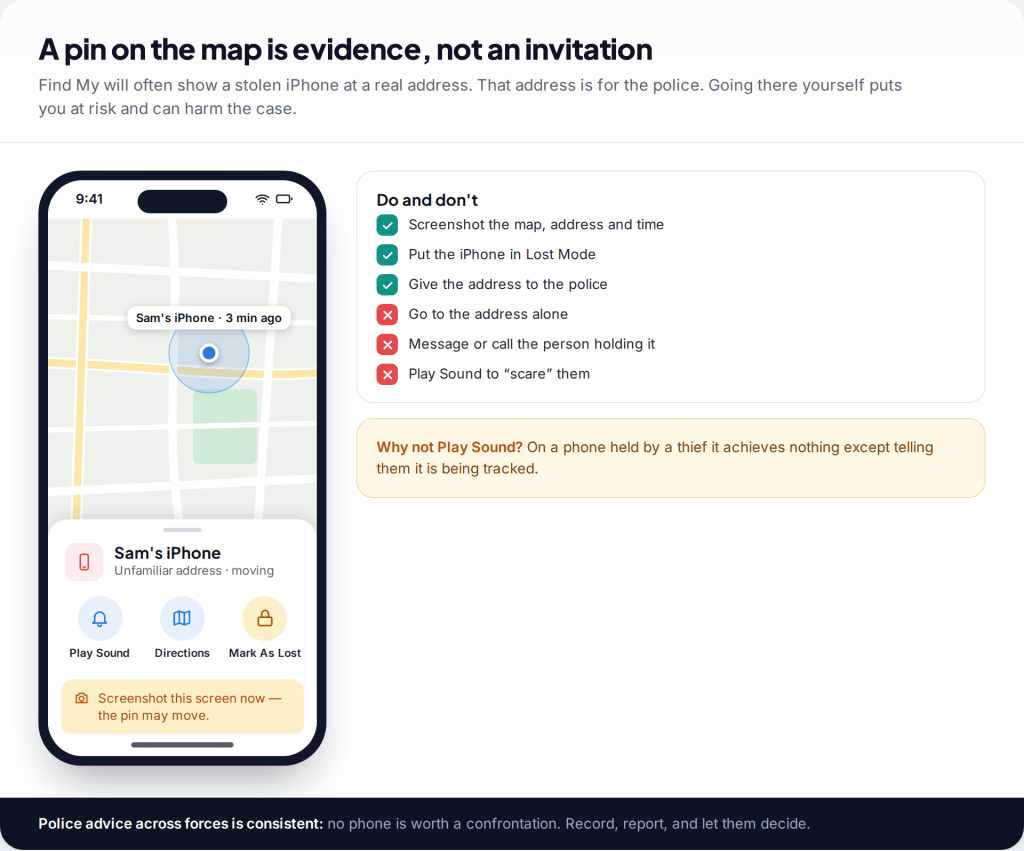
If your iPhone has just been stolen, do not follow it. You can track a stolen iPhone on any browser at icloud.com/find, but the address it shows is for the police, not for you. What protects you most in the next hour is Lost Mode, a call to your mobile network and bank, and a police report. The steps below are in that order, with Stolen Device Protection, the scam texts that follow thefts, and insurance.
- Lock, don’t chase. Mark the iPhone as lost and give its location to the police.
- Suspend the SIM quickly. Your number receives bank and account codes.
- Ignore “your iPhone was found” messages. They are the thief trying to get your Apple Account password.
- Never remove the iPhone from your account while it is missing, or before an AppleCare+ claim is approved.
First: do not go after it
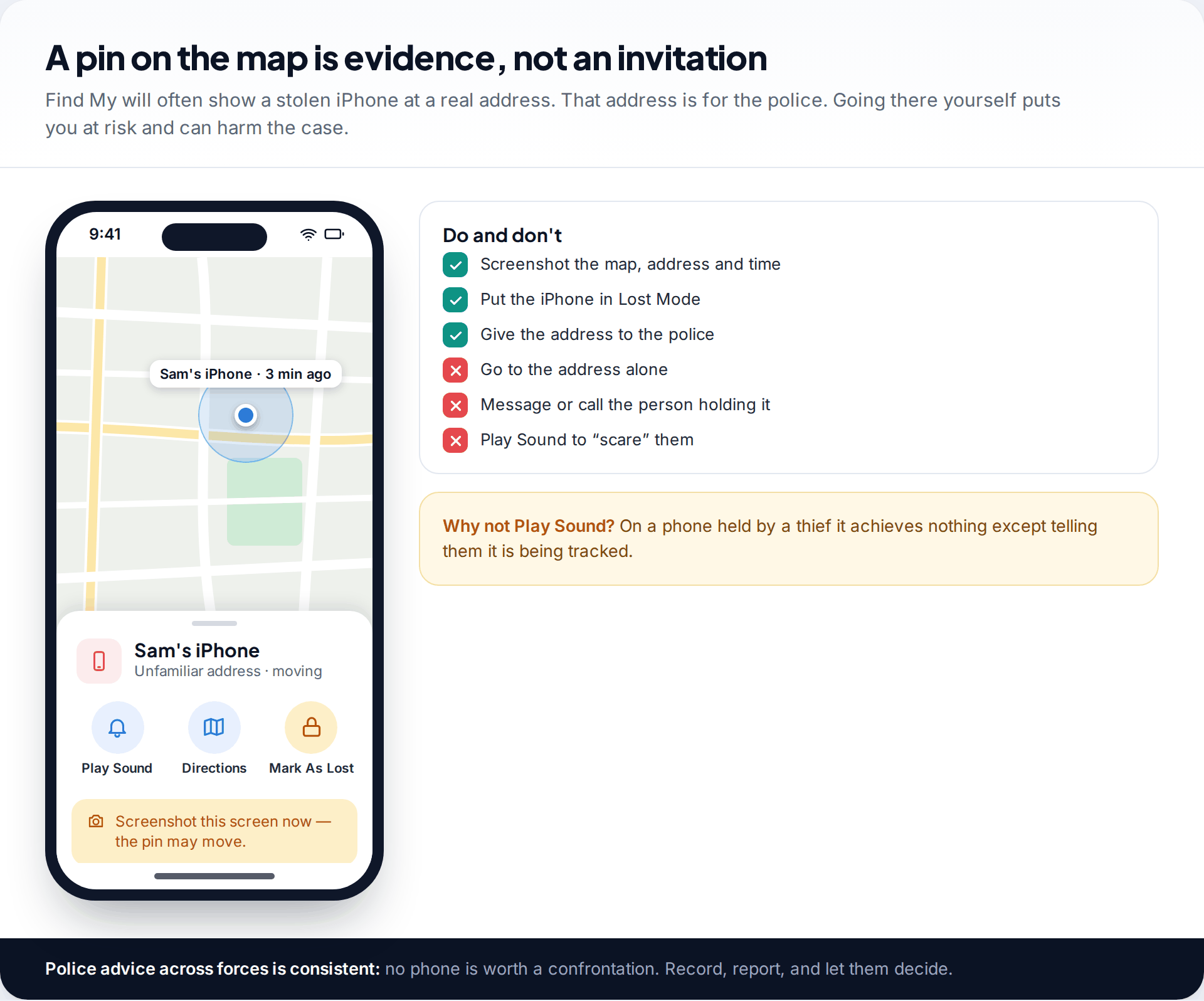
Find My is good at showing where a stolen iPhone is. That tempts people to go and get it back. Police forces advise against this. You do not know who is at the address, whether the phone has already been passed on, or whether the location is a flat above a shop with twenty doors. A confrontation risks your safety and can complicate any prosecution.
Instead, screenshot the map with the address, date and time, and keep those screenshots with your police report. Avoid using Play Sound on a phone you think a thief is holding. It tells them the phone is being tracked and gives you nothing in return.
The first hour after an iPhone is stolen
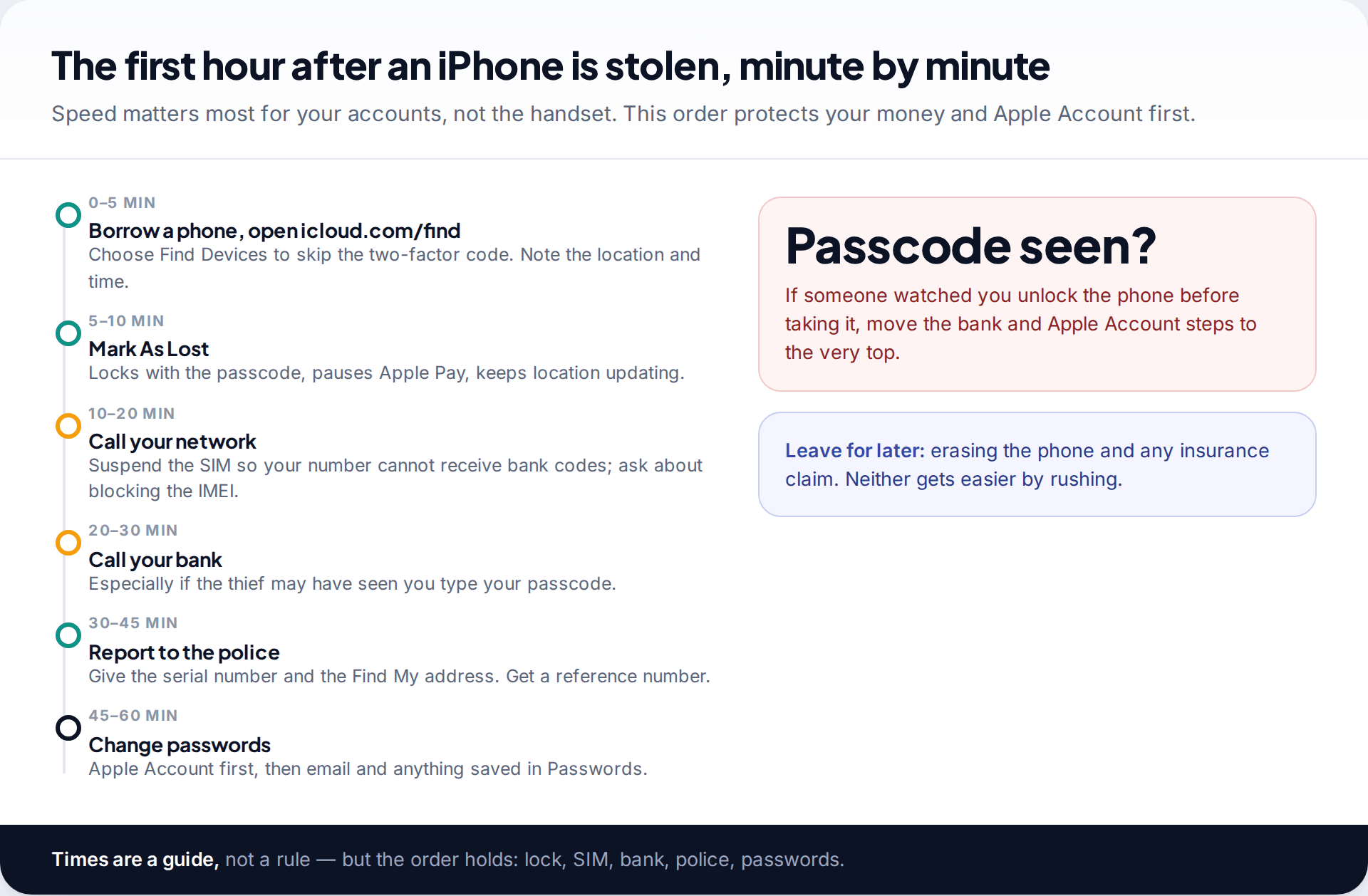
A phone thief’s main aim is often not the handset but what it can unlock, such as banking apps, email and saved passwords. So the first hour is about cutting those off. The timeline is a guide; the order is what matters.
One situation moves everything up. If someone may have watched you enter your passcode before taking the phone, a common tactic in bars and on public transport, call your bank and change your Apple Account password from another device straight away. With the passcode, a thief can do far more, unless Stolen Device Protection was on.
Phone taken from a café table
At 19:05 Jordan’s iPhone is lifted from a café table while she is at the counter. She borrows her friend’s phone, opens icloud.com/find in a private tab, and chooses Find Devices. The iPhone shows two streets away, moving. She screenshots the map, marks it as lost with her friend’s number, then rings her network from the café’s landline to suspend the SIM. By 19:40 she has reported it online to the police with the serial number from account.apple.com and changed her Apple Account password from her laptop at home.
Two days later a text says her “iPhone has been located” with a link. She ignores it and checks Find My directly: the phone is still offline.
How to track a stolen iPhone and lock it with Lost Mode
To track a stolen iPhone, use the Find My app on another Apple device signed in to your account. Or open icloud.com/find in any browser and choose Find Devices, which skips the two-factor code your missing iPhone would normally receive. Select the iPhone to see its location and when it was recorded. Our step-by-step guide to using Find My iPhone from any device covers every screen.
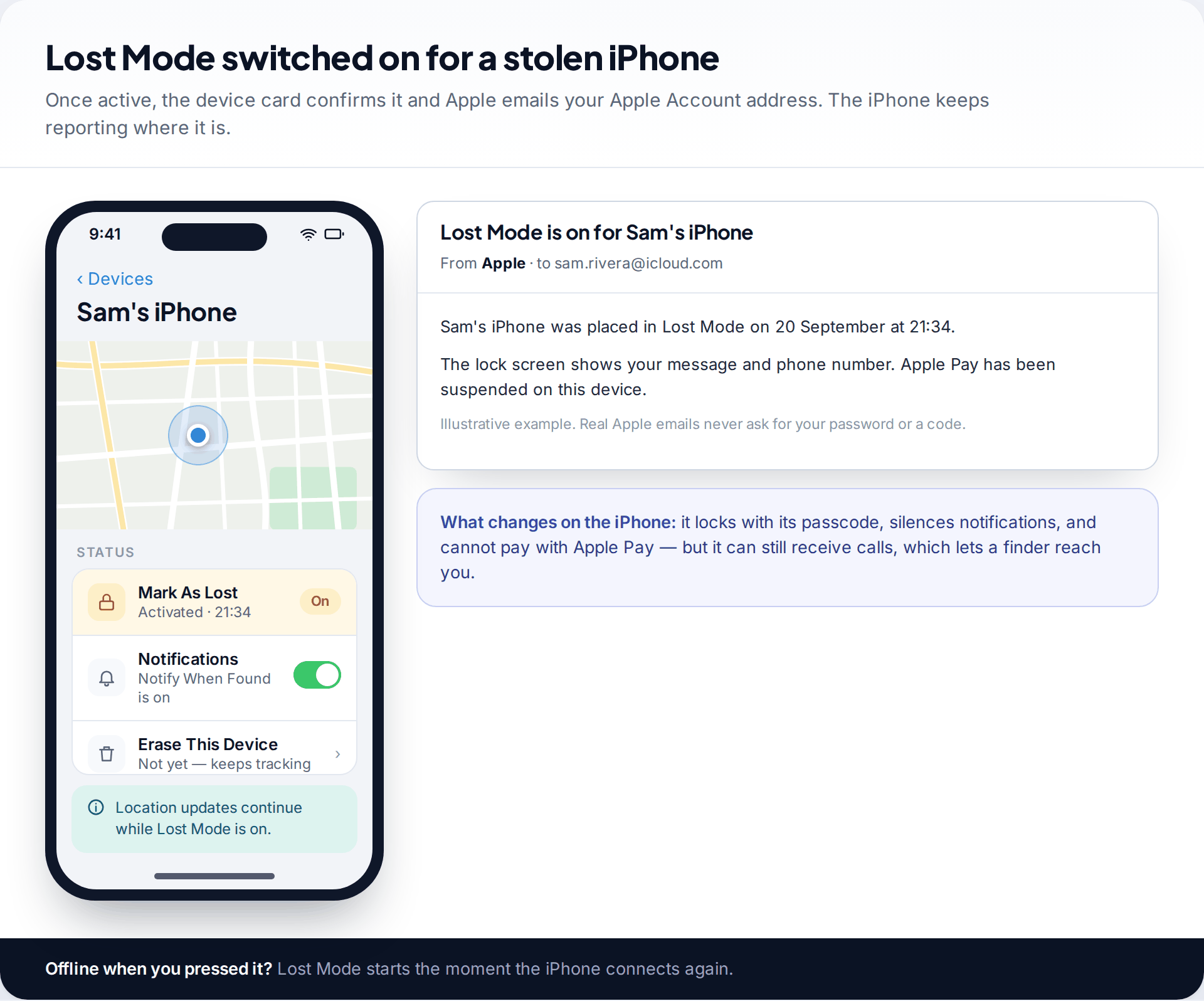
Then choose Mark As Lost. According to Apple, Lost Mode locks the iPhone with its passcode, suspends Apple Pay and transit cards, silences notifications, and shows a phone number and message on the lock screen. The phone continues to report its location. If it is offline, Lost Mode starts when it next connects. For the lock-screen number, use one you are happy to receive scam calls on (see below).
If the map shows “Offline”, turn on Notify When Found. Thieves often switch phones off or put them in foil-lined bags. The location may reappear when the phone is switched back on somewhere else.
Stolen Device Protection: what it does, and why to turn it on
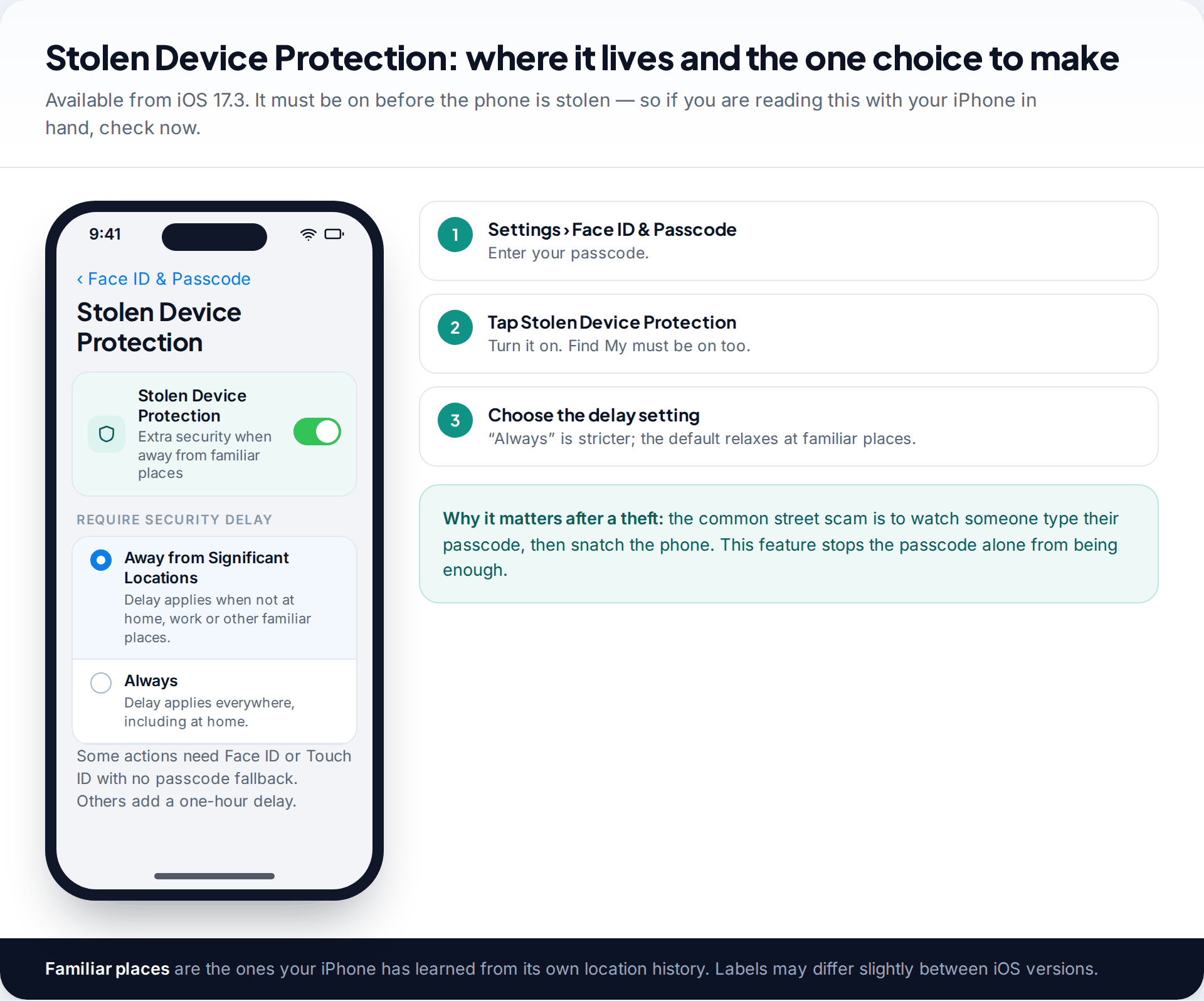
Stolen Device Protection arrived in iOS 17.3. It is designed for the thief who has seen your passcode. When the iPhone is away from familiar places such as home and work, some actions need Face ID or Touch ID, with no passcode fallback. These include using saved passwords and payment cards. Others, such as changing your Apple Account password, need Face ID or Touch ID, then a one-hour wait, then Face ID or Touch ID again. You can choose to make the delay apply everywhere by selecting Always.
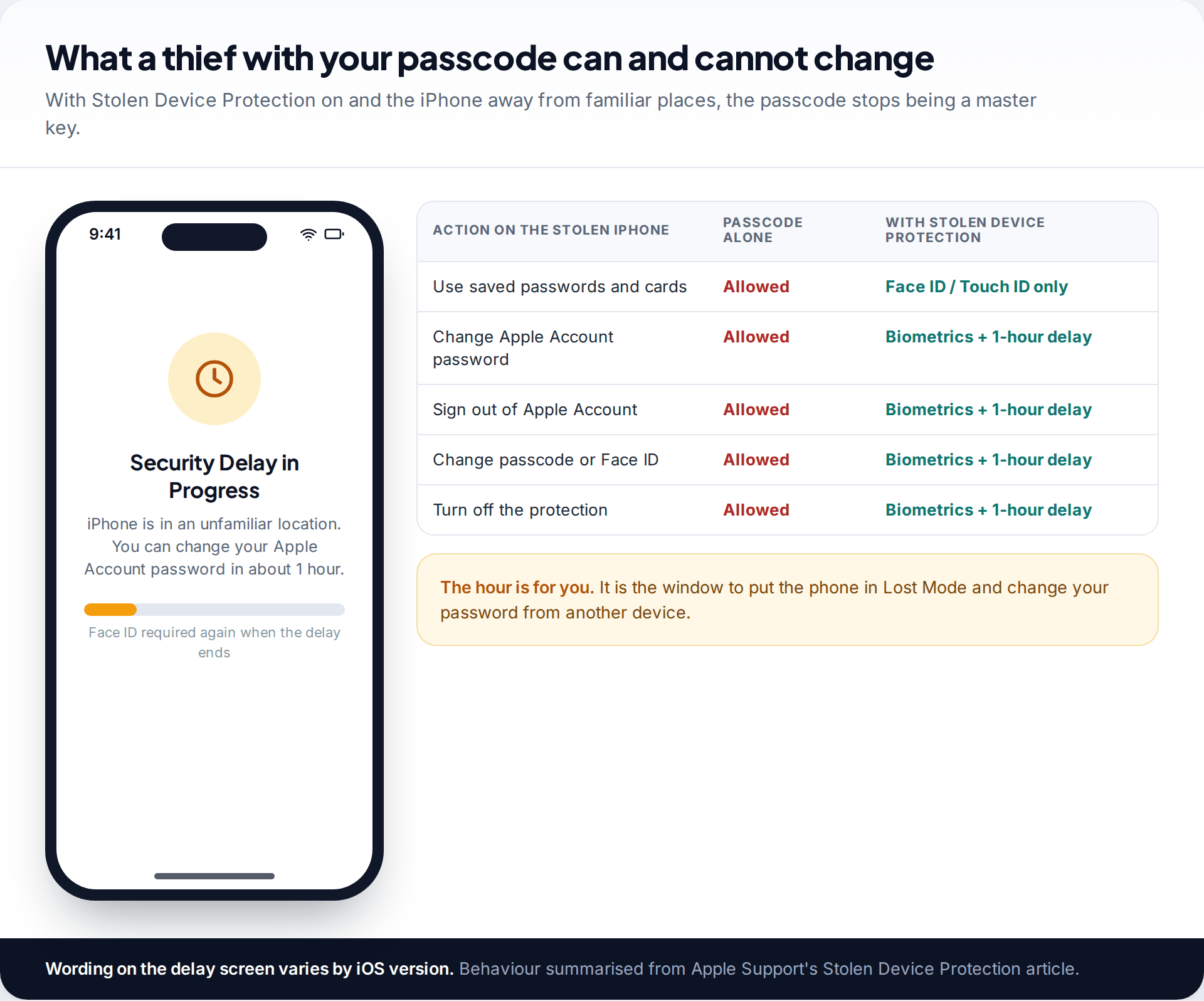
If it was on when your phone was taken, that hour is your window. A thief cannot quickly change your Apple Account password, sign you out, or switch off Find My, so you have time to put the iPhone in Lost Mode and change your password from another device. If it was off, assume a thief who knows your passcode can reach anything saved on the phone, and change those passwords urgently. One side effect to know: Apple notes that if you change your Apple Account password in an unfamiliar location while using this protection, your devices’ locations may not show at icloud.com/find.
Watch for the “your iPhone has been found” scam
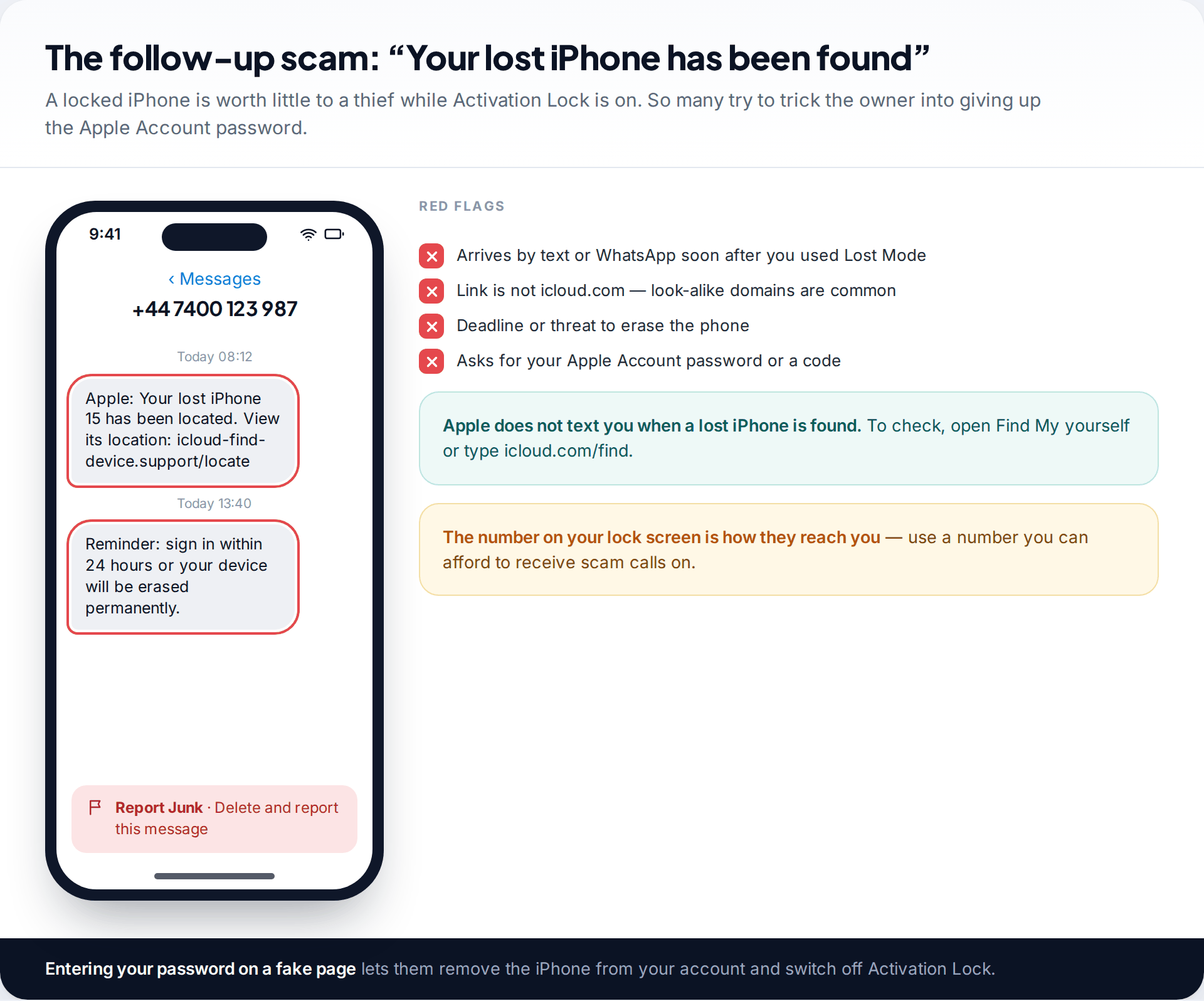
A stolen iPhone that stays on your account is locked by Activation Lock. After an erase, it cannot be set up without your Apple Account password, which makes it worth much less. So thieves often try to get the password from you. In the days after a theft, expect texts, emails or calls claiming your iPhone “has been located”, with a link to a page that looks like iCloud. Enter your details there and they can remove the phone from your account.
Don’t click. If you want to check, open Find My yourself or type icloud.com/find. If you think you may already have entered your password somewhere, change it and review your account. Our guide to spotting and removing someone else’s access to your iCloud walks through the checks.
Report it: police, mobile network and IMEI block
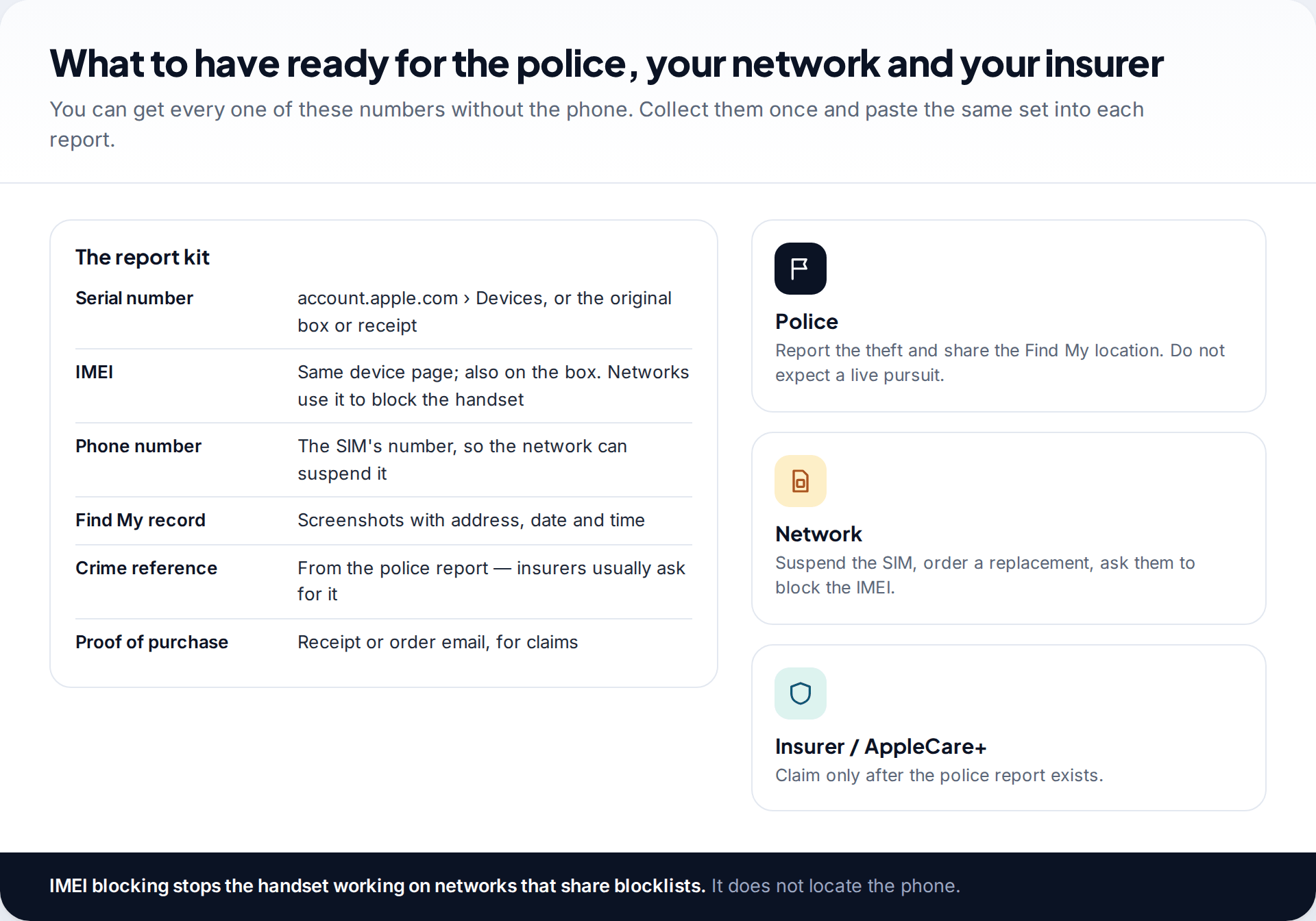
Apple’s advice is to report the theft to your local police with the serial number, which you can find without the phone. Sign in at account.apple.com and look at your devices list, or check the box or receipt. Share the Find My screenshots too. The police may not act on a location straight away, but the report and its reference number matter for insurance and for any later recovery.
Then call your mobile network. Ask them to suspend the SIM so nobody can use your number or receive your codes, to send a replacement SIM, and to block the handset’s IMEI. In many countries networks share blocklists, so a blocked iPhone will not connect to any of them. A block stops the phone working as a phone. It does not locate it, and it does not affect Find My.
It is worth knowing what is out of reach. Apple does not track stolen phones on request, and support staff cannot see more than Find My shows you. No service can pull data off a phone you no longer hold. The good news is on the other side: anything in iCloud, such as photos, contacts, messages and an iCloud Backup, is still in your account. You can restore it onto a replacement iPhone once you have one, whatever happens to the stolen handset.
Erase, remove, or leave it on your account?
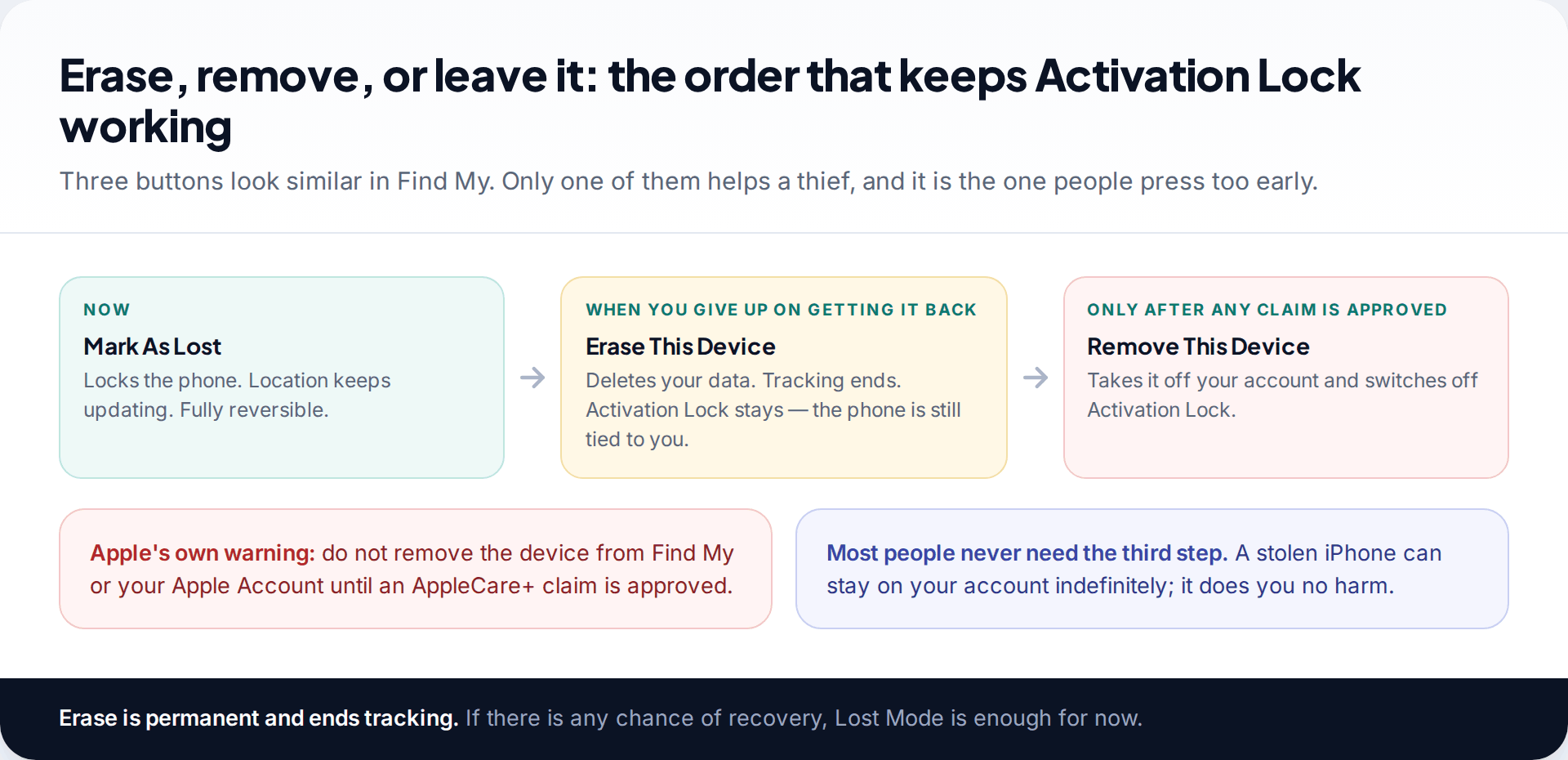
Find My shows three similar-looking options, and the order matters. Mark As Lost is for now. Erase This Device is for when you are sure the phone is not coming back and want your data gone. It is permanent, and tracking stops, but Activation Lock stays because the phone is still on your account. Remove This Device takes it off your account and turns Activation Lock off. Apple warns against removing a device until any AppleCare+ claim is approved. There is rarely a reason to remove a stolen phone at all.
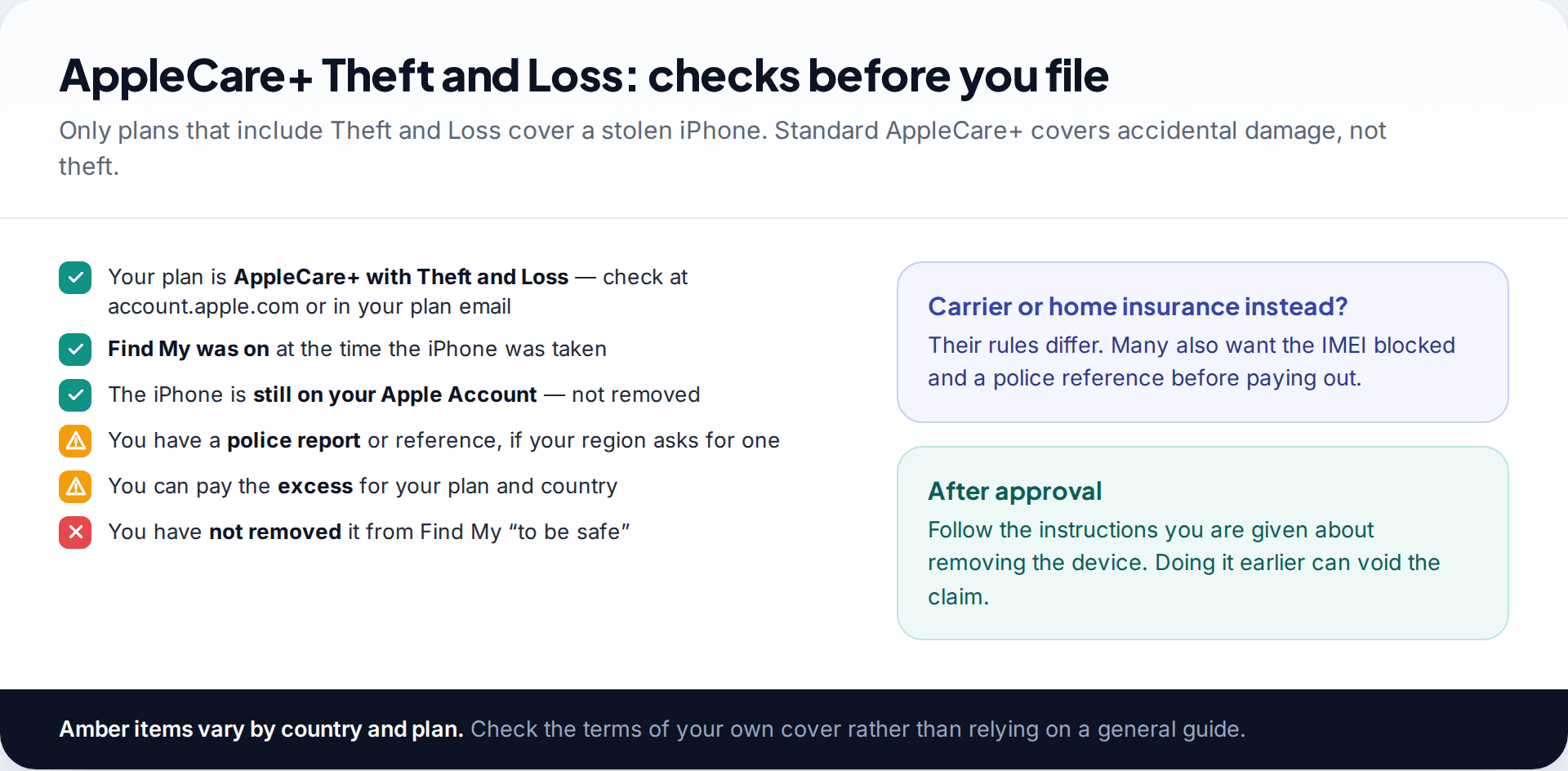
If you have AppleCare+ with Theft and Loss, you can file a claim for a replacement. Apple’s terms expect Find My to have been on when the phone was taken. Some regions ask for a police report, and there is an excess that varies by plan and country, so read your own terms. Carrier and home insurance policies have their own rules, and many ask for the police reference and an IMEI block before paying.
How this page was put together
The steps were checked in September 2026 against Apple Support’s guidance on lost or stolen devices, its Stolen Device Protection article and the iCloud user guide pages on locating a device and Lost Mode. Advice about not confronting thieves reflects police guidance generally; local procedures for reporting and blocking handsets vary by country and network.
We have not described any way to track a phone that is not signed in to your own account, because there isn’t a legitimate one. See how we research and check these guides.
Common questions
Can I track my stolen iPhone if it is turned off?
You will see its last known location, and with the Find My network on, other Apple devices nearby can update it. Turn on Notify When Found so you are told when it reports again.
Can police track a stolen iPhone?
They can use the location you give them from Find My and can make legal requests to networks. How they act on it depends on the force and the circumstances. Always get a crime reference number.
Can a thief turn off Find My?
Not without your Apple Account password. With Stolen Device Protection on, even someone who knows your passcode faces Face ID checks and a one-hour delay away from familiar places.
Should I erase my stolen iPhone?
Only when you are sure you will not get it back. Erasing protects your data but ends tracking. Keep the iPhone on your Apple Account afterwards so Activation Lock stays on.
What happens when I block the IMEI?
The network stops the handset connecting, and networks that share blocklists do the same. It does not locate the phone and does not remove it from your Apple Account.
Do I need to change my Apple Account password after a theft?
If there is any chance the thief saw your passcode, yes, and do it from another device straight away. If they did not, Lost Mode and Activation Lock protect the account, but changing the password is still a sensible precaution once the urgent calls are made.
Will my banking apps be safe?
Apple Pay is suspended by Lost Mode, but banking apps are protected only by their own logins. Call your bank if the passcode may have been seen, and ask them to sign the lost device out of your banking app.
Does AppleCare+ cover a stolen iPhone?
Only AppleCare+ with Theft and Loss. Keep the iPhone on your account and in Find My until the claim is approved, and check your plan’s excess and requirements.
Looking for a tool to go with this? TheTruthSpy is a free parental control app for Android that stays visible on the child's phone. If it fits your family, see the Location & geofencing feature.
Related guides
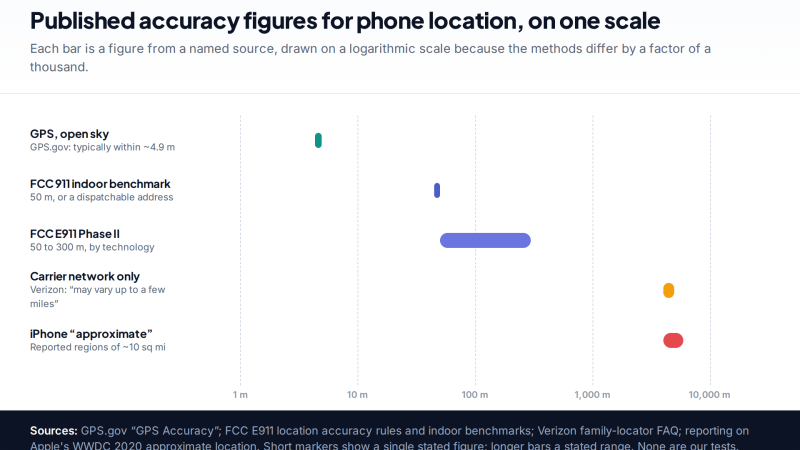
How Accurate Is Phone Location Tracking? GPS, Wi-Fi and Cell Compared
Phone location accuracy runs from a few metres with GPS under open sky to miles when only the mobile network…
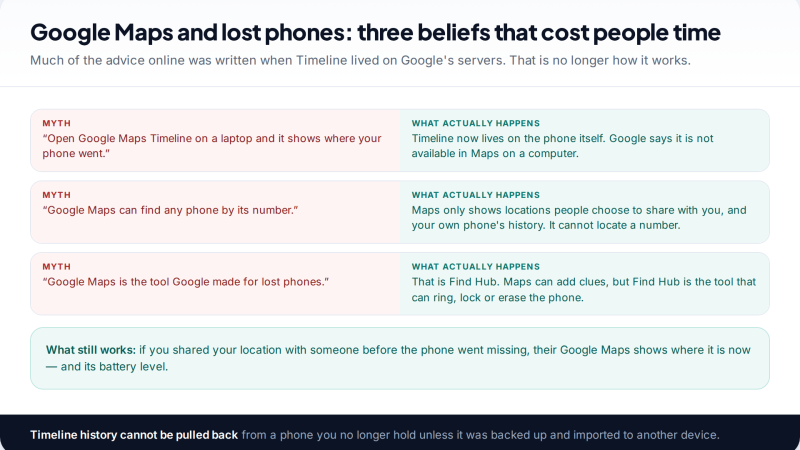
Using Google Maps Timeline to Find a Lost Phone
Can Google Maps find a lost phone? Only in two cases: someone you share your location with can see it,…
GPS Tracking for Small Business: A Starter Guide
A plain starter guide to GPS tracking for a small business: vehicle trackers versus phone apps, what a small fleet…
Parental controls your child can see
Location, screen time limits, a web filter and alerts from notifications — free, and visible on your child's phone. Pair a phone in about ten minutes.
Android · Free to set up · Visible on your child's phone