Lost Snapchat Memories? Where Deleted Snaps Might Still Be

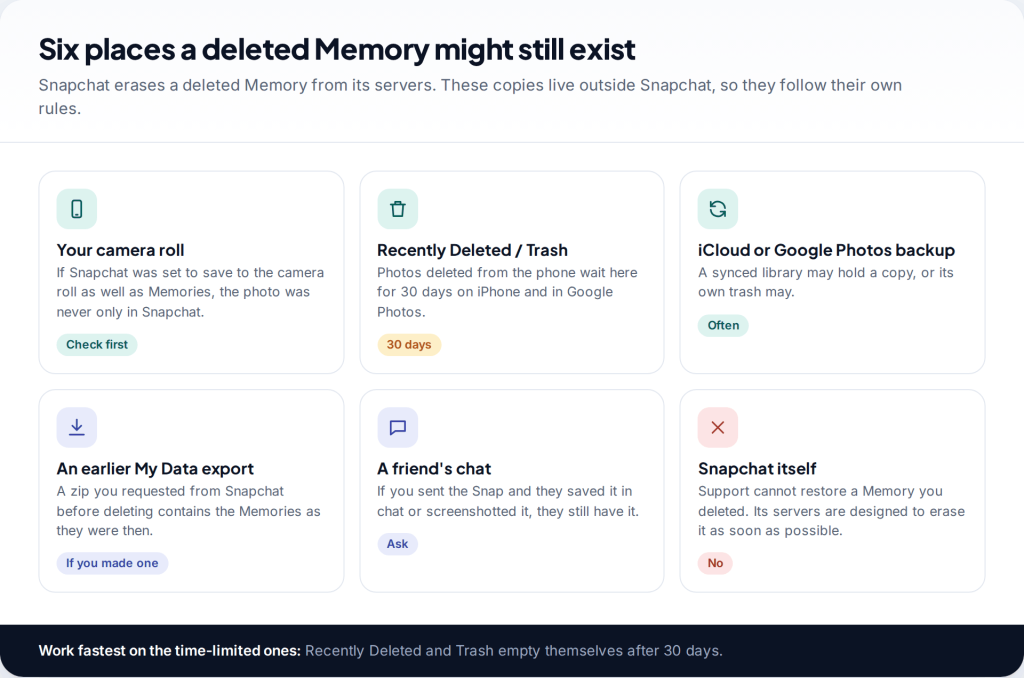
You opened Memories and the Snaps you were looking for aren’t there. Maybe you deleted a batch by mistake, maybe they disappeared after a new phone. Snapchat can’t recover a Memory you deleted, and its support team says so directly. But the photo or video often exists somewhere else. To recover deleted Snapchat Memories, check your camera roll and its Recently Deleted folder, your photo backups, any earlier Snapchat data export, and the people you sent Snaps to.
First, a quick check. If you didn’t delete anything and the Memories simply aren’t showing, skip to the “missing, not deleted” section. Those Memories are often still on Snapchat’s servers, and the fix takes five minutes.
Where deleted Snaps might still be
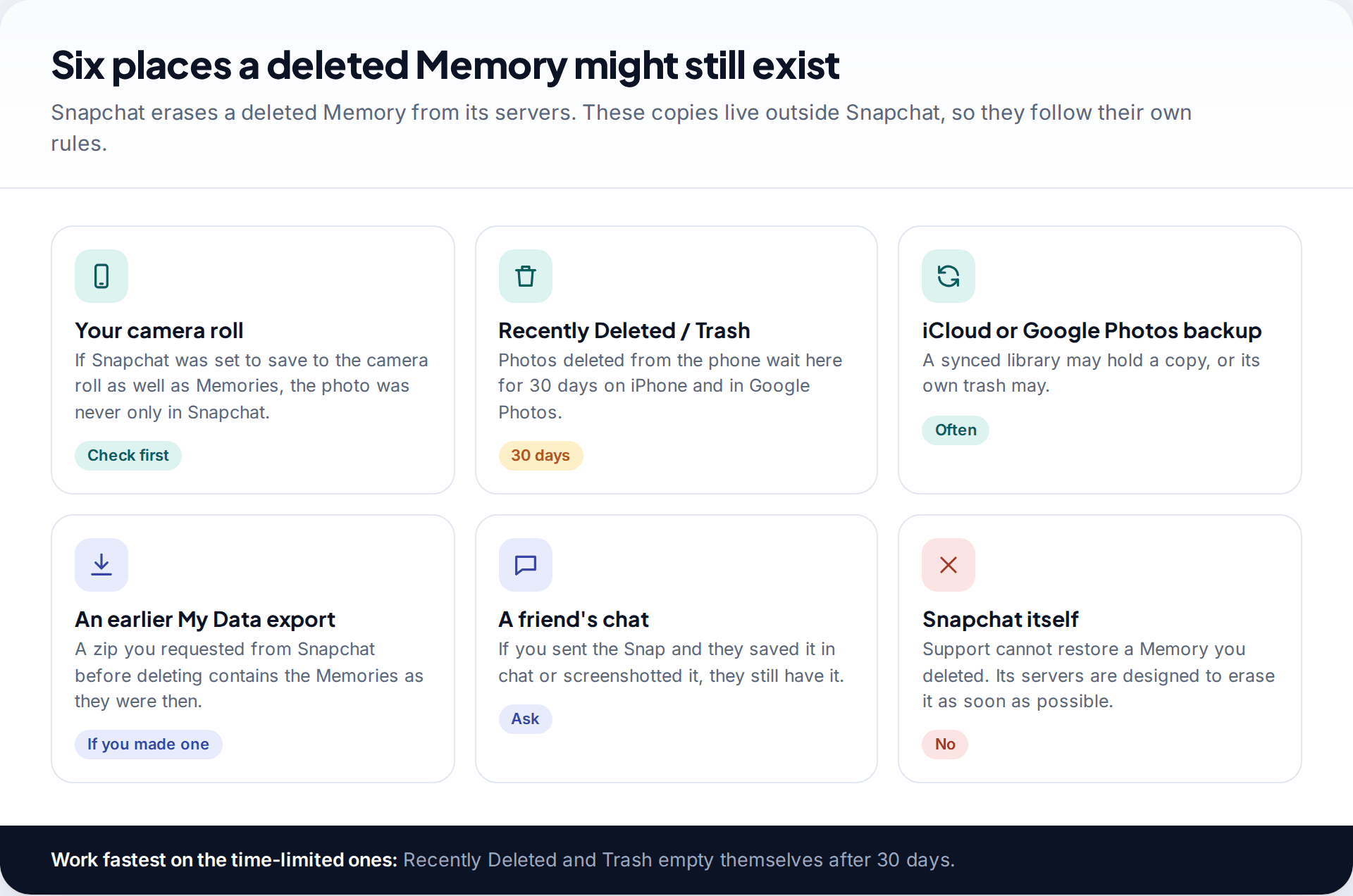
When you delete a Snap from Memories, Snapchat says its servers are designed to erase it as soon as possible, and its support team can’t bring it back. So stop looking for a way to restore it inside Snapchat. There isn’t one, and anyone who claims to have one is guessing or selling something.
What you’re actually looking for is a copy. Snapchat has long offered to save Snaps to your phone’s camera roll as well as to Memories. Your phone may back its photos up to iCloud or Google Photos. You may have downloaded your Snapchat data at some point. And any Snap you sent went to at least one other person. Check them in the order below, fastest-expiring first.
| Where | Time limit | Chance it’s there |
|---|---|---|
| Camera roll | None, unless deleted there too | If save-to-camera-roll was on |
| Recently Deleted (iPhone) / Trash (Google Photos) | 30 days | If it was in the camera roll and you deleted it there |
| iCloud Photos / Google Photos backup | Follows the library | If backup was on |
| Old My Data export | None, once downloaded | If you made one before deleting |
| A friend’s chat or Memories | Depends on them | If you sent it and they kept it |
| Snapchat servers | — | No |
The order to work in, with realistic times
Camera roll and Recently Deleted or Trash
These are the only places with a countdown. Anything recovered here comes back at full quality, as the original file.
iCloud.com or photos.google.com
Worth it if the phone was reset, replaced or synced a deletion. Search by the date you remember taking the Snap.
Old exports on your computer and email
Search for “mydata”. If you find a zip, unzip it and browse the Memories page before doing anything else.
Message the people you sent it to
A short, specific request (“the one from the beach in July”) gets faster results than a general one.
Request a fresh My Data export
It won’t bring back what’s gone, but it protects everything that’s left while you sort out settings.
If your Memories are missing, not deleted
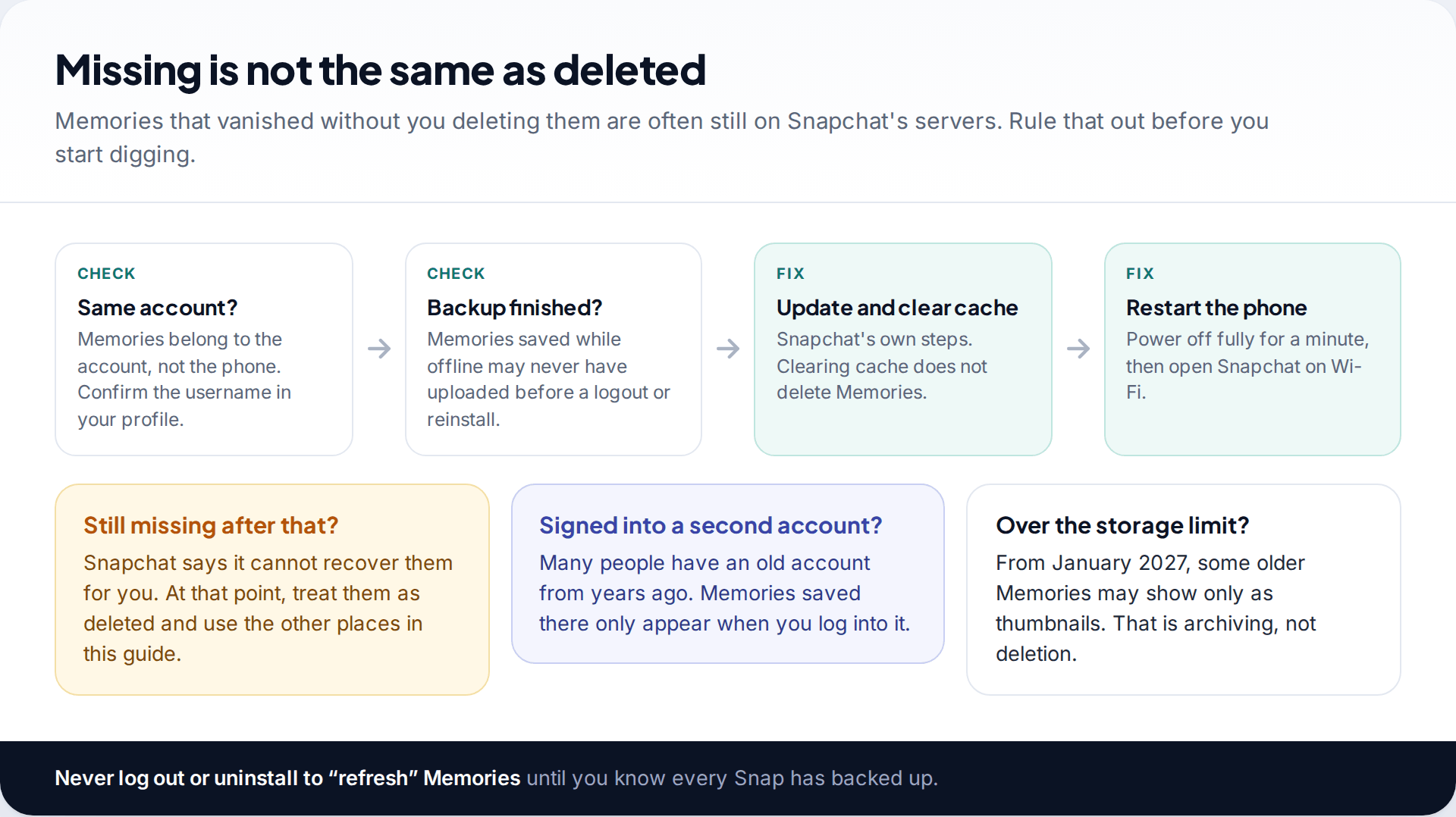
Memories are tied to your Snapchat account, not to your phone, so a new phone or a reinstall shouldn’t lose them. Provided, that is, they finished backing up. Snapchat’s help centre is emphatic: make sure your Memories are completely backed up before you log out, log in on a different device or uninstall the app. A Snap saved while offline, followed by a quick logout, may never have reached the servers.
If you didn’t delete them, work through these checks:
- Confirm the account. Look at the username on your profile. Many people have an old account from years ago, and Memories saved there only appear there.
- Update Snapchat from the App Store or Google Play.
- Clear the cache. Snapchat confirms that clearing the cache won’t delete any of your Memories, Snaps or Chats.
- Power the phone off for a full minute, then open Memories on a good Wi-Fi connection.

If they’re still missing after all of that, Snapchat’s position is that it can’t recover them for you. From here, treat them as deleted and move on to the copies below.
Check the camera roll and its Recently Deleted folder
If your Snapchat save setting included the camera roll, every Snap you saved to Memories was also saved as an ordinary photo or video on the phone. Deleting it in Snapchat didn’t touch that copy. Look in your Photos or Gallery app, sorted by date, or in an album named Snapchat.
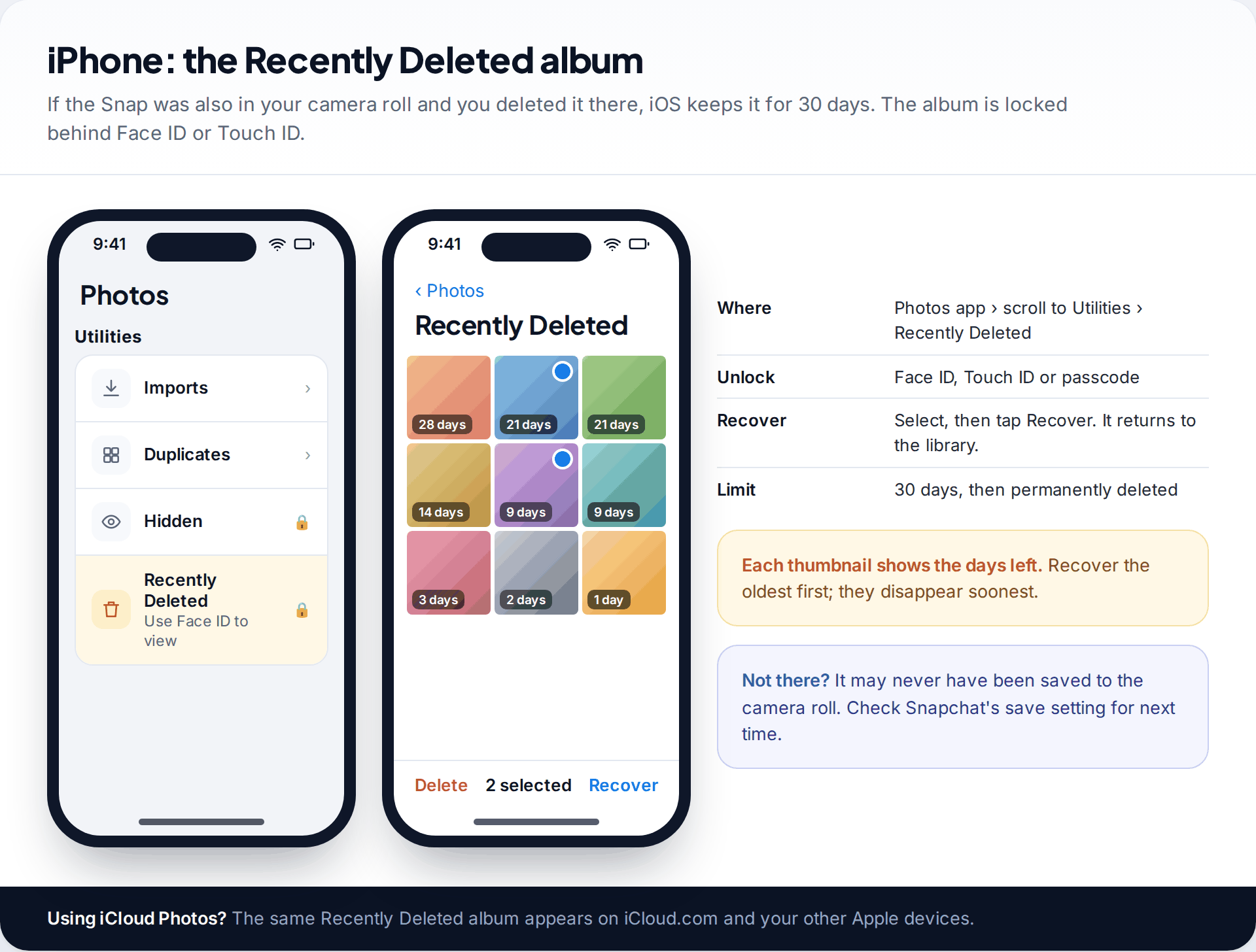
If you cleared the camera roll too, you may still be in time. On iPhone, open Photos, scroll to Utilities and tap Recently Deleted. You’ll need Face ID, Touch ID or your passcode to unlock it. Apple keeps items there for 30 days, and each thumbnail shows how many days are left. Select what you want and tap Recover.
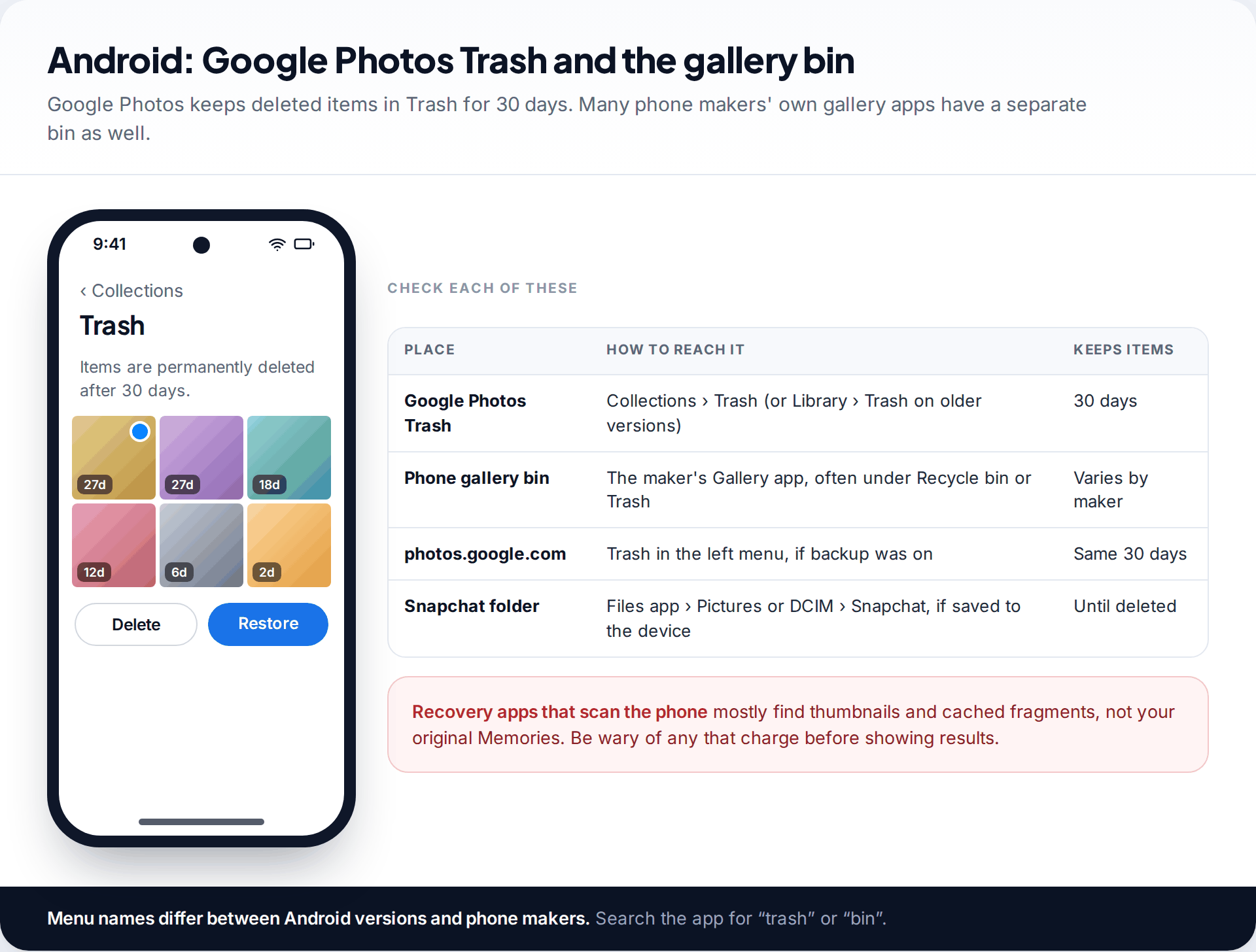
On Android, check Google Photos’ Trash, which also keeps items for 30 days, whether or not they were backed up. Many phones also have the manufacturer’s own Gallery app with a separate recycle bin, so check that too. If Snapchat saved to the device, look in the Pictures or DCIM folder for a Snapchat subfolder using the Files app. For more places photos hide on Android, see our guide to recovering deleted photos on Android.
Look in your photo backups
If you use iCloud Photos, your library is the same on every Apple device and on iCloud.com, including its Recently Deleted album. That’s useful if your phone was lost or reset. With Google Photos backup on, sign in at photos.google.com and search by date. Its Trash is there too.
On a Mac, the Photos app shows the same iCloud library and its own Recently Deleted album. On Windows, the iCloud for Windows app or a browser gets you there. If you ever copied your phone’s photos to a computer or an external drive by hand, check those folders as well, sorted by date.
Be realistic about what a backup can hold. It only contains Snaps that reached the camera roll. A backup can’t hold a Snap that only ever lived in Snapchat’s Memories.
Find an old Snapchat data export

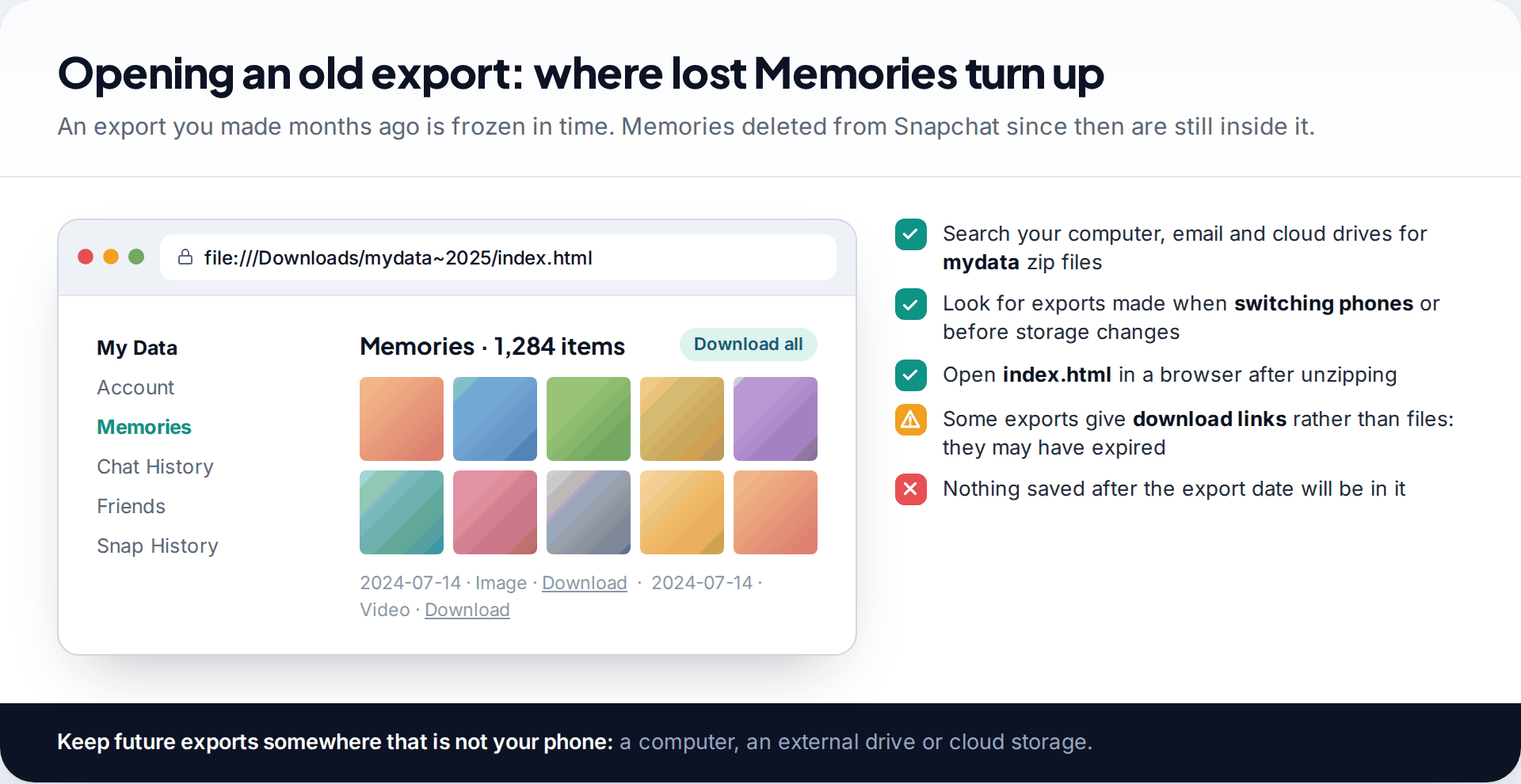
Snapchat lets you download a copy of your data, including Memories, from My Data in the app’s settings or at accounts.snapchat.com. Turn on Export your Memories, then either choose Request Only Memories or continue to add chat history and other data. Snapchat says it aims to deliver within seven days, and large exports can take longer. When it’s ready, you’ll download a zip file. Unzip it on a computer and open index.html in a browser.
A new export won’t contain anything you’ve already deleted. An old export will, which makes it worth hunting for. Perhaps you made one when changing phones, or during the storage-limit news in late 2025. Search your computer, email and cloud drives for files with “mydata” in the name.
The storage limit: archived is not deleted
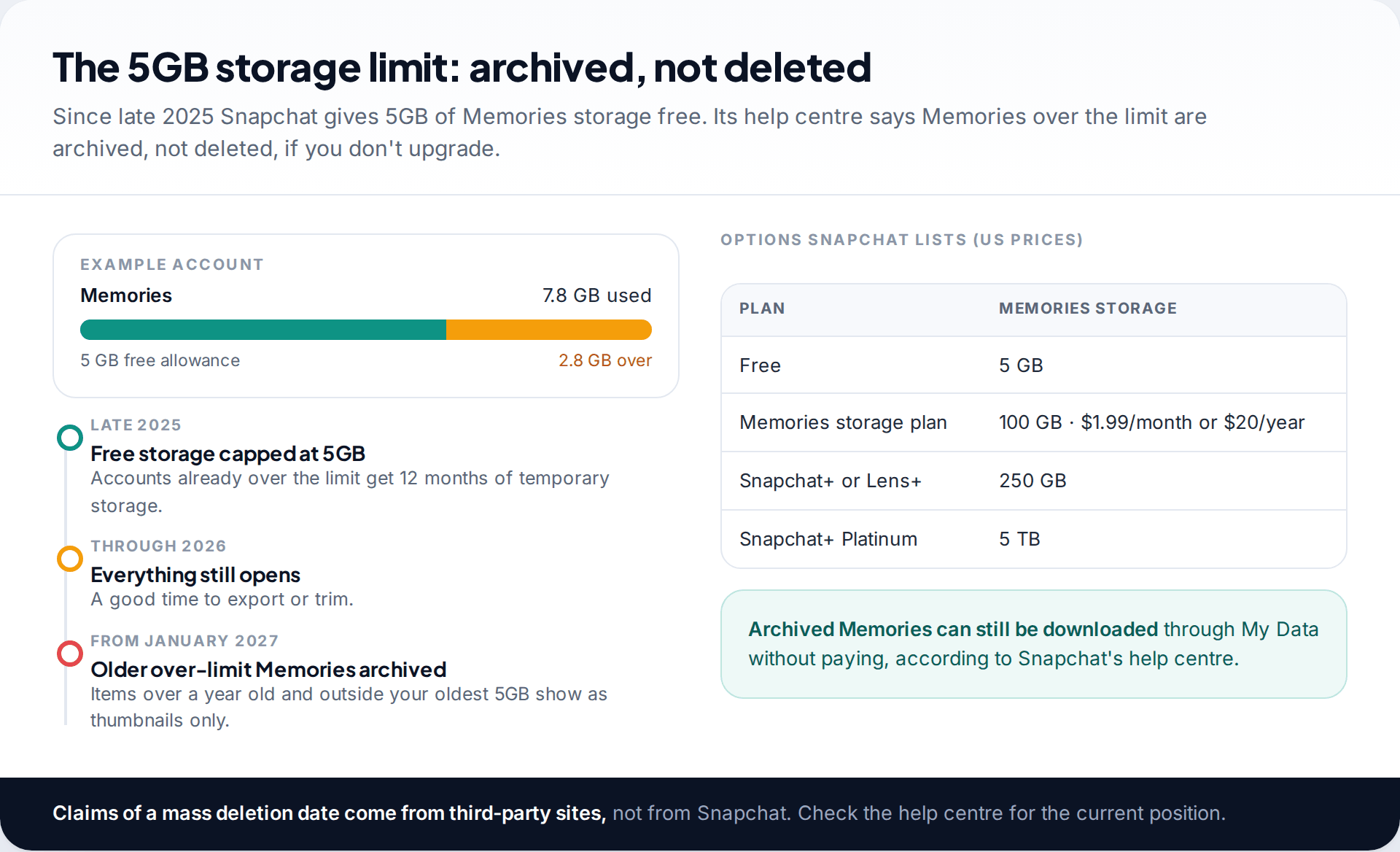
In late 2025 Snapchat introduced a 5GB free allowance for Memories, with paid plans for more. Its help centre lists a 100GB Memories plan at $1.99 a month or $20 a year in the US, 250GB with Snapchat+ or Lens+, and 5TB with Snapchat+ Platinum. Accounts already over 5GB got 12 months of temporary storage.
Snapchat’s help page says that from January 2027, Memories more than a year old that fall outside your oldest 5GB will be archived. They show as thumbnails, and you need more storage to open, edit or share them in the app. The same page says plainly that Snapchat won’t automatically delete your Memories because you don’t upgrade, and that archived Memories can still be downloaded. Some websites selling export tools have warned of deletion deadlines. Snapchat’s help centre doesn’t say that, so check it yourself rather than acting on a countdown.
Either way, a full My Data export now is the simplest insurance. It costs nothing and doesn’t depend on which plan you’re on.
Ask the people you sent Snaps to
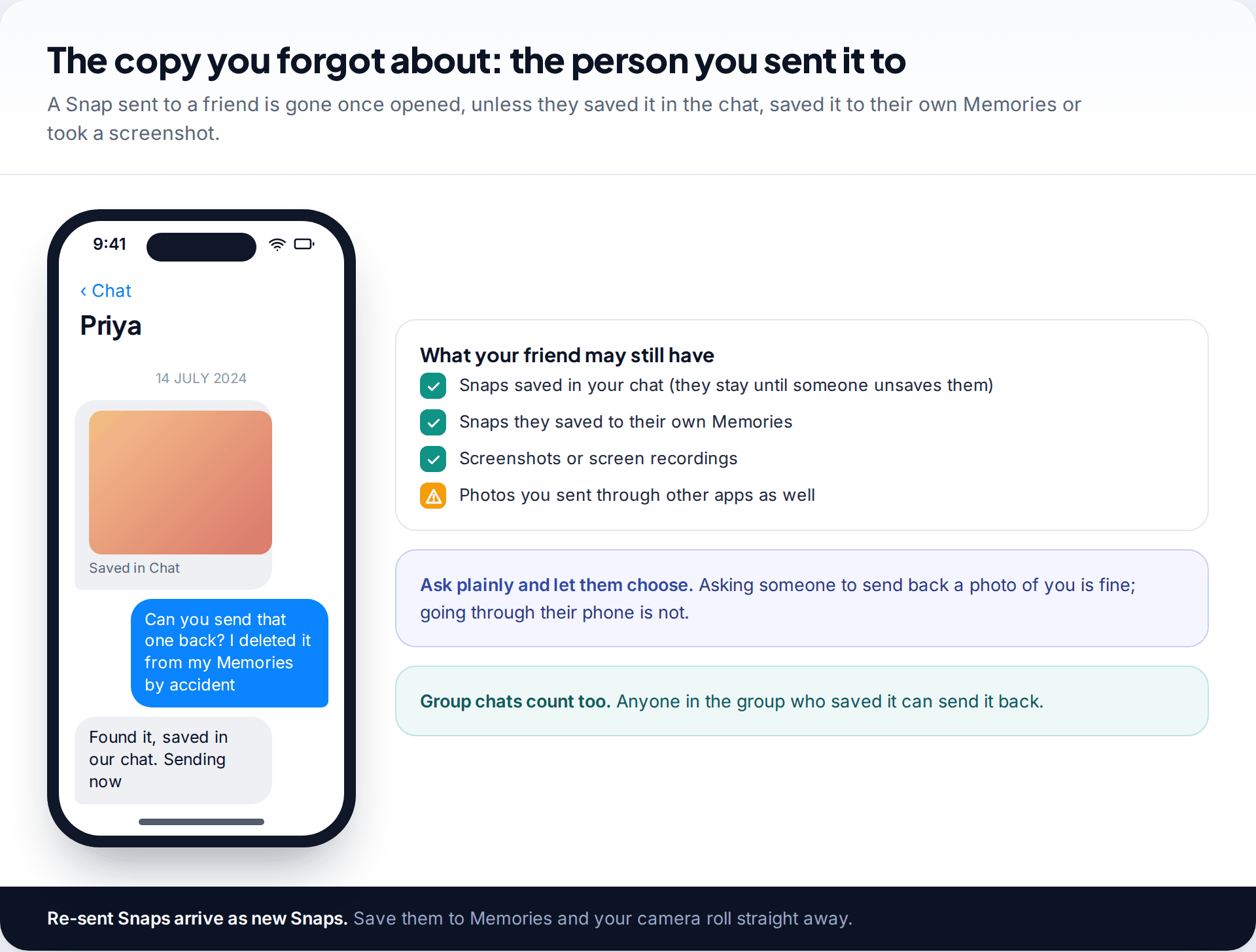
A Snap you sent to someone else may have outlived your own copy. If either of you saved it in the chat, it stays there until someone unsaves it. The recipient may also have saved it to their own Memories, or taken a screenshot. Ask them. It’s the quickest recovery method there is, and it works for Snaps that never touched your camera roll.
Keep it a request. Asking a friend to send back a photo is normal. Going through someone else’s phone or account to find it is not, even if the Snap was originally yours.
What won’t work, and a few myths
- “Snapchat support can restore it if you ask.” It can’t restore Memories you deleted, and it says so in its help centre.
- “A recovery app will pull deleted Memories off your phone.” Memories live on Snapchat’s servers. Apps that scan a phone’s storage may turn up cached thumbnails or files that were in the camera roll, but not your original Memories. Many want payment before they show you anything useful.
- “Reinstalling Snapchat brings them back.” Reinstalling doesn’t restore deleted Memories. If some Snaps hadn’t finished backing up, it can lose them for good.
- “My Eyes Only is a backup.” It’s a locked section of Memories, not a separate copy. Snapchat warns that if you forget the passcode and reset it, the Snaps saved there are deleted.
If your whole account was deleted rather than individual Memories, the rules are different. Snapchat gives you a period to reactivate. See our guide to reactivating a deleted Snapchat account.
Stop it happening again
- Save to Memories and camera roll. Snapchat’s Memories settings let you choose where the save button puts Snaps. Labels vary by version. Saving to both gives you a second copy that your phone’s backup can protect.
- Turn on iCloud Photos or Google Photos backup, so the camera roll copy exists somewhere other than the phone.
- Request a My Data export a couple of times a year and store the zip on a computer or drive.
- Check the backup before switching phones. Don’t log out or uninstall until Memories show as fully backed up.
How this page was put together
Snapchat’s statements about deleted and missing Memories, its cache-clearing steps, the My Data export and the 2025 storage changes were checked against Snapchat’s support pages in September 2026. Apple’s and Google’s 30-day limits for Recently Deleted and Trash come from their own help pages. Storage prices are Snapchat’s US figures and may differ where you live.
We didn’t test any data recovery software for this guide and don’t recommend paid recovery services. Read how we check our guides for more on our sources.
Common questions
Can Snapchat recover deleted Memories?
No. Snapchat says that when you delete a Snap from Memories, its servers are designed to erase it as soon as possible, and support can’t recover it.
How long do deleted Snapchat Memories stay recoverable?
Inside Snapchat, there’s no recovery period. Copies in your phone’s Recently Deleted album or Google Photos Trash stay for 30 days.
Why did my Snapchat Memories disappear?
Usually because they didn’t finish backing up before a logout, reinstall or phone change, or because you’re signed into a different account. Clearing the cache and restarting fixes display problems.
Does clearing the Snapchat cache delete Memories?
No. Snapchat confirms that clearing the cache doesn’t delete your Memories, Snaps or Chats.
Will Snapchat delete my Memories if I go over 5GB?
According to Snapchat’s help centre, no. From January 2027, older Memories over the limit are archived. You’ll see thumbnails and can still download them through My Data.
Can I recover Snaps from My Eyes Only if I forgot the passcode?
Not by resetting the passcode. Snapchat warns that resetting it deletes the Snaps saved in My Eyes Only.
Looking for a tool to go with this? TheTruthSpy is a free parental control app for Android that stays visible on the child's phone. If it fits your family, see the Social media alerts feature.
Related guides
Why Is My Phone Overheating? Causes and Fixes
Warm, hot or dangerous? Why phones heat up when charging, gaming or in the sun, how to cool one safely,…

How to Transfer Photos From Your Phone to a Computer
The best way to copy photos from iPhone or Android to Windows or Mac, what happens to HEIC files, dates…

How to Back Up WhatsApp Chats
Set up WhatsApp backups on Android and iPhone, keep an encryption key safe, check the backup exists, and fix the…
Parental controls your child can see
Location, screen time limits, a web filter and alerts from notifications — free, and visible on your child's phone. Pair a phone in about ten minutes.
Android · Free to set up · Visible on your child's phone