Anti-Spyware for iPhone: 7 Apps Reviewed Against What iOS Allows

Can anti spyware on iPhone actually find spyware? Mostly not in the way people expect. iOS forbids any app from inspecting other apps, so no iPhone security app can scan and remove spyware the way Android apps can. What they can do is check your iOS version and passcode, look for jailbreak signs, and filter scam texts and websites. Here are seven, reviewed against those limits.
What iOS allows an anti-spyware app to do
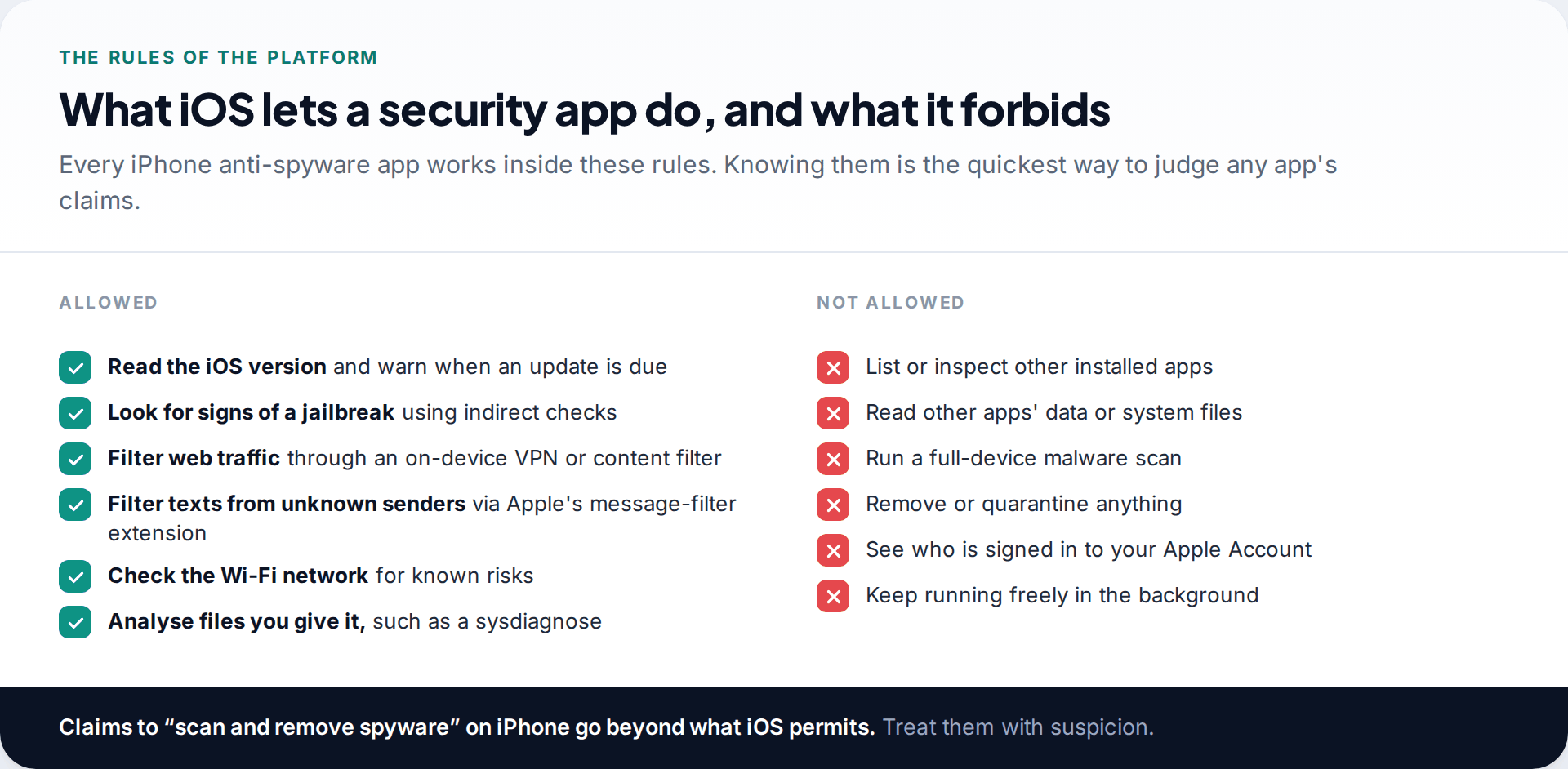
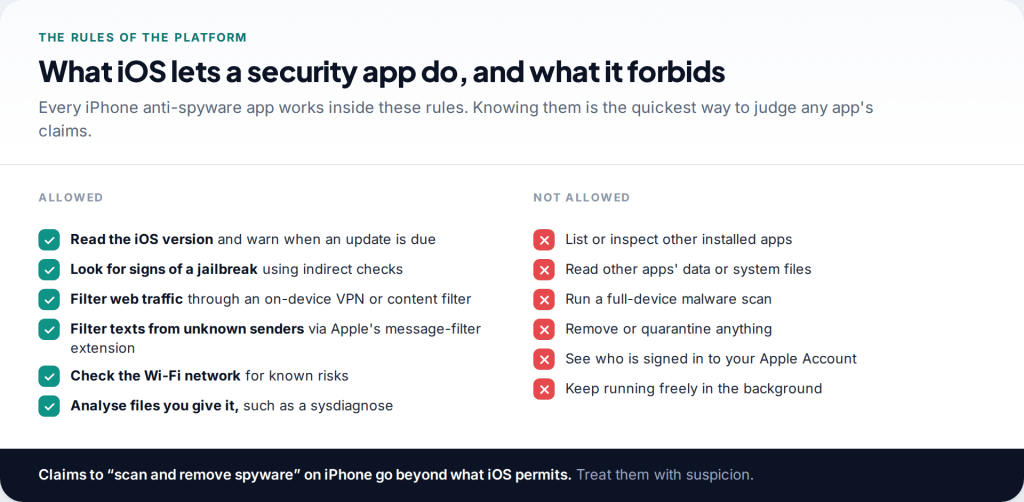
Apple designed iOS so that each app runs sealed off from the others. Security apps get no exception. They cannot list what is installed, read another app’s data, or quarantine anything. Malwarebytes, one of the largest security vendors, states in its App Store listing that iOS limitations make scanning for malware files impossible.
Inside those rules there is still room to be useful. Apps can read the iOS version and nag you to update. They can run indirect checks for a jailbreak, which is what traditional iPhone stalkerware needs. They can route your browsing through an on-device VPN or content filter to block malicious sites, and Apple lets one app at a time filter texts from unknown senders. Some can analyse a file you create and give them, such as a sysdiagnose. That is the whole toolkit.
How we reviewed the seven
There is no independent detection test for iPhone anti-spyware. AV-Comparatives’ 2025 stalkerware test covered Android only. So instead of ranking on scores, we asked of each app: which of the permitted checks does it actually perform, according to its App Store listing and the developer’s own documentation? Does it claim more than iOS allows? And what does it cost to get the parts that matter for spyware, rather than the extras?
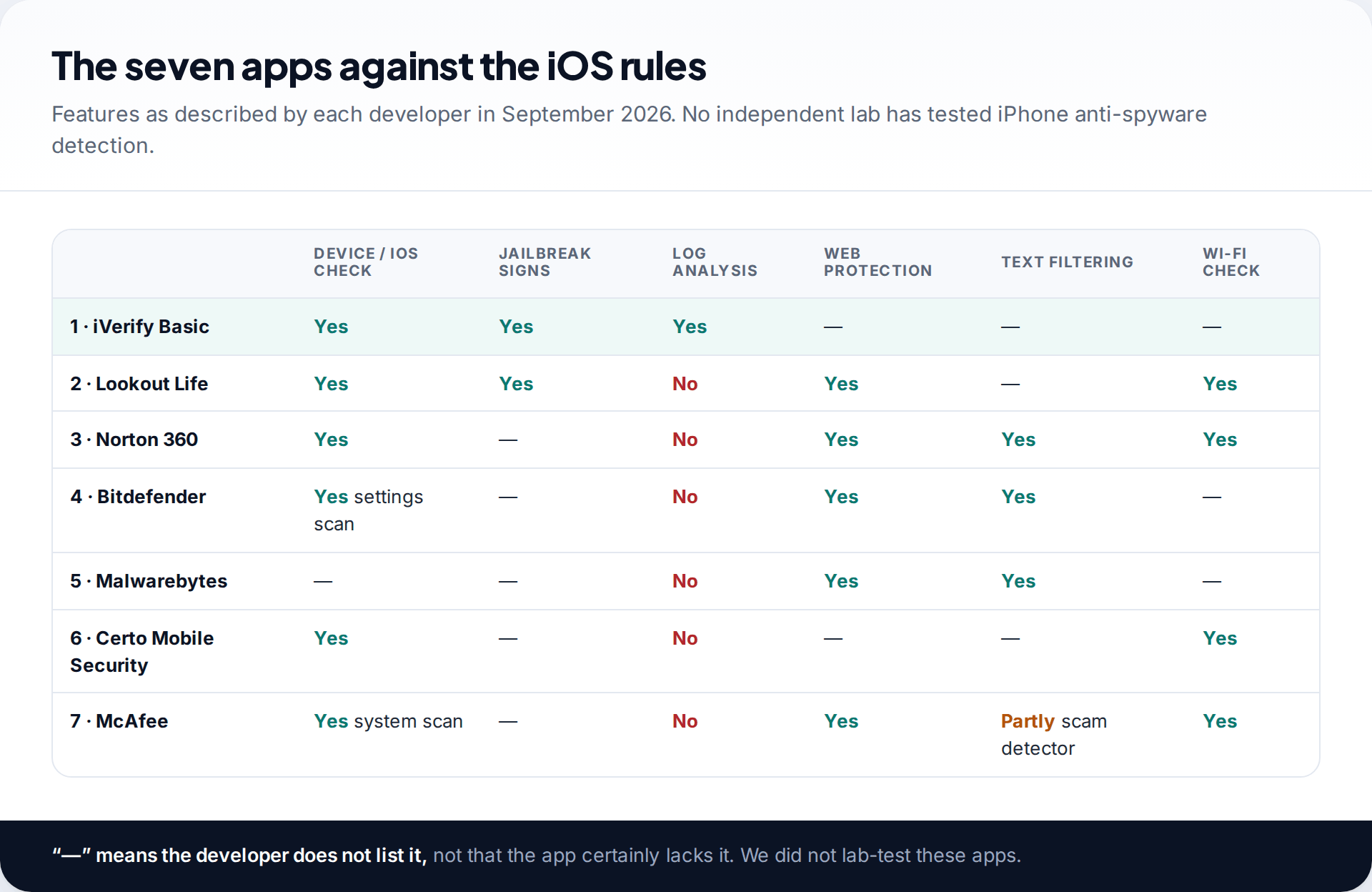
Apps that focus on the spyware-relevant checks rank higher than apps that mostly sell scam filtering and VPNs, however good those are. We did not lab-test any of them.
The seven anti-spyware apps for iPhone
1. iVerify Basic: the one that looks deepest
iVerify is built by mobile security researchers and is the only app here that analyses system logs. Its threat scan works on a sysdiagnose you generate with a button combination and share with the app. It also checks device security settings and alerts you to iOS updates. Its focus is advanced spyware such as Pegasus, and iVerify reported seven Pegasus detections among the first 2,500 scans when the feature launched in 2024. The App Store showed it as free when we checked.
2. Lookout Life: the right checks, running quietly
Lookout’s consumer app, now owned by F-Secure, does what iOS allows and not much else, which is a compliment. Its support pages list alerts for a tampered operating system, pending iOS updates, risky Wi-Fi networks and apps running malicious processes. There is a free tier and paid plans with identity features.
3. Norton 360: good checks inside a scam-protection suite
Norton’s device security feature checks for an outdated iOS and a missing passcode. Around it sit Safe Web, Safe SMS text filtering, Wi-Fi security, dark web monitoring and a VPN. It is a subscription app. Its listing does not claim jailbreak or spyware detection, which is honest.
4. Bitdefender Mobile Security: settings scan and web protection
Bitdefender’s iOS app runs a Security Scan for “security misconfigurations”, filters malicious websites, flags scam texts and calendar invitations, and checks your email for breaches. Its documentation does not claim malware scanning on iOS. Choose it for scam protection with a settings check included.
5. Malwarebytes: honest about the limits
Malwarebytes’ iPhone app is a scam and web protection tool: Scam Guard, ad and site blocking, call and text filtering, and a VPN. It says outright that it cannot scan for malware files on iOS. It ranks here for honesty and for its Android pedigree, not for spyware detection on iPhone.
6. Certo Mobile Security: free and ad-free basics
Certo’s free app scans your settings for vulnerabilities, checks Wi-Fi networks and gives you a privacy checklist. Certo is clear that its paid computer-based tool, Certo AntiSpy, is what it uses to look for spyware, because apps on the phone cannot. That distinction is more candid than most.
7. McAfee Security: broad, with some reported rough edges
McAfee’s app offers a system scan, Wi-Fi scan, safe browsing, a scam detector, a VPN and identity monitoring. It covers the permitted ground widely. Recent App Store reviews report crashes and features switching off, so check that it is running properly after you install it.
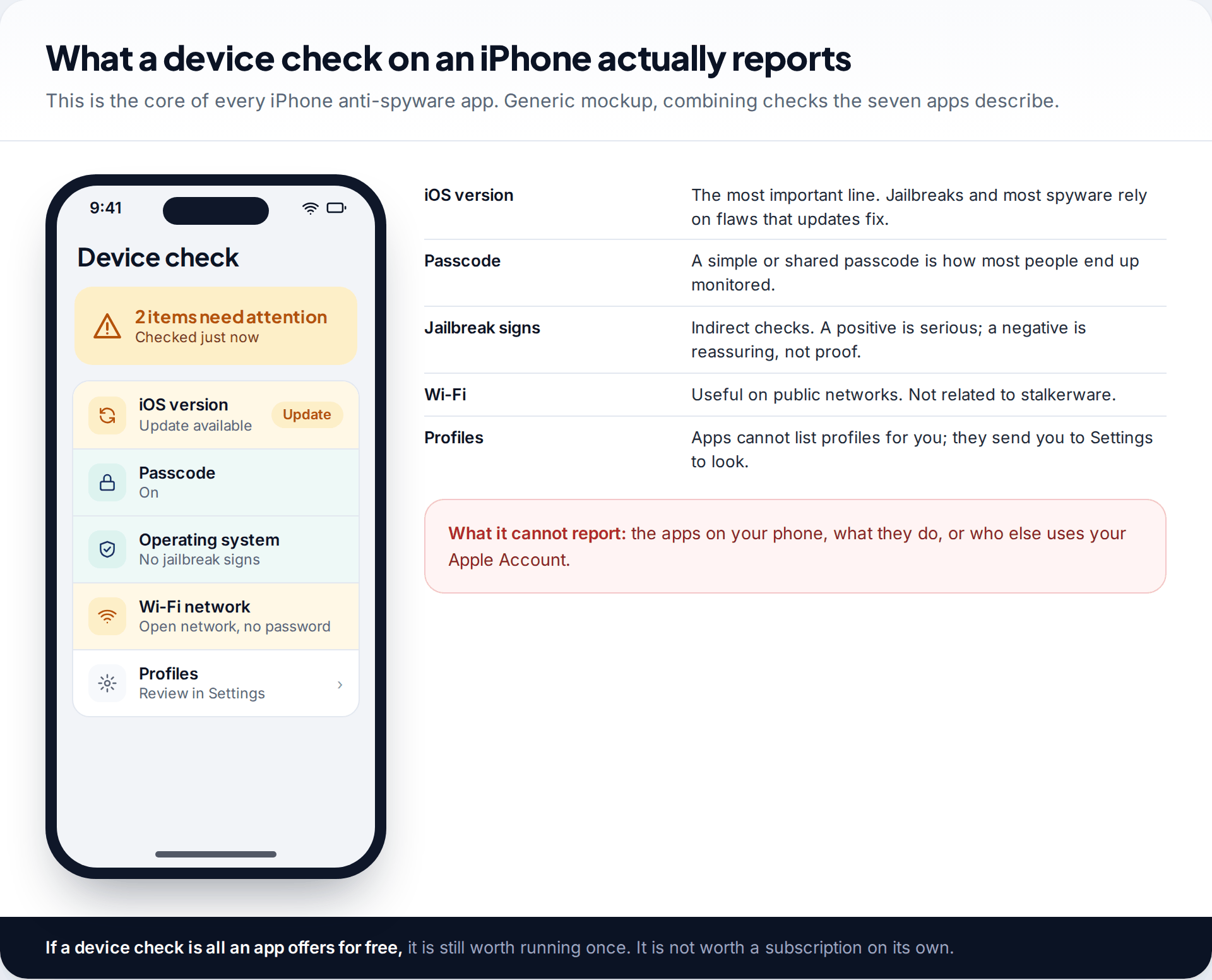
What you are really paying for
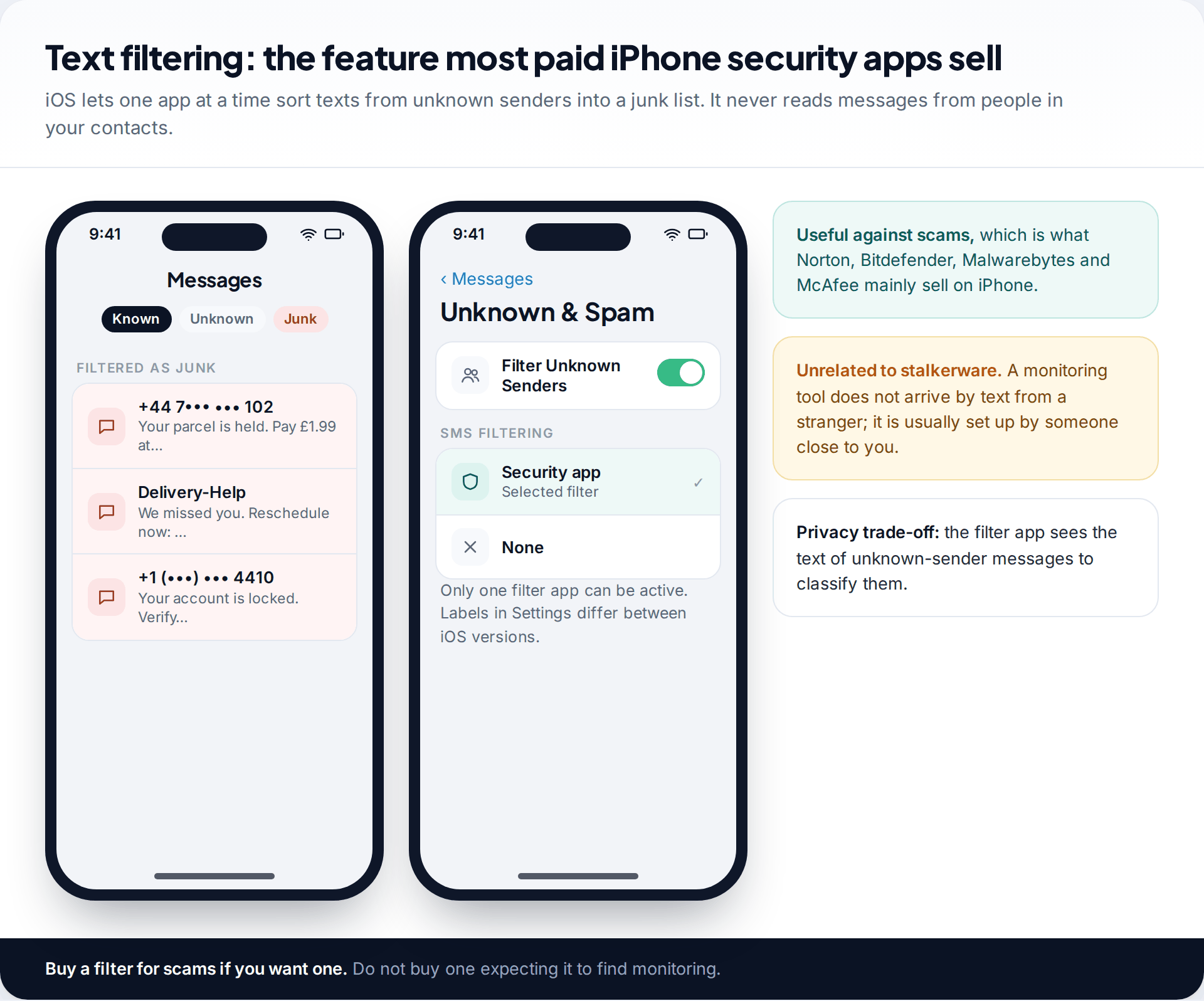
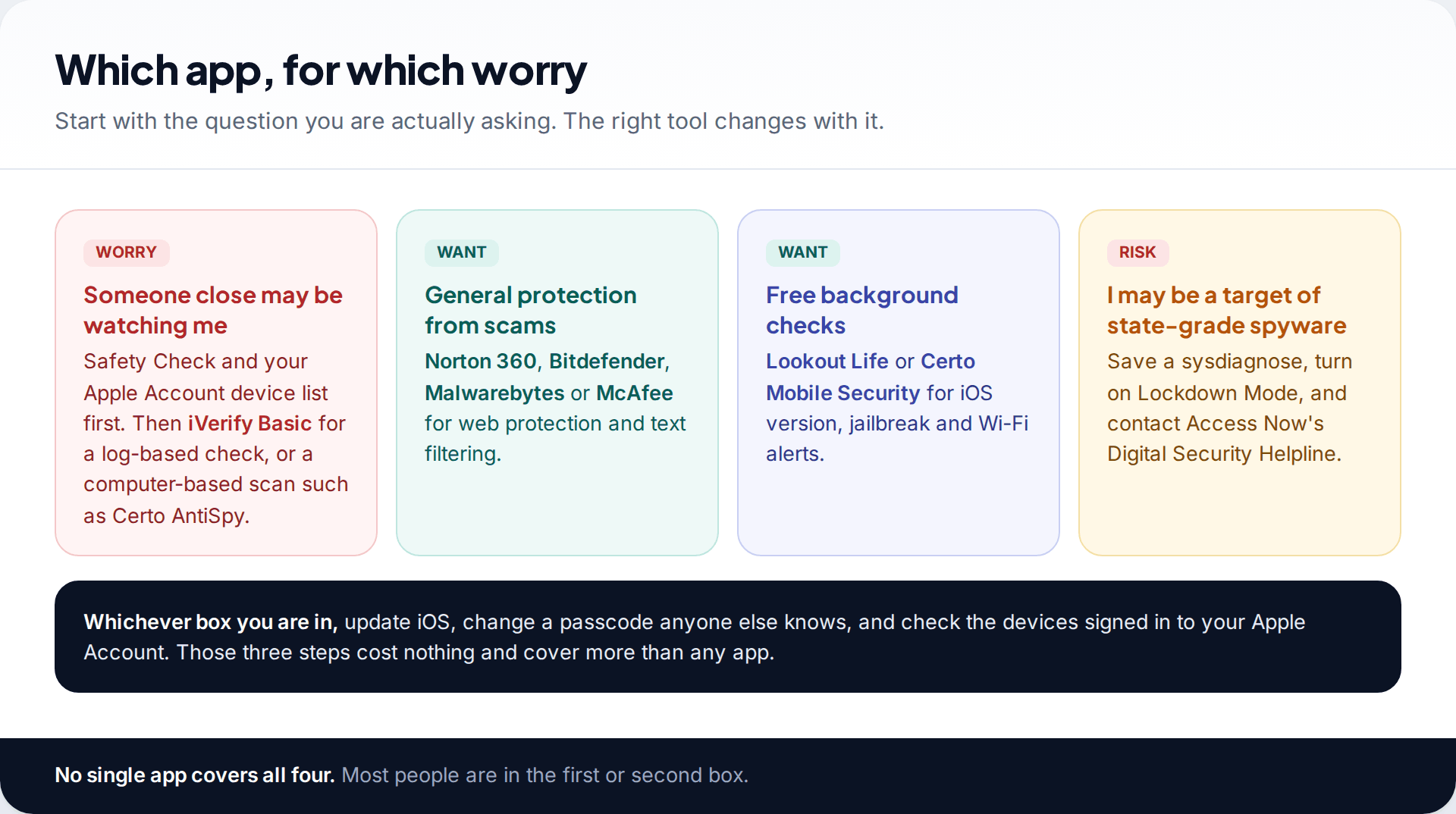
On iPhone, a subscription mostly pays for scam filtering, a VPN and identity monitoring. Those are real services, but they don’t find monitoring. The text filter only sees messages from unknown senders, and stalkerware is usually installed by someone you know, not delivered by a stranger’s text. If spyware is your worry, the free device checks and iVerify’s log analysis are the parts that count. For more depth than any phone app can offer, a computer-based scan is the next step, which our comparison of spy app detectors for iPhone covers.
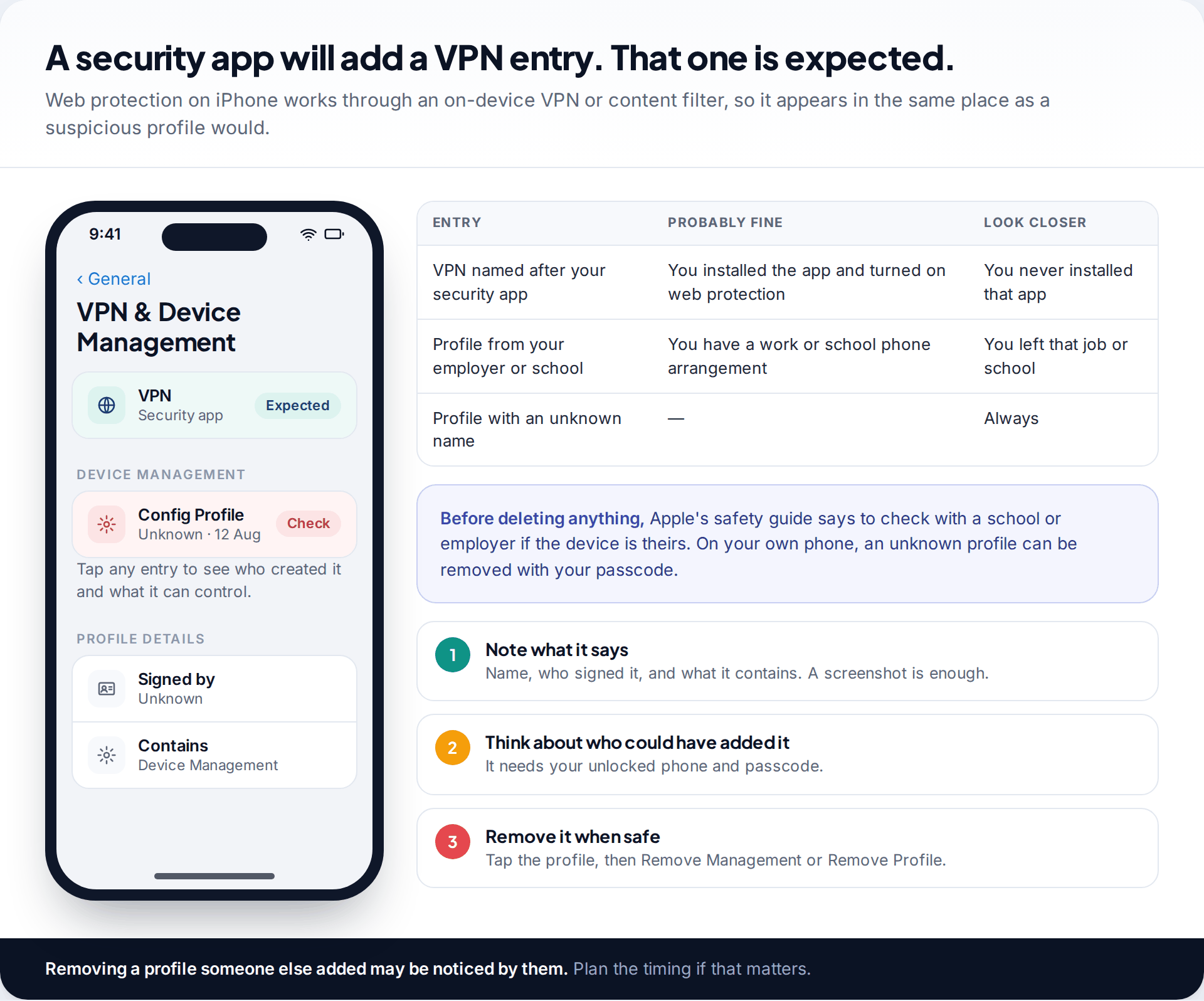
One side effect to know about: apps that offer web protection add a VPN or content-filter entry under Settings › General › VPN & Device Management. If you later check that screen for suspicious profiles, the entry named after your security app is expected.
Red flags in iPhone security app listings
Because real iPhone anti-spyware is limited, the category attracts apps and ads that promise more than iOS allows. Walk away from any of these:
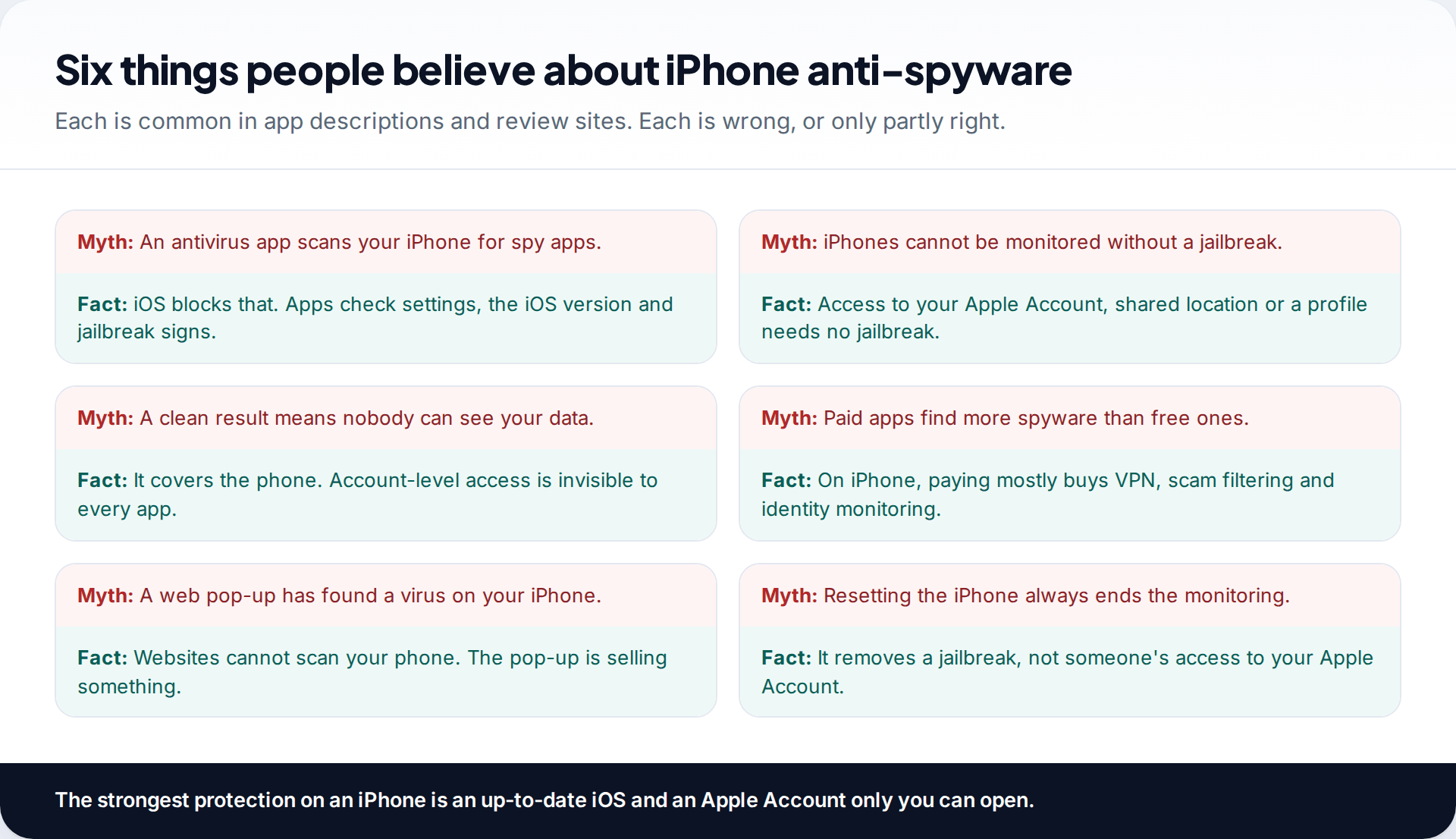
- “Scan and remove spyware from your iPhone.” No App Store app can remove anything from another app. The claim is either loose marketing or untrue.
- A web page saying your iPhone “is infected” or “has 3 viruses”. Websites cannot scan your phone. These pop-ups exist to push an app install or a subscription. Close the tab.
- Weekly subscriptions that start after a very short trial. Check the price and billing period on the App Store page before you tap anything, and cancel unwanted subscriptions in Settings under your name, then Subscriptions.
- Requests to install a configuration profile from a website to “protect” the phone. A legitimate App Store security app installs its web filter through iOS’s own prompt, not a downloaded profile.
- No named developer, no support pages, no privacy policy you can read. A security app sees your web traffic or your texts. It should be accountable.
A 15-minute check you can do without any app
If you want to know whether your iPhone is being monitored, this does more than any single app, and it costs nothing:
- Software Update (2 minutes). Settings › General › Software Update. Install anything waiting, unless you are preserving evidence of targeted spyware.
- Your devices (3 minutes). Settings › your name. Scroll to the device list and look for anything you do not own.
- Safety Check (5 minutes). Settings › Privacy & Security › Safety Check › Manage Sharing & Access. Review people first, then apps. You can look without changing anything.
- Profiles (2 minutes). Settings › General › VPN & Device Management. Anything you cannot explain deserves a closer look.
- Passcode (3 minutes). If anyone else has ever known it, change it. Settings › Face ID & Passcode.
Then install one app from the list for ongoing device checks, if you want them.
The built-in protection that matters more than any app
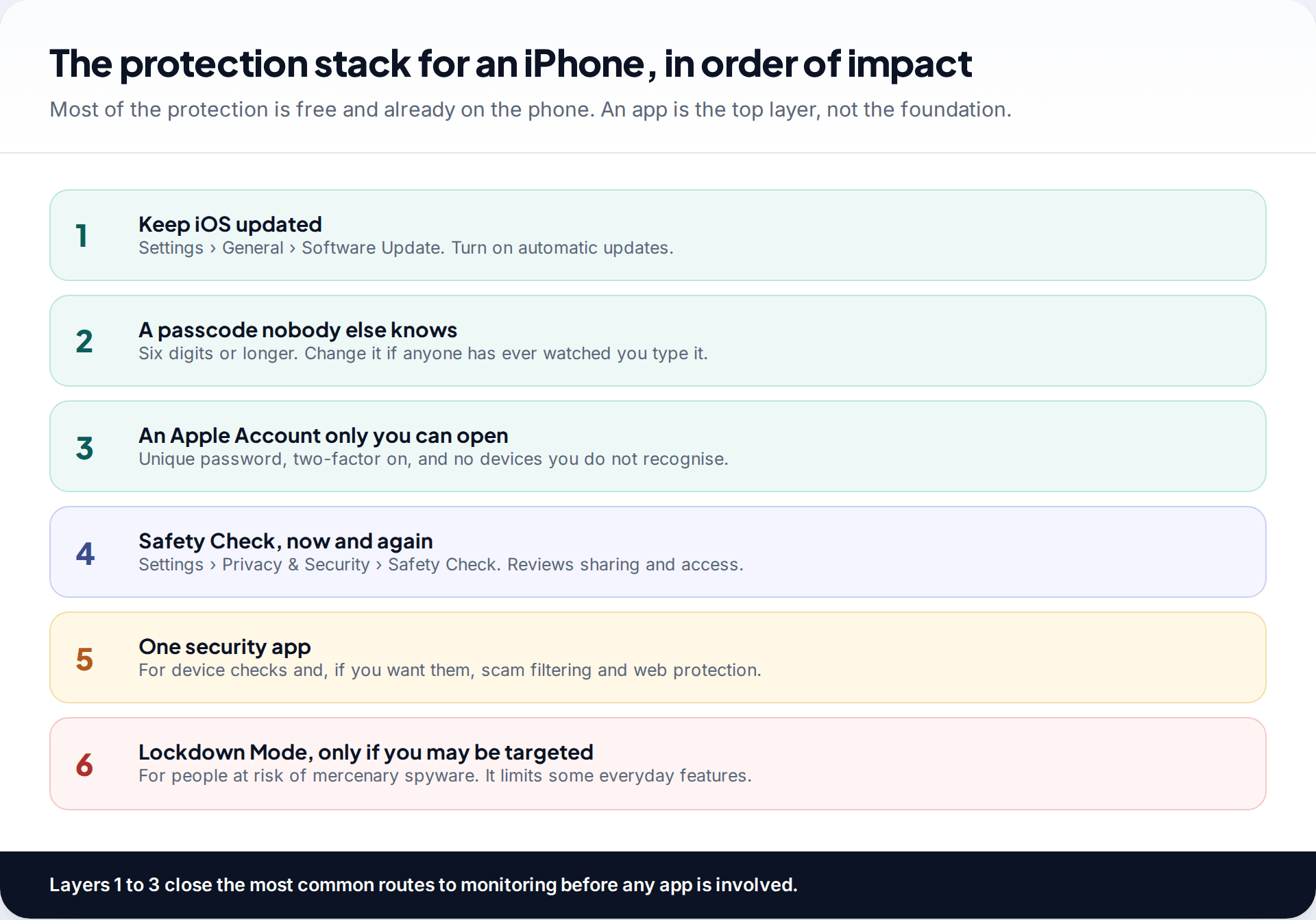
Most iPhone monitoring doesn’t need spyware. It needs your passcode, your Apple Account password, or a few minutes with the unlocked phone to share your location. The defences are free: update iOS, use a passcode nobody else knows, and keep your Apple Account to yourself, with two-factor authentication and no unfamiliar devices signed in. Then run Safety Check in Settings › Privacy & Security, which reviews who and what can see your information.
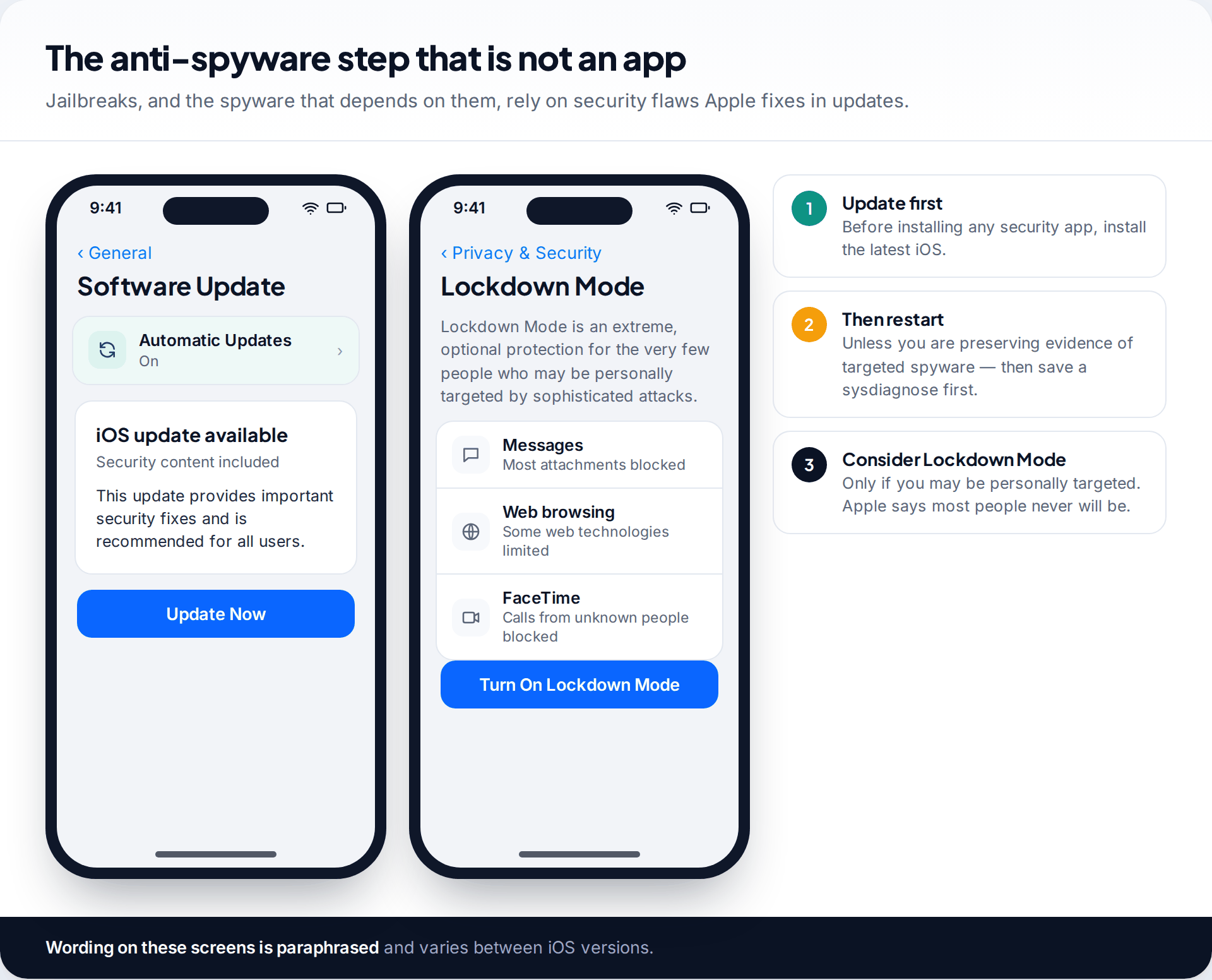
Updates deserve emphasis. Traditional iPhone stalkerware depends on a jailbreak, and jailbreaks depend on flaws that Apple patches. A fully updated iPhone is a far harder target. The one exception to “update immediately” is if you believe you have been targeted by mercenary spyware: iVerify reported that iOS 26 overwrites a log that held key evidence, so save a sysdiagnose before you update. Apple offers Lockdown Mode for people who may be personally targeted, and says most people never will be.
Choosing, and acting on what you find
A device check or Safety Check will also surface legitimate arrangements: Screen Time in a family group, a work profile, or an openly installed parental monitoring app. Tools like ours are meant to be visible, and should be. None of these apps can tell whether you agreed to what they find. You can.
If you find access you did not agree to, think before removing it. Ending a location share, removing a device or deleting a profile can be noticed by the person who set it up. If that person is a partner or former partner and you are worried about how they might react, contact a domestic-abuse support service in your country first. Our complete guide to detecting spyware covers the wider checks, on phones and computers.
How this page was put together
Each app was reviewed against its App Store listing, the developer’s support pages and published research, alongside Apple’s Personal Safety User Guide and support pages, all checked in September 2026. Features and prices change often. Where a developer does not list a capability, we have said so rather than assuming it exists.
We did not lab-test these apps, and no independent iPhone stalkerware test exists to cite. Read how we source and review our guides.
Common questions
Do iPhones need anti-spyware apps?
Not in the way Android phones can benefit from them. An up-to-date iOS, a private passcode and a secure Apple Account do most of the work. An app adds device checks and, if you pay, scam filtering. iVerify Basic’s log analysis is the most spyware-specific option.
Can an app remove spyware from an iPhone?
No. iOS doesn’t let apps remove or quarantine anything. If a jailbreak is found, updating iOS or erasing and setting up the iPhone again removes it and anything installed with it.
Is there a free anti-spyware app for iPhone?
Yes. iVerify Basic was free on the App Store when we checked, and Certo Mobile Security and Lookout Life have free tiers covering device checks. Apple’s Safety Check is built in and free.
Can someone spy on my iPhone without installing anything?
Yes, and it is the most common way. With your Apple Account password they can read iCloud data from another device, and with your unlocked phone they can share your location in Find My. Check your account’s device list and Safety Check.
Do iPhone security apps drain the battery?
Device checks use very little. Web protection routes traffic through an on-device VPN or filter, which can use some battery and occasionally slow or break a connection.
Is it safe to share a sysdiagnose with a security app?
A sysdiagnose contains detailed logs about your phone’s activity, including app names and network details, so share it only with a developer whose privacy terms you have read. iVerify’s scan depends on it. If you might need the file as evidence later, keep your own copy as well.
Why does my security app show a VPN that is always on?
Web protection on iPhone works by routing traffic through an on-device VPN or content filter. The entry named after your security app is expected. You can turn web protection off in the app if it causes connection problems.
Will an anti-spyware app detect a parental control app?
It usually cannot see other apps at all. Safety Check and Screen Time settings show family arrangements, and legitimate parental apps are designed to be visible on the phone.
Looking for a tool to go with this? TheTruthSpy is a free parental control app for Android that stays visible on the child's phone. If it fits your family, see what the app does.
Related guides
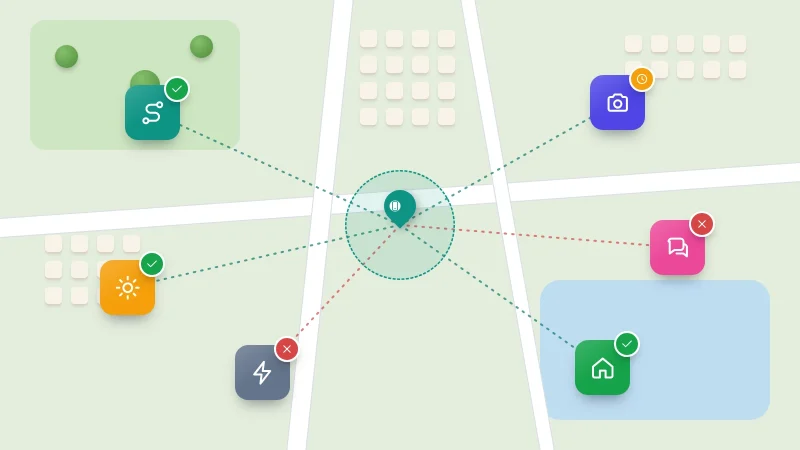
How to Check Which Apps Can See Your Location
See which apps can use your location on Android or iPhone, what each permission level allows, which apps really need…
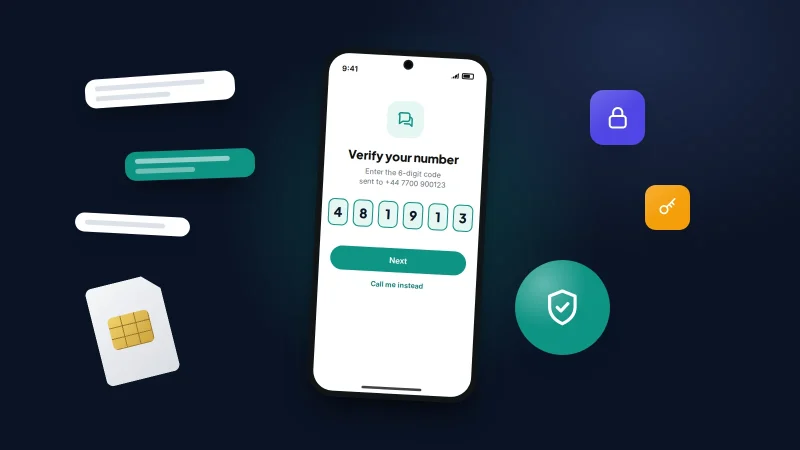
How to Recover a Hacked WhatsApp Account
Get a hijacked WhatsApp account back by re-registering your number, deal with a PIN the attacker set, warn your contacts…
How to Turn On Two-Factor Authentication Everywhere
A one-evening plan to turn on two-factor authentication, starting with email: which method to pick, where the settings are, and…
Parental controls your child can see
Location, screen time limits, a web filter and alerts from notifications — free, and visible on your child's phone. Pair a phone in about ten minutes.
Android · Free to set up · Visible on your child's phone