Find a Lost Android Phone: Google Find Hub, Samsung and Offline Tricks

Your phone is not in your pocket, not on the table, and calling it goes straight to voicemail — or rings somewhere you cannot hear. To find a lost Android phone, open Google Find Hub on another device or at google.com/android/find, sign in with the same Google account, and check the map. From there you can ring it, lock it with a message, or erase it as a last resort. Samsung owners have a second service too.
- Find Hub is the main tool. It was called Find My Device until Google renamed it in 2025; it is the same service.
- Read the time stamp, not just the pin. “Last seen 2 hours ago” is a starting point, not the phone’s position now.
- A switched-off phone can still leave a trail through the offline finding network, if that setting was on before it was lost.
- Factory reset is the final step. Once you erase it, you can no longer find it.
Which situation are you in?
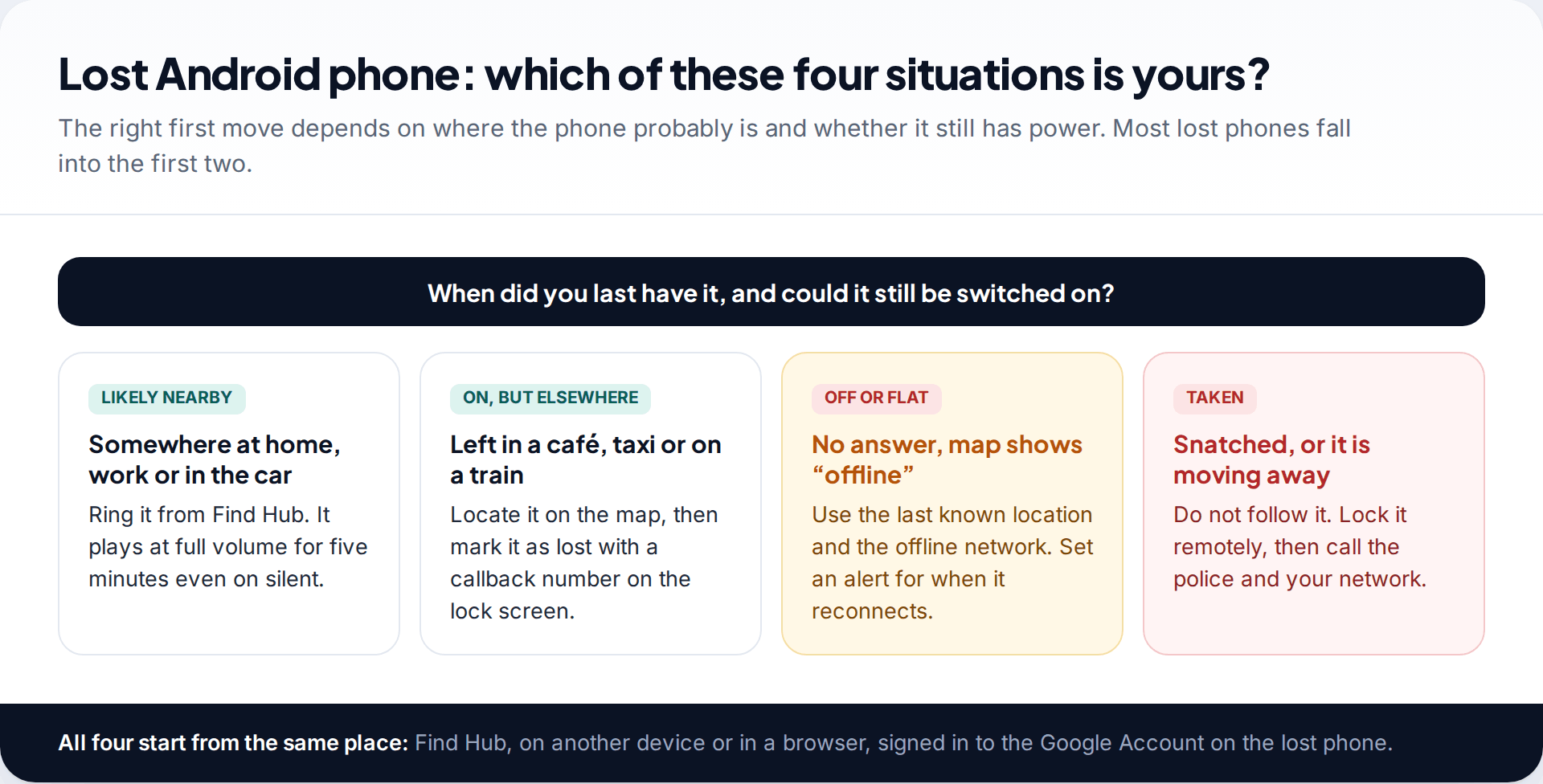
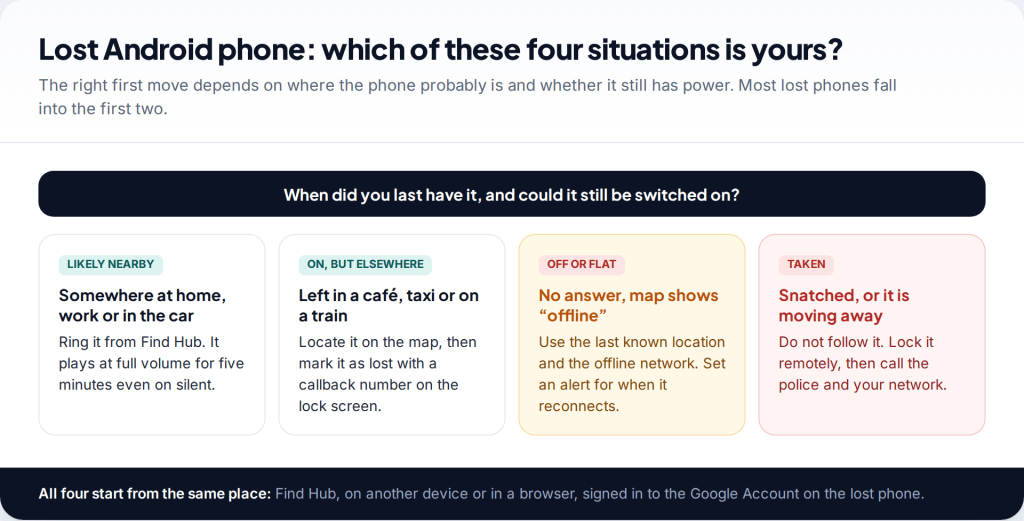
Before opening any app, spend thirty seconds thinking about when you last had the phone. The answer tells you which of the tools below will matter and which will only waste time.
If you had it within the last hour at home, at work or in the car, it is almost certainly nearby and the only feature you need is the one that makes it ring. If you left it somewhere public, you need the map and a lock-screen message so an honest finder can call you. If calls fail and the map shows the phone as offline, you are working with its last reported location. And if someone took it, the priority changes from finding it to protecting your accounts — you should not go after it yourself.
The first 30 minutes, in order
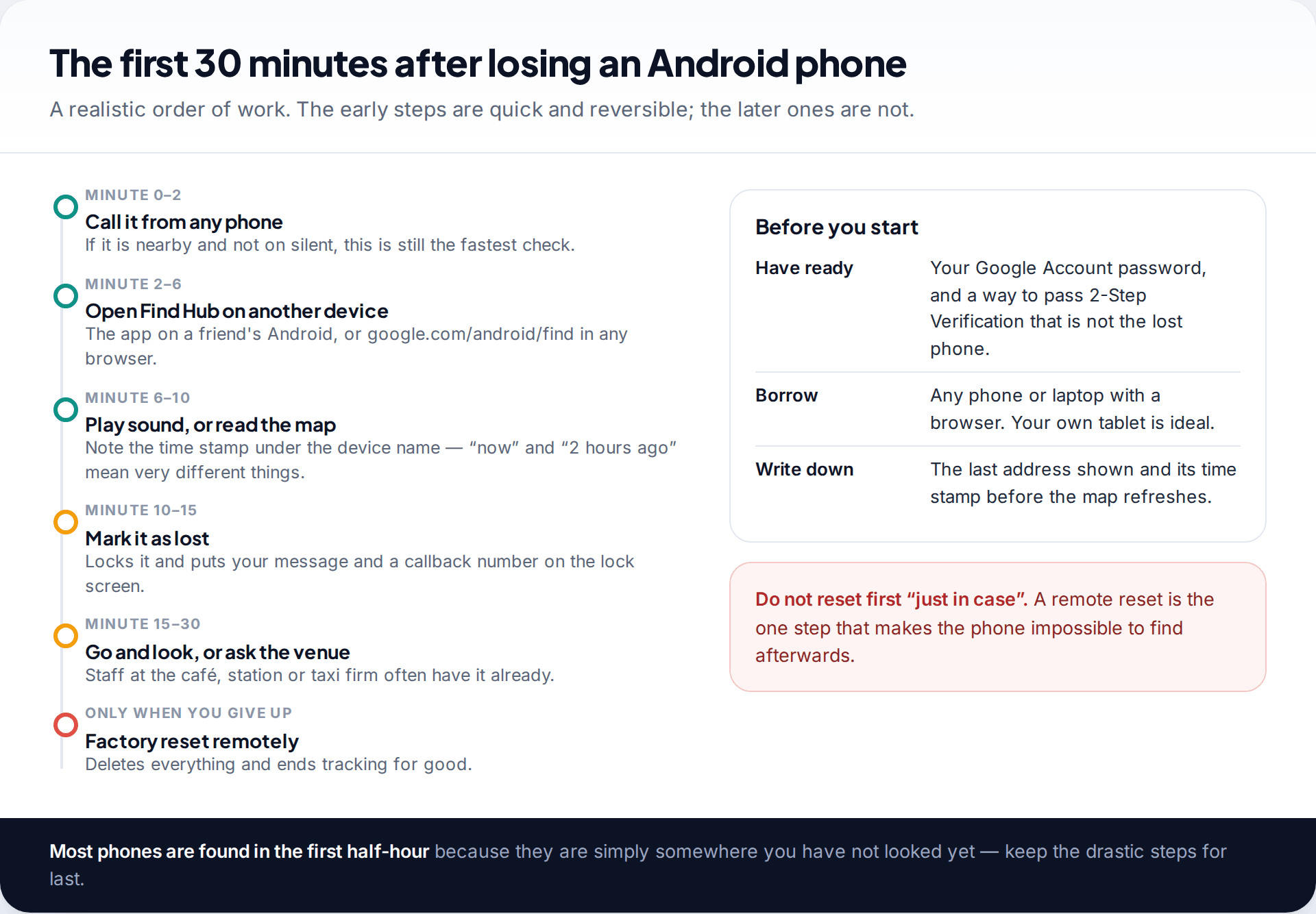
Panic pushes people towards the most dramatic button first. The better order runs from cheap and reversible to drastic:
- Call it. From a friend’s phone or a laptop. Obvious, but it rules out the sofa in a minute.
- Open Find Hub on another device. Use the Find Hub app on another Android phone or tablet, or go to google.com/android/find in any browser. Sign in with the Google Account that is on the lost phone.
- Write down what the map shows — the address and, more importantly, the time stamp beneath the device name.
- Ring it or mark it as lost, depending on where it is.
- Go and look, or phone the venue. Cafés, stations and taxi firms hand in more phones than people expect.
One practical snag: signing in on a borrowed device may ask for 2-Step Verification, and the lost phone may be where your codes go. Google suggests keeping printed backup codes for this reason. If you have none, try a device you have signed in on before, such as your own laptop, which is less likely to be challenged.
Find a lost Android phone with Google Find Hub
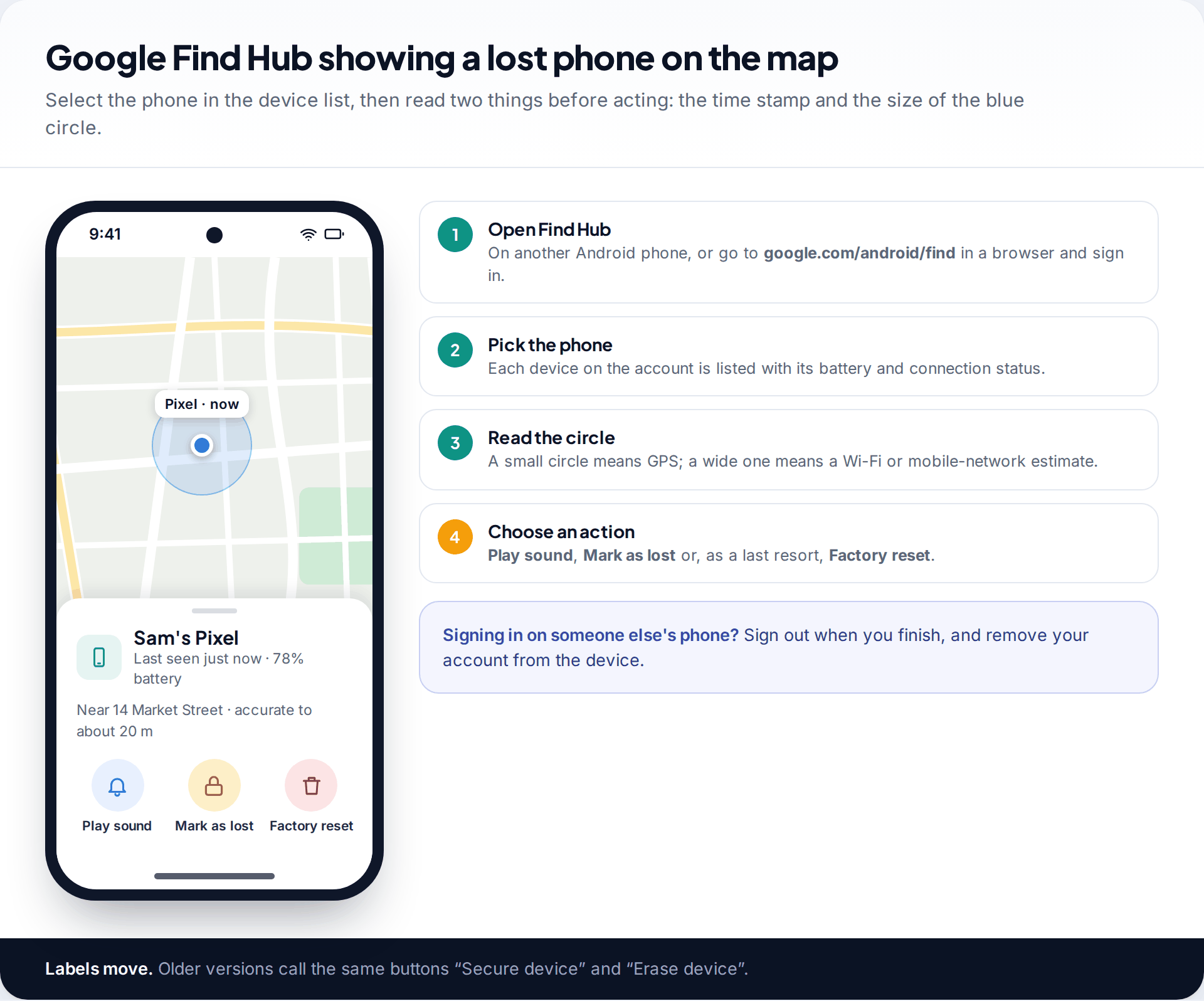
Find Hub works on almost any Android phone signed in to a Google Account, whatever the brand. Google’s help page lists what the lost phone needs for it to appear: power, a mobile data or Wi-Fi connection, a signed-in Google Account, Find Hub turned on, location turned on and the phone visible in Google Play. If any of those was missing, you will see the device in the list but not a current position.
When the phone is found, you get three actions. Play sound rings it at full volume for five minutes, even if it is set to silent or vibrate. Mark as lost locks the phone with its existing PIN, pattern or password and lets you show a message and a contact number on the lock screen. Factory reset erases it permanently, and afterwards Find Hub can no longer locate it.
The blue circle around the pin matters. A tight circle usually means the phone had a GPS fix; a wide one means the position was estimated from Wi-Fi or mobile masts and could be off by a street or more. Our complete Find Hub walkthrough covers every setting and screen in detail, including how to check it works before you ever need it.
When the phone is offline, switched off or out of battery
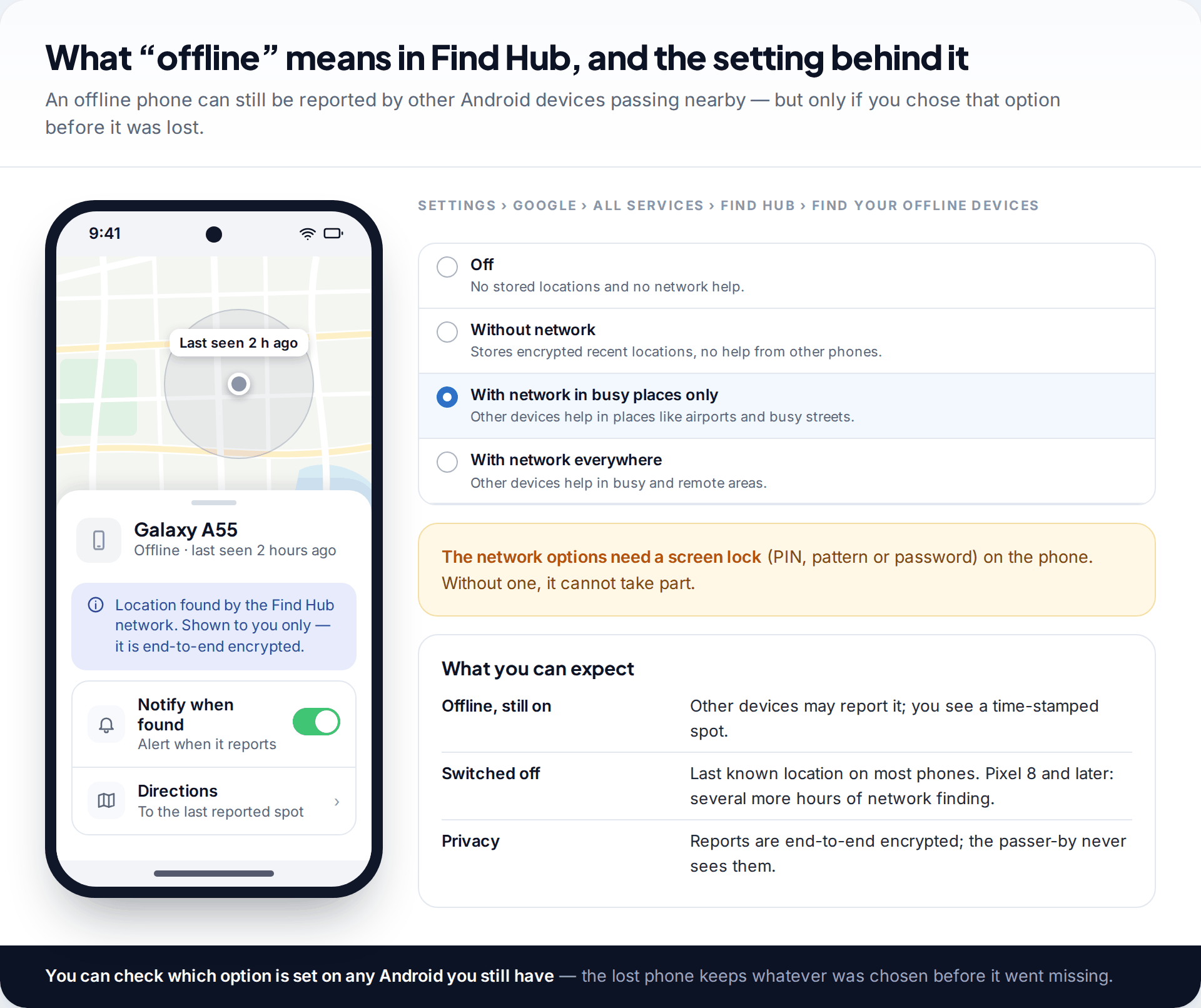
Since 2024 Google has run a crowdsourced finding network. Android devices that take part detect nearby lost devices over Bluetooth and report their location, encrypted so that only the owner can see it. It is how a phone with no signal can still appear on your map.
Whether your phone takes part depends on one setting, under Settings › Google › All services › Find Hub › Find your offline devices. There are four options: Off, Without network, With network in busy places only, and With network everywhere. The two network options require a screen lock. With “busy places only”, a phone dropped on a quiet footpath or in the countryside may never be near enough to another device to be reported.
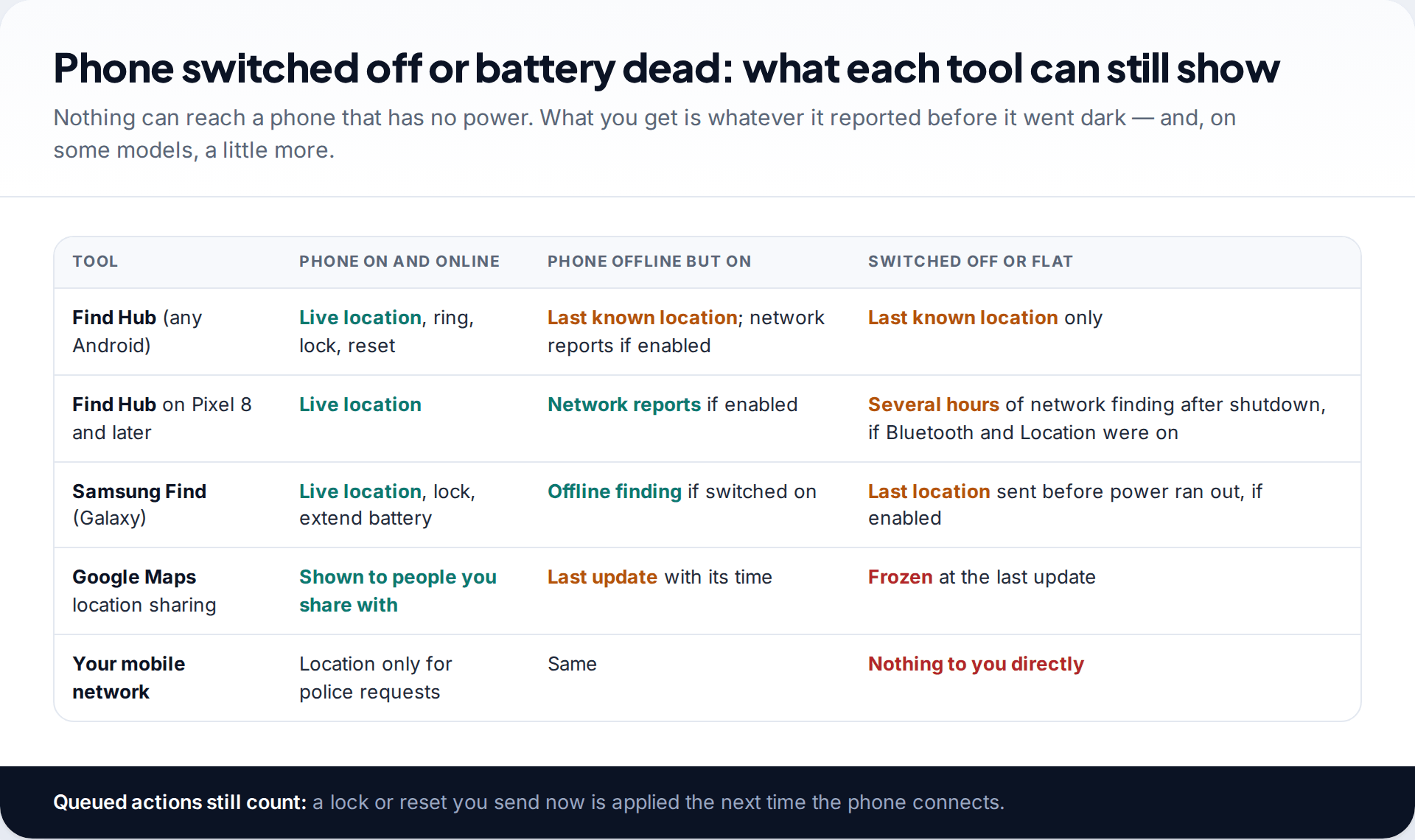
A phone with no power cannot be contacted. For most models you will see the last location reported before it shut down, and nothing after. Google says some newer phones, starting with the Pixel 8 series, can still be found by the network for several hours after they are switched off or the battery runs out, provided Bluetooth and Location were on. Set Notify when found if it is offered, and remember that any lock or reset you send now is carried out the moment the phone reconnects.
Samsung Galaxy phones: check Samsung Find as well
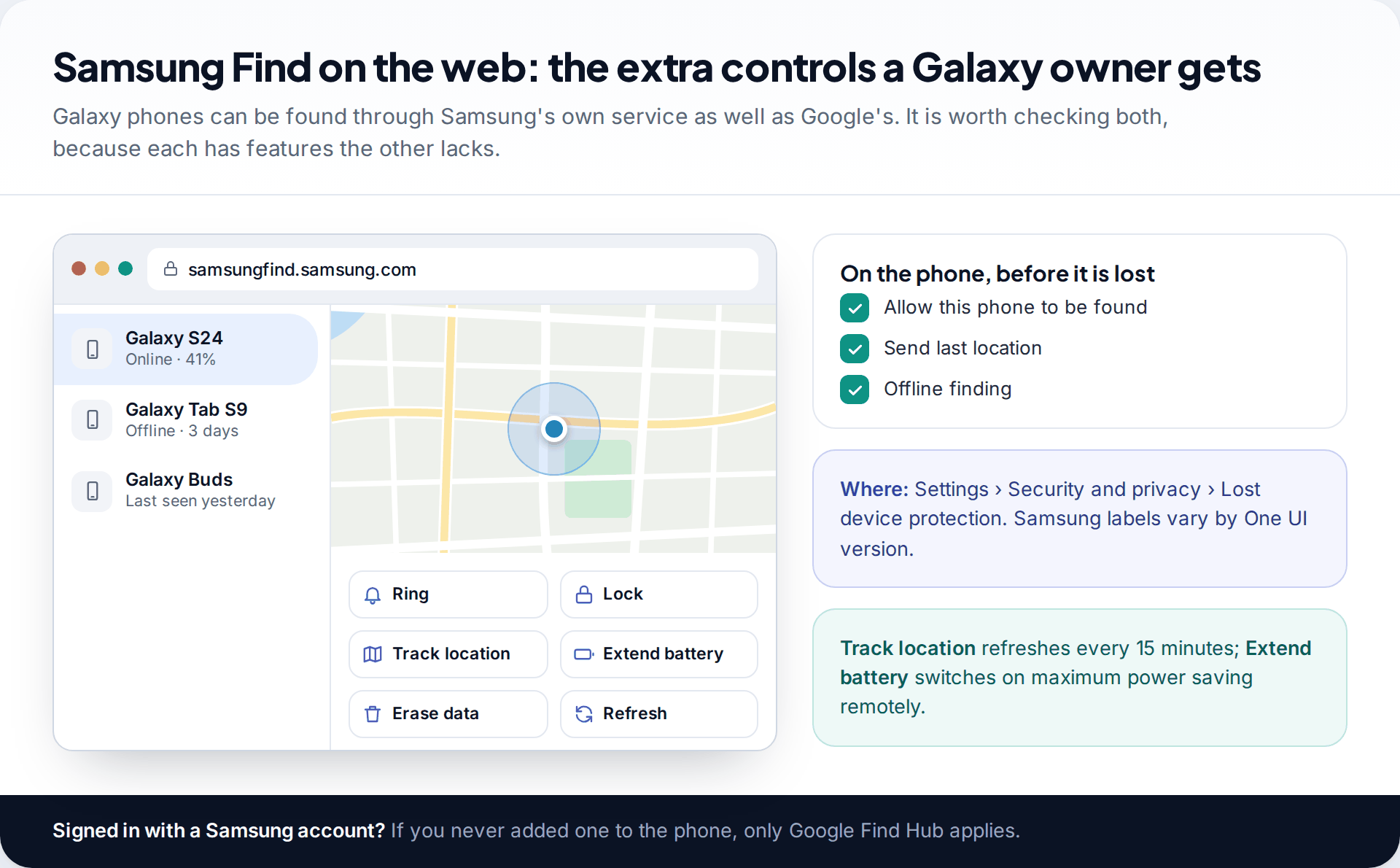
A Galaxy phone signed in to a Samsung account can also be found through Samsung’s own service, now called Samsung Find (you may still see SmartThings Find). Open samsungfind.samsung.com, sign in with the Samsung account, and select the phone. You get Ring, Lock, Track location (which refreshes every 15 minutes), Extend battery life, which switches on maximum power saving to keep the phone findable longer, and Erase data.
These depend on toggles set before the loss, under Settings › Security and privacy › Lost device protection: Allow this phone to be found, Send last location and Offline finding. The last of these lets nearby Galaxy devices report the phone when it is offline. Check both Samsung Find and Find Hub. One may have a fresher location than the other, depending on which network last saw the phone.
Other clues: Google Maps, Timeline and your account
If you share your location with a family member in Google Maps, their app shows your phone’s latest position and battery level. That gives you a second opinion on where it is, from the same Android location services. Google Maps Timeline is less useful than it used to be for this: Timeline now lives on the phone itself, not on Google’s servers, so the lost phone has the record and you cannot read it from a laptop. Our guide to finding a lost phone with Google Maps explains what is still possible.
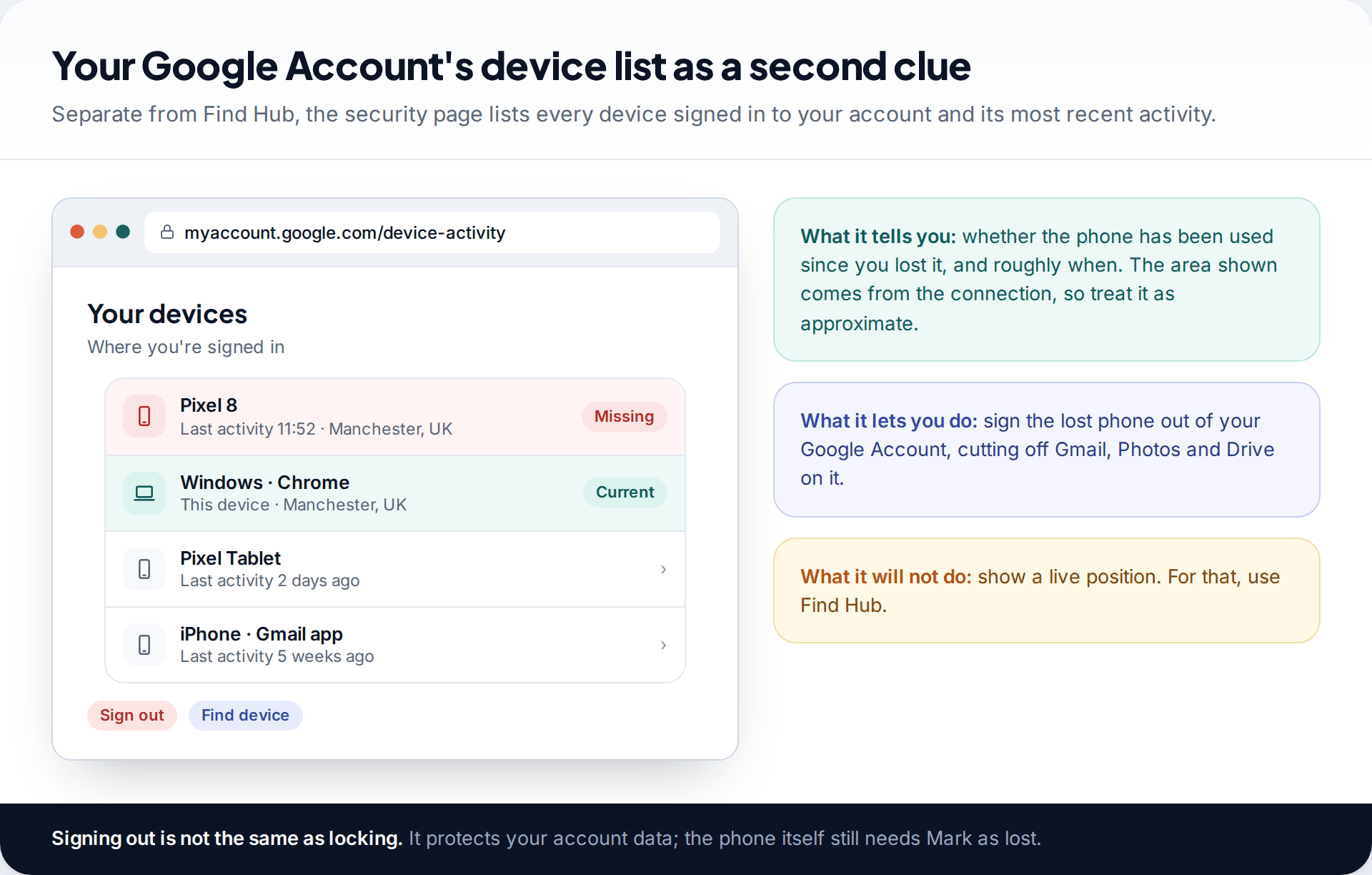
Your Google Account’s security page is another clue. The list of devices signed in to your account shows when the lost phone was last active and roughly where, and lets you sign it out. That cuts it off from Gmail, Photos and Drive even if you never get it back.
If your Android was stolen
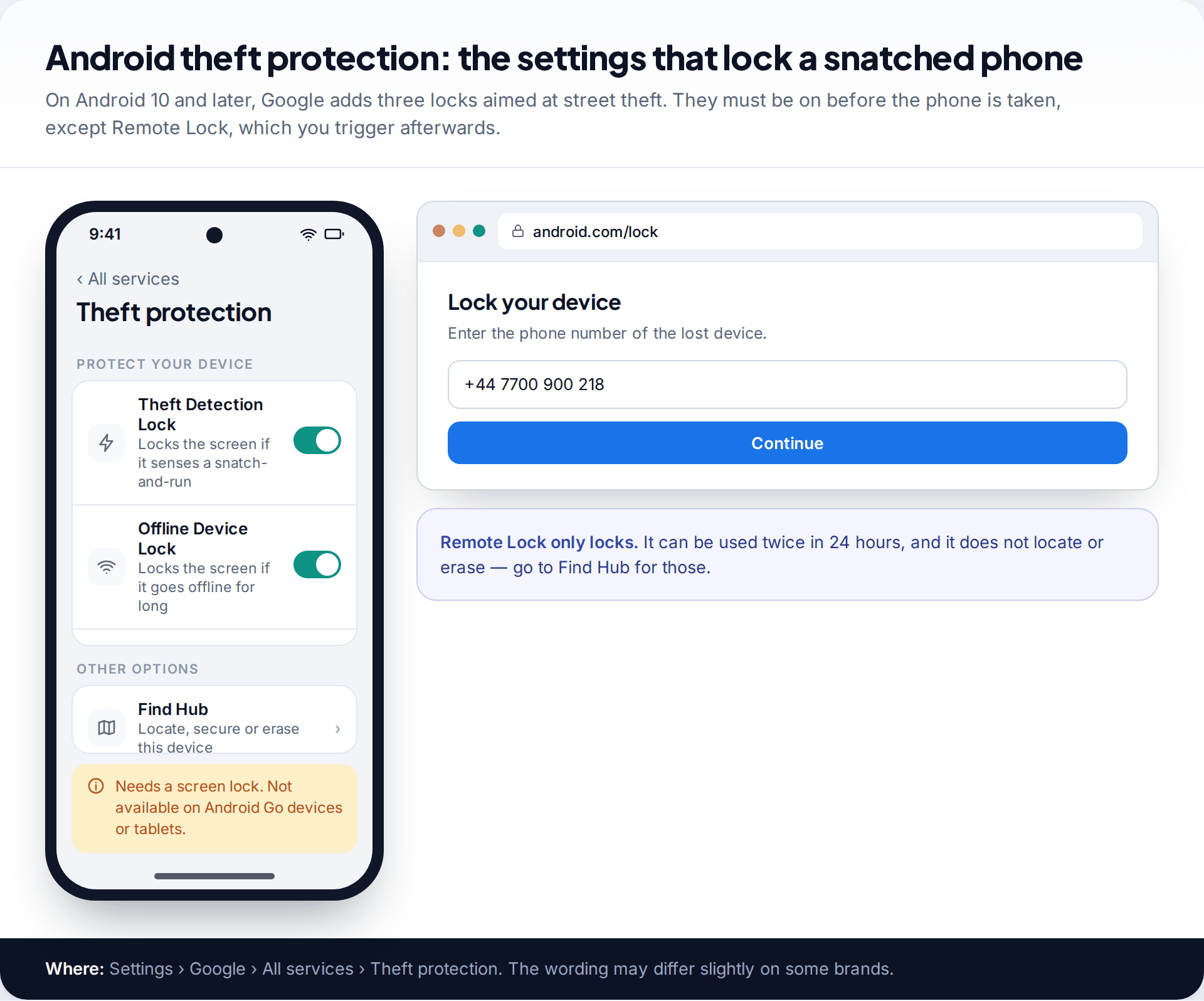
If the map shows the phone moving away, or at an address you do not know, do not go there. Police forces consistently advise against confronting anyone yourself; a phone is not worth the risk. Instead:
- Lock it now. Use Mark as lost in Find Hub. If you cannot sign in quickly, android.com/lock locks the screen using just the phone’s number, if Remote Lock was on. It can be used twice in 24 hours and only locks the screen.
- Report it to the police with the address and time shown on the map. Ask for a crime reference number, which insurers and networks often need.
- Call your mobile network. They can suspend the SIM so your number cannot be used, and can block the handset’s IMEI so it will not work on their network or, in many countries, on other networks either.
- Sign the phone out of your accounts — Google, banking and email — and change the passwords of anything that was saved on it.
- Factory reset only when you are sure it is not coming back. After a reset the phone still asks for your Google Account during setup (Factory Reset Protection), which makes it far harder to sell.
What these tools cannot do
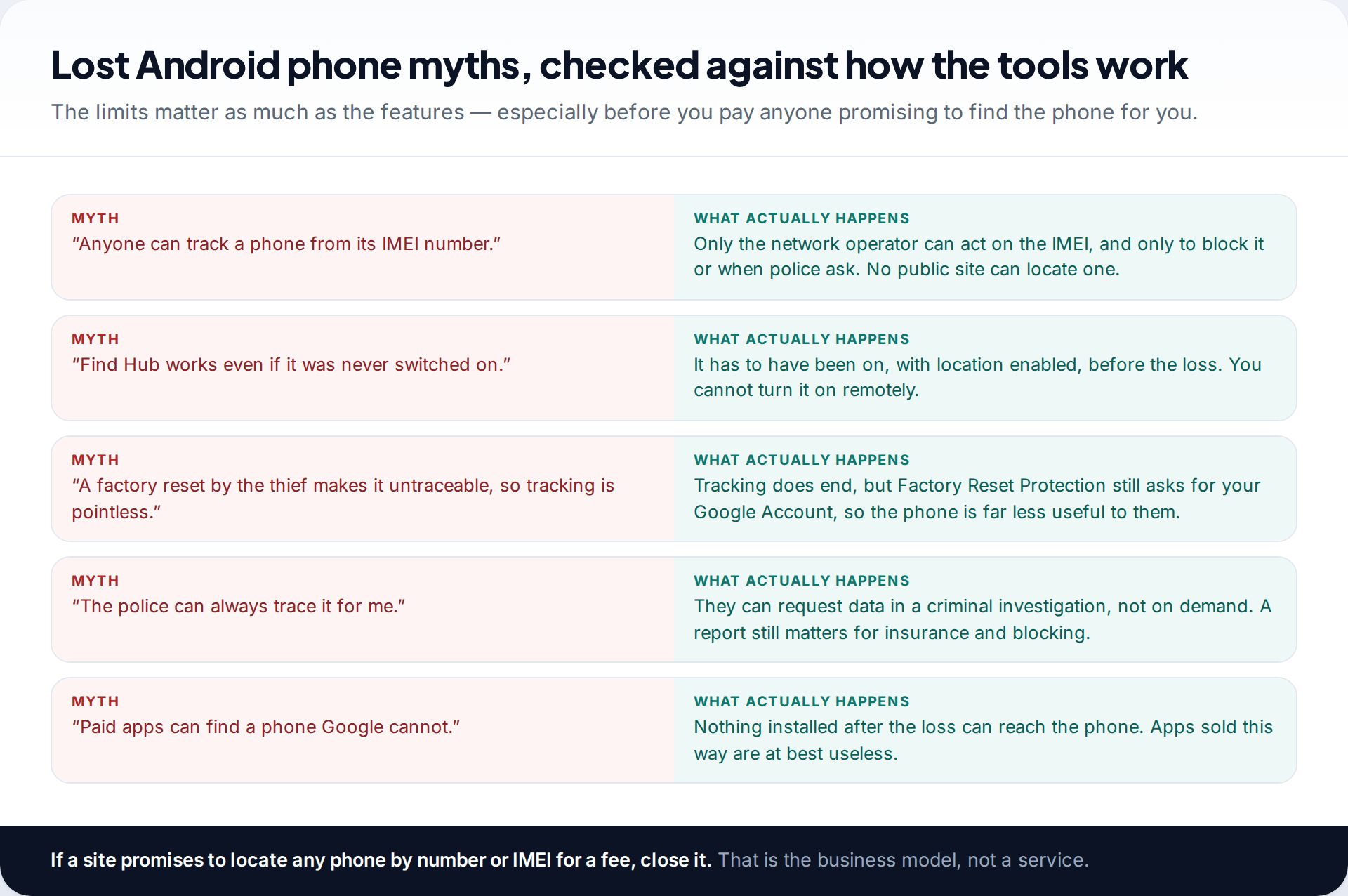
The limits are firm. You cannot turn Find Hub or location on remotely. If it was off, no official tool will show the phone. You cannot track a phone by its IMEI number yourself; that identifier is useful to networks for blocking and to police with legal powers, not to the public. A phone with no power cannot be contacted, and once someone else factory resets it, its tie to your account for tracking is gone.
That is why so many “phone tracker” sites and apps promising to find any phone by number are scams, or at best useless. Nothing you install after the loss can reach a phone you no longer hold.
How this page was put together
The steps, settings paths and limits here were checked in September 2026 against Google’s Android Help pages on finding a lost device, preparing Find Hub and theft protection, and Samsung’s support pages on Samsung Find and Lost device protection. Menu labels differ between phone brands and Android versions, so if a setting is not exactly where we describe it, search the Settings app for “Find Hub” or “Lost device”.
We did not test these tools on particular handsets for this guide, and we do not recommend any paid tracking service. You can read our editorial standards for how guides are researched and corrected.
Common questions
Can I find my Android phone if it is switched off?
You will see its last reported location. Some newer phones, starting with the Pixel 8 series, can still be found by the Find Hub network for several hours after switching off, if Bluetooth, Location and a network option under “Find your offline devices” were enabled beforehand.
Is Find Hub the same as Find My Device?
Yes. Google renamed Find My Device to Find Hub in 2025. The web address google.com/android/find and the core features stayed the same.
Can I find a lost Android phone from an iPhone?
Yes. Open a browser on the iPhone, go to google.com/android/find and sign in with the Google Account on the lost phone. You can ring, lock and erase from there.
How accurate is the location in Find Hub?
It depends on what the phone could use. A GPS fix is typically accurate to within tens of metres; a Wi-Fi or mobile-network estimate can be much wider. The circle around the pin shows the uncertainty.
Should I factory reset my lost phone straight away?
No. Lock it with Mark as lost first. Reset only when you are sure you will not get it back, because afterwards you can no longer locate it.
Can the police track my phone for me?
Police can request location data from networks during a criminal investigation, but they do not usually trace lost phones on request. Report thefts anyway: the crime reference number helps with insurance and with blocking the handset.
Looking for a tool to go with this? TheTruthSpy is a free parental control app for Android that stays visible on the child's phone. If it fits your family, see the Location & geofencing feature.
Related guides
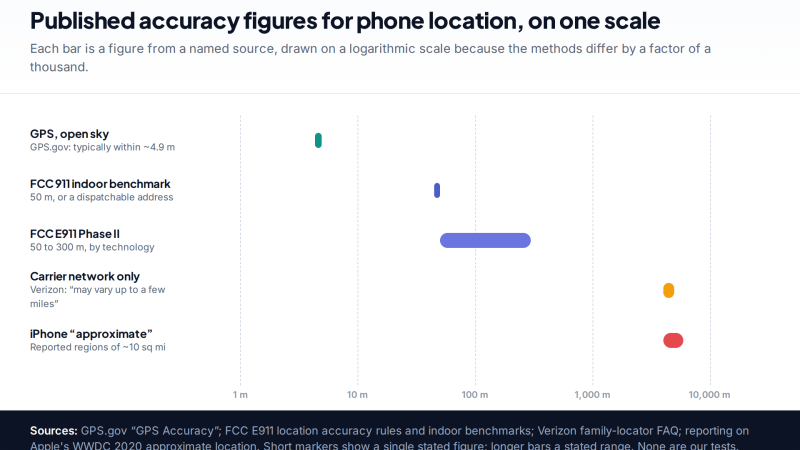
How Accurate Is Phone Location Tracking? GPS, Wi-Fi and Cell Compared
Phone location accuracy runs from a few metres with GPS under open sky to miles when only the mobile network…
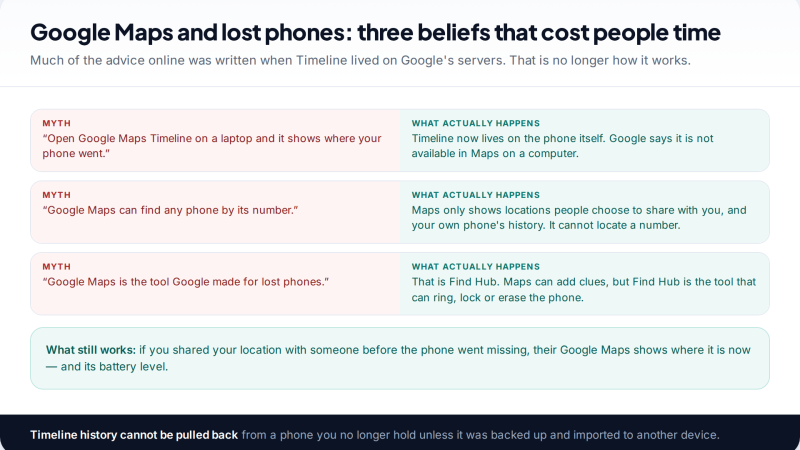
Using Google Maps Timeline to Find a Lost Phone
Can Google Maps find a lost phone? Only in two cases: someone you share your location with can see it,…
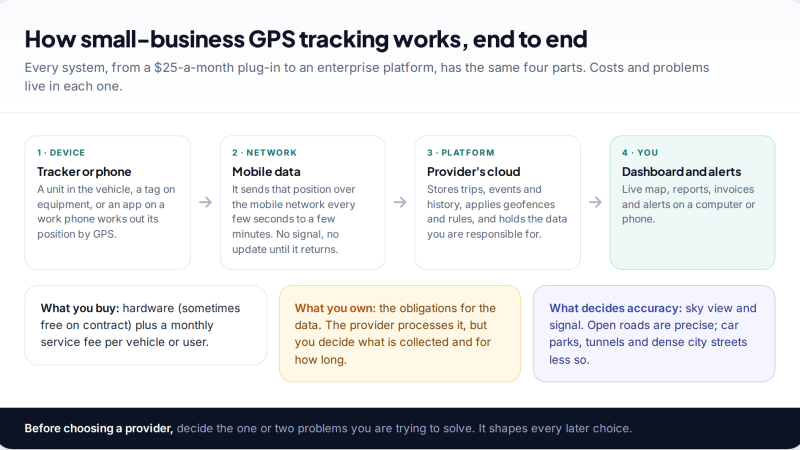
GPS Tracking for Small Business: A Starter Guide
A plain starter guide to GPS tracking for a small business: vehicle trackers versus phone apps, what a small fleet…
Parental controls your child can see
Location, screen time limits, a web filter and alerts from notifications — free, and visible on your child's phone. Pair a phone in about ten minutes.
Android · Free to set up · Visible on your child's phone