10 GPS Tracking Apps for Android and iPhone, Compared by Use Case

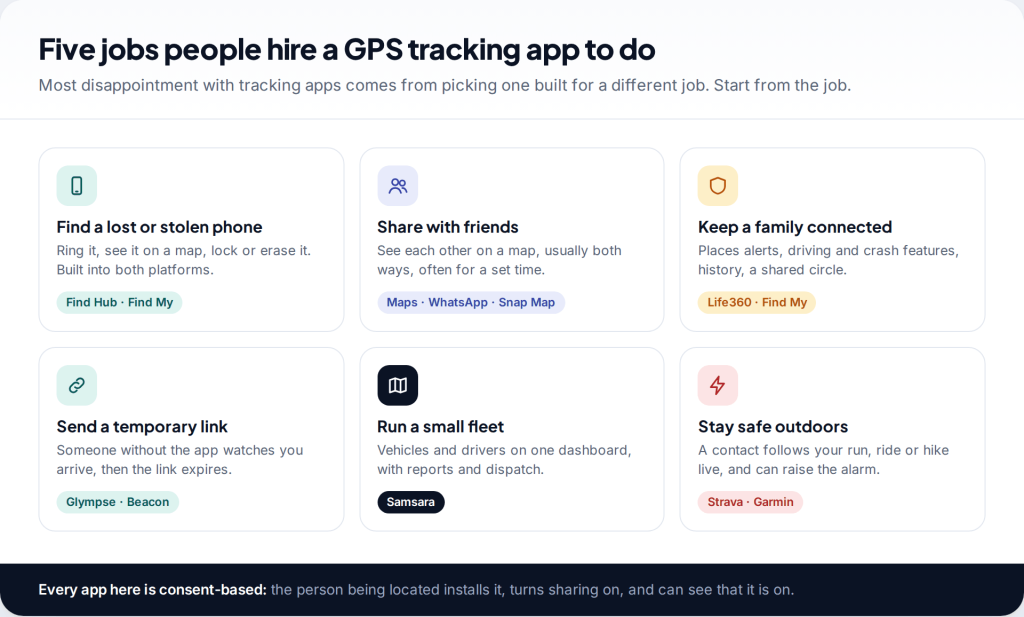
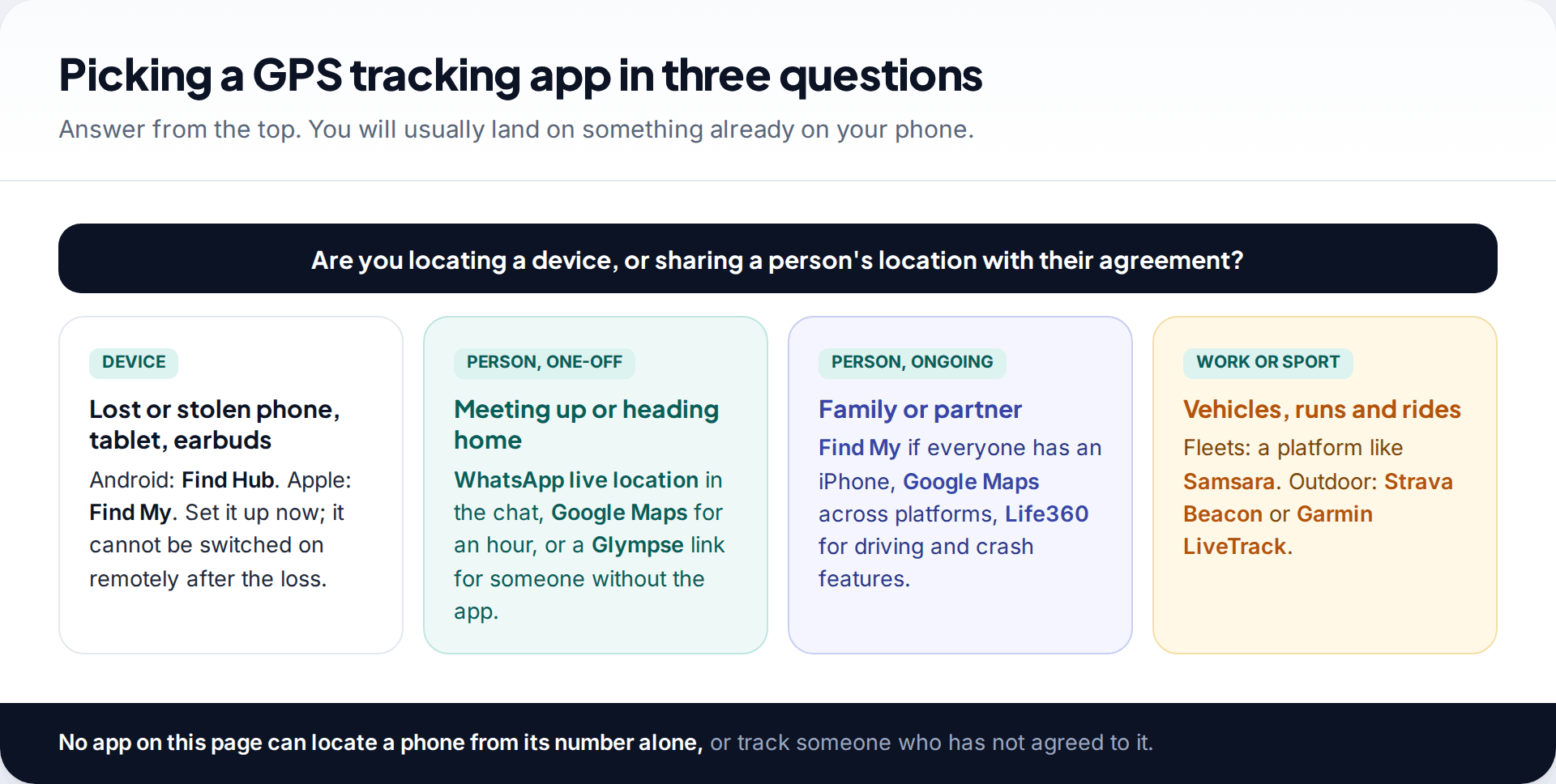
The best GPS tracking apps for Android and iPhone depend on the job: Google Find Hub and Apple Find My for lost phones, Google Maps or WhatsApp for sharing with friends, Life360 for families, Glympse for a temporary link, Samsara for vehicle fleets, and Strava Beacon or Garmin LiveTrack for runs and hikes. Most of them are free. All of them rely on the person being located turning sharing on.
Start with the job, not the app
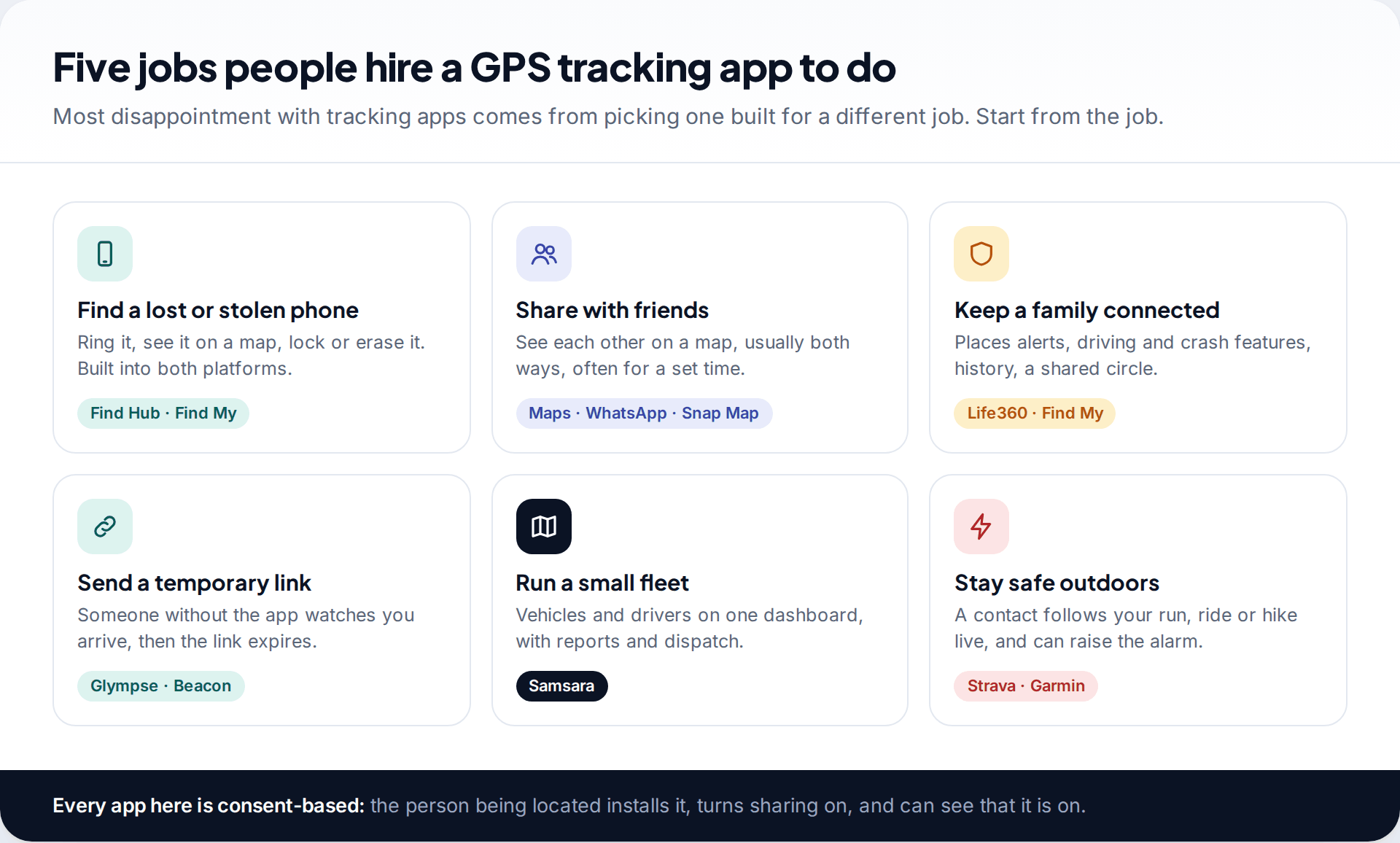
Search results for “GPS tracking apps” mix things that have little in common: a feature built into your phone for finding it when it’s lost, a family app with driving reports, and business software for a fleet of vans. Comparing them on a single score makes no sense. So this page groups ten apps by what you are trying to do, then compares them within each group.
If you only need one thing, jump to the section for it. If you are choosing for a whole family, our separate comparison of family locator apps goes deeper on privacy policies, children’s accounts and subscription tiers.
How we compared them
We judged each app on five things: how reliably it can show a location given the phone’s own limits, how clearly the person being located can see and stop the sharing, whether it works across Android and iPhone, what it costs, and what data it keeps. We did not lab-test battery drain or accuracy ourselves, and we don’t rank on those. Everything below comes from each developer’s help pages, pricing pages and store listings, checked in September 2026.
We excluded apps sold for covert monitoring, and apps that claim to locate any phone from its number. The first kind is harmful and often illegal; the second doesn’t work as advertised.
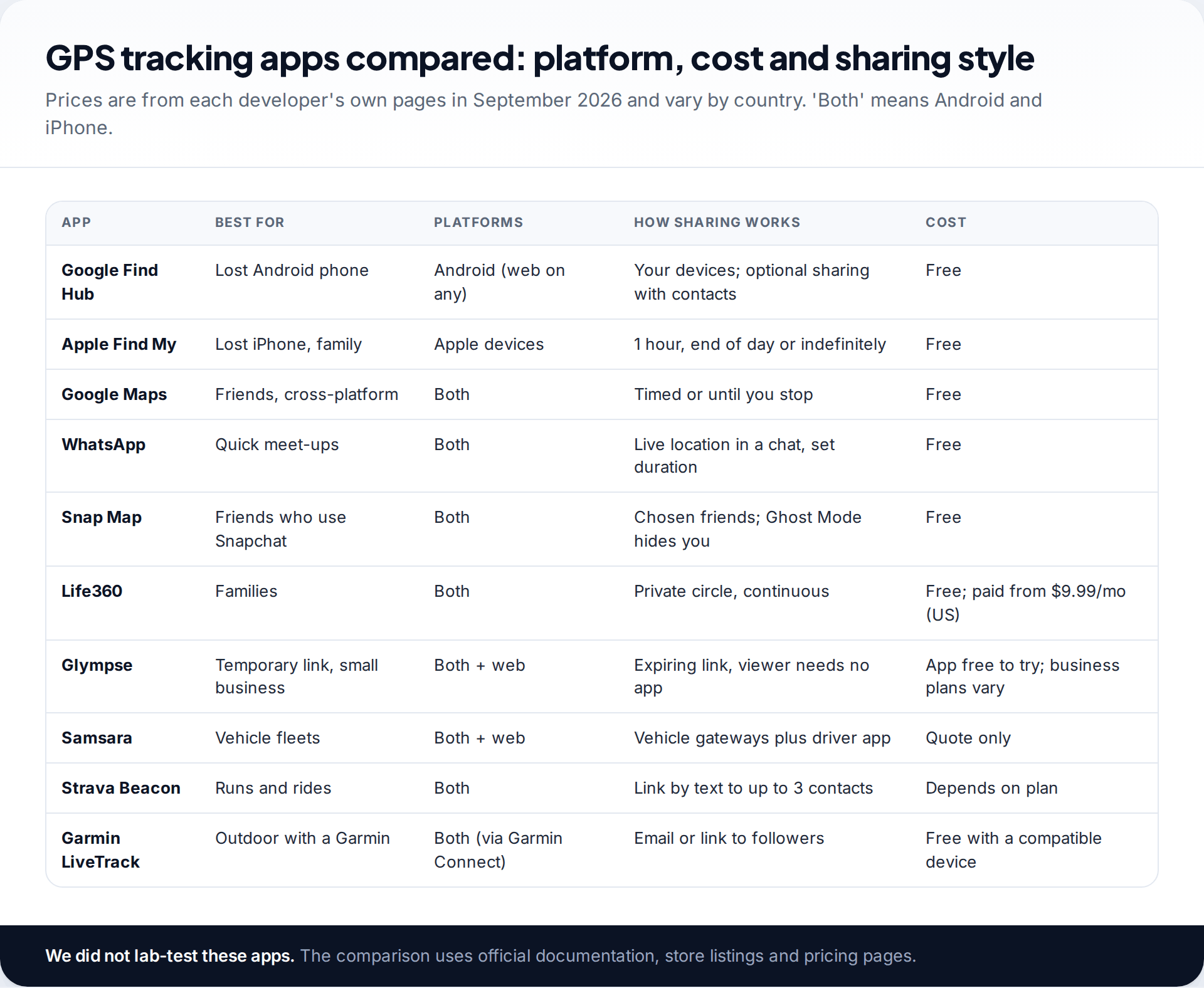
GPS tracking apps at a glance
Finding a lost phone: Find Hub and Find My
1. Google Find Hub (Android)
Find Hub is the new name for Google’s Find My Device. It shows your Android phone, tablet, Wear OS watch, earbuds or tracker tags on a map, and lets you play a sound, secure the device or factory reset it remotely from another phone or a browser. It needs to be set up before the phone goes missing: signed into a Google Account, with Location and Find Hub turned on. For offline finding, where other Android devices help locate yours, you also need a screen lock. You choose how far that network reaches, from off to everywhere. Google says the location data in the network is end-to-end encrypted.
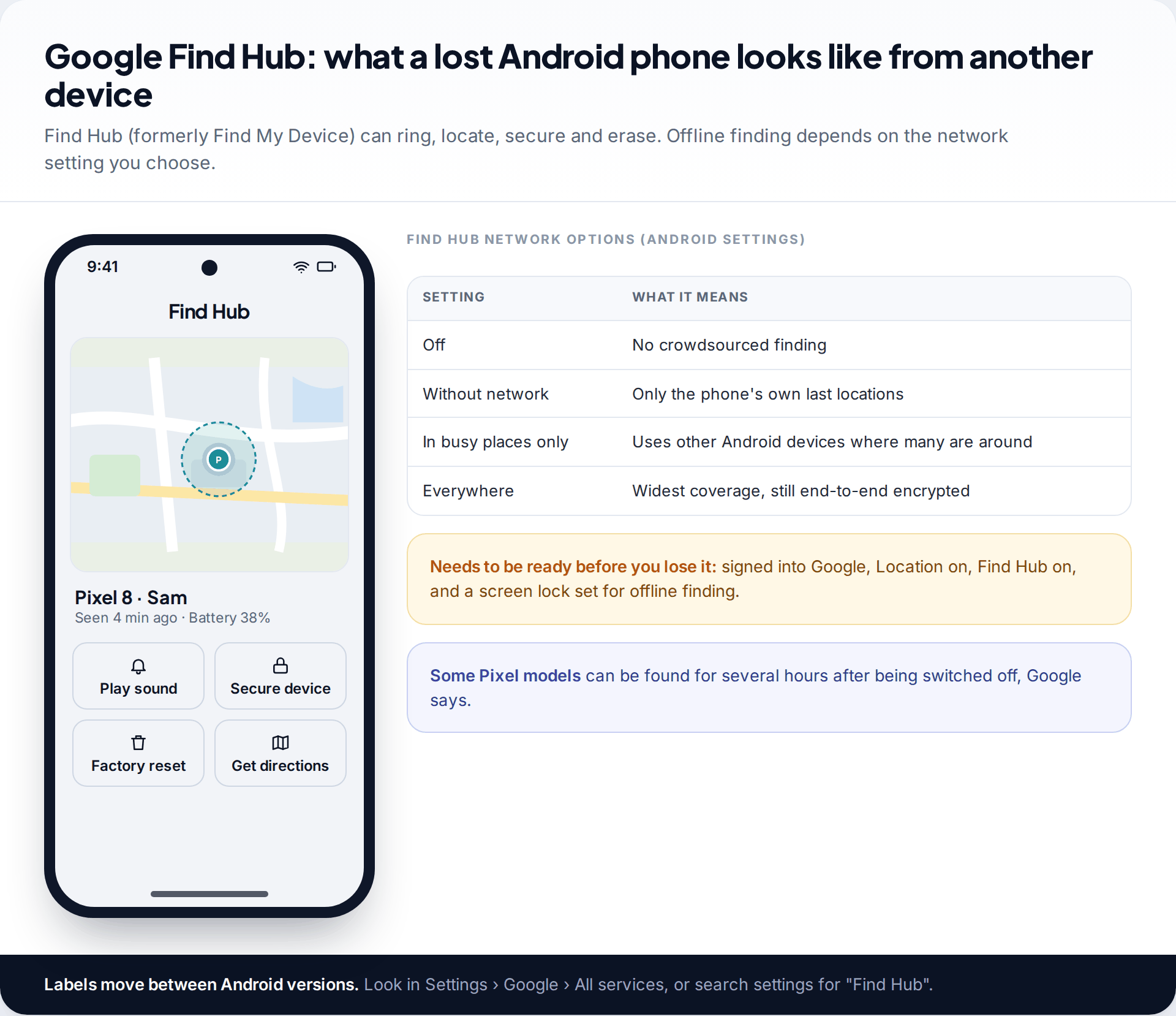
Find Hub can also share your location with friends and family, which makes it a reasonable family option on all-Android households. Our complete Find Hub walkthrough covers every screen.
2. Apple Find My (iPhone, iPad, Mac)
Find My does the same job for Apple devices and adds people sharing. In the People tab, Share My Location lets you share for one hour, until the end of the day, or indefinitely. With Family Sharing, members can see each other without extra setup. Its weakness is simple: it only works between Apple devices, so a mixed family needs something else.
Sharing with friends: Google Maps, WhatsApp and Snap Map
3. Google Maps location sharing
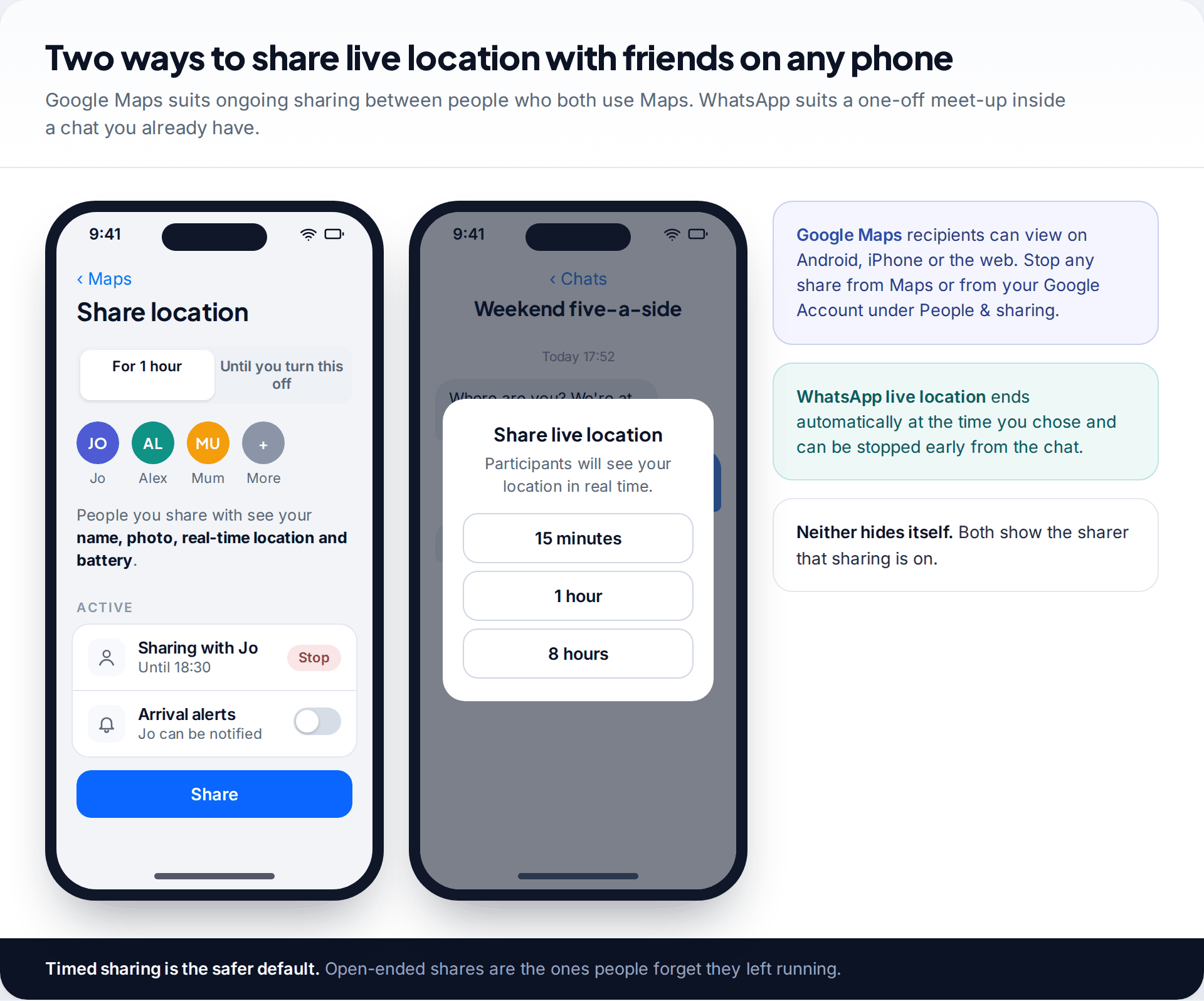
The most useful cross-platform option. You pick people and a duration, and they see your name, photo, real-time location and battery level on Android, iPhone or the web. You can stop any share from Maps or from your Google Account under People & sharing, and you decide whether each person may set notifications about your arrivals.
4. WhatsApp live location
Best for a single meet-up. Inside any chat you choose a period, commonly 15 minutes, 1 hour or 8 hours, and everyone in the chat sees you move until it expires. It ends automatically and you can stop it early. WhatsApp says shared locations are end-to-end encrypted, like messages.
5. Snap Map (Snapchat)
Many teenagers already share location here rather than in a dedicated app. Sharing is off until the user chooses who can see them, and Ghost Mode hides them from everyone. It’s convenient between friends, but parents should know it exists and check its settings together with their child rather than assume location sharing isn’t happening.
For families: Life360
6. Life360
Life360 is the best-known dedicated family locator. Members join a private circle and see each other continuously, with place alerts and driving summaries. The free tier keeps two days of location history and two place alerts. Paid US tiers listed on its site in September 2026 were Silver at $9.99 a month (seven days of history, crash detection), Gold at $16.99 (30 days, emergency dispatch, roadside assistance) and Platinum at $24.99 (extra protection services). Location history, not tracking itself, is what you are mostly paying for.
Life360’s handling of data has been criticised in the past: in December 2021 The Markup reported that it sold precise location data to data brokers, and the company then said it would stop selling precise data to most of them. Read the current privacy policy before signing up a family.
Temporary links and small business: Glympse and Samsara
7. Glympse
Glympse popularised the expiring location link: you send a link, the viewer opens it in a browser without installing anything, and it stops working when the timer runs out. The company now concentrates on business use, from delivery notifications to its Glympse PRO product for small firms, but the consumer app is still available. Check the store listing for what’s free in your region.
8. Samsara
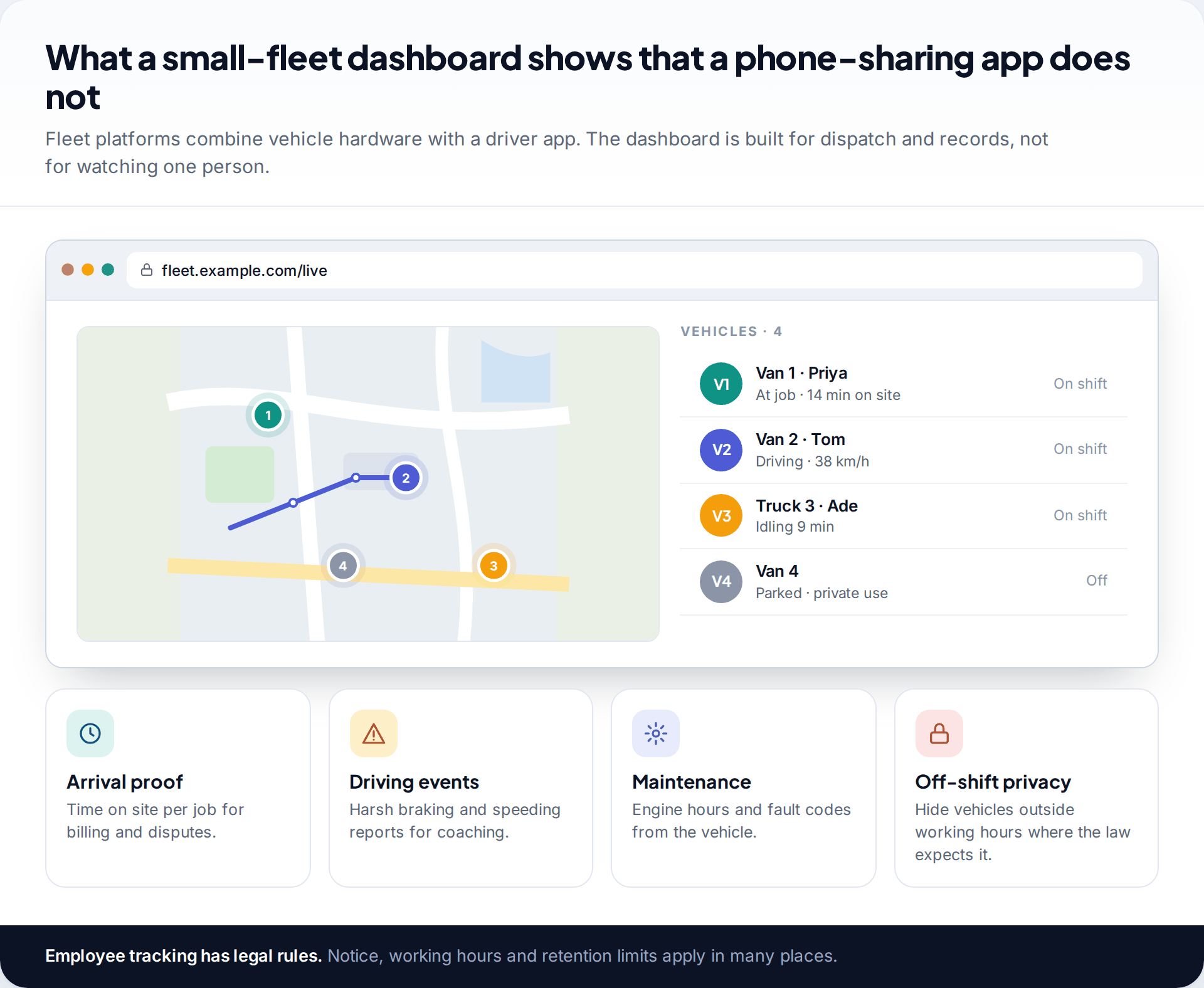
Fleet tracking is a different category. Platforms like Samsara pair hardware in each vehicle with a driver app and a web dashboard, adding job arrival times, driving events and maintenance data. Samsara doesn’t publish prices; it quotes by fleet size. Tracking employees is regulated, with notice and working-hours rules in many places, so read up before you fit trackers.
Runs, rides and hikes: Strava Beacon and Garmin LiveTrack
9. Strava Beacon
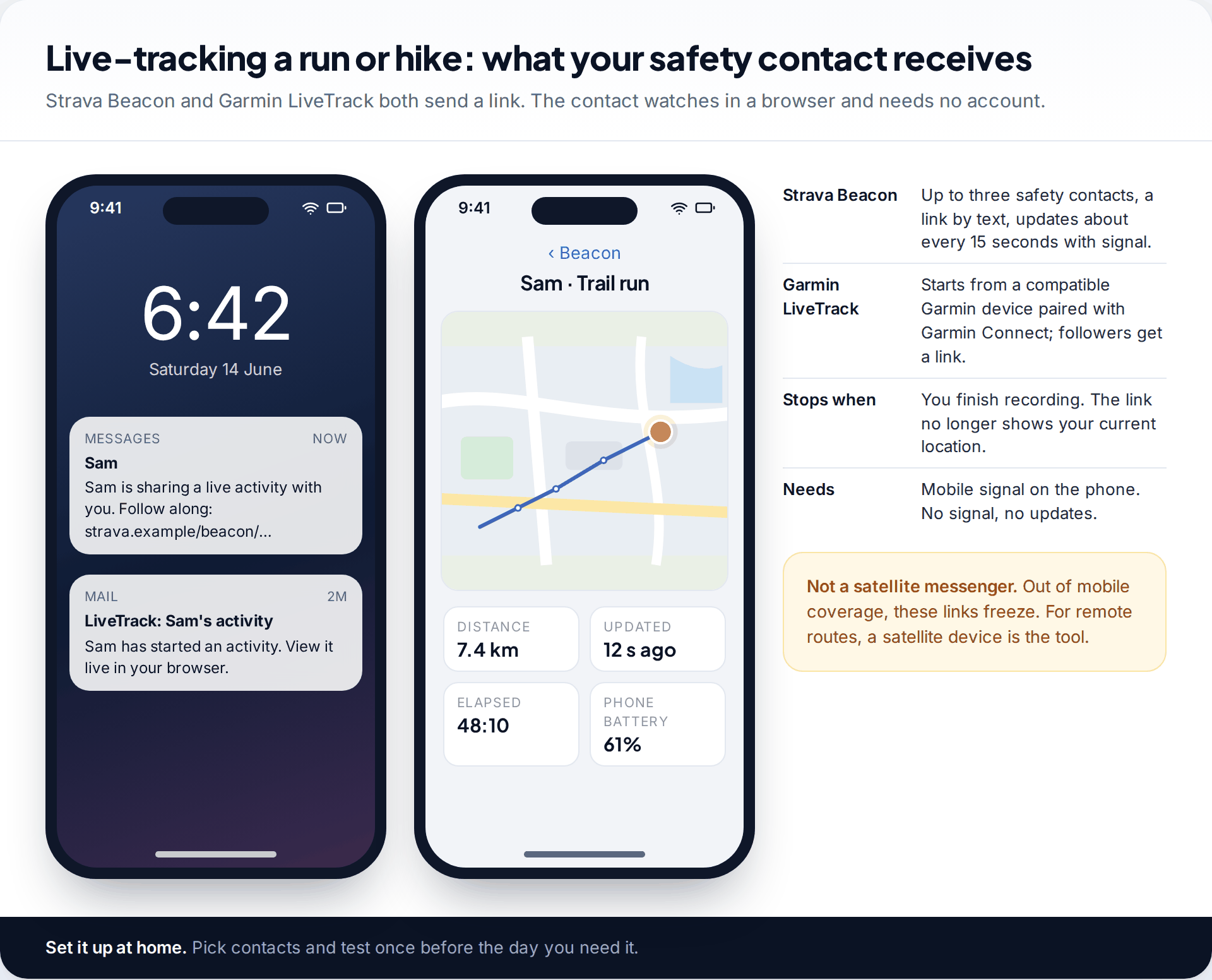
Beacon sends up to three safety contacts a link by text message. They follow your activity live in a browser, with your location updating about every 15 seconds when you have signal. The link stops showing your position when you finish recording. Strava’s help pages don’t state which plans include Beacon, so check the safety settings in your own account before relying on it.
10. Garmin LiveTrack
If you record on a compatible Garmin watch or bike computer paired with the Garmin Connect app, LiveTrack sends followers a link to watch the activity live. It uses your phone’s data connection, so it has the same weakness as Beacon: no mobile signal, no updates.
Why a tracking app stops updating
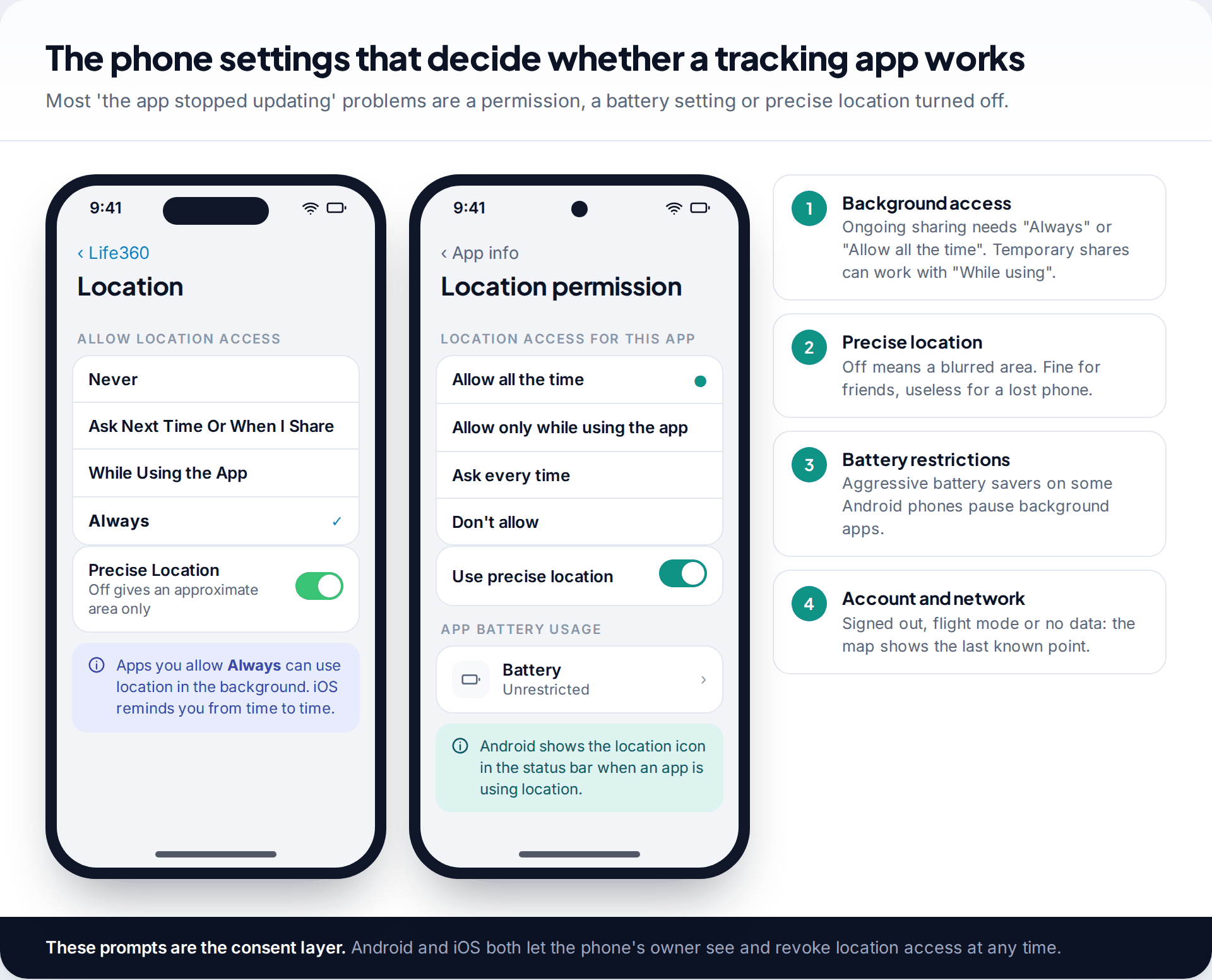
No app can do more than the phone allows. Ongoing sharing needs background location access, labelled Always on iPhone and Allow all the time on Android, plus precise location. Some Android phones pause background apps to save battery unless you exempt them. And any app shows only the last known point once the phone is off, out of data, or in flight mode. Menu names shift between versions, so search Settings for “location” if these screens look different.
The map shows someone hours out of date
Their phone is off, out of data, in flight mode, or a battery saver has paused the app in the background.
Fix: ask them to open the app once. If it updates, set its battery usage to unrestricted (Android) or check Background App Refresh is on (iPhone).
The location circle is huge
Precise location is off for that app, or the phone is indoors and relying on Wi-Fi and mobile signals rather than GPS.
Fix: turn precise location on for the app, and give the phone a minute outside or near a window before judging accuracy.
A lost phone does not appear at all
Find Hub or Find My was not switched on before it went missing, or the phone was signed out or reset.
Fix: check the account’s device list from a browser; if it isn’t listed, contact your carrier to block the SIM and report the IMEI. No app can add tracking after the fact.
Arrival alerts fire late or not at all
Place alerts depend on the phone waking the app when it crosses a boundary. Small boundaries and aggressive power saving make that unreliable.
Fix: make the place radius larger, keep background access set to Always, and treat alerts as a convenience rather than a safety guarantee.
Privacy: what each type of app keeps
The built-in finders are designed to keep as little as possible: Find Hub and Find My mainly hold recent locations, and Google describes the crowdsourced network data as end-to-end encrypted. Timed shares in Maps and WhatsApp end on their own. Family apps are different by design, because their paid tiers sell you history, so they store weeks of movements on their servers. Fleet platforms keep records for as long as the business configures. Before you choose, check three things in the privacy policy: how long history is kept, whether location data is shared or sold to third parties, and how to delete an account and its data.
What GPS tracking apps cost
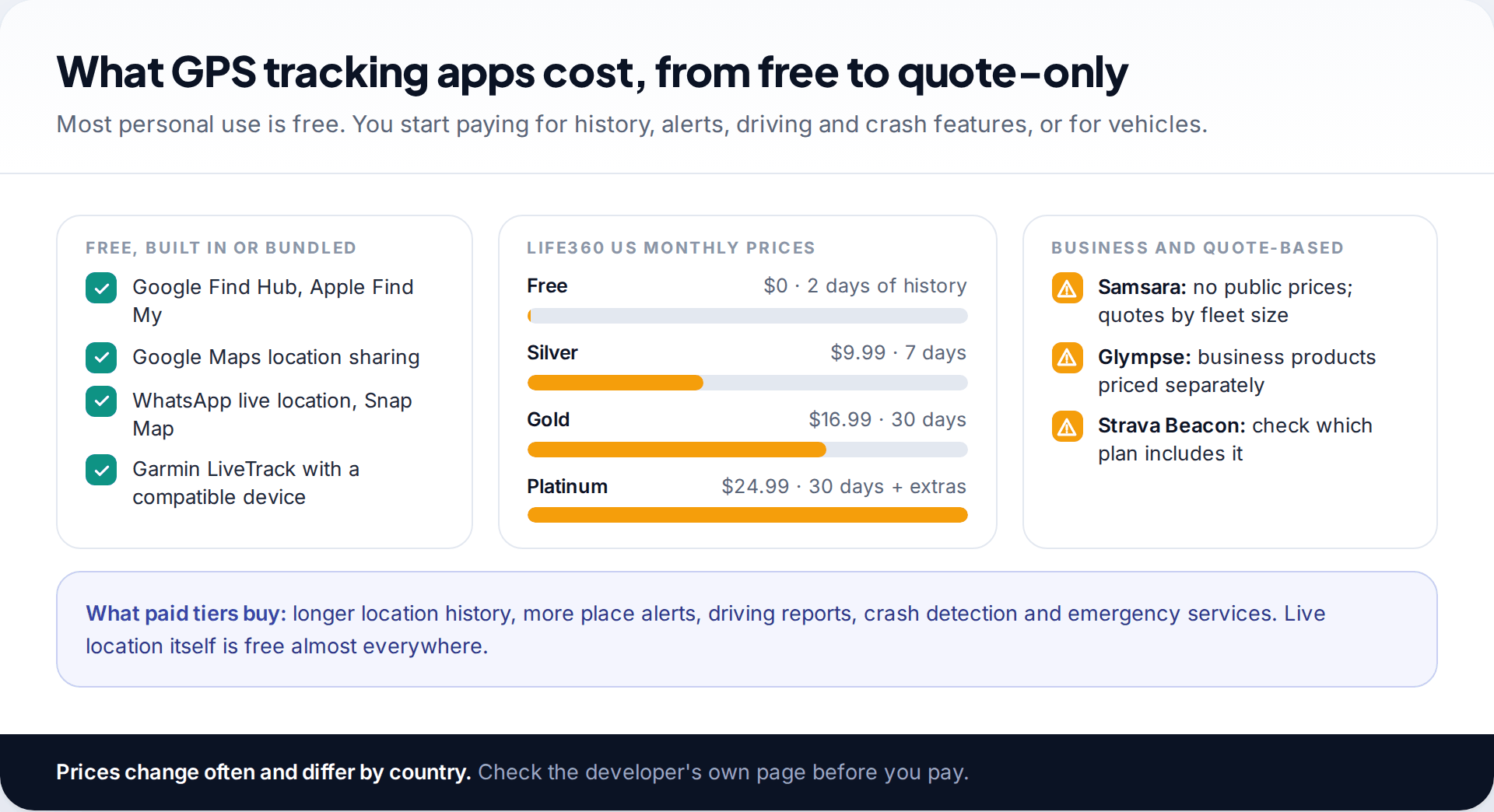
For most personal use, you pay nothing. Money buys longer history, more alerts, driving and crash features, or vehicle hardware. Subscription pricing varies by country and changes often; the figures here are the developers’ own US prices from September 2026.
What these apps cannot do
Consent is built into every app on this list. The phone’s owner installs it or turns sharing on, and Android and iOS both show when location is in use. None of them can locate a phone from its number alone, silently track an adult who hasn’t agreed, or recover a location from a phone that was off when it went missing. Apps that promise those things are either scams or stalkerware.
Accuracy also has limits. Outdoors, GPS is usually precise to a few metres; indoors, phones fall back on Wi-Fi and mobile signals, and the circle on the map widens. A dot at a building’s edge doesn’t tell you which floor or room someone is in.
How this page was put together
We checked features, sharing options and prices against Google’s Find Hub and Maps help pages, Apple’s Find My user guide, Life360’s plan page, Strava’s Beacon support article, Samsara’s pricing page and Glympse’s company site in September 2026. Where a developer doesn’t publish a figure, we say so rather than estimate it. We didn’t test battery life or accuracy.
No app paid to appear here and there are no affiliate links. See how we choose, check and update comparisons.
Common questions
What is the best free GPS tracking app?
For a lost phone, the one built in: Find Hub on Android, Find My on iPhone. For sharing with others across both platforms, Google Maps location sharing is free and needs no extra app.
Can I track an iPhone from an Android phone?
Not with Find My people sharing, which needs Apple devices. Use Google Maps location sharing or Life360, which both work across platforms, with the iPhone owner’s agreement.
Do GPS tracking apps work without internet?
The phone can fix its position by GPS without data, but it can’t send it to anyone. Viewers see the last known location until the connection returns. Find Hub and Find My can use nearby devices to report some lost phones offline.
Do tracking apps drain the battery?
Continuous background sharing uses more power than timed shares. Apps reduce this by updating less often when you aren’t moving. How much varies by phone and app; we haven’t measured it.
Can someone track my phone without me knowing?
The apps on this page all show that sharing is on. Check which apps have location access in your phone’s settings, and your sharing lists in Find My, Google Maps and Find Hub, if you are unsure.
Which GPS tracking app is best for a business?
For vehicles, a fleet platform with hardware in each vehicle. For staff on foot, a job or time-clock app that records location only during shifts. Either way, give written notice first.
Looking for a tool to go with this? TheTruthSpy is a free parental control app for Android that stays visible on the child's phone. If it fits your family, see the Location & geofencing feature.
Related guides
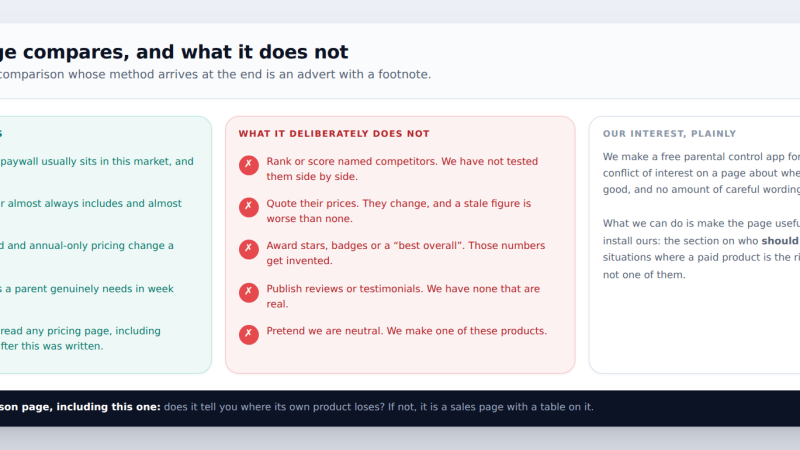
Free vs Paid Parental Control Apps: What the Money Actually Buys
We make one of these products and it is free — so here is the method first, then where paywalls…
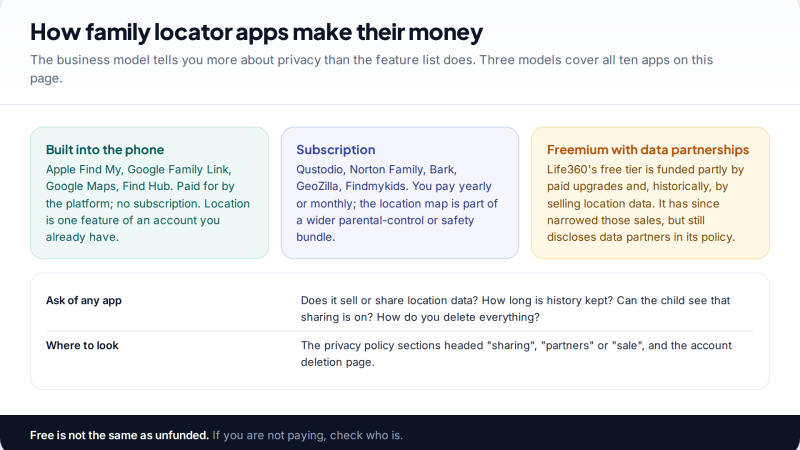
The 10 Best Family Locator Apps: Features, Privacy and Price
Ten family locator apps compared on the three things that matter most: what they show, what they keep and share…
Parental controls your child can see
Location, screen time limits, a web filter and alerts from notifications — free, and visible on your child's phone. Pair a phone in about ten minutes.
Android · Free to set up · Visible on your child's phone