Asking a phone across town to take a picture is a strong thing to do. It should feel like a big step, because it is one. TheTruthSpy treats it that way, and this page explains exactly how the remote camera works, where the limits sit, and the handful of moments it earns its place.
TheTruthSpy is not a covert tool. The capture is announced on the child's phone, the app on their side lists that remote photos are enabled, and if the camera permission has not been granted, the feature does nothing. No permission, no photo.
What the remote camera actually does
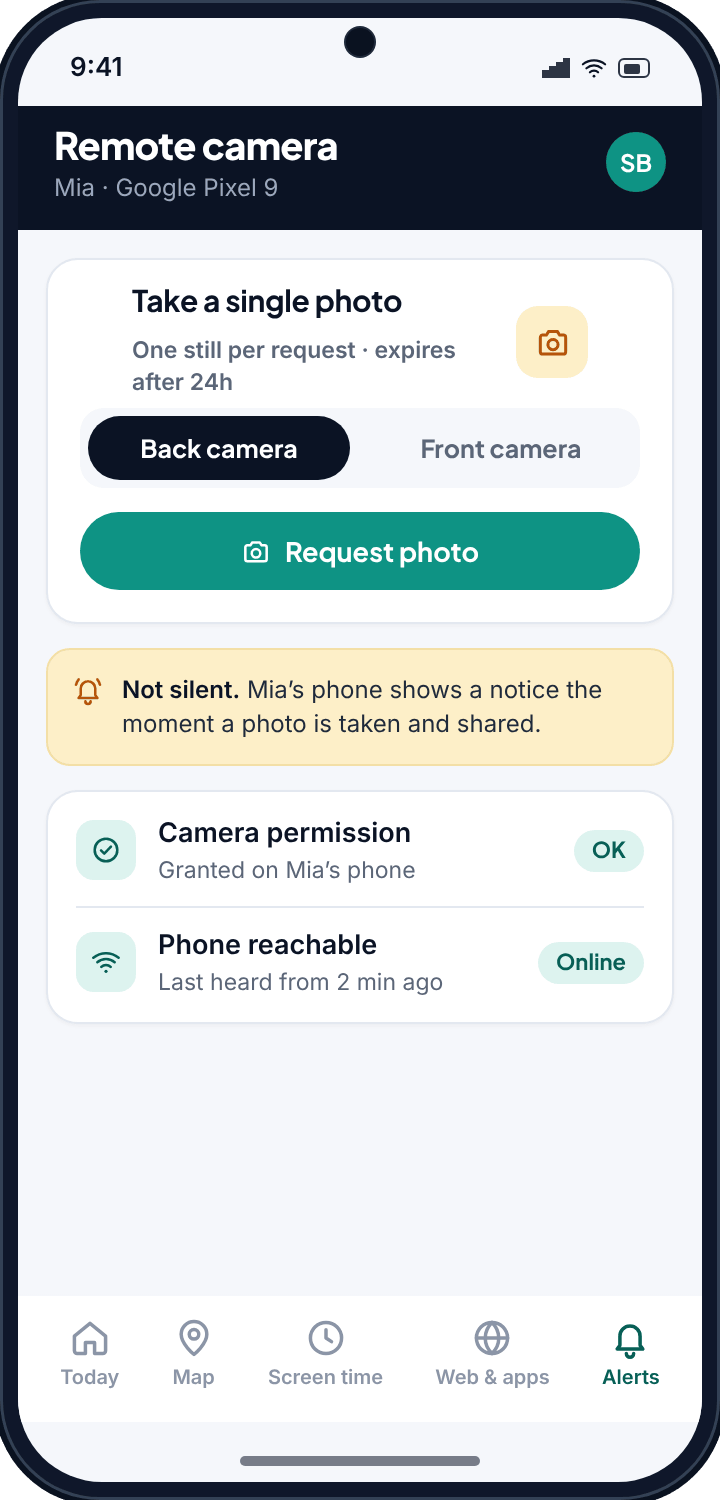
From your panel, you can ask a paired Android phone to take a single still image using either the front or the back camera. You pick which lens and send the request. If the permission is in place and the phone is reachable, it captures one frame and sends it back.
That is the whole scope. It is a still photo, not a live video feed, and not a stream you can watch in real time. One request produces one image. If you want another angle or a later moment, you send another request, and that request is announced again.
- Choose front or back camera before you send.
- The capture is a single still, not continuous recording.
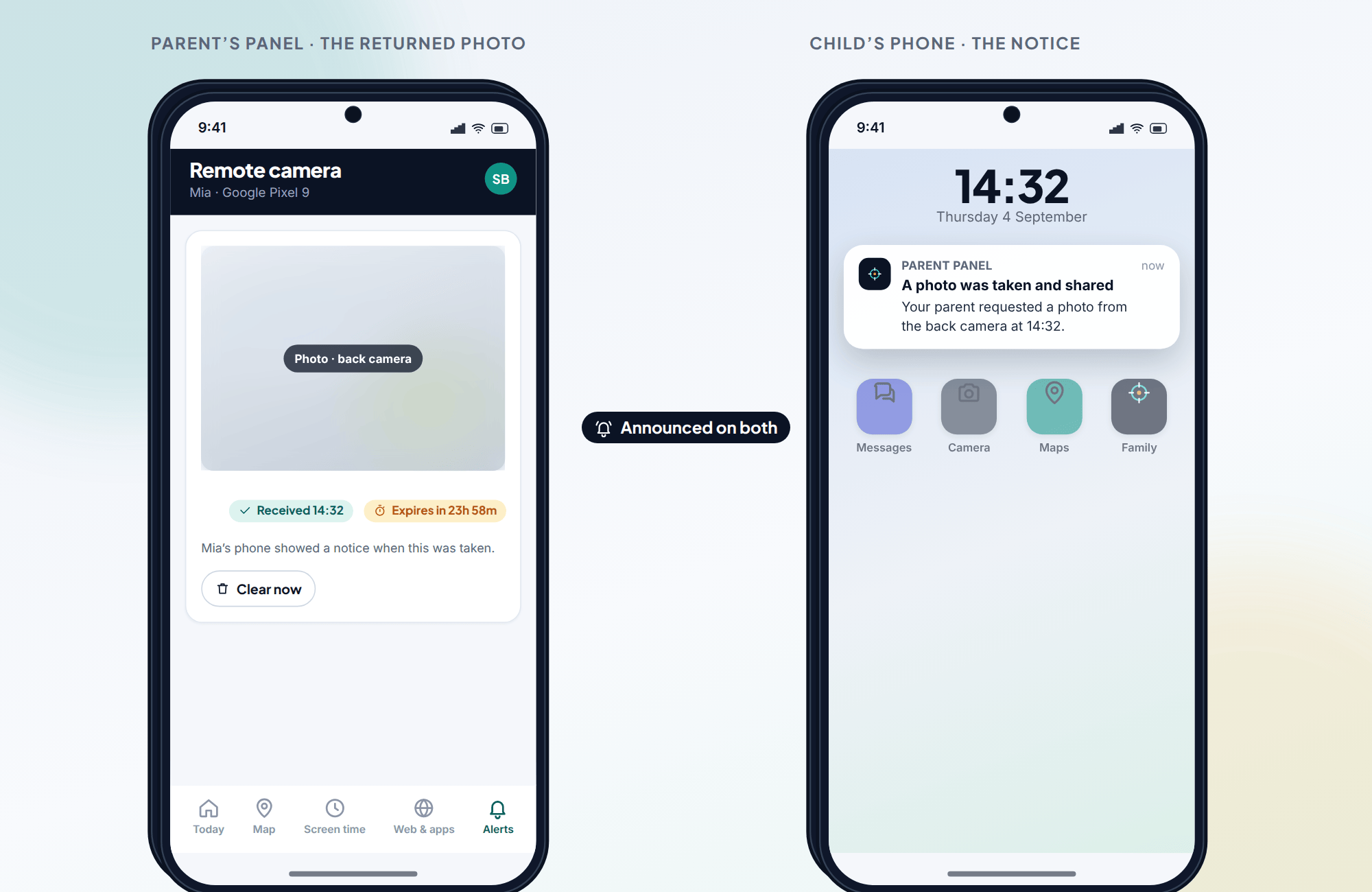
- Images land in your panel, tied to the time they were taken.
- Each image expires after 24 hours, then it is gone from the panel.
The expiry matters. These photos are not meant to pile up into an album of someone's day. They answer a question in the moment, and then they clear themselves out.
The guardrails, spelled out
Every heavy tool needs limits that you cannot quietly switch off, or it stops being trustworthy. These are the ones built into the remote camera.
It lives in the direct-download build only
You will not find the remote camera in the Google Play build. It ships in the full direct-download build of TheTruthSpy, the one you set up deliberately, on a device you have access to and consent for. That extra friction is on purpose.
The camera permission has to be granted
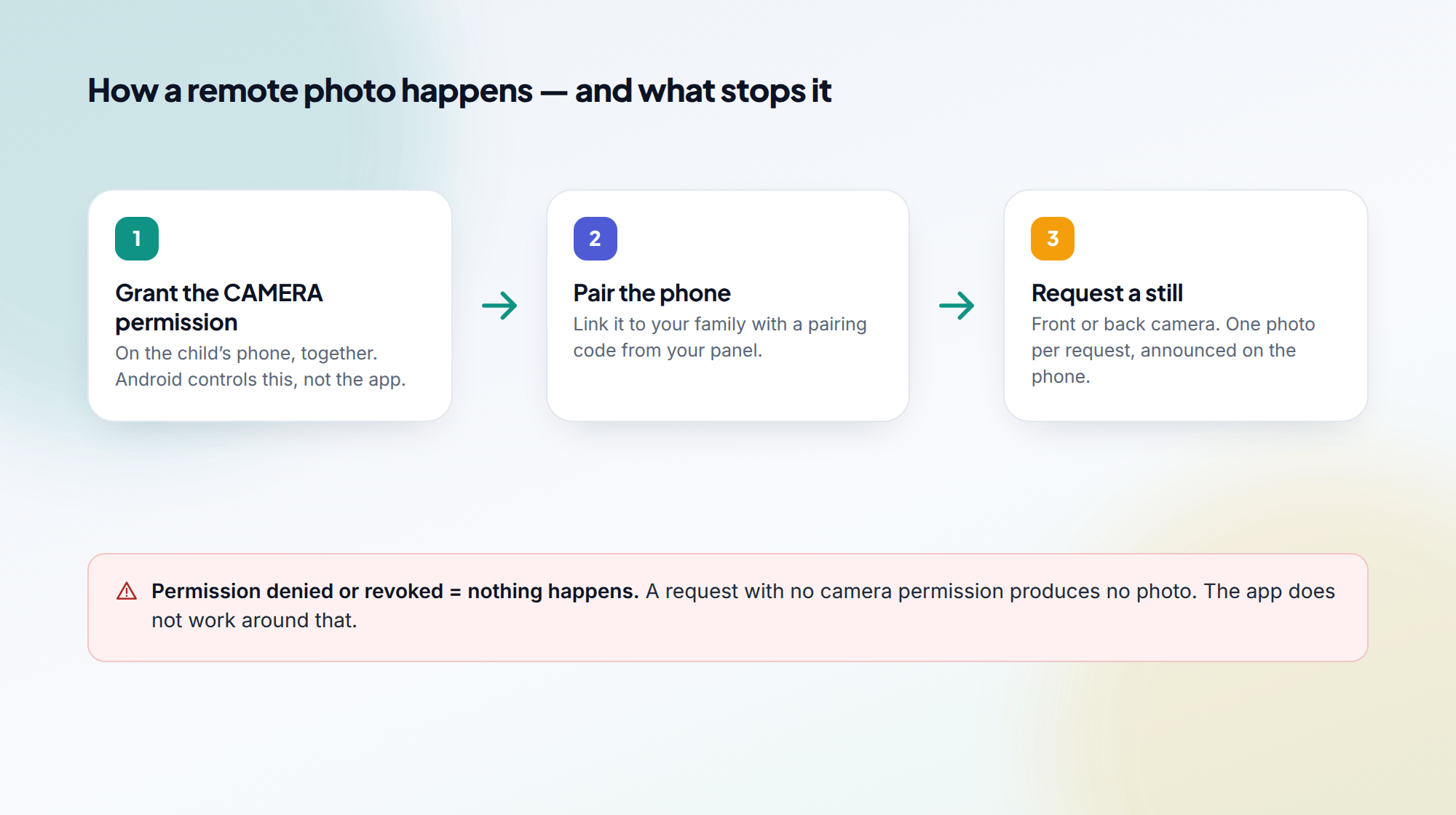
Android gates the camera behind a permission the phone's user controls. TheTruthSpy can request a photo all day long, but without the camera permission nothing happens. If the child revokes it later, the feature stops working the moment they do. We do not route around that, and we could not if we wanted to.
It is never silent
When a capture runs, the child's phone shows a notice that a photo was requested and shared, with the time. This is the line between a monitoring tool used openly and spyware used against someone. TheTruthSpy stays on the open side.
Photos expire
Captured images are time-limited in your panel. They are there to check something, not to be hoarded. After 24 hours they clear, and you can clear them sooner yourself.
Our rule of thumbIf you would be uncomfortable telling your child you used this, do not use it. The whole design assumes they already know it exists.
When requesting a photo is the right call
Most days, you will never touch this. It is not a check-in habit and it is not a way to keep tabs on an ordinary afternoon. It is for the rare moment something is wrong, or unclear, and a single image settles it.
A phone left somewhere
The phone is at home, at the sports hall, in a friend's car — and nobody can picture where. A quick still can show a bedside table or the inside of a bag and end the hunt. This is probably the most common honest use: finding a device, not watching a person.
Confirming a child is where they said
Location on a map tells you a dot is at a place. Sometimes, when you are actually worried, you want a little more than a dot. A photo can confirm the surroundings match the plan. Used sparingly, and openly, this can defuse a tense evening rather than start a fight.
Checking on a phone that went quiet
Messages stop. Calls go unanswered. Usually it is a dead battery or a film. But when the quiet stretches and your gut says something is off, a requested photo is a way to look, gently, before you escalate.
Notice what these have in common. They are exceptions. If you find yourself reaching for the remote camera routinely, the tool is not the problem — the arrangement with your child needs a conversation instead.
How a remote photo happens
- Install the direct-download TheTruthSpy build on the Android phone, with the child's knowledge.
- Grant the camera permission on that phone, together. Skip this and the feature will not function at all.
- Pair the phone to your family so it appears in your panel.
- When you have a real reason, open the panel, choose the phone, pick front or back camera, and send the request.
- Wait for the still to appear. Review it. Let it expire, or clear it, when you are done.
Pairs well with the flagged-photos scanner
The remote camera answers a question you already have. The flagged-photos scanner surfaces questions you did not know to ask, by flagging images already on the phone that may need a parent's eye. They work at different ends of the same worry.
If your instinct is to reach for the camera often, the scanner is usually the healthier first tool. It watches for the concerning without you having to trigger anything, and keeps the heavy, one-off remote capture for the moments that warrant it.
Common questions
Can TheTruthSpy take a photo without the child knowing?
No. The capture is not silent. The child's phone shows a notice that a photo was requested and shared, and the app on their side lists remote photos as enabled. If you want a tool that hides its own activity, this is not it, and that is by design.
What happens if the camera permission is not granted?
The feature does not work. Android controls the camera behind that permission, and without it your request produces nothing. If the permission is revoked later, the remote camera stops working from that point on.
Is this a live video feed?
No. It captures a single still image per request, from the camera you choose. There is no real-time stream. Another moment means another request, and that request is announced again.
Do the photos stay in my panel forever?
No. Captured images expire after 24 hours, and you can clear them sooner. This keeps the feature from turning into a running archive of someone's day.
Does this cost anything, and does it work on iPhone?
Setting it up is free; the pricing page explains how advanced tools stay free. The remote camera is Android only, and it lives in the direct-download build.