Most worries about a child's texting come down to a few plain questions. Who are they messaging? How often? Is one name showing up far more than the rest, or is there a number with no name attached at all? TheTruthSpy answers those questions by logging the shape of your child's messaging first, and treats reading the words as a choice you make on purpose. That order is the point.
The message log: sender, recipient, time, direction
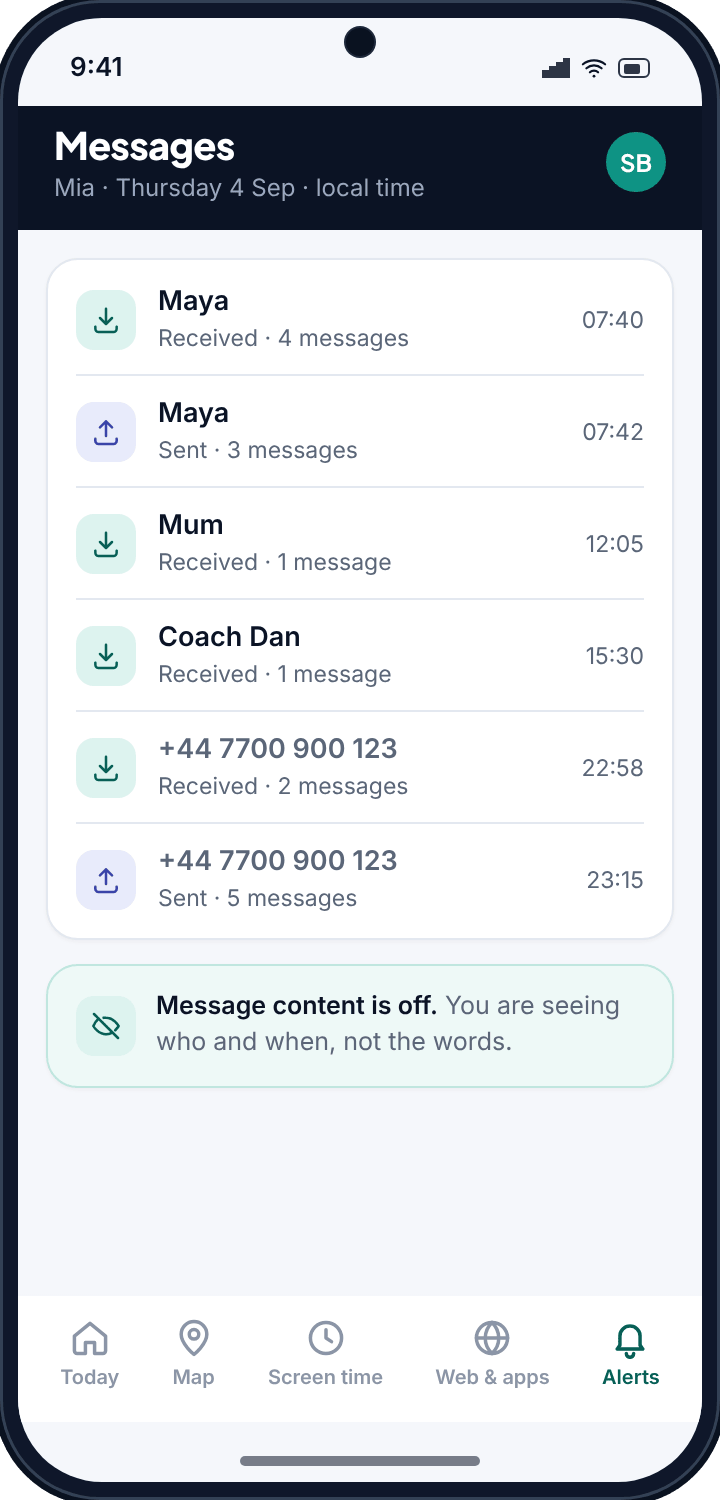
The SMS log records the metadata of text messages the same way a call log records calls. Who the message was with, when it happened, and whether it was sent or received. TheTruthSpy reads your child's contact list, so a raw number becomes “Maya” or “Coach Dan” wherever a name is saved.
That alone gives you a truthful picture of who your child is texting and how often, without opening a message. “Texting Maya seventeen times today” is a fact you can act on. So is a string of messages with an unsaved number at eleven at night. The pattern is the information, and much of the time it is all a parent needs.
- Sender and recipient, with the contact name where TheTruthSpy can match the number.
- Time, in your child's local timezone, so a message at 23:15 reads as 23:15 where they are.
- Direction, so you can tell a reply from a message your child started.
- Frequency, so a sudden spike with one contact stands out against a normal day.
Reading the words is a separate decision
Here is where TheTruthSpy is deliberately different from tools that promise to read everything the moment you install them.
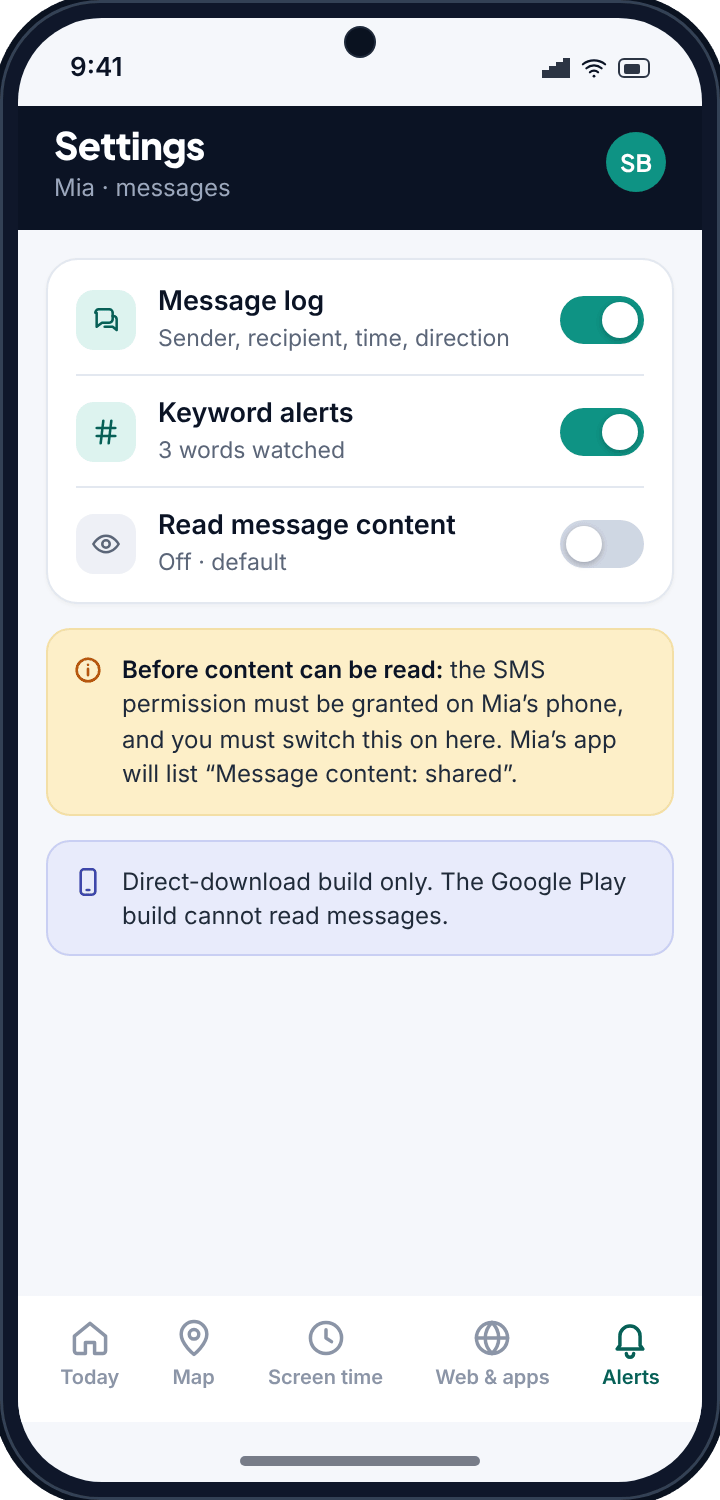
Reading the actual words of a message is its own step, gated on its own. It lives only in the direct-download build from thetruthspy.com. It requires the SMS permission to be granted on the device, and it is off by default. Nothing about a message body is shown until you deliberately turn that on, and when you do, the child's app lists “Message content: shared”.
If you never enable it, you monitor the pattern of your child's texting without reading any content, and that is a completely legitimate way to use TheTruthSpy. Reading words is there for the narrower situations that call for it, not as the standard setting.
Proportion is the whole idea
A teenager sends a lot of forgettable messages. Reading all of them is neither useful nor kind, and it tends to poison the relationship it was meant to protect. The measured approach is to watch the pattern by default, keep content reading as an option you reach for rarely, and let the ordinary noise of a teenager's day stay private.
The two builds, stated plainly
The Google Play build
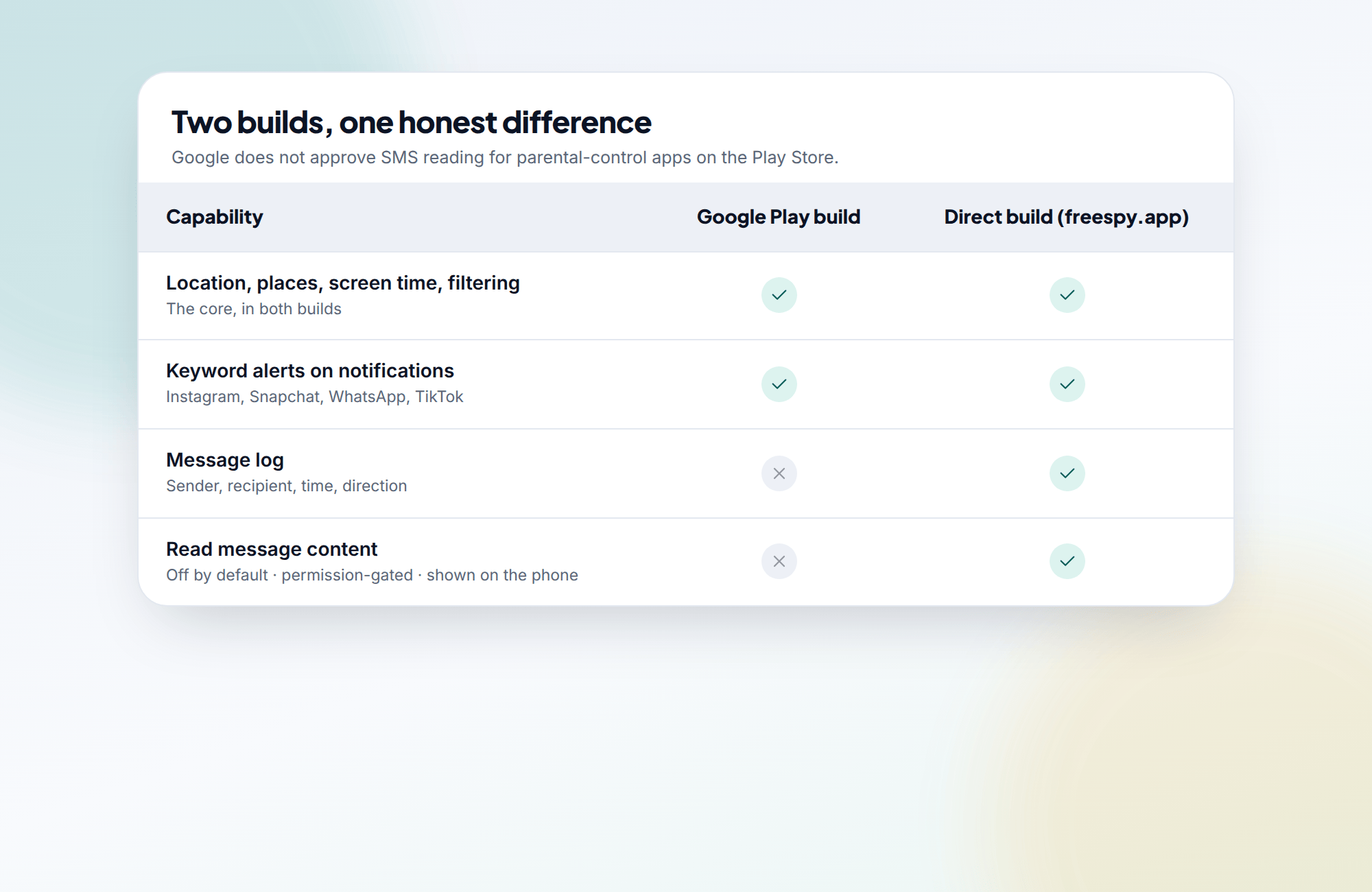
The version on the Play Store ships without the SMS permission and without the code that would use it. Google does not approve SMS or call-log reading for parental-control apps, so the Play build does not ask for it and cannot do it. You still get location, screen time, filtering and keyword alerts on notifications.
The direct build from thetruthspy.com
The version you download directly from thetruthspy.com is the one that keeps the message log and can read message words. It is permission-gated on the device and off by default in the app. The permission has to be granted, and content reading has to be deliberately enabled, before a single word is captured.
Keyword alerts: flag the words you set, ignore the rest
You cannot read every message and notification a teenager generates, and you should not try. Keyword alerts let you watch for the handful of words that would make you want to look, and let the thousands that would not scroll past unread.
You set the words or phrases. When one appears, TheTruthSpy flags it. It works across the notifications your child's phone already produces, which is how it reaches apps like Snapchat and Instagram that never touch the SMS log. Two examples of how families use it:
- The word “secret” appears in a Snapchat notification and is flagged gently. On its own it might be nothing; in context it might be worth a question at dinner.
- The phrase “meet me alone” appears in an Instagram notification. TheTruthSpy treats that one as urgent, because a request to meet in private from inside a social app is exactly the kind of thing a parent wants surfaced straight away.
Keyword alerts are built around proportion. The point is not to read everything. The point is that when a specific word you decided to watch for turns up, you find out, and the rest of the noise stays noise. The keylogging page explains why we chose this over a keystroke recorder.
Visible on the phone, and free to set up
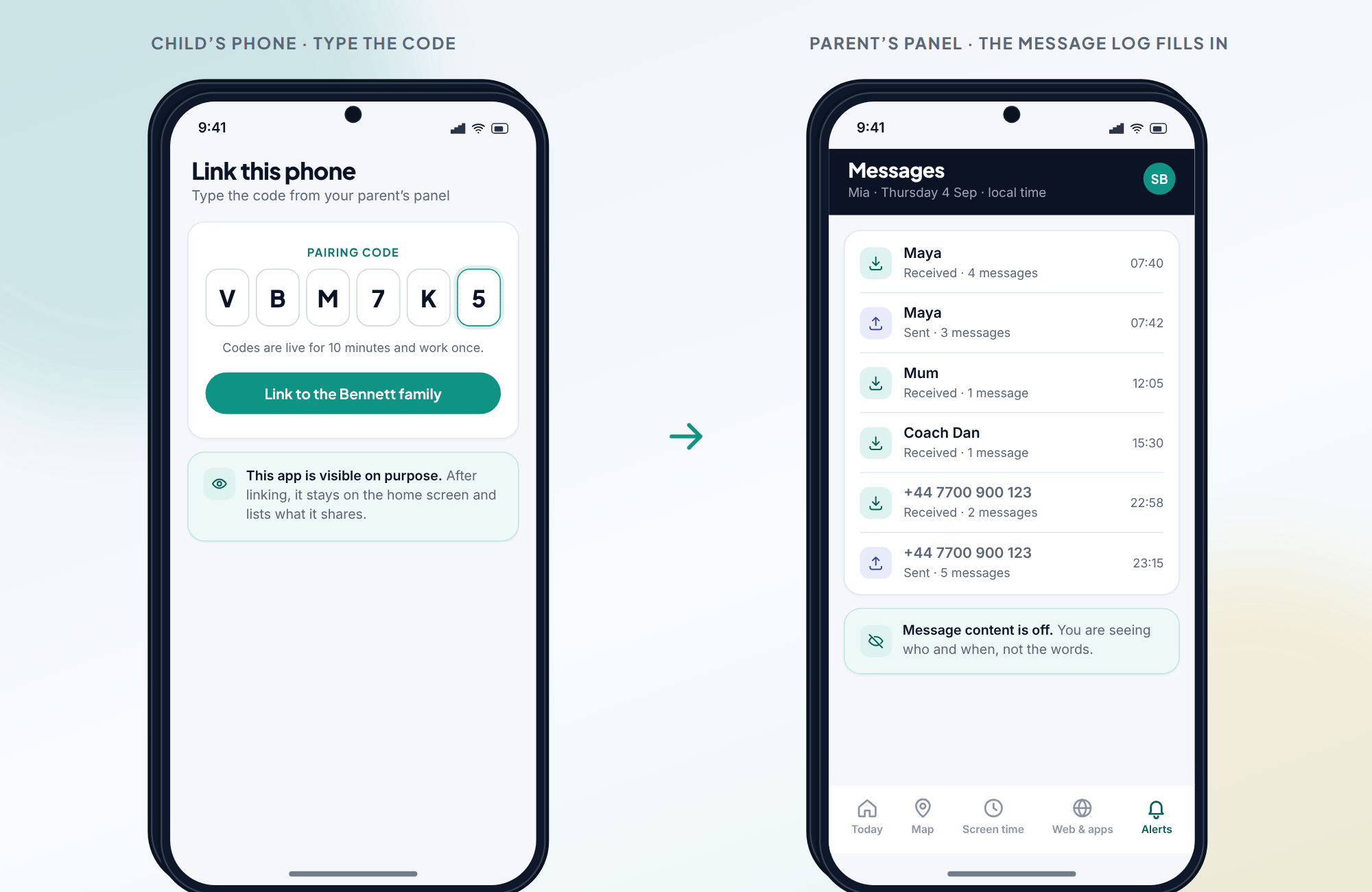
The app is visible on the child's device and lists what it shares. If message-content reading is switched on, that appears in the list. There is no capability that lives on your panel but not in your child's view of it.
Setting it up is the same as any other feature: install TheTruthSpy on your child's phone, generate a pairing code in your panel, and type the code into the app to link the two. Choose the direct build if you want the message log or the option to read content; choose the Play build for the lighter footprint. Either way, timestamps stay in your child's local time, and a child who knows the terms tends to keep trusting the arrangement in a way that quiet surveillance never manages.
Common questions
Can TheTruthSpy read my child's actual text messages?
Only the build downloaded directly from thetruthspy.com can, and only after the SMS permission is granted on the device and content reading is deliberately switched on. It is off by default. The Google Play build cannot read message bodies at all.
Can I monitor texts without reading the words?
Yes, and most families do. The message log shows who your child is texting, when, and in which direction, using contact names, without opening any message.
Does this cover WhatsApp, Snapchat and Instagram messages?
Not through the SMS log — those apps are encrypted and do not use SMS. Keyword alerts on notifications reach them instead. The social media page explains exactly what is and is not visible there.
How do keyword alerts work?
You set words or phrases to watch for, and TheTruthSpy flags them when they appear in a notification or text. Serious phrases can be marked urgent so they push a notification to you straight away. Everything you did not ask to watch stays unread.
Will my child know their messages are being monitored?
Yes. TheTruthSpy is visible on the child's phone and lists what it shares, including whether message content is being read.