Chores & Screen Time Rewards
Let your child earn screen time by completing chores you set, straight from the app on their Android phone. A daily budget is a fixed number; rewards are how a child adds to it, and it changes the tone of every conversation about the phone, because “can I have longer?” now has a route the child controls.
Free · No permission needed · Visible on your child's phone
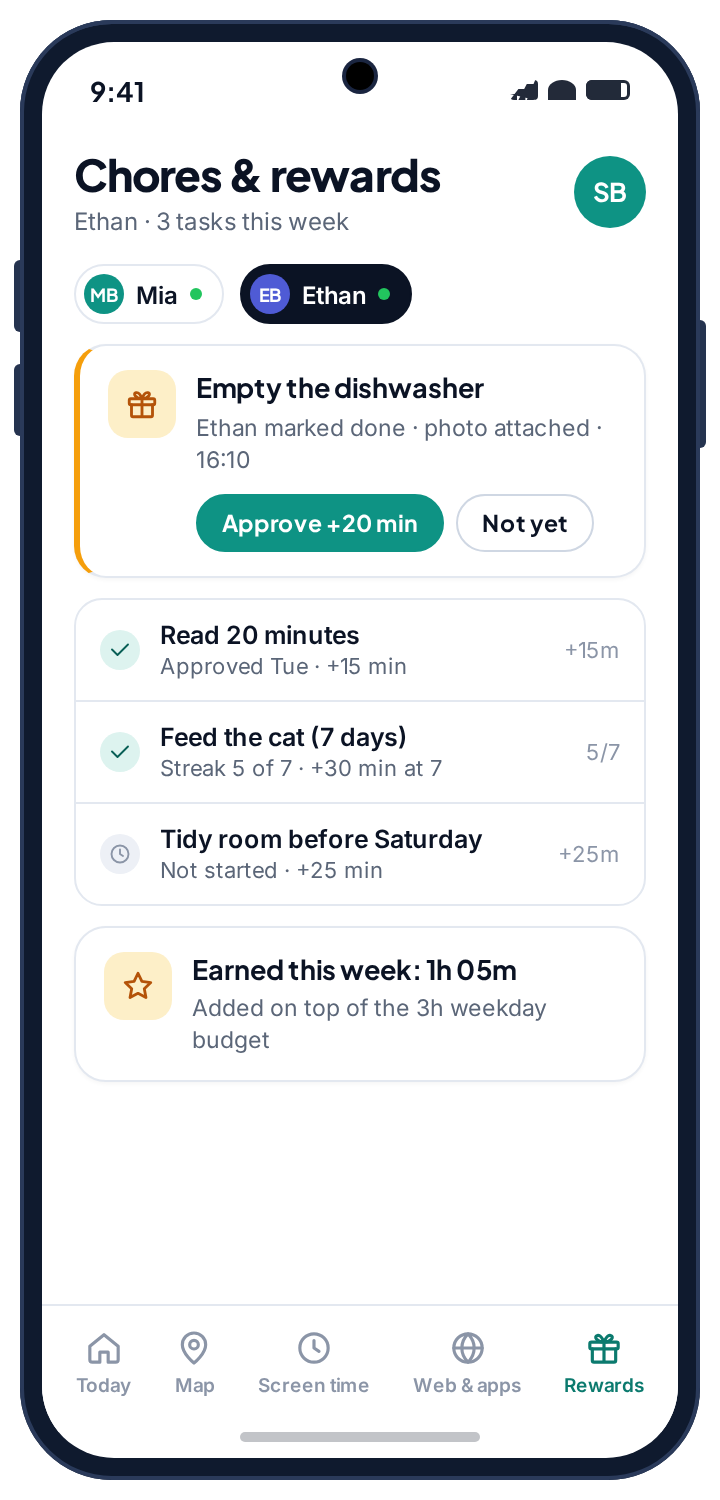
- One principle. Children earn minutes by finishing chores you set. Do a small piece of work, get something back, and watch the number climb on your own phone.
- You decide what each chore is worth. There is no fixed exchange rate; tune it until it feels fair for your house and your child's age.
- Earned minutes stack on top of the budget, straight away or after your nod, and the child watches the figure climb on their own phone.
- Nothing is deducted for a task that is not done. Rewards are a carrot; the budget is the budget.
- Nothing here costs you anything. The app is free, there is no tier to unlock, and the only person earning anything is the child.
Screen time rewards for kids: earn minutes by finishing chores
You set up tasks, the child completes them, and each finished task adds a set number of minutes on top of that day's budget. The tasks are yours to write, because every family's list is different. A quick job earns a little, a real chore earns more, and a streak task, such as feeding the cat every day for a week, pays out at the end of the streak.
| Task | Worth | Needs your okay? |
|---|---|---|
| Tidy your room | 15 minutes | Optional |
| Read for 30 minutes | 20 minutes | Usually yes |
| Homework done and checked | 30 minutes | Yes |
| Help with the washing-up | 10 minutes | No |
| Feed the cat, 7 days running | 30 minutes at the end | No |
This is what turns the cap into something a child can work with. The budget tells them how much they have. The tasks tell them how to get more. Earned minutes only mean something when there is a limit to earn them against, which is what the screen time app sets, and a game that is limited in the app rules does not have to stay limited forever.
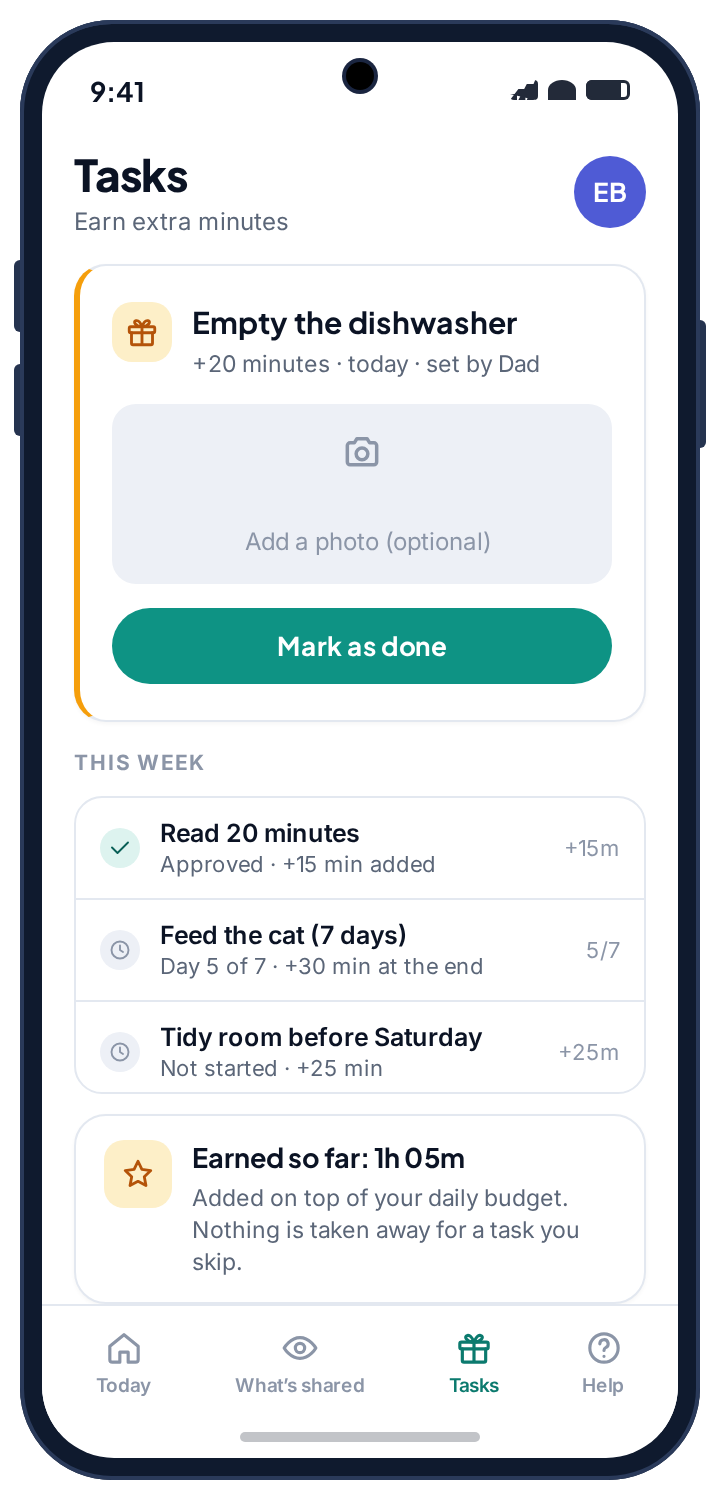
Nothing is hidden in a parent-only panel.
The child sees their own tasks and rewards on their own phone. They open TheTruthSpy, see the list of tasks you have set, and see exactly what each one is worth before they start. When they finish a chore, they tap Mark done, optionally with a photo. Depending on how you set the task up, the minutes either land straight away or wait for your quick nod first. Reading and homework are the kind of thing most parents like to confirm; making the bed, maybe not. Both work.
Earned minutes stack on top of the day's budget rather than replacing it. A child on a three-hour weekday who reads for half an hour and finishes their homework is on three hours and fifty, and they can see that figure climb as they tick tasks off. It reads to them as progress, not a favour they had to beg for.
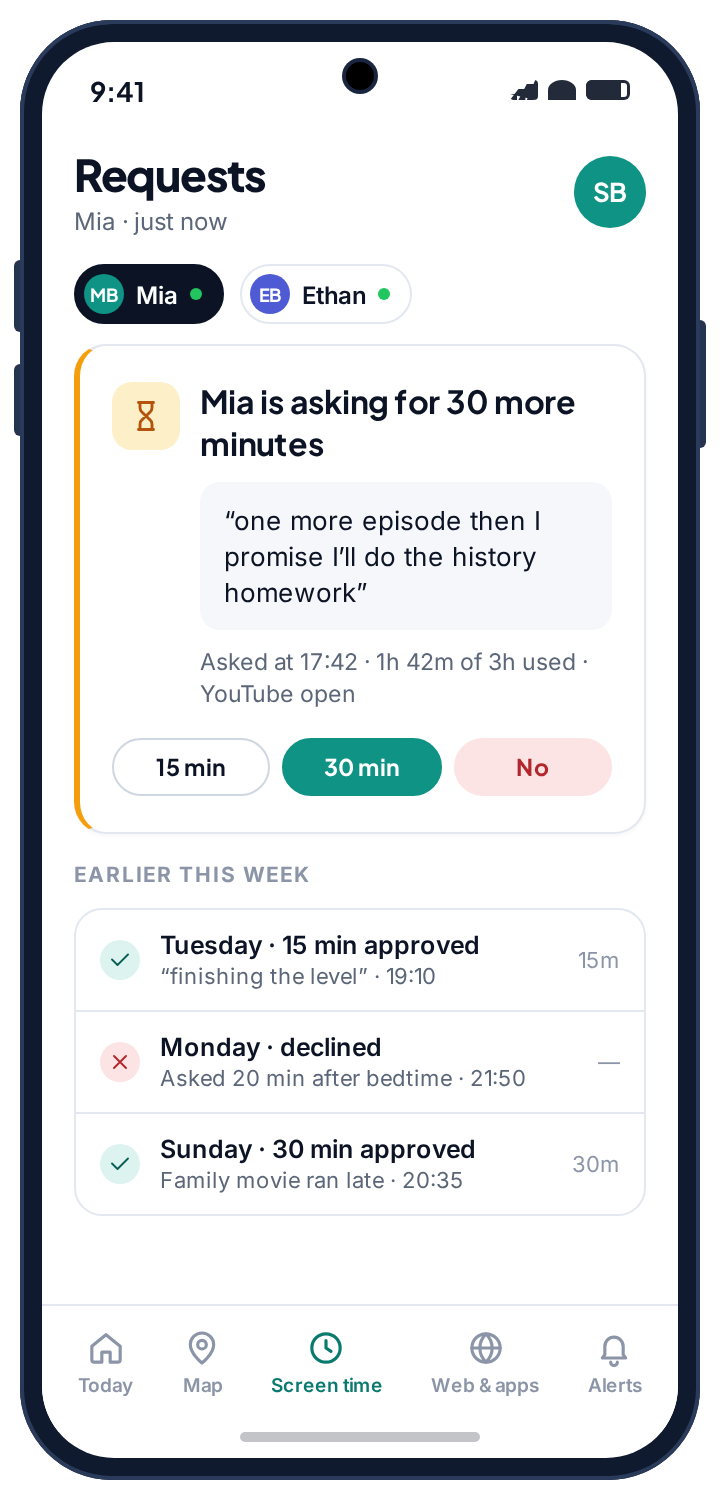
Chore rewards plug into the ask-for-more flow.
TheTruthSpy already lets a child ask for more time when they run low, and you approve or decline from your panel. Rewards sit right next to that. A child near the end of their budget has two options: ask you for extra, or earn it. Some evenings they will ask. Some evenings they will empty the dishwasher instead. Both beat a slammed door, and the second one gets a chore done.
The approval lands with you the same way a request does: who, which task, how many minutes, and two buttons. For anything you want to check, set the task to need your approval before the minutes land. Low-stakes chores can be set to add time automatically, and nothing is ever deducted for a task that is skipped.
Questions parents ask about screen time rewards.
How does a child earn extra screen time with chores?
You set up tasks and assign minutes to each. The child sees the list on their own phone and marks a task done when they finish it. The minutes are then added on top of that day's budget, straight away or after you approve it, depending on how you set the task up.
Can my child game the system by marking tasks done without doing them?
For anything you want to check, set the task to need your approval before the minutes land. You get a prompt in your panel and approve or decline. Low-stakes chores can be set to add time automatically.
Is TheTruthSpy really free, or is this a trial?
Really free. There is no paywall, no expiry countdown and no tier to unlock. The guides on this website carry advertising, which is what pays for the app; the pricing page page explains it.
Can a chore take time away as well as add it?
No. Nothing is deducted for a task that is not done. Rewards only add minutes; the daily budget is the floor, and the floor does not move because a bedroom was not tidied.
Can both parents approve chores?
Yes. Either parent on the family can approve or decline from the panel, and the approval is stamped with who gave it, so the child cannot be told “yes” by one and “no” by the other without anyone noticing.
Does the rewards feature need a permission on the phone?
No. It needs no Android permission at all, and the child's phone lists tasks and earned minutes openly.
Earned minutes only matter if there is a limit to beat
Rewards sit on top of the daily budget that screen time limits set. A limited app under the app rules is the one most often earned back.
Chores and rewards switches on once the child's phone is paired with your parent account, which takes about ten minutes. The setup guide covers each screen.
Turn the screen time argument into a deal.
Create a free account, pair your child's Android phone, and add the first chore to the list tonight. No card, ever.
Android · Free to set up · Visible on your child's phone