Can Parents See a Child’s Instagram DMs? Honest Options, Used Openly

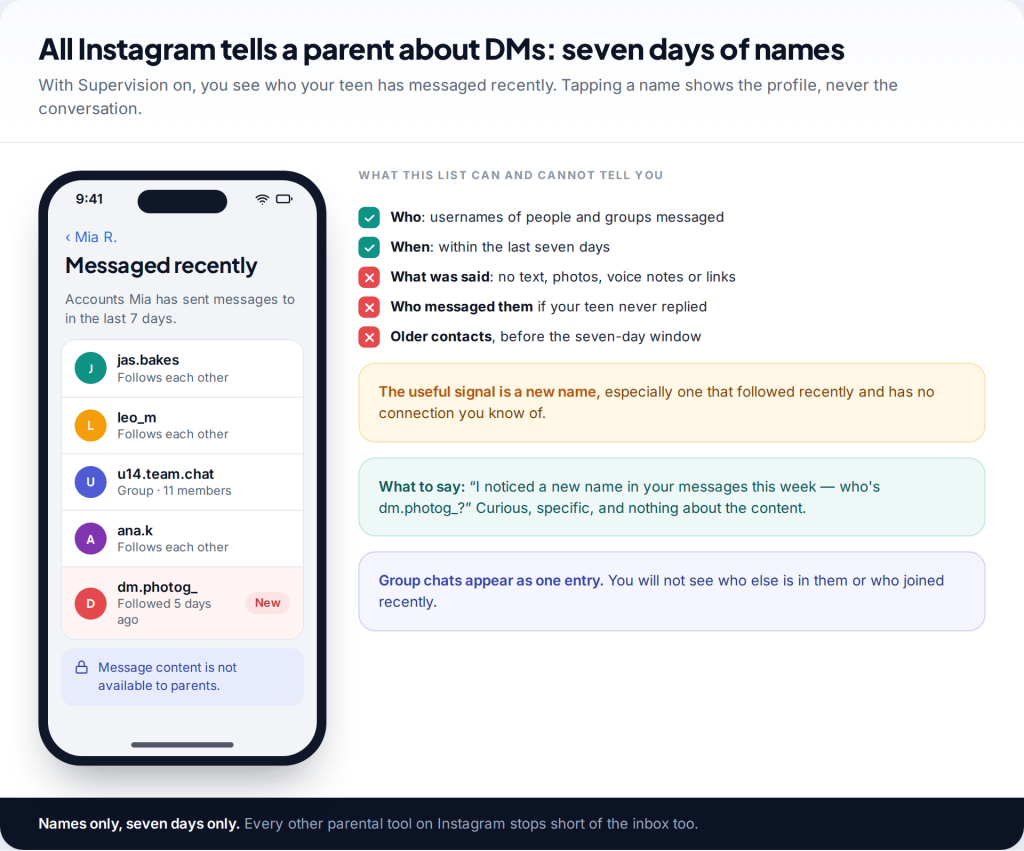
No, you can’t see your child’s Instagram messages through Instagram. None of its parental tools show message content. Supervision in Family Center shows the names of accounts your teen has messaged in the past seven days, and nothing more. The honest options are your teen showing you, Supervision, tighter message settings and, on Android, a visible notification-based app. Each shows less than parents hope, and that’s deliberate.
Be wary of anything that promises to show you a child’s Instagram DMs from your own phone, with no install on theirs. It’s either a scam or covert spyware, and neither is something you want near your family.
What Instagram shows parents about DMs
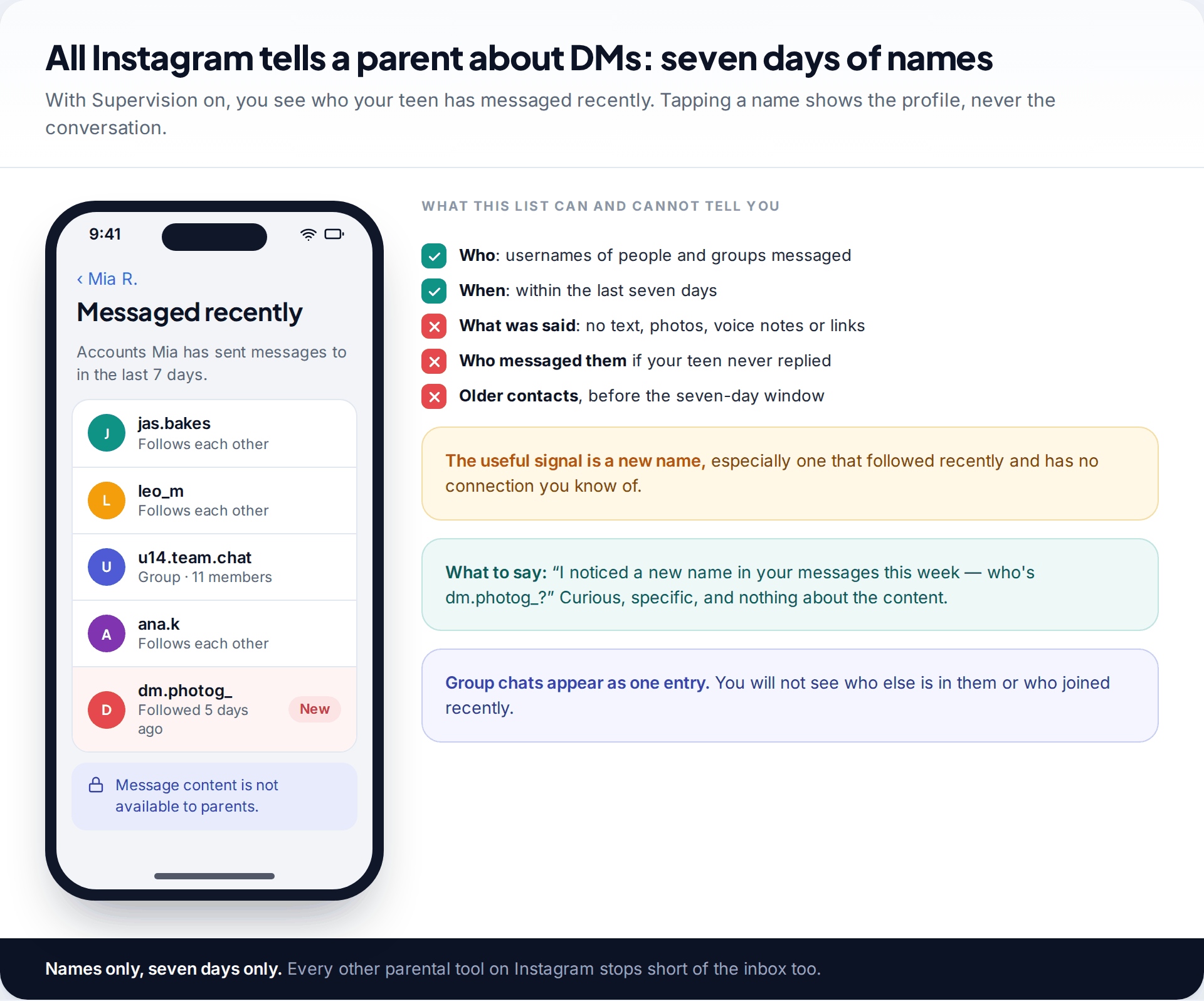
With Supervision turned on, your dashboard includes a list of the accounts your teen has sent messages to in the past seven days. That’s the whole of Instagram’s parent view of the inbox. You won’t see what was said, messages your teen received but never answered, or contacts from before the seven-day window.
That sounds thin, but it answers the question that matters most: who is your child talking to? A list of school friends and a football group is reassuring. A name that followed them five days ago and has no connection you recognise is worth asking about that evening.
Some parents read this as Meta protecting teens from their parents. It’s closer to protecting the arrangement. A teen who knows you can’t read their chats is much more likely to accept Supervision, and Supervision is what gives you the list at all.
Why parents can’t read Instagram DMs
Meta designed its teen tools around time, settings and contacts, and has consistently kept message content out of them, on Instagram, Facebook and Messenger alike. Its reasoning is that teens need some private space to use the tools at all. Encryption doesn’t change this for parents. Meta ended support for end-to-end encrypted chats on Instagram in May 2026, which affects what Meta itself can access. It hasn’t added any parent view of message content.
In practice, the only ways to see what’s inside a teen’s Instagram chats are on their phone or through their login. Anything that reads messages has to be installed on the child’s device, and it should be installed openly, with your teen knowing what it does.
Every option to see your child’s Instagram messages, compared
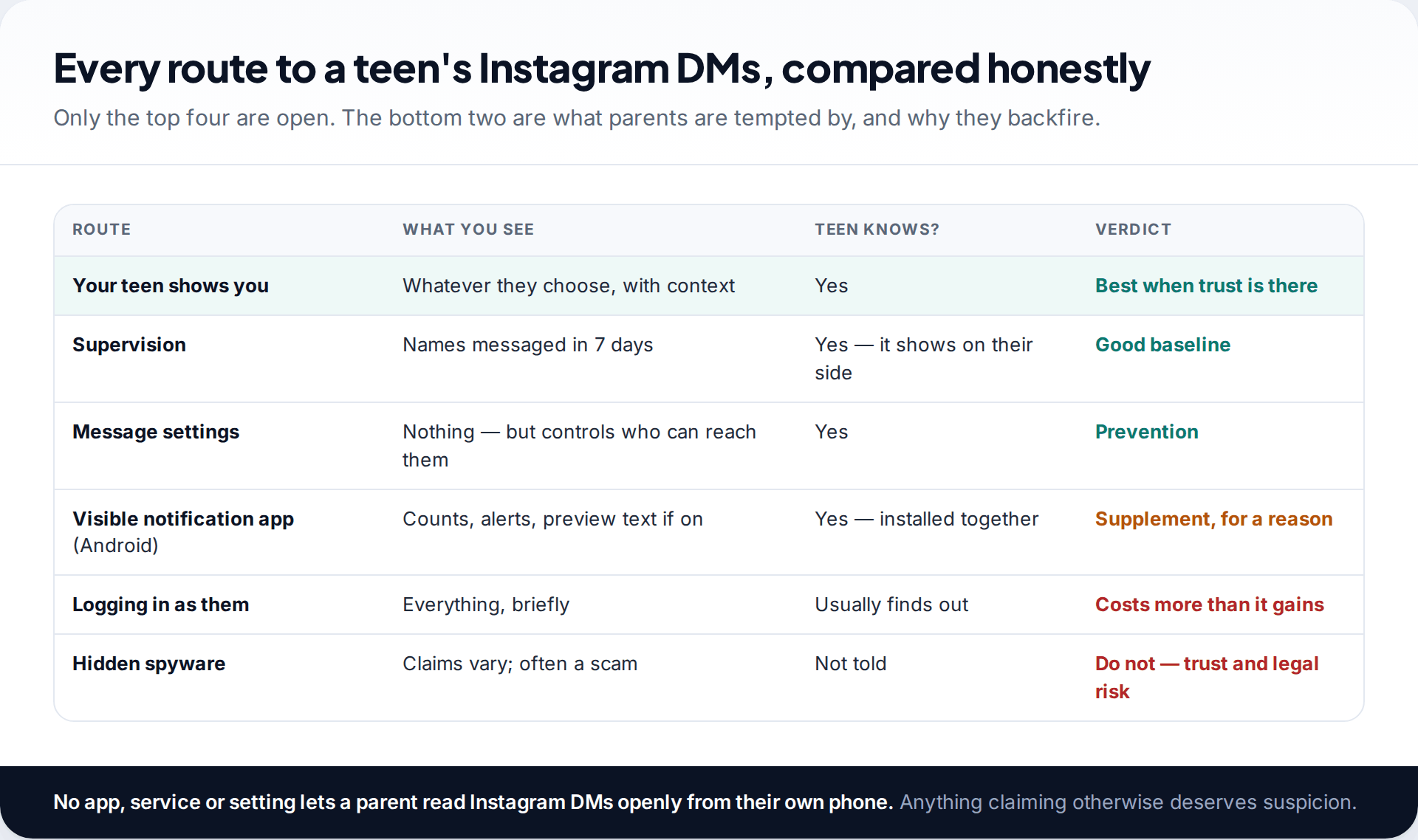
| Option | Best for | Main limit |
|---|---|---|
| Your teen shows you | Anything that worries either of you | Depends on trust you’ve built |
| Supervision | Spotting new contacts | Names only, seven days |
| Message settings | Stopping strangers reaching them | Doesn’t cover people they follow back |
| Visible notification app | Alerts on Android for a specific worry | Blind to chats without notifications; no iPhone |
| Logging in as them | Nothing, in the long run | Login alerts; pushes chats elsewhere |
Most families need the first three. The fourth is for a period of particular concern, and should be installed together with your teen, on their Android phone, with the app showing them what it shares. The fifth is covered below, because it’s the one parents are most tempted by.
Prevention: the settings that stop the worst messages
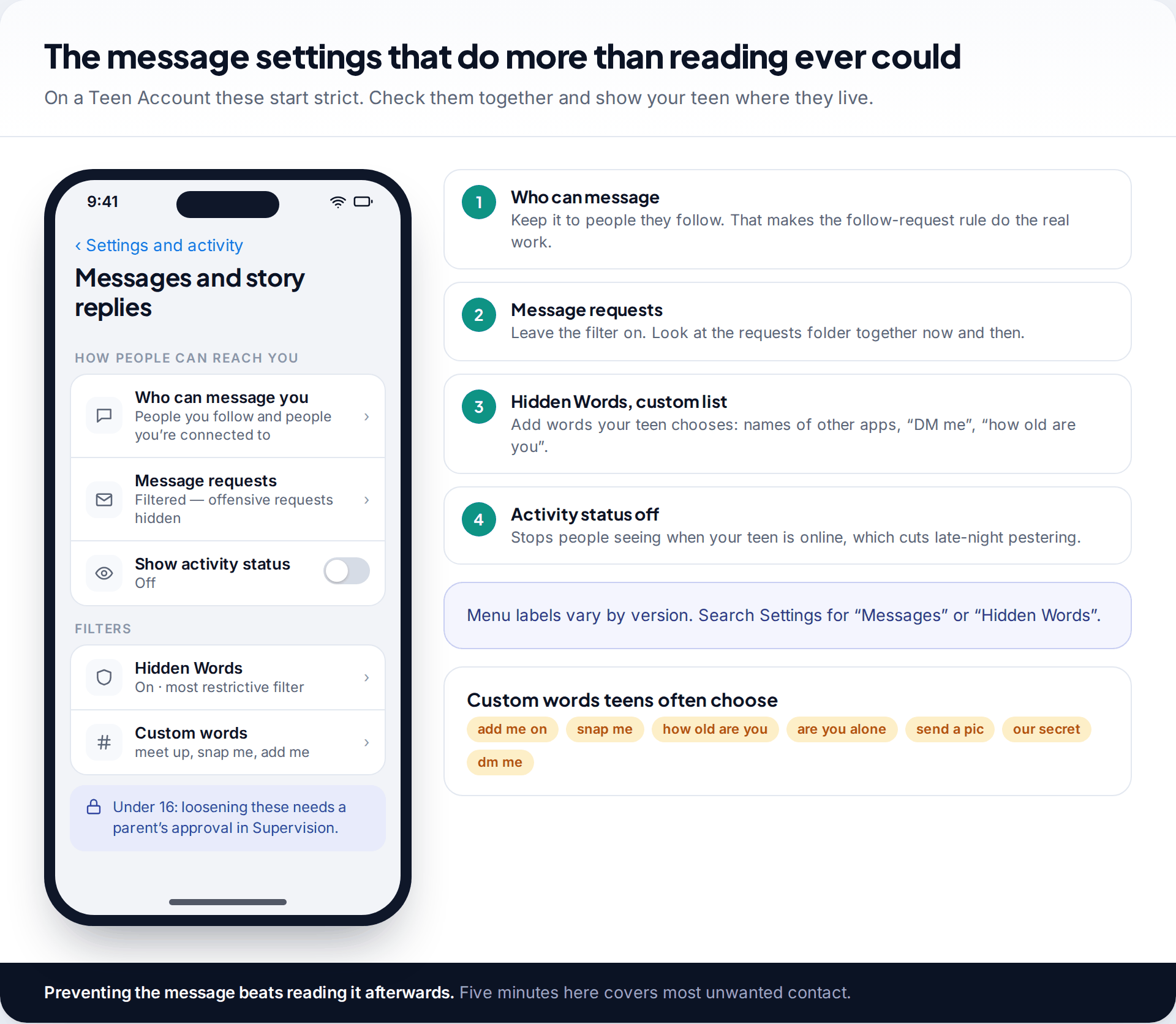
On a Teen Account, only people your teen follows or is already connected to can message them. Everyone else lands in message requests, and Hidden Words filters offensive requests. Under-16s need your approval through Supervision to loosen these.
Two additions are worth making together. First, add a custom Hidden Words list chosen by your teen: phrases like “DM me”, “how old are you”, and the names of other apps people use to move chats off Instagram. Second, consider turning off activity status, so people can’t see when your teen is online. It cuts down on late-night pestering.
The rule that does the most work isn’t a setting, though. Because anyone your teen follows back can message them, “only follow people you know offline” is the real message filter.
Protections already running inside teen chats
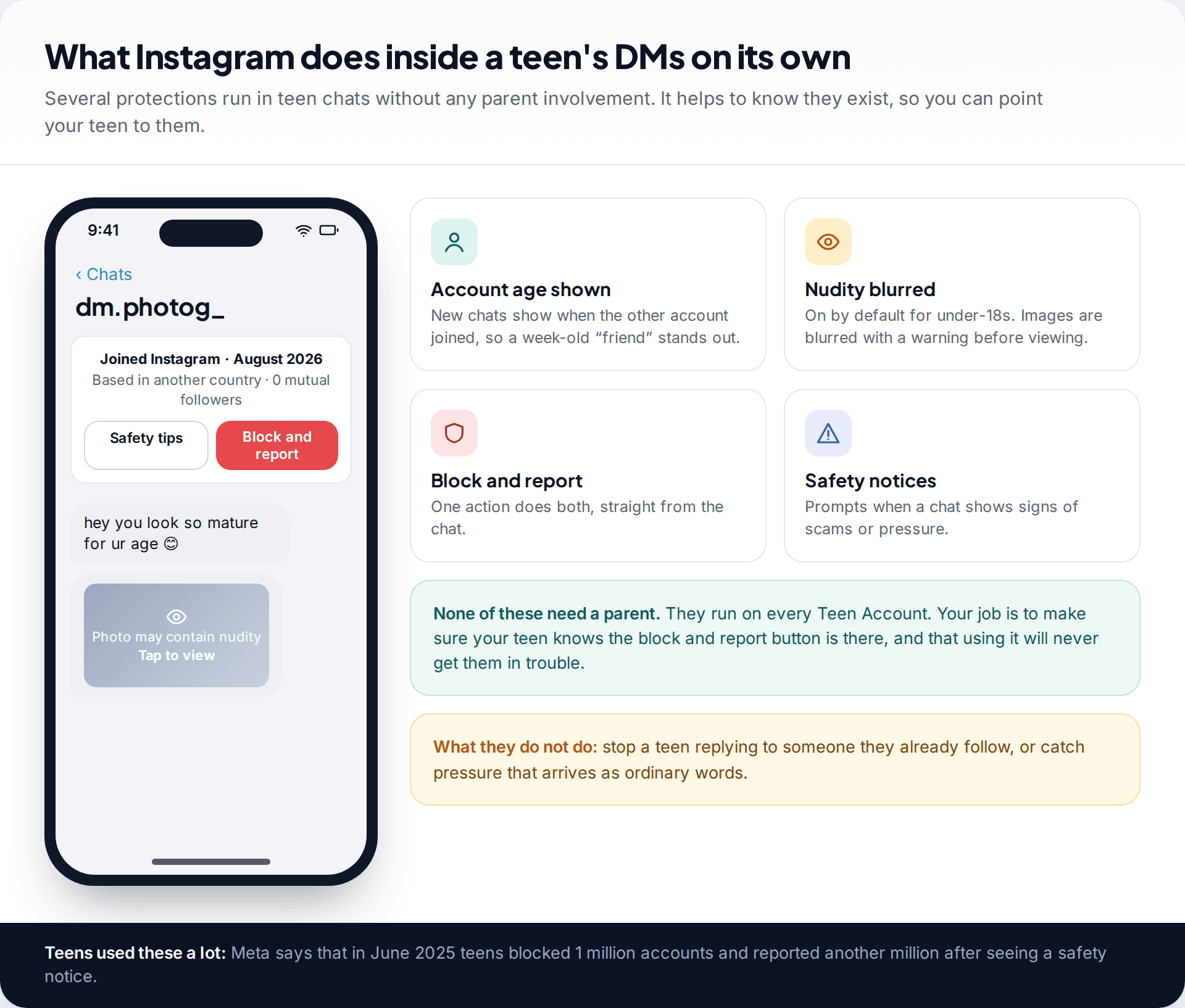
Instagram does some work inside teen DMs without any parent involvement. New chats show when the other account joined Instagram, with safety tips and a single option to block and report. Since 2024, nudity protection has blurred images detected as containing nudity for under-18s by default, with a warning before viewing. Meta has also said it stops accounts showing signs of potential sextortion from messaging teens.
Meta reported that in June 2025 alone, teens blocked accounts a million times and reported another million after seeing a safety notice. These tools are worth pointing out to your teen by name, so they know they exist before they need them.
Looking at messages together
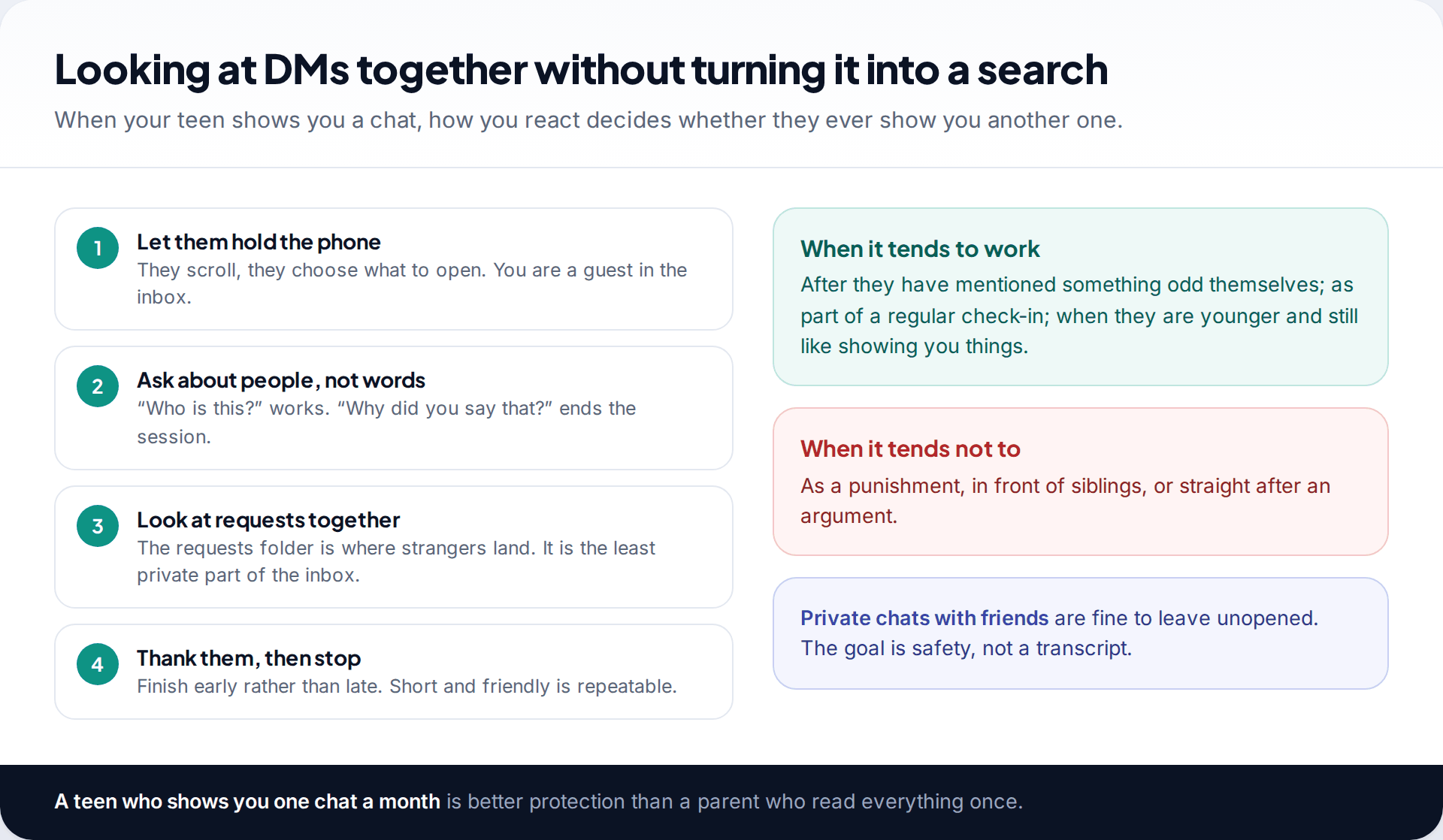
The most complete way to see your child’s Instagram messages is for them to show you. It works best when it’s routine rather than a reaction to something. At 13, it can be part of a weekly check-in. Later, it’s what happens when they mention something odd.
Let them hold the phone and choose what to open. Ask about people, not words. The message requests folder is the natural place to start, because it’s where strangers arrive and it’s the least private part of the inbox. Leave ordinary chats with friends alone. The aim is to know they’re safe, not to read everything they’ve said.
Where a visible monitoring app fits
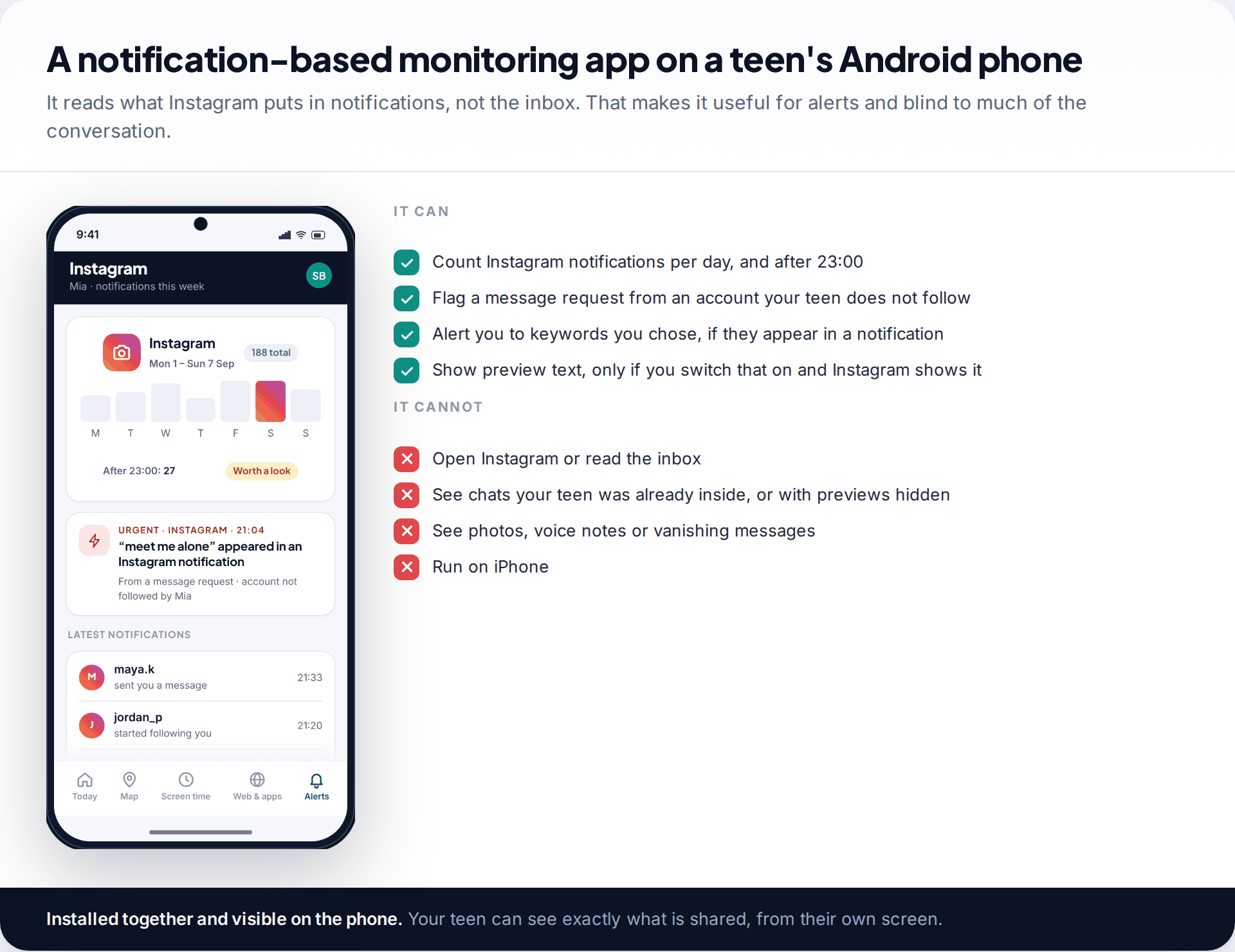
Some parents want an alert when something specific happens, such as a message request from a stranger containing a worrying phrase. On Android, a notification-based app can do this. Ours is installed with your teen, stays visible on their phone, and has a screen showing them exactly what’s shared. It counts Instagram notifications, flags message requests from accounts your teen doesn’t follow, alerts you to keywords you pick, and can share preview text if you turn that on.
It can’t open Instagram or read the inbox. It misses chats your teen was already inside, anything with previews hidden, and photos, voice notes and vanishing messages. It doesn’t work on iPhone. The details are on our Instagram monitoring page.
Why logging in as your child backfires
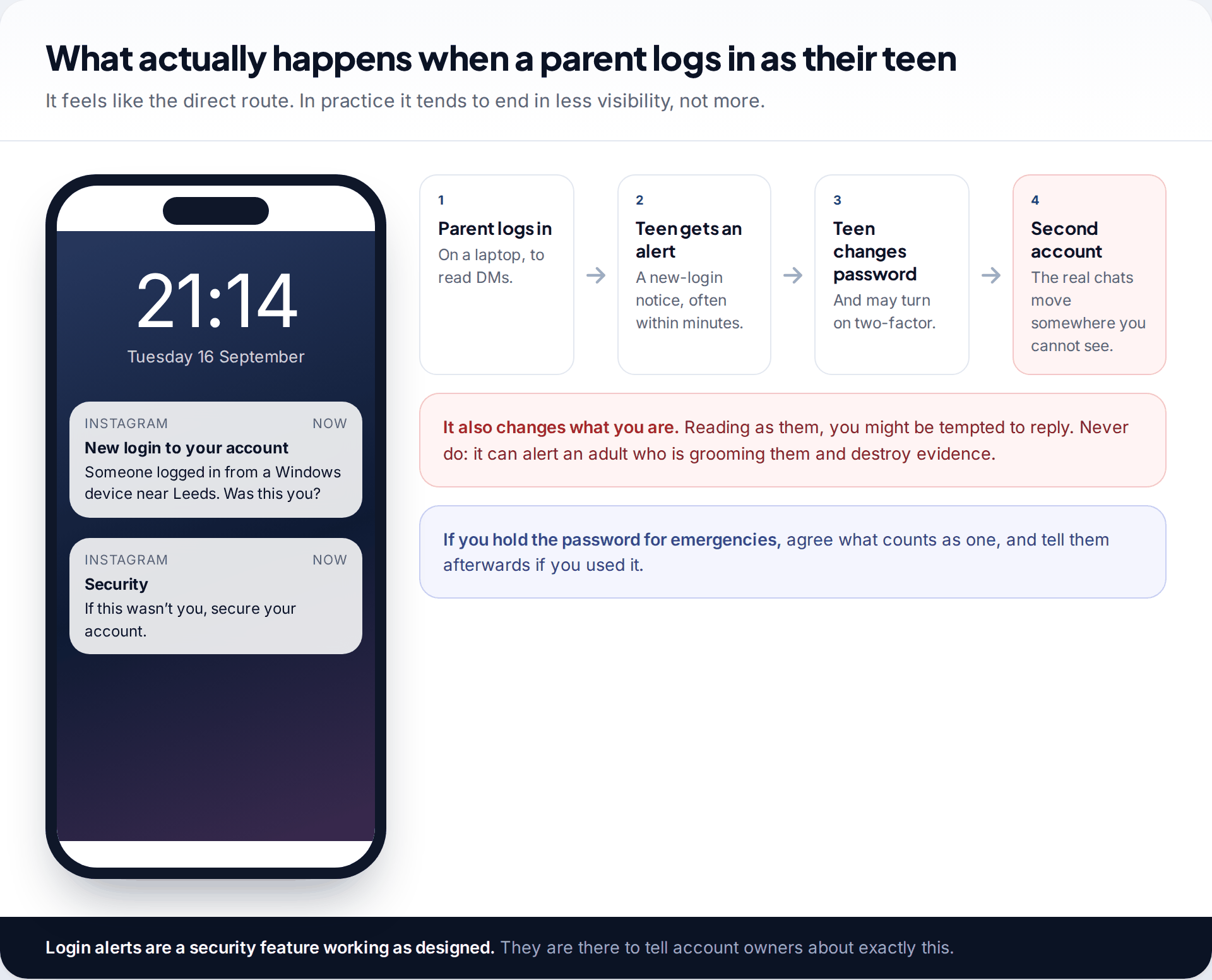
It’s the route that seems obvious: you know the password, so you log in on a laptop and read. Instagram tells account owners about new logins, so your teen often knows within minutes. The next steps are predictable: a new password, perhaps two-factor authentication, and the conversations that matter moving to a second account or another app.
There’s a second risk. Reading as your child, it’s tempting to reply. Don’t. If the other person is an adult grooming your child, a strange reply can warn them and lose evidence. Many families keep the password for emergencies. If you do, agree in advance what counts as an emergency, and tell your teen afterwards if you used it.
Hidden spyware is worse still. Many products that promise to read Instagram without the child’s knowledge don’t work, or are scams. The ones that do work involve covert access to another person’s device, which can break the law in many places and will destroy trust if discovered.
Warning signs you can see without reading a word
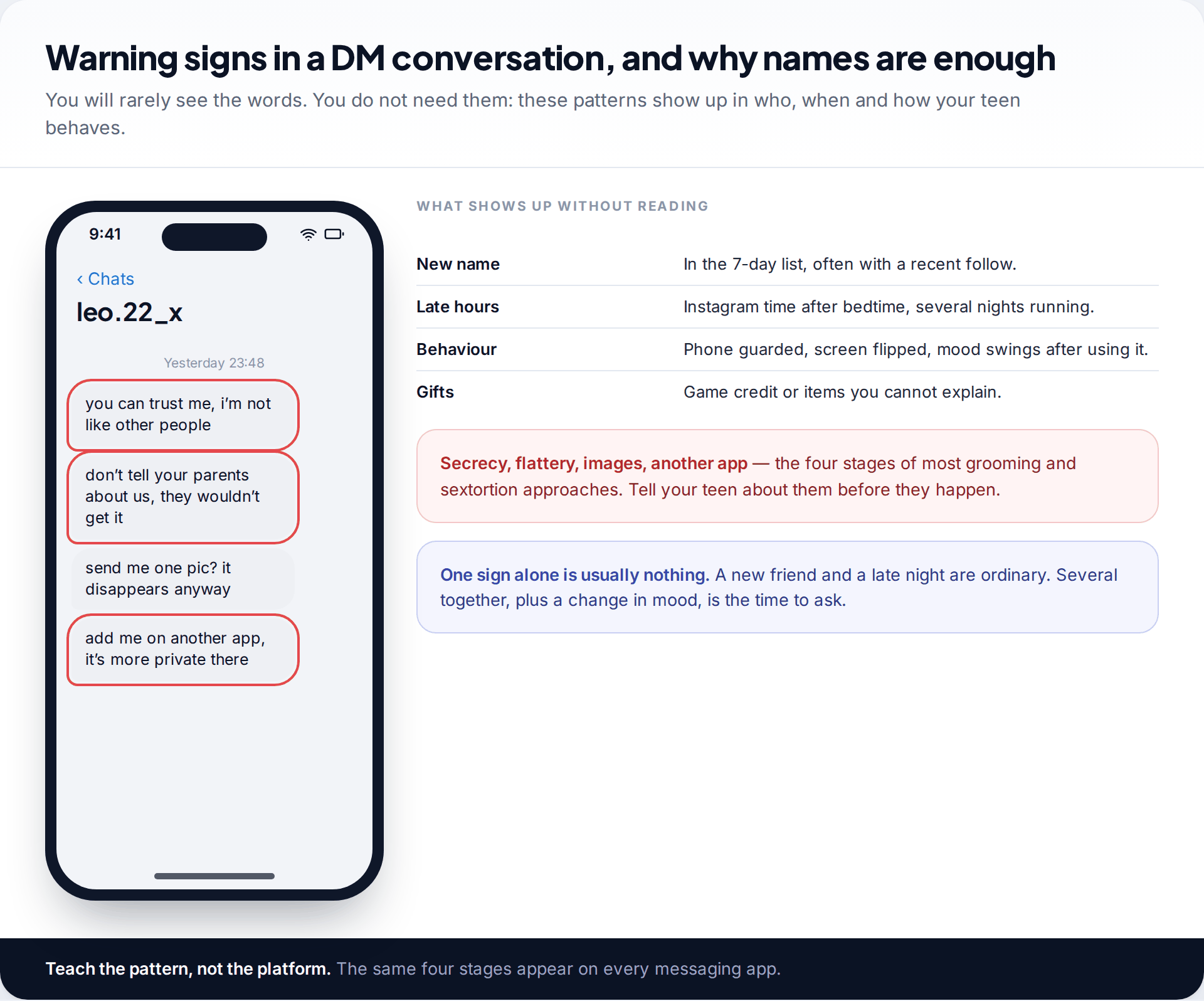
Grooming and sextortion follow a recognisable path: flattery, secrecy (“don’t tell your parents”), a request for images, and a push to “add me on another app”. You’ll rarely see those words, but the pattern leaves other traces. There’s a new name in the seven-day list, Instagram use late at night, a phone held closer than usual, unexplained gifts, and mood changes after using it. Tell your teen about the four stages in advance. A teen who recognises “move to another app” as a warning is protected on every platform.
Not every late night or new name means grooming, of course. Most new contacts are new friends, and most late-night use is a group chat that got out of hand. The signs matter when several appear together, or when they appear alongside a change in your child’s mood. In either case the next step is the same: a calm question, not a search of the phone.
The conversation that protects the inbox
You can’t read the chats, but you can shape what happens in them. A few short conversations before anything goes wrong do more than any tool, because your teen carries them into every app they use.
- “People who are who they say they are don’t mind waiting.” Anyone rushing to move a chat to another app, or asking for a photo quickly, is showing their hand.
- “A secret someone asks you to keep from us is the one to tell us.” Say it plainly. Groomers rely on secrecy more than anything else.
- “If a photo gets out, we fix it together.” Teens who fear their parents’ reaction more than the blackmailer are the ones who pay, or suffer alone.
- “You can always blame us.” “My parents check my phone” is a useful excuse for ending an awkward chat, even if it isn’t quite true.
Repeat these briefly, at different ages. The message a 13-year-old needs is different from the one a 16-year-old will listen to, but the four points stay the same. With older teens, frame it as how scams work rather than as a rule. They’re more likely to spot a pattern they understand than to follow an instruction.
If something has already happened
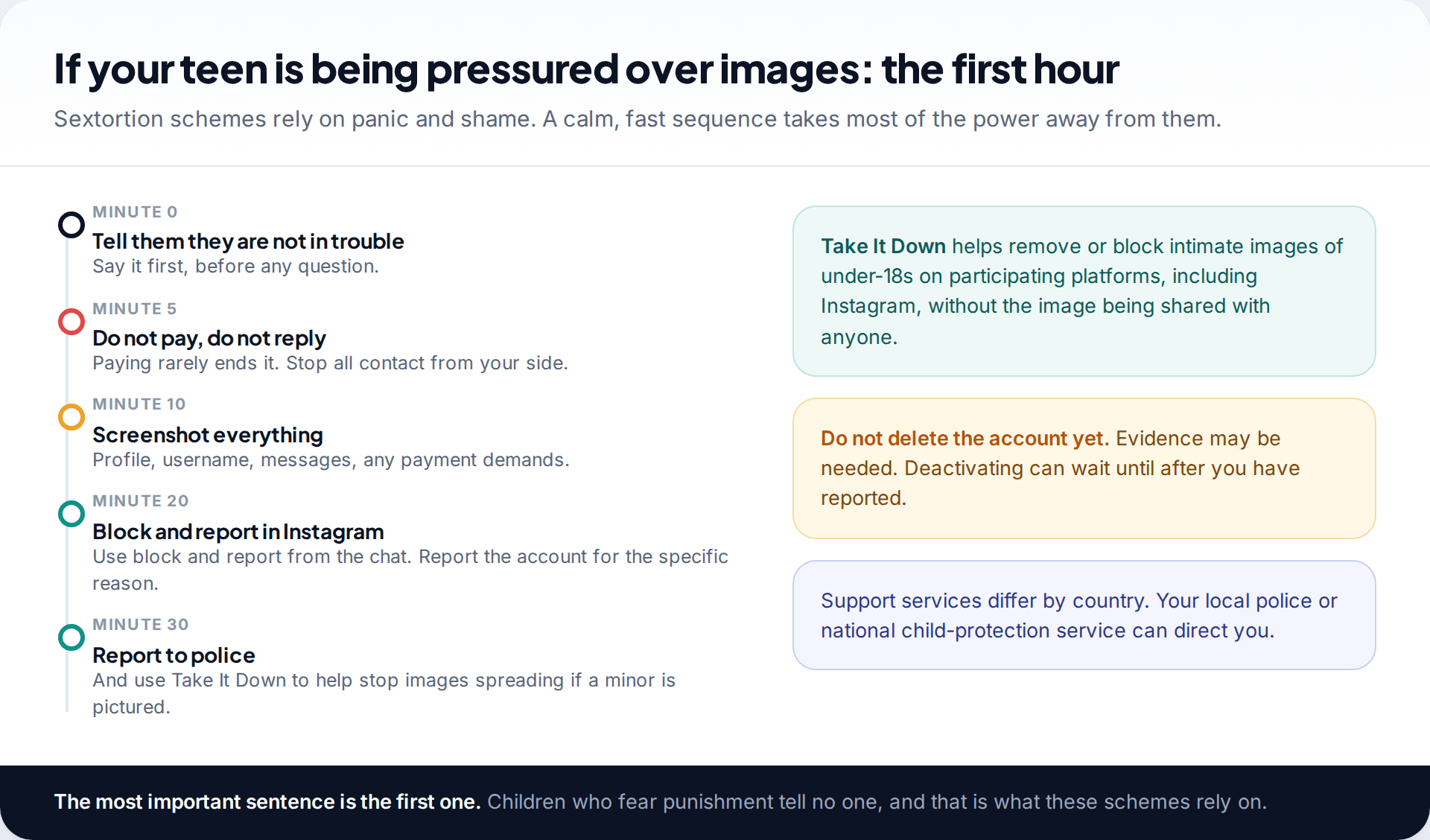
Reassure
Tell your child they’re not in trouble, before you ask anything else.
Stop contact, keep evidence
Don’t pay and don’t reply. Screenshot the profile, the username and the messages.
Report
Block and report the account in Instagram, then report to the police. If images of a minor are involved, Take It Down can help stop them spreading on participating platforms.
For a wider plan beyond messages, our guide to monitoring your child’s Instagram safely covers the whole picture, from settings to a weekly check-in.
How this page was put together
We checked what Supervision shows and the DM protections against Meta’s announcements on Teen Accounts, nudity protection, the July 2025 DM safety features and Family Center, as they stood in September 2026. We read the encryption change as reported, and Meta’s own description of how message content is treated. The screens in our images are illustrative and may not match your app version.
We don’t cover covert tools except to explain why we advise against them. See our editorial standards for how we handle monitoring topics.
Common questions
Can parents see Instagram DMs with Family Center?
No. Family Center Supervision shows who your teen has messaged in the past seven days, not what they said.
Can I see my child’s deleted Instagram messages?
No parent tool shows them, and unsent or vanishing messages leave nothing to recover. If something harmful was sent, your child’s screenshots and your report are what count.
Does Instagram notify my child if I look at Supervision?
Not each time you look. Your teen can see that Supervision is on and what it covers, which is why it’s best to say you check now and then.
Can I read my child’s Instagram messages if I know their password?
Technically yes, but Instagram alerts them to new logins, and it often drives the real conversations elsewhere. Keep the password for agreed emergencies.
Is it legal to read my child’s messages?
The law varies by country and by the child’s age. Covertly installing software on someone else’s device can be illegal even for parents in some places. Open, agreed methods avoid the question.
What age should parents stop checking messages?
Most families move from looking together at 13 to looking only when something comes up by 15 or 16. Supervision ends automatically at 18.
Looking for a tool to go with this? TheTruthSpy is a free parental control app for Android that stays visible on the child's phone. If it fits your family, see the Social media alerts feature.
Related guides
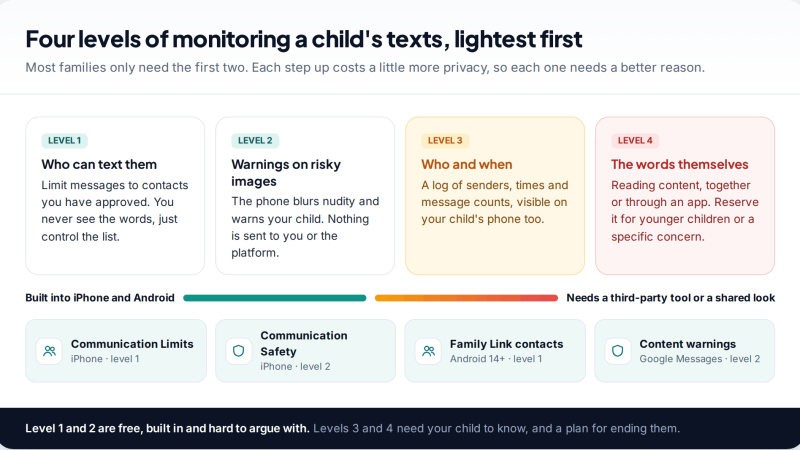
Monitoring Your Child’s Text Messages Safely: Options by Age
What parents can really see of a child's texts on iPhone and Android: Communication Limits, Communication Safety, Family Link contacts…
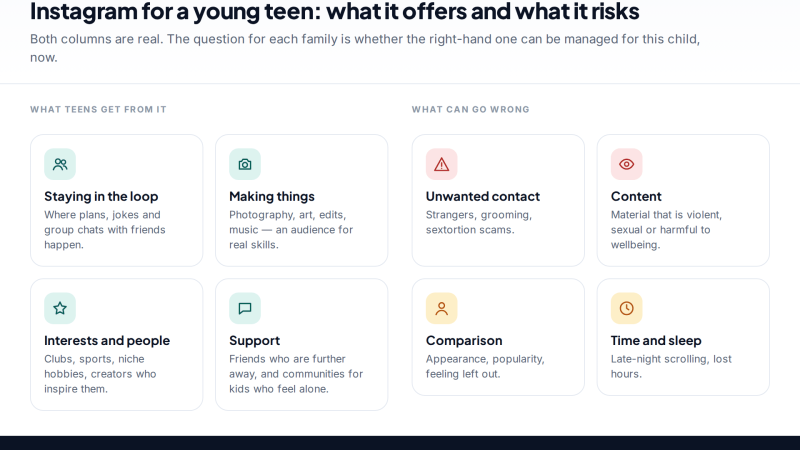
Is Instagram Safe for My Child? A Parent’s Guide
Is Instagram safe for kids? Not under 13, and not automatically after. Teen Accounts now remove many risks by default;…
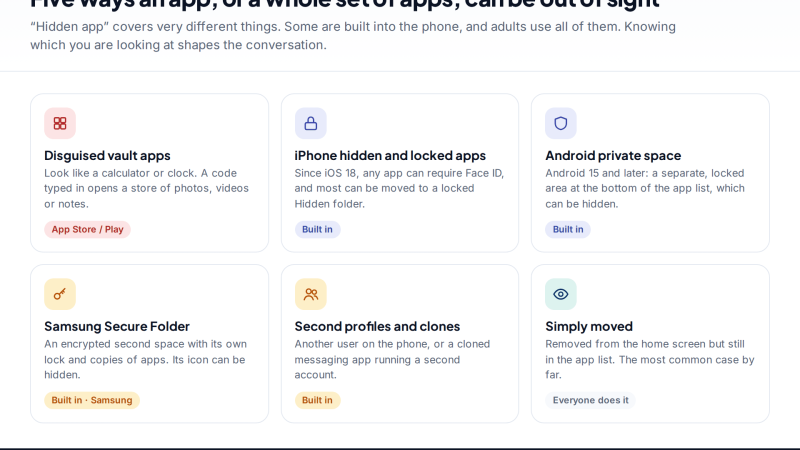
Vault Apps and Hidden Apps on a Child’s Phone: How to Spot Them
How to find hidden or vault apps on your child's phone: calculator vaults, iPhone hidden and locked apps, Android private…
Parental controls your child can see
Location, screen time limits, a web filter and alerts from notifications — free, and visible on your child's phone. Pair a phone in about ten minutes.
Android · Free to set up · Visible on your child's phone