Finding a Phone Number’s Location on Google Maps: What Is Possible

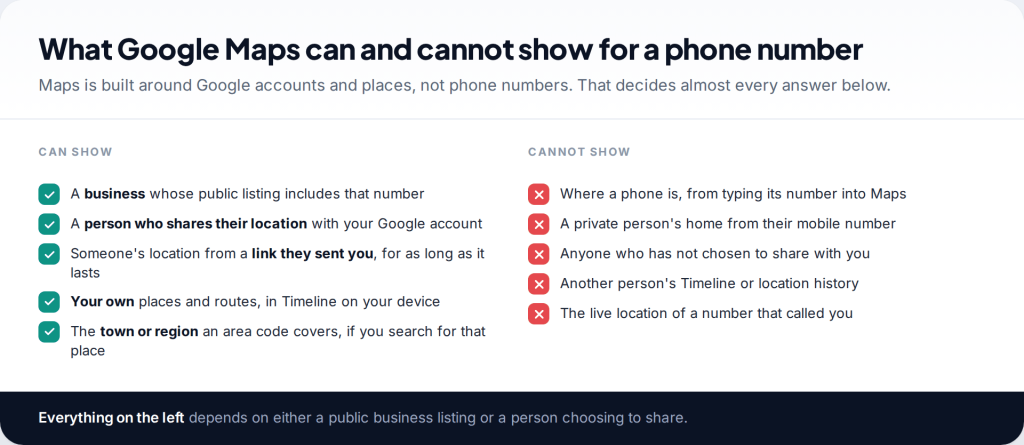
You can’t find a phone number’s location on Google Maps by typing the number in. Maps searches places and Google accounts, not phone lines. What it can show is a business whose public listing includes that number, a person who has chosen to share their location with your Google account or sent you a link, and your own movements in Timeline. For anything else involving a number, Maps has no data to show you.
- Searching a number finds businesses, not people. A match means a company published that number on its listing.
- People appear only by choice. Location sharing and share links are created on their phone, for your account or as a link.
- Timeline is yours alone. It now lives on your device and never shows anyone else’s movements.
- An area code can be mapped the other way round: look up the place a code belongs to, not the number.
Phone number location on Google Maps: what it can and can’t do

People searching for this usually want one of three things: to see where an unknown caller is, to find a friend or family member, or to find their own lost phone. Maps helps with the second, partly with the third, and not at all with the first. Each section below takes one of those needs in turn, starting with what actually happens when you type a number into the search box.
The reason is structural. A phone number is an identifier for a mobile or landline account, held by a carrier. Google Maps knows about places — and, when people opt in, about where their Google account’s devices are. Nothing in Maps connects a private number to a location, and no setting turns that on.
Searching for a phone number in Google Maps

Type a number into the Maps search box and one of two things happens. If a business has published that number on its Google Business Profile, Maps may show the business, with directions and opening hours. That is often the quickest way to identify a company that has called you. If the number is a private mobile or unlisted landline, you get no useful result, because there is nothing for Maps to match.
The same applies to Google Search. Searching a number in quotes often surfaces the business profile, website or directory page where it was published, and sometimes forum posts from other people who received calls from it. That is useful context, and it is all public. It still stops at who published the number.
A match tells you who published the number, not who used it. Businesses share lines, numbers get reassigned, and caller ID can be forged, so treat a result as a lead and confirm it on the organisation’s own website.
Seeing a person on Google Maps: location sharing

The legitimate way to see a person on Google Maps is location sharing. It is started on their phone: they open Maps, tap their profile picture, choose Location sharing and New share, set a duration, and pick you from their contacts. You then see them in your own Maps under Location sharing and on the map.
Google’s help pages list what a share includes: their name and photo, their device’s recent location even when they aren’t using Google apps, and their battery level and whether it is charging. They can stop at any time by tapping your name and choosing Stop. Your phone number plays no part except, possibly, in how they find you in their contacts.

This is also the cleanest option across platforms. Apple’s Find My doesn’t reach Android phones, but Google Maps runs on both, so an iPhone user and an Android user can share with each other as long as both have Google accounts.
Opening a location link someone sent you

If you don’t have a Google account, or the sender doesn’t want to add you permanently, they can create a link instead: in Location sharing they choose Copy to clipboard and paste it into a message. Google says this shares real-time location for up to 24 hours. You open it in any browser.
Because anyone holding the link can follow the sender, don’t forward it. And be wary of links that ask you to allow location in your browser; that is a request for your position, not a way to see someone else’s.
Google Maps Timeline: your own history, on your own device

Timeline, formerly Location History, records places you visited and routes you travelled, if you switched it on. Google has moved it off the web and onto the device: your Timeline is kept on your phone, with an optional encrypted backup to Google’s servers. To open it on Android, tap your profile picture in Maps and choose Your Timeline. Google’s help page says it needs location on and Timeline turned on, and isn’t available on Android Go devices.
Timeline is sometimes described as a way to find another person or a phone number. It isn’t. It only shows the signed-in person’s own history, and Google doesn’t share it with people you share your live location with. If your own phone is missing, your Timeline is on that phone unless you enabled backup and can restore it elsewhere. Our guide to using Google Maps Timeline to find a lost phone explains when it helps and when Find Hub is the better tool.
Seeing the area a number belongs to

What you can do with Maps is reverse the question. Read the code — 0161 is the Manchester area, 312 is Chicago — then search the place, not the number, to see the region it covers. That tells you where a landline number belongs, or where a North American mobile number was first issued.
Stop there. UK mobile numbers beginning 07 have no area at all, North American mobile users keep their area code when they move, and internet numbers can carry any code. For the full method of reading a number’s origin, see finding where a phone number is registered.
Finding your own phone when all you remember is the number
If the phone you want to find is your own, the number is the wrong starting point in every Google product. Find Hub locates Android phones by the Google account signed in on them. Go to android.com/find on any browser, sign in with the same account, and choose the phone. Google’s help pages say it needs to be signed in, with location on and the Find Hub setting turned on beforehand. Some newer phones can still be found for a few hours after they switch off, through Google’s crowdsourced network, if Bluetooth and location were left on.
Your number is still useful elsewhere. Call it to hear if the phone is nearby. Tell your carrier, which can block the SIM so nobody can run up charges or receive your verification codes, and record the handset’s IMEI. If the phone was stolen, report it to the police with that IMEI. None of this involves a map, but it protects the accounts linked to your number while you look.
Myths about Google Maps and phone numbers
- “Google Earth or Street View can find a caller.” Both are imagery of places. Neither has any connection to phone lines.
- “A browser extension adds number tracking to Maps.” Extensions can’t give Maps data it doesn’t have. At best they draw an area code’s region; at worst they collect your browsing.
- “If they’re in my contacts, I can see them.” Contacts only help you choose who to share with. Nothing appears on your map until they share.
- “The blue dot for a shared contact is exact.” It is the best estimate their phone reported, with a light-blue circle showing uncertainty. Indoors that can cover a large area.
Who can see you on Google Maps

The reverse question matters just as much. The Location sharing screen lists everyone you share with, and any links still active. Go through it after a break-up, a job change or a phone swap. Shares belong to a Google account, so if you use more than one account in Maps, switch and check each. Remember that Family Link and other apps share location separately from Maps, so a clean list here doesn’t cover them.
When someone sharing with you doesn’t appear

If a person who shares with you doesn’t show up, the cause is almost always on their phone. It may be switched off or offline, location may be turned off, a battery saver may be pausing background updates, or a timed share may simply have ended. Sometimes the share went to a different Google account of yours, so check which account you are signed in with. If none of these explains it, ask them to stop and restart the share; that resets it cleanly.
A wide blue circle isn’t a fault. Maps draws a larger light-blue circle around a location when it is less certain, often indoors or where signals are weak. It narrows when the phone gets a better fix.
How this page was put together
We checked the steps against Google Maps Help pages on sharing real-time location, managing Timeline and improving location accuracy in September 2026, and against reporting on Timeline’s move to on-device storage. Google changes Maps’ menus regularly; if a label differs on your phone, look for the same words under your profile picture.
We didn’t use or test any third-party “number on map” services. The example numbers on this page are from ranges set aside for drama. See how our guides are researched and corrected.
Common questions
Can I find someone’s location on Google Maps with their phone number?
No. They have to share their location with your Google account or send you a link. Their number alone shows nothing on the map.
Why does searching a number in Google Maps show a business?
Because that business published the number on its public listing. Maps is matching the listing, not locating the phone that called you.
Can I see someone’s Google Maps Timeline?
No. Timeline is private to the signed-in person and is stored on their own device. Live location sharing doesn’t include it.
Does the other person know I can see their location?
Yes. They started the share, and it’s listed in their own Location sharing screen with your name, where they can stop it.
Can I share my location with someone who doesn’t have a Google account?
Yes, with a link. In Location sharing, choose Copy to clipboard and send it. Google says the link works for up to 24 hours.
Can I request someone’s location in Google Maps?
You can ask, but the share still has to be started on their phone. The simplest route is a message asking them to share for a set time, which they do from their own Location sharing screen.
Is Google Maps location sharing accurate?
It shows what the other phone reports. Outdoors with GPS that is usually close; indoors or with weak signals Maps draws a wider light-blue circle around the dot to show the uncertainty.
Can Google Maps find my lost phone?
Maps itself isn’t the tool for that. Use Find Hub at android.com/find, or Find My for an iPhone. Timeline may help only if it was backed up.
Using a monitoring app for this? TheTruthSpy is a free parental control app for Android that stays visible on the child's phone. If it fits your family, see the Location & geofencing feature.
Related guides
How Accurate Is Phone Location Tracking? GPS, Wi-Fi and Cell Compared
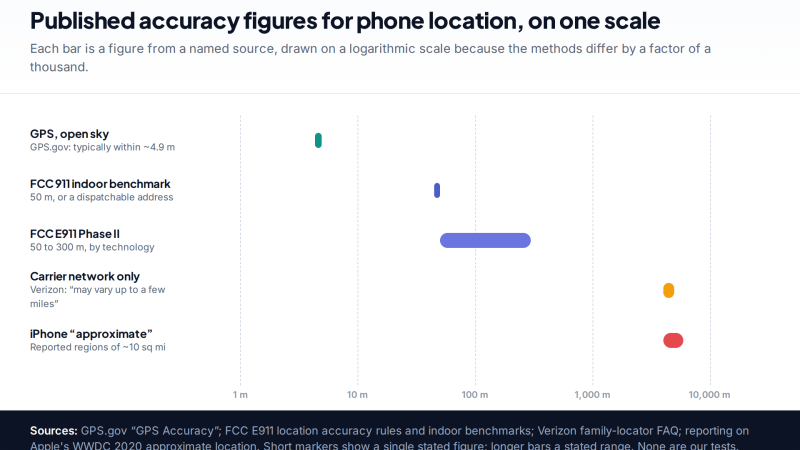
Phone location accuracy runs from a few metres with GPS under open sky to miles when only the mobile network…
Using Google Maps Timeline to Find a Lost Phone
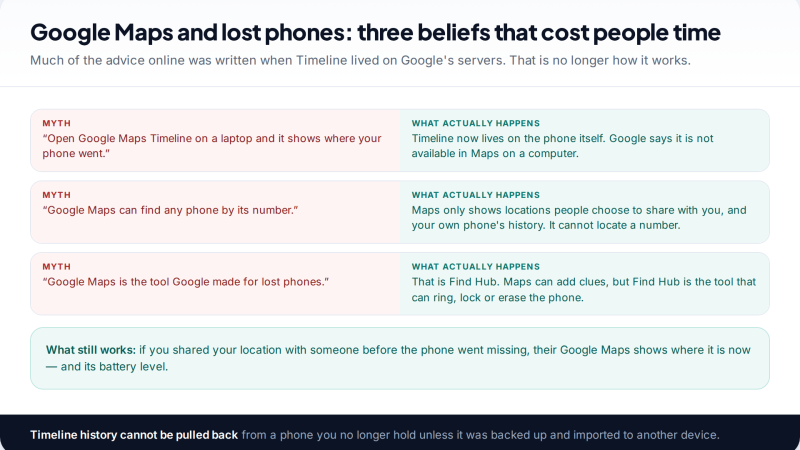
Can Google Maps find a lost phone? Only in two cases: someone you share your location with can see it,…
GPS Tracking for Small Business: A Starter Guide
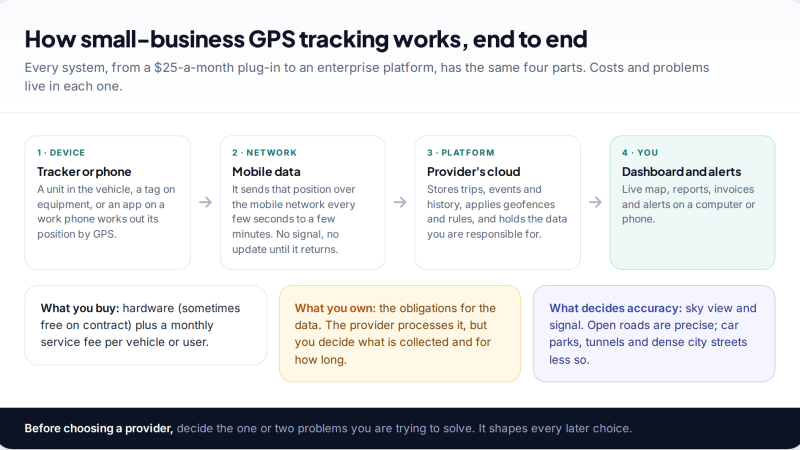
A plain starter guide to GPS tracking for a small business: vehicle trackers versus phone apps, what a small fleet…
Free parental control app for Android
GPS tracking, screen time limits, web filtering, SMS and call monitoring — visible on your child's phone. Pair a phone in about ten minutes.
Android · Free to set up · Visible on your child's phone