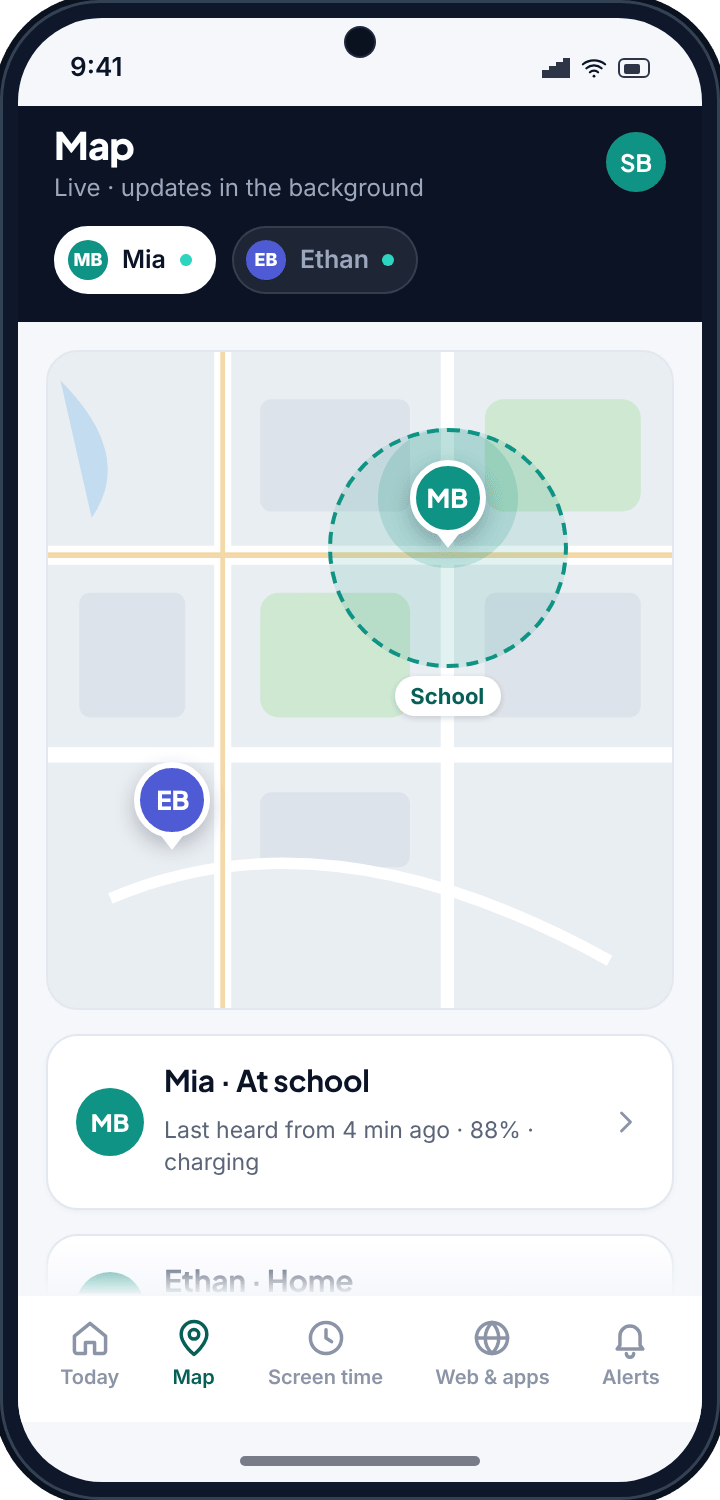
- Outdoors, expect a few metres. Indoors, expect tens of metres — the phone stops using satellites and starts guessing from Wi-Fi.
- The trail matters more than the pin. One dot can be wrong. A line of dots almost never is.
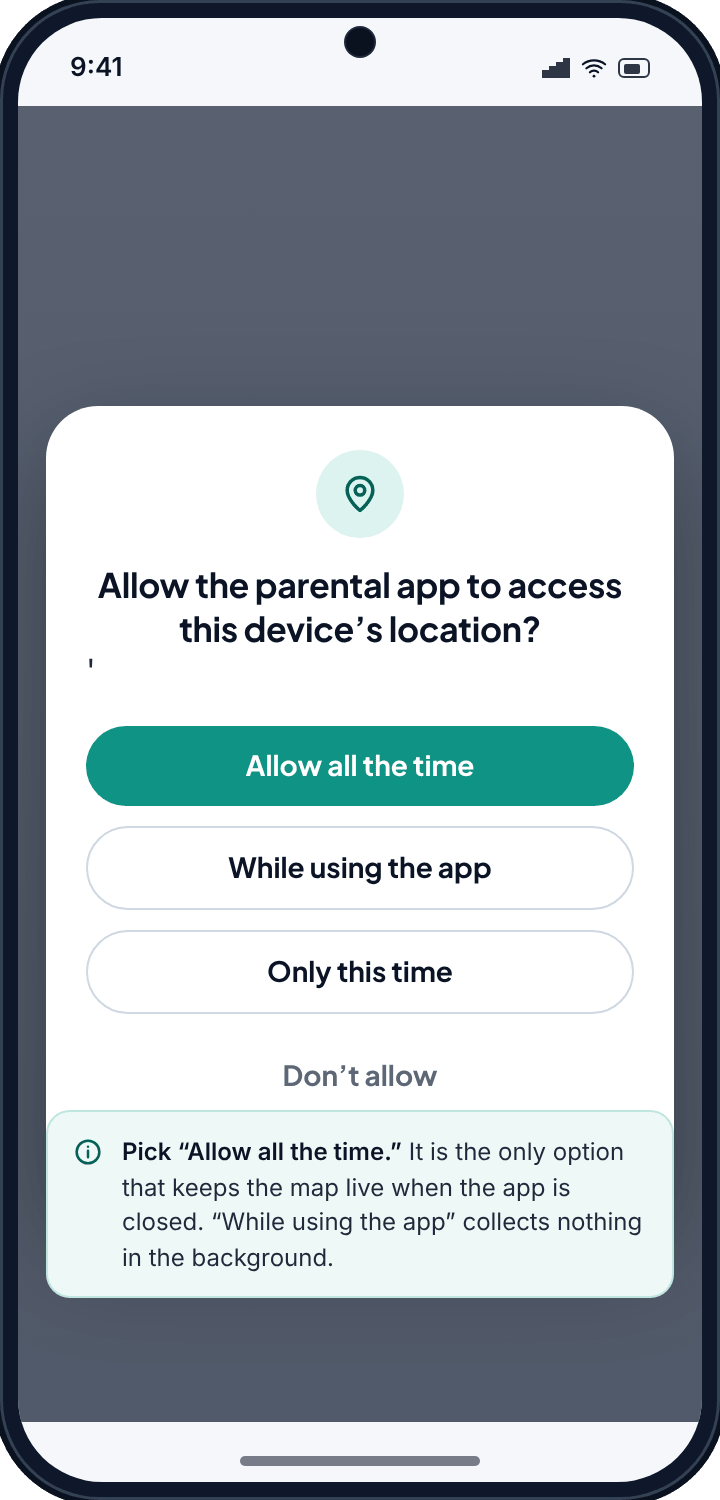
- One Android setting decides everything. Location must be “Allow all the time”. “While using the app” looks granted and collects nothing.
- Free, and visible on the phone. No card, and your child can see that location is being shared.
What each way of finding a phone actually tells you
“Location tracking” is four different technologies wearing one name, and they fail in different ways. This is the table nobody selling a tracker wants to show you.
| Method | Typical accuracy | Works indoors | Battery | What it is good for |
|---|---|---|---|---|
| GPS satellites | 3–10 m | Poorly | Highest | Outdoors, walking or driving. This is the one people picture. |
| Wi-Fi positioning | 15–50 m | Yes | Low | Inside buildings and dense city centres, where satellites are blocked. |
| Cell towers | 150 m – 2 km | Yes | Lowest | A rough fallback. Never trust a single cell-based fix for anything that matters. |
| Geofence crossing | Event, not a point | Edge-dependent | Low | “Arrived at school”, “left home”. More reliable than the coordinate behind it. |
| Network history | Router range | Yes | None | Confirming a phone settled somewhere — see the Wi-Fi tracker. |
Android picks whichever of the first three it can get, and the app reports what it is handed. So a pin that jumps two streets at 4pm is usually not a child moving — it is a phone that lost the sky and fell back to Wi-Fi. Reading the map with that in mind saves a great deal of unnecessary worry.
The live map, and what the pin is really saying
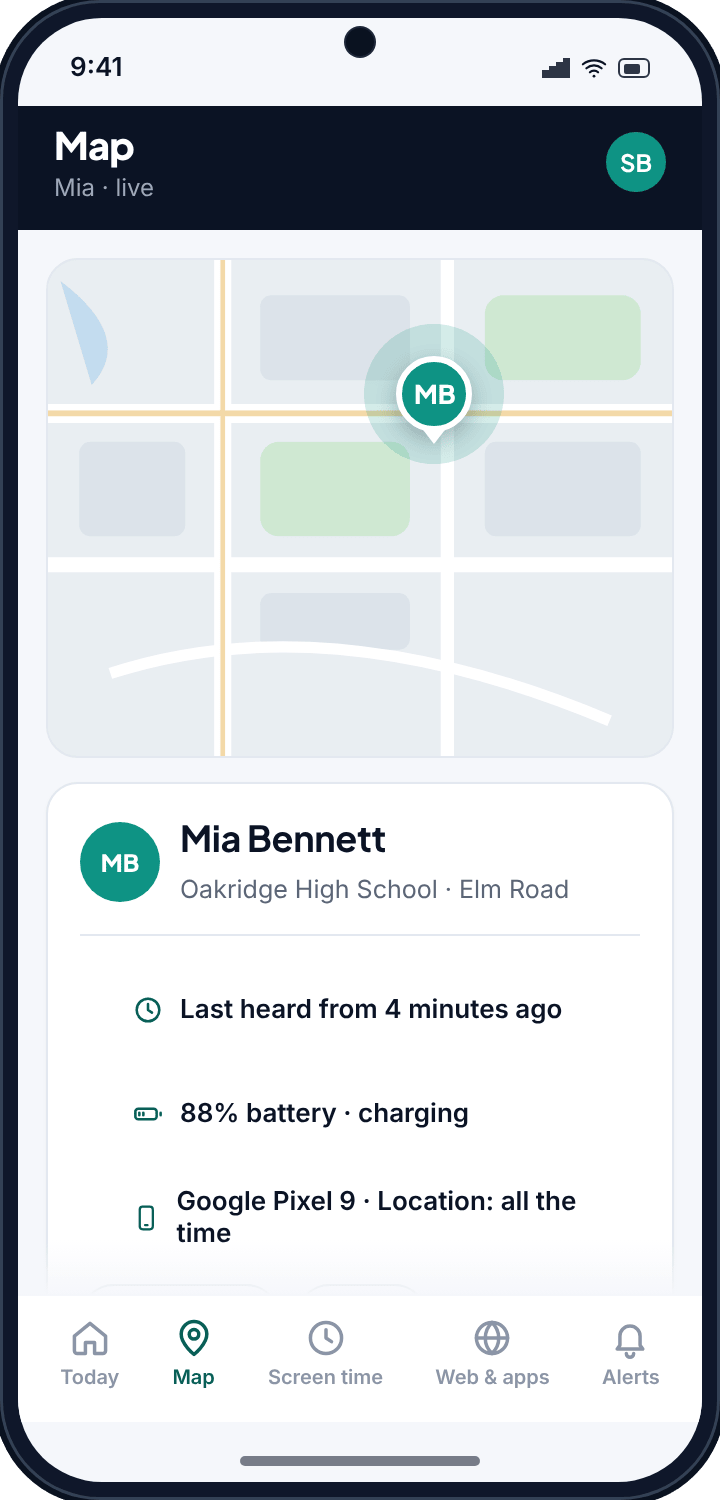
Every paired phone appears as a pin carrying three things: where it last reported, how long ago, and how much battery is left. That third number is the one experienced parents learn to read first. A phone at 6% is about to go quiet, and a pin that stops moving at 6% is a flat battery rather than anything else.
The “last seen” time is equally important and widely misread. A phone that reported four minutes ago is telling you something current. One that reported ninety minutes ago is telling you where it was ninety minutes ago, and the map says so plainly rather than leaving an old pin looking fresh.
History: why the trail beats the pin
A single position can be wrong. A sequence of positions almost never is, because the errors are random and the route is not. This is why the history view answers questions the live map cannot.
Scroll back through a day and you get a line: home until 08:12, a steady progression along the same road, stationary at school from 08:47, a stop somewhere new at 15:40, home by 16:20. If a single fix in the middle of that is forty metres off, the shape of the line is unaffected and you would never notice.
It is also what turns a vague worry into a specific question. “You were somewhere near the precinct after school” is an accusation built on one dot. “You stopped somewhere for twenty minutes on the way home — where was that?” is a question built on a trail, and it gets an answer.
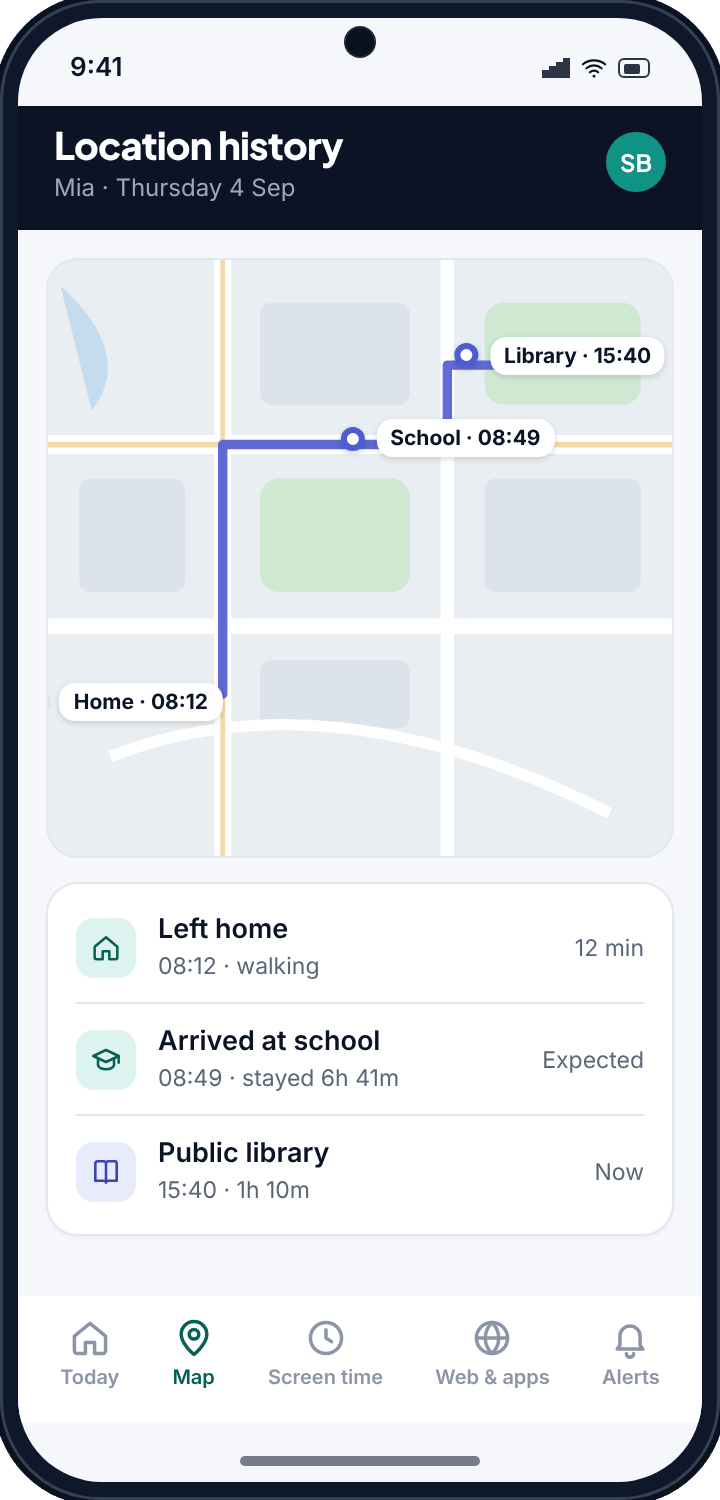
TheTruthSpy keeps a rolling window of recent days rather than an archive that grows forever. A few weeks covers every real situation a parent faces; a permanent record of a child's whole adolescence serves nobody and would be a liability if it ever leaked.
Geofences: being told instead of checking
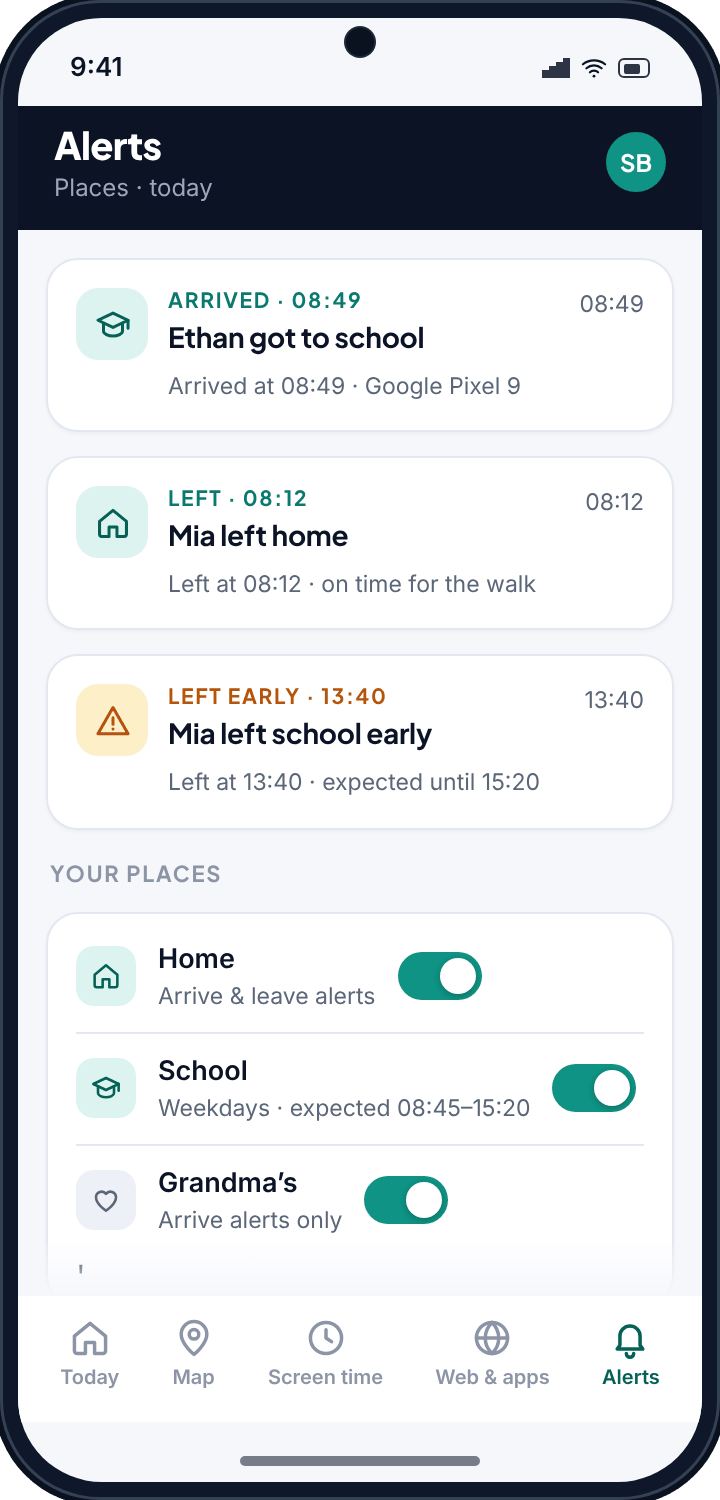
The compulsive habit a location tracker can create — opening the map fifteen times an evening — is solved by not needing to open it. Save the places that repeat and the app tells you when a phone crosses the edge.
| Place worth saving | Useful alert | Why it earns its place |
|---|---|---|
| School | Arrive, and leave before a set time | “Left school at 11:20” is the single most useful alert a parent gets. |
| Home | Arrive | Ends the “are you back yet” text entirely. |
| A club or practice | Arrive | Confirms they got there without a phone call to a coach. |
| A grandparent's | Arrive | Useful on the days the route is unfamiliar. |
| A friend's house | Usually none | Tempting, and usually the point at which a teenager decides the whole arrangement is surveillance. |
Let your child name the places with you. When they choose what gets saved, the map stops being something done to them and becomes a shared picture of the week — which is the difference between a tool that survives a year and one that gets uninstalled in a fortnight.
The one setting that decides whether any of this works
Android gates background location behind a permission with three states, and only one of them does what a parent assumes. This single setting is behind the overwhelming majority of “the tracker stopped working” complaints about every app in this category, ours included.
| Permission state | What it collects | Result |
|---|---|---|
| Allow all the time | Position in the background, phone locked, in a pocket | Everything on this page works |
| While using the app | Only while the TheTruthSpy app is open on screen | Map effectively dead — and it looks granted |
| Don't allow | Nothing | No location at all |
“While using the app” is the trap, because the permission screen shows it as allowed. A parent sets everything up, sees a green tick, and discovers three weeks later that the last position was recorded during setup. TheTruthSpy checks this state continuously and says so on the device screen rather than letting you believe a dead map is a quiet evening.
When the map goes quiet
Four things cause almost every reporting gap, and the order matters — parents reliably assume the last one first.
| What you see | Most likely cause | What to do |
|---|---|---|
| Pin stopped hours ago | Flat battery — by a distance the most common cause, and the least alarming | Check the last battery reading on the child card. 4% when it last reported is your answer. The map resumes on its own. |
| Reports arrive, then stop for hours, then resume | Battery optimisation switched back on — Android and Samsung do this after updates | Settings → Devices names it specifically and sends your child a one-tap fix, rather than making you talk them through a menu by phone. |
| Nothing since setup day | Permission reverted to “While using the app” | The device card flags it. One tap on the phone. Worth checking whenever a child has been away a few days with no reports. |
| A gap that fills itself in later | Genuinely no signal — underground, rural, a plane, thick walls | Nothing. The phone stores positions and uploads them on reconnect, so the trail completes retroactively. |
What is missing from that list is “your child disabled it”. It happens, but far less often than the four above — and when it does, your panel says the phone stopped reporting rather than showing you a stale pin. That is deliberate: a tool that hides its own failure is worse than no tool.
Times that make sense for your family
Every timestamp — the map, the history, the alerts — reads in your child's local time. If you travel together, or a child is away with the other parent in a different zone, you are never doing mental arithmetic to work out whether early is actually early.
Where location fits with everything else
The map answers where, not what the phone was doing there or who was on the other end. Indoors, where GPS drifts, the Wi-Fi history is the better check: a phone on the school network is at school. For time spent on the phone, pair the map with screen time limits.
Pairing a phone takes about ten minutes and the download and setup guide covers each screen. How much location tracking suits a nine-year-old versus a sixteen-year-old is a separate question, and the parental control guides take it on age by age.