Unpair a phone, delete data, and how long data is kept
What each option does to collection, the app on the phone, and the data already sent.
Unpair a phone
Device health → the phone → Unpair. Collection stops immediately and your child’s phone shows that it was unpaired. The app stays installed until someone removes it. History already sent is deleted on the normal schedule.
Remove a child
Family & sharing → the child → Remove. Every device for that child is unpaired, and their history is deleted.
Delete a child’s data but keep them
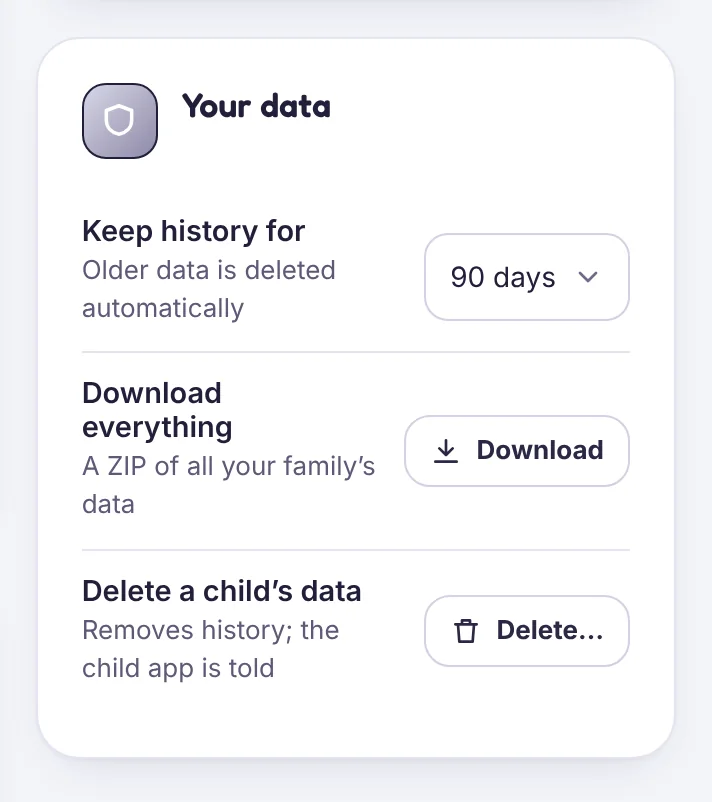
Family & sharing → Your data → Delete a child’s data removes their history and keeps their profile and rules. Your child’s app is told.
Delete your account
Family & sharing → Your data → Delete account (owners only). Every child and device is unpaired and all data is deleted within 30 days, including backups.
Download your data first
Download everything gives you a ZIP file of your family’s data.
How long data is kept
Retention
Location history, app usage, browsing and logs are kept for 90 days by default. Choose 30, 90 or 365 days in Family & sharing → Your data. Older data is deleted automatically.
Download
Download everything creates a ZIP file with your family’s data in readable formats. It is ready within a few minutes and the link expires after 24 hours.
Delete
You can delete a child’s history, or your whole account, at any time. See Unpair a phone, remove a child or delete your account.
Read the full privacy policy.
Tell us which step you reached and what you see on screen. Screenshots help.