Live Trace
Follow one trip live, street by street, for a time you choose: the walk to school, the first bus ride alone, the way home from practice. Your child's phone shows a notice with the end time for as long as it runs, and it stops by itself.
Either build · Free · Permission: Location, “Allow all the time” · A notice on your child's phone for the whole Trace
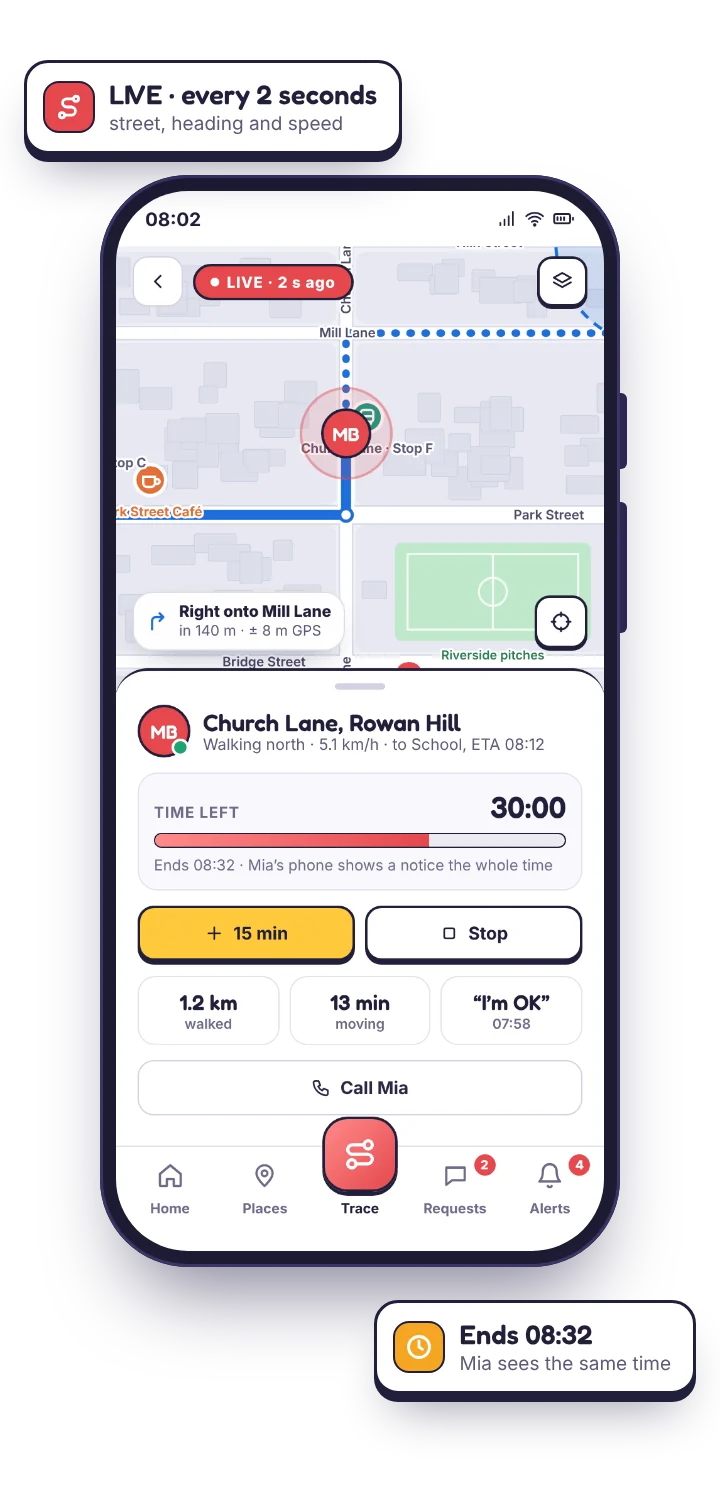
One trip, live, for a set time
The family map is built for checking in now and then. It updates every few minutes, and straight away when a phone arrives at or leaves a saved place, which keeps the battery happy. Live Trace is for the moments when every minute matters. For the length you choose, the phone sends a fresh position every couple of seconds, and the map follows it street by street.
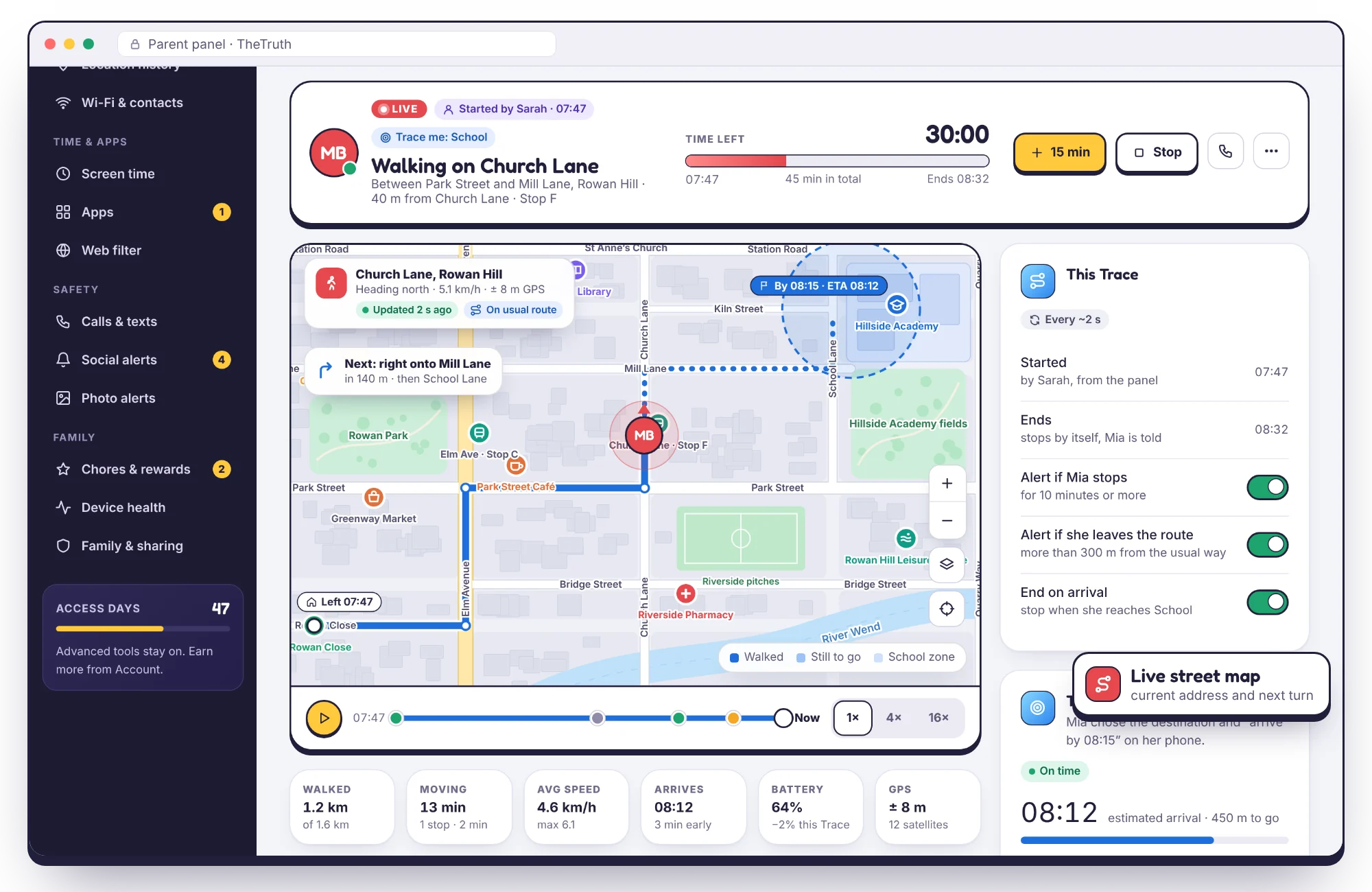
You see the street your child is on and the direction they are heading, their walking or travelling speed, how accurate the reading is, the next turn on their usual route and an estimated arrival. A countdown shows how long the Trace has left. When it reaches zero, fast updates stop on their own and the map goes back to normal.
- A set length, always. 15 minutes, 30 minutes or an hour, extended 15 minutes at a time. There is no open-ended Trace.
- Street-level detail. The nearest address, heading, speed and GPS accuracy, updated every couple of seconds.
- Never silent. Your child's phone shows the notice and the end time for the whole Trace.
Start, extend or stop it in one tap
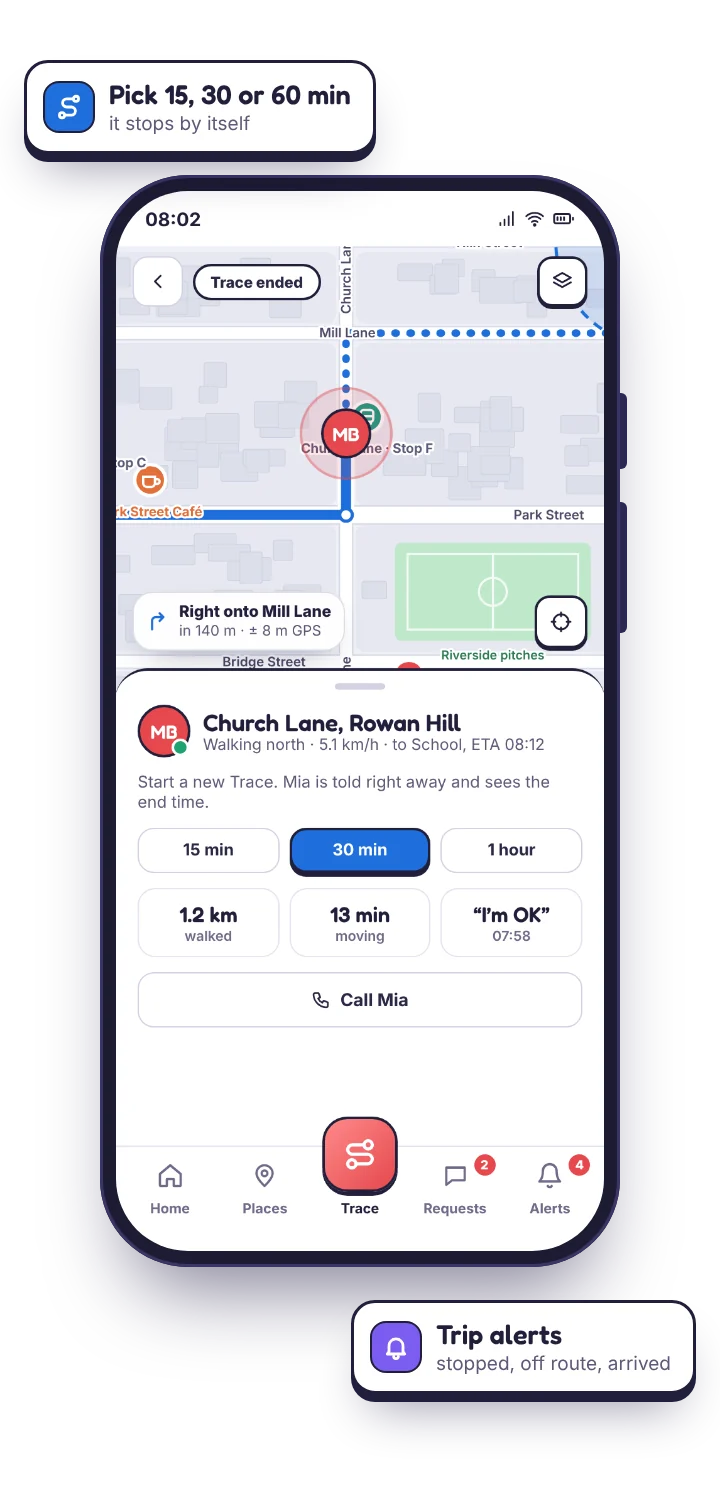
Open Live Trace in the parent app or the web panel, pick the child and choose how long. Before you start, choose the trip alerts you want. Each one fires once, with where your child was at that moment.
- They stop for 10 minutes or more. Useful on a walk that should not have a long pause in it.
- They leave the usual route. More than about 300 metres from the way they normally go.
- End on arrival. The Trace stops by itself when they reach a saved place, such as School.
While it runs, +15 min adds time and Stop ends it at once. Your child's phone shows the new end time within seconds of either. Any adult on the account with “Can see and act” or “Location only” access can start a Trace, and the notice names who did.
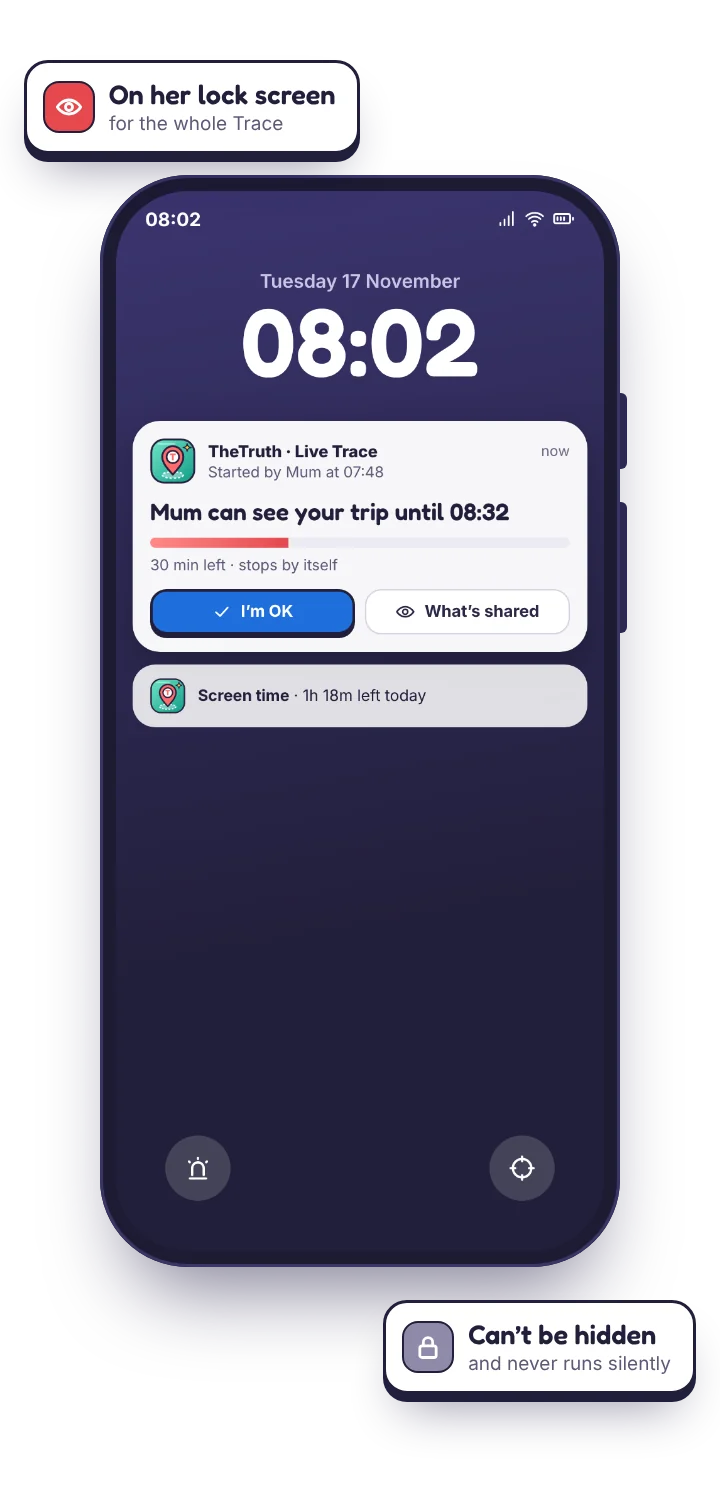
For the whole Trace, their lock screen says so, with the end time.
The moment a Trace starts, your child's phone shows a notice on the lock screen and inside the app: who started it, when it ends and how many minutes are left. It cannot be hidden, swiped away or switched to a silent mode, and it updates when you add time or stop early.
Two buttons sit on the notice. I'm OK sends a quick check-in with where they are. What's shared opens the plain-language list of what the family can see, so the answer to “what can Mum see right now?” is always one tap away.
That openness is the point. A child who knows the Trace is on, and knows it ends at 08:32, behaves exactly as they would anyway. A child who discovers they were followed in secret stops trusting every other part of the app, and usually finds a way around it.
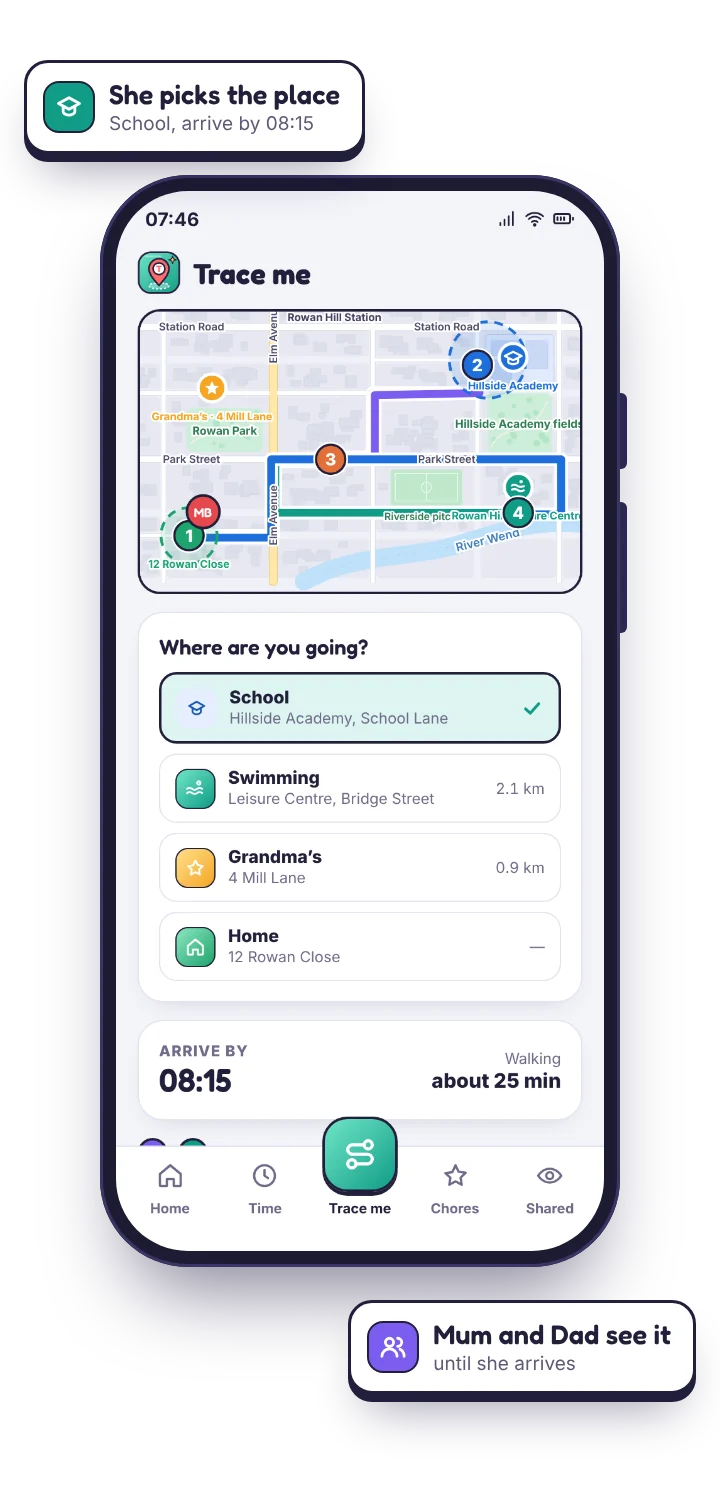
Trace me: your child starts it
Some of the best Traces are the ones your child asks for. With Trace me, they pick where they are going from your saved places, set an arrive-by time and tap start. You and the other adults on the account see the trip live, with progress and an estimated arrival.
If they are not there by the time they chose, you get one alert with where they were last seen. When they arrive, the Trace ends on its own. It turns “text me when you get there” into something that happens without anyone having to remember.
- Their choice of place and time. School by 08:15, Grandma's by 17:00.
- One late alert, not a stream. Sent only if the arrive-by time passes.
Three quick messages, and one button for when it is serious.
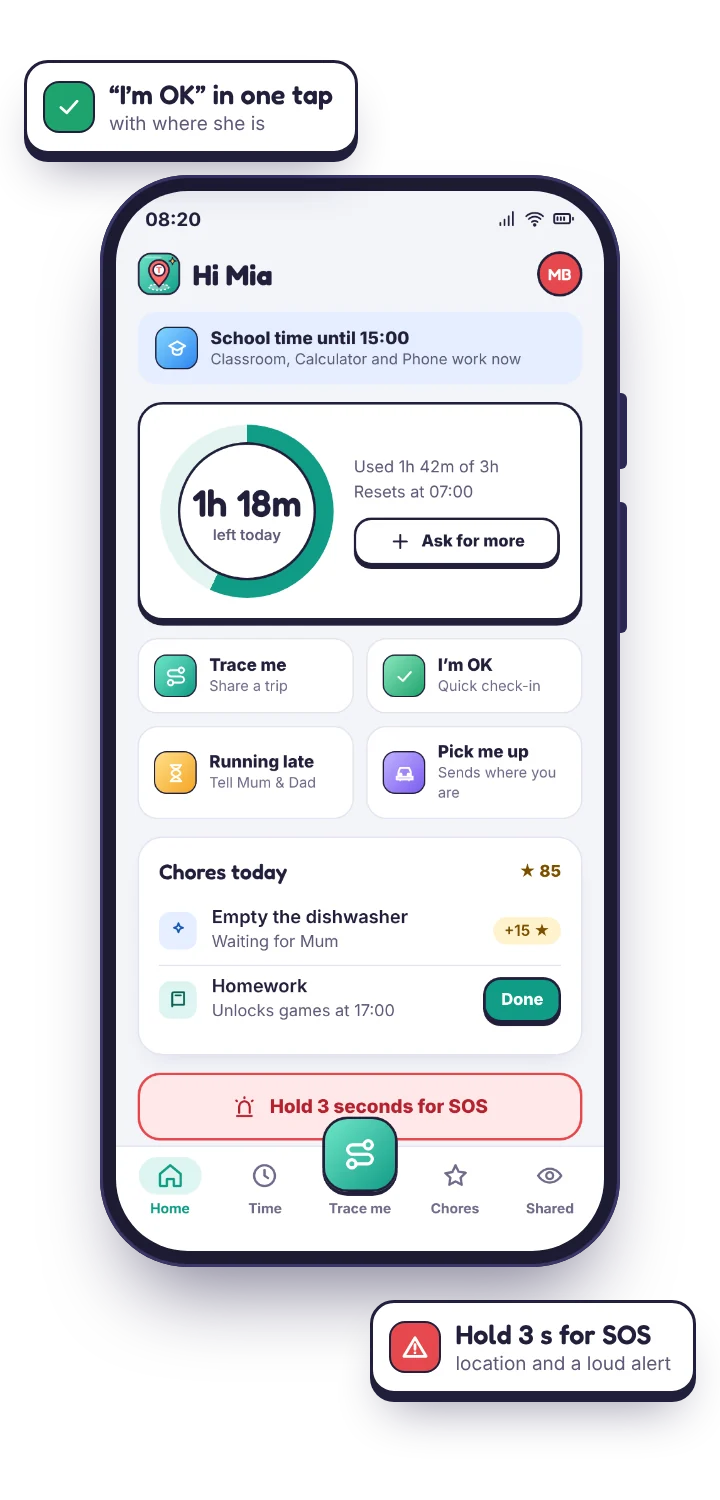
From their home screen, your child can send I'm OK, Running late or Pick me up. Each one arrives with their location and appears in the trip feed, so a quiet “I'm OK” at the bus stop is enough to stop the worrying.
Holding SOS for three seconds sends their exact location to every adult on the account with a loud alert, even if the parent app is on silent, and starts a 30-minute Live Trace so you can follow them. It is not an emergency service: if they are in danger, the first call is still to your local emergency number.
Every trip in detail: the street, the next turn, every point along the way.
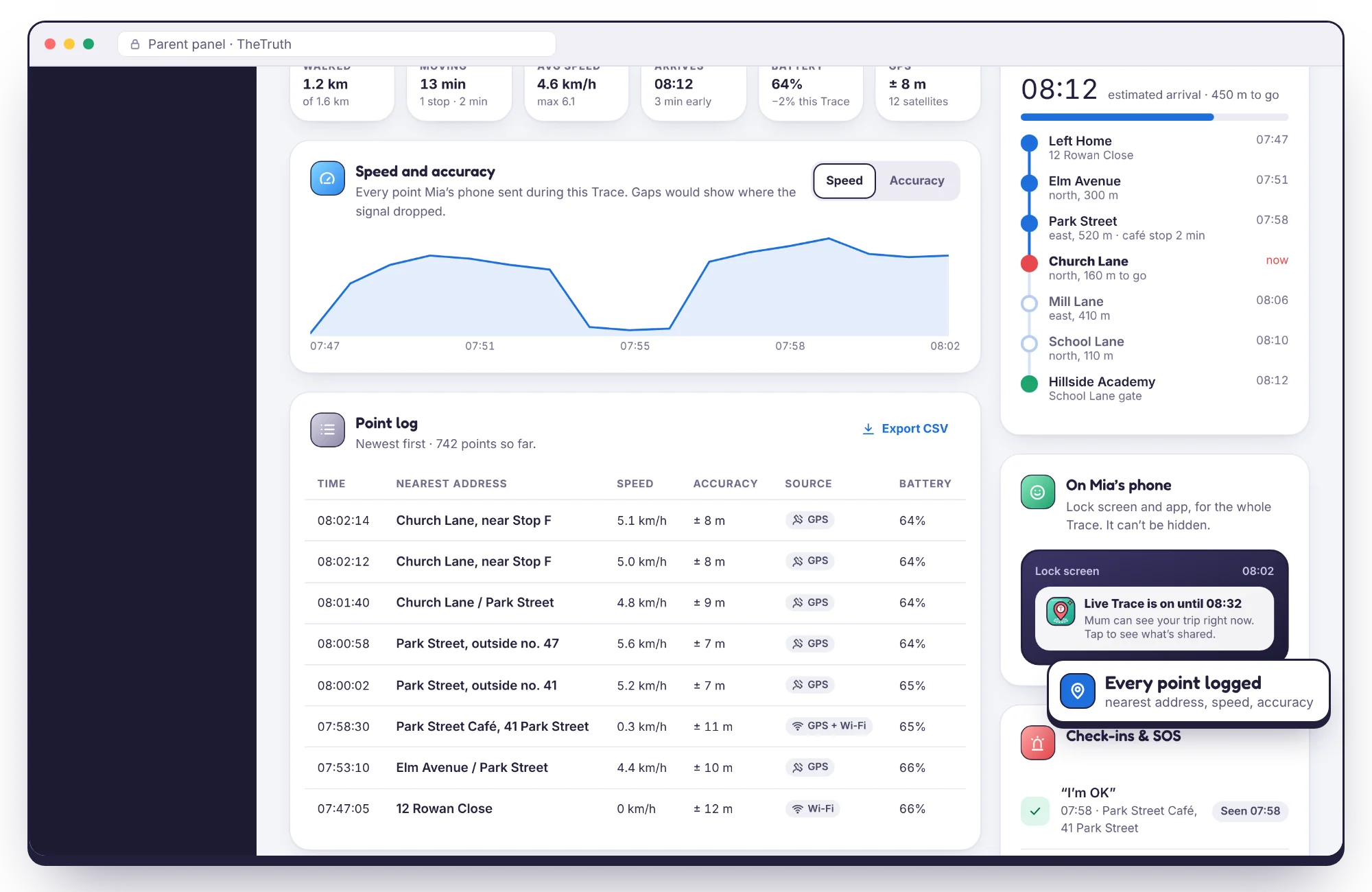
On a bigger screen, Live Trace adds the turn-by-turn progress to the destination, a speed and accuracy chart, a trip feed and a log of every point with the nearest address.
Nearest address
“Church Lane, near Stop F” rather than a pair of coordinates, for every point.
Replay at 1×, 4× or 16×
Scrub back through the trip with stops, check-ins and extensions marked on the bar.
Export the trip
Download the point log as a CSV or the route as GPX, for your own records.
Use the map for “where are they?” and a Trace for “are they getting there?”
| Family map | Live Trace | |
|---|---|---|
| Updates | Every few minutes, and on arriving or leaving a saved place | Every couple of seconds |
| How long | Always on while location sharing is on | 15, 30 or 60 minutes, then it stops by itself |
| Detail | Place, address, last seen, battery | Street, heading, speed, accuracy, next turn, arrival time |
| Child's phone | “Location: on” in What's shared | A lock-screen notice with the end time |
| Battery | Low | A few percent for a 30-minute trip |
| Who starts it | On when the phone is paired | A parent, a carer with location access, or the child with Trace me |
Low battery. Below 15%, a Trace slows its updates to save the phone, and the map says so. At 5% you get one alert with the last known place.
Questions parents ask about Live Trace.
Does my child know when a Live Trace is on?
Yes, always. Their lock screen and the app show a notice for the whole Trace with who started it and when it ends. It cannot be hidden or run silently.
Can a Trace run all day?
No. Every Trace has a length of 15, 30 or 60 minutes. You can add 15 minutes at a time, and your child sees each new end time. For all-day awareness, the family map and place alerts are the right tool.
Does it work when the phone has no signal?
Points are saved on the phone and sent when it reconnects, so the trail fills in afterwards. The live view shows the last point and how long ago it arrived.
How much battery does it use?
Typically a few percent for a 30-minute walk. Updates slow down below 15% battery to protect the phone.
Can a grandparent start a Trace?
Yes, if they have “Location only” or “Can see and act” access. The notice on your child's phone names whoever started it.
Is Live Trace in the Google Play build?
Yes. Live Trace, Trace me, check-ins and SOS are in both builds, and they need the location permission set to “Allow all the time”.
Where Live Trace fits
Live Trace is the close-up. The GPS location tracker is the everyday view, with the day's timeline and alerts for saved places, and the Wi-Fi history confirms where a phone settled indoors. If you are setting up for the first time, the download and setup guide takes about ten minutes, and the Help Center walks through every Live Trace screen.
Follow the next walk to school, live.
Pair your child’s phone in about ten minutes, then start a Trace from the parent app or the web panel. Their phone shows it the whole time. No card, no subscription.
Android · Free to set up · Visible on your child's phone