How to Tell If Your Partner Is Tracking Your Phone

If you think your partner is tracking your phone, check quietly before you change anything, because changes can be noticed. Partner tracking my phone rarely involves hacking. It usually runs through access a partner already has: your passcode, a face or fingerprint registered on the phone, location sharing you set up together, a shared account, the car or a hidden tag. Each can be checked, and each can be closed when it is safe.
- Look for access, not spyware. Shared setups explain most partner tracking.
- Check your face and fingerprints. A second Face ID appearance or an extra fingerprint unlocks the phone for them.
- Write down what they knew. A dated log points to the route and becomes evidence.
- Plan before you close anything if they could react with anger or threats.
Is my partner tracking my phone? The signs in a relationship
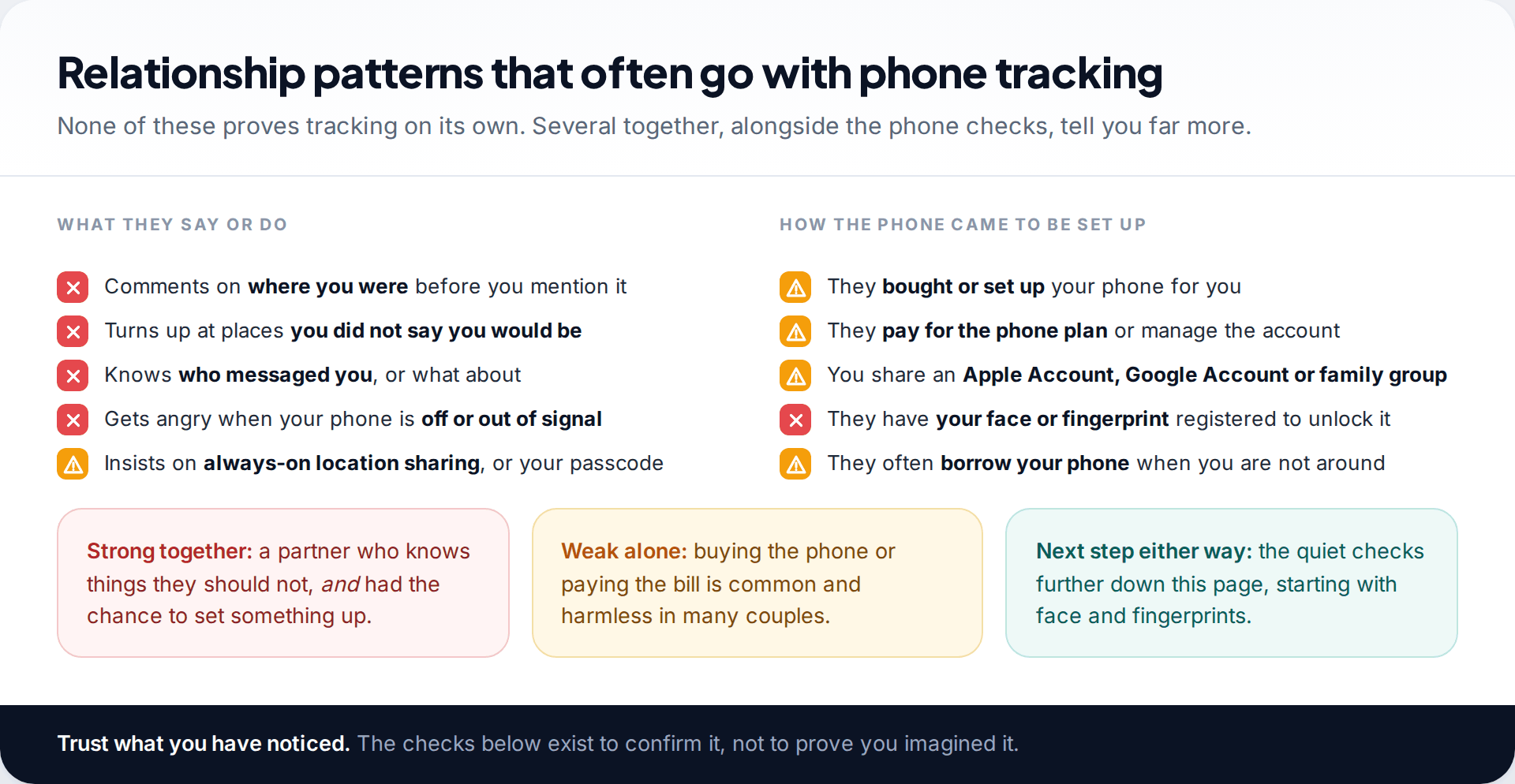
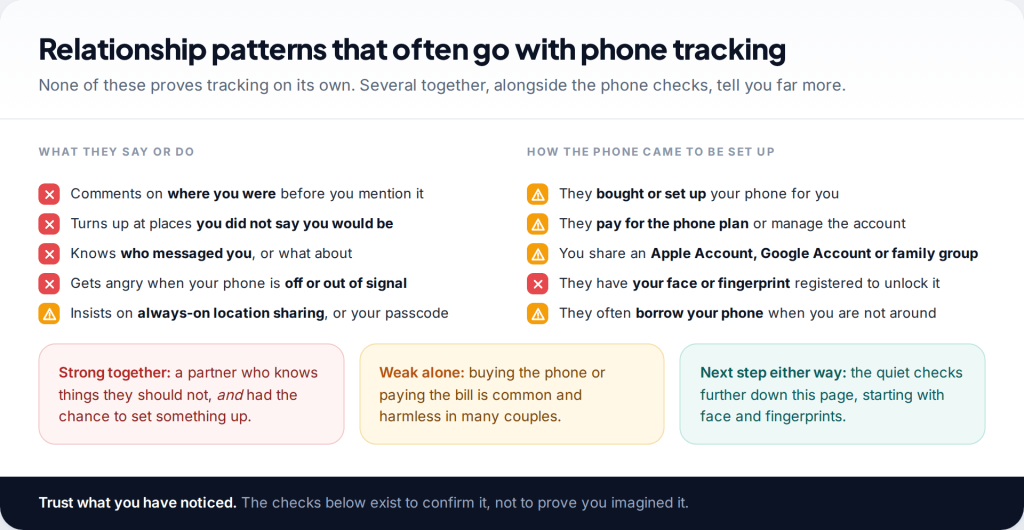
Advice about phone tracking often lists battery drain and strange noises. In a relationship, the clearer signs are in what your partner says and does. They mention where you were before you tell them. They appear at the café you chose on the spur of the moment. They know who messaged you. They get angry when your phone is switched off or out of signal, or insist on seeing your location at all times.
How the phone was set up matters just as much. Did they buy it, set it up or add your account for you? Do they pay for the plan? Do you share an Apple Account, a Google family group or a computer? Could they unlock your phone right now if it were on the table? These details decide which checks will be most useful.
The access a partner has that nobody else does
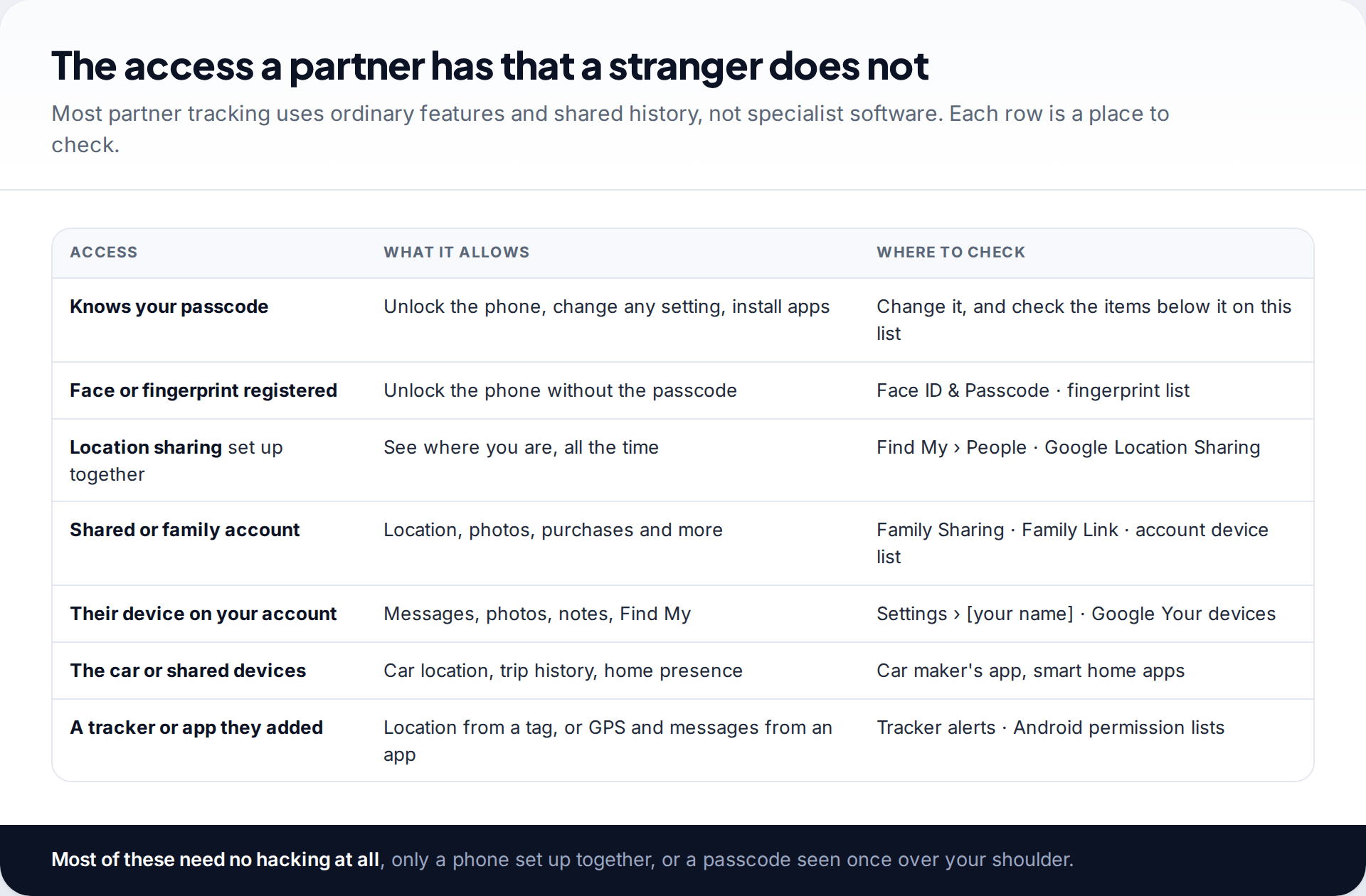
Strangers have to break in. Partners are often already inside. They may have watched you type your passcode, borrowed your phone to “just check something”, or signed in to your account on their tablet to download a game. None of that needs technical skill, and much of it happened at a time when sharing felt natural.
That is good news for checking, because ordinary access leaves ordinary traces. A registered fingerprint shows in the fingerprint list. A shared location shows in Find My. A tablet on your account shows in the device list. You don’t need special tools to find any of them.
Whose face or fingerprint unlocks your phone?
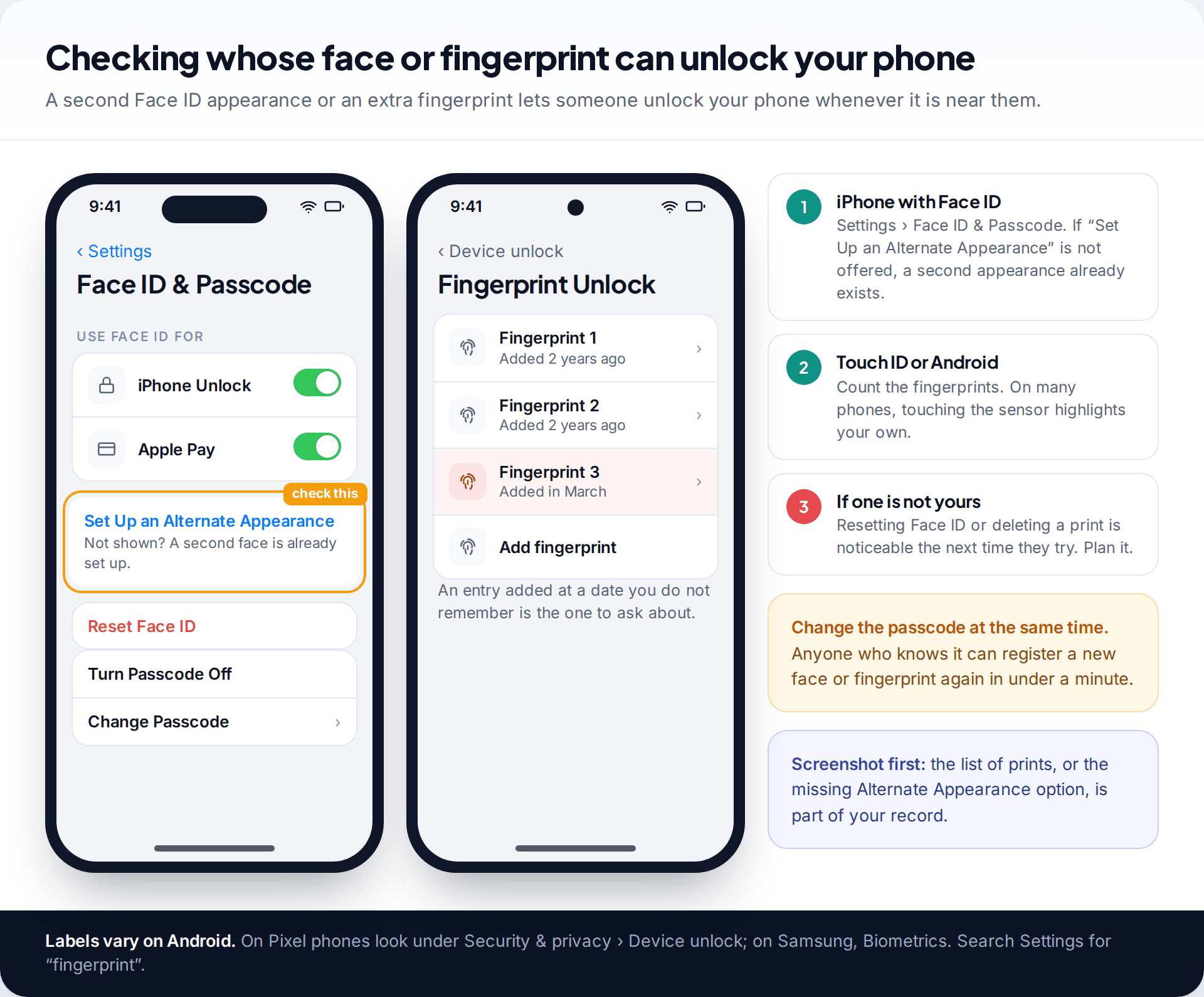
This check is specific to relationships and easy to miss. An iPhone with Face ID can store a second face as an Alternate Appearance. Go to Settings › Face ID & Passcode. If you see Set Up an Alternate Appearance, only one face is registered. If that option is missing and only Reset Face ID appears, a second appearance exists. If you did not add it, someone else may be able to unlock your phone just by looking at it.
On a phone with fingerprints, count the prints listed. On Android, search Settings for “fingerprint”; on Pixel phones it is under Security & privacy › Device unlock, and on Samsung under Biometrics. On an iPhone with Touch ID, touching the Home button while the list is open highlights the matching print, and some Android phones do the same, so you can see which entries are yours. Removing an unknown one, or resetting Face ID, will be noticed the next time they try to unlock the phone. Change your passcode as part of the same step, when you are ready.
While you are in Settings on an iPhone, open Screen Time too. Limits you did not choose, or a Screen Time passcode you never set, mean someone else has been managing the phone’s settings. On Android, the equivalent sign is a Digital Wellbeing or parental control setup that you did not create yourself.
Location sharing that started as mutual
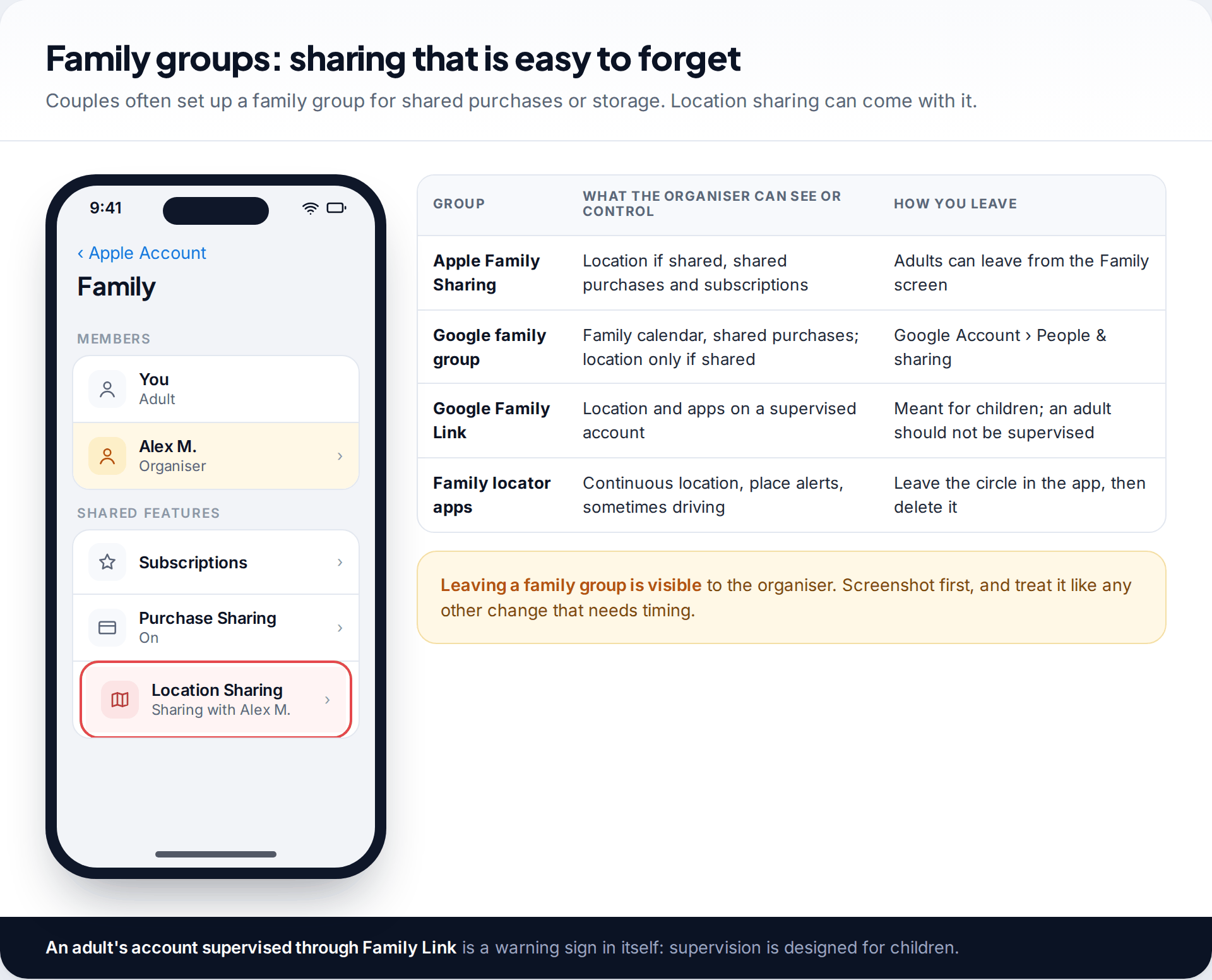
Many couples share locations on purpose, and that is fine when both people chose it and either can stop. Problems start when the sharing was pushed on you, only goes one way, or continued after the relationship changed. Check Find My › People on iPhone and Settings › Location › Location services › Google Location Sharing on Android to see who can see you.
Then look at family groups. Apple Family Sharing and Google family groups can include location sharing. A family locator app can hold location for a whole “circle”. Google Family Link is designed for parents supervising children, so an adult account supervised through it is a warning sign in itself. If you want to keep sharing on fairer terms, our guide to sharing your location with a partner safely covers the settings that keep it mutual and easy to pause.
Devices they might still be signed in on
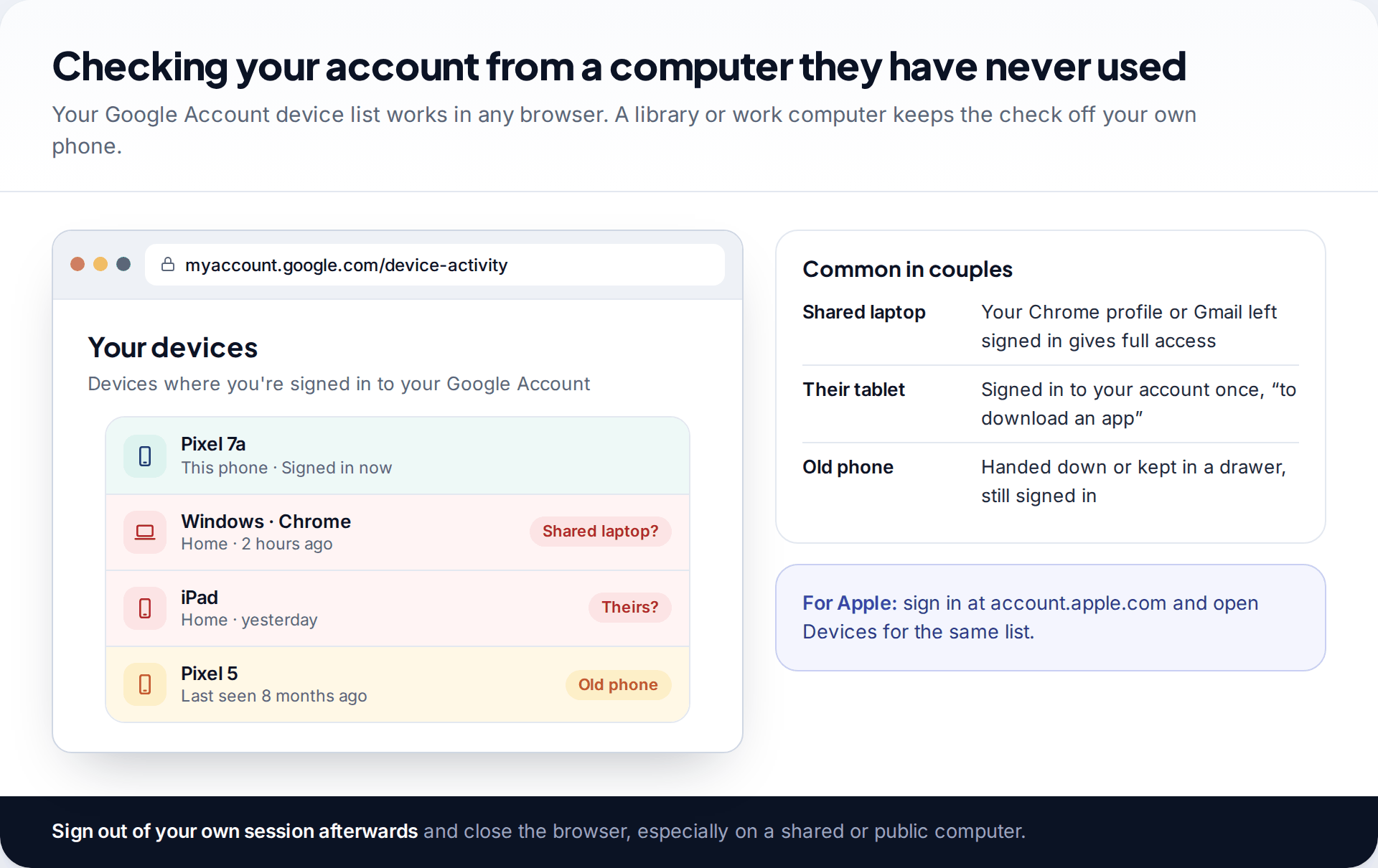
A partner who has a device signed in to your account can see a lot without touching your phone. That might be your Chrome profile left open on the family laptop, your Apple Account on their iPad, or an old phone in a drawer. Check the full list from a computer they have never used: Google’s at myaccount.google.com under Security › Your devices, Apple’s at account.apple.com under Devices.
Also check your messaging apps’ linked devices, such as WhatsApp’s Linked devices list, and whether your browser is syncing to a profile on a shared computer. These are the places your messages and searches travel to without any tracking app at all.
Trackers in the car, bags and gifts
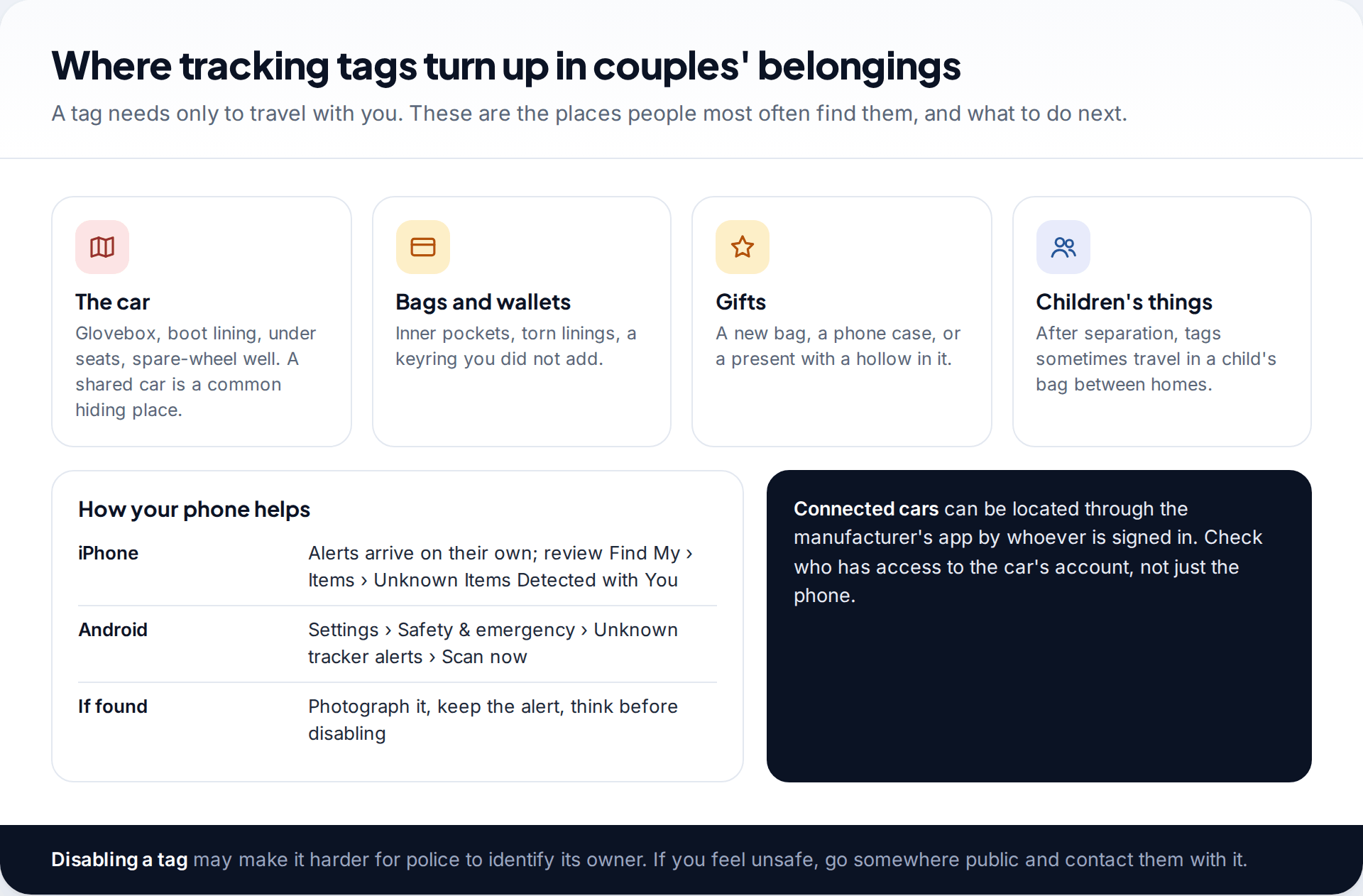
A Bluetooth tracking tag in a bag or car needs no access to your phone. Both iPhone and Android warn you when an unknown tag seems to be travelling with you. On Android you can also scan whenever you like under Settings › Safety & emergency › Unknown tracker alerts. If you find one, photograph it and keep the alert before deciding what to do. Disabling it may make it harder for police to identify the owner.
Shared cars deserve their own check. Many cars have a manufacturer’s app that shows the car’s location and trips to whoever is signed in. If your partner set that up, they may not need your phone at all.
When tracking is part of something bigger
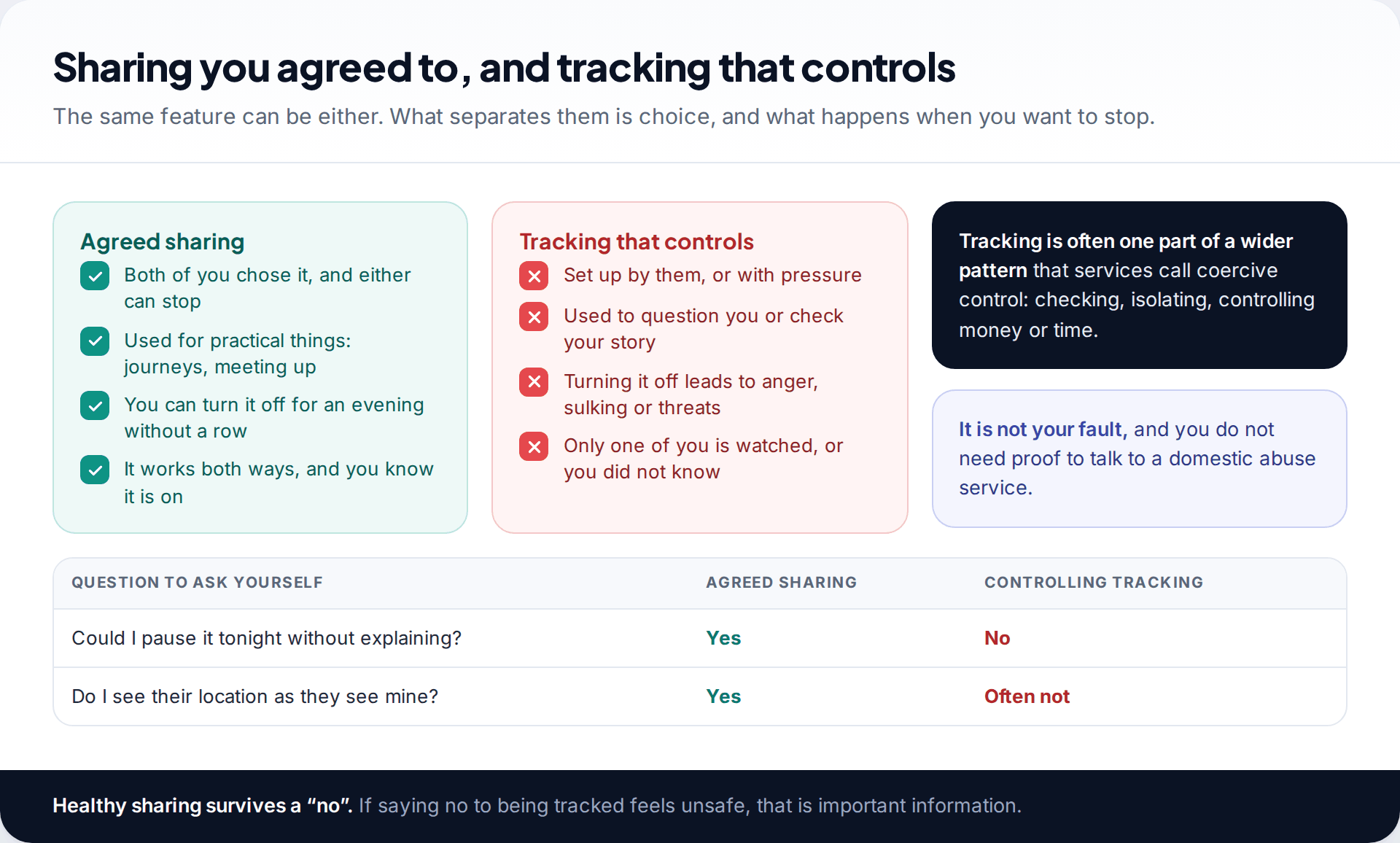
Tracking by a partner is rarely only about a phone. Support services describe it as one part of a pattern often called coercive control, alongside checking messages, limiting who you see, controlling money or monitoring your time. If saying no to being tracked feels risky, that tells you something important about the relationship. You do not need proof, or an app on your phone, to talk to a domestic abuse service. They also help people who are unsure whether what is happening counts as abuse.
What to do next, and in what order
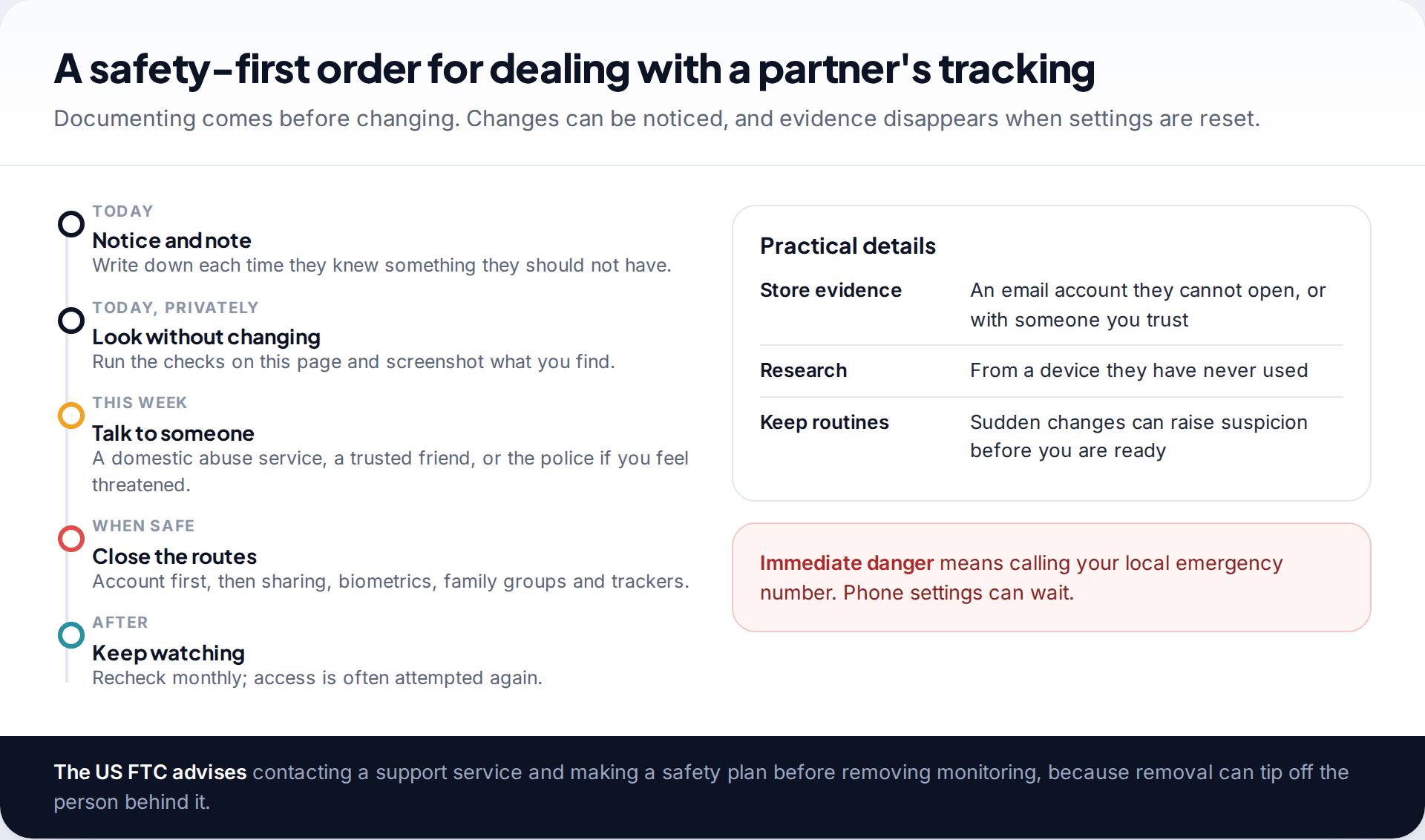
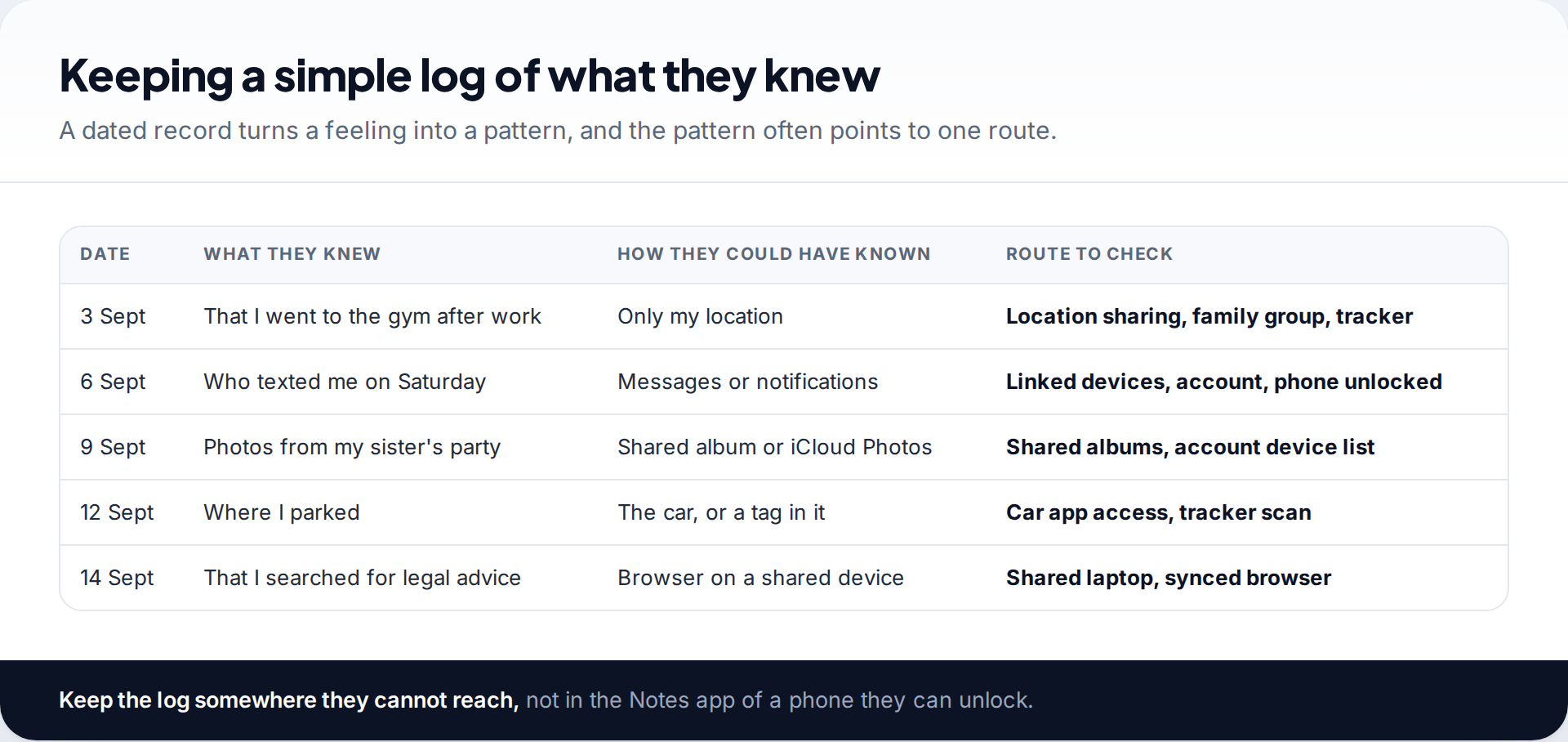
Start by noting each time your partner knew something they should not have: the date, what they knew and how they could have known it. Then run the checks above without changing anything, taking screenshots as you go. Store both somewhere your partner cannot reach.
When you are ready and safe, close the routes, starting with your Apple or Google account password from a device they have never used. Then deal with sharing, fingerprints and Face ID, family groups and trackers. Our step-by-step guide on stopping someone from tracking your location goes through each route in order. If the relationship is safe enough to talk, some people prefer to raise it directly and agree what sharing, if any, continues. That is a choice, not an obligation.
He always knows when she leaves work
Leah and her partner share locations “for safety”, both ways. Lately he texts the moment she leaves the office, and once asked why she had stopped at a pharmacy. Her Find My list shows only him. But Face ID offers no Alternate Appearance option, although she never set one up, and her Google Account lists a Windows laptop at home that she stopped using a year ago.
If you have children together
Children’s devices can reveal more than the child’s whereabouts. If your partner supervises a child’s phone or tablet through Family Link, Screen Time or a family locator app, they see where the child is, and so, often, where you are when you are together. After a separation, tags sometimes turn up in a child’s school bag or a toy that travels between homes. Check the child’s things as well as your own, and look at what location features are switched on for the child’s devices. If you are separated or separating, arrangements about children’s phones are worth raising with a support worker or a family lawyer rather than changing them alone. Removing a child’s location sharing can become a point of conflict in itself.
What your phone cannot show you
These checks find the routes partners most often use, but some things sit outside your phone. Billing records on a shared phone plan show numbers called and texted, and some providers sell location services the plan owner controls. Ask your provider, ideally in person. A smart doorbell or home camera shows when you come and go. And people you both know may pass things on. If your checks are clean but your partner still knows too much, look at your log again: the pattern usually points to one of these.
How this page was put together
Settings and warnings were checked against Apple’s Personal Safety User Guide, Google Account and Android help pages, and FTC guidance on stalkerware in September 2026. Labels change between versions and makers, so search Settings for key words if something has moved.
We did not test any tracking products for this page. Read more about how we check and update our guides.
Common questions
Can my partner track my phone without me knowing?
They can if they have access you have not noticed: a shared account, their face or fingerprint on your phone, a tag in your car, or sharing that was set up long ago. Each of these shows up in the checks on this page.
Will my partner know if I stop sharing my location?
Apple says people you shared with may notice you have stopped. Your location simply disappears from their app. Plan for that if their reaction worries you.
Is it legal for my partner to track my phone?
Tracking an adult without consent can be unlawful in many places, particularly as part of stalking, harassment or controlling behaviour. The law varies by country, so ask the police or a legal advice service.
Can my partner see my location through our phone plan?
The plan itself shows billing records, not live location. Some providers sell family location services that the account holder controls, so ask your provider whether one is active on your line.
Should I confront my partner?
Only if it feels safe. If you are unsure how they will react, talk to a domestic abuse service first and keep your evidence somewhere they cannot reach.
Do I need a new phone?
Usually not. Most partner tracking is closed by changing passwords and passcodes, removing devices, resetting biometrics and stopping sharing. A new phone signed in to the same account changes nothing.
Looking for a tool to go with this? TheTruthSpy is a free parental control app for Android that stays visible on the child's phone. If it fits your family, see the Location & geofencing feature.
Related guides
How to Check If Your Email Was in a Data Breach
Check if your email was in a data breach for free, then act on what leaked: passwords, card details or…
How to Start Using a Password Manager
Switch to a password manager without stress: built-in or standalone, protecting the main password, and a first-hour plan for the…
How to Tell If Your Phone Has a Virus or Malware
Most 'virus' signs have ordinary causes. How to check an iPhone or Android phone for real malware, remove it, secure…
Parental controls your child can see
Location, screen time limits, a web filter and alerts from notifications — free, and visible on your child's phone. Pair a phone in about ten minutes.
Android · Free to set up · Visible on your child's phone