Who Does Your Child Follow on Instagram? How to See It and What to Look For

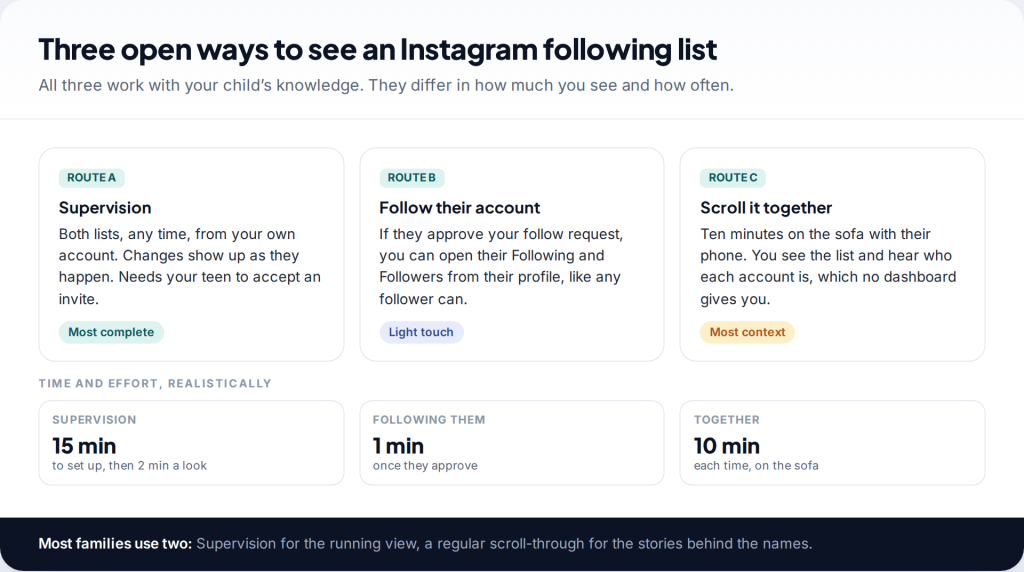
Your child has an Instagram account and you’ve realised you have no idea who is on the other side of it. You can see who your child follows on Instagram in three open ways: through Supervision in Family Center, by following their private account, or by looking through the list with them. The harder part is knowing which names matter, and that is most of this guide.
Three ways to see who your child follows on Instagram
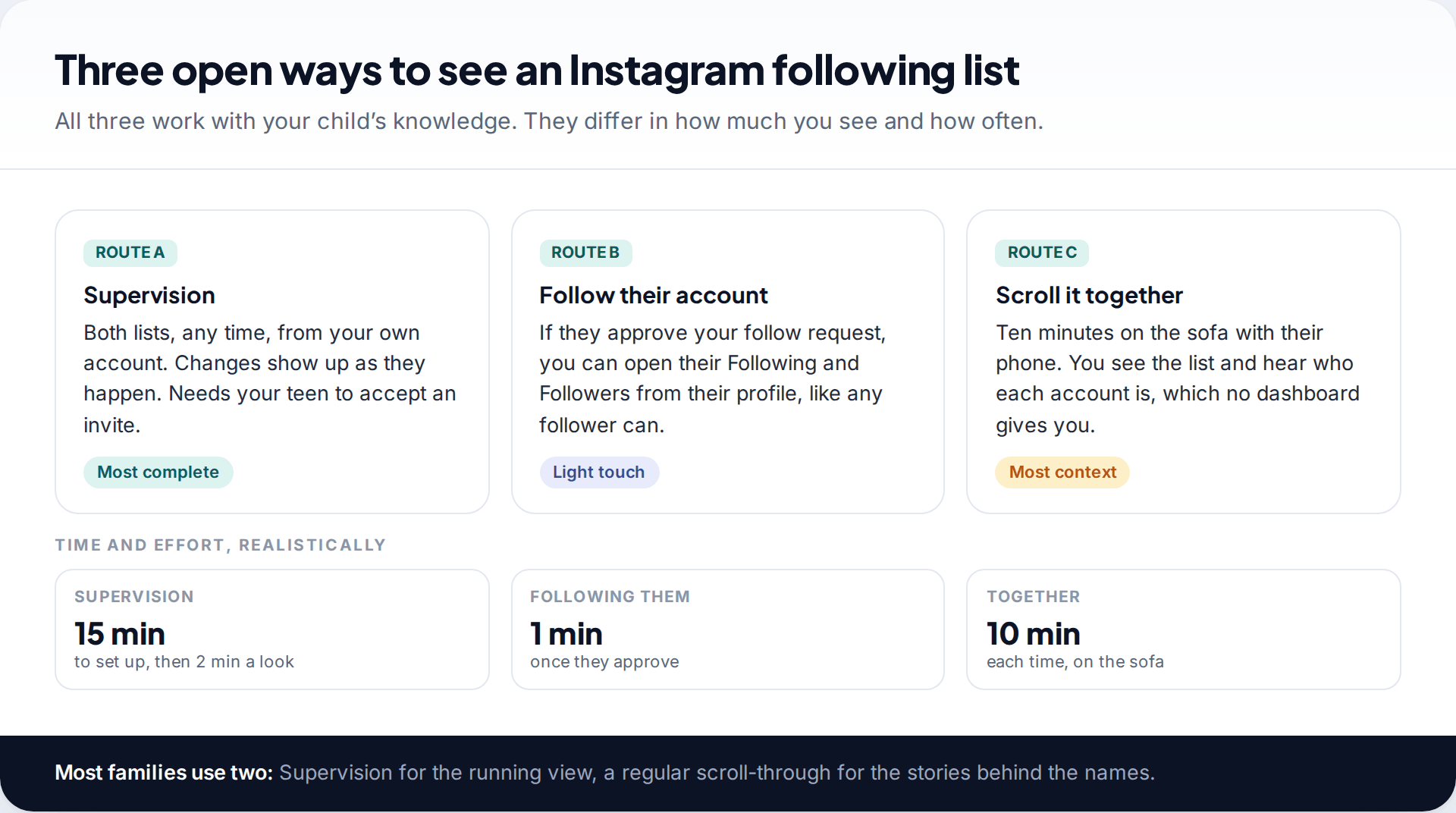
Supervision is the most complete. Once your teen accepts an invite from Family Center, you can open their Following and Followers lists from your own account whenever you like, along with accounts they’ve blocked. You don’t need their phone, and changes appear as they happen. It works for 13 to 17-year-olds, and it needs their agreement. If you haven’t set it up yet, our guide to setting up Instagram Supervision takes about fifteen minutes.
Following their account is the light-touch route. Teen Accounts are private by default, so you’ll need your child to approve your follow request. After that you can tap Following on their profile, just as any approved follower can. You won’t see blocked accounts, time spent or anything else, and your child may reasonably ask you not to comment on their posts.
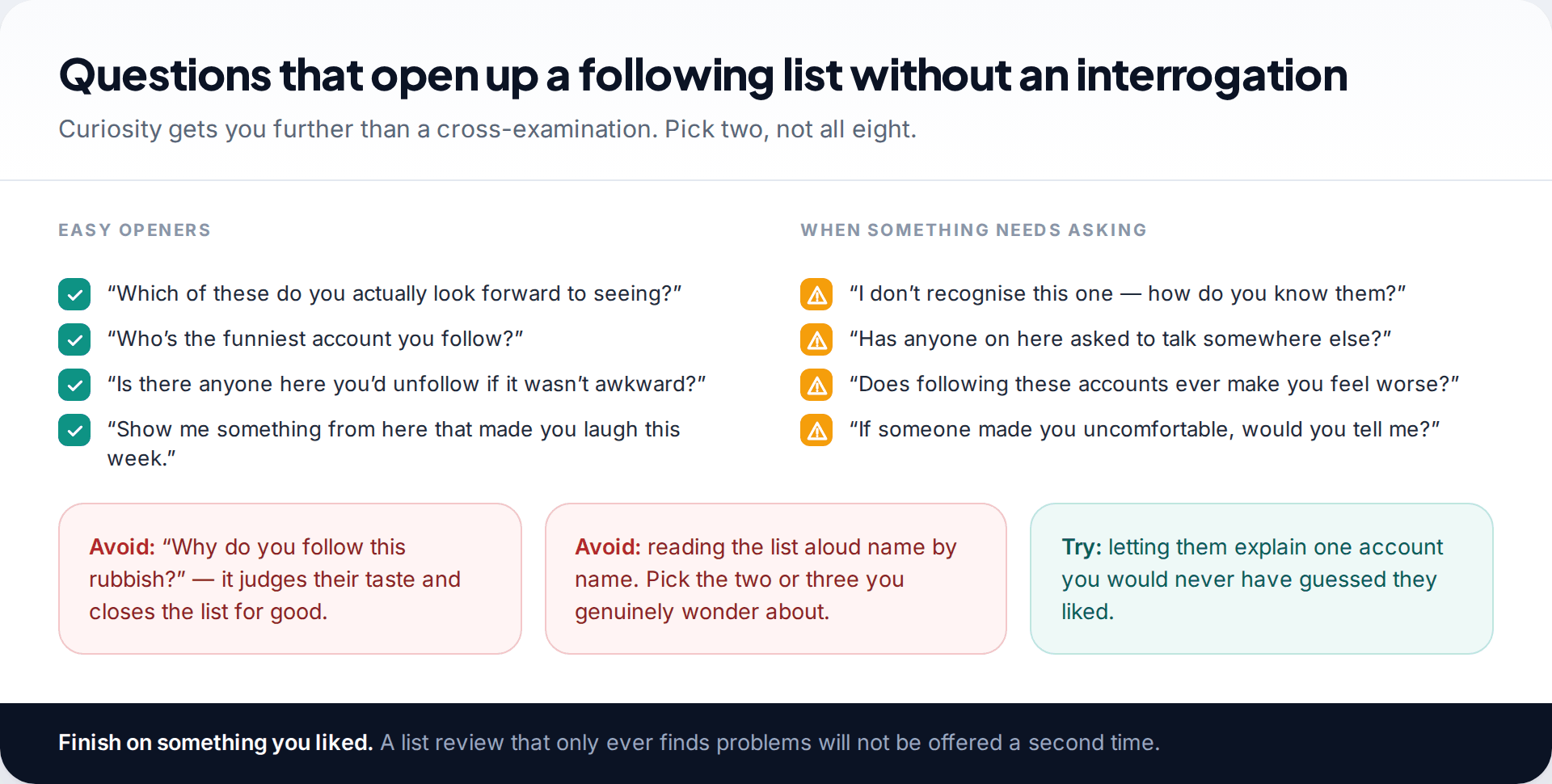
Looking together is the one most parents skip, and it’s often the most useful. Ten minutes with your child scrolling their list gives you what no dashboard can: who each account actually is. “That’s Leo’s brother” answers a question that a handle never will.
| What you get | Supervision | Following them | Together |
|---|---|---|---|
| Following list | Yes | Yes | Yes |
| Followers list | Yes | Yes | Yes |
| Accounts they’ve blocked | Yes | No | If they show you |
| Who each account really is | No | No | Yes |
| Needs their agreement | Yes, once | Yes, once | Each time |
Where the list lives in Supervision
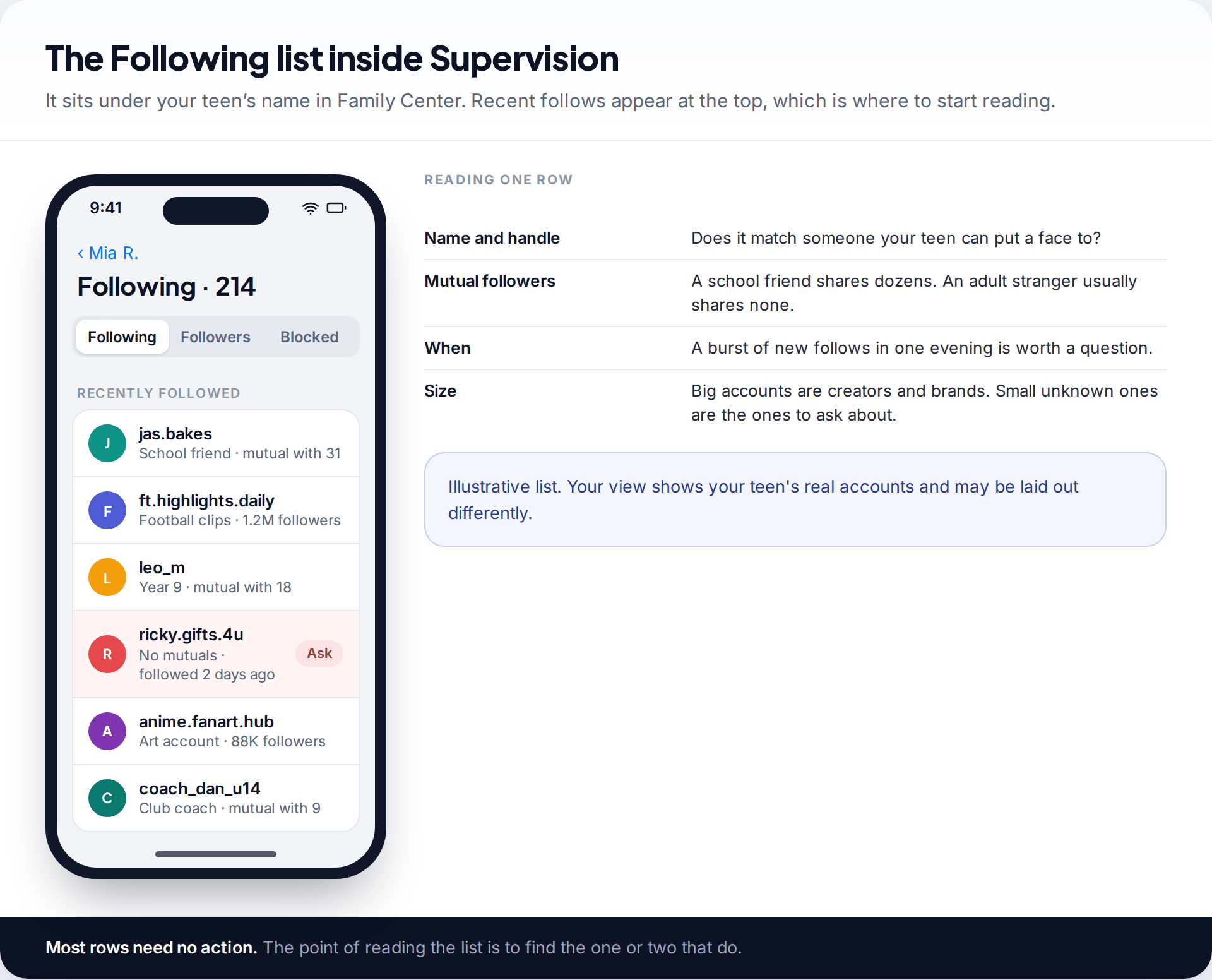
Open Family Center from your own Instagram settings, or go to familycenter.meta.com in a browser, and tap your teen’s name. The Following and Followers lists sit alongside time spent and the other supervision details. Labels move between versions, so if you can’t see the lists straight away, look inside your teen’s profile page within Family Center.
Start with the most recent entries rather than the full list. A list of two hundred accounts is mostly a record of the last three years, and it will tell you little you need to know today. What changed this week tells you much more.
For each unfamiliar row, four things tell you most of what you need: whether the name matches someone your child can describe, how many followers you share in common, when the follow happened, and how large the account is. Big accounts are creators, brands and fan pages. Small, unknown accounts with no mutual followers are the ones worth a question.
How to read a teen’s following list
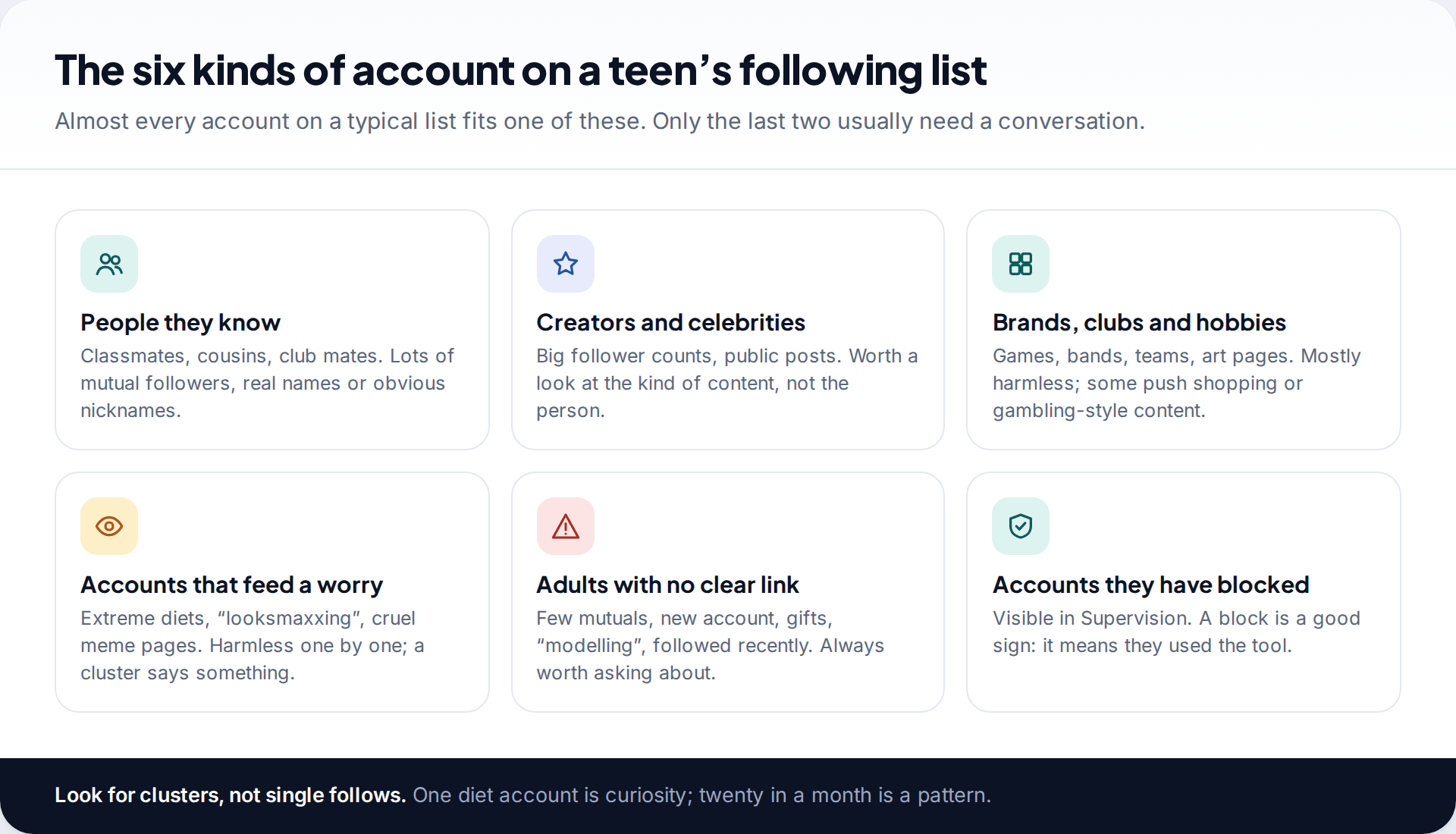
It helps to sort the list mentally into piles rather than judge it account by account.
- People they know. Classmates, cousins, teammates. These are most of the small accounts, with lots of mutual followers.
- Creators and celebrities. Look at the kind of content, not whether you like the person. A dozen fitness creators says something different from a dozen comedians.
- Brands, clubs and hobbies. Mostly harmless. Some lean heavily on shopping, loot boxes or “get rich” content, which is worth a light comment.
- Accounts that feed a worry. Extreme dieting, appearance-rating, cruel meme pages. One is curiosity. A cluster that has grown over a month is a pattern, and it’s worth raising gently.
- Adults with no clear link. Few mutual followers, a recent account, offers of gifts or “modelling”, followed very recently. Always ask about these.
Since October 2025, Teen Accounts on the default 13+ content setting can’t follow accounts that regularly share age-inappropriate material. If your teen already followed one, Meta says they lose access to its content and can’t message it. That cuts out part of the fourth pile, but not all of it. The filter works from what an account posts, not what it says in messages, and it won’t catch a new account that has posted almost nothing.
Checking an account you don’t recognise
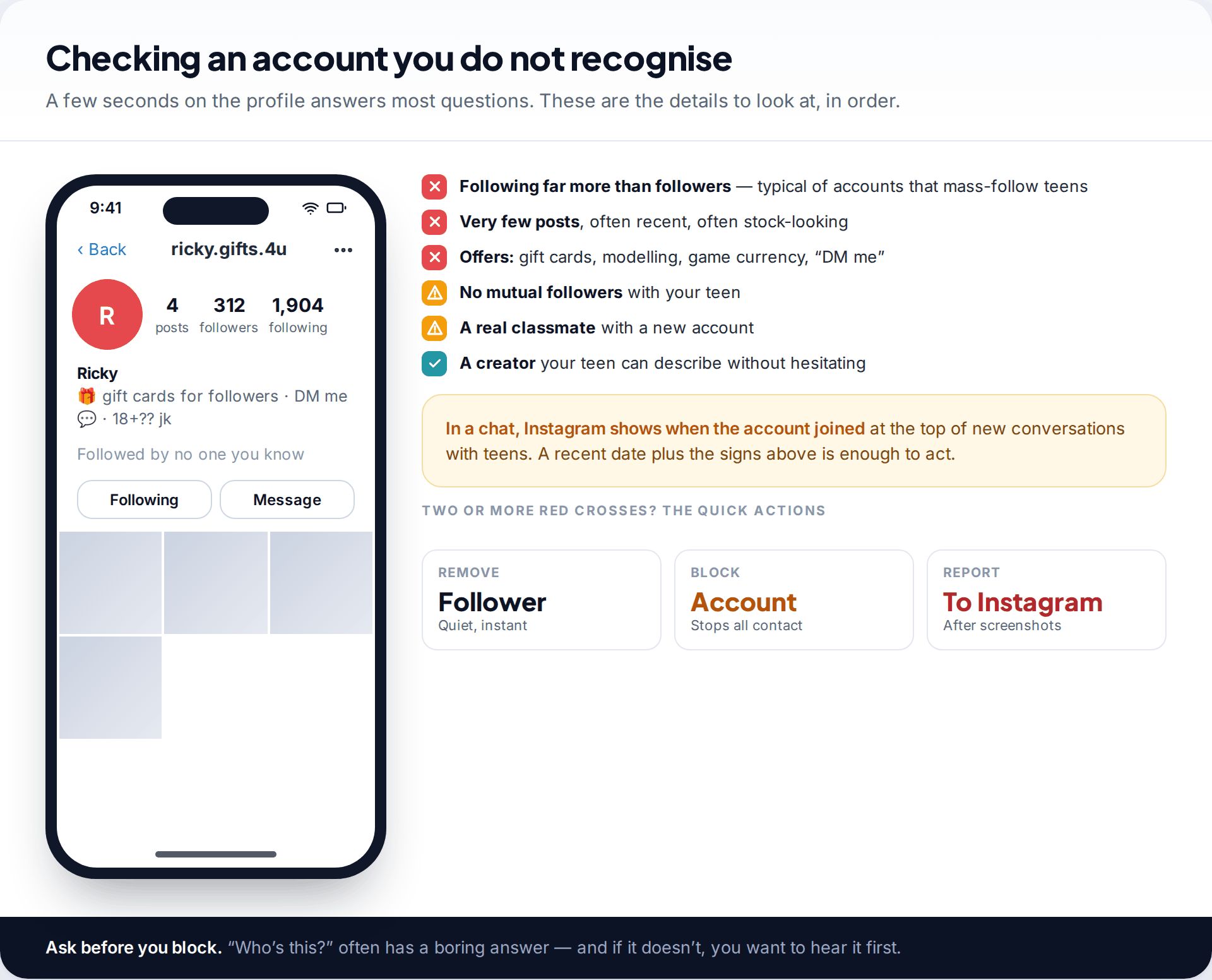
Tap the name and look at the profile with your child. Accounts that follow thousands of people but have few posts and few followers are typical of mass-following, whether spam or something worse. Bios offering gift cards, game currency or modelling work are a known opening for grooming and for sextortion scams. None of that proves anything on its own, but together it’s enough to remove the follower and block the account.
Instagram helps a little here. When a teen starts a new chat, the top of the conversation now shows when the other account joined Instagram, along with safety tips and a single option to block and report together. A brand-new account plus the signs above is enough to act.
Keep the reverse in mind too. Plenty of genuine friends have odd handles, few posts and a new second account. “How do you know them?” usually settles it in one sentence.
Followers matter more than who they follow
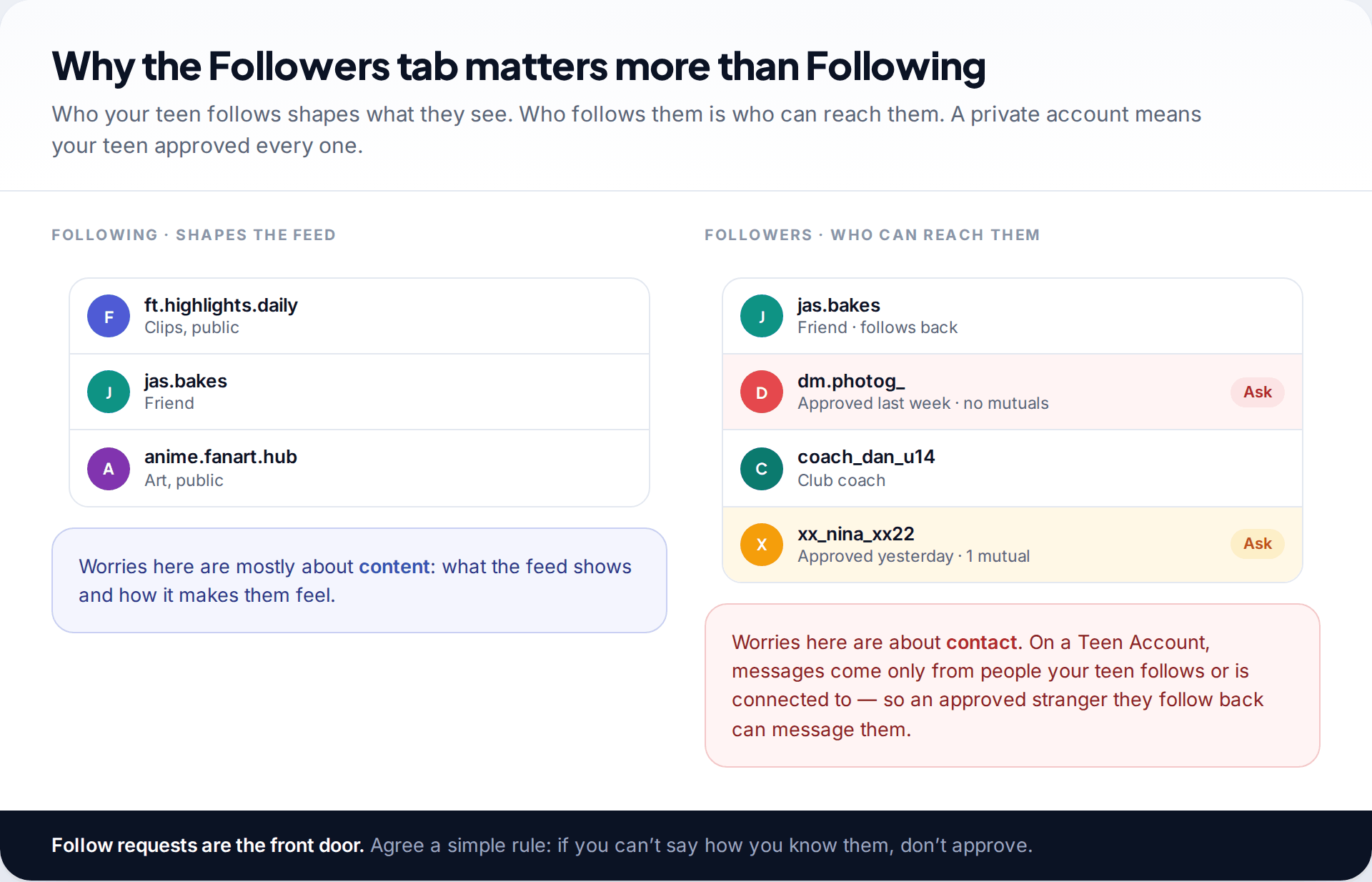
Parents usually search for the Following list, but the Followers list is where contact risk lives. On a private Teen Account, every follower was approved by your child. And because Teen Accounts only accept messages from people your teen follows or is already connected to, an unknown follower they follow back can then message them.
That makes the follow request the front door. A simple family rule works better than any setting: if you can’t say how you know them, don’t approve them. Removing a follower is quiet and immediate, and it stops that account seeing a private profile. Show your child how to do it, so the rule is easy to keep.
The Blocked tab tells you what they handled alone
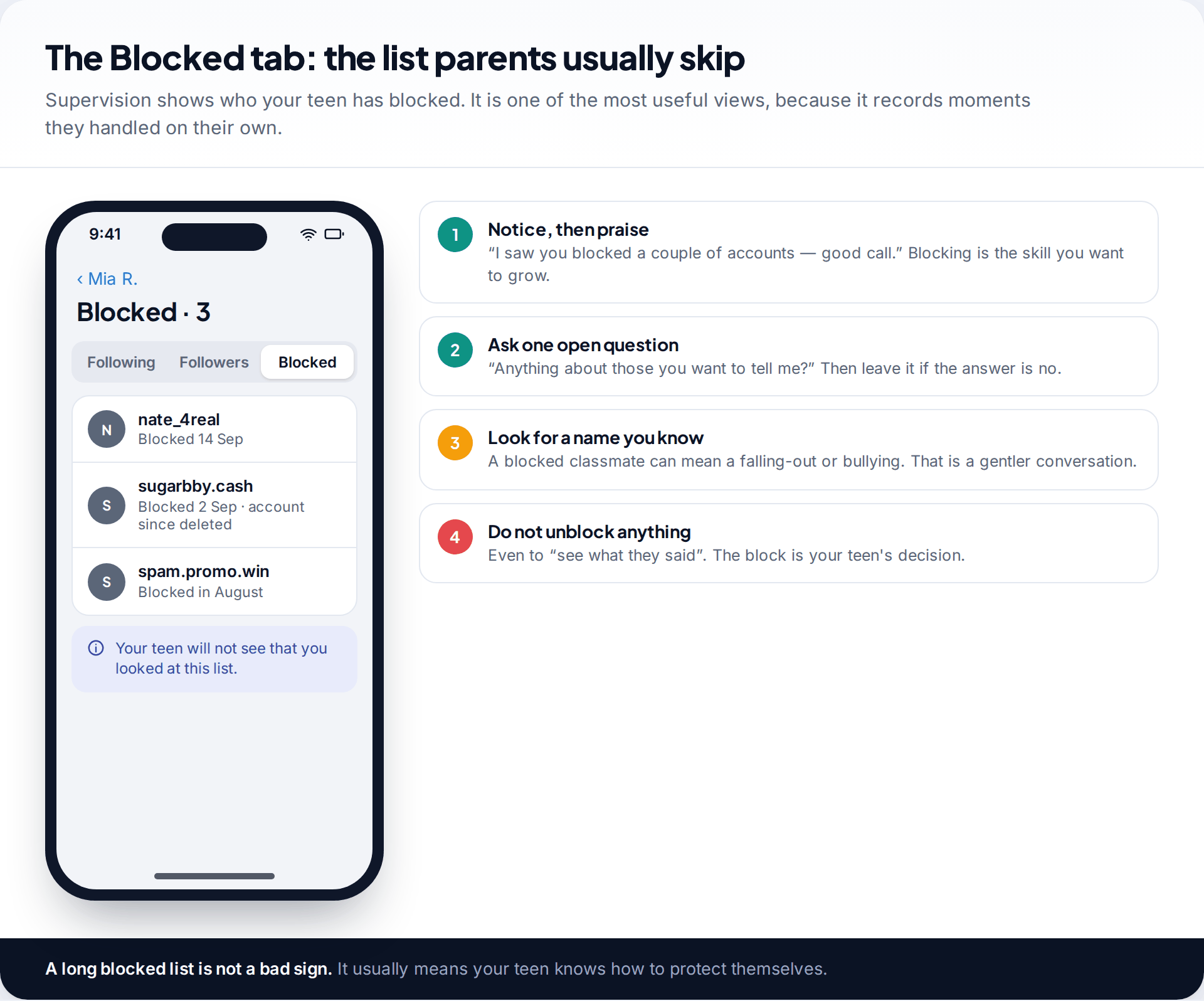
Supervision shows the accounts your teen has blocked. It’s an underrated view, because it records moments where something went wrong and your child dealt with it themselves. Resist the urge to find out exactly what happened with each one. Say you noticed, say it was a good call, and ask once whether there’s anything they want to tell you.
A classmate on the blocked list is a different conversation from a stranger. It can mean a falling-out, or it can mean bullying, and your child may want help with that more than they’ll say.
A pattern worth acting on the same day
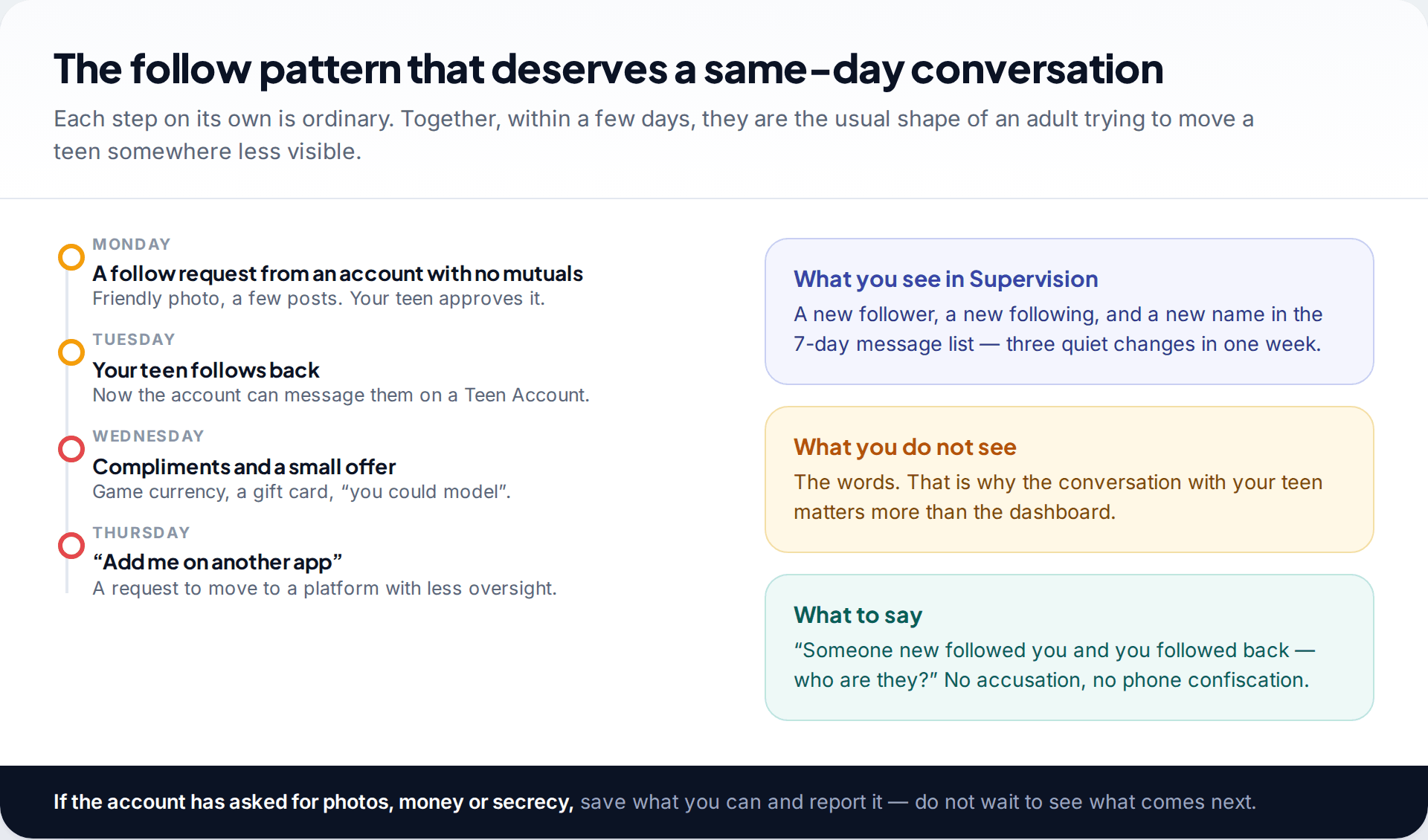
A new follower, a follow back, and a new name in the message list
On Monday, an account with no mutual followers requests to follow a 14-year-old. She approves it. By Tuesday she has followed back, so the account can now message her. On Thursday, the parent notices the same name among the people she has messaged in the past seven days. Supervision shows nothing else, and the words stay private.
The parent doesn’t take the phone. At dinner she asks: “Someone new followed you and you followed back. Who are they?” The answer is vague, then it isn’t. The account has been offering game credit and has asked her to “add me on another app”.
If an account has asked for images, money or secrecy, keep the evidence, don’t reply as your child, and report it. That applies especially if your child has already sent something. Scams built on intimate images move fast and rely on shame. Your child needs to hear that they are not in trouble.
What to do when an account worries you
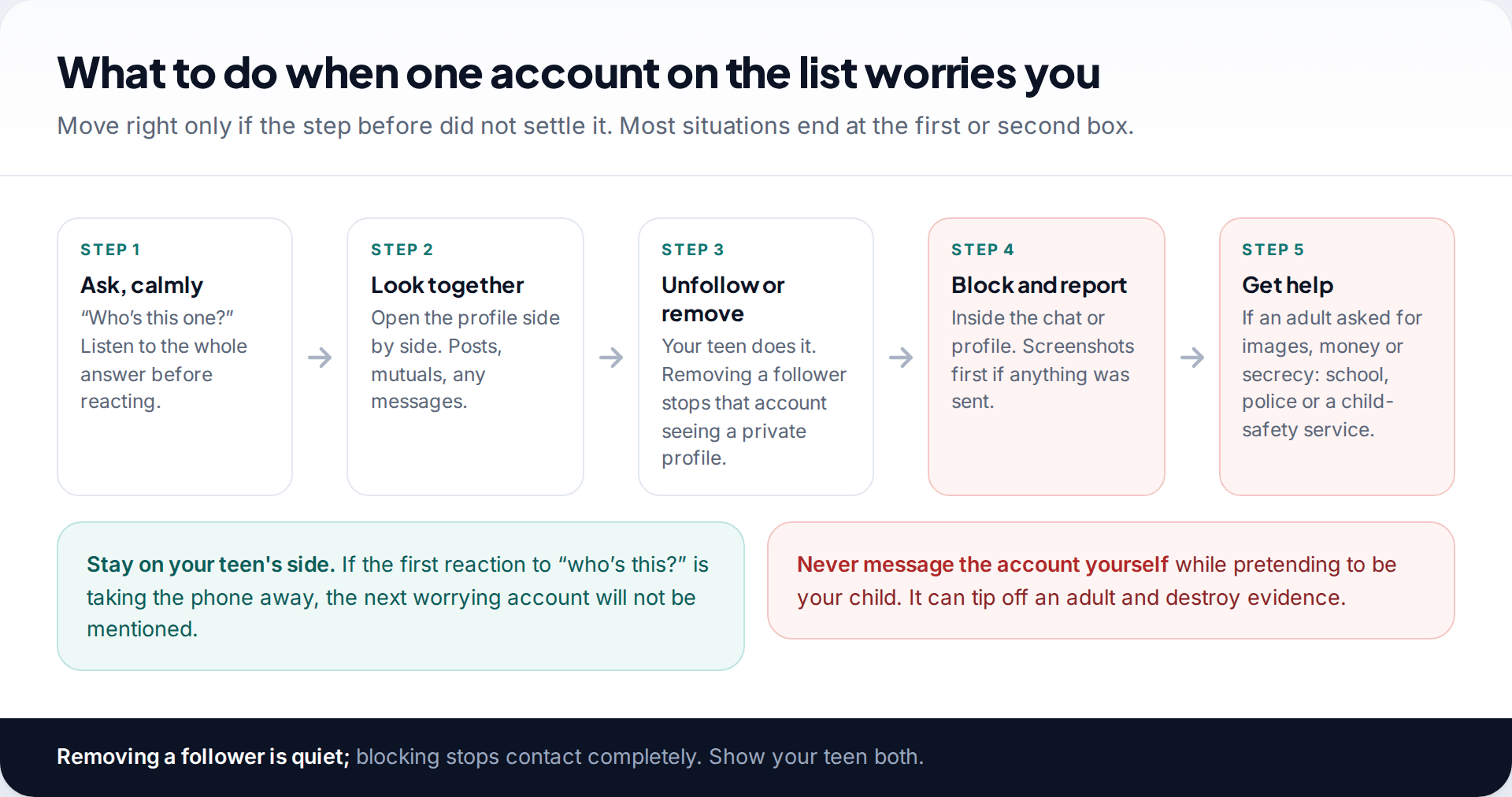
- Ask calmly. “Who’s this one?” Hear the whole answer before you react.
- Look together. Open the profile side by side, and any messages your child is happy to show you.
- Unfollow or remove the follower. Let your child do it, so it stays their account.
- Block and report if anything was inappropriate. Take screenshots first.
- Get outside help if an adult asked for images, money or meetings. Contact the school, the police or a child-safety service in your country.
Some families add a notification-based app on an Android phone, installed together and visible on the phone. Ours can alert you to new followers and message requests, and to keywords you choose in Instagram notifications. It can’t see who your child follows or what’s in the chats, and it misses anything that never appears as a notification. Details are on our Instagram monitoring page. For following lists, Supervision is the better tool.
What a following list can’t tell you
A list shows who, not what. It doesn’t show the messages, the Reels your child watched, or accounts they look at without following. It won’t reveal a second account, which is common among teens who want a smaller circle of close friends, and it can’t tell you what’s happening on another app. Treat it as a starting point for conversations, not a record of your child’s online life.
It also helps to know what normal looks like at each age. A 13-year-old’s list is usually small and close to home: friends, family, a few creators. By 15 or 16 it often runs to several hundred accounts, with more public figures, more friends-of-friends from other schools and a few people met through hobbies or games. Growth on its own isn’t a warning sign. What matters is whether the new names fit the life you know about, and whether your child can still tell you who they are. If the answer to “who’s this?” becomes “no idea, they just followed me”, that’s the habit to work on, more than any single account.
How this page was put together
We checked what Supervision shows against Meta’s announcements on Teen Accounts, the 13+ content setting and the July 2025 message safety features, and against current parent guides describing the Family Center lists, in September 2026. The account names and figures in the images are invented examples.
We don’t recommend any approach that involves logging in as your child or monitoring them without their knowledge. Read how we research and review these guides.
Common questions
Can I see who my child follows on Instagram without asking them?
Not through Instagram’s own tools, and we’d advise against trying. Supervision needs their acceptance, and following them needs their approval. Open routes also hold up better over time.
Can I see who my child follows if their account is private?
Only if they approve your follow request or accept Supervision. Private accounts hide both lists from anyone who isn’t an approved follower.
Does Supervision show who my child’s followers are?
Yes. It shows both lists, Following and Followers, plus accounts your teen has blocked.
Will my child be told when I look at their following list?
Instagram doesn’t notify them each time you open the list. They can see that Supervision is on, and it’s better to say you look now and then than to let them find out.
How often should I check the list?
For a 13 or 14-year-old, a quick look at recent changes every week or two is plenty. Check less often as they get older and show they handle things well.
What if my child follows accounts I don’t like?
Distinguish taste from risk. A creator you find annoying isn’t a safety issue. Accounts pushing extreme diets or run by unknown adults are, and those are the ones to talk about.
Looking for a tool to go with this? TheTruthSpy is a free parental control app for Android that stays visible on the child's phone. If it fits your family, see the Social media alerts feature.
Related guides
Monitoring Your Child’s Text Messages Safely: Options by Age
What parents can really see of a child's texts on iPhone and Android: Communication Limits, Communication Safety, Family Link contacts…
Is Instagram Safe for My Child? A Parent’s Guide
Is Instagram safe for kids? Not under 13, and not automatically after. Teen Accounts now remove many risks by default;…
Vault Apps and Hidden Apps on a Child’s Phone: How to Spot Them
How to find hidden or vault apps on your child's phone: calculator vaults, iPhone hidden and locked apps, Android private…
Parental controls your child can see
Location, screen time limits, a web filter and alerts from notifications — free, and visible on your child's phone. Pair a phone in about ten minutes.
Android · Free to set up · Visible on your child's phone