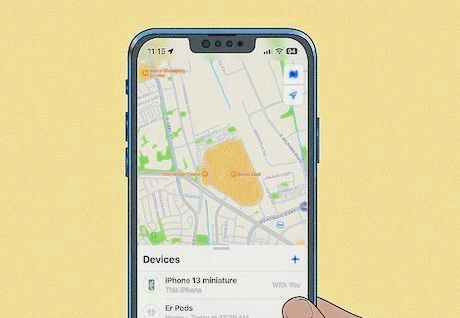

Losing an iPhone—or needing to locate someone else’s—can be stressful, especially when you only have an Android device on hand. Since Apple and Android operate on different ecosystems, tracking across platforms isn’t always straightforward. Still, there are reliable ways to bridge this gap. Whether you’re trying to find a misplaced iPhone, check on a family member’s safety, or monitor your child’s location, the methods below can help you get accurate results.
1. Track an iPhone Using iCloud’s Find Devices Website
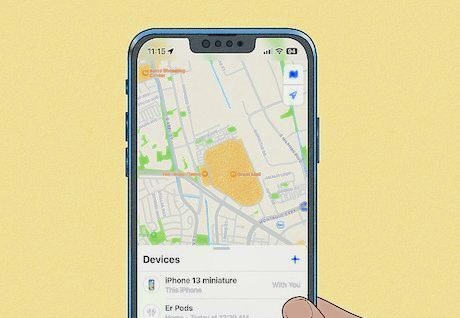
Apple’s Find My system is the most direct way to locate a missing iPhone. Even though the Find My app isn’t available on Android, you can still access the service through any mobile browser.
What You Need First
- Find My iPhone must be enabled on the missing device.
- Location Services must be turned on.
- You must know the Apple ID and password linked to the iPhone.
How to Track the iPhone
- Open a browser on your Android phone (Incognito mode recommended for privacy).
- Visit icloud.com/find and sign in with the Apple ID used on the missing iPhone.
- Select the iPhone from the list of devices.
- A map will display the device’s last known or current location.
Available Actions
- Play Sound — Helps you find the device if it’s nearby.
- Lost Mode — Locks the iPhone and displays a custom message with your contact number.
- Erase iPhone — Wipes all data remotely if recovery seems unlikely.
Why This Method Works Well
- Free and accessible from any browser.
- Works even if the iPhone is offline (iOS 15+), thanks to Apple’s Find My network.
Limitations
- Requires Apple ID login.
- Some features are limited compared to using an actual Apple device.
2. Track an iPhone Using Google Maps Timeline or Location Sharing
If the iPhone user has a Google account and uses Google Maps, you can track the device through Google’s location features.
What You Need First
- Google Maps installed on the iPhone.
- Location Services enabled.
- Location History or Location Sharing turned on.
- Active internet connection on the iPhone.
How to Set Up on the iPhone
- Install Google Maps from the App Store.
- Sign in with a Google account.
- Go to Settings > Personal content.
- Enable Location Services and Location History.
Real‑Time Location Sharing
- Open Google Maps on the iPhone.
- Tap the profile icon → Location Sharing.
- Choose Until you turn this off for continuous sharing.
- Share the location with the Google account used on your Android device.
How to View the Location on Android
- Open Google Maps and sign in with the same Google account.
- The shared iPhone location will appear on the map.
Using Google Maps Timeline
If Location History was enabled before the phone was lost:
- Visit maps.google.com → Menu → Your timeline.
- View past routes, visited places, and timestamps.
Why This Method Works Well
- Great for real‑time tracking between family members.
- Timeline provides detailed historical movement data.
Limitations
- Must be set up before the phone goes missing.
- Timeline on the web is no longer available after Dec 8 (Google update).
3. Track an iPhone Using Cross‑Platform Tracking Apps
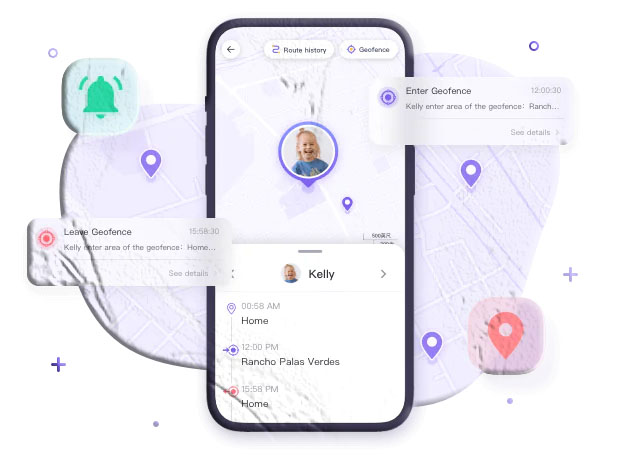
If you want ongoing monitoring—especially for child safety—third‑party parental control apps offer more advanced features. One example is TheTruthSpy Parental Control, which works on both iPhone and Android.
What You Need First
- The tracking app installed on both devices.
- Permissions granted on the iPhone.
How to Use TheTruthSpy
- Install TheTruthSpy Parental Control on your Android device.
- Install TheTruthSpy Kids on the iPhone.
- Link both devices using your account and follow the setup instructions.
- Open the dashboard on Android and tap the GPS icon to view real‑time location.
Why This Method Works Well
- Real‑time tracking with high accuracy.
- Extra features like geofencing, alerts, and screen‑time controls.
- Works for both iPhone‑to‑Android and Android‑to‑iPhone tracking.
Limitations
- Requires installation on both devices.
- Paid features may be necessary for full functionality.
- Must be used with consent to respect privacy laws.
Which Method Should You Choose?
Your ideal method depends on your situation:
| Purpose | Best Method | Why |
|---|---|---|
| Find a lost iPhone | iCloud Find Devices | Accurate, free, and works even when offline (iOS 15+). |
| Track family or friends | Google Maps Location Sharing | Real‑time sharing and easy cross‑platform use. |
| Monitor your child’s safety | TheTruthSpy Parental Control | Real‑time tracking + geofencing + alerts. |
Final Thoughts
Tracking an iPhone from an Android device is absolutely possible, and you don’t need special hardware or complicated tools. Whether you rely on Apple’s iCloud system, Google’s location features, or a dedicated parental control app, each method offers a practical solution depending on your needs. With the right setup, staying connected across platforms becomes simple and stress‑free.
Frequently Asked Questions
1. Can I track an iPhone from an Android without the Apple ID?
Not through iCloud. You would need either Google Maps location sharing already enabled or a third‑party tracking app installed beforehand.
2. Can I track an iPhone that is turned off?
Yes—if the iPhone uses iOS 15 or later and Find My is enabled, iCloud can show its last known location using Apple’s Find My network.
3. Can I track an iPhone using just the phone number?
No legitimate method allows tracking by phone number alone. Avoid websites claiming otherwise—they are often scams.
4. Does Google Maps show real‑time location for iPhones?
Yes, but only if the iPhone user has shared their location with your Google account.
5. Are parental control apps legal?
Yes, as long as they are used with consent—typically for monitoring children or devices you own.